


Ariso AI vs. Jira: Comparison and Expert Reviews for 2026



Choosing between Ariso AI and Jira isn’t easy when you’re under pressure to keep work on track, juggle shifting priorities, and deal with clunky tools. Ideally, you want project management software that makes life easier, instead of adding another headache. I can confirm that both tools are promising when it comes to automation, workflows, or team visibility. However, it’s important to consider that Jira also lives within the wider Atlassian ecosystem, which changes the maths if you already run tools like Confluence.
In this article, you’ll get a clear comparison of Ariso AI and Jira, covering the pros and cons, use cases, pricing, security, and usability. If you’re scanning for a Jira alternative rather than a straight Jira replacement, that distinction matters, and I’ll flag where it does. I’ll help you figure out which tool matches your goals so you can move forward with confidence.
Ariso AI vs. Jira: An Overview
Ariso AI
Jira
Why Trust Our Software Recommendations
Our team has been testing and reviewing software since 2012. As project managers ourselves, we know how difficult—and important—it is to choose the right software.
For this guide, we evaluated tools using hands-on testing and independent research, scoring tools using our selection criteria. We also draw on insights from industry thought leaders and practicing project management experts.
Our reviews reflect our human editorial judgment, not a sales pitch.
Expert reviewers:
Ariso AI vs. Jira Pricing Comparison
| Ariso AI | Jira | |
|---|---|---|
| Free Trial | Free demo available | Free plan + 7-day free trial available |
| Pricing | From $1/day | From $8.48/user/month |
Ariso AI vs. Jira Pricing & Hidden Costs
Ariso AI uses a free-to-start model for its individual Ari experience, with pricing listed at $1 per day after the free period. However, organizations that need team-wide management, shared intelligence, and administrative features need to book a demo to access custom pricing. Jira offers multiple plans, including free and paid tiers, with add-ons that can increase costs as your usage grows—marketplace apps and Jira Service Management seats are the two lines that surprise people most. Both tools may charge extra for advanced integrations, higher storage limits, or premium support, so your monthly spend could be higher than you expect if your needs scale.
To pick the right vendor, map out your team’s current and planned usage—look beyond user seats and check which key features, integrations, and support levels you’ll actually use every month. Model resource allocation while you are at it: if JSM agents or premium support sit in a different bucket, that changes the real total. Review whether either tool locks workflows or important features behind pricier tiers. Also, talk to your finance or procurement team about flexibility: you want pricing that lets you adjust as your project needs shift, not one that surprises you later.
Ariso AI vs. Jira Feature Comparison
| Ariso AI | Jira | |
|---|---|---|
| API | ||
| Calendar Management | ||
| Data Export | ||
| Data Import | ||
| External Integrations | ||
| Multi-User | ||
| Notifications |
Ariso AI vs. Jira Integrations
| Integration | Ariso AI | Jira |
|---|---|---|
| Slack | ✅ | ✅ |
| Microsoft Teams | ✅ | ✅ |
| Google Drive | ✅ | ✅ |
| Dropbox | ✅ | ✅ |
| GitHub | ✅ | ✅ |
| Salesforce | ✅ | ✅ |
| Zendesk | ✅ | ✅ |
| HubSpot | ✅ | ❌ |
| Asana | ✅ | ✅ |
| Trello | ❌ | ✅ |
| API | ✅ | ✅ |
| Zapier | ✅ | ✅ |
Both Ariso AI and Jira cover core integrations like Slack, Teams, Salesforce and GitHub, but Jira pulls ahead in this category because of its Atlassian Marketplace, which offers over 1000 integrations. However, APIs and Zapier in each platform mean you have flexible ways to connect with the rest of your workflow.
Ariso AI vs. Jira Security, Compliance & Reliability
| Factor | Ariso AI | Jira |
|---|---|---|
| Data Privacy | Offers SOC 2 and GDPR-compliant data practices and data residency options. | Complies with GDPR, CCPA, and offers advanced data residency controls. |
| Encryption | Uses per-user end-to-end encryption for all project data in transit and at rest. | Provides encryption in transit and at rest with enterprise-grade standards. |
| Access Controls | Role-based permissions and SSO available for precise user management. | Granular role permissions, SSO, and SCIM for advanced user provisioning. |
| Uptime SLA | Can uphold a 99.9% uptime guarantee backed by proactive infrastructure monitoring and AWS hosting. | Maintains a 99.9% uptime SLA, with public status dashboards and reporting. |
| Audit Logging | Includes basic logging for activity and admin actions. | Extensive audit logging and exportable logs for compliance needs. |
Jira is the stronger pick if you need advanced compliance options, fine-grained controls, and detailed audit tracking. Ariso AI has solid protections for most teams, but Jira’s reputation for reliability and regulatory coverage is tough to top.
Ariso AI vs. Jira Ease of Use
| Factor | Ariso AI | Jira |
|---|---|---|
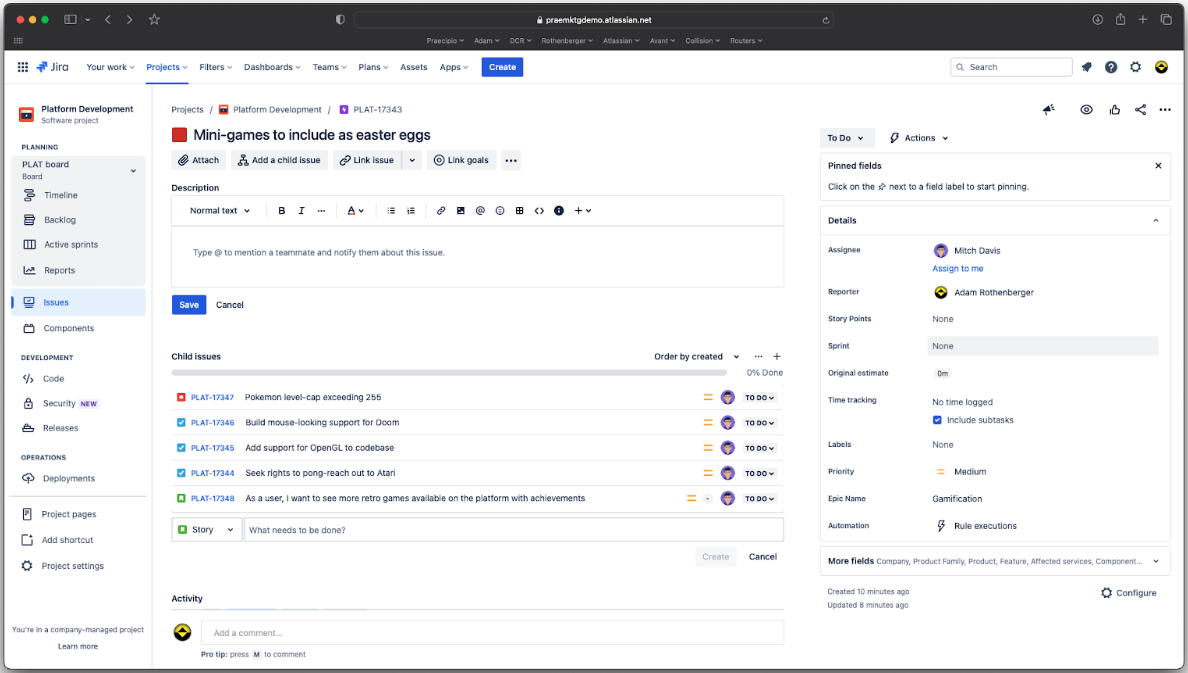
| User Interface | Modern, clean interface designed for fast, intuitive navigation. | Busy interface with deep functionality that requires time to learn and customize. |
| Onboarding | Guided prompts and built-in self-serve tutorials to help new users get started quickly. Onboarding services are also available for bigger teams. | Offers onboarding but users often need help guides or admin setup to handle complexity. |
| Setup Time | Quick setup—most teams can import data and launch in one session. | Setup is thorough but time-consuming, especially for custom workflows or integrations. |
| In-App Support | Live chat and AI-driven tips are easily accessible throughout the app. | Contextual help is available, with links to robust documentation and community forums. |
| Customization | Limited options, focused on simplicity over deep customization. | Highly configurable, but requires more effort to adjust to team workflows. |
Ariso AI is the faster ramp for new teams, as most of the work is transparent to the user thanks to Ari learning patterns and processing information in the background. However, Jira’s customizability pays off once you’ve invested in setup and training. Overall, I find Ariso AI the easier tool to use.
Ariso AI vs Jira: Pros & Cons
Ariso AI
- Ari (AI agent) surfaces risks from real-time project activity
- Automatic status updates eliminate manual progress reporting
- Centralizes communication, knowledge, and project data in one hub
- Takes time to reach full value, as Ari needs to learn the context of your team’s projects.
- Requires broad team adoption for best results.
- Replacing or supplementing existing tools may require dedicated work and process changes.
Jira
- Agile workflow management supports Scrum and Kanban and can improve your teams' productivity.
- Automation rules are easy to set up, which helps your team speed up their work.
- Custom filters can be created and accessed quickly, which improves your team's efficiency.
- Field names can be confusing, which might slow down your team's workflow.
- The interface can be too crowded in Scrum projects, which can make it hard for your team to navigate.
- There's a lack of resource management capabilities, which could limit your team's planning.
Best Use Cases for Ariso AI and Jira
Ariso AI
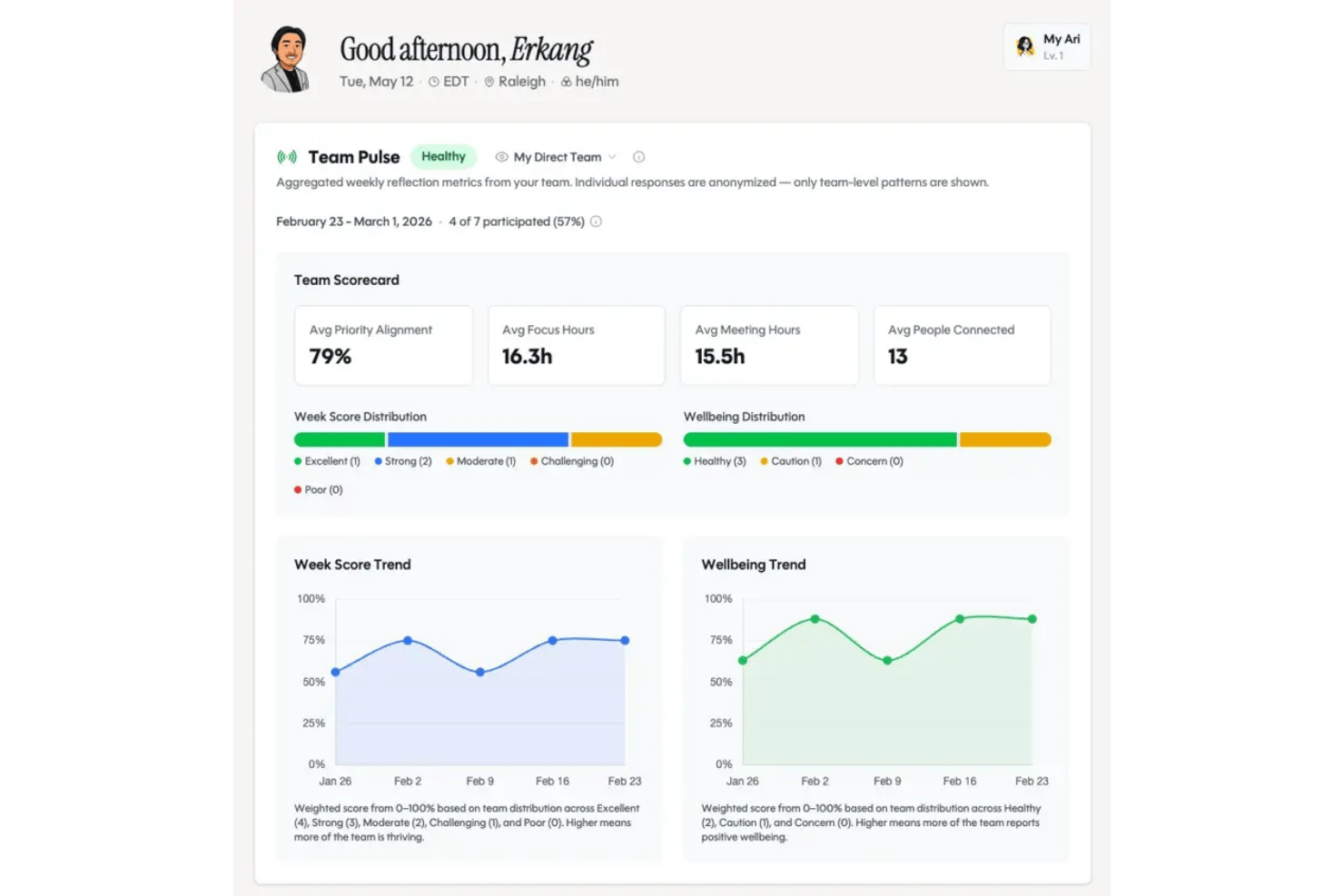
- Technology Teams Ariso AI works well for technology teams because it provides a shared execution layer where employees and AI agents can collaborate using the same project context while people retain control over decisions and accountability.
- Marketing Agencies Marketing teams can use automations and AI-powered reporting to coordinate campaigns, manage deadlines, and keep clients in the loop.
- Consulting Teams Ariso AI is a good choice for consulting teams because it can capture the context created across client conversations and meetings and translate it into projects, responsibilities, decisions, and next steps.
- Remote Teams Built-in chat, cross-tool integrations, and real-time notifications make it easier for globally distributed teams to coordinate without silos.
- IT Departments With native integrations to development tools, Ariso AI helps IT teams track tickets, PRs, and project requests in one streamlined platform.
- Data-Driven Enterprises Advanced reporting, workflow analytics, and customizable dashboards let enterprises keep tabs on KPIs and company goals across large projects.
Jira
- Software development Jira’s agile tools like Scrum and Kanban boards make it perfect for managing software projects.
- IT departments Its issue tracking capabilities help your team efficiently handle technical support and bug fixes.
- Tech startups Jira offers customization capabilities that allow your team to scale and adapt as your projects grow.
- Agile teams Sprint planning and backlog management features keep your agile processes organized and effective.
- Large enterprises Jira’s automation rules can streamline your complex workflows and improve team productivity.
- Project managers Its reporting and analytics provide insights that help you make informed decisions quickly.
Who Should Use Ariso AI, and Who Should Use Jira?
Ariso AI is perfect for fast-moving tech teams and startups who want a low-friction, AI-powered platform that has an agent running in the background, processing contextual information, and making planning and managing tasks feel easy. Jira is the go-to for larger organizations, regulated industries, and teams that live and breathe detailed workflows, process controls, or dev-centric integrations. If your priority is simplicity, onboarding speed, or smaller budgets, Ariso AI is likely the better fit. But if you need deep customization, compliance, or support for complex delivery models, Jira is hard to beat.
Differences Between Ariso AI and Jira
| Ariso AI | Jira | |
|---|---|---|
| AI-Driven Features | Built-in AI that connects preparation, live meeting context, decisions, action items, and surfaces risks before they become blockers. | Minimal AI features that rely more on manual configuration and rules. |
| Integration Depth | Covers most common business tools but is still in the early stages of developing built-in integrations. | Expansive integration marketplace with 1000+ specialized plugins. |
| Onboarding Speed | Designed for rapid setup; most teams get started in under a day. | Gradual setup, especially for teams needing advanced structure or integrations. |
| Pricing Structure | Two tiers that serve individuals & small teams vs bigger organizations. | Multiple pricing tiers, with add-ons and per-user costs that scale for larger orgs. |
| Workflow Customization | Simple templates with limited customization to keep things streamlined. | Highly customizable workflows for every project and team scenario. |
| Visit Ariso AIOpens new window | Read Jira ReviewOpens new window |
Similarities Between Ariso AI and Jira
| API Availability | Ariso and Jira can connect external tools and build integrations using each platform’s open API. |
|---|---|
| Automation | They offer workflow automation—Ariso AI with AI-driven rules, Jira with customizable automated triggers and actions. |
| Cloud-Based Access | Users can access these tools via browsers and sync information across devices. |
| Task Management | Both support task assignment, tracking, and status updates, making it easy to manage workloads and deadlines. |
| Team Collaboration | Each provides shared dashboards, comments, and notifications that keep teams aligned across remote or hybrid setups. |
| Visit Ariso AIOpens new window Read Jira ReviewOpens new window | |