



Wrike mot Zoho Projects: Jämförelse och expertomdömen 2026



Wrike är en plattform för projektledning som hjälper team att hantera arbetet effektivt och tydligt. Zoho Projects fokuserar på uppgiftsorganisering och teamsamarbete. Även om båda verktygen bidrar till smidigare projektarbetsflöden skiljer de sig åt när det gäller anpassnings- och integrationsalternativ – viktiga faktorer för team som letar efter rätt lösning.
I den här artikeln hittar du en detaljerad jämförelse av dessa programvaror för projektledning, med en genomgång av deras funktioner, för- och nackdelar, priser och mer.
Wrike vs. Zoho Projects: An Overview
Wrike
Zoho Projects
Varför du kan lita på våra programvarurekommendationer
Vårt team har testat och recenserat programvara sedan 2012. Som projektledare själva vet vi hur
svårt — och viktigt — det är att välja rätt programvara.
För den här guiden utvärderade vi verktyg genom praktisk testning och oberoende research, och betygsatte verktygen enligt våra urvalskriterier. Vi drar även nytta av insikter från branschens tankeledare och praktiserande projektledningsexperter.
Våra recensioner speglar vårt mänskliga redaktionella omdöme, inte ett säljbudskap.
Expertgranskare:
Wrike vs. Zoho Projects Pricing Comparison
| Wrike | Zoho Projects | |
|---|---|---|
| Free Trial | Free plan + 14-day free trial + free demo available | 15-day free trial + free plan + free demo available |
| Pricing | From $10/user/month (billed annually) | From $4/user/month (billed annually) |
Wrike vs. Zoho Projects Feature Comparison
Den här jämförelsen funktion för funktion belyser kärnfunktionerna som erbjuds av Wrike och Zoho Projects, så att du kan bedöma vilken plattform som bäst stöder dina behov inom projektledning.
| Wrike | Zoho Projects | |
|---|---|---|
| API | ||
| Batch Permissions & Access | ||
| Budgeting | ||
| Calendar Management | ||
| Collaboration Support | ||
| Contact Management | ||
| Contact Sharing | ||
| Customer Management | ||
| Dashboard | ||
| Dashboards | ||
| Data Export | ||
| Data Import | ||
| Data Visualization | ||
| Dependency Tracking | ||
| Document Sharing | ||
| Expense Tracking | ||
| External Integrations | ||
| File Sharing | ||
| Gantt Charts | ||
| Kanban Boards | ||
| Multi-User | ||
| Notifications | ||
| Project Management | ||
| Resource Management | ||
| Scheduling | ||
| Task Scheduling/Tracking | ||
| Third-Party Plugins/Add-Ons | ||
| Time Management | ||
| Travel Management | ||
| Workflow Management |
Wrike jämfört med Zoho Projects – integrationer
| Integrering | Wrike | Zoho Projects |
| Slack | ✅ | ❌ |
| Microsoft Teams | ✅ | ✅ |
| Google Drive | ✅ | ✅ |
| Salesforce | ✅ | ❌ |
| Dropbox | ✅ | ✅ |
| QuickBooks | ❌ | ✅ |
| GitHub | ✅ | ❌ |
| Zoho CRM | ❌ | ✅ |
| API | ✅ | ✅ |
| Zapier | ✅ | ❌ |
Wrike integreras med Slack för att stödja kommunikation i realtid och hålla teamet uppdaterat utan att behöva byta verktyg. Detta passar bra för team som förlitar sig på snabbmeddelanden.
Zoho Projects ansluter till Zoho CRM, vilket möjliggör ett smidigt datautbyte mellan försäljning och projektledning för dem som redan använder Zoho-paketet. Wrike fokuserar på verktyg för samarbete i realtid, medan Zoho Projects betonar effektivitet inom det interna ekosystemet.
Wrike jämfört med Zoho Projects – säkerhet, efterlevnad & tillförlitlighet
| Faktor | Wrike | Zoho Projects |
| Datakryptering | Wrike använder avancerad AES-256-kryptering för data i vila och under överföring. | Zoho Projects använder AES-256-kryptering för att skydda data både i vila och under överföring. |
| Regulatorisk efterlevnad | Wrike följer GDPR och erbjuder funktioner som stöder HIPAA | Zoho Projects följer GDPR och tillhandahåller verktyg för HIPAA-efterlevnad. |
| Tillgänglighet och driftsäkerhet | Wrike garanterar 99 % tillgänglighet med en robust infrastruktur. | Zoho Projects säkerställer 99,9 % tillgänglighet med stöd av en tillförlitlig serverarkitektur. |
Wrike och Zoho Projects erbjuder båda starka funktioner för säkerhet och efterlevnad, men Wrike kan ha en fördel tack vare sin avancerade kryptering och sina riktade alternativ för efterlevnad.
När du väljer leverantör bör du ta hänsyn till branschens specifika krav på efterlevnad, krypteringsstandarder, garantier för tillgänglighet och hur varje verktyg överensstämmer med organisationens säkerhetspolicyer.
Wrike jämfört med Zoho Projects – användarvänlighet
| Faktor | Wrike | Zoho Projects |
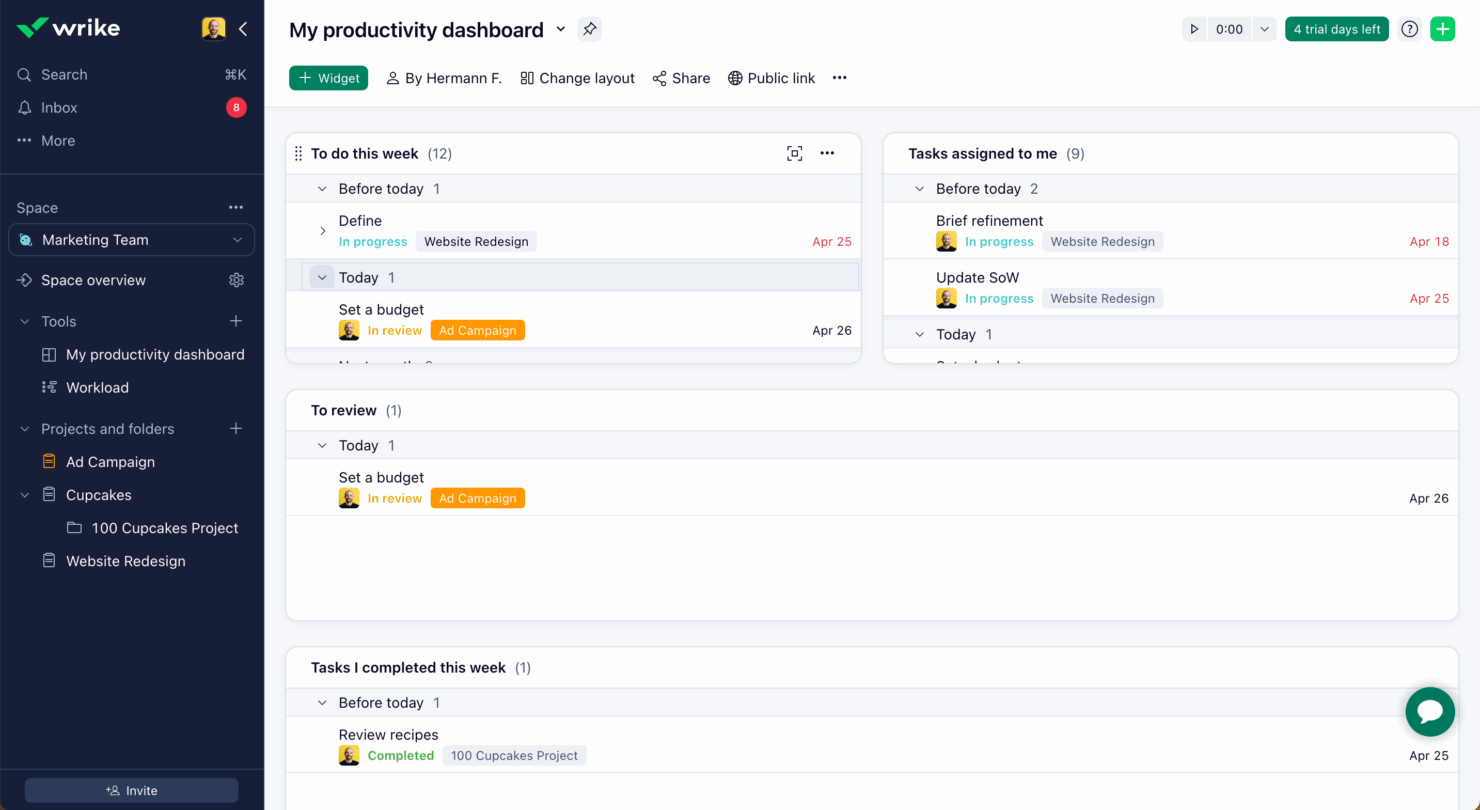
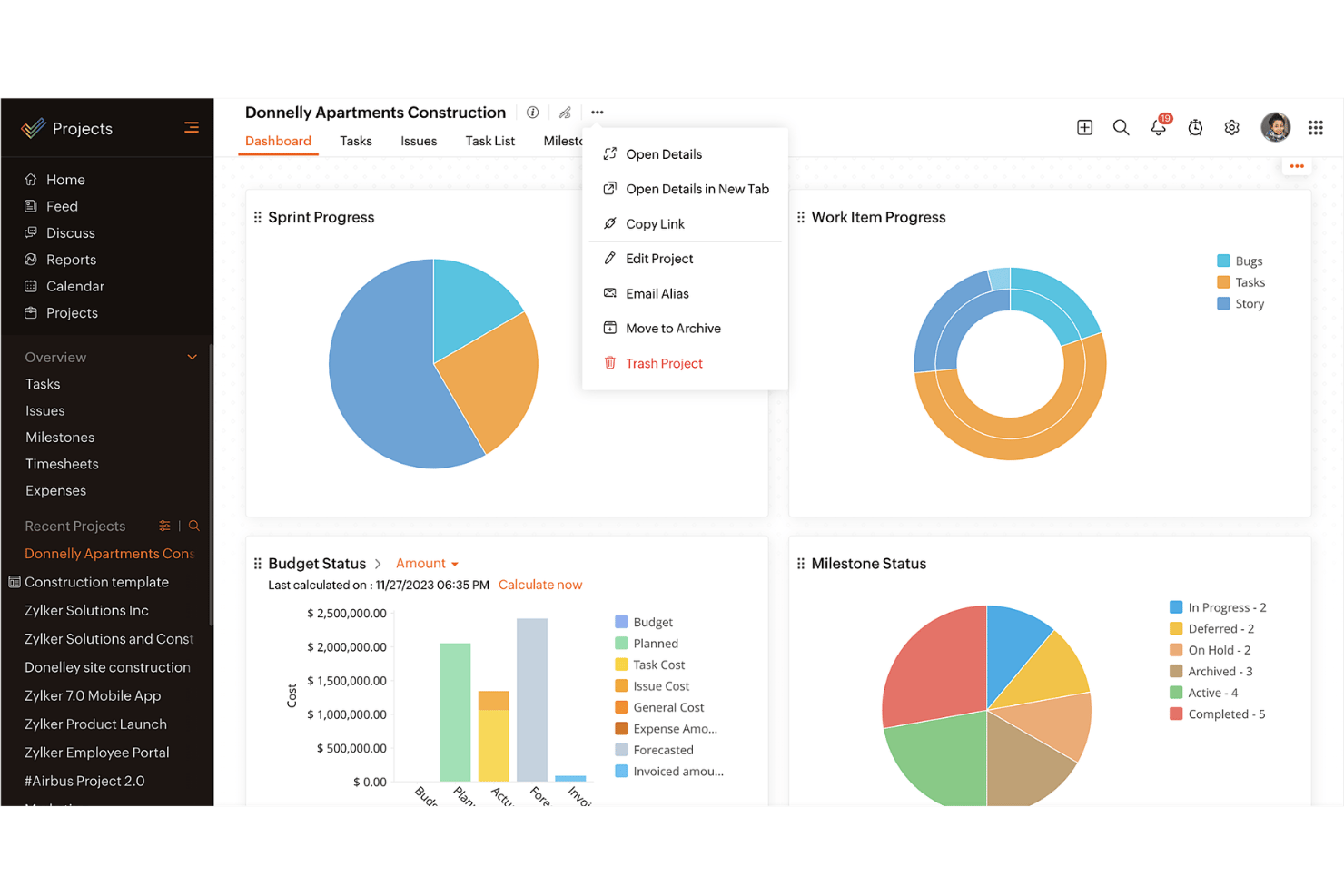
| Användargränssnitt | Wrike erbjuder ett rent och anpassningsbart användargränssnitt som låter dig anpassa instrumentpanelerna efter dina behov. | Zoho Projects har ett enkelt gränssnitt med logiska navigeringsvägar. |
| Introduktionsupplevelse | Wrike innehåller interaktiva guider och resurser för en snabb start. | Zoho Projects erbjuder en guidad konfiguration med användbara uppmaningar och tips. |
| Support | Wrike erbjuder support dygnet runt, alla dagar i veckan, med ett omfattande hjälpcenter. | Zoho Projects erbjuder support under kontorstid och en omfattande kunskapsbas. |
Wrikes användarvänlighet förbättras av det anpassningsbara gränssnittet och supporten dygnet runt, alla dagar i veckan, vilket gör plattformen till ett utmärkt val för team som behöver flexibilitet och ständig hjälp.
Zoho Projects utmärker sig däremot genom enkelhet och intuitiv navigering, även om de begränsade supporttiderna kan vara en utmaning för vissa.
Wrike vs Zoho Projects: Pros & Cons
Wrike
- Wrike's proofing feature allows you to compare file versions dynamically.
- The user-friendly interface ensures easy navigation for your team.
- Wrike's AI features are available in all plans at no extra cost.
- It can be unclear where form responses are stored within the tool.
- Some integrations require an additional cost, regardless of the plan.
- Two-factor authentication is only available with the enterprise plan.
Zoho Projects
- Task dependencies are highly visual and easy to set up.
- Built-in time tracking integrates smoothly with billing features.
- Customizable project templates support repeatable workflows.
- Reporting customization can be limited for advanced needs.
- Mobile app notifications do not always sync in real time.
- Gantt chart drag-and-drop can feel sluggish with large projects.
Best Use Cases for Wrike and Zoho Projects
Wrike
- Marketing Teams Wrike’s proofing feature helps you streamline creative approval processes with ease.
- Creative Agencies Wrike’s dynamic file version comparison keeps your creative projects on track.
- IT Departments Wrike’s user-friendly interface simplifies complex project coordination for your team.
- Product Development Wrike’s AI features boost your team’s productivity without extra costs.
- Event Management Wrike’s task scheduling ensures your events are planned and executed flawlessly.
- Construction Projects Wrike’s robust project tracking keeps your construction timelines and budgets in check.
Zoho Projects
- Small Agencies Kanban boards, time tracking, and client billing streamline project delivery and reporting for agency teams.
- IT Departments Issue tracking, blueprint automations, and strong permission controls provide what IT teams need for complex internal projects.
- Consulting Firms Time sheets, detailed reports, and project-level billing help consultants keep track of client hours and invoicing.
- Remote Teams Robust collaboration tools, document sharing, and project forums help distributed users stay connected.
- Marketing Teams Reusable templates, task dependencies, and timeline tracking make repeated campaigns run smoothly and transparently.
- Construction Projects Gantt charts, milestones, and resource allocation features support the scheduling needs of construction and field project managers.
Differences Between Wrike and Zoho Projects
Den här jämförelsen beskriver de viktigaste skillnaderna mellan Wrike och Zoho Projects för att hjälpa dig avgöra vilken plattform som passar bäst.
| Wrike | Zoho Projects | |
|---|---|---|
| Automation | Wrike offers advanced automation capabilities for complex workflows | Zoho Projects includes basic automation tools for task management. |
| Customization | Wrike offers extensive customization with dashboards and workflows. | Zoho Projects provides basic customization options for simpler setups. |
| Integrations | Wrike integrates with a wide range of third-party apps like Slack | Zoho Projects integrates well within the Zoho Ecosystem, like Zoho CRM. |
| Pricing | Wrike uses a tiered subscription with additional costs for premium features. | Zoho Projects follows a tiered pricing model with fewer hidden costs. |
| User Interface | Wrike features a clean, customizable UI for tailored experiences. | Zoho Projects has a straightforward interface with logical navigation. |
| Visit WrikeOpens new window | Read Zoho Projects ReviewOpens new window |
Similarities Between Wrike and Zoho Projects
Även om Wrike och Zoho Projects skiljer sig åt har de också flera centrala funktioner gemensamt som stöder effektiv projektledning i olika team.
| Collaboration | Both tools support team collaboration through features like file sharing and real-time updates. Wrike connects with various communication apps, while Zoho Projects includes built-in chat and discussion forums. |
|---|---|
| Mobile Usability | Wrike and Zoho Projects both offer mobile apps for managing projects on the go. Wrike’s app allows offline access, while Zoho Projects’ app is known for its user-friendly design. |
| Reporting | Both platforms offer reporting tools to help you track project progress. Wrike provides advanced analytics and fully customizable reports, while Zoho Projects includes pre-built reports that can be tailored to your needs. |
| Task Management | Both Wrike and Zoho Projects offer strong task management features that let you assign, track, and prioritize work efficiently. Wrike stands out with its detailed task dependencies, while Zoho Projects offers easy-to-use task lists and Kanban boards. |
| Time Tracking | Both solutions include time tracking to monitor hours spent on tasks. Wrike integrates time tracking directly into its project management workflow, while Zoho Projects provides built-in timers and detailed timesheet reports. |
| Visit WrikeOpens new window Read Zoho Projects ReviewOpens new window | |