

Toggl vs. Harvest: Expert Reviews & Comparison 2026



Time tracking can tell you where the hours went, but not always whether the work stayed profitable. The better fit depends on how tightly you want time data connected to budgets, billing, and project planning.
Picking between Toggl and Harvest comes down to whether you want time data feeding planning and capacity, or flowing straight into budgets, invoices, and payments. When scope shifts and logged hours are hard to connect to budgets, the right time tracking software can help you see where work stands. I’ll compare the tools’ pros and cons, use cases, pricing, security, and usability so you can choose the better fit for your projects.
Toggl vs. Harvest: An Overview
Toggl
Harvest
Why Trust Our Software Recommendations
Our team has been testing and reviewing software since 2012. As project managers ourselves, we know how difficult—and important—it is to choose the right software.
For this guide, we evaluated tools using hands-on testing and independent research, scoring tools using our selection criteria. We also draw on insights from industry thought leaders and practicing project management experts.
Our reviews reflect our human editorial judgment, not a sales pitch.
Expert reviewers:
Toggl vs. Harvest Pricing Comparison
| Toggl | Harvest | |
|---|---|---|
| Free Trial | Free plan available; 30-day free trial; Free demo available | Free trial + free plan available |
| Pricing | From $9/user/month | From $9/user/month (billed annually) |
Toggl vs. Harvest Pricing & Hidden Costs
Toggl uses per-user pricing, with a free plan for up to three users and paid plans billed monthly or annually. Its optional Time Off Pro and Capacity Management add-ons cost extra. Harvest’s free plan covers a single seat and two projects, while its Teams and Enterprise plans charge per seat, with a discount for annual billing and custom pricing for Enterprise Plus. On paid plans, extra invoices, projects, clients, and tasks are billed by usage, and added seats are prorated but can only be reduced at renewal.
Before choosing, estimate both seat count and activity over a typical billing period. For Harvest, check how usage charges could change as projects, clients, and invoices grow, and plan seat counts around renewal dates. For Toggl, include add-ons and decide whether you need Premium for approvals, profitability reports, or Jira and Asana syncs. Use each tool’s trial to test your expected setup, and review annual commitments, renewal terms, and billing details before you decide.
Toggl vs. Harvest Feature Comparison
| Toggl | Harvest | |
|---|---|---|
| API | ||
| Analytics | ||
| Approval Workflows | ||
| Attendance Tracking | ||
| Batch Permissions & Access | ||
| Billing/Invoicing | ||
| Budgeting | ||
| Calendar Management | ||
| Dashboard | ||
| Data Export | ||
| Data Import | ||
| Data Visualization | ||
| Expense Tracking | ||
| External Integrations | ||
| Forecasting | ||
| Multi-User | ||
| Notifications | ||
| Project Management | ||
| Resource Management | ||
| Scheduling | ||
| Task Scheduling/Tracking | ||
| Time Management | ||
| Timesheets | ||
| Vacation & Absence Calendar |
Toggl vs. Harvest Integrations
| Integration | Toggl | Harvest |
|---|---|---|
| Asana | ✅ | ✅ |
| Jira | ✅ | ✅ |
| Slack | ✅ | ✅ |
| Google Calendar | ✅ | ✅ |
| Outlook Calendar | ✅ | ✅ |
| Todoist | ✅ | ❌ |
| Google Docs | ✅ | ❌ |
| Trello | ❌ | ✅ |
| Xero | ❌ | ✅ |
| Stripe | ❌ | ✅ |
| API | ✅ | ✅ |
| MCP Server | ✅ | ❌ |
| Zapier | ❌ | ✅ |
Toggl and Harvest share core project, chat, and calendar integrations, and both offer an API for custom connections. Toggl reaches tools like Todoist and Google Docs through its browser extension and adds an MCP server for AI assistants, though its Jira and Asana syncs need Premium. Harvest leans into finance, syncing invoices and payments with QuickBooks Online and Xero, taking client payments through Stripe and PayPal, and automating workflows through Zapier and Make. Check for must-have tools like accounting apps before choosing.
Toggl vs. Harvest Security, Compliance & Reliability
| Factor | Toggl | Harvest |
|---|---|---|
| Privacy | Toggl leaves out screenshots, keystroke logging, and location tracking, and keeps desktop activity private to each user. | Harvest doesn’t take screenshots, record video, or track the apps and websites you use, and processes data in the U.S. |
| Compliance | Toggl holds a SOC 2 Type II attestation and ISO/IEC 27001 certification, and complies with GDPR, CCPA/CPRA, and the EU Data Act. | Harvest offers a GDPR data processing agreement and holds a PCI-DSS Merchant Certificate, while relying on its hosting provider’s SOC 2 audit. |
| Encryption | Toggl encrypts data in transit with TLS and at rest with AES, backups included. | Harvest encrypts data in transit and at rest, with secure connections on by default for every account. |
| Access Controls | Toggl offers SAML single sign-on on Premium, role-based access, passkey logins, and mandatory MFA for critical internal systems. | Harvest offers account-wide two-factor authentication, Google sign-in, SAML single sign-on on Enterprise, and an immutable audit trail for support access to customer data. |
| Reliability | Toggl runs on Google Cloud with encrypted automated backups, regular disaster recovery tests, and a public status page. | Harvest runs on multi-zone Google Cloud infrastructure with daily backups, a regularly reviewed incident response plan, and a public status page. |
Toggl has the stronger documented security and compliance posture, while Harvest provides meaningful safeguards but relies on its hosting provider’s SOC 2 audit. I’d favor Toggl for its independent certifications and recovery planning, while Harvest’s privacy stance and PCI-certified payment handling suit teams centered on client billing; I’d test sync and entry-saving behavior in a pilot either way.
Toggl vs. Harvest Ease of Use
| Factor | Toggl | Harvest |
|---|---|---|
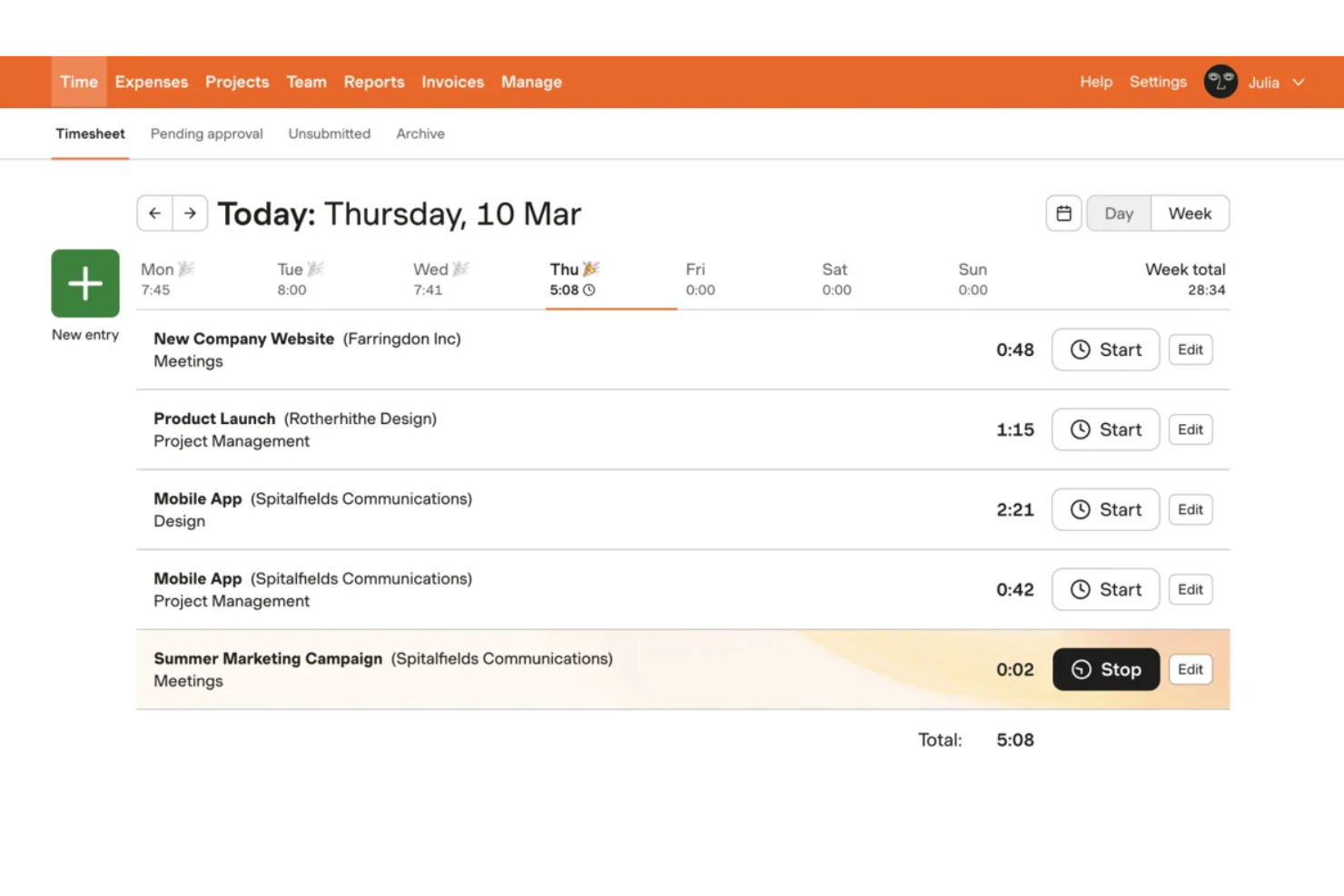
| Starting Timers | Start a timer with a click, then assign it to a client, project, or task. | Pick a project and task from the timesheet, or start a timer from Slack or the browser extension. |
| Time Entry | Use the timer, calendar events, or manual entries, though some users find manual entry clunky. | Fill in daily or weekly timesheets, pull in Google or Outlook calendar events, or use the desktop and mobile apps. |
| Project Setup | Organize work with clients, projects, tasks, and tags, with admin guides and free importers to speed setup. | Set up projects and tasks with hour- or fee-based budgets and alerts, and add custom reminders to build tracking habits. |
| Mobile Workflow | Track time across desktop, browser, and mobile apps, though sync hiccups can occur. | Track time and snap receipt photos for expenses on iOS and Android, though the free plan only lists the Mac and iOS apps. |
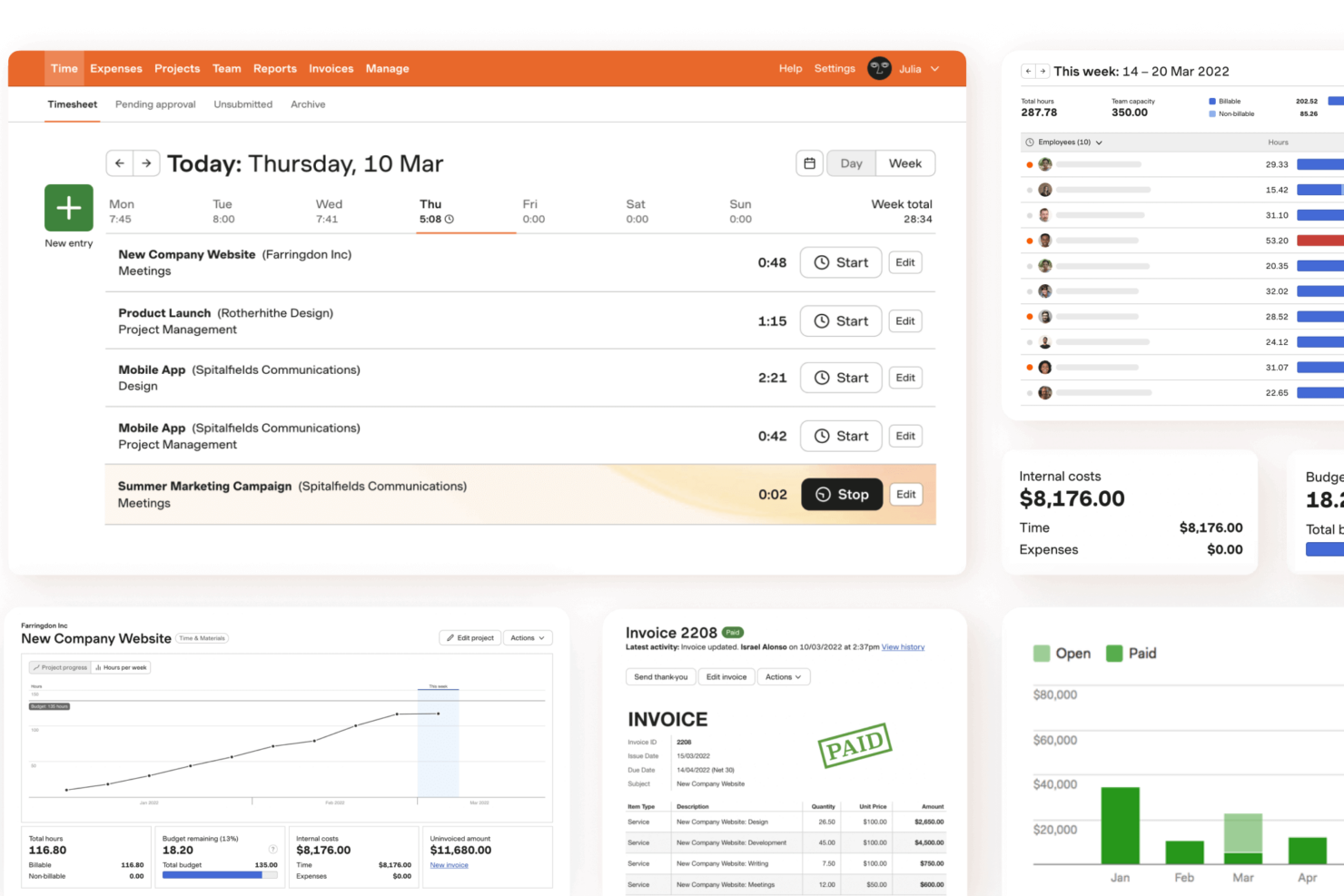
Toggl feels quicker for basic time tracking, while Harvest is equally approachable when you also need timesheets, expenses, and billing. In my experience, Toggl’s low-friction timer and flexible project tagging suit changing work, while Harvest’s clear timesheets and direct path from logged hours to invoices make billing simpler.
Toggl vs Harvest: Pros & Cons
Toggl
- Timers across web, desktop, and mobile, plus calendar entries and private activity capture, suit different tracking habits.
- Estimates and tracked hours live together, clarifying capacity, billable time, and margins.
- A privacy-first approach avoids screenshots, keystroke recording, and GPS tracking.
- Users report login hiccups, slow loads, and timer or calendar sync glitches.
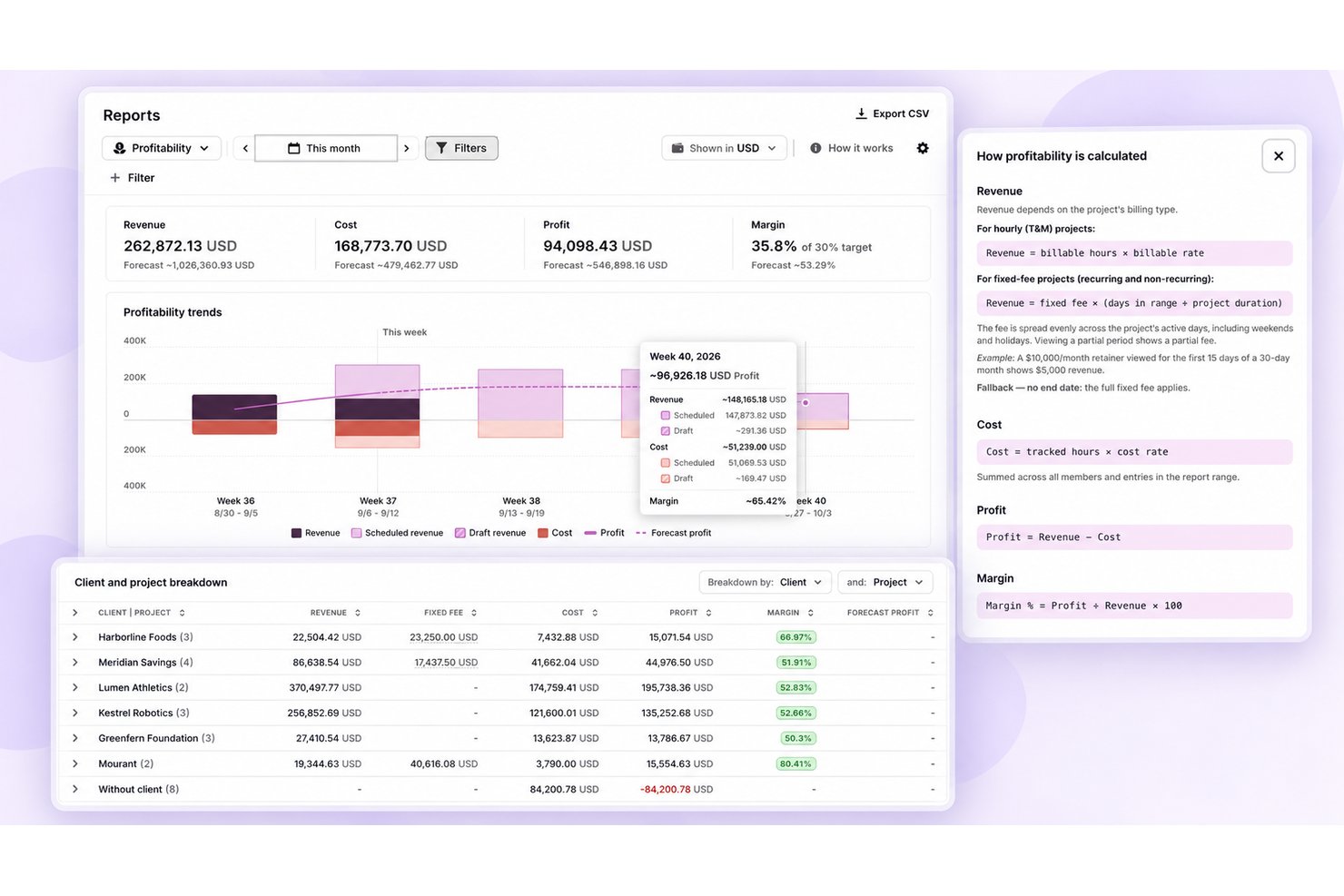
- Utilization, profitability, approvals, and longer-range capacity planning need higher tiers.
- Built-in invoicing hasn’t reached the new Toggl yet, though Toggl Track still offers it.
Harvest
- You can track time easily with a user-friendly interface.
- Your team will appreciate the clear and detailed reporting features.
- It's simple to generate invoices directly from tracked hours.
- Your team might find the mobile app lacking some features.
- You could experience limited customization options for reports.
- Onboarding might take longer than expected for some users.
Best Use Cases for Toggl and Harvest
Toggl
- Small Agencies Agencies with up to three users can start on the free plan, then add billable rates and team or revenue reports with Starter.
- Consulting And Accounting Firms Firms that bill by the hour can run timers or log missed work manually, then use billable rates and retainer projects to track client time.
- Software Teams Teams working in Jira, GitHub, Asana, or Slack can connect Toggl to those tools, though Jira and Asana syncs need Premium and only pull data into Toggl.
- Client-Service Teams Teams can organize time entries by project, client, and tag, and use paid plans for billable rates, revenue reports, and labor costs.
- Project Leads Project leads who need oversight can use Premium’s project dashboards and forecasts, profitability reports, and timesheet approvals.
- In-House Service Teams In-house IT, engineering, and PMO groups can plan resources around time off and holidays in Timeline, though formal leave policies, accrual tracking, and time-off approvals need the Time Off Pro add-on.
Harvest
- Creative Agencies Harvest helps your team track billable hours and manage multiple projects efficiently with clear reporting.
- Consultancies Your consultancy can benefit from Harvest's ability to generate invoices directly from tracked hours, simplifying billing.
- Small Businesses Harvest's user-friendly interface supports small teams in managing time and budgets without unnecessary complexity.
- Design Teams Design teams appreciate Harvest's easy time tracking, helping manage project hours accurately and efficiently.
- Marketing Departments Marketing departments can track how much time is spent on campaigns and budgets, helping ensure projects stay on time and within budget.
- Professional Services Professional service providers use Harvest for its seamless tracking and reporting, enhancing project oversight.
Who Should Use Toggl, and Who Should Use Harvest?
Choose Toggl if your team needs flexible time tracking for shifting projects, plus planning views, capacity tools, and a private activity timeline to review tracked work. It’s a better fit when you want time data to drive planning and margins rather than invoicing. Choose Harvest if your team needs to connect project hours and expenses directly to budgets, client invoices, and online payments. It suits service teams that bill clients and want a clear path from timesheets to payment, with Forecast available for scheduling.
Differences Between Toggl and Harvest
| Toggl | Harvest | |
|---|---|---|
| Client Billing | Tracks billable rates and profitability, but built-in invoicing hasn’t arrived in the new Toggl yet. | Turns tracked time and expenses into client invoices, with online payments, late reminders, and recurring invoices. |
| Planning | Boards, task lists, timelines, and estimates help teams plan work alongside time tracking. | Offers team capacity tracking on paid plans and connects to Harvest Forecast, a separate tool, for scheduling. |
| Pricing Model | Uses per-user pricing for paid plans, with optional add-ons that cost extra. | Charges per seat, plus usage-based fees for extra invoices, projects, clients, and tasks. |
| Time Tracking | Start a timer, then assign it to a project or task; a private activity timeline can record apps and websites for review. | Run timers or fill in timesheets by project and task, with calendar imports and desktop, mobile, and browser apps. |
| Visit TogglOpens new window | Read Harvest ReviewOpens new window |
Similarities Between Toggl and Harvest
| Budget Tracking | Both help you compare logged time with project budgets. Toggl ties budget alerts to task estimates and project dashboards, while Harvest offers hour- or fee-based budgets with alerts for client work. |
|---|---|
| Mobile Access | Both let teams track time away from the web app. Toggl offers mobile apps alongside desktop and browser options, while Harvest’s mobile app supports time and expense tracking on the go. |
| Project Structure | Both let you organize time around clients, projects, and tasks. Toggl also supports tags for flexible categorization, while Harvest uses project tasks to structure timesheets. |
| Reports | Both provide profitability and utilization reports on upper tiers. Toggl adds workload and forecast views, while Harvest lets you save custom reports and schedule them to send automatically. |
| Time Entry | Both support timers and manual time entry. In Toggl, you can start a timer, add time manually, or pull from your calendar; Harvest lets you track from a timer, a timesheet, or calendar events. |
| Visit TogglOpens new window Read Harvest ReviewOpens new window | |