


Toggl vs. Clockify: Expert Review and Comparison 2026



Time tracking only works if your team actually uses it. The real difference is how much flexibility, reporting, and project visibility you want without adding extra admin.
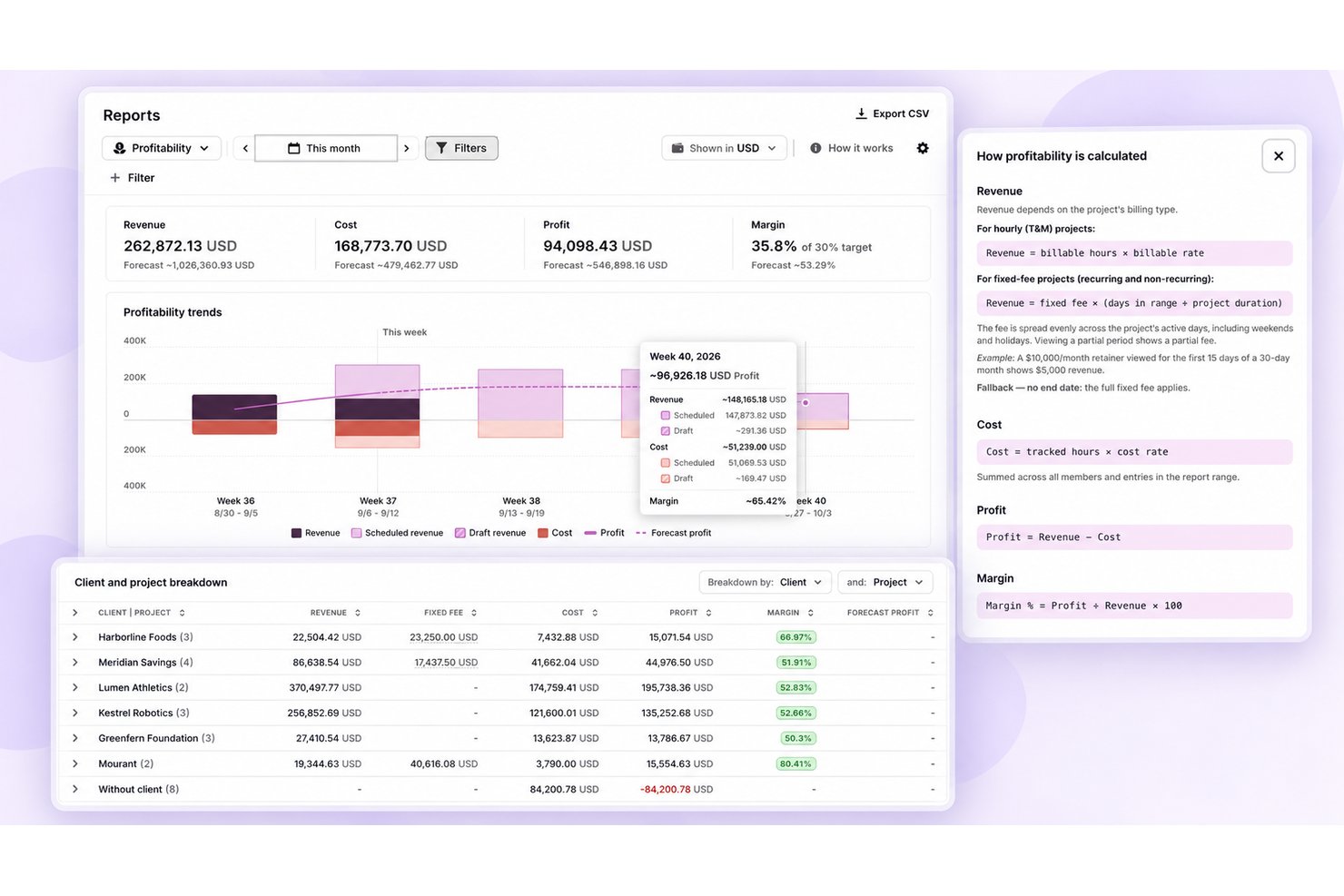
Comparing Toggl and Clockify can help you find time tracking software that gives your team useful project visibility without adding unnecessary busywork. If you’re juggling shifting priorities and need clearer records of where time goes, this comparison weighs each tool’s strengths and trade-offs, including how far each goes into planning, billing, and employee monitoring. You’ll get a look at pros and cons, best-fit use cases, pricing, security, and usability to help you decide.
Toggl vs. Clockify: An Overview
Toggl
Clockify
Why Trust Our Software Recommendations
Our team has been testing and reviewing software since 2012. As project managers ourselves, we know how difficult—and important—it is to choose the right software.
For this guide, we evaluated tools using hands-on testing and independent research, scoring tools using our selection criteria. We also draw on insights from industry thought leaders and practicing project management experts.
Our reviews reflect our human editorial judgment, not a sales pitch.
Expert reviewers:
Toggl vs. Clockify Pricing Comparison
| Toggl | Clockify | |
|---|---|---|
| Free Trial | Free plan available; 30-day free trial; Free demo available | Free plan + 7-day free trial available |
| Pricing | From $9/user/month | From $4.99/user/month |
Toggl vs. Clockify Pricing & Hidden Costs
Toggl offers a free plan for up to three users, paid per-user tiers with monthly or annual billing, and optional add-ons for time off and capacity management. Clockify’s free plan covers up to five users, and its paid per-seat tiers, also billed monthly or annually, unlock features in steps, from kiosks and billable rates up to invoicing, scheduling, expenses, and SSO. Every active or invited Clockify user takes a full seat, though cheaper limited seats cover kiosk-only staff.
Before choosing, map your expected user count and workflows to each plan’s included features. Check whether you’ll need Toggl add-ons or Premium, and which Clockify tier unlocks your must-haves, since approvals and invoicing start at Standard while scheduling and budgets need Pro. Then compare the total cost under monthly and annual billing. Use each tool’s trial or free plan to test reporting and admin tasks with a realistic project before committing.
Toggl vs. Clockify Feature Comparison
| Toggl | Clockify | |
|---|---|---|
| API | ||
| Analytics | ||
| Approval Workflows | ||
| Attendance Tracking | ||
| Batch Permissions & Access | ||
| Billing/Invoicing | ||
| Budgeting | ||
| Calendar Management | ||
| Dashboard | ||
| Data Export | ||
| Data Import | ||
| Data Visualization | ||
| Expense Tracking | ||
| External Integrations | ||
| Forecasting | ||
| Multi-User | ||
| Notifications | ||
| Project Management | ||
| Resource Management | ||
| Scheduling | ||
| Task Scheduling/Tracking | ||
| Time Management | ||
| Timesheets | ||
| Vacation & Absence Calendar |
Toggl vs. Clockify Integrations
| Integration | Toggl | Clockify |
|---|---|---|
| Asana | ✅ | ✅ |
| Jira | ✅ | ✅ |
| Google Calendar | ✅ | ✅ |
| Outlook Calendar | ✅ | ✅ |
| Trello | ❌ | ✅ |
| Slack | ✅ | ❌ |
| QuickBooks | ❌ | ✅ |
| Xero | ❌ | ✅ |
| Azure DevOps | ❌ | ✅ |
| API | ✅ | ✅ |
| Zapier | ❌ | ✅ |
Both offer broad integration catalogs and share support for Asana, Jira, and Google and Outlook calendars, plus an API for custom connections. Toggl adds a native Slack integration and an MCP server for AI assistants. Clockify leans on its browser extension for Trello, Azure DevOps, and many other tools, connects to QuickBooks, Xero, and its sister app Pumble, and supports Zapier for automation. Verify support for any less-common apps your team relies on.
Toggl vs. Clockify Security, Compliance & Reliability
| Factor | Toggl | Clockify |
|---|---|---|
| Encryption | Toggl encrypts data in transit with TLS and at rest with AES, backups included. | Clockify encrypts connections with SSL and encrypts stored data by default. |
| Compliance | Toggl holds a SOC 2 Type II attestation and ISO/IEC 27001 certification, and complies with GDPR, CCPA/CPRA, and the EU Data Act. | Clockify holds a SOC 2 Type II report and ISO/IEC 27001 certification, and supports GDPR. |
| Access controls | Toggl offers SAML single sign-on on Premium, passkey logins, role-based access, and custom roles on Enterprise. | Clockify offers roles and permissions on every plan, while Enterprise adds SAML, OAuth, and LDAP sign-on, SCIM provisioning, and an audit log. |
| Resilience | Toggl runs on Google Cloud across multiple availability zones, with encrypted backups, regular disaster recovery tests, and a public status page. | Clockify runs on AWS with regular infrastructure backups, a public bug bounty program, a status page, and selectable data regions on Pro; its apps also track offline and sync later. |
In my view, Toggl and Clockify offer comparable compliance credentials, while Toggl publishes more detail about its encryption and recovery practices. Toggl’s SSO, passkeys, and no-surveillance stance suit privacy-conscious teams, while Clockify’s data regions and enterprise identity options support larger teams, though its optional screenshots and GPS tracking may call for a policy discussion first.
Toggl vs. Clockify Ease of Use
| Factor | Toggl | Clockify |
|---|---|---|
| Getting Started | The one-click timer and project setup make it quick to start tracking, though choosing tasks and categories can take extra care. | The straightforward timer makes daily tracking easy to pick up, and paid upgrades include a free onboarding session to help with team setup. |
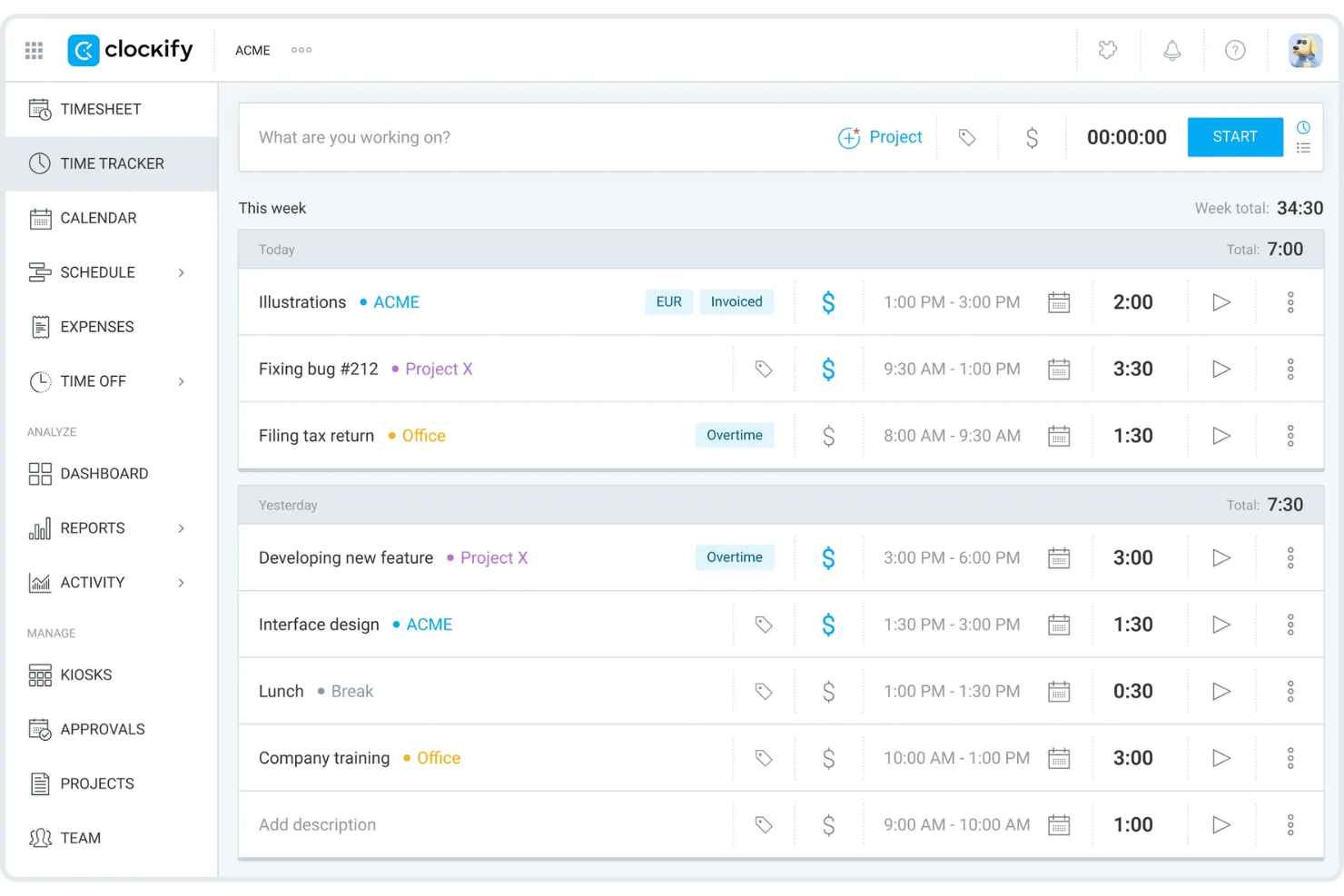
| Time Entry | Start a timer, pull in calendar events, or add time manually across web, desktop, mobile, and browser apps. | Start or resume a timer, fill in a weekly timesheet, or edit hours manually, with offline tracking that syncs later. |
| Work Organization | Projects, tasks, and tags help sort client work, but similar categories can be confusing. | Projects, tasks, tags, and billable rates organize work, while project templates and favorite entries speed up repeat setups. |
| Reviewing Time | Client and project reports are easy to scan, while detailed reports and timesheet corrections can take more effort. | Weekly timesheets, approvals, and summary or detailed reports make hours easy to review, though the free plan limits report history. |
Both tools make basic time tracking approachable, but Toggl feels simpler for quick project logging while Clockify’s extra controls can add complexity. In my experience, Toggl’s clean timer and project views make daily tracking feel lighter, while Clockify’s timesheets, kiosk, and tiered admin controls suit teams that need more structured tracking.
Toggl vs Clockify: Pros & Cons
Toggl
- Timers across web, desktop, and mobile, plus calendar entries and private activity capture, suit different tracking habits.
- Estimates and tracked hours live together, clarifying capacity, billable time, and margins.
- A privacy-first approach avoids screenshots, keystroke recording, and GPS tracking.
- Users report login hiccups, slow loads, and timer or calendar sync glitches.
- Utilization, profitability, approvals, and longer-range capacity planning need higher tiers.
- Built-in invoicing hasn’t reached the new Toggl yet, though Toggl Track still offers it.
Clockify
- You can track time easily with its intuitive interface.
- Your team benefits from excellent customer support.
- It's great for managing time across multiple projects seamlessly.
- Some advanced features might be missing compared to paid tools.
- You may find the mobile app less responsive at times.
- Reporting options can be limited for complex projects.
Best Use Cases for Toggl and Clockify
Toggl
- Small Agencies Agencies with up to three users can start on the free plan, then add billable rates and team or revenue reports with Starter.
- Consulting And Accounting Firms Firms that bill by the hour can run timers or log missed work manually, then use billable rates and retainer projects to track client time.
- Software Teams Teams working in Jira, GitHub, Asana, or Slack can connect Toggl to those tools, though Jira and Asana syncs need Premium and only pull data into Toggl.
- Client-Service Teams Teams can organize time entries by project, client, and tag, and use paid plans for billable rates, revenue reports, and labor costs.
- Project Leads Project leads who need oversight can use Premium’s project dashboards and forecasts, profitability reports, and timesheet approvals.
- In-House Service Teams In-house IT, engineering, and PMO groups can plan resources around time off and holidays in Timeline, though formal leave policies, accrual tracking, and time-off approvals need the Time Off Pro add-on.
Clockify
- Freelancers Clockify lets you track billable hours easily, ensuring accurate invoicing for your clients.
- Small Businesses Your team can manage projects and time effectively without the cost, thanks to Clockify’s free features.
- Marketing Teams Organize campaigns and track time spent on tasks, helping you stay on schedule.
- Creative Agencies You can manage multiple projects seamlessly, keeping track of hours across different clients.
- Remote Teams Clockify’s excellent customer support ensures your team can resolve issues quickly, even from afar.
- IT Departments Track time on various tasks and projects, helping you allocate resources efficiently.
Who Should Use Toggl, and Who Should Use Clockify?
Choose Toggl if your project team wants quick, uncluttered time logging, AI help with tracked-time questions, planning tied to estimates and capacity, and a firm no-surveillance stance. Clockify fits teams that need structured timesheets, built-in invoicing, attendance tracking through a shared-device kiosk, or optional activity and GPS monitoring for hourly and field staff. I’d lean toward Toggl for teams focused on project visibility and a lighter daily workflow, and Clockify for teams managing hourly work across shared locations. Let your team’s tracking habits, not the size of either feature list, make the call.
Differences Between Toggl and Clockify
| Toggl | Clockify | |
|---|---|---|
| AI And Attendance | Toggl AI can answer questions about tracked time and help create projects, tasks, and tags. | Clockify offers a shared-device kiosk where team members clock in with a PIN, QR code, or photo. |
| Interface | Toggl’s clean timer and project views make quick daily logging feel simple. | Clockify’s timer is easy to use, while its tiered feature set adds more admin controls to navigate. |
| Monitoring | Toggl skips screenshots, keystroke logging, and GPS, keeping desktop activity private to each user. | Clockify’s Pro tier adds optional screenshots, app and website monitoring, and GPS tracking that admins can review. |
| Pricing Model | Toggl offers paid per-user plans and optional time-off and capacity-management add-ons. | Clockify offers a five-user free plan, tiered per-seat plans, and lower-cost kiosk-only seats. |
| Reporting | Toggl’s client and project reports are easy to scan, with workload, utilization, and profitability views on Premium. | Clockify’s summary, detailed, and weekly reports cover billable hours, with labor cost and profit reporting on Pro. |
| Visit TogglOpens new window | Read Clockify ReviewOpens new window |
Similarities Between Toggl and Clockify
| Access Controls | Both offer role-based controls to manage team access, with single sign-on on upper tiers. Toggl adds passkeys and SAML sign-on on Premium; Clockify adds SAML, OAuth, and LDAP options, SCIM, and an audit log on Enterprise. |
|---|---|
| Billable Tracking | Both support billable time and rates, so you can separate client work from non-billable activity. Toggl adds fixed-fee projects and labor costs on Premium, while Clockify turns billable hours into invoices from its Standard tier. |
| Connected Workflows | Both connect with Asana, Jira, and Google and Outlook calendars, and offer an API. Toggl also lists Slack, while Clockify lists QuickBooks, Xero, Azure DevOps, and Zapier. |
| Project Structure | Both organize tracked hours around projects and tasks. Toggl also uses tags to categorize work, while Clockify can pair projects and tasks with billable rates. |
| Security Standards | Both hold SOC 2 Type II and ISO/IEC 27001 credentials, along with GDPR support. Toggl also covers CCPA/CPRA and the EU Data Act, while Clockify lets teams choose where their data is hosted. |
| Visit TogglOpens new window Read Clockify ReviewOpens new window | |