

10 Melhores Alternativas ao Jira de 2026

Lista das melhores alternativas ao Jira


As melhores alternativas ao Jira são mais fáceis de utilizar, flexíveis e adaptadas aos fluxos de trabalho específicos dos seus projetos. Com a ferramenta certa, conseguirá manter a sua equipa alinhada e produtiva, concentrando-se na conclusão do trabalho em vez de se preocupar com configurações e personalizações de software complicadas.
Utilizei a minha experiência em gestão de projetos e mais de 3 anos de testes de software para testar alternativas ao Jira e determinar as melhores opções para ajudar a gerir tarefas, apoiar métodos de trabalho ágeis e personalizar os fluxos de trabalho de acordo com as suas necessidades. Nas minhas análises abaixo, destaco os pontos fortes e as principais diferenças, as vantagens e desvantagens e os casos de utilização ideais.
O que são alternativas ao Jira?
As alternativas ao Jira são ferramentas de gestão de projetos que pode utilizar para organizar, acompanhar e concluir trabalho em vez de utilizar o Jira. Oferecem funcionalidades semelhantes às do Jira, mas podem ter uma interface de utilizador diferente, funcionalidades adicionais que o Jira não possui ou mais opções de personalização que se adaptam melhor às suas necessidades.
As alternativas ao Jira são populares entre programadores de software, gestores de projetos e equipas que pretendem uma ferramenta diferente para planear trabalho, acompanhar problemas ou gerir projetos. Estas ferramentas ajudam as equipas a manterem-se organizadas, a acompanhar o progresso e a gerir tarefas sem ficarem limitadas à forma de trabalhar de uma única plataforma.
Why Trust Our Software Recommendations
Our team has been testing and reviewing software since 2012. As project managers ourselves, we know how difficult—and important—it is to choose the right software.
For this guide, we evaluated tools using hands-on testing and independent research, scoring tools using our selection criteria. We also draw on insights from industry thought leaders and practicing project management experts.
Our reviews reflect our human editorial judgment, not a sales pitch.
Expert reviewers:
Tabela comparativa das alternativas ao Jira
Utilize esta tabela comparativa para comparar as especificações e os preços das minhas principais alternativas ao Jira.
| Tool | Best For | Trial Info | Price | ||
|---|---|---|---|---|---|
| 1 | Best for workflow customization | Free plan + 14-day free trial + free demo available | From $9/user/month (billed annually) | Website | |
| 2 | Best for comprehensive reporting tools | Free plan available | From $1/user/month (billed annually) | Website | |
| 3 | Best for customizable project management | Free plan + demo available | From $7/user/month (billed annually) | Website | |
| 4 | Best for client-facing project dashboards | 14-day free trial | From $10/user/month (billed annually) | Website | |
| 5 | Best for visual project management and collaboration | Free plan + 14-day free trial + free demo available | From $8/user/month (billed annually) | Website | |
| 6 | Best for dev teams switching from Jira | Free plan available | From $10/user/month (billed annually) | Website | |
| 7 | Best for Microsoft ecosystem dev teams | Free plan available | From $6/user/month | Website | |
| 8 | Best for enterprise agility | 30-day free trial available | Pricing upon request | Website | |
| 9 | Best for dev-team issue tracking on a budget | Free plan available | From $4.50/user/month (billed annually) | Website | |
| 10 | Best for DevOps teams replacing Jira | Free plan available | From $29/user/month (billed annually) | Website |


Análises das melhores alternativas ao Jira
Preparei uma análise e uma visão geral detalhadas de cada alternativa ao Jira. Irei guiá-lo pelas vantagens e desvantagens, funcionalidades e melhores casos de utilização destas ferramentas.

Best for workflow customization
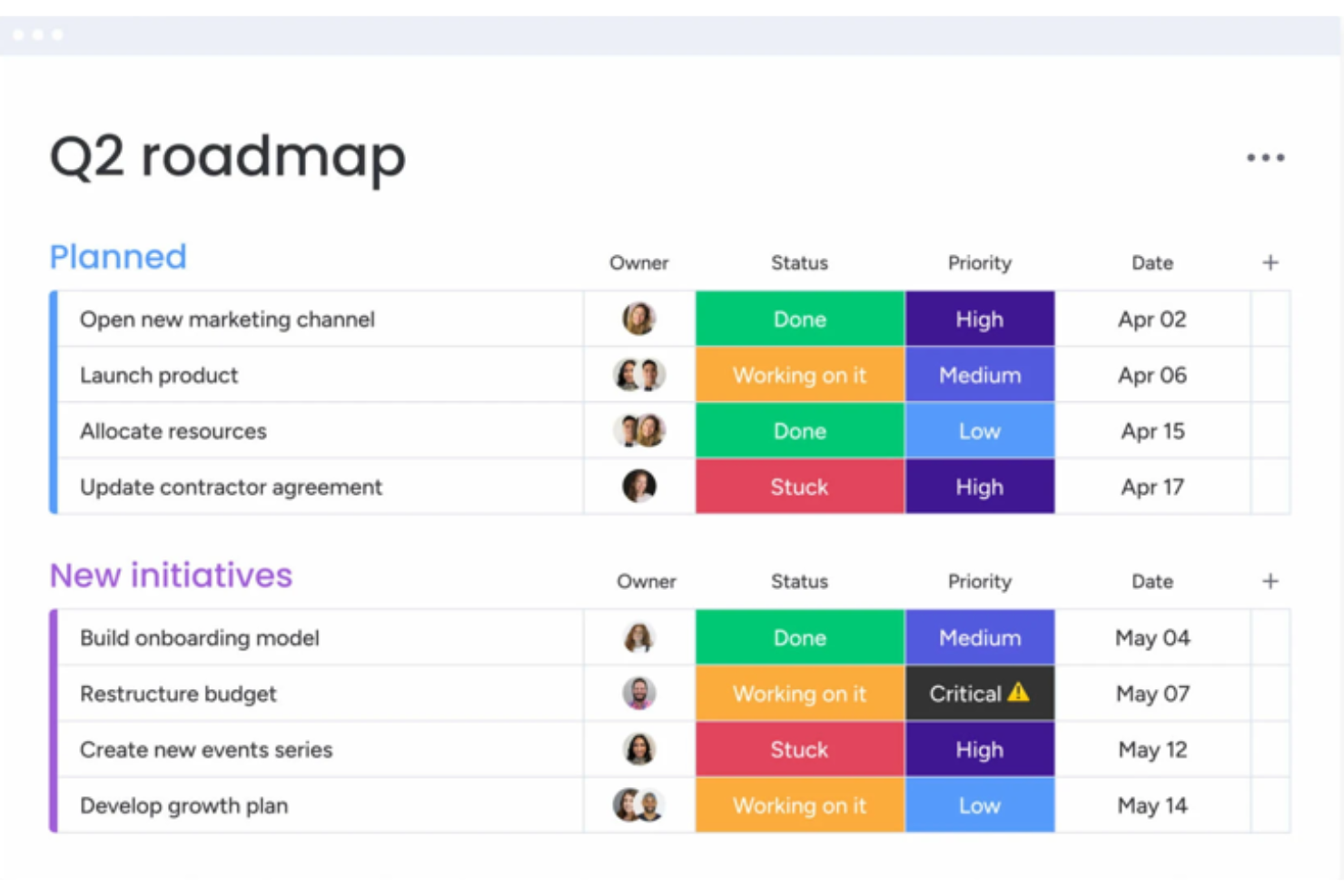
monday.com is a work OS that allows teams to run projects and workflows confidently. It's best for workflow customization due to its flexibility and user-friendly interface.
Why it's a good Jira alternative:
I selected monday.com for this list because it can adapt to various workflow requirements. Its customizable features provide an advantage for teams looking to tailor their project management experience.
Standout features & integrations:
monday.com's key features include customizable templates, time tracking, and automation to reduce manual work. It also offers visual project tracking with multiple views such as Kanban and Gantt charts.
The platform’s integrations include Slack, Google Drive, Gmail, Google Calendar, Jira, GitHub, Trello, Dropbox, Zoom, Microsoft Teams, Mailchimp, and Shopify.
Pros and Cons
Pros:
- Multiple project views for better tracking and management
- Automation features to save time on repetitive tasks
- Customizable templates for various projects and workflows
Cons:
- May require time to understand and utilize all features fully
- Can become expensive as teams grow due to per-user pricing
New Product Updates from monday AI Workspace
monday AI Workspace Adds Human Approval Routing
monday AI Workspace adds a human-in-the-loop approval block to AI Workflows, sending approval requests and routing workflow paths based on responses. For more information, visit monday AI Workspace's official site.

Best for comprehensive reporting tools

Zoho Sprints is an agile project management tool designed to help teams plan, track, and manage their work efficiently. It supports scrum teams by providing tools for creating user stories, managing backlogs, and tracking progress through sprints.
Why it's a good Jira alternative:
Zoho Sprints is a great Jira alternative for teams that prioritize agile methodologies. Zoho Sprints includes customizable Scrum and Kanban boards that enable teams to effectively manage their tasks and workflows through a simple drag-and-drop interface. This feature is particularly beneficial for teams looking to enhance their task management processes without the complexity that often accompanies Jira. Additionally, Zoho Sprints offers comprehensive reporting tools such as burn-up and burn-down charts, which provide valuable insights into project progress and team performance.
Standout features & integrations:
Features include backlog management, velocity charts, cumulative flow diagrams, timesheets for logging work hours, a centralized dashboard for tracking KPIs and other team performance metrics, custom work item types based on existing categories like Stories, Tasks, and Bugs, custom priorities, status timelines, and multi-language support.
Integrations include Zoho's other products, like Zoho Meetings and Zoho Projects, as well as other third-party apps like BitBucket, Zendesk, Microsoft Teams, Jenkins, GitLab, and GitHub.
Pros and Cons
Pros:
- Integrates well with other Zoho applications
- Detailed reports and dashboards
- Effective for agile project management
Cons:
- Occasional lags with larger projects
- Setting up the tool may require additional assistance
New Product Updates from Zoho Sprints
Zoho Sprints Expands Forms With Location Tracking and Custom Modules
Zoho Sprints adds location tracking to creation forms and extends public forms to custom modules. These updates give teams more ways to capture context and create records through forms. For more information, visit Zoho Sprints’ official site.
 .

ClickUp
Best for customizable project management

ClickUp is a comprehensive project management and productivity tool designed to streamline workflows and enhance team collaboration. It offers a wide range of features, including task management, time tracking, and goal setting, all within a user-friendly interface. ClickUp's versatility makes it suitable for various industries and team sizes.
Why it's a good Jira alternative:
As a Jira alternative, ClickUp stands out due to its more advanced project management features and higher degree of customization. Both ClickUp and Jira offer essential task management tools like Kanban boards and timelines, but ClickUp goes further by providing features like real-time chat, document creation, whiteboards, and mind maps. These tools enhance collaboration and communication among team members, something Jira lacks to the same extent. Additionally, ClickUp's user-friendly interface and intuitive design make it more accessible for teams with varying technical expertise.
Standout features & integrations:
Features include its goals and OKRs tool, which allows teams to set, track, and achieve their strategic objectives within the platform. Another notable feature is the automation capability, which helps streamline repetitive tasks, reducing manual effort and increasing productivity. Furthermore, ClickUp's time-tracking feature enables teams to monitor how much time is spent on different tasks and projects, providing valuable insights for improving efficiency and resource allocation.
Integrations include Slack, Google Drive, Dropbox, Zoom, GitHub, GitLab, Bitbucket, Evernote, Outlook, Calendar, Microsoft Teams, Salesforce, Zendesk, Trello, Asana, Monday.com, Toggl, Harvest, HubSpot, Airtable, and Zapier.
Pros and Cons
Pros:
- Visually appealing user interface
- Good for managing complex projects
- Offers a free plan with many features
Cons:
- Hierarchical structure can be confusing
- Extensive customization can take time to learn
New Product Updates from ClickUp
ClickUp Adds Meetings Hub, Super Agent Templates, and ZoomInfo Integration
ClickUp adds a searchable Meetings Hub, new ways to clone and template Super Agents, and a ZoomInfo integration through the App Center. These updates improve meeting retrieval, agent reuse, and access to sales intelligence. For more information, visit ClickUp’s official site.

Celoxis
Best for client-facing project dashboards
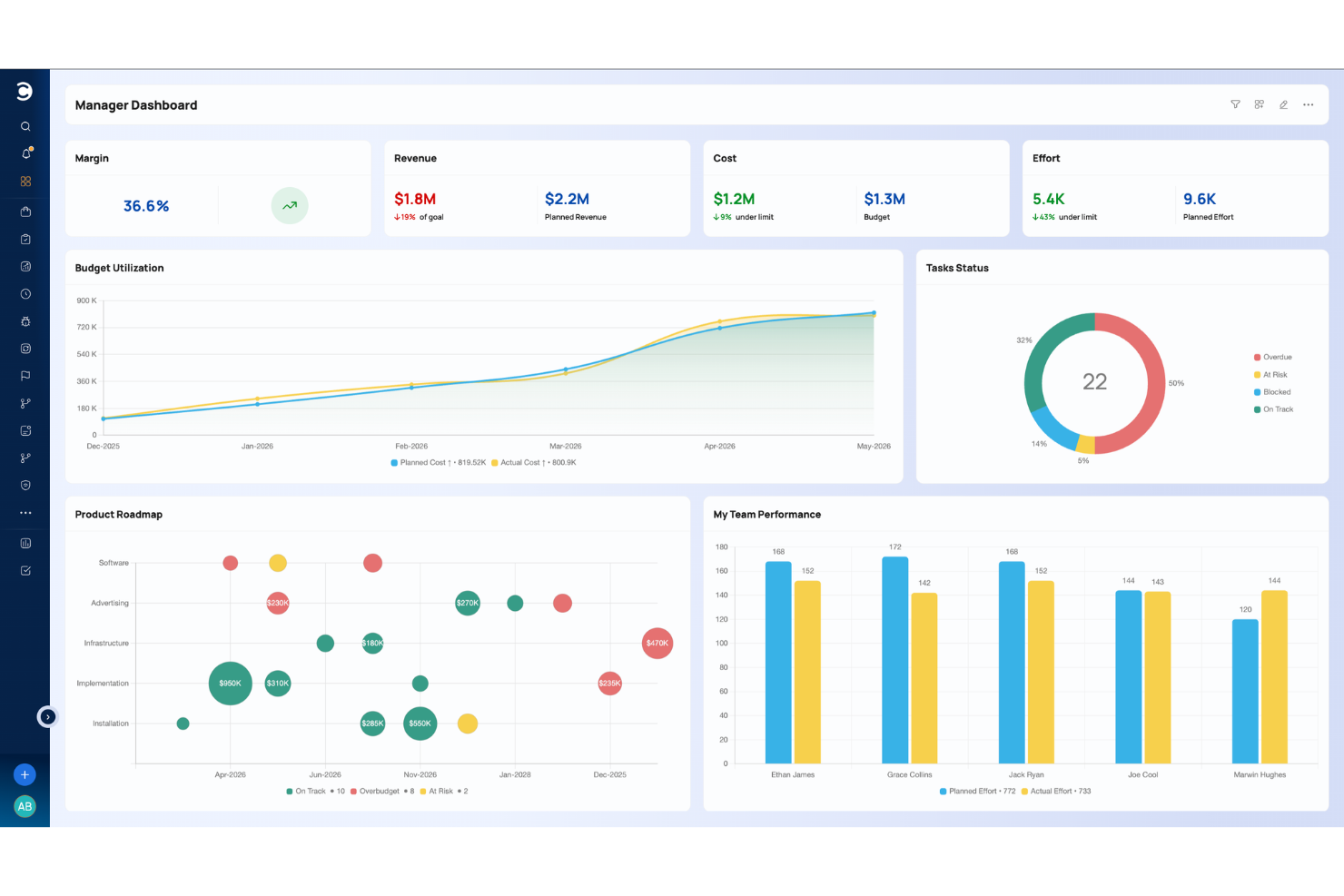
Celoxis is a project and portfolio management platform that covers the full project delivery lifecycle, including Gantt-based planning, resource management, time tracking, risk logging, portfolio oversight, and BI-style dashboards, all built into one tool.
Who Is Celoxis Best For?
Celoxis suits mid-to-large teams managing multiple projects across departments, especially in professional services, IT, and engineering.
Why I Picked Celoxis
I picked Celoxis as one of the best because its client portal feature is something you rarely get at this price point. Every client gets their own free, fully customizable portal where they can view real-time project status, files, and discussions without needing a paid seat. On top of that, dashboards can be downloaded as PDFs or scheduled for automated email delivery, so you're not manually pulling status reports before every client call. I also like that dashboard widgets are drillable, meaning clients or stakeholders can click through from a high-level chart directly into the underlying task data.
Celoxis Key Features
- Interactive Gantt charts: Build multi-project Gantt charts with task dependencies, automatic scheduling, and critical path highlighting across your entire project portfolio.
- Workflow apps: Create custom apps to track bugs, risks, change requests, and RAID logs, with configurable routing rules and escalation policies.
- Resource workload management: View team capacity across projects with visual workload charts, and reassign tasks from the resource planner.
- Comprehensive Reporting and Dashboards: Create and share customizable reports and dashboards for real-time insights into project progress, finances, and KPIs.
Celoxis Integrations
Celoxis offers native integrations with Jira, Salesforce, Trello, Zendesk, Okta, Microsoft Project, Slack, Outlook, Google Drive, and more, with an API available for custom integrations.
Pros and Cons
Pros:
- Generates BI-grade reports inside the platform
- Offers both cloud and on-premise deployment
- Interactive Gantt charts show downstream schedule impact
Cons:
- Mobile app lacks complex planning
- UI feels dated in some areas

Miro
Best for visual project management and collaboration

Miro is a collaborative online workspace that offers visual project management and collaboration tools to help teams plan, brainstorm, and execute projects. With features such as diagramming, process mapping, and data visualization, Miro provides a comprehensive solution for teams to work together visually and efficiently.
Why it's a good Jira alternative:
I included Miro in this list because it stands out for its visual project management capabilities, such as diagramming, process mapping, and collaboration, making it suitable for diverse teams. Miro's all-in-one visual workspace and collaborative features make it the best choice for visual project management and collaboration, enabling teams to work together effectively and efficiently.
Standout features & integrations:
Features include a visual Kanban framework, task cards, task connectors and dependency mapping, task management integrations, and over 2500 ready-made templates and frameworks to jumpstart your project planning. Miro also offers enterprise-grade security and integrations with over 130 tools, making it a valuable tool for large-scale collaboration and innovation.
Integrations include Zoom, Google Meet, Jira, Microsoft Teams, Asana, Google Calendar, Powerpack, Super Search, and Planning Poke. Miro also offers the ability to build custom app integrations via Zapier.
Pros and Cons
Pros:
- Extensive library of shapes, icons, and images
- Easily accessible from mobile devices and tablets
- Intuitive and easy-to-use
Cons:
- May be expensive for larger teams
- Lack of advanced project management features
New Product Updates from Miro
Miro Adds Japan Data Residency for Enterprise Customers
Miro has introduced Japan data residency for enterprise customers, offering in-region storage for production data, backups, and metadata, plus in-region compute infrastructure. For more information, visit Miro's official site.

Linear
Best for dev teams switching from Jira
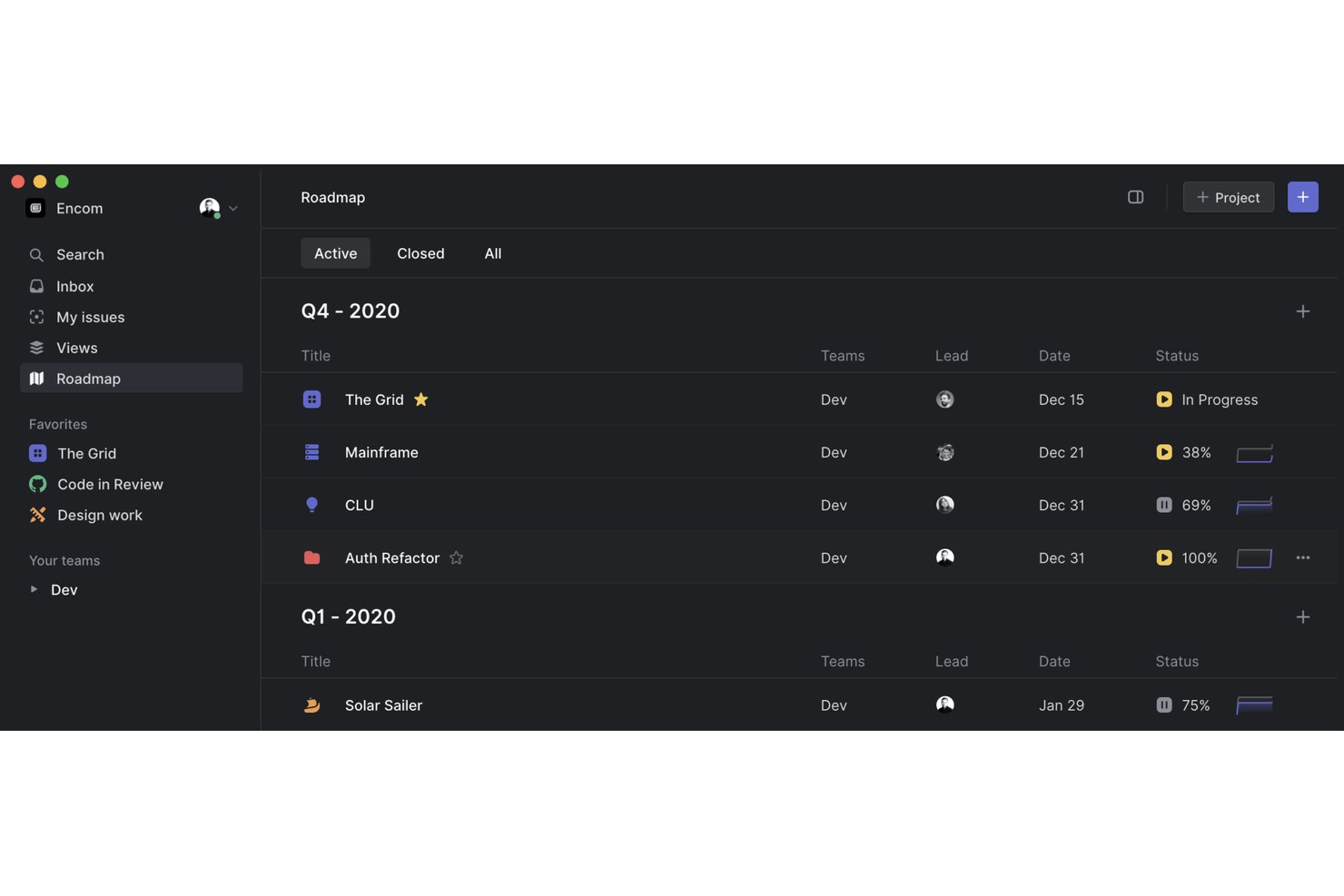
Linear is a project and issue tracking platform built for software development teams, combining cycle-based sprint planning, agile board views, and deep integrations with tools like GitHub, GitLab, and Sentry.
Who Is Linear Best For?
Linear is a strong fit for software engineering and product teams that want the structure of Jira without the configuration overhead.
Why I Picked Linear
I picked Linear as one of the best because it's built from the ground up for dev teams who are tired of Jira's configuration overhead. What I like most is the dedicated Jira importer paired with optional bidirectional sync, so your team can migrate existing issues and keep both tools in step during the transition. Cycles also stand out: configurable one-to-eight-week sprints with automatic issue rollover that replace Jira's sprint setup without the ceremony.
Linear Key Features
- Triage Intelligence: Automatically analyzes new issues against existing workspace data to suggest assignees, labels, and likely duplicates.
- Milestones and dependencies: Map dependencies between projects and highlight key dates to support planning across teams.
- Linear Asks: Routes workplace requests submitted via Slack, email, or web forms to the right team, with real-time updates back to the requester.
- GraphQL API and webhooks: Connect Linear to external systems using a GraphQL API, TypeScript SDK, OAuth 2.0, and webhooks that fire on changes to issues, projects, and cycles.
Linear Integrations
Linear lists hundreds of third-party integrations, including native integrations with Jira, GitHub, GitLab, Slack, Sentry, Figma, and Zendesk. It also offers marketplace integrations, a GraphQL API, webhooks, OAuth 2.0, and a TypeScript SDK.
Pros and Cons
Pros:
- Triage suggests assignees and likely duplicates
- Focused cycles support predictable sprint planning
- Lower configuration overhead than Jira
Cons:
- Cross-team, long-horizon work strains project model
- Advanced reporting trails larger-suite needs

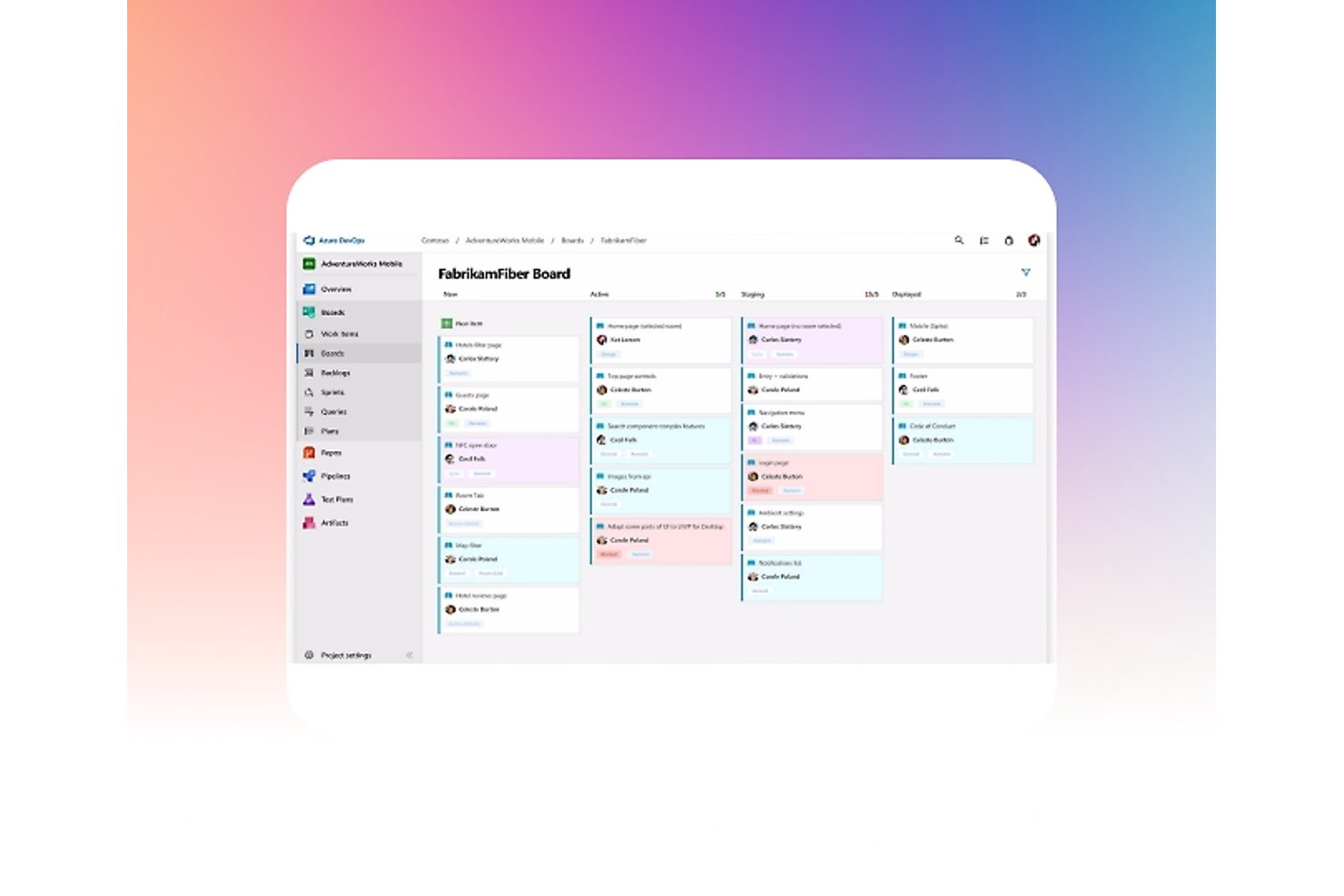
Azure Boards is Microsoft's agile work tracking tool within the Azure DevOps suite, offering Kanban boards, sprint planning, backlogs, and GitHub-linked development traceability.
Who Is Azure Boards Best For?
Azure Boards is a strong fit for software development teams already working within the Microsoft ecosystem, particularly those using GitHub, Azure Repos, or Microsoft Teams.
Why I Picked Azure Boards
Azure Boards earns its spot on my shortlist because it's purpose-built for dev teams already operating inside the Microsoft ecosystem, making it a natural Jira alternative when GitHub, Azure Repos, or Microsoft Teams are already in play. I particularly like how Delivery Plans let you view sprint-scheduled work across multiple teams on a single timeline, showing dependencies and epic rollups without needing a separate tool. The GitHub integration also lets you trace a work item directly to its linked commits, pull requests, and Checks status from within the board itself.
Azure Boards Key Features
- Scrum boards and sprint planning: Teams can run sprints end-to-end using built-in scrum boards, sprint backlogs, and taskboards designed for Agile ceremonies.
- Cross-project queries: Work-item queries can span multiple projects within an organization, giving teams a single view of work across different project boundaries.
- CSV bulk import and export: Teams can bulk-update work items or transfer data between projects and organizations using CSV files, with support for parent-child hierarchy setup.
- Audit logging: Organization-level events—including permission changes, deleted resources, and branch policy changes—are captured with actor, IP, timestamp, and category details.
Azure Boards Integrations
Azure Boards offers native integrations with GitHub, Microsoft Teams, and Slack, plus 1,000+ Marketplace extensions. Its REST API and service hooks support custom integrations and CI/CD workflows.
Pros and Cons
Pros:
- Queries surface work across project boundaries
- Stories, bugs, and sprint work stay together
- Delivery Plans map dependencies across team sprints
Cons:
- Workflow setup offers less flexibility than Jira
- Newcomers find navigation and queries overwhelming

Best for enterprise agility
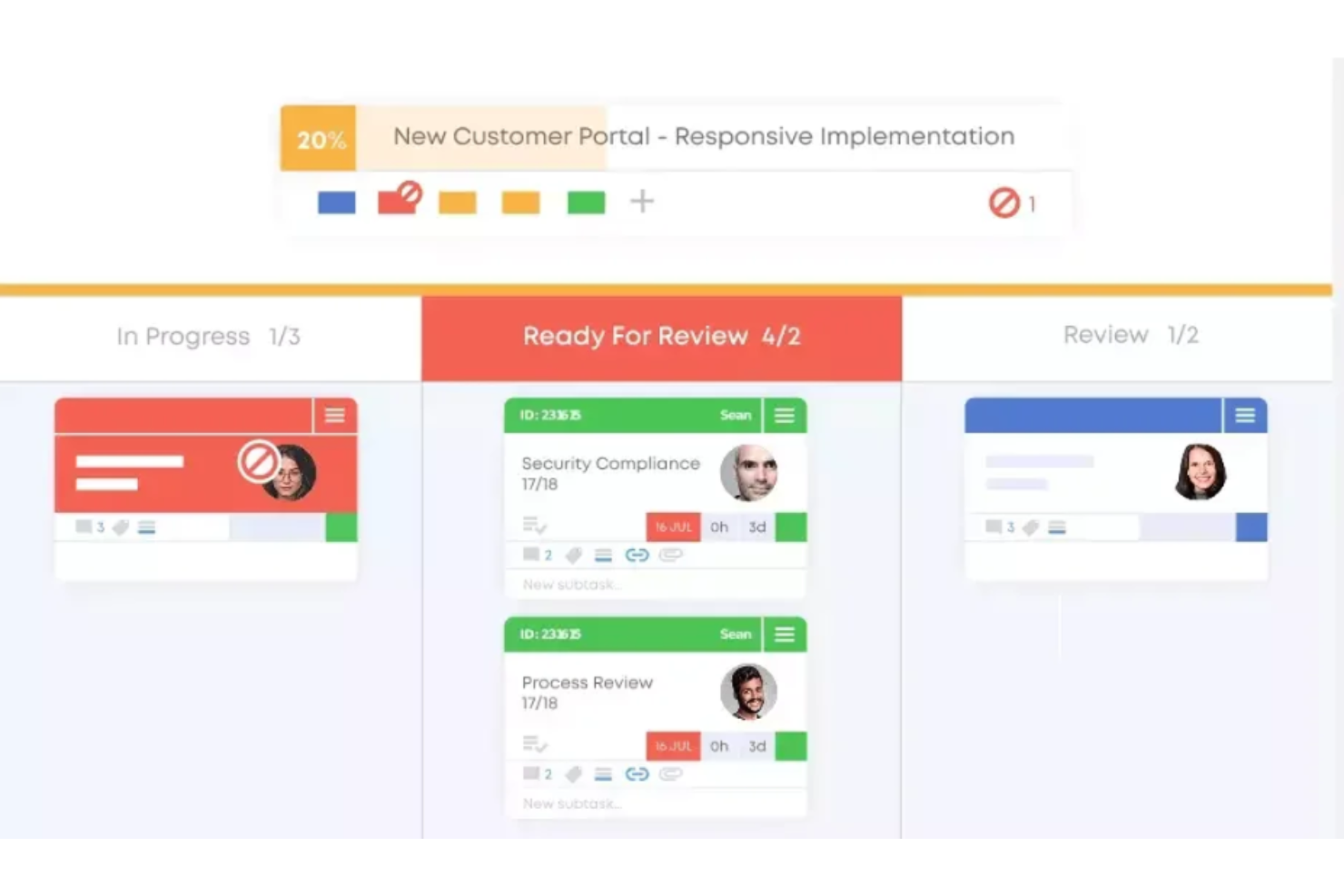
Businessmap simplifies enterprise operations with its advanced Kanban approach. It connects strategic planning and with execution, making it ideal for enhancing enterprise agility.
Why it's a good Jira alternative:
I selected Businessmap for its emphasis on enterprise agility. Its unique approach to integrating strategic objectives with project progress makes it a solid alternative to Jira.
Standout features & integrations:
Features include advanced analytics, customizable Kanban boards, and automation rules, which are critical for managing complex workflows and projects. The platform's ability to visualize and manage dependencies across multiple teams and projects is particularly beneficial for large organizations.
Integrations include Jira, Trello, Asana, Zapier, Google Drive, Dropbox, GitHub, GitLab, Bitbucket, Jenkins, and Slack.
Pros and Cons
Pros:
- Robust integration capabilities with popular tools and services
- Customizable Kanban boards for various workflow types
- Advanced analytics for in-depth project insights
Cons:
- The focus on enterprise features may be overwhelming for smaller projects
- A higher starting price point may be prohibitive for smaller teams
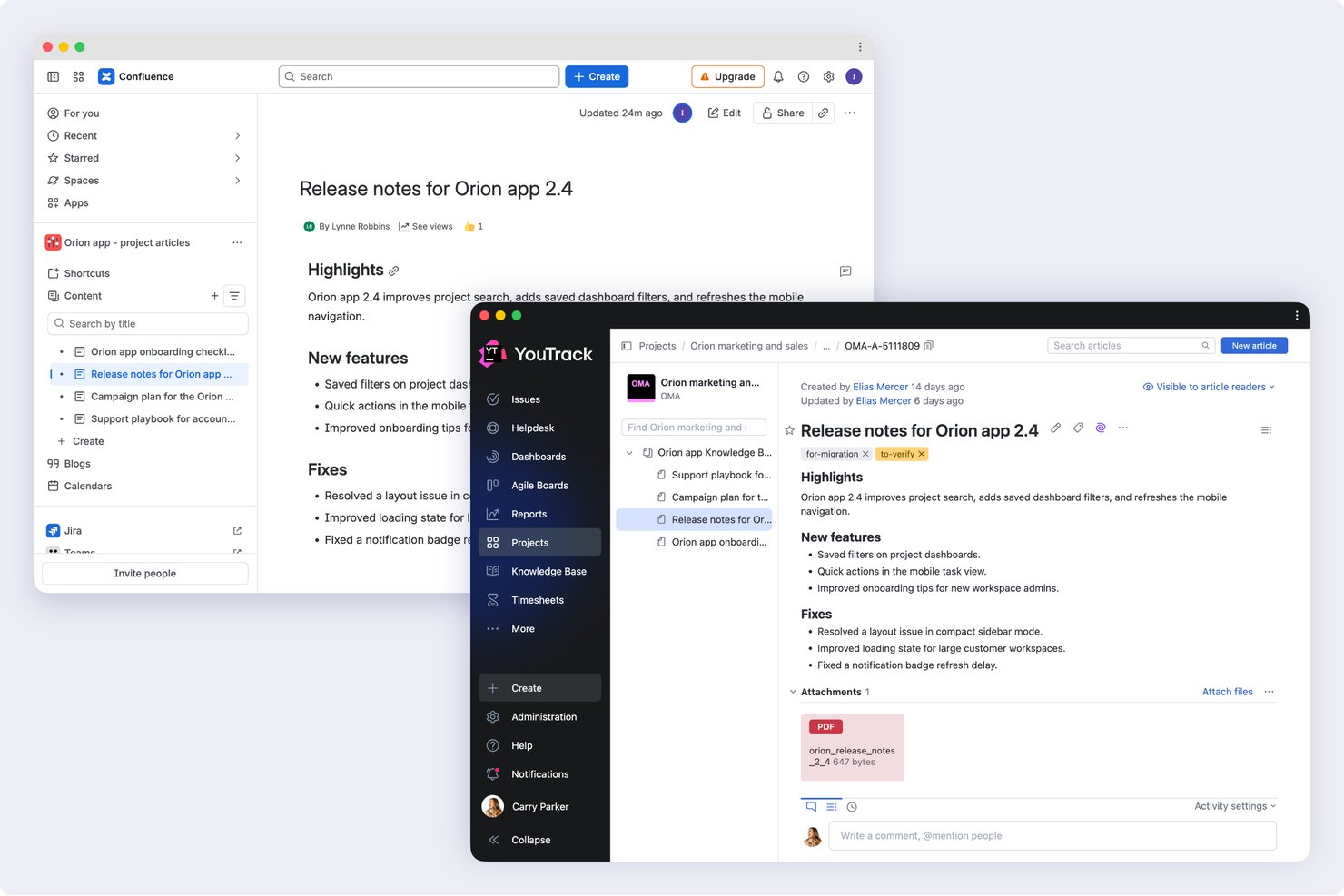
YouTrack is a JetBrains issue tracker and project management tool built for dev teams, offering agile boards, customizable workflows, sprint planning, and deep integrations with version control systems like GitHub, GitLab, and Azure DevOps.
Who Is YouTrack Best For?
YouTrack is a strong fit for software development teams that want Jira-level issue tracking without Jira's price tag or administrative overhead.
Why I Picked YouTrack
YouTrack earns its spot on my shortlist because it gives dev teams Scrum and Kanban boards, sprint planning, and deep VCS integrations with GitHub, GitLab, and Azure DevOps without the cost that typically comes with that feature set. I particularly like the multi-project boards, which let you pull issues from up to 20 projects into a single view with swimlanes and merged column states. The free tier for up to 10 users includes nearly everything in the paid plan, and the built-in Jira import handles issues, custom fields, comments, and history.
YouTrack Key Features
- Knowledge base: Teams can create internal or public documentation, organize it with tags and filters, and link articles directly to issues.
- Helpdesk projects: YouTrack accepts support requests via email or embedded web forms, with SLA policies, agent reply templates, and customer-facing FAQs built in.
- Time tracking: Users log time manually or automatically against individual tasks, then analyze it by team member, project, or work group.
- Gantt chart: The interactive timeline lets you schedule tasks, set dependencies, track estimates, and visualize progress across a project.
YouTrack Integrations
YouTrack offers native integrations with GitHub, GitLab, Azure DevOps, Bitbucket, Slack, Jira, and Confluence, plus hundreds of documented systems and applications. It also supports REST API and webhooks for custom integrations, with additional apps available through JetBrains Marketplace.
Pros and Cons
Pros:
- Cross-project reports give teams broader visibility
- Configurable boards organize sprints and backlogs
- Detailed issue fields support granular triage
Cons:
- Advanced workflow rules can require scripting skills
- Dense navigation makes tickets harder to find

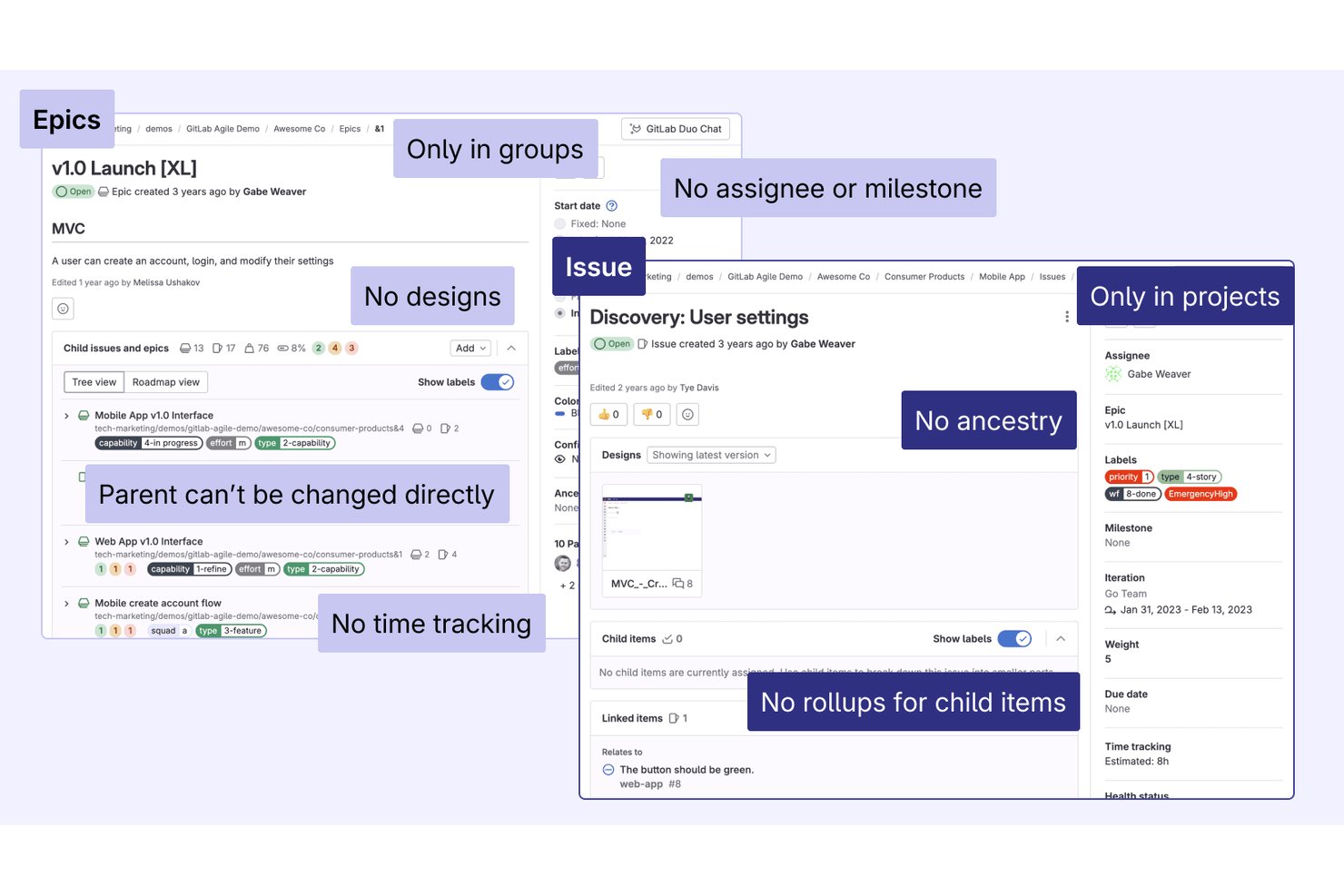
GitLab is a DevSecOps platform that unifies source code management, CI/CD, issue tracking, agile planning, and security into a single control plane for software teams.
Who Is GitLab Best For?
GitLab fits engineering-led teams that want to consolidate source control, CI/CD, and issue tracking into one platform instead of stitching together separate tools.
Why I Picked GitLab
I've included GitLab in my top picks because it's the only tool here that treats issue tracking and CI/CD as a single system rather than two products bolted together. When a developer closes a merge request, linked issues close automatically, keeping your board accurate without manual updates. I also find the value stream analytics genuinely useful: you can see exactly where work stalls between planning and deployment, which is something Jira requires third-party add-ons to approximate.
GitLab Key Features
- Issue boards with swimlanes: Organize issues into Kanban or Scrum boards with epic-based swimlanes, drag-and-drop card movement, and filters by assignee, label, milestone, or iteration.
- Iterations: Assign issues to time-boxed sprint cycles that track scope and progress separately from milestones.
- Built-in wikis: Create project and group wikis in Markdown and link pages directly to epics, issues, and boards.
- DORA metrics and productivity analytics: Track deployment frequency, lead time, and change failure rate alongside issue and merge request activity at project or group level.
GitLab Integrations
GitLab integrates with hundreds of applications, including Jira, Slack, Jenkins, AWS, Google Cloud, and Microsoft Azure. It also provides REST and GraphQL APIs, webhooks, and an MCP server for custom connectivity.
Pros and Cons
Pros:
- Issue analytics pair delivery metrics with planning
- Scrum boards support epic swimlanes and iterations
- GitLab links issues directly to merged work
Cons:
- New product owners face dense, engineering-centric workflows
- Multi-team backlogs and release assignment trail Jira
Outras alternativas ao Jira
Segue-se uma lista de alternativas adicionais ao Jira que selecionei, mas que não incluí na lista principal. Consulte-as se não encontrou acima o que procurava.
- IBM Targetprocess
For portfolio-level agile management
- Wrike
For complex projects across various industries
- Asana
For cross-functional goal alignment
- Forecast
For client services ops replacing Jira
- Airtable
For no-code custom app building
- Favro
For Agile teams and collaboration
- ONES
For Jira migration with dev tool sync
- Shortcut
For dev-team agile sprint management
- Planview AgilePlace
For enterprise Kanban at scale
- Plane
For Jira migrants who code and document


Análises relacionadas de software de gestão de projetos
Se ainda não encontrou o que procura, consulte estas ferramentas de gestão de projetos relacionadas que testámos e analisámos.
- Ferramentas de colaboração
- Software de gestão de recursos
- Alternativas ao Asana
- Alternativas ao Airtable
How I Evaluate Jira Alternatives
I split my evaluation into three parts, giving the most weight to core needs: assign and prioritize work, track issues through completion, and adapt workflow stages. Next, I look for differentiators such as two-way dev sync. Finally, I consider migration support, onboarding, and transparent pricing.
Core Functionality (Table Stakes For This List)
When I'm selecting tools for my list, I score each one on a scale from 0 (does not offer the functionality) to 5 (excels in this area) for each core functionality listed below. I then convert the total into a percentage to help assess each tool's overall fit, with extra weight on any functionalities I’ve deemed essential.
- Task & Issue Tracking (Essential): I look for assignment, priority, status, and issue links so teams can trace work from intake through delivery.
- Customizable Workflows (Essential): I assess whether teams can adapt statuses and transitions, such as adding review or approval steps without disrupting active work.
- Agile Boards: I check for usable kanban or sprint boards, backlog views, and filters that make shifting priorities visible.
- Reporting & Dashboards: I look for dashboards that surface progress, blockers, and workload across projects for team leads and stakeholders.
- Integrations & APIs: I assess connections to development, chat, and file tools, plus APIs that support a team's existing stack.
- Multi-Project Management: I check whether teams can organize separate initiatives and see dependencies or progress across workstreams.
Once I have a list of tools that meet the criteria, I consider what sets each platform apart.
Differentiating Factors (What Sets Vendors Apart)
Here's how I compare and contrast different vendors:
Standout Features
I look for two-way dev sync that links commits and pull requests to issues in real time—when a developer merges a PR in GitHub or GitLab, the related task should update automatically without anyone toggling between tabs. I also evaluate no-code automation builders, checking whether a PM can set up rules like "move to QA when a subtask closes" without writing scripts. Flexible views matter too: a board works for a sprint team, but a timeline or table view helps a stakeholder track cross-team dependencies at a glance.
Beyond Features
I evaluate migration support first—teams moving off Jira need reliable issue imports that preserve workflow history, not just CSV dumps. Pricing transparency matters just as much; I check whether per-seat costs stay predictable as cross-functional teams scale and whether tier boundaries are clearly documented. I also look at non-technical usability, since tools like monday.com or Wrike succeed when marketing or ops teammates can configure workflows without filing an IT ticket.
Por que procurar uma alternativa ao Jira?
O Jira exige um trabalho significativo de configuração e administração, pode ficar mais lento com grandes listas de pendências e reserva o planeamento entre equipas para os planos de preço mais elevado, o que é importante à medida que mais equipas, incluindo as menos técnicas, começam a utilizá-lo. Eis quando outra ferramenta poderá ser mais adequada:
- Quer uma ferramenta que os colegas não técnicos consigam aprender a utilizar rapidamente. Algumas equipas consideram que as inúmeras definições, campos e fluxos de trabalho do Jira demoram tempo a aprender e afirmam que a sua gestão pode tornar-se um trabalho por si só. Ferramentas como o Linear requerem menos configuração, e o Miro oferece uma forma simples e visual de planear o trabalho.
- Gere listas de pendências extensas com muitos tickets. Alguns utilizadores relatam lentidão quando os quadros e as listas de pendências aumentam de tamanho. Várias ferramentas desta lista também ficam mais lentas em projetos de grande dimensão, por isso, durante um período de avaliação, importe uma lista de pendências completa e teste os seus quadros mais movimentados antes de mudar.
- Planeia o trabalho entre várias equipas e projetos. Os planos de preço mais baixos do Jira incluem uma linha temporal para uma única equipa, e os roteiros entre equipas com mapeamento de dependências começam nos planos de preço mais elevados. Plataformas como o Azure Boards e o Businessmap mapeiam dependências entre equipas, e o Azure Boards pode pesquisar em vários projetos.
O Jira continua a ser a escolha certa se a sua equipa de software utilizar Scrum ou Kanban e precisar de fluxos de trabalho personalizados, uma lista de pendências dedicada e relatórios ágeis integrados, como gráficos de trabalho restante e de velocidade. Para equipas de desenvolvimento que trabalham em ciclos de desenvolvimento, isso pode compensar a configuração complexa, a lentidão em listas de pendências extensas e a necessidade de fazer uma atualização para o planeamento entre equipas.
Principais funcionalidades do Jira
Estas funcionalidades essenciais definem as capacidades do Jira e podem ajudá-lo a comparar soluções alternativas:
- Gestão de tarefas: Crie, atribua e estabeleça prioridades para tarefas, de modo a manter os projetos organizados e dentro do prazo.
- Colaboração: Comunique com a sua equipa através de comentários, menções e notificações em tempo real.
- Roteiros: Planeie e visualize os cronogramas dos projetos com ferramentas avançadas de criação de roteiros, incluindo o acompanhamento de dependências.
- Relatórios & análise: Crie relatórios detalhados sobre o progresso dos projetos, o desempenho das equipas e o acompanhamento de problemas.
- Fluxos de trabalho personalizados: Conceba e automatize fluxos de trabalho para os adaptar aos processos específicos da sua equipa.
- Permissões de utilizador & segurança: Gira o controlo de acesso com permissões baseadas em funções e definições de segurança.
- Capacidades de integração: Ligue-se a centenas de aplicações de terceiros, incluindo ferramentas de CI/CD, plataformas de DevOps e conjuntos de aplicações de produtividade.
- Gestão ágil de projetos: Suporte fluxos de trabalho Scrum, Kanban e Ágeis híbridos com quadros integrados e ferramentas de planeamento de ciclos de desenvolvimento.
- Registo de tempo: Registe as horas de trabalho diretamente no Jira ou integre aplicações de registo de tempo para gerir recursos.
- Acompanhamento de problemas & erros: Identifique, comunique e resolva erros de forma eficiente com funcionalidades detalhadas de acompanhamento e automatização.