

5 Data-Backed Project Management Software Trends in 2026


Project management software trends are shifting toward AI agents that take on real work, suite-based planning, skill-based resourcing, AI assistant connectors, and credit-based AI pricing.
In this guide, I break down the latest trends by analyzing 15+ recent updates and launches. You can quickly benchmark your tools and see where project management software is headed next.
Top Project Management Software Trends in 2026
These five trends come from vendor release notes and product announcements. They show where the tools are heading, so you can check whether your current stack still fits how your team works.


1. Project Management Tools Are Becoming Control Rooms for AI Agents
What it is:
Project management platforms now let you assign work to AI agents the same way you assign it to people. The agent’s progress and output stay inside the project, where your whole team can review them.
Why it matters:
Once agents start doing real work, someone has to check it. If that output lives in private chat windows, you lose track of what got done and who signed off. A tool that tracks agent work next to human work gives you a clear review step and a record you can point to later.
Supporting data points:
- Asana (March 2026): Launched prebuilt AI Teammates such as the Campaign Brief Writer, Workflow Optimizer, and Compliance Specialist.
- Asana (June 2026): Announced Agentic Work Management, which puts humans and agents on the same plan, with shared context and governance.
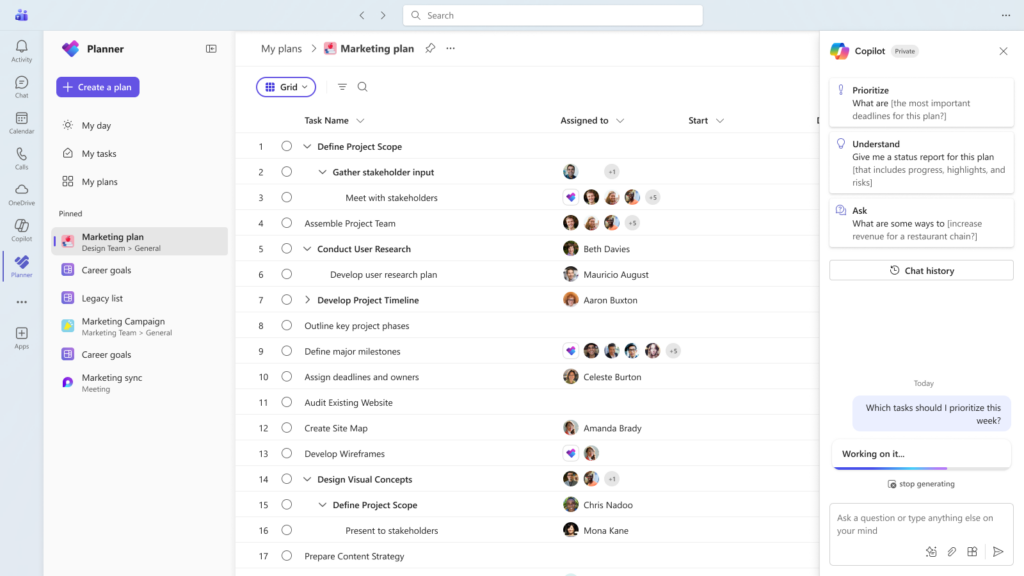
- Microsoft Planner (March 2026): You can now assign a task to Planner Agent like any teammate, and the board view lets you group tasks by the agent’s progress through to ready for review.
- Linear (March 2026): Launched Linear Agent and repositioned the product away from issue tracking.
My POV:
I don’t think the task board is dying. I think it’s getting a new job. The tracker is turning into the place where you hand work to agents and check what comes back. When you evaluate tools, look past the agent demo. Ask how you review agent output, who approves it, and where that decision gets recorded.
2. Microsoft and Google Are Pulling Project Management Into the Suite
What it is:
Microsoft 365 and Google Workspace are building planning, task tracking, and status reporting into the apps your team already uses. You can create plans, update tasks, and draft reports from Outlook, Teams, Gmail, or Chat.
Why it matters:
If you already pay for one of these suites, you may own a workable project management tool without buying another subscription. That changes the buying conversation. Standalone tools now have to prove they’re worth the extra seat cost and the extra tab.
Supporting data points:
- Microsoft Planner (June 2026): Planner Agent in Microsoft Copilot reached general availability, so you can ask about your work and create or update tasks with natural-language prompts.
- Google Workspace (April 2026): Gemini in Sheets can now build and edit entire spreadsheets from a plain-language prompt, including complex project trackers. Google also announced Sheets canvas for interactive dashboards and Kanban boards.
- Google Workspace (September 2026): Gemini can now create project trackers and to-do lists from Gmail, Chat, or Drive, without opening Sheets or Tasks.
My POV:
For small teams with simple workflows, “good enough and already paid for” is going to win more often. I expect plenty of teams to quietly retire a standalone tool in favor of their Copilot or Gemini setup.
The suites still fall short on dependencies, resource planning, and portfolio views. Licensing matters too. Users without a Microsoft 365 Copilot license can collaborate on plans but can’t interact with Planner Agent. Before you consolidate, list the project management features your team actually uses each week.
3. Resourcing AI Is Matching Skills, Not Just Availability
What it is:
Resource management tools now use AI to recommend who should do the work, not just who has free hours. They match people to roles based on skills, project history, and availability.
Why it matters:
Availability-first scheduling fills gaps, but it often puts the wrong person on the job. That shows up later as rework, slower delivery, or a senior person stuck on junior tasks. Skill-based matching helps you staff for quality, not just capacity.
Supporting data points:
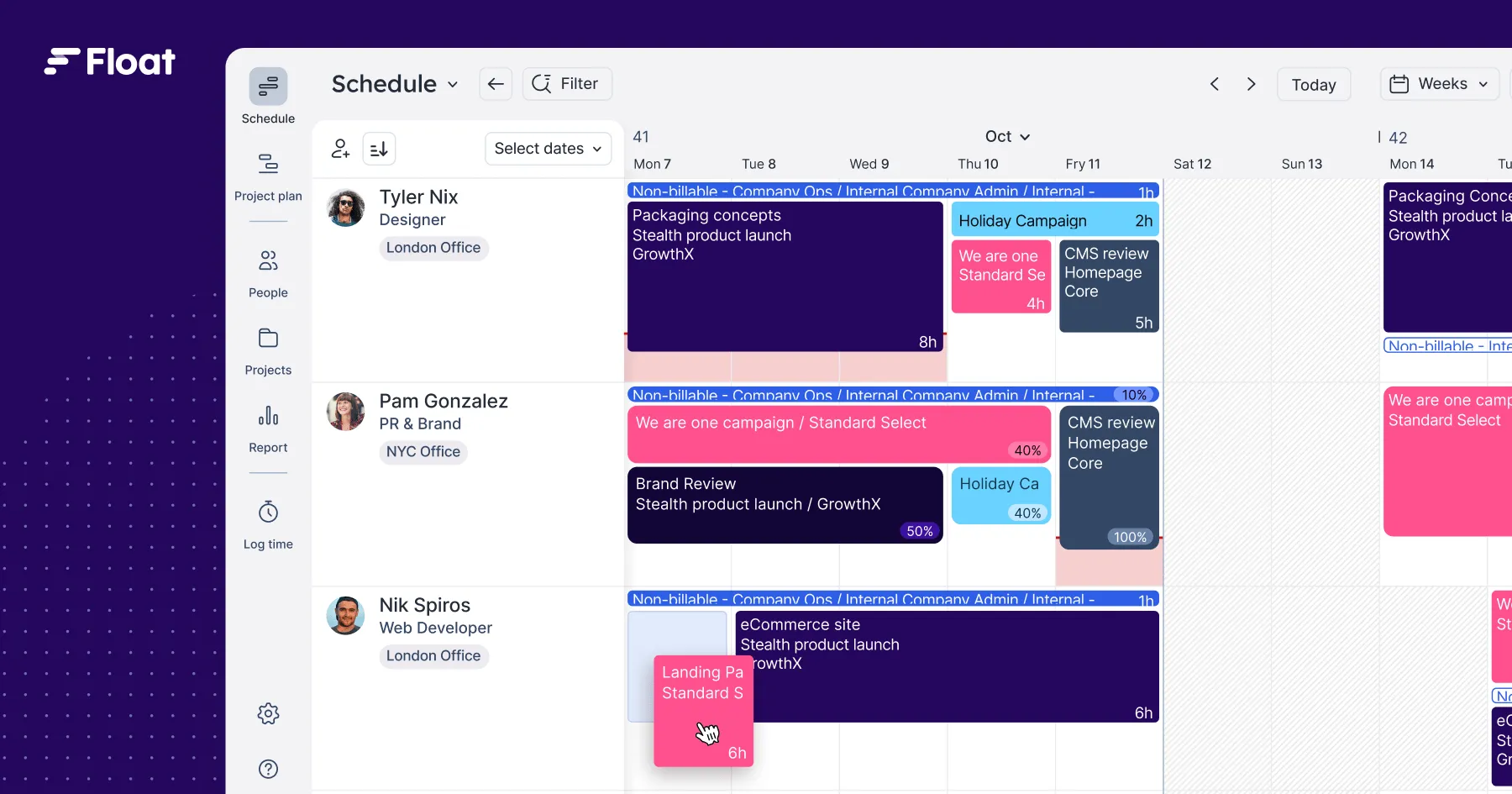
- Float (March 2026): Launched Smart assign, which uses machine learning to find the closest role fit, then checks availability to recommend a person.
- Resource Guru (2026): Opened read-only scheduling data to external AI assistants for questions about availability, utilization, and upcoming leave.
- Asana (May 2026): Its Spring release focused partly on helping teams make smarter resourcing decisions together.
My POV:
I like this shift. “Who’s free?” was always the wrong first question. These recommendations are only as good as your skills data, though. If profiles are out of date, the AI will suggest the wrong person.
4. Your Project Management Tool Is Becoming a Back End for AI Assistants
What it is:
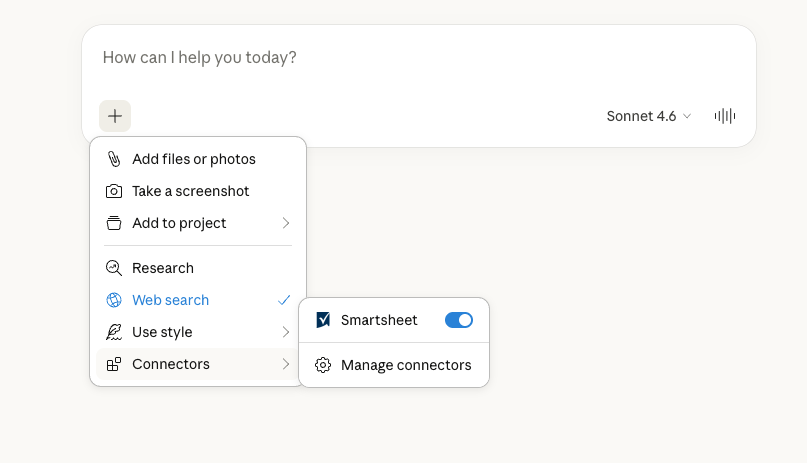
Major project management vendors now offer official MCP servers. MCP (Model Context Protocol) is an open standard that lets AI assistants read and update your project data. You can check status or create tasks from Claude, ChatGPT, Copilot, or Gemini without opening the tool.
Why it matters:
Your team may soon spend more time in an AI assistant than in your project management tool’s interface. If your tool can’t connect, people copy and paste project data, and it goes stale fast. A good connector keeps one source of truth while people work wherever they like.
Supporting data points:
- Atlassian (February 2026): The Rovo MCP Server became generally available.
- Asana (February 2026): Its V2 MCP server became generally available and is limited to projects and data the signed-in user can already see.
- Smartsheet (March 2026): Its MCP server became generally available, with connectors for ChatGPT, Microsoft 365 Copilot, and Gemini Enterprise Plus.
- Wrike (June 2026): Launched an app in ChatGPT, and its MCP server also supports Claude, Microsoft Copilot, and Gemini Enterprise.
My POV:
I think this flips how you should judge project management software. A slick interface matters less if half your team rarely opens it. The real test is how well your tool’s data and permissions travel into the assistants your team already uses.
Check the details before you commit. Write access varies. Atlassian admins can allow read access and block write access. Plan level matters too. Smartsheet’s MCP server requires a Business, Enterprise, or Advanced Work Management plan.
5. AI Is Changing How Project Management Software Is Priced
What it is:
Vendors are moving AI from flat add-ons to usage-based credits. You pay for seats to access the tool, then pay for the AI work that agents and assistants do.
Why it matters:
Your bill now depends on how much your team uses AI, not just how many people log in. That makes costs harder to forecast. Comparing tools on per-seat price alone won’t tell you what you’ll actually pay.
Supporting data points:
- monday.com (May 2026): Introduced seats-plus-credits pricing for customers who joined the AI Work Platform from May 6. A sidekick message uses roughly 10–30 credits for simple tasks and 150 or more for extra-complex ones.
- Notion (May 2026): Launched Custom Agents with credit-based pricing at $10 per 1,000 credits.
- Asana, ClickUp, and monday.com: Each bills AI differently. Asana bundles an account-level credit pool, ClickUp includes a pooled monthly credit allowance with every plan, and monday.com offers a monthly credit allowance that scales by tier.
My POV:
I’d treat AI usage like any other budget line on a project. Run a pilot, track how many credits your team uses, then project that forward before you renew. Watch for expiring credits too.
Per-seat add-ons carry a different risk. You pay for every paid member of the workspace, whether they use AI or not. Neither model is wrong, but the cheapest seat price rarely means the cheapest tool once AI is in the mix.
Future Outlook on Project Management Software
The common thread is simple. Project management tools are shifting from places where you record work to places where work gets done, by people and agents, often from inside other apps. That shift raises new questions about review, access, and cost.
For you, it means choosing project management tools using different criteria than you did a year ago. Ask how agent work gets reviewed, how well your data connects to the AI assistants your team uses, and what AI will cost at your usage level. Favor vendors that publish clear release notes and pricing over those with flashy agent demos.
One thing hasn’t changed. Agents and AI matching are only as good as the data underneath them. A messy workspace gives you confident, wrong answers. Cleaning it up is the cheapest AI upgrade you can make.
Know What Your Project Management Tool Will Really Cost
AI credits, Copilot licenses, and per-seat add-ons can push your bill well past the sticker price, so get a clear picture of project management software cost before your next renewal.


