

How a 6-Person Dev Team Replaced Jira With a Simple Scrum Board (and Stopped Missing Sprints)



Jira is powerful. It is also, for a six-person team shipping a SaaS product, a significant amount of overhead.
I have talked to a lot of small engineering teams over the past few years, and the pattern comes up constantly: the team adopted Jira because it is the industry standard, spent two weeks configuring it, and then found themselves spending more time managing the tool than managing the work. Sprint ceremonies became Jira admin sessions. The backlog became a graveyard. Stand-ups turned into status reports because nobody had looked at the board since the last stand-up.
This is the story of how one team fixed it — and what the setup looked like on the other side.
The Problem: Tool Complexity Was Killing Sprint Momentum
The team in question was a backend-focused group of six: two senior engineers, two mid-level, one QA, and a part-time PM. They were building a B2B data platform and running two-week sprints. On paper, their Scrum process was solid. In practice:
- Sprint planning took 90 minutes because half the time was spent finding the right Jira project, Epic, and issue type before anything got discussed
- Tickets sat in 'In Progress' for days because updating them required navigating four screens
- The PM spent Friday afternoons manually pulling sprint reports because the built-in dashboards were either too complex or required paid add-ons to configure properly
- New team members needed a week to figure out where things lived before they could contribute to the board
The tool was not broken. It was just sized for a team of sixty, not six. And the cognitive overhead of using it on every task, every day, was quietly eroding sprint discipline.
The Switch: What They Were Looking For
When the team started evaluating alternatives, they had three non-negotiables:
- A board they could actually read at a glance. Columns for To Do, In Progress, In Review, Done. Sprint clearly visible. No hunting for context.
- Docs next to the work. The team wrote a lot of technical specs and decision logs. They needed those to live next to the tasks they referenced, not in a separate Confluence space that nobody kept updated.
- Fast onboarding. They had a new engineer starting the month of the switch. They could not afford a two-week ramp-up on tooling.
They found what they needed in Vaiz — specifically in the Scrum board template, which gave them a working sprint setup without any configuration required on day one.
The Setup: How They Configured the Board
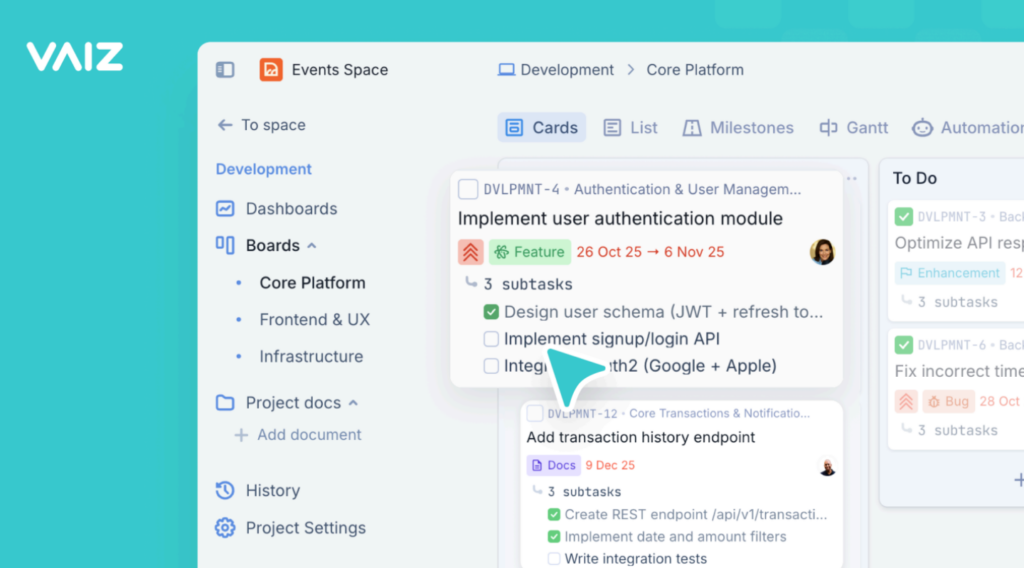
The starting point was the Scrum template. Out of the box it gave them a kanban-style board with sprint grouping, story point fields on every task, and milestone tracking for their release goals.
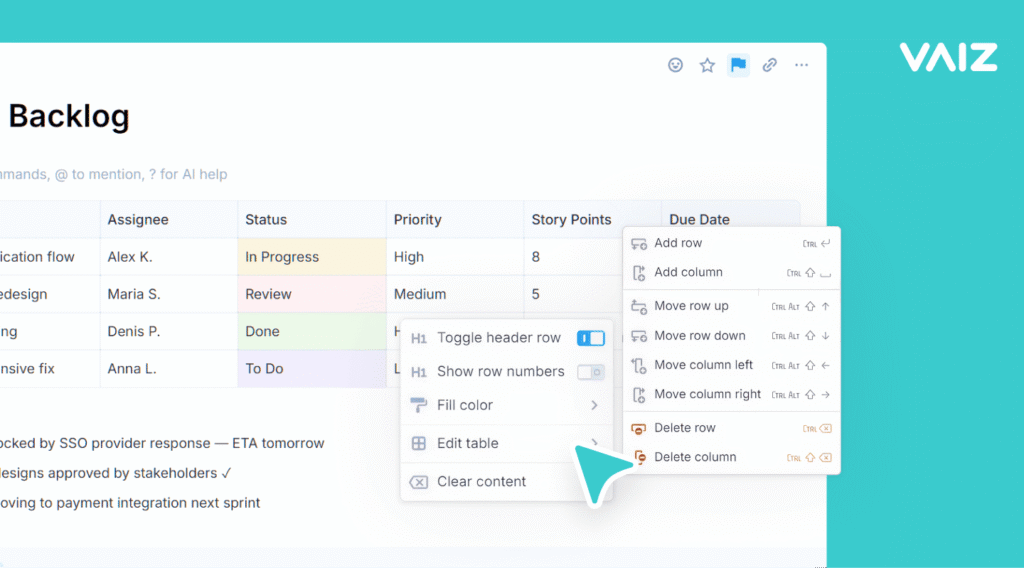
They made three small customisations:
- Added a 'Blocked' column between In Progress and In Review. The team had learned from experience that blocked tickets needed to be visible without being mixed in with active work.
- Created custom labels for ticket type: Feature, Bug, Tech Debt, and Spike. This replaced the complex issue type hierarchy in Jira with something everyone understood immediately.
- Linked their technical spec docs directly to the relevant tasks. Engineers could open a task and read the spec without switching tools.
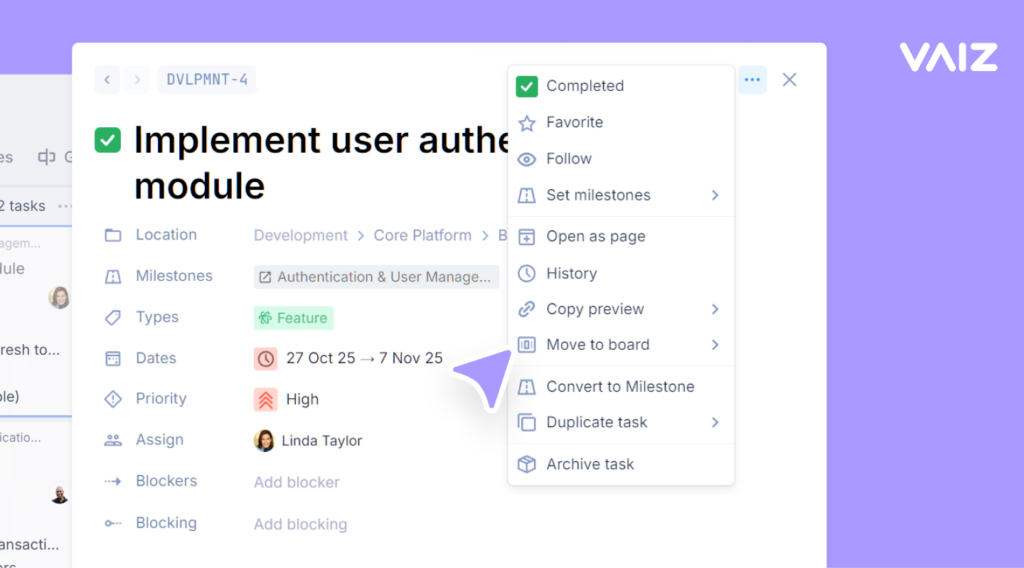
Sprint planning dropped from 90 minutes to 45. Not because the work changed, but because the overhead of navigating the tool disappeared.
The Outcome: Three Sprints In
After three sprints on the new setup, the team reported three concrete changes:
- Sprint completion rate improved. In their last four sprints on Jira, they had completed an average of 68% of committed story points. In their first three sprints on Vaiz, that number was 84%. The PM attributed this partly to better sprint planning (less time on tooling meant more time on actual scoping) and partly to the board being visible enough that blockers got surfaced earlier.
- The new engineer was contributing to the board on day two. No training session required. He looked at the board, understood what everything meant, and started moving tickets.
- Friday afternoon reports disappeared. The dashboard gave the PM what she needed in real time. Sprint status, open blockers, milestone progress — all visible without any manual data pulling.
What Made the Difference
The honest answer is not that Vaiz has more features than Jira — it does not, and for a large enterprise team, Jira's depth is genuinely valuable. The difference for this team was fit. A tool that matched the size and pace of how they actually worked, without requiring them to configure away everything they did not need.
The docs-next-to-tasks setup was particularly valuable. In Vaiz, you can open a task and a document in the same window simultaneously — so the spec and the ticket are visible at the same time. For a backend team writing a lot of technical context, that removed a constant friction point.
Try It on Your Team
If your team is running Scrum and finding the tooling overhead is outpacing the process value, it is worth trying a pre-configured scrum board template built for small agile teams. The setup takes under ten minutes and gives you a working sprint board with story points, milestones, and doc linking ready to go.
 . The setup takes under ten minutes and gives you a working sprint board with story points, milestones, and doc linking ready to go.
Vaiz offers a 30-day free trial, no credit card required. Enough time to run a full sprint and see whether the fit is right for your team.

