

How To Build a RAID Log That Actually Gets Used (With Template)


Most RAID logs start with good intentions and end up forgotten in a shared drive. I've seen it happen on almost every project I've worked on — the log gets created during planning, updated for a couple of weeks, and then quietly abandoned when the real work kicks in.
The problem isn't the concept. RAID logs — tracking Risks, Assumptions, Issues, and Dependencies — are genuinely useful. The problem is the tool. When your RAID log lives in a spreadsheet disconnected from where your team actually works, updating it feels like extra work. And extra work doesn't survive contact with a busy sprint.
Here's how we structure RAID logs at Vaiz — and what makes the difference between a log that gets maintained and one that gets abandoned.
Why RAID Logs Fail in Practice
The core issue is context-switching. Your team is managing tasks in one place, discussing blockers in another, and you're asking them to also update a separate log with risks and dependencies. That's three different places for information that is fundamentally connected.
When a risk becomes an issue, someone has to manually update the log. When a dependency shifts, the person who knows about it is deep in a task thread — not thinking about the RAID log. The cognitive load of maintaining a disconnected document is just high enough that it gets skipped.
Over time, the log becomes a snapshot of the project from week two — not a living document that reflects reality.
What a RAID Log Should Actually Do
A good RAID log does three things:
- Surface risks before they become issues. Not after the damage is done.
- Keep assumptions visible. So when requirements change, you have a record of what everyone agreed on.
- Track dependencies without a separate meeting. The log should make it obvious what is blocked and why.
To do all of this, the RAID log needs to live where work actually happens — not in a separate spreadsheet that requires a context switch to open.
How To Structure Each Category for Real Team Adoption
Here is how we approach each of the four categories in Vaiz, structured so that entries are tasks — not just rows in a spreadsheet. Every risk, assumption, issue, or dependency has an owner, a status, and a due date.
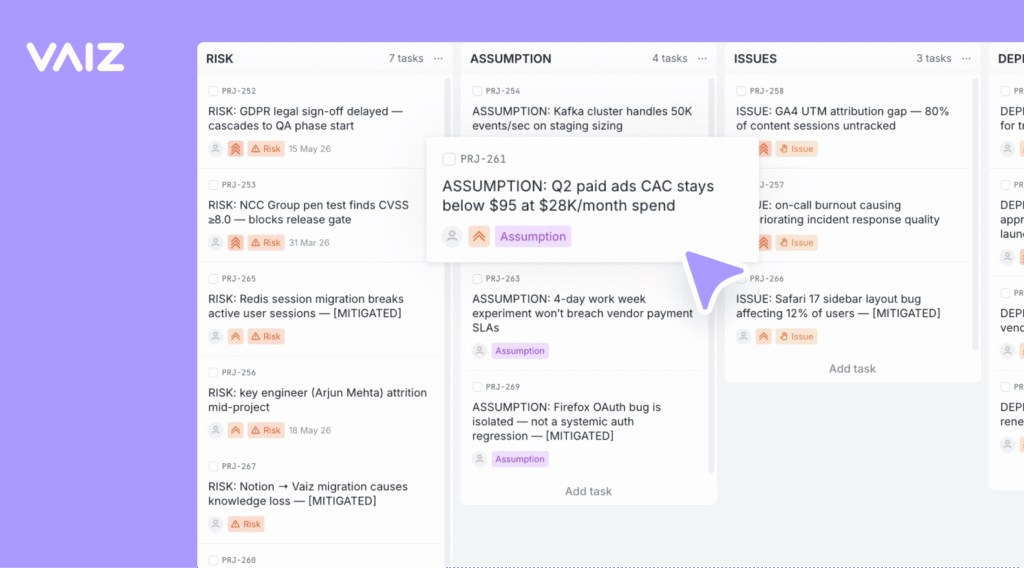
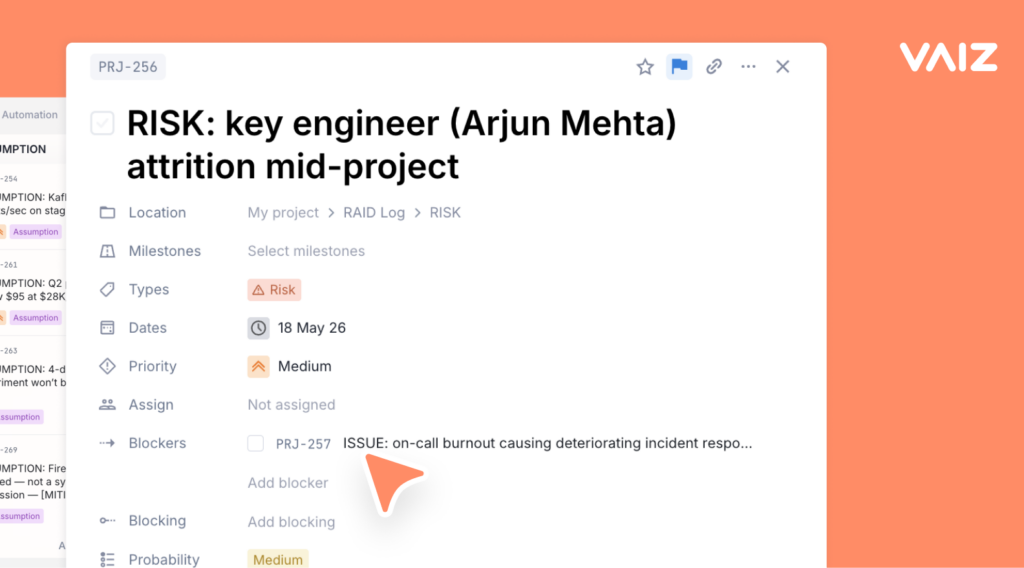
- Risks: Give each risk a probability (High/Medium/Low), an impact rating, a mitigation note, and a named owner. When a risk escalates to an issue, you move it — the full history stays intact. The key is specificity: 'key developer unavailable during UAT phase' is actionable. 'Resource risk' is not.
- Assumptions: Document assumptions as they are made, not after the fact. Link each one to the part of the project it affects. When scope creep conversations happen — and they will — this list ends them quickly. I have seen a single well-maintained assumptions log save weeks of rework.
- Issues: Active issues need a clear owner and a resolution path with a date. Closed issues should stay visible so the team can reference what happened and why. Do not delete resolved entries — they are your project memory.
- Dependencies: Track both internal dependencies (between your own team's workstreams) and external ones (third-party deliverables, other teams). Each dependency should link to the related task so nothing slips through when priorities shift.
Tasks and Docs in the Same Workspace
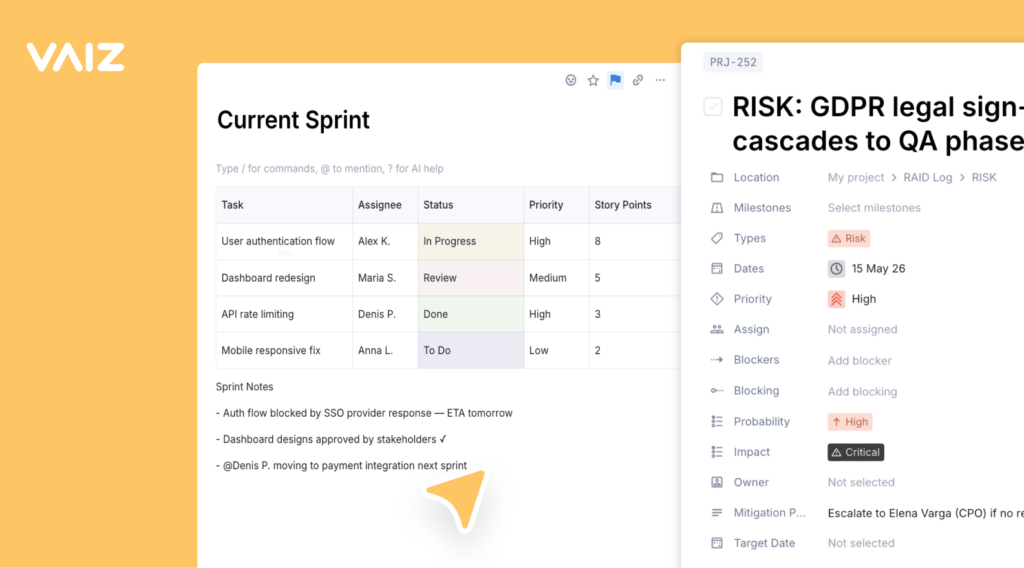
One thing that makes a tangible difference is having your RAID log and your project documents in the same place. In Vaiz, you can open a task and a document side by side in a single window — so when you are writing up a risk mitigation plan, you can reference the related task without switching tabs.
This sounds like a small detail. In practice, it is the difference between a log that gets updated and one that does not. The less friction between finding information and recording it, the more likely your team actually maintains it.
Keeping the Log Alive Past Week Two
The most common failure point is the middle of the project. Kick-off energy is gone, the team is heads-down, and the log stops getting updated. A few practices that help:
- Assign a RAID log owner — someone responsible for prompting updates at each weekly check-in. It does not have to be the PM.
- Review open risks and issues at the start of every sprint or standup. Five minutes is enough if the log is already current.
- Close entries aggressively. A log full of resolved risks that have not been marked closed is harder to read. Keep the active list short.
- Link RAID entries to related tasks. When context is one click away, updates take seconds instead of minutes.
Start With a Template
If you want to skip the setup and get straight to the work, this ready-to-use free RAID log template comes pre-structured with all four categories, custom fields for probability and impact, and owner assignment built in. It is free to use, and you can have it running in your next sprint planning session.
 comes pre-structured with all four categories, custom fields for probability and impact, and owner assignment built in. It is free to use, and you can have it running in your next sprint planning session.
Vaiz offers a 30-day free trial — no credit card required — so you can test it on a real project before committing.

