
Beyond the Task List: How Modern Project Templates Are Replacing Static Spreadsheets


There is a spreadsheet somewhere in your organisation that someone built four years ago to track a project. It has colour-coded columns, a tab for each month, and a set of instructions in cell A1 that nobody reads. Every time a new project starts, someone copies it, renames it, and spends half a day reformatting it to fit the new context.
This is still how most teams manage projects in 2025. Not because spreadsheets are the best tool for the job, but because they are the path of least resistance. You already have them. Everyone knows how to use them. And the alternative — setting up a proper project management tool — has historically felt like more work than the project itself.
That gap is closing. Here is what is driving the shift, and what modern project templates actually look like when they are done well.
Why Spreadsheets Break Down as a Project Tool
Spreadsheets are excellent for data analysis and financial modelling. They are a poor fit for managing live project work for a few structural reasons:
- They do not have owners. A row in a spreadsheet can have a name in the 'Owner' column, but there is no mechanism for that person to be notified when something changes, or to update their status without opening the file.
- They do not connect to the work. Your project tracker lives in one tab. Your meeting notes live in a separate document. Your task list lives in a third place. Every update requires a manual sync across all three.
- They degrade quickly. A spreadsheet that is not actively maintained becomes misleading faster than an empty board. Stale data in a formatted tracker looks authoritative. That is worse than no data.
- They have a high cognitive load for non-owners. Someone joining a project mid-stream has to decode the spreadsheet's logic before they can contribute to it. There is no standard structure, no navigation, no status that is immediately visible.
The irony is that the teams most likely to use spreadsheets for project management are also the teams most likely to be hurt by their limitations — small teams, cross-functional teams, and non-technical teams who do not have a dedicated ops person to maintain the system.
What Makes a Good Project Template
The reason project templates have historically failed to replace spreadsheets is that they were designed for the tool, not the team. An empty Jira project or a blank Asana board does not feel simpler than a spreadsheet — it feels like more setup work.
A well-designed project template has three characteristics that change this:
- Pre-configured workflow logic. Not just columns, but the right columns for the type of work. A Scrum template should have sprint grouping and story points. A RAID log template should have probability and impact fields. A marketing campaign template should have brief stages and review checkpoints. The workflow should reflect how the work actually moves.
- Built-in roles and ownership structure. Every task type in the template should have a clear owner field, and the template should make it obvious who is responsible for what before the first task is assigned. This is the difference between a template that scales and one that becomes the PM's personal to-do list.
- Documentation attached to the workflow. The template should have a place for the brief, the spec, the decision log — not as separate documents, but as part of the same workspace. When the doc lives next to the task that references it, it stays updated. When it lives in a separate tool, it does not.
How Teams Are Using Templates in Practice
The shift away from spreadsheets is happening fastest in two types of teams: small agile teams that have outgrown their current tools, and non-technical teams — marketing, design, finance, HR — that need project structure but cannot justify the overhead of enterprise PM software.
For both groups, the value of a good template is the same: they can start working in minutes rather than configuring for days. The structure is already there. They customise around the edges — adding labels, adjusting columns, linking their existing documents — rather than building from scratch.
At Vaiz, we built our template library specifically around these two audiences. The templates cover the full range of project types: Scrum and Kanban for dev teams, OKR tracking and RACI matrices for strategy and ops, RAID logs for risk-heavy projects, and team-specific setups for marketing, recruitment, and production teams.
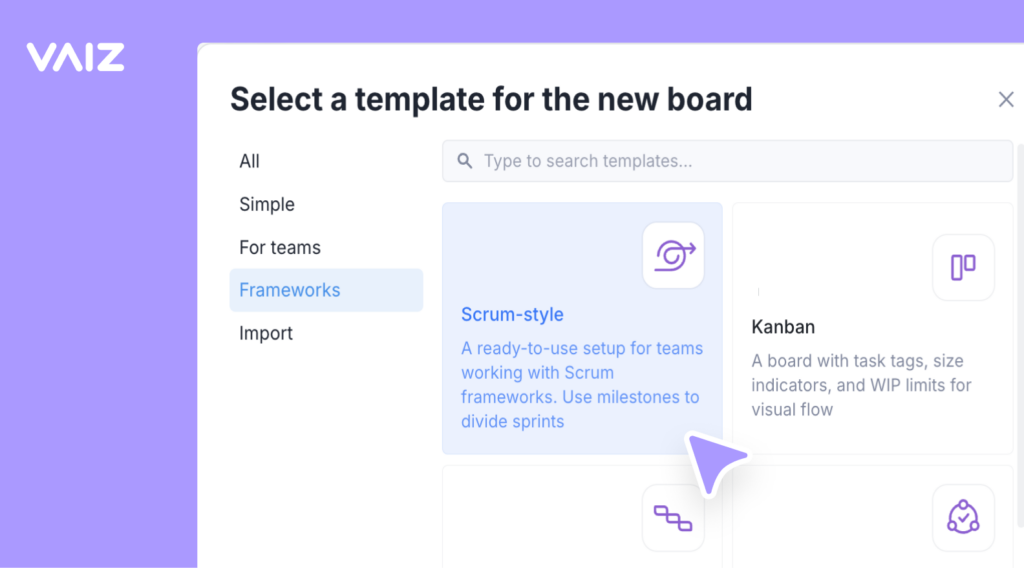
The structure of each template reflects how that type of work actually moves — not a generic task board with a new name on top.
Tasks and Docs in the Same Workspace
One of the structural problems with spreadsheet-based project management is that the tracker and the documentation always live in separate places. Fixing that is not just a feature decision — it is an architectural one.
In Vaiz, tasks and documents exist in the same workspace and can be opened side by side in a single window. When you are working through a RAID log entry and need to reference the project brief, you do not switch tabs. When you are reviewing a sprint task and the spec doc needs to be updated, you update it in the same view. The cognitive overhead of maintaining context across multiple tools disappears.
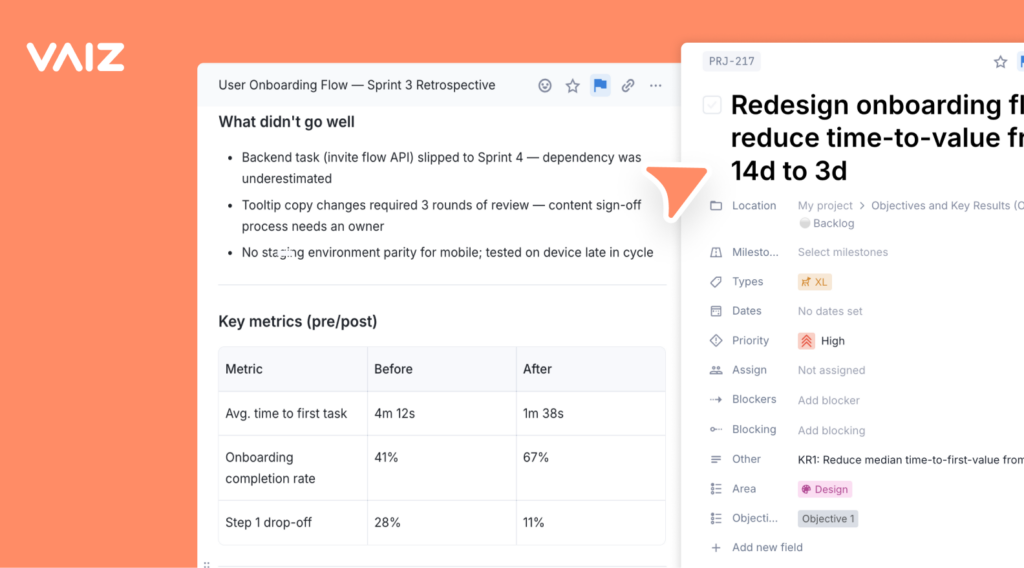
For non-technical teams especially, this matters. A marketing manager running a campaign does not want to learn the difference between a Confluence page and a Jira epic. They want to see the brief, the tasks, and the status in one place. That is what a well-designed template in an integrated workspace gives them.
The Practical Case for Making the Switch
The most common objection to moving off spreadsheets is migration cost. The data is already there. The team knows how to use it. Changing now means disruption.
The honest answer is that the migration cost is usually one afternoon, not one week. Most teams are not moving complex structured data — they are moving a list of tasks and some notes. A well-designed template absorbs that migration quickly.
The ongoing cost of staying on spreadsheets — the manual syncing, the stale data, the onboarding friction for new team members, the PM time spent maintaining a tracker instead of managing work — compounds every sprint.
Where To Start
If you want to see what a modern template setup looks like in practice, Vaiz offers a full library of ready-made project management templates — from RAID logs and Scrum boards to OKR trackers and team-specific setups. Each one is free to use and takes under ten minutes to get running.
 — from RAID logs and Scrum boards to OKR trackers and team-specific setups. Each one is free to use and takes under ten minutes to get running.
Vaiz offers a 30-day free trial, no credit card required. It is enough time to run a real project on a real template and see whether the structure fits.