

How to Use Trello for Time Tracking


Using Trello for Time Tracking
Trello is a visual project management tool that helps project managers in B2B SaaS track time through card-based workflows and Power-Ups. While not built primarily as a time tracker, Trello enables teams to log hours and monitor task duration using integrated Trello time tracking tools.
What Time Tracking Typically Involves
Time tracking means recording how long tasks take to complete. Project managers need to capture billable hours through timesheets, identify bottlenecks, and understand team capacity to improve estimation and resource allocation.
Prerequisites and Setup Requirements
- Trello account with board creation permissions
- Standard or Premium plan (for Power-Up access)
- Team members added to relevant boards
How Trello Supports Time Tracking
Trello enables Trello time tracking through Power-Ups that integrate directly with cards on your Trello board, allowing teams to start timers, log manual entries, and view time reports without leaving their workflow boards.
How to Perform Time Tracking in Trello
1. Enable a Time Tracking Power-Up
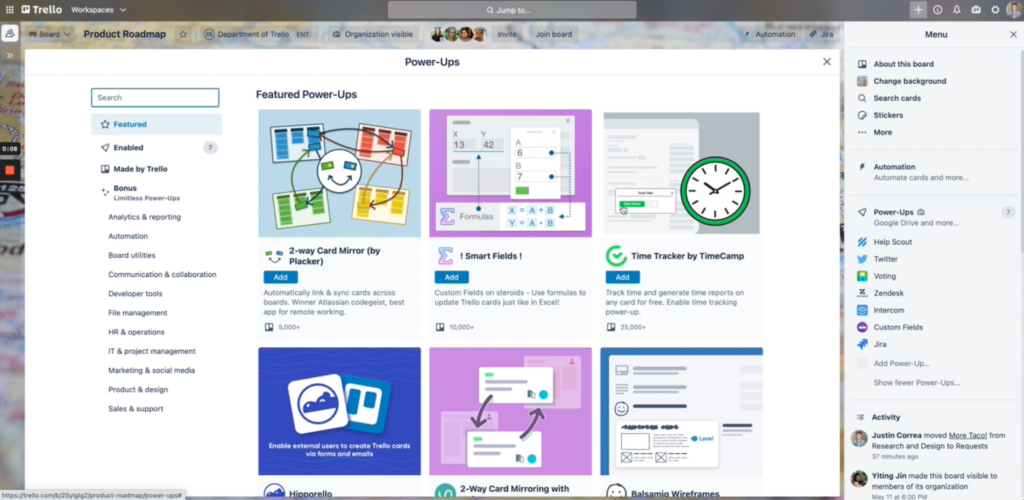
Open your project board and click "Power-Ups" in the board menu. Search for and enable a time tracking Power-Up like Everhour, Clockify, or Harvest.
2. Open a Card to Track Time
Click on any card where you want to track time.

3. Start Tracking or Log Time Manually
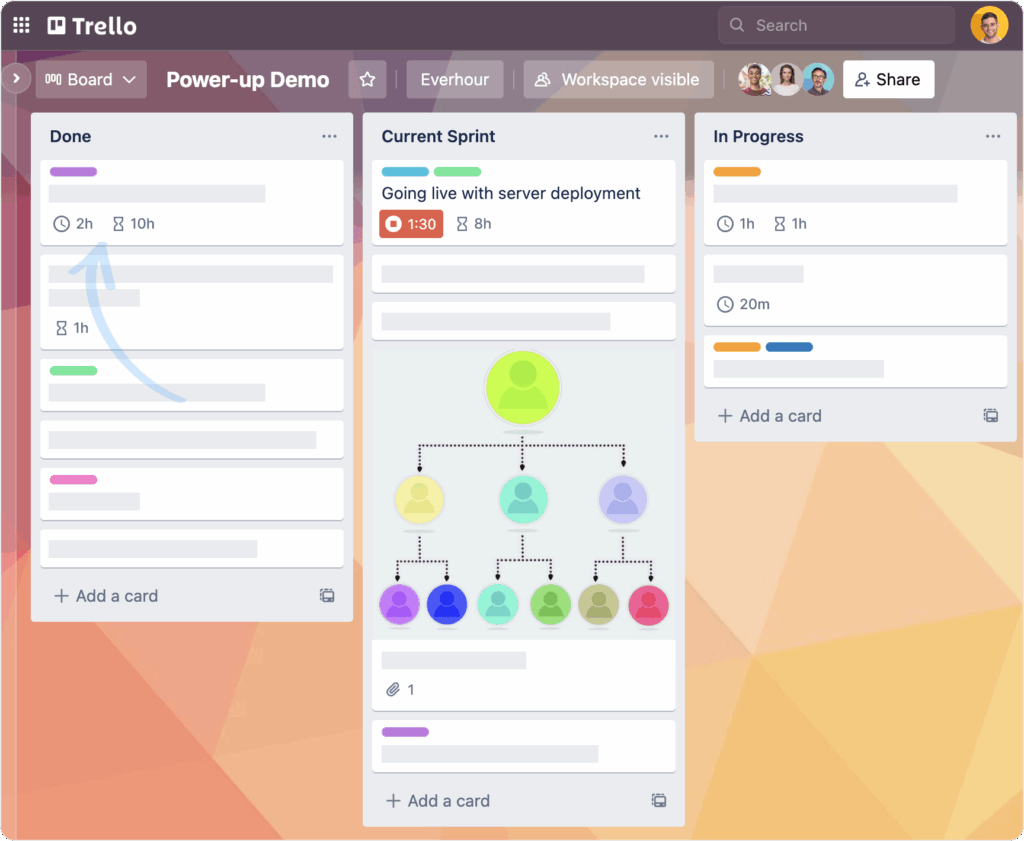
Use the Power-Up interface to start a timer or manually log time spent.
4. Add Time Entry Details
Add time entries with descriptions or task categories as needed.

5. Review Time Reports
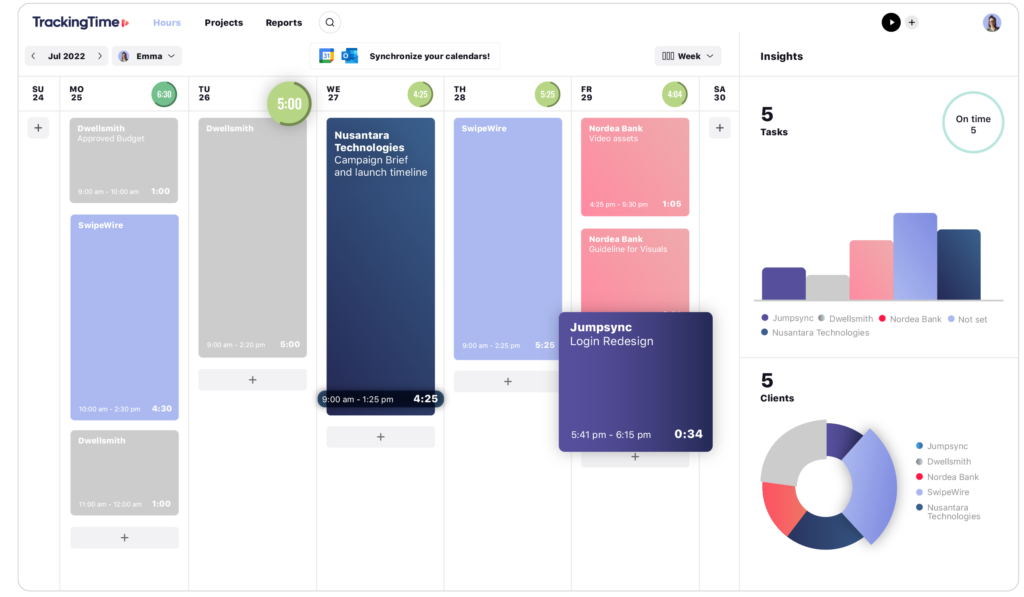
View accumulated time in card details or through the Power-Up's reporting dashboard.
What Success Looks Like
- Time entries appear on relevant cards
- Team members can view their logged hours
- Reports show time breakdowns by project, person, or date range
Common Mistakes and Pro Tips
- Mistake: Forgetting to stop timers when switching tasks
- Mistake: Not setting up a consistent Trello board structure before enabling time tracking
- Pro Tip: Use card labels to categorize billable vs. non-billable time
- Pro Tip: Set up automation to remind team members to log their hours daily
FAQs About Using Trello for Time Tracking
Can I track time in Trello without Power-Ups?
You can manually add time estimates and tracking to card descriptions or checklists, but Power-Ups provide automated tracking, AI for time tracking, timers, and reporting that make the process much more efficient.
Do time tracking Power-Ups work on mobile?
Most major time tracking Power-Ups support Trello’s mobile apps, allowing team members to start timers and log hours from their phones.
Can I track time in Trello without Power-Ups?
You can manually add time estimates and tracking to card descriptions or checklists, but Power-Ups provide automated tracking, timers, and reporting that make the process much more efficient.
Do time tracking Power-Ups work on mobile?
Most major time tracking Power-Ups support Trello's mobile apps, allowing team members to start timers and log hours from their phones.
Learn More About Trello
Trello offers project managers tools for task management, team collaboration, and workflow automation beyond time tracking. Read our review to explore how Trello can streamline your entire project management process.

