

How to Use monday CRM’s Emails & Activities for Sales Activity Capture and CRM Data Quality


A manager opens the CRM expecting to review pipeline activity, only to realize half the customer conversation never made it into the system in the first place.
Emails stayed in inboxes, meeting notes lived somewhere else, and follow ups were only remembered through chat messages and memory. At that point, reporting and forecasting stop becoming reliable because the CRM never captured the full picture.
In this guide, we’ll walk through how monday CRM’s Emails & Activities helps teams centralize customer interactions and build a cleaner, more reliable activity record over time.
 helps teams centralize customer interactions and build a cleaner, more reliable activity record over time.
Is monday CRM Good for Sales Activity Capture and CRM Data Quality?
Yes. If your team constantly deals with missing CRM updates, scattered customer conversations, unreliable forecasting, or sales reps forgetting to log important activities, then monday CRM can help.
How Does monday CRM’s Emails & Activities Help Solve CRM Data Quality and Sales Activity Capture Issues?
If your CRM constantly feels incomplete, missing customer activity is usually the reason why. monday CRM’s Emails & Activities helps centralize those interactions so your team gets a clearer view of customer relationships inside the CRM.
Keeps Customer Conversations From Getting Lost
A sales rep sends emails, joins meetings, takes notes during calls, and promises a follow-up. A few days later, half of that information never makes it into the CRM.
That is usually where reporting and visibility problems start.
Monday CRM’s Emails & Activities helps by bringing emails, meetings, notes, and other customer interactions into one place so your team is not relying on inboxes and memory alone to keep track of important conversations.
Makes It Easier for Teams to Actually Keep the CRM Updated
Most teams do not avoid CRM updates because they do not care.
They avoid them because manual updates become repetitive and time-consuming. monday CRM helps reduce that friction by making activities easier to log, review, and track directly across deals, contacts, and accounts.
Instead of constantly asking reps what happened with a client, managers can quickly review recent activity and follow-up history inside the CRM itself.
Gives Teams More Reliable Reporting and Forecasting
If the CRM never captured the real customer conversation, the pipeline will never reflect reality properly. Deals can look inactive even when conversations are still happening.
monday CRM helps solve this by creating a more complete activity record through Emails & Activities, activity timelines, dashboards, and AI summaries that help teams review long conversations faster and keep customer context more organized.
How to Set Up monday CRM’s Emails & Activities for Better CRM Data Quality
Here’s how to set up monday CRM’s Emails & Activities so your team gets a cleaner and more reliable activity record over time.
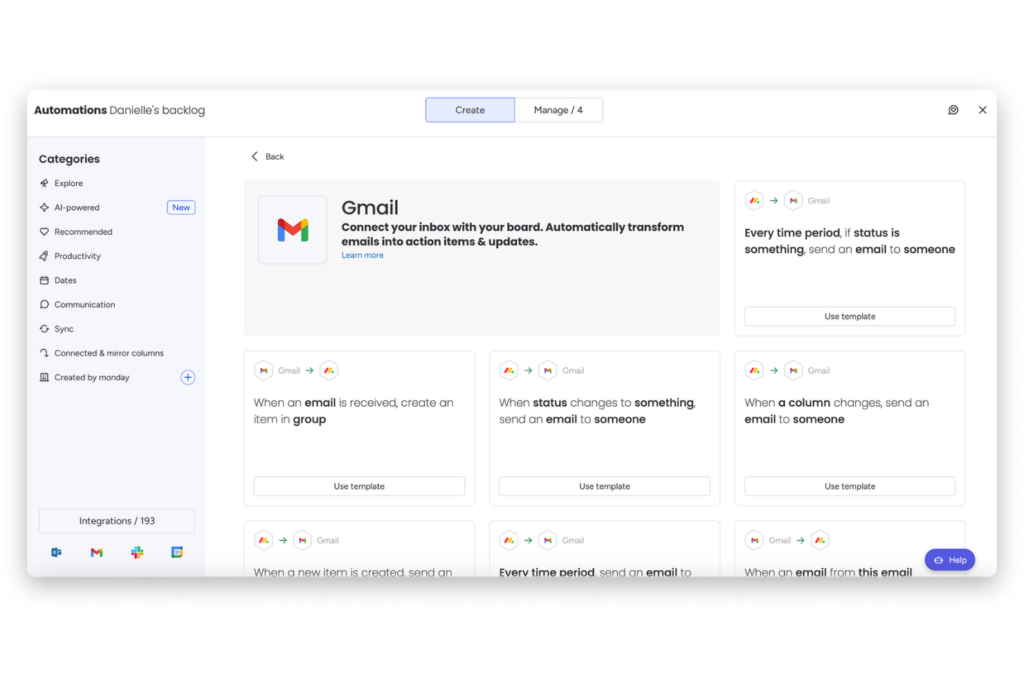
Step 1: Connect Gmail or Outlook Accounts
Start by connecting the inboxes your sales team actually uses every day.
monday CRM supports Gmail and Outlook integrations through Emails & Activities, allowing teams to send, receive, and track customer communication directly inside the CRM.
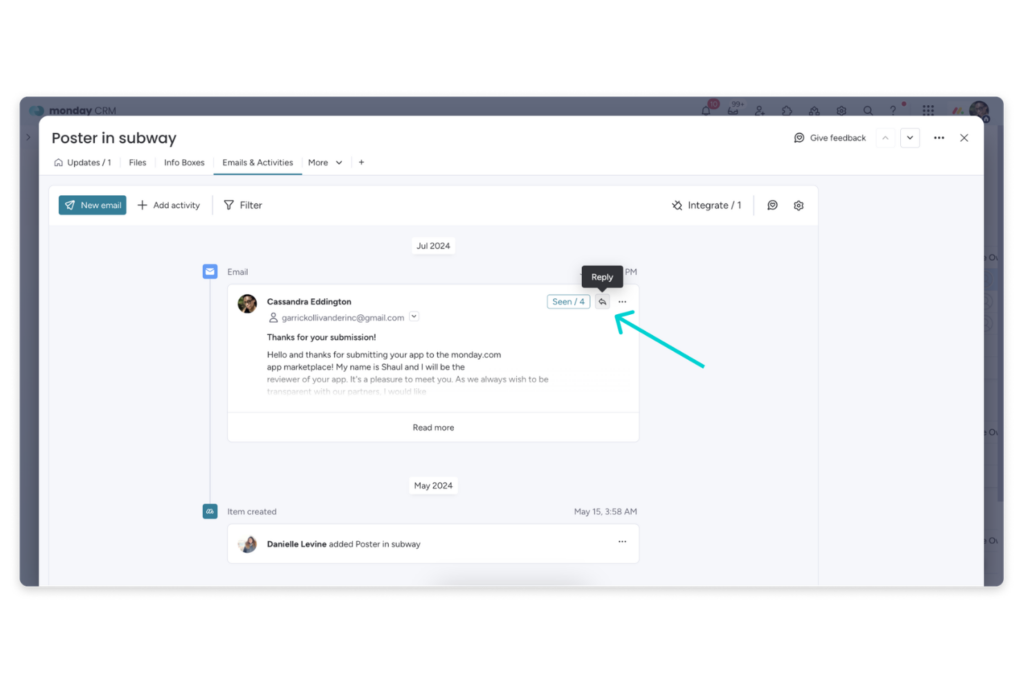
Once connected, emails and related interactions become part of the customer timeline instead of staying isolated inside personal inboxes.
This is important because scattered communication is usually where CRM visibility problems begin.
Step 2: Define Which Activities Must Be Logged
One of the biggest mistakes teams make is trying to track everything. Instead, define the minimum activities that should always be captured inside the CRM.
For most teams, this includes:
- discovery calls
- demos
- proposal discussions
- renewal meetings
- important follow-ups
- internal notes that affect next steps
The goal is consistency, not volume. A smaller set of well-maintained activity records is usually more useful than hundreds of incomplete updates.
Step 3: Create Consistent Activity Naming Conventions
As your team logs more activities, inconsistent naming can quickly make reporting messy. monday CRM allows teams to create custom activity types alongside default options like meetings, notes, and call summaries.
Keep your naming structure simple and standardized across the team.
For example:
- Discovery Call
- Demo Completed
- Proposal Review
- Renewal Follow-Up
- Stakeholder Meeting
This makes activity filtering, reporting, and pipeline reviews much easier later on.
Step 4: Add the Activities Timeline Column
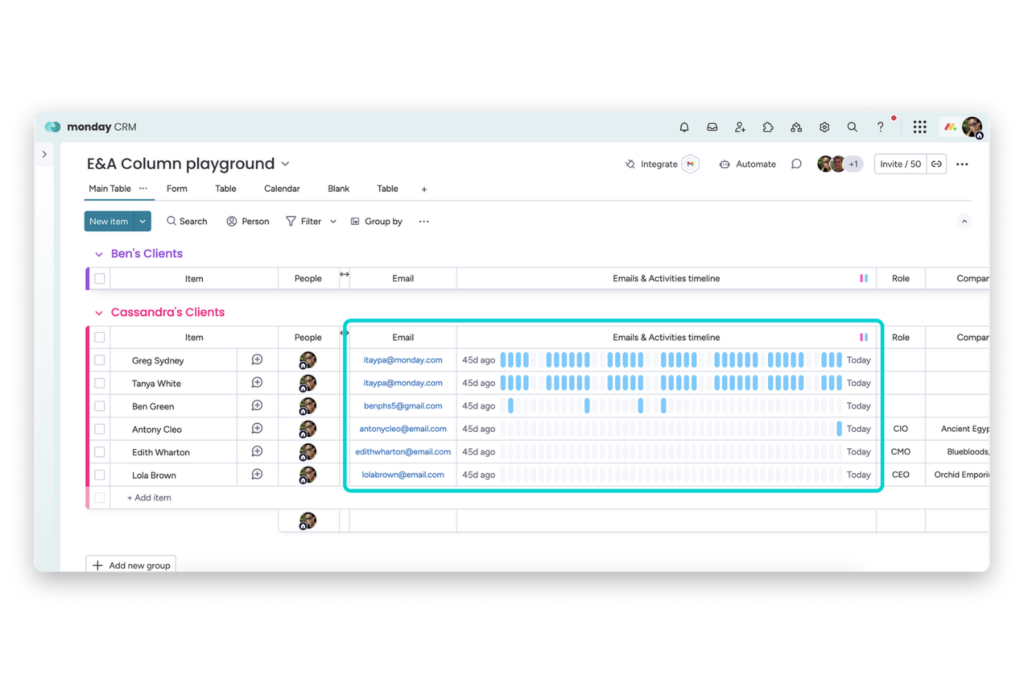
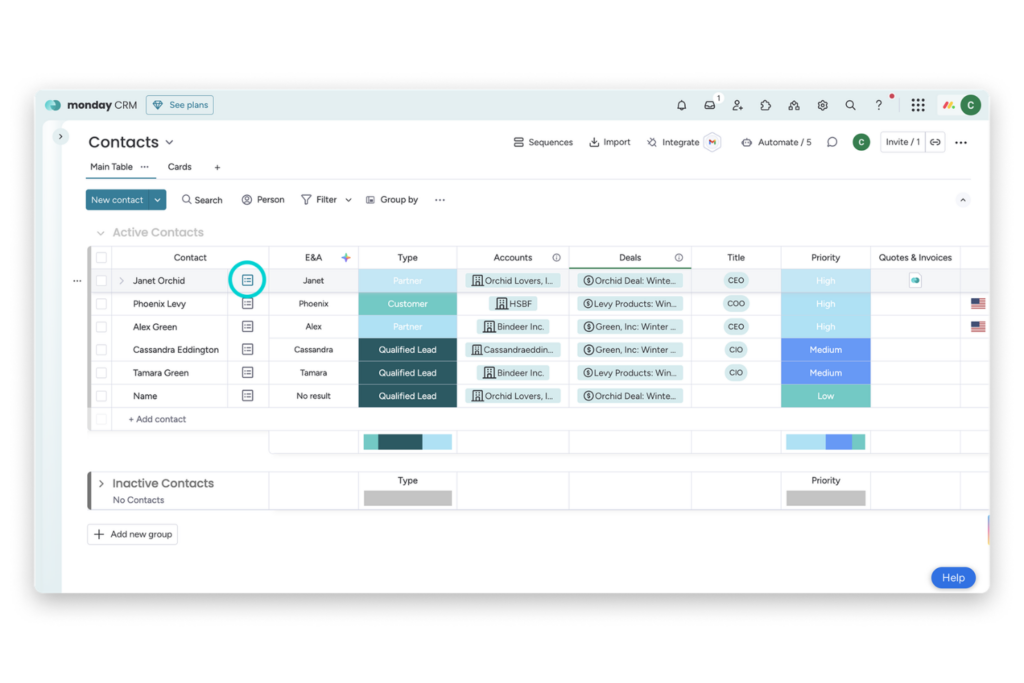
The Activities timeline column gives teams a visual view of recent engagement directly from the CRM board itself.
Instead of opening every deal or account individually, reps and managers can quickly spot follow-up gaps, recent meetings, and customer activity from the board view alone.
This becomes especially useful when managing larger pipelines where activity can easily get overlooked.
Step 5: Configure AI Actions for Summaries and Data Extraction
As customer histories grow longer, reviewing every email thread and note manually becomes difficult.
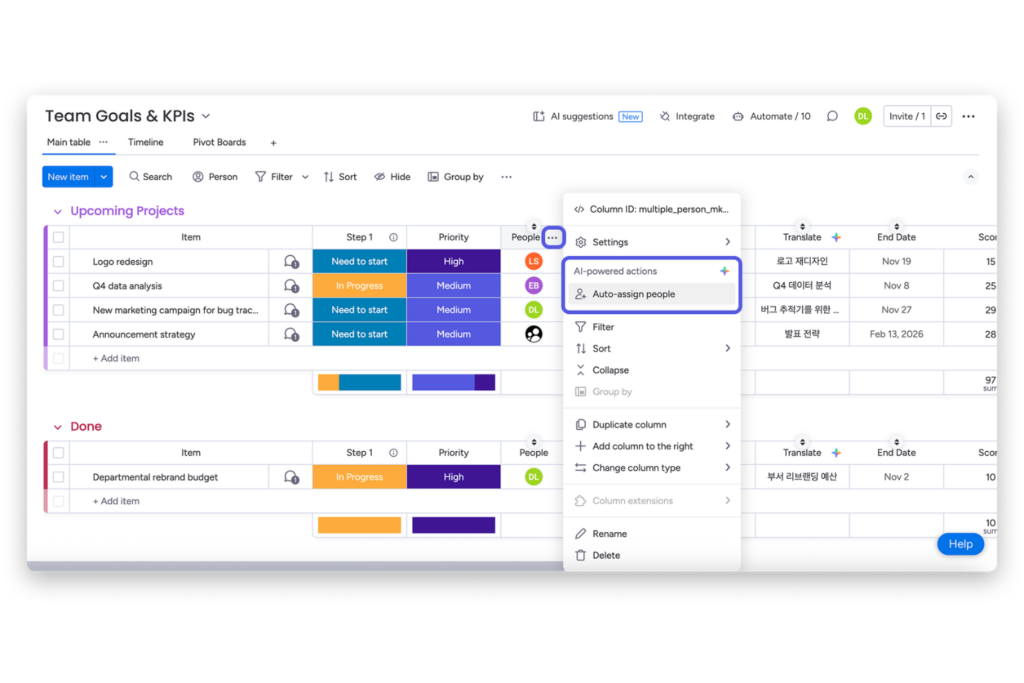
monday CRM includes AI-powered features that can summarize timelines, extract information, assign labels, and help structure customer interactions into more usable CRM data.
For example, instead of reading dozens of emails before a follow-up call, reps can review an AI-generated summary to quickly understand:
- recent conversations
- customer concerns
- next steps
- relationship status
This helps teams save time while keeping customer context easier to review.
Step 6: Review CRM Activity Weekly
Even with automation and AI enabled, CRM data quality still needs regular review. Set aside time every week to check:
- missing follow-ups
- inactive deals
- under-logged accounts
- inconsistent activity naming
- gaps in customer engagement
The Activities board and dashboards inside monday CRM help managers monitor these patterns before they turn into larger reporting and forecasting problems.
FAQs
What does successful sales activity capture and CRM data quality actually look like?
Success usually looks like having a CRM that reflects what is actually happening with customers. Sales reps can open a deal, contact, or account and immediately see recent emails, meetings, notes, and follow-ups without digging through inboxes or asking teammates for context. Managers get a clearer view of pipeline activity, forecasting becomes more reliable, and teams spend less time chasing updates manually.
What are the most common mistakes teams make with sales activity capture?
One of the biggest mistakes is relying only on email tracking while ignoring calls, meetings, and internal notes. Teams also tend to create too many custom activity types, which eventually makes reporting harder to manage. Another common issue is assuming automation alone will fix CRM data quality without building consistent logging habits across the team.
What are some pro tips for maintaining better CRM data quality?
Keep your activity types simple, standardize naming conventions across the team, and review CRM activity regularly instead of waiting for reporting problems to appear. AI summaries and automation can help reduce manual work, but clear processes and consistent usage still matter the most.
What do teams need before setting up monday CRM’s Emails & Activities?
Before setting up monday CRM’s Emails & Activities, teams should first connect their Gmail or Outlook accounts and decide which customer activities should always be logged inside the CRM. It also helps to establish simple naming conventions for activities and assign someone responsible for reviewing CRM activity quality regularly.
Does monday CRM’s Emails & Activities work on all CRM boards?
monday CRM positions Emails & Activities across key CRM entities like Contacts, Leads, Accounts, and Deals, allowing teams to centralize communication history throughout the sales process.
Conclusion
Once your activity data becomes more consistent, it becomes much easier to connect it to forecasting, reporting, and pipeline reviews without rebuilding your entire CRM process.
Inside monday CRM, this creates a more reliable view of deal movement, rep activity, and customer engagement over time.
If you want to continue improving your setup, you can explore more of what the platform can support through monday CRM.
Good luck with your forecasting, pipeline management, and sales activity tracking efforts, and I hope this guide helped you build a more reliable and actionable CRM workflow moving forward.

