

How to Use monday CRM’s AI Timeline Summary for Executive-Ready Sales Updates


The weekly leadership meeting is coming up.
Suddenly, the last hour turns into digging through CRM notes, unread email threads, meeting recaps, and scattered follow ups just to explain what is happening with a few key accounts.
What should have been a quick executive update becomes manual cleanup work focused on piecing together the full story behind the pipeline.
That is exactly where monday CRM’s AI Timeline Summary can help.
Instead of rebuilding account history from scratch every reporting cycle, teams can use AI generated summaries inside Emails & Activities to turn sales activity into faster, cleaner, and executive ready updates that are easier for leadership teams to review and act on.
How Can monday CRM’s AI Timeline Summary Help with Executive-Ready Sales Updates?
monday CRM’s AI Timeline Summary helps teams reduce the manual work behind executive sales reporting by turning emails, meeting notes, calls, and CRM activity into concise summaries inside Emails & Activities.
It helps teams:
- reduce manual recap work during reporting cycles
- review deal progress and recent activity faster
- centralize account history into one timeline
- surface risks, blockers, and next steps more clearly
- create more consistent leadership updates
Instead of rebuilding account history from scattered conversations, sales managers and RevOps teams can review cleaner summaries that make executive updates easier to prepare and faster to understand.
How to Use monday CRM’s AI Timeline Summary for Executive-Ready Sales Updates
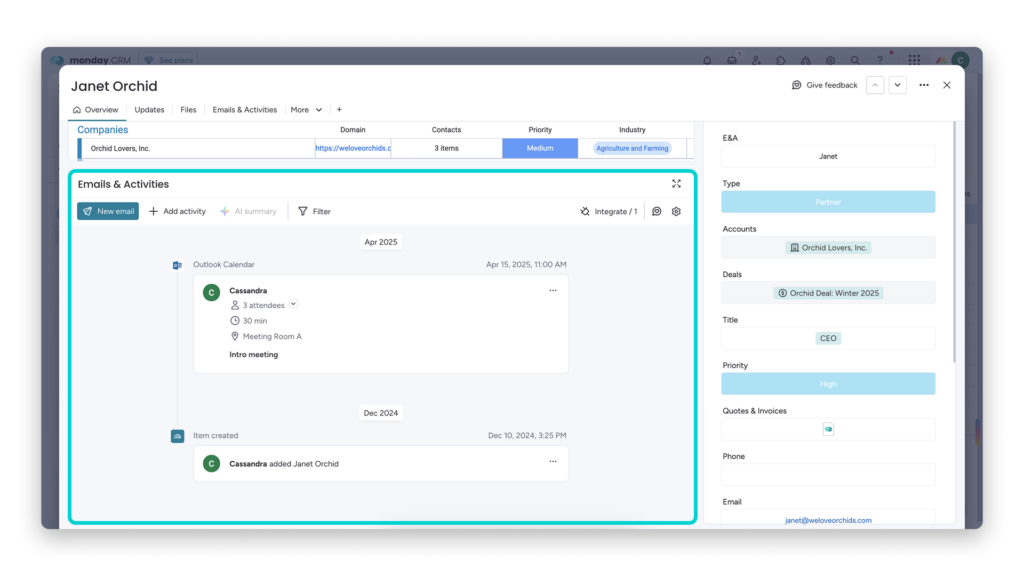
To create cleaner executive updates in monday CRM, make sure your Emails & Activities timeline contains the account activity you want AI Timeline Summary to review and summarize.
Step 1: Centralize Account Activity
Start by keeping the account or deal timeline complete. Log the emails, calls, meeting notes, follow ups, and customer interactions that leadership will need to understand later.
This matters because AI Timeline Summary can only summarize the activity it can access. If key conversations are missing, the executive update may look clean but still lack the context needed for decisions. Your draft also notes that the timeline should contain the emails, meetings, notes, and other interactions your leadership update should reflect.
Step 2: Generate the AI Timeline Summary
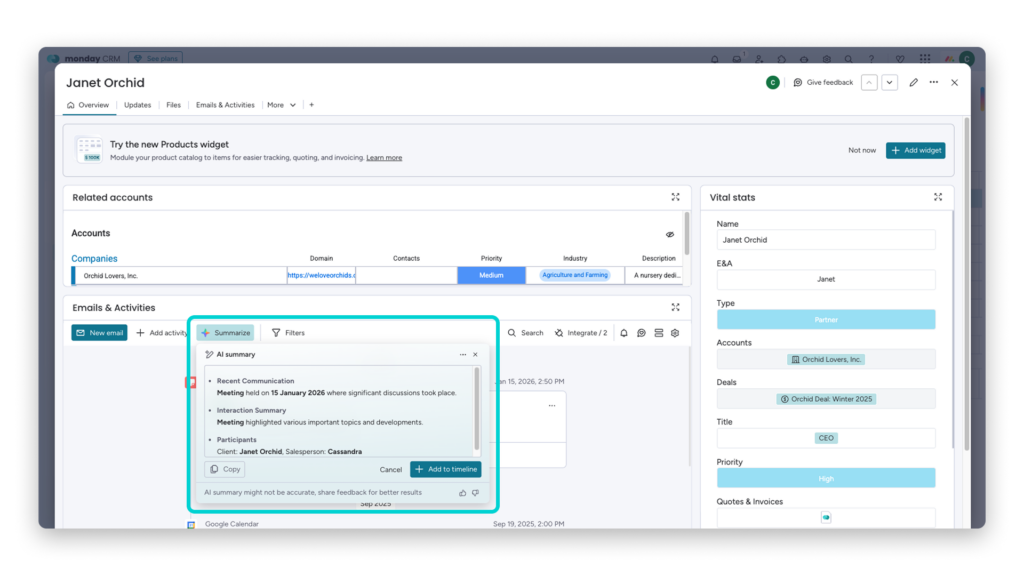
Before each reporting cycle, generate the AI Timeline Summary from the relevant deal, account, or lead timeline.
monday CRM’s AI summary feature is designed to create concise summaries of interactions and communication with leads and customers, then log those summaries on the Emails & Activities timeline.
Use this step to quickly understand what changed since the last update, what conversations happened, and what details should be included in the leadership summary.
Step 3: Pair Summaries With Structured CRM Fields
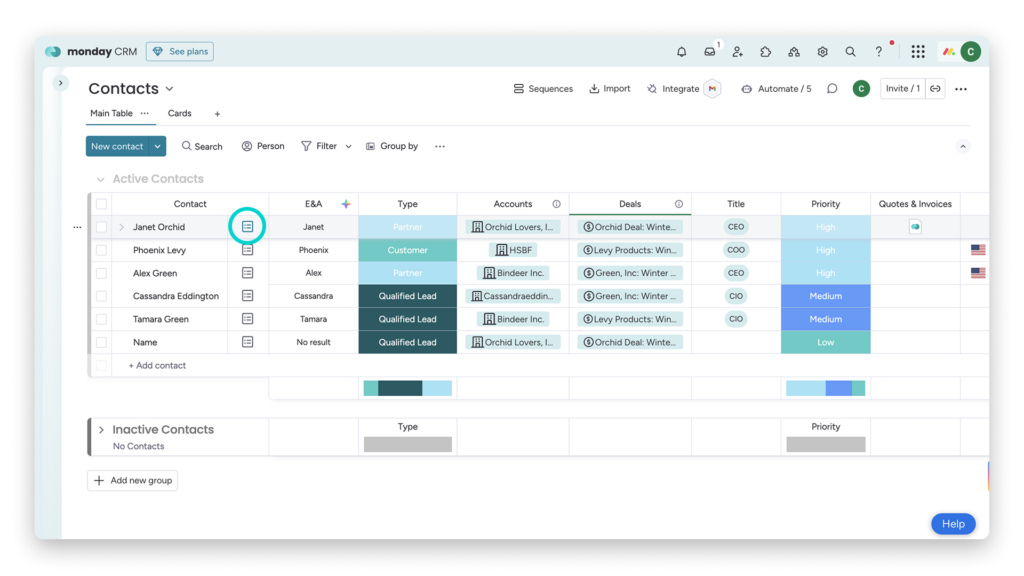
Do not rely on the summary alone. Pair the narrative recap with the structured fields executives need to review the deal clearly.
Include fields such as:
- Deal owner
- Deal value
- Expected close date
- Current stage
- Risk level
- Next step
- Forecast status
This keeps the update useful because leadership can see both the story and the current deal data. Your draft also recommends confirming the board fields executives care about, such as amount, owner, expected close date, risk state, and next step.
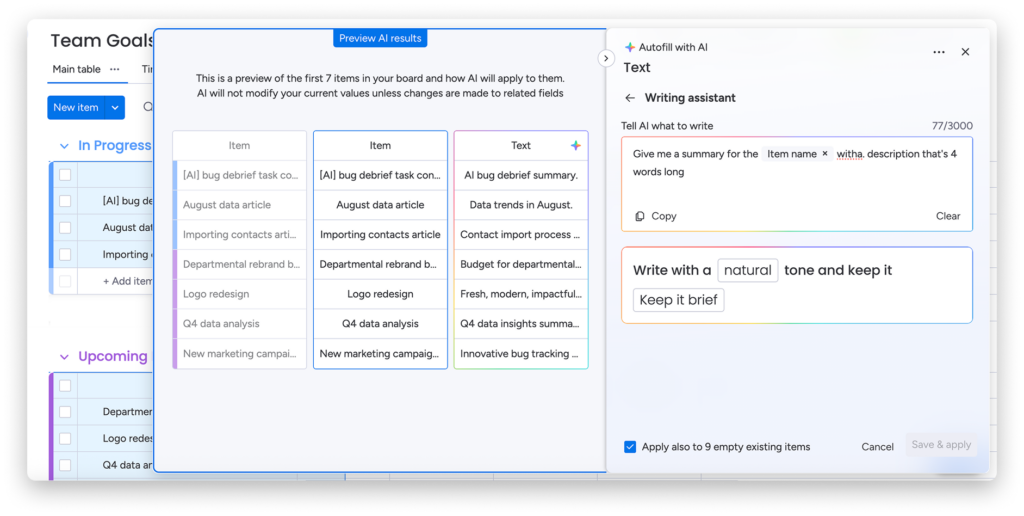
Step 4: Use AI Writing Assistance to Refine the Update
Once the timeline summary is accurate, turn it into leadership-ready language.
The raw summary may still sound too operational, so refine it into a shorter update that highlights status, risk, forecast impact, and next action.
The goal is not to include every detail. The goal is to turn the account activity into a clear update that leadership can scan quickly and act on.
Step 5: Combine Summaries With Dashboards and Forecasts
Place the written update alongside pipeline, forecast, or dashboard context.
monday’s AI and CRM ecosystem supports workflows around summarizing Emails & Activities timelines, composing emails, and filling board columns when AI is activated, which makes the summary more useful when paired with current CRM data.
This step helps leaders connect the narrative to the numbers. For example, a summary may explain why a deal slowed down, while the dashboard shows how that delay affects the forecast.
Step 6: Standardize Your Reporting Format
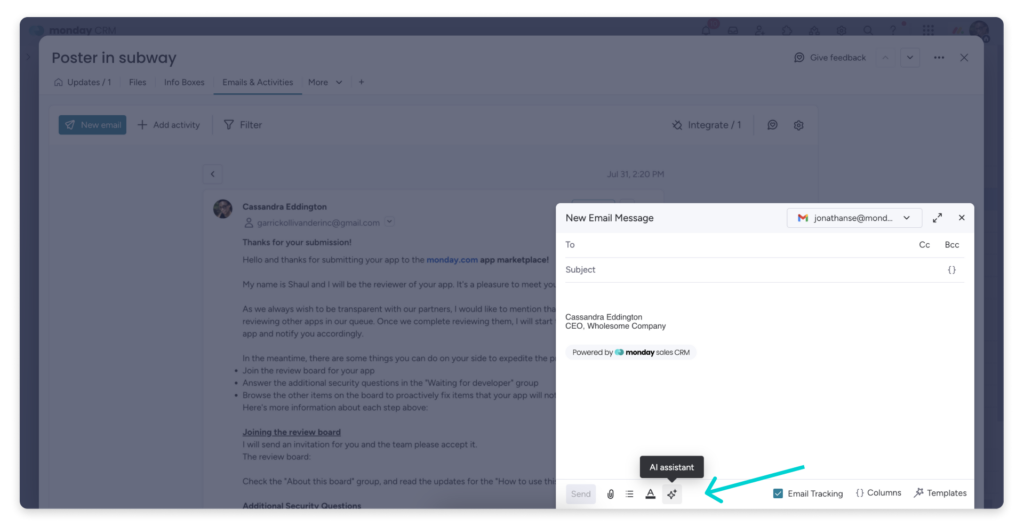
Use the same executive update format every cycle so leaders know where to find the most important information.
A simple format can look like this:
- Current status
- Recent activity
- Risk or blocker
- Forecast impact
- Next step
- Owner
This makes updates easier to compare across reps, accounts, and reporting periods. It also prevents every report from becoming a custom rewrite.
Step 7: Review Before Sharing
Before the update goes to leadership, have a manager, RevOps owner, or report owner review the AI-generated summary and final wording. This matters because executive reporting still needs human judgment, especially when context, tone, risk, and next steps affect business decisions.
The strongest workflow is not AI replacing the reporting process. It is AI shortening the manual review work so your team can spend more time on the actual decision behind the update.
What Success Looks Like When Using monday CRM’s AI Timeline Summary for Executive-Ready Sales Updates
You know this workflow is working when leadership updates become faster to prepare, easier to review, and less dependent on manually rebuilding account history from scattered conversations.
Instead of spending reporting cycles digging through emails, meeting notes, and CRM comments, sales managers and RevOps teams can quickly review cleaner summaries that surface deal progress, risks, blockers, and next steps in one place.
A strong result is not just a shorter update. It is a clearer and more consistent reporting process that helps leadership teams understand what is happening across the pipeline without relying on manual recap work every cycle.
Things to Keep in Mind When Using monday CRM’s AI Timeline Summary
While monday CRM’s AI Timeline Summary can simplify leadership reporting, a few additional factors can help teams get better results from the workflow.
Keep Updates Focused on Decision Making
Executive updates should prioritize risks, blockers, progress, and next actions instead of trying to summarize every conversation tied to the account.
Reporting Consistency Matters Across Teams
Using a shared reporting structure across reps and managers makes leadership updates easier to compare and review during pipeline discussions.
AI Summaries Work Best Alongside Strong CRM Habits
The cleaner and more organized your CRM activity is, the easier it becomes to generate summaries that leadership teams can review confidently.
Frequently Asked Questions
What content does AI Timeline Summary cover?
It is most useful for creating a concise overview of communication events including emails, calls, meetings, and notes.
Can users review the summary before it is saved?
Yes. Teams should review the proposed summary before adding it to the timeline so humans stay in the approval loop.
Does monday CRM also help summarize meetings?
Yes. AI Notetaker can generate summaries, transcripts, and action items that support leadership reporting.
Should an executive update rely only on the AI summary?
No. The best version combines the narrative summary with current board fields and dashboard context.
Is this only useful for sales reps?
No. It is equally useful for managers, marketing operations, RevOps, and anyone preparing leadership updates from account activity.
Conclusion
If your team is still spending reporting cycles rebuilding account history from emails, meeting notes, CRM comments, and scattered follow ups, this workflow is a strong place to start modernizing the process. With monday CRM’s AI Timeline Summary, teams can create faster and cleaner executive updates without relying heavily on manual recap work every cycle.As you continue improving your reporting workflows, I recommend exploring monday CRM AI features, Emails & Activities AI Summary, and Timeline Overview resources to learn more about how teams can centralize account activity, summarize communication history, and make leadership reporting easier to manage at scale.
 AI Timeline Summary, teams can create faster and cleaner executive updates without relying heavily on manual recap work every cycle.As you continue improving your reporting workflows, I recommend exploring