



Wrike vs. Zoho Projects: Comparison & Expert Reviews 2026



Wrike is a project management platform that helps teams manage work efficiently and clearly. Zoho Projects focuses on task organization and team collaboration. While both tools support smoother project workflows, they differ in customization and integration options—key factors for teams looking for the right fit.
In this article, you'll find a detailed comparison of these project management software, exploring their features, pros and cons, pricing, and more.
Wrike vs. Zoho Projects: An Overview
Wrike
Zoho Projects
Why Trust Our Software Recommendations
Our team has been testing and reviewing software since 2012. As project managers ourselves, we know how difficult—and important—it is to choose the right software.
For this guide, we evaluated tools using hands-on testing and independent research, scoring tools using our selection criteria. We also draw on insights from industry thought leaders and practicing project management experts.
Our reviews reflect our human editorial judgment, not a sales pitch.
Expert reviewers:
Wrike vs. Zoho Projects Pricing Comparison
| Wrike | Zoho Projects | |
|---|---|---|
| Free Trial | Free plan + 14-day free trial + free demo available | Free plan + 15-day free trial + free demo available |
| Pricing | From $10/user/month (billed annually) | From $4/user/month (billed annually) |
Wrike vs. Zoho Projects Feature Comparison
This feature-by-feature comparison highlights the core functionalities offered by Wrike and Zoho Projects to help you assess which platform best supports your project management needs.
| Wrike | Zoho Projects | |
|---|---|---|
| API | ||
| Batch Permissions & Access | ||
| Budgeting | ||
| Calendar Management | ||
| Collaboration Support | ||
| Contact Management | ||
| Contact Sharing | ||
| Customer Management | ||
| Dashboard | ||
| Dashboards | ||
| Data Export | ||
| Data Import | ||
| Data Visualization | ||
| Dependency Tracking | ||
| Document Sharing | ||
| Expense Tracking | ||
| External Integrations | ||
| File Sharing | ||
| Gantt Charts | ||
| Kanban Boards | ||
| Multi-User | ||
| Notifications | ||
| Project Management | ||
| Resource Management | ||
| Scheduling | ||
| Task Scheduling/Tracking | ||
| Third-Party Plugins/Add-Ons | ||
| Time Management | ||
| Travel Management | ||
| Workflow Management |
Wrike vs. Zoho Projects Integrations
| Integration | Wrike | Zoho Projects |
| Slack | ✅ | ❌ |
| Microsoft Teams | ✅ | ✅ |
| Google Drive | ✅ | ✅ |
| Salesforce | ✅ | ❌ |
| Dropbox | ✅ | ✅ |
| QuickBooks | ❌ | ✅ |
| GitHub | ✅ | ❌ |
| Zoho CRM | ❌ | ✅ |
| API | ✅ | ✅ |
| Zapier | ✅ | ❌ |
Wrike integrates with Slack to support real-time communication and keep your team updated without switching tools. This works well for teams that rely on instant messaging.
Zoho Projects connects with Zoho CRM, allowing a smooth exchange of data between sales and project management for those already using Zoho’s suite. Wrike focuses on real-time collaboration tools, while Zoho Projects emphasizes internal ecosystem efficiency.
Wrike vs. Zoho Projects Security, Compliance & Reliability
| Factor | Wrike | Zoho Projects |
| Data Encryption | Wrike uses advanced AES-256 encryption for data at rest and in transit. | Zoho Projects employs AES-256 encryption to protect data both at rest and in transit. |
| Regulatory Compliance | Wrike is compliant with GDPR and offers features to support HIPAA | Zoho Projects complies with GDPR and provides compliance tools for HIPAA. |
| Uptime Reliability | Wrike guarantees 99% uptime with a robust infrastructure. | Zoho Projects ensures a 99.9% uptime backed by a reliable server architecture. |
Wrike and Zoho Projects both offer strong security and compliance features, but Wrike may have an advantage with its advanced encryption and targeted compliance options.
When choosing a vendor, consider your industry’s specific compliance needs, encryption standards, uptime guarantees, and how each tool aligns with your organization’s security policies.
Wrike vs. Zoho Projects Ease of Use
| Factor | Wrike | Zoho Projects |
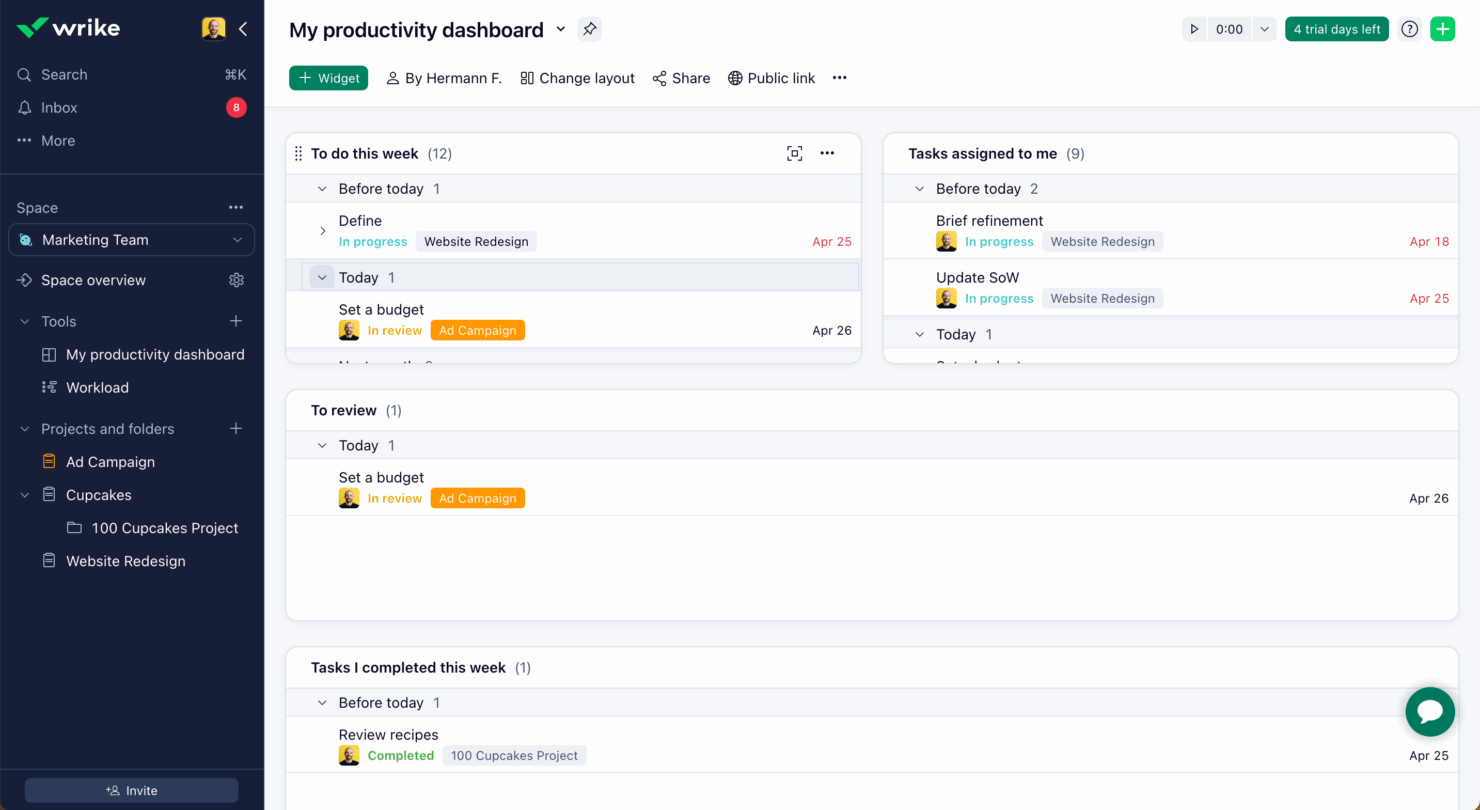
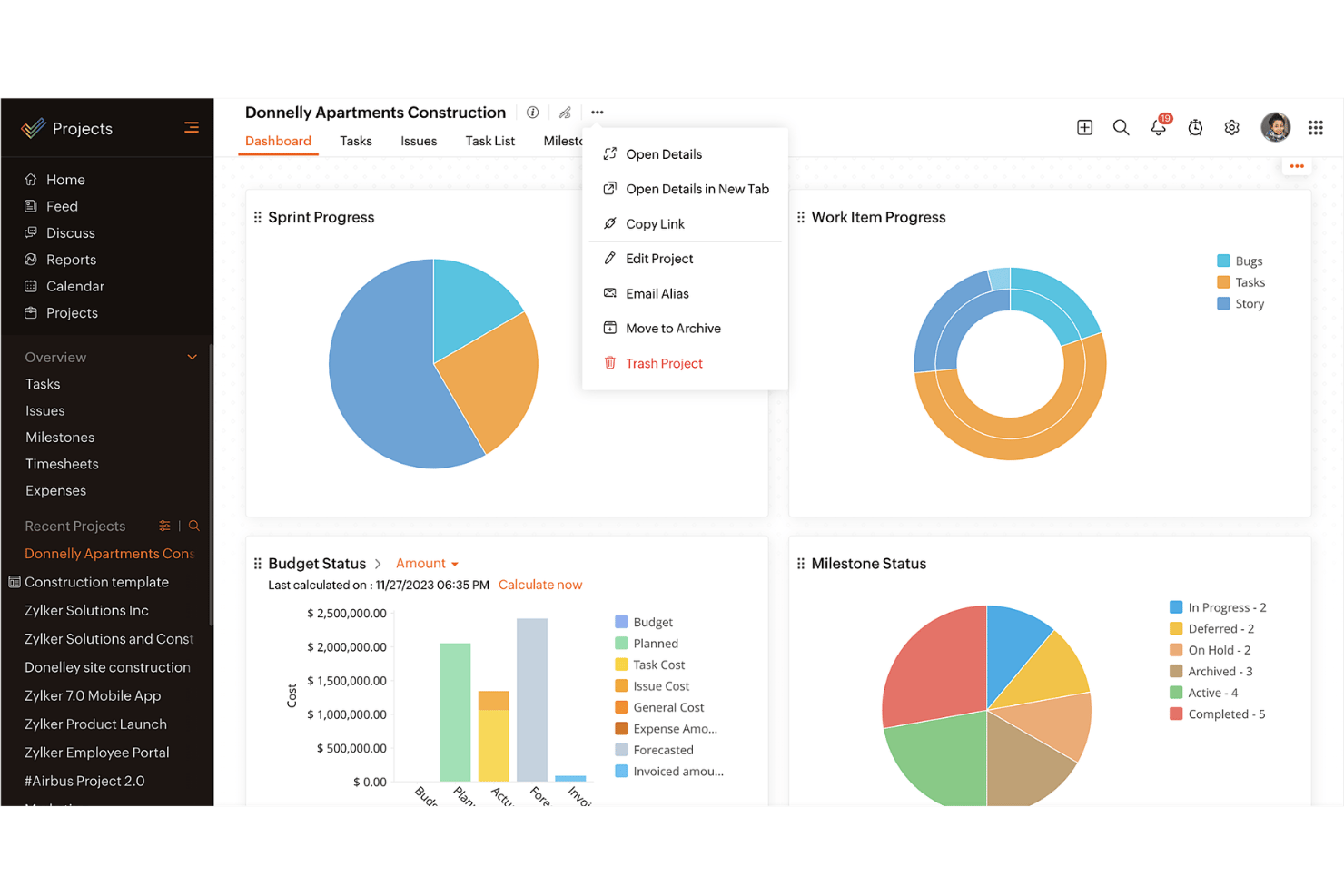
| User Interface | Wrike offers a clean, customizable UI that lets you tailor dashboards to your needs. | Zoho Projects provides a straightforward interface with logical navigation paths. |
| Onboarding Experience | Wrike includes interactive tutorials and resources for a quick start. | Zoho Projects offers a guided setup with helpful prompts and tips. |
| Support | Wrike provides 24/7 support with a comprehensive help center. | Zoho Projects offers support during business hours and an extensive knowledge base. |
Wrike's ease of use is enhanced by its customizable interface and 24/7 support, making it a great fit for teams needing flexibility and constant assistance.
On the other hand, Zoho Projects excels in simplicity and intuitive navigation, though its limited support hours may be a challenge for some.
Wrike vs Zoho Projects: Pros & Cons
Wrike
- Wrike's proofing feature allows you to compare file versions dynamically.
- The user-friendly interface ensures easy navigation for your team.
- Wrike's AI features are available in all plans at no extra cost.
- It can be unclear where form responses are stored within the tool.
- Some integrations require an additional cost, regardless of the plan.
- Two-factor authentication is only available with the enterprise plan.
Zoho Projects
- Task dependencies are highly visual and easy to set up.
- Built-in time tracking integrates smoothly with billing features.
- Customizable project templates support repeatable workflows.
- Reporting customization can be limited for advanced needs.
- Mobile app notifications do not always sync in real time.
- Gantt chart drag-and-drop can feel sluggish with large projects.
Best Use Cases for Wrike and Zoho Projects
Wrike
- Marketing Teams Wrike’s proofing feature helps you streamline creative approval processes with ease.
- Creative Agencies Wrike’s dynamic file version comparison keeps your creative projects on track.
- IT Departments Wrike’s user-friendly interface simplifies complex project coordination for your team.
- Product Development Wrike’s AI features boost your team’s productivity without extra costs.
- Event Management Wrike’s task scheduling ensures your events are planned and executed flawlessly.
- Construction Projects Wrike’s robust project tracking keeps your construction timelines and budgets in check.
Zoho Projects
- Small Agencies Kanban boards, time tracking, and client billing streamline project delivery and reporting for agency teams.
- IT Departments Issue tracking, blueprint automations, and strong permission controls provide what IT teams need for complex internal projects.
- Consulting Firms Time sheets, detailed reports, and project-level billing help consultants keep track of client hours and invoicing.
- Remote Teams Robust collaboration tools, document sharing, and project forums help distributed users stay connected.
- Marketing Teams Reusable templates, task dependencies, and timeline tracking make repeated campaigns run smoothly and transparently.
- Construction Projects Gantt charts, milestones, and resource allocation features support the scheduling needs of construction and field project managers.
Differences Between Wrike and Zoho Projects
This comparison outlines the key differences between Wrike and Zoho Projects to help you decide which platform fits best.
| Wrike | Zoho Projects | |
|---|---|---|
| Automation | Wrike offers advanced automation capabilities for complex workflows | Zoho Projects includes basic automation tools for task management. |
| Customization | Wrike offers extensive customization with dashboards and workflows. | Zoho Projects provides basic customization options for simpler setups. |
| Integrations | Wrike integrates with a wide range of third-party apps like Slack | Zoho Projects integrates well within the Zoho Ecosystem, like Zoho CRM. |
| Pricing | Wrike uses a tiered subscription with additional costs for premium features. | Zoho Projects follows a tiered pricing model with fewer hidden costs. |
| User Interface | Wrike features a clean, customizable UI for tailored experiences. | Zoho Projects has a straightforward interface with logical navigation. |
| Visit WrikeOpens new window | Read Zoho Projects ReviewOpens new window |
Similarities Between Wrike and Zoho Projects
While Wrike and Zoho Projects have their differences, they also share several core features that support efficient project management across teams.
| Collaboration | Both tools support team collaboration through features like file sharing and real-time updates. Wrike connects with various communication apps, while Zoho Projects includes built-in chat and discussion forums. |
|---|---|
| Mobile Usability | Wrike and Zoho Projects both offer mobile apps for managing projects on the go. Wrike’s app allows offline access, while Zoho Projects’ app is known for its user-friendly design. |
| Reporting | Both platforms offer reporting tools to help you track project progress. Wrike provides advanced analytics and fully customizable reports, while Zoho Projects includes pre-built reports that can be tailored to your needs. |
| Task Management | Both Wrike and Zoho Projects offer strong task management features that let you assign, track, and prioritize work efficiently. Wrike stands out with its detailed task dependencies, while Zoho Projects offers easy-to-use task lists and Kanban boards. |
| Time Tracking | Both solutions include time tracking to monitor hours spent on tasks. Wrike integrates time tracking directly into its project management workflow, while Zoho Projects provides built-in timers and detailed timesheet reports. |
| Visit WrikeOpens new window Read Zoho Projects ReviewOpens new window | |