



Lucid versus Miro: vergelijking en beoordelingen door experts voor 2026



Your team has ideas worth sharing and processes worth untangling, but are your tools helping you see them, or burying them? The right canvas turns scattered thinking into something everyone can follow; the wrong one just adds another tab to ignore.
If you’re stuck between Lucid and Miro, you’re not alone. Picking the right visual collaboration platform can make or break how your team visualizes processes, shares ideas, and moves projects forward. Maybe you want clarity, real-time collaboration, or simple integrations—but need to cut through the buzzwords.
In this article, you’ll get a practical comparison including pros and cons, who each tool is best for, where pricing stands, and what to know about security and usability. I’ll help you figure out which solution fits your style, your team, and your projects best.
Lucid vs. Miro: An Overview
Lucid
Miro

Waarom u onze softwareaanbevelingen kunt vertrouwen
Ons team test en beoordeelt software sinds 2012. Als projectmanagers weten we zelf hoe moeilijk — en belangrijk — het is om de juiste software te kiezen.
Voor deze gids hebben we tools geëvalueerd met behulp van praktijktests en onafhankelijk onderzoek, waarbij we tools beoordeelden aan de hand van onze selectiecriteria. We putten ook uit inzichten van vooraanstaande experts uit de branche en praktiserende projectmanagementprofessionals.
Onze reviews weerspiegelen ons menselijke redactionele oordeel, geen verkooppraatje.
Deskundige beoordelaars:
Lucid vs. Miro Pricing Comparison
| Lucid | Miro | |
|---|---|---|
| Free Trial | Free trial + free plan available | Free plan available |
| Pricing | From $15/month (billed annually) | From $8/user/month (billed annually) |
Prijzen en verborgen kosten van Lucid versus Miro
Lucid en Miro bieden beide gelaagde abonnementsmodellen op basis van toegang tot functies en teamgrootte. Lucid brengt extra kosten in rekening voor bepaalde geavanceerde integraties en uitgebreidere samenwerkingsfuncties, terwijl Miro belangrijke functies zoals onbeperkte borden of geavanceerde sjablonen vaak voorbehoudt aan duurdere abonnementen. Hoewel beide platforms gratis abonnementen aanbieden, kun je bij beide nog steeds te maken krijgen met extra kosten voor add-ons of premiumondersteuning, waardoor de kosten boven het basisabonnement kunnen uitkomen.
Om de juiste leverancier te kiezen, kijk je verder dan de gecommuniceerde abonnementsprijs en breng je de functieniveaus van elke tool in kaart aan de hand van de werkelijke behoeften van je team. Test de gratis versies uit, controleer welke integraties inbegrepen zijn en let goed op hoe limieten of kosten voor add-ons de totale kosten kunnen beïnvloeden zodra je team volledig operationeel is.
Lucid vs. Miro Feature Comparison
| Lucid | Miro | |
|---|---|---|
| API | ||
| Data Export | ||
| Data Import | ||
| Email Integration | ||
| External Integrations | ||
| Multi-User | ||
| Notifications | ||
| Project Management |
Integraties van Lucid versus Miro
| Integratie | Lucid | Miro |
|---|---|---|
| Google Drive | ✅ | ✅ |
| Microsoft Teams | ✅ | ✅ |
| Slack | ✅ | ✅ |
| Jira | ✅ | ✅ |
| Confluence | ✅ | ❌ |
| Salesforce | ✅ | ✅ |
| GitHub | ❌ | ✅ |
| Zoom | ✅ | ✅ |
| Asana | ✅ | ✅ |
| Notion | ✅ | ✅ |
| API | ✅ | ✅ |
| Zapier | ✅ | ✅ |
Lucid en Miro ondersteunen beide de belangrijkste integraties voor teamsamenwerking en bestandsopslag. Ook bieden ze allebei een openbare API en Zapier, waardoor de meeste gangbare technologiestacks met beide opties worden ondersteund. De catalogus van Miro is groter en richt zich meer op tweerichtingssynchronisatie met projecttools, terwijl de marktplaats van Lucid meer gericht is op gegevensconnectoren en tools voor bedrijfsarchitectuur, zoals AWS, Azure, Ardoq en LeanIX. Over het algemeen lijken hun integratiemogelijkheden sterk op elkaar, waardoor de beste keuze grotendeels afhangt van de voorkeuren en workflows van je team.
Lucid versus Miro-beveiliging, naleving \u0026 betrouwbaarheid
| Factor | Lucid | Miro |
|---|---|---|
| Gegevensversleuteling | AES-256 in rust en TLS 1.2/1.3 tijdens overdracht, met sleutels die worden beheerd via AWS KMS. | AES-256 in rust en TLS 1.2+ tijdens overdracht. |
| Naleving van regelgeving | SOC 2 Type II, ISO27001/27701, PCI, FedRAMP-geautoriseerd en IRAP(PROTECTED), plus GDPR/CCPA; EnterpriseShield-uitbreiding voor extra governance. | SOC 2 Type II, SOC 3, ISO 27001, ISO 42001 (AI), NIST en TISAX, plus GDPR/CCPA. |
| Toegangsbeheer | SAML SSO, SCIM-provisioning, tweefactorauthenticatie en op rollen gebaseerde beheerfuncties. | SAML SSO, SCIM-provisioning, tweefactorauthenticatie, domeinbeheer en auditlogboeken bij Enterprise. |
| Beschikbaarheid & betrouwbaarheid | 99.9% beschikbaarheidsgarantie voor Enterprise-klanten op AWS-infrastructuur verspreid over meerdere beschikbaarheidszones, met een transparante realtime status. | Transparante realtime status met gegarandeerde SLA's via premium Enterprise-ondersteuning. |
Zowel Lucid als Miro bieden sterke, goed gedocumenteerde beveiliging en naleving. Lucid onderscheidt zich voor kopers uit de publieke sector en sterk gereguleerde sectoren—het is FedRAMP Authorized en IRAP beoordeeld op het PROTECTED-niveau—terwijl Miro zelf een brede certificeringsset biedt, met gegevensresidentie standaard in de EU. Voor de meeste organisaties zal een van beide de inkoopprocedure doorstaan; de doorslaggevende factor is meestal welk specifieke raamwerk uw sector vereist, maar ik vind dat Lucid hier de voorsprong heeft.
Gebruiksgemak van Lucid versus Miro
| Factor | Lucid | Miro |
|---|---|---|
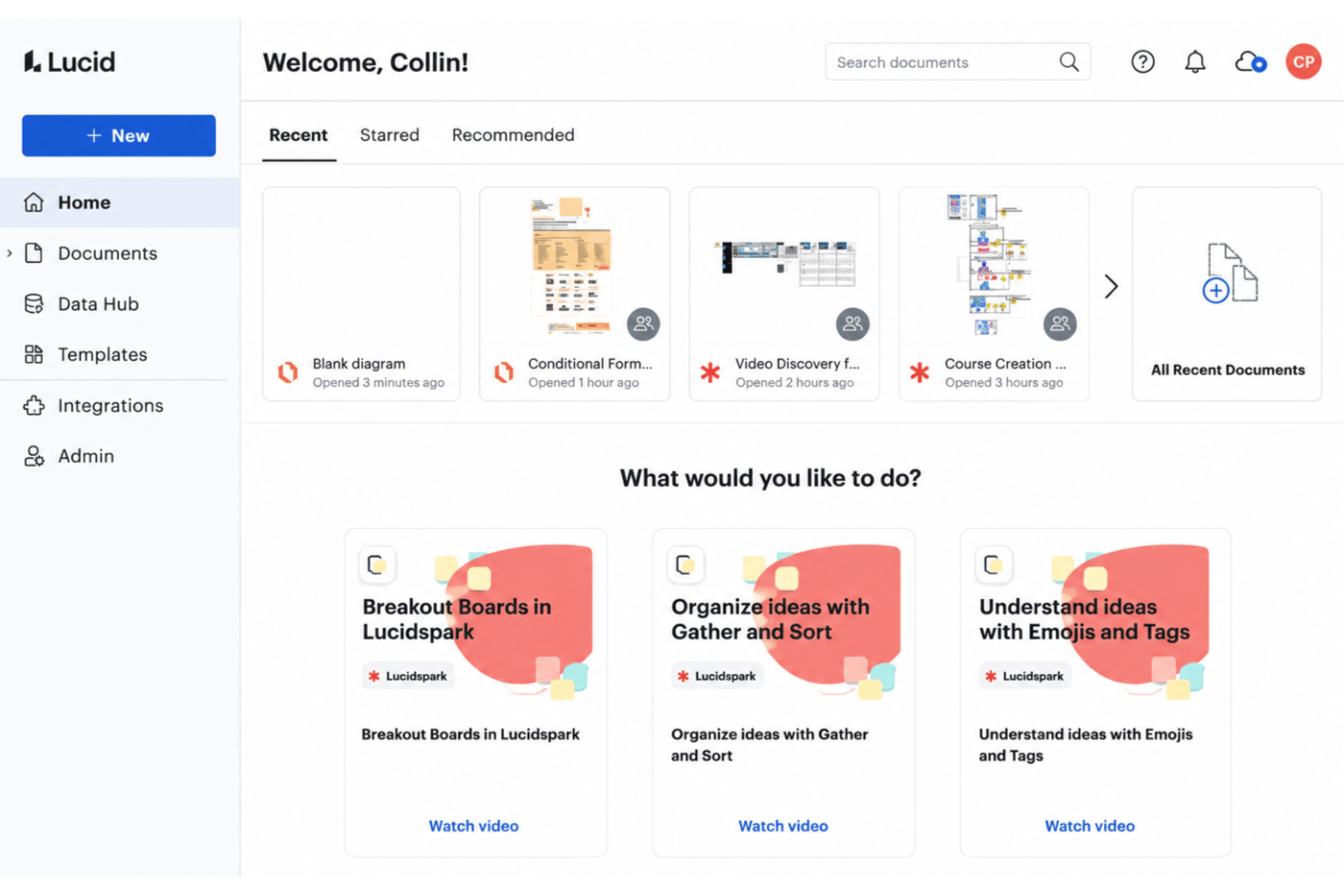
| Gebruikersinterface | Een overzichtelijke lay-out, gericht op het maken van gestructureerde diagrammen met versleepbare componenten. | Een intuïtief, oneindig canvas voor vrij schetsen en agile brainstormen. |
| Introductie | Stapsgewijze tutorials en sjablonen begeleiden nieuwe gebruikers vanaf dag één, met optionele training en persoonlijke installatiebegeleiding. | Biedt interactieve rondleidingen en voorbeeldborden om de eerste installatie te vereenvoudigen. |
| Samenwerking | Realtime bewerking met opmerkingen en eenvoudig delen voor hechte teams. | Live aanwijzers, plaknotities en stemmingen maken groepswerk levendig en boeiend. |
| Installatie & sjablonen | Uitgebreide sjabloonbibliotheek en snelle installatie voor procesmodellering. | Brede verzameling sjablonen voor workshops, sprintplanning en samenwerking tussen teams. |
| Ondersteuning | Helpcentrum, Lucid Training Labs en een actieve gebruikerscommunity; professionele diensten beschikbaar bij Enterprise. | Helpcentrum en community bij alle abonnementen; e-mailondersteuning bij betaalde abonnementen en 24/7 premiumondersteuning als uitbreiding. |
Miro wordt over het algemeen gezien als het speelsere hulpmiddel dat in de eerste plaats op een canvas is gericht, terwijl Lucid het vrije whiteboard van Lucidspark combineert met de precieze, methodische diagrammogelijkheden van Lucidchart. Ik vind Lucid het beste wanneer u structuur en datagestuurde duidelijkheid wilt, maar Miro biedt een creatieve, collaboratieve ervaring die groepswerk minder als een verplichting laat voelen.
Lucid vs Miro: Pros & Cons
Lucid
- Real-time collaboration supports remote and hybrid teams well
- Advanced diagramming tools for technical and business workflows
- Version history enables easy rollback to previous states
- Tapping the full toolset means moving between Lucidchart and Lucidspark
- More advanced data features are reserved for the Enterprise plan
- Limited offline access for users without internet connection
Miro
- You’ll love Miro's intuitive and visually engaging interface.
- Your team can collaborate in real-time with ease.
- Miro's flexible templates save you time on project setup.
- You might find the learning curve steep for advanced features.
- Your team could experience occasional performance lags with large boards.
- Miro may require frequent updates, which can interrupt your workflow.
Best Use Cases for Lucid and Miro
Lucid
- Product Management Teams Lucid enables rapid user journey mapping, roadmapping, and workflow visualization for cross-functional project work.
- Software Engineering UML diagrams, system architectures, and data flow mapping are easy to build and share with real-time collaboration.
- Enterprise IT Departments Complex process mapping, network diagrams, and documentation can be maintained at scale with admin controls and access management.
- Consulting Firms Facilitates collaborative client workshops, value stream mapping, and dynamic presentations for stakeholder alignment.
- Higher Education Offers collaborative whiteboarding for faculty and students, encouraging interactive learning and group project work.
- Large Enterprises Lucid's scalability, advanced security, and integration options match large organizations' governance and compliance requirements.
Miro
- Creative agencies Miro supports brainstorming sessions with its visual tools and helps your team innovate and execute creative ideas efficiently.
- Marketing teams It allows you to map out marketing campaigns visually and keeps your projects organized and aligned with your goals.
- Design departments Miro’s flexible templates and drawing tools let your team create and iterate on design concepts with ease.
- Product management Visual roadmaps and collaboration features make it easy for your team to track product development and align on tasks.
- Remote teams Miro allows for seamless remote collaboration, so your team stays connected and productive, no matter where they’re located.
- Education sector Engage your students and make learning more dynamic with interactive lessons using Miro’s visual aids and collaborative features.
Wie zou Lucid moeten gebruiken en wie Miro?
Lucid past het beste bij teams die technische precisie, complexe procesmodellering en gestructureerde documentatie nodig hebben, en toch brainstormsessies en workshops willen ondersteunen via Lucidspark. Het wordt gebruikt in softwareontwikkeling, SaaS, adviesverlening, onderwijs, gezondheidszorg, financiële dienstverlening en de publieke sector, waar de FedRAMP- en IRAP-referenties van belang zijn. Miro is ontwikkeld voor teams die open brainstormsessies, agile ceremonies en visueel gestuurde samenwerking vooropstellen, zoals ontwerpers, digitale productteams en creatieve bureaus. Als uw cultuur waarde hecht aan structuur, data en governance, kiest u Lucid; als u een tool wilt die primair op een canvas is gericht voor ideeëngeneratie en workshops, kiest u Miro. Start-ups die kostenbewust zijn, kunnen het freemium-model van Miro ook aantrekkelijk vinden, hoewel Lucid zelf eveneens een gratis abonnement biedt.
Differences Between Lucid and Miro
| Lucid | Miro | |
|---|---|---|
| Advanced Data Linking | Offers robust data linking for process automation and real-time updates. | Data linking is limited, focusing more on visual collaboration tools. |
| Diagramming Depth | Best for detailed flowcharts, ERDs, and technical diagrams. | Geared toward broad mind maps, workshops, and high-level sketches. |
| Ideal Use Case | Teams that need structured, polished diagrams and precise technical or business documentation. | Teams that want a flexible shared canvas for ideation, meetings, planning, and moving ideas toward execution. |
| Process and cloud governance | Offers tools for standardizing processes, managing approvals, and mapping cloud infrastructure. | Focuses more on collaborative planning, workshops, and visual teamwork. |
| Visit LucidOpens new window | Visit MiroOpens new window |
Similarities Between Lucid and Miro
| Cloud-Based Access | You can access both platforms in any web browser and sync your work across devices for flexibility. |
|---|---|
| Integrations | Each tool connects with top work apps like Slack, Zoom, Jira, and Google Drive for smoother workflows. |
| Real-Time Collaboration | Both offer live editing, commenting, and multi-user sessions, making it easy to work as a group. |
| Templates Library | Both come with a large range of templates for brainstorming, diagramming, and business processes. |
| Visit LucidOpens new window Visit MiroOpens new window | |