



Lucid versus FigJam: Vergelijking en beoordelingen door experts voor 2026



There’s a particular kind of frustration that comes from watching a good idea get lost in scattered feedback, disconnected tools, and unclear visuals. Find a visual collaboration tool that fits how your team works, and that friction mostly disappears.
If you’re juggling complex projects or wrestling with unclear processes, finding the right visual collaboration platform can be a breakthrough. Maybe you’ve heard about Lucid and FigJam but aren’t sure which tool will help you map, share, and refine workflows with your team—or if either will fit your daily reality.
In this article, you’ll get a side-by-side comparison covering pros and cons, use cases, pricing, security, and usability. I’ll help you zero in on which platform matches your team’s needs so you can choose with confidence.
Lucid vs. FigJam: An Overview
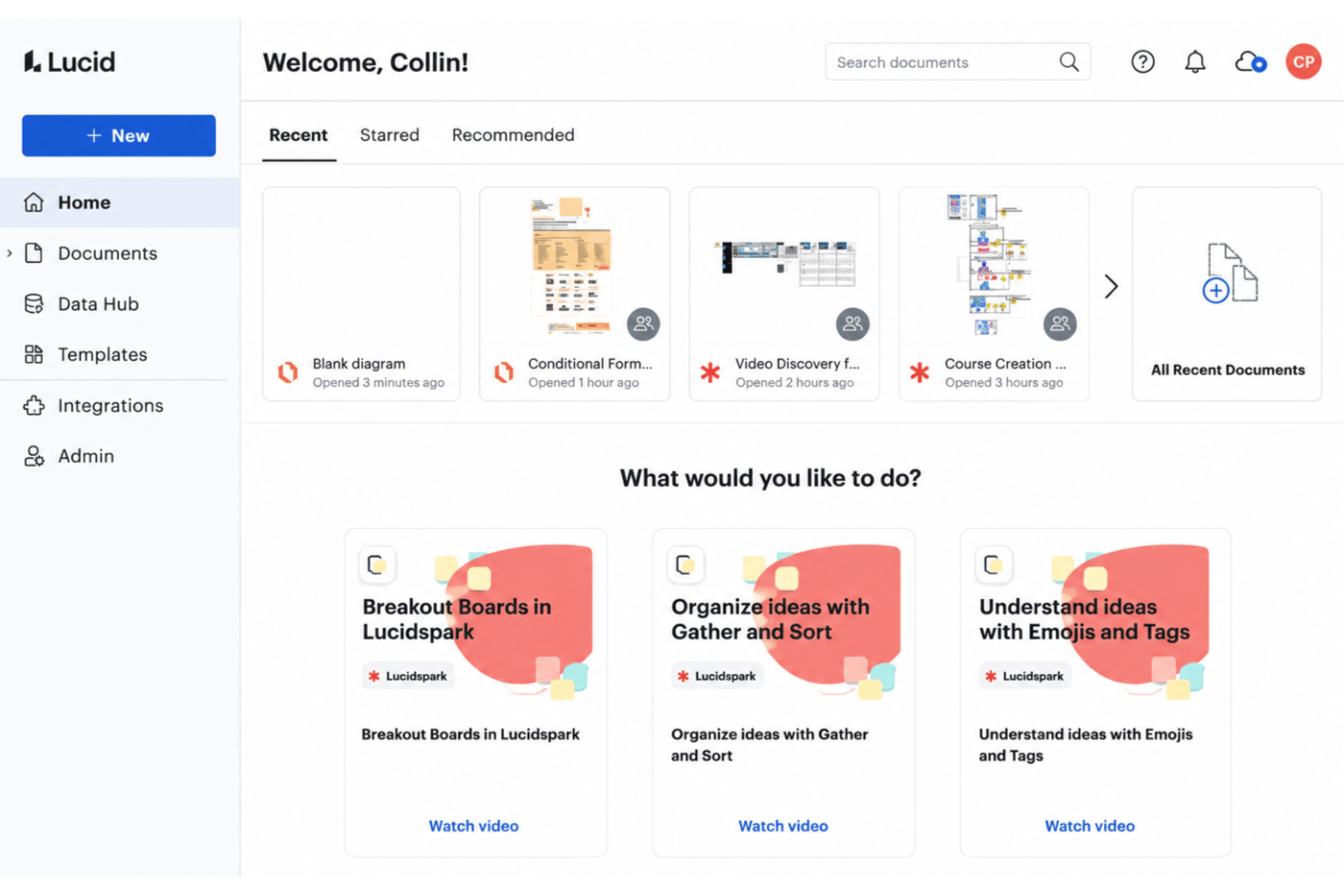
Lucid
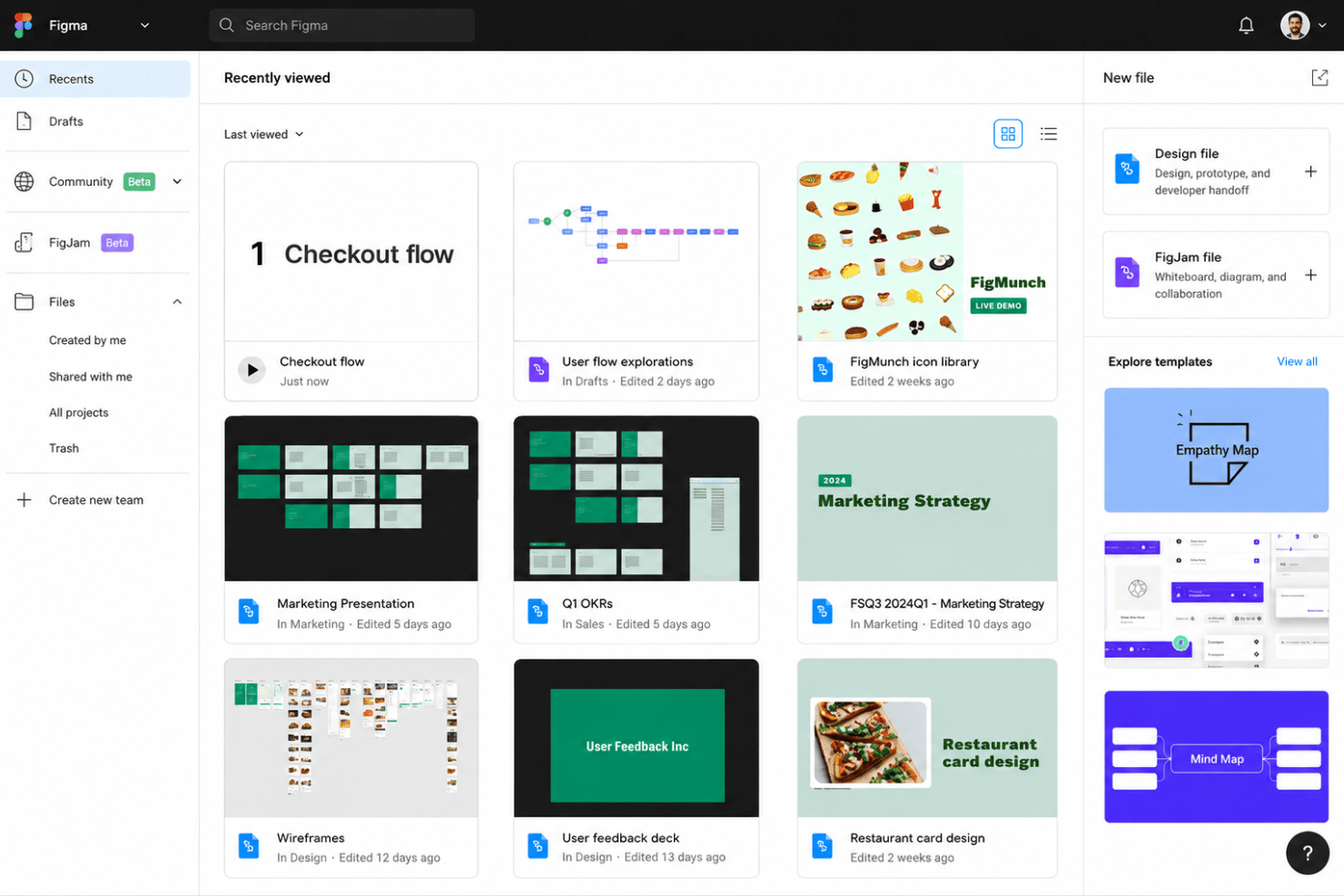
FigJam
Waarom u onze softwareaanbevelingen kunt vertrouwen
Ons team test en beoordeelt software sinds 2012. Als projectmanagers weten we zelf hoe moeilijk — en belangrijk — het is om de juiste software te kiezen.
Voor deze gids hebben we tools geëvalueerd met behulp van praktijktests en onafhankelijk onderzoek, waarbij we tools beoordeelden aan de hand van onze selectiecriteria. We putten ook uit inzichten van vooraanstaande experts uit de branche en praktiserende projectmanagementprofessionals.
Onze reviews weerspiegelen ons menselijke redactionele oordeel, geen verkooppraatje.
Deskundige beoordelaars:
Lucid vs. FigJam Pricing Comparison
| Lucid | FigJam | |
|---|---|---|
| Free Trial | Free trial + free plan available | Free plan available |
| Pricing | From $15/month (billed annually) | From $16/user/month |
Prijzen en verborgen kosten van Lucid versus FigJam
Lucid gebruikt een gelaagd prijsmodel op abonnementsbasis dat schaalbaar is van individuele gebruikers tot bedrijfsabonnementen. De meest geavanceerde gegevensfuncties en aanvullingen, zoals Process Accelerator en Cloud Accelerator, zijn voorbehouden aan Enterprise-accounts. FigJam wordt gebundeld met Figma: elke betaalde Figma-licentie omvat het nu, naast een gratis niveau voor beperkt gebruik. Houd bij beide rekening met extra kosten, zoals meer opslagruimte, extra samenwerkers of integraties die niet standaard zijn inbegrepen.
Om de juiste prijsoptie te kiezen, moet je verder kijken dan de oppervlakkige kosten en rekening houden met hoeveel teamleden de tool daadwerkelijk zullen gebruiken, van welke integraties je werkprocessen afhankelijk zijn en of je premiumfuncties of regelmatig toegangsbeheer nodig hebt. Vaak helpt een proefperiode of gratis niveau om te testen of de basisfuncties daadwerkelijk aansluiten bij je dagelijkse behoeften, of dat je het abonnement al snel ontgroeit en met extra kosten te maken krijgt.
Lucid vs. FigJam Feature Comparison
| Lucid | FigJam | |
|---|---|---|
| 2-Factor Authentication | ||
| API | ||
| Calendar Management | ||
| Customer Management | ||
| Dashboard | ||
| Data Export | ||
| Data Import | ||
| Data Visualization | ||
| Email Integration | ||
| External Integrations | ||
| Google Apps Integration | ||
| Multi-User | ||
| Notifications | ||
| Project Management | ||
| Scheduling | ||
| Third-Party Plugins/Add-Ons |
Integraties van Lucid versus FigJam
| Integratie | Lucid | FigJam |
|---|---|---|
| Google Drive | ✅ | ✅ |
| Microsoft Teams | ✅ | ✅ |
| Slack | ✅ | ✅ |
| Jira | ✅ | ✅ |
| Salesforce | ✅ | ❌ |
| Confluence | ✅ | ✅ |
| Asana | ✅ | ✅ |
| GitHub | ❌ | ✅ |
| API | ✅ | ✅ |
| Zapier | ✅ | ✅ |
Beide tools bieden de belangrijkste samenwerkingsfuncties goed aan, maar Lucid heeft een breder aanbod aan integraties, vooral voor bedrijfsplatforms zoals Salesforce en architectuurtools zoals Ardoq en LeanIX. Beide sluiten ook aan op het AI-ecosysteem: de MCP-server van Lucid laat AI-tools context uit je diagrammen ophalen en daarop handelen, terwijl de MCP-server en ChatGPT-integratie van Figma zich meer richten op ontwerp- en codeerworkflows. In beide gevallen biedt een open API ondersteuning voor aangepaste koppelingen.
Lucid versus FigJam: Beveiliging, naleving en betrouwbaarheid
| Factor | Lucid | FigJam |
|---|---|---|
| Gegevensversleuteling | Gebruikt TLS 1.2+ voor gegevens tijdens overdracht en AES-256 voor opgeslagen gegevens | Versleutelt gegevens tijdens overdracht met TLS 1.2+ en opgeslagen gegevens op het hele Figma-platform. |
| Naleving van regelgeving | Beschikt over SOC 2 Type II-, ISO 27001- en ISO 27701-certificeringen, plus een PCI-handelaarscertificering. | Gecertificeerd volgens SOC 2 Type II en ISO 27001/27018, met naleving van de AVG en CCPA binnen Figma. |
| Toegangsbeheer | Ondersteunt SAML SSO, gedetailleerde beheerdersinstellingen en aanpasbare gebruikersrollen. | Biedt SSO (SAML, SCIM) en toegangsbeheer op werkruimteniveau voor organisaties. |
| Overheid en publieke sector | FedRAMP-gecertificeerd op het niveau Moderate; IRAP beoordeeld op het niveau PROTECTED | FedRAMP Moderate-autorisatie via het Figma-platform. |
| Gegevensprivacy | Gecertificeerd volgens de EU-VS- en Zwitsers-Amerikaanse kaders voor gegevensprivacy. | Biedt hosting in de EU voor Figma- en FigJam-bestanden en houdt zich aan de EU Cloud Code of Conduct. |
Beide tools beschikken op dit gebied over indrukwekkende certificeringen: beide hebben SOC 2 Type II- en ISO 27001-certificeringen en zelfs FedRAMP Moderate-autorisatie, wat zeldzaam is voor samenwerkingssoftware. Lucid voegt daar een IRAP-beoordeling op het niveau PROTECTED en certificering volgens het kader voor gegevensprivacy aan toe, waardoor het een lichte voorsprong heeft voor de publieke sector en streng gereguleerde teams. FigJam profiteert daarentegen van Figma-brede beveiligingen, zoals hosting in de EU voor bestanden.
Lucid versus FigJam: Gebruiksgemak
| Factor | Lucid | FigJam |
|---|---|---|
| Gebruikersinterface | Biedt een gestructureerde werkruimte voor diagrammen met begeleide workflows en tooltips. | Geeft je een speels, open canvas dat vanaf het begin intuïtief en sociaal aanvoelt. |
| Introductie | Een begeleide introductie per e-mail, plus een helpcentrum, trainingslabs en sjabloonsuggesties voor nieuwe gebruikers. | Eenvoudige introductie met direct te gebruiken sjablonen en vriendelijke aanwijzingen voor een snelle adoptie door teams |
| Samenwerkingsproces | Realtime gezamenlijk bewerken, opmerkingen en revisiegeschiedenis. | Legt de nadruk op liveworkshops, plaknotities en boeiende vergadertools voor teams. |
| Aanpassing | Laat je aangepaste vormen en sjablonen maken en zorgt voor standaardisatie in projecten. | Biedt vrij schetsen en snel objecten maken, ideaal voor flexibel brainstormen. |
| Ondersteuning | Helpcentrum, Lucid Training Labs, een actieve gebruikerscommunity en optionele professionele diensten. | Ondersteuning is toegankelijk via het centrale portaal van Figma en ingebouwde hulpbronnen. |
FigJam voelt direct toegankelijker aan voor samenwerkingssessies, terwijl Lucid de begeleide ervaring biedt die je verwacht bij complexe diagrammen. Ik vind Lucid eenvoudiger voor mensen die structuur en precisie nodig hebben, maar FigJam blinkt uit wanneer je als groep meteen aan de slag wilt gaan met het in kaart brengen van ideeën.
Lucid vs FigJam: Pros & Cons
Lucid
- Real-time collaboration supports remote and hybrid teams well
- Advanced diagramming tools for technical and business workflows
- Version history enables easy rollback to previous states
- Tapping the full toolset means moving between Lucidchart and Lucidspark
- More advanced data features are reserved for the Enterprise plan
- Limited offline access for users without internet connection
FigJam
- Real-time multiplayer editing works smoothly on large diagrams
- Prebuilt diagram templates speed up common workflow mapping
- Sticky notes and voting make team input informal and visible
- Layer and element management gets messy with complex workflows
- No built-in task automation or advanced process logic
- Offline access is limited compared to some competitors
Best Use Cases for Lucid and FigJam
Lucid
- Product Management Teams Lucid enables rapid user journey mapping, roadmapping, and workflow visualization for cross-functional project work.
- Software Engineering UML diagrams, system architectures, and data flow mapping are easy to build and share with real-time collaboration.
- Enterprise IT Departments Complex process mapping, network diagrams, and documentation can be maintained at scale with admin controls and access management.
- Consulting Firms Facilitates collaborative client workshops, value stream mapping, and dynamic presentations for stakeholder alignment.
- Higher Education Offers collaborative whiteboarding for faculty and students, encouraging interactive learning and group project work.
- Large Enterprises Lucid's scalability, advanced security, and integration options match large organizations' governance and compliance requirements.
FigJam
- Product Teams They benefit from real-time brainstorming, journey mapping, and feedback collection in one place, with easy access to templates and sticky notes.
- Education Educators and students can co-create mind maps, organize group work, and present ideas on an interface that encourages engagement and discussion.
- Startup Environments Startups value FigJam’s speed and low learning curve for MVP scoping, agile retrospectives, and collaborative planning sessions.
- UX/UI Designers Designers use FigJam for wireframes or flow mapping and appreciate the integration with Figma for moving between ideation and design assets.
- Remote Workshops Remote facilitators use the interactive widgets, timers, and voting tools to run engaging, highly participatory workshops.
- Marketing Teams Marketing departments can plan campaigns, map funnels, and draft content calendars collaboratively, visualizing each step quickly together.
Wie zou Lucid moeten gebruiken en wie FigJam?
Lucid is geschikt als je werkt in procesintensieve sectoren zoals IT, operationele activiteiten, consultancy, gezondheidszorg, financiële dienstverlening of de publieke sector: overal waar structuur, gegevensintegraties en formele documentatie belangrijk zijn. Kies Lucid als je nauwkeurige workflowmapping, geavanceerd beheerdersbeheer nodig hebt of regelmatig vertrouwelijke diagrammen verwerkt. Het schaalt van individuele gebruikers tot bedrijfsaccounts. FigJam is ideaal voor creatieve teams, productmanagers en iedereen die workshops of brainstormsessies leidt en waarde hecht aan snelheid en speelse, visuele samenwerking. Als je snel samen ideeën wilt creëren of in een ontwerpgerichte cultuur werkt, vooral in een omgeving die al Figma gebruikt, ligt FigJam voor de hand.
Voor beide geldt één kanttekening: geen van beide is een ontwerptool voor zeer natuurgetrouwe ontwerpen. Lucid omvat diagrammen en whiteboards, maar stopt bij mock-ups met een lage getrouwheid, terwijl FigJam zich richt op brainstormen, workshops en planningssessies. Teams die FigJam gebruiken, kunnen gedetailleerd UX-werk echter doorgeven aan Figma Design, dat ernaast beschikbaar is.
Differences Between Lucid and FigJam
| Lucid | FigJam | |
|---|---|---|
| Automation | Offers data linking, automated diagram updates, and process automation for complex flows. | Focuses on manual updates; lacks advanced automation features. |
| Diagramming Power | Advanced diagramming and flowcharting for technical use cases. | Focused on simple, free-form whiteboarding and sketching. |
| Pricing Approach | Priced per user with advanced features unlocked at higher tiers. | Included in Figma’s plans with simple, team-based pricing. |
| User Interface | Professional and structured, catered to enterprise usage. | Playful and informal, designed for creative brainstorming. |
| Visit LucidOpens new window | Read FigJam ReviewOpens new window |
Similarities Between Lucid and FigJam
| Cloud-Based Access | Lucid and FigJam run entirely in the browser, which means projects are accessible anywhere, no downloads required. |
|---|---|
| Real-Time Collaboration | Both support live, simultaneous editing and commenting—Lucid feels business-oriented, while FigJam is more playful. |
| Templates Library | Each offers a built-in library of pre-made templates, letting teams quickly start sessions and save recurring layouts. |
| Version History | Each solution maintains revision histories, letting users restore previous versions if needed and track changes over time. |
| Visit LucidOpens new window Read FigJam ReviewOpens new window | |