




Time tracking works best when it fades into the background. The right tool should capture how work actually happens without turning every hour into another admin task.
Toggl is time tracking and capacity planning software for teams that need to record hours across projects and client work. It represents the next evolution of Toggl Track, expanding beyond time capture into broader planning, AI insights, and resource visibility. Beyond timers and manual entries, it ties logged hours to estimates, capacity, and project margins, making it a better fit when you want your time data to shape planning rather than just fill timesheets.
In this review, I’ll cover Toggl’s key features, pricing, use cases, and overall usability so you can decide whether it fits your team’s time tracking and planning needs.
Toggl Evaluation Summary
- From $9/user/month
- Free plan available; 30-day free trial; Free demo available
Why Trust Our Software Recommendations
Our team has been testing and reviewing software since 2012. As project managers ourselves, we know how difficult—and important—it is to choose the right software.
For this guide, we evaluated tools using hands-on testing and independent research, scoring tools using our selection criteria. We also draw on insights from industry thought leaders and practicing project management experts.
Our reviews reflect our human editorial judgment, not a sales pitch.
Expert reviewers:
Toggl Overview
When choosing time tracking software, I’d judge Toggl as a strong fit for teams that value easy adoption, flexible tracking, and clear project reports over employee surveillance. Its web, desktop, and mobile apps support timers, manual and calendar entries, and private activity capture, while estimates and capacity views link tracked hours to planning. The free plan covers up to three users; paid plans start at $9 per user monthly with annual billing, but costs rise for utilization and profitability reports, approvals, Jira and Asana syncs, and longer-range capacity planning. The interface is approachable, and self-serve setup is simple; personalized onboarding and a dedicated success manager come with Enterprise. Compared with leaner trackers, Toggl offers broader planning and margin tracking, but it won’t suit teams requiring screenshots, keystroke monitoring, or GPS clock-ins.

pros
-
Timers across web, desktop, and mobile, plus calendar entries and private activity capture, suit different tracking habits.
-
Estimates and tracked hours live together, clarifying capacity, billable time, and margins.
-
A privacy-first approach avoids screenshots, keystroke recording, and GPS tracking.
cons
-
Users report login hiccups, slow loads, and timer or calendar sync glitches.
-
Utilization, profitability, approvals, and longer-range capacity planning need higher tiers.
-
Built-in invoicing hasn’t reached the new Toggl yet, though Toggl Track still offers it.
Is Toggl Right For Your Needs?
Who Would be a Good Fit for Toggl?
Toggl fits professional services and internal service teams that bill or budget by the hour and want time data to guide planning, capacity, and margins. Paid features such as billable rates, profitability reports, timesheet approvals, and capacity planning support specific team workflows.
-
Small Agencies
Agencies with up to three users can start on the free plan, then add billable rates and team or revenue reports with Starter.
-
Consulting And Accounting Firms
Firms that bill by the hour can run timers or log missed work manually, then use billable rates and retainer projects to track client time.
-
Software Teams
Teams working in Jira, GitHub, Asana, or Slack can connect Toggl to those tools, though Jira and Asana syncs need Premium and only pull data into Toggl.
-
Client-Service Teams
Teams can organize time entries by project, client, and tag, and use paid plans for billable rates, revenue reports, and labor costs.
-
Project Leads
Project leads who need oversight can use Premium’s project dashboards and forecasts, profitability reports, and timesheet approvals.
-
In-House Service Teams
In-house IT, engineering, and PMO groups can plan resources around time off and holidays in Timeline, though formal leave policies, accrual tracking, and time-off approvals need the Time Off Pro add-on.
Who Would be a Bad Fit for Toggl?
Toggl is a weaker fit when a team needs advanced reporting or approvals but cannot budget for paid seats, or when managers expect employee monitoring. Large teams should also weigh per-user pricing and add-on costs, and teams that rely on invoicing or task dependencies will find gaps in the new Toggl.
-
Cost-Sensitive Teams
Larger teams on tight budgets may find per-seat fees add up.
-
Free-Plan Analysts
Teams that depend on team or revenue reports won’t get those on the free plan, which includes basic time tracking and personal reports.
-
Approval Workflows
Teams that need timesheet approvals must choose Premium, since approvals aren’t listed among the free or Starter features.
-
Invoicing-Dependent Teams
Firms that want to bill clients from the same tool will need Toggl Track or a separate invoicing app until invoicing arrives in the new Toggl.
-
Monitoring-Focused Teams
Managers who expect screenshots, keystroke logs, or GPS-verified clock-ins for field staff won’t find them, since Toggl leaves surveillance tools out on purpose.
-
Complex Rollouts
Organizations wanting guided onboarding on monthly billing may struggle, since paid onboarding packages require an annual Starter or Premium plan and personalized setup is reserved for Enterprise.
Our Review Methodology
How We Test & Score Tools
We’ve spent years building, refining, and improving our software testing and scoring system. The rubric is designed to capture the nuances of software selection and what makes a tool effective, focusing on critical aspects of the decision-making process.
Below, you can see exactly how our testing and scoring works across seven criteria. It allows us to provide an unbiased evaluation of the software based on core functionality, standout features, ease of use, onboarding, customer support, integrations, customer reviews, and value for money.
Core Functionality (25% of final scoring)
The starting point of our evaluation is always the core functionality of the tool. Does it have the basic features and functions that a user would expect to see? Are any of those core features locked to higher-tiered pricing plans? At its core, we expect a tool to stand up against the baseline capabilities of its competitors.
Standout Features (25% of final scoring)
Next, we evaluate uncommon standout features that go above and beyond the core functionality typically found in tools of its kind. A high score reflects specialized or unique features that make the product faster, more efficient, or offer additional value to the user.
We also evaluate how easy it is to integrate with other tools typically found in the tech stack to expand the functionality and utility of the software. Tools offering plentiful native integrations, 3rd party connections, and API access to build custom integrations score best.
Ease of Use (10% of final scoring)
We consider how quick and easy it is to execute the tasks defined in the core functionality using the tool. High scoring software is well designed, intuitive to use, offers mobile apps, provides templates, and makes relatively complex tasks seem simple.
Onboarding (10% of final scoring)
We know how important rapid team adoption is for a new platform, so we evaluate how easy it is to learn and use a tool with minimal training. We evaluate how quickly a team member can get set up and start using the tool with no experience. High scoring solutions indicate little or no support is required.
Customer Support (10% of final scoring)
We review how quick and easy it is to get unstuck and find help by phone, live chat, or knowledge base. Tools and companies that provide real-time support score best, while chatbots score worst.
Customer Reviews (10% of final scoring)
Beyond our own testing and evaluation, we consider the net promoter score from current and past customers. We review their likelihood, given the option, to choose the tool again for the core functionality. A high scoring software reflects a high net promoter score from current or past customers.
Value for Money (10% of final scoring)
Lastly, in consideration of all the other criteria, we review the average price of entry level plans against the core features and consider the value of the other evaluation criteria. Software that delivers more, for less, will score higher.
Core Features
Timers And Manual Entries
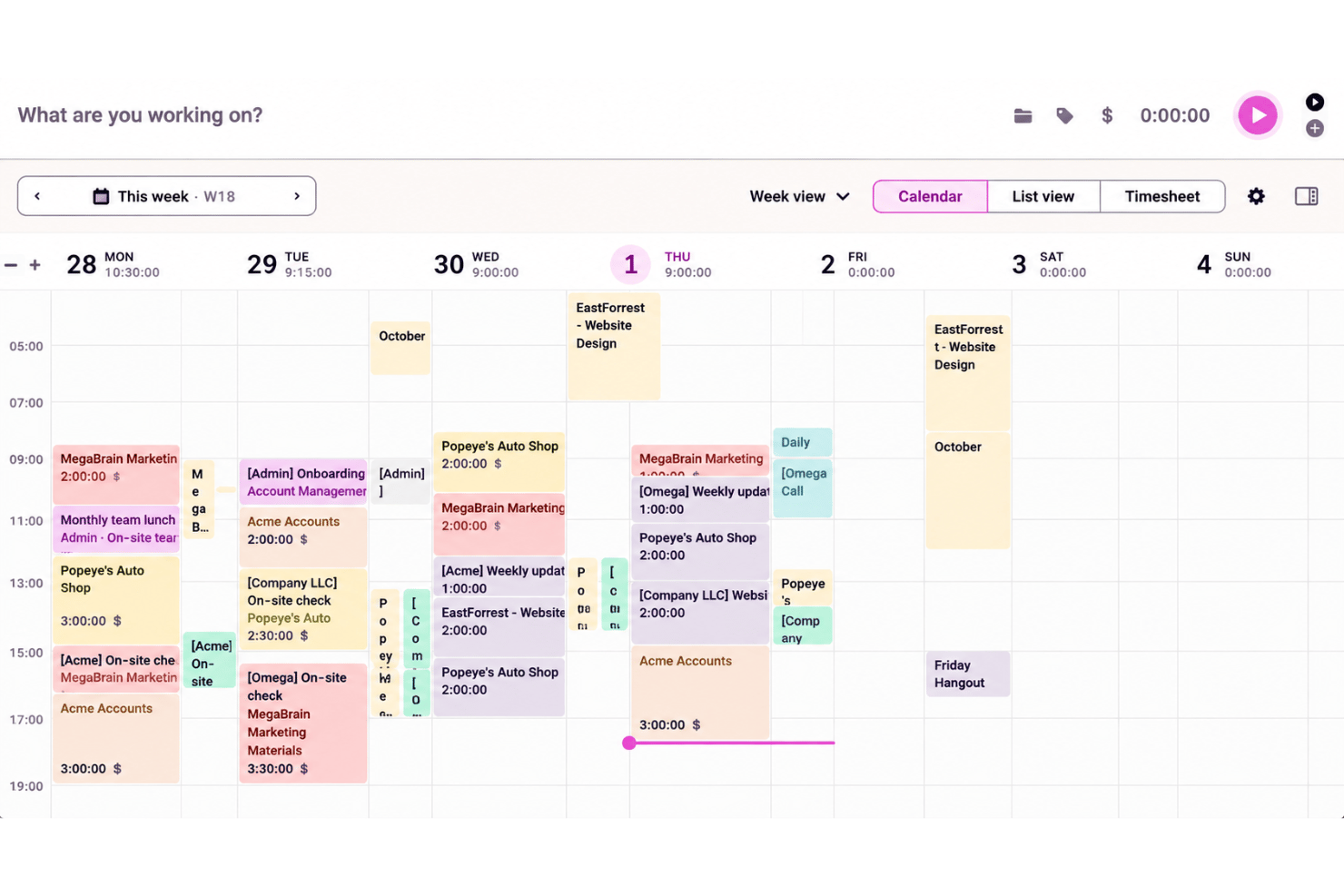
Start and stop timers in Toggl’s web, desktop, or mobile apps or its browser extension, or add past time manually or from your calendar. Pomodoro and offline modes round things out, so a call logged after it ends or work done on a flight still reaches your records.
Automated Desktop Tracking
Toggl’s desktop tracker records app, website, and calendar activity in a timeline only you can see, and you decide which activity turns into a time entry. Optional auto-tracking rules reduce manual logging, helping you rebuild fragmented workdays while staying in control.
Projects, Tasks, And Estimates
Assign time entries to projects and tasks, add clients or tags for context, and give tasks estimates your team tracks against. Because planned and logged hours share the same task, a project lead can see whether design work is running long before a client project wraps.
Timesheet Reviews And Approvals
Review weekly or monthly timesheets, send reminders, and approve entries or request changes; approved periods lock so submitters can’t alter them. Required fields and an audit log add further guardrails, helping managers catch missing or incorrect hours before they use the totals.
Billable Rates And Retainers
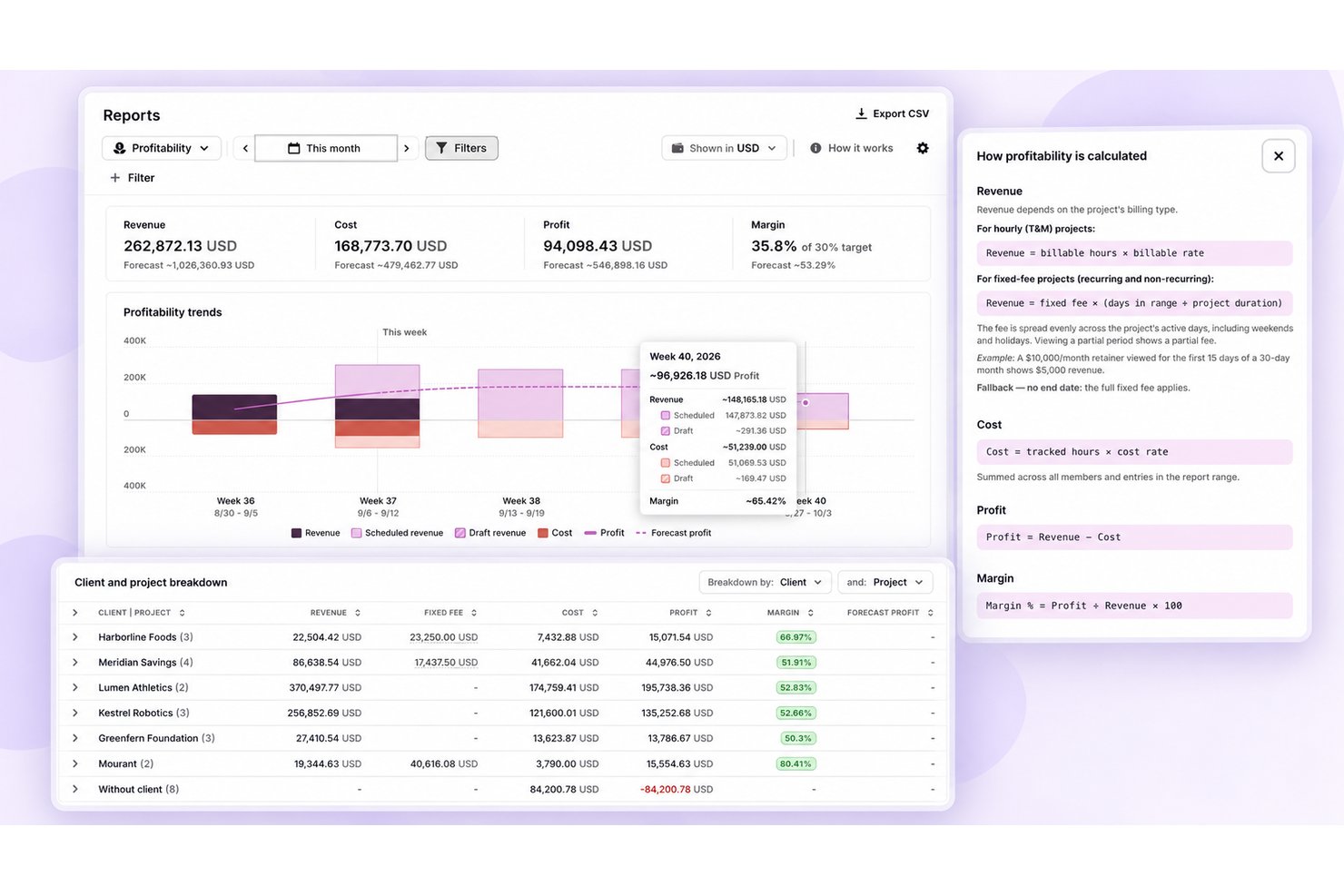
Mark entries billable or non-billable, layer rates at several levels such as organization, project, or team member, and apply rounding. Toggl also handles fixed-fee projects, recurring retainers with rollover, and labor costs, so service teams can judge margins rather than just billable totals.
Reports And Estimate Alerts
Review tracked hours in time reports, with workload, utilization, and profitability reports on higher tiers, and set estimate or budget alerts to monitor progress. Project dashboards add forecast lines, so a lead can spot a project trending over budget before it hits its limit.
Standout Features
Capacity Planning
Toggl’s Timeline view factors in time off, holidays, and flexible schedules, so you can see who has room for more work. A paid add-on stretches planning months ahead, groups capacity by team, and lets you treat unconfirmed deals as draft projects to forecast utilization and profit.
Toggl AI And MCP Access
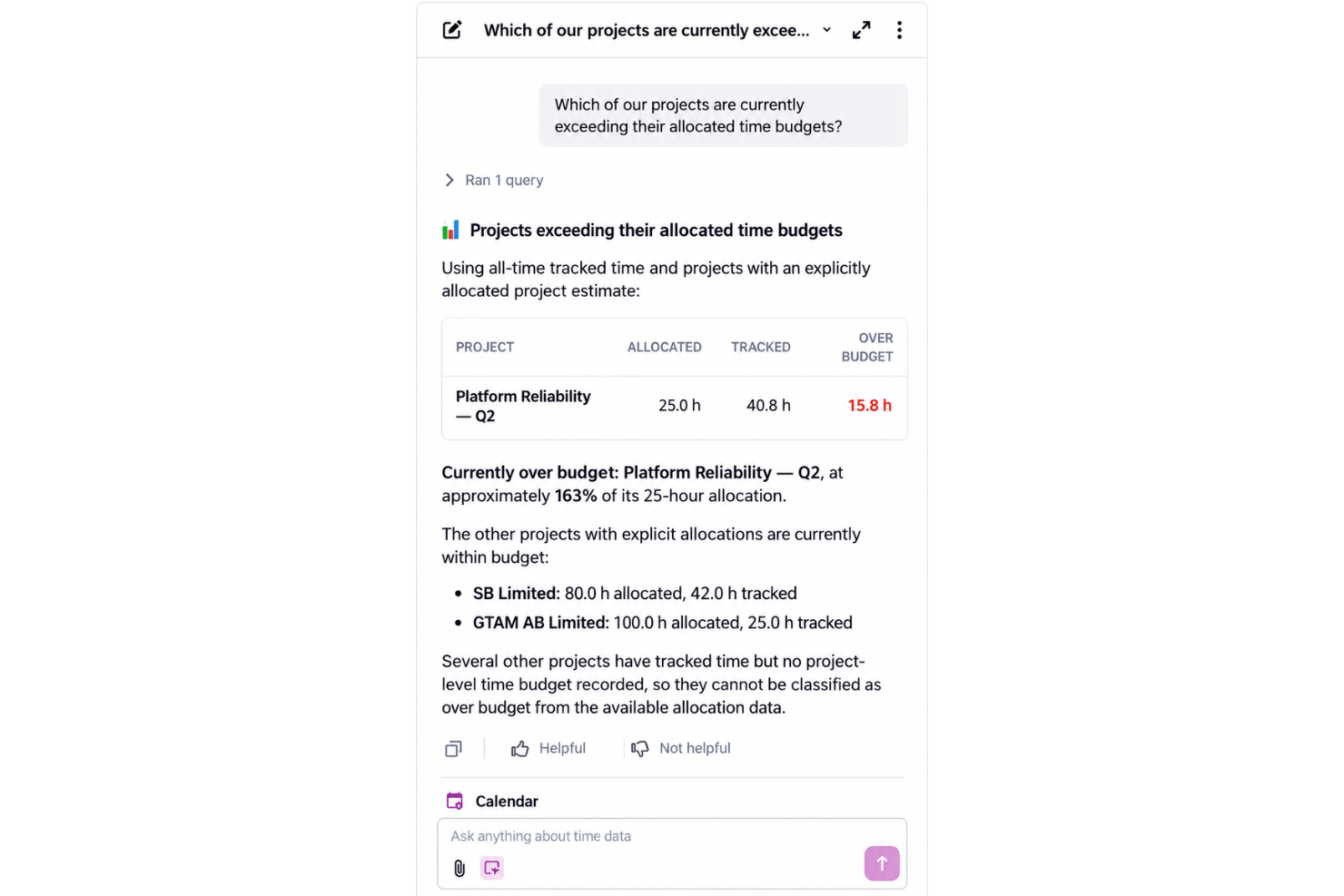
Toggl AI lets you ask plain-language questions about your workspace and carry out tasks, limited to what your role allows. An MCP server and command-line tool also let teams plug Toggl data into the AI assistants they already use.
Ease of Use
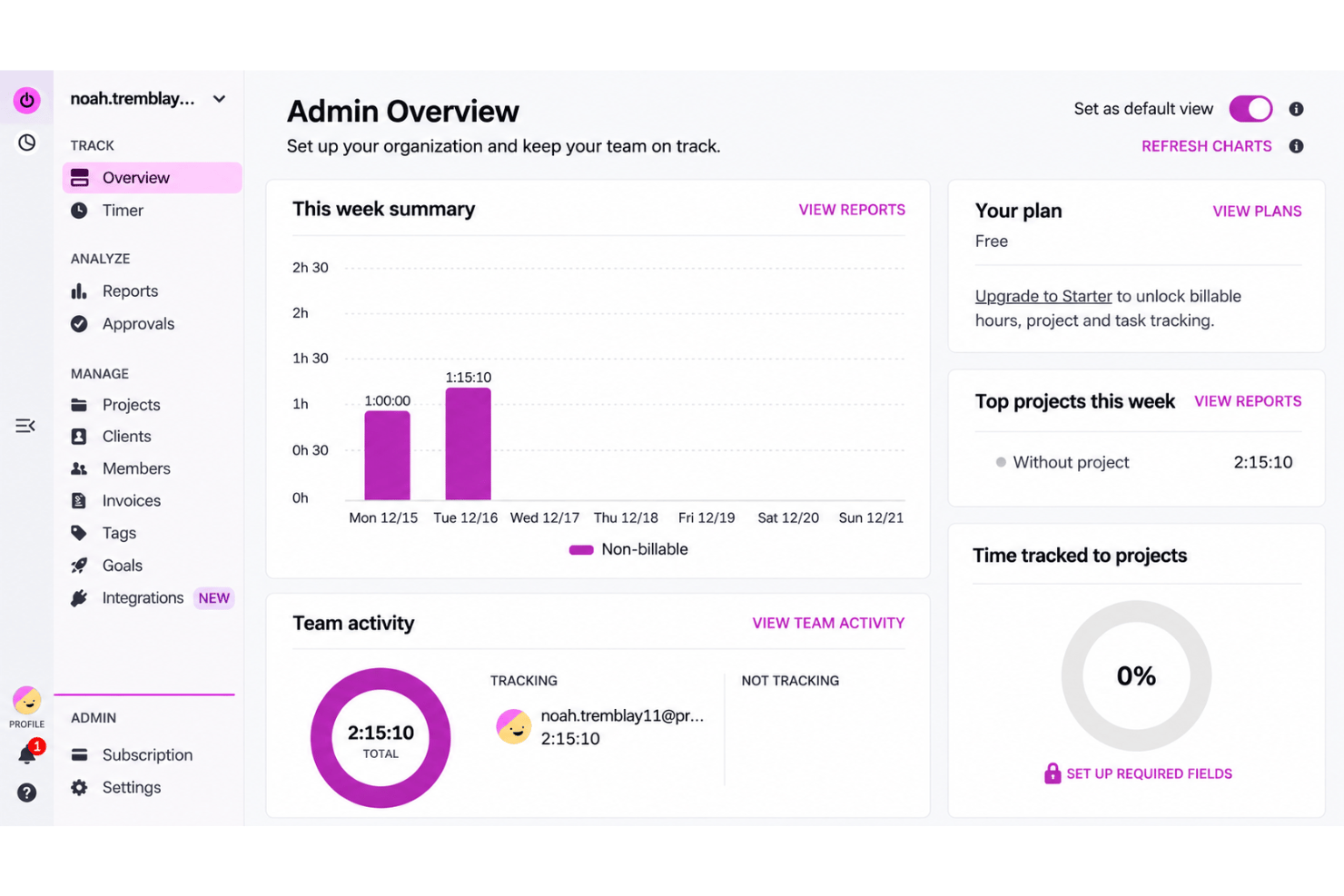
Toggl is easier to pick up than many time trackers: the timer is quick to start, and you can log missed work manually or from your calendar, then organize entries by project, client, and tag. Still, you need to remember to stop timers, and users report occasional sync and loading issues; task switching, finding certain settings, and manual entry can also feel less straightforward.
Onboarding
Toggl gets most teams tracking quickly, with no technical setup and a free plan or trial to start. Admin guides cover roles, rates, and reports, and free importers bring data over from Toggl Track, Plan, or other tools via CSV. I’d expect faster time to value than heavily configured tools; paid onboarding requires an annual Starter or Premium plan, while Enterprise includes personalized setup.
Customer Support
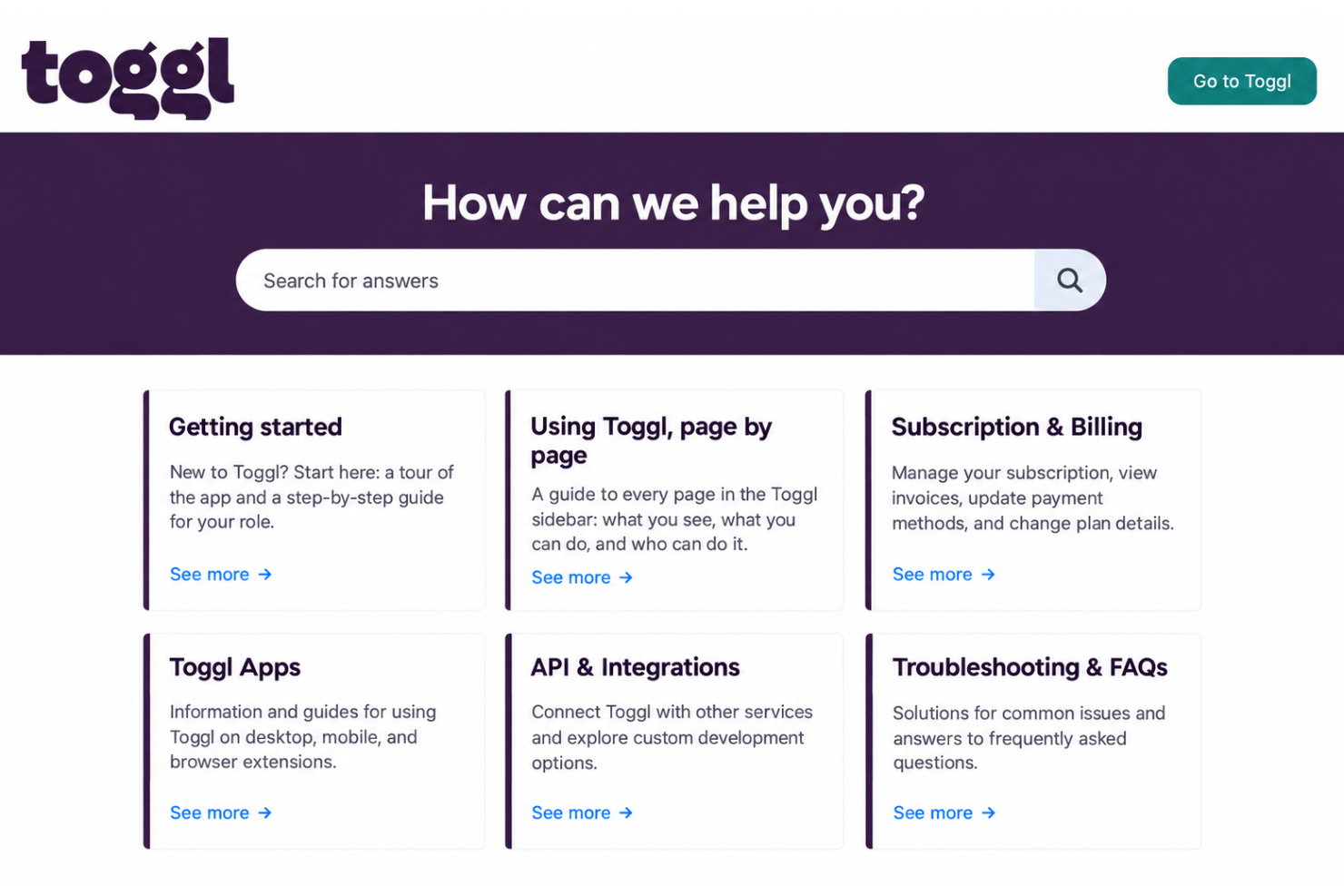
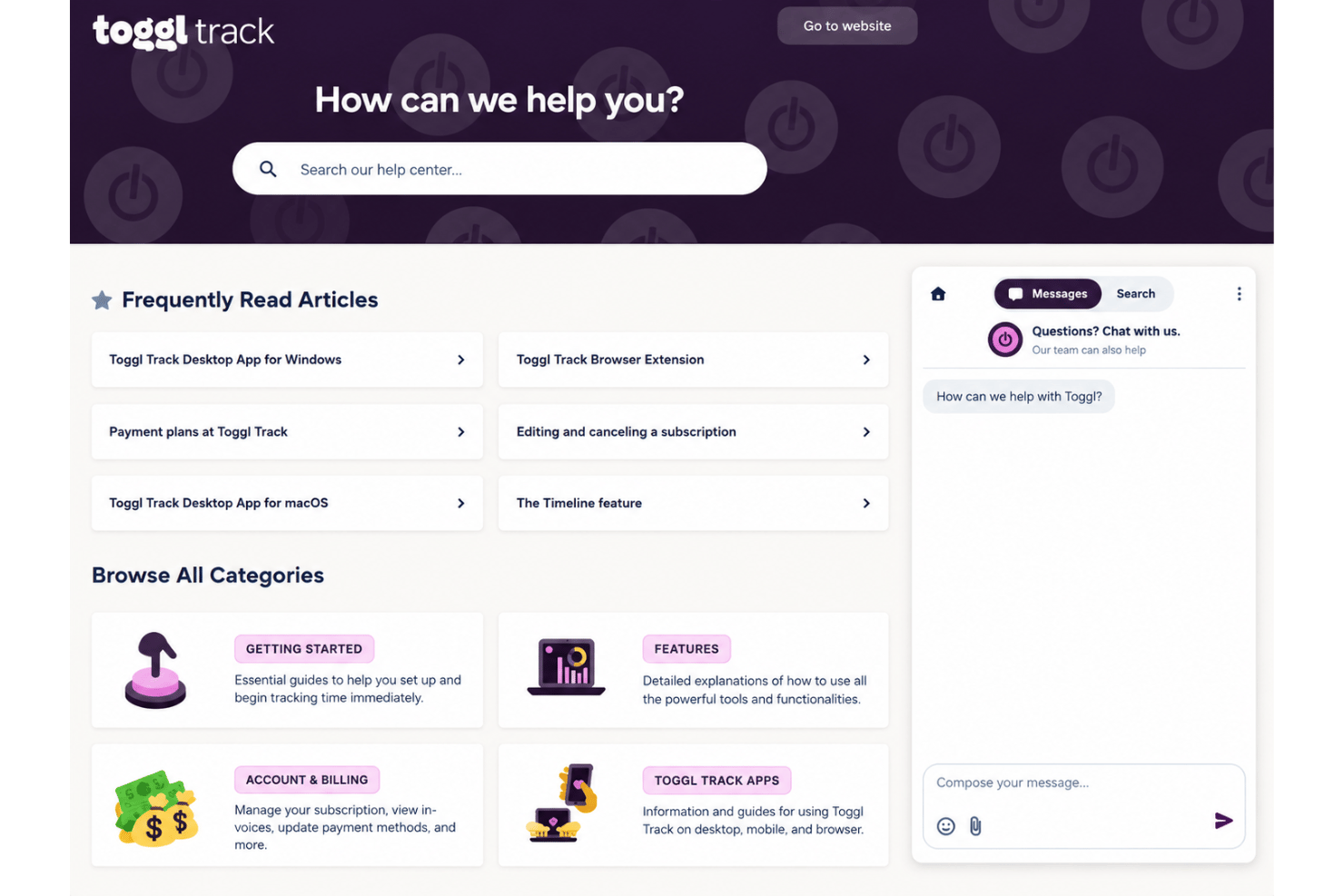
Toggl’s support is stronger than a docs-only setup: you can use its knowledge base, guides, and videos, or contact support by chat or email, and a public status page tracks uptime. Enterprise customers also get a dedicated customer success manager. I’d expect small teams to manage with little hand-holding, though some users report login and access issues that send them to support.
Integrations
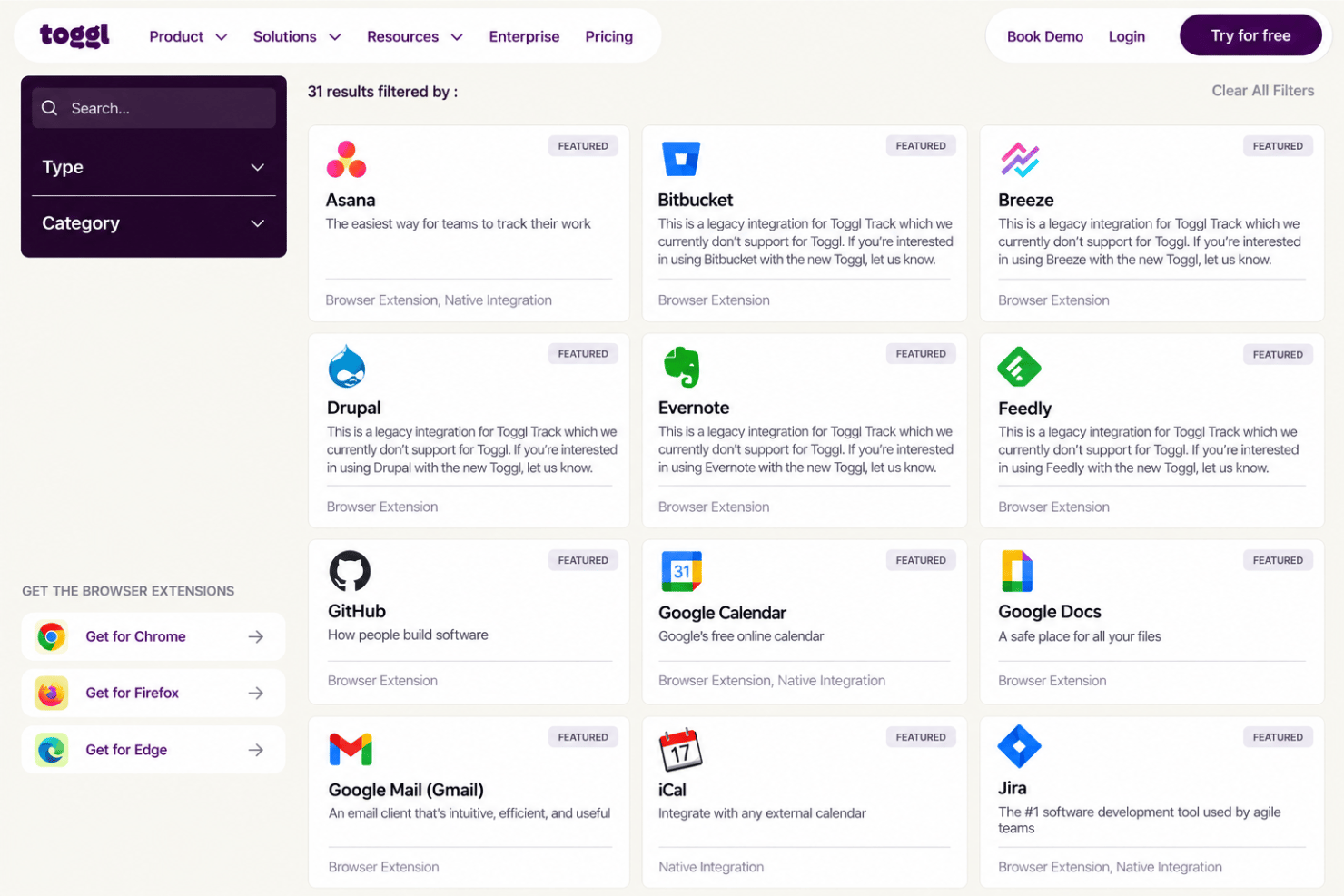
Toggl integrates with Asana, GitHub, Google Calendar, Gmail, Jira, Outlook Email & Calendar, Slack, Todoist, and iCal, among others.
Toggl also offers an API and connects with third-party integration and automation tools.
Value for Money
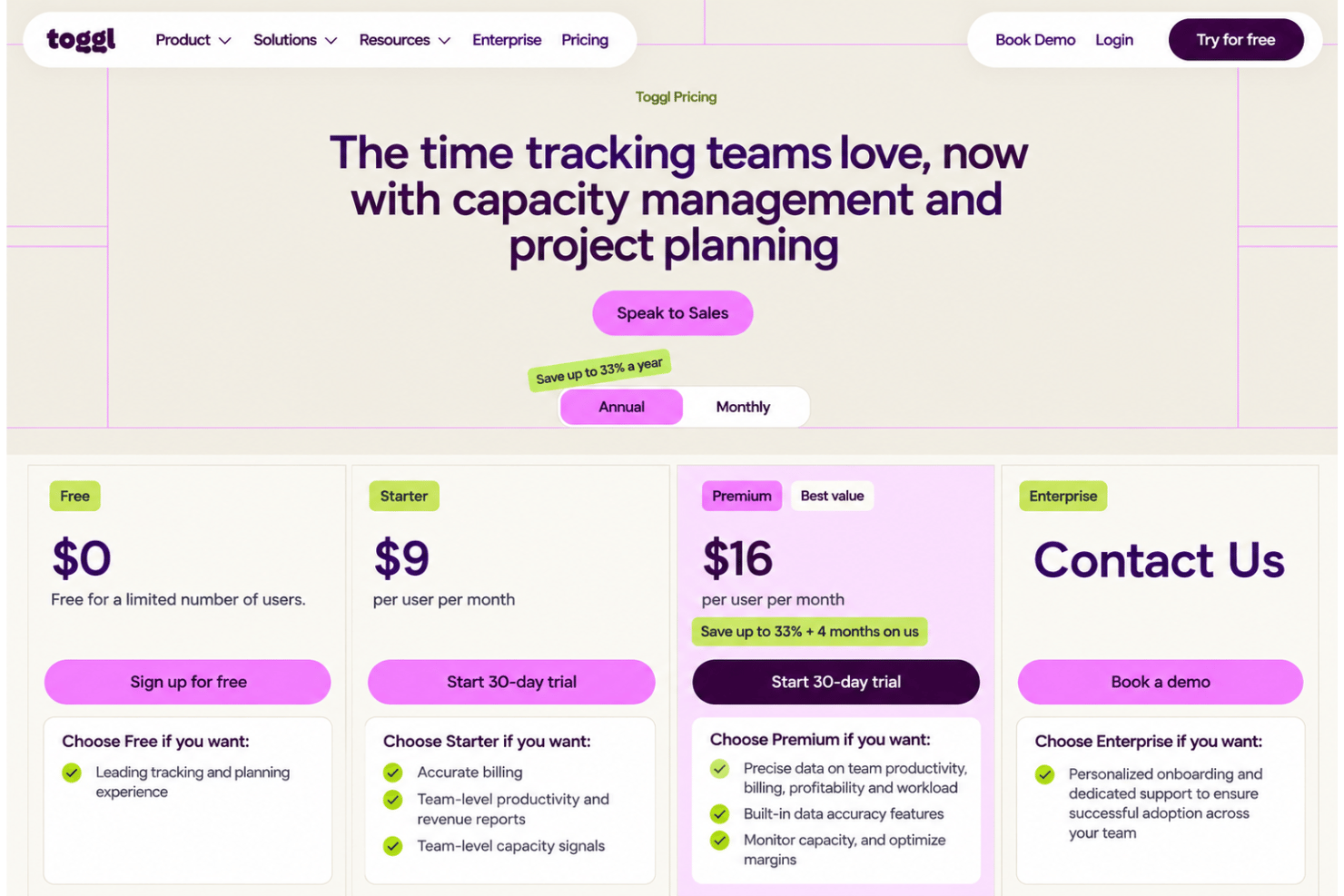
Toggl offers a free plan for basic time tracking, with paid tiers adding more advanced reporting, team controls, and project management features. Its per-user pricing can become relatively expensive as teams grow, especially if you need capabilities reserved for higher tiers.
- Free: Includes basic time tracking, projects, tasks, and personal reports.
- Starter: Adds billable rates, team and revenue reports, Timeline, milestones, and PTO features.
- Premium: Offers adds labor costs visibility, profitability reports, project dashboards, timesheet approvals, and SSO.
- Enterprise: Provides personalized onboarding, a dedicated customer success manager, custom solutions and roles, and multiple workspaces.
Toggl Specs
- Analytics
- API
- Approval Workflows
- Attendance Tracking
- Batch Permissions & Access
- Billing/Invoicing
- Budgeting
- Calendar Management
- Dashboard
- Data Export
- Data Import
- Data Visualization
- Expense Tracking
- External Integrations
- Forecasting
- Multi-User
- Notifications
- Project Management
- Resource Management
- Scheduling
- Task Scheduling/Tracking
- Time Management
- Timesheets
- Vacation & Absence Calendar
Toggl FAQs
Can Toggl support a growing team?
Does Toggl connect with tools our software team already uses?
Can managers approve timesheets in Toggl?
Can Toggl time if team members don’t use the timer?
Does Toggl meet data security and compliance requirements?
Can Toggl reports support client billing and project margin reviews?
Can we test Toggl with a project before buying a paid plan?
What support and onboarding can we expect during rollout?
How is the new Toggl different from Toggl Track?
Toggl Company Overview & History
Toggl began as a consultancy in Tallinn, Estonia, in 2006 and developed time-tracking software from its own need to understand where work hours went. The privately owned company is bootstrapped, has about 90 team members, and has operated fully remotely since 2014. Its products include Toggl, which evolved from Toggl Track into a combined tracking and capacity platform, along with Toggl Plan, Toggl Hire, and Toggl Work; it hasn’t disclosed public funding or financial results.
Toggl Major Milestones
- 2006: Founded in Tallinn as a consultancy, later developing its time-tracking software.
- 2014: Became a fully remote company.
- 2020: Expanded the Toggl product suite to include Toggl Plan and Toggl Hire.
- 2026: Toggl rebranded "Track" to a unified "Time Intelligence" platform, shifting from basic time-logging to automated profitability analytics and capacity planning.