

De 10 beste notatappene for økt produktivitet i 2026

10 Kortliste over de beste notatappene


De beste notatappene lar deg raskt fange opp ideer, organisere informasjon og enkelt finne det du trenger senere, noe som bidrar til å gjøre arbeidsflyten enklere og forhindrer forsinkelser på grunn av manglende klarhet rundt beslutninger og handlingspunkter. Uten det rette verktøyet vil du støte på problemer som uklare roller og ansvarsområder i prosjektene dine, oversittede frister og misforståelser.
Jeg har brukt erfaringen min innen prosjektledelse og over 3 års testing av programvare til å gjennomgå dusinvis av verktøy og sette sammen listen min over de beste notatappene. Alle anbefalingene mine vil hjelpe deg med å skrive bedre møtenotater, følge opp beslutninger og handlingspunkter i prosjektene dine og holde oppgavene i bevegelse samtidig som produktiviteten holder seg høy.
Hvorfor du kan stole på våre programvareanbefalinger
Teamet vårt har testet og anmeldt programvare siden 2012. Vi er selv prosjektledere, så vi vet hvor vanskelig og hvor viktig det er å velge riktig programvare.
I denne guiden har vi vurdert verktøyene gjennom praktisk testing og uavhengig research og gitt dem poeng ut fra våre utvelgelseskriterier. Vi bygger også på innsikt fra ledende eksperter i bransjen og erfarne prosjektledere.
Anmeldelsene våre bygger på vår egen redaksjonelle vurdering. De er ikke et salgsargument.
Ekspertanmeldere:
Sammenligningstabell for notatapper
Denne sammenligningstabellen oppsummerer prisdetaljene for mine beste utvalgte notatapper:
| Tool | Best For | Trial Info | Price | ||
|---|---|---|---|---|---|
| 1 | Best for notes that update work tools | Free plan available | From $15/user/month | Website | |
| 2 | Best for IT-managed team notes | Free plan + 7-day free trial available | From $10/user/month | Website | |
| 3 | Best for classroom notes and student work | Free plan available | Pricing upon request | Website | |
| 4 | Best for self-managed team documentation | Free plan + 7-day trial available | From $5.78/user/month | Website | |
| 5 | Best for IT-governed documentation | Free plan + trial available | From $10/user/month | Website | |
| 6 | Best for pairing audio with handwritten notes | Free plan available | Pricing upon request | Website | |
| 7 | Best for notes you control outside the app | Free plan available | From $4/user/month (billed annually) | Website | |
| 8 | Best for syncing note tasks to calendars | Free plan + 14-day free trial available | From $5.84/user/month (billed annually) | Website | |
| 9 | Best for sharing team knowledge with clients | Free plan available | From $8/user/month | Website | |
| 10 | Best for choosing where notes are stored | 14-day free trial | From 2.99€/month | Website |
Anmeldelser av de beste notatappene
Her er en kort beskrivelse av hver notatapp som viser hva hvert verktøy egner seg best til, noen bemerkelsesverdige funksjoner samt fordeler og ulemper. Jeg har også tatt med skjermbilder for å gi deg et innblikk i brukergrensesnittet.
Coda
Best for notes that update work tools
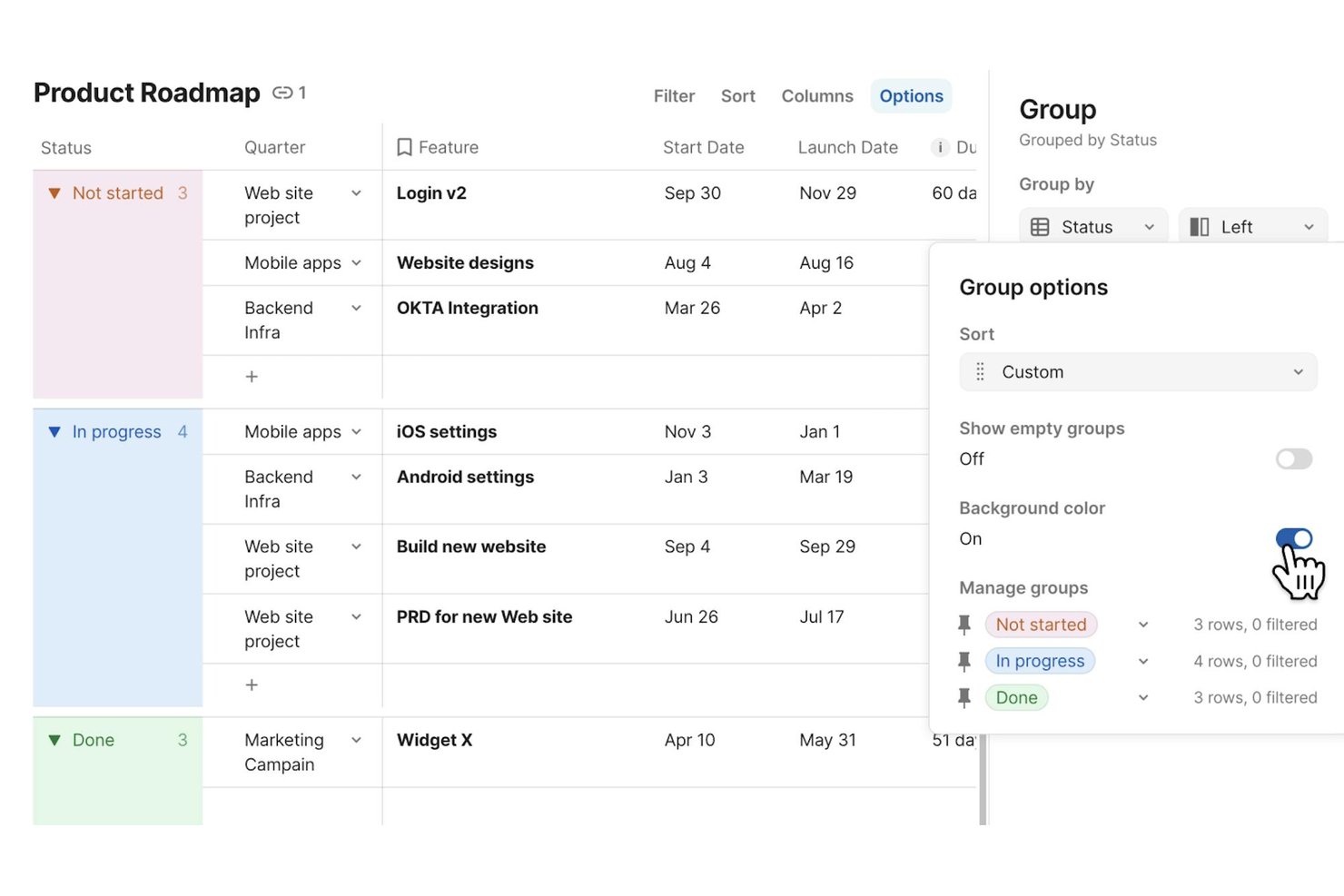
Superhuman Docs (formerly Coda) is a collaborative workspace that combines rich-text documents, tables, databases, and workflow automations into a single environment where teams can write, organize, and connect notes directly to their existing tools.
Who Is Superhuman Docs Best For?
Superhuman Docs is a strong fit for cross-functional teams that need their project notes and documentation to stay in sync with tools like Jira, Asana, and Slack.
Why I Picked Superhuman Docs
Superhuman Docs earns its spot on my shortlist because it treats notes as live, connected objects rather than static text. I love that you can sync Jira issues directly into a doc, edit ticket fields from your notes, and push those changes back to Jira automatically—keeping project context in one place. Docs AI also lets you describe a tracker or dashboard in plain language and build it on top of real table data, so your meeting notes can actually drive work.
Superhuman Docs Key Features
- Real-time collaboration: Multiple teammates can edit the same doc simultaneously, with comments and supported across pages and tables.
- Cross-doc tables: Pull data from other docs into a single view, keeping related information connected without duplicating it.
- Docs MCP server: Connect supported AI tools like Claude or ChatGPT to read, analyze, and write directly into your Docs workspace.
- Version history: Docs automatically track changes over time, with unlimited history available on Business and Enterprise plans.
Coda Integrations
Coda offers 800+ integrations, including Jira, Asana, Slack, Google Calendar, Salesforce, GitHub, Figma, and Zoom. Its Docs MCP server connects ChatGPT, Claude, and Cursor for reading, analyzing, and updating documents.
Pros and Cons
Pros:
- Meeting notes generate summaries and action items
- Teams co-edit shared notes in real time
- Notes connect directly to structured project data
Cons:
- Large, dense docs can feel slow
- Mobile apps omit database and formula editing

Evernote
Best for IT-managed team notes
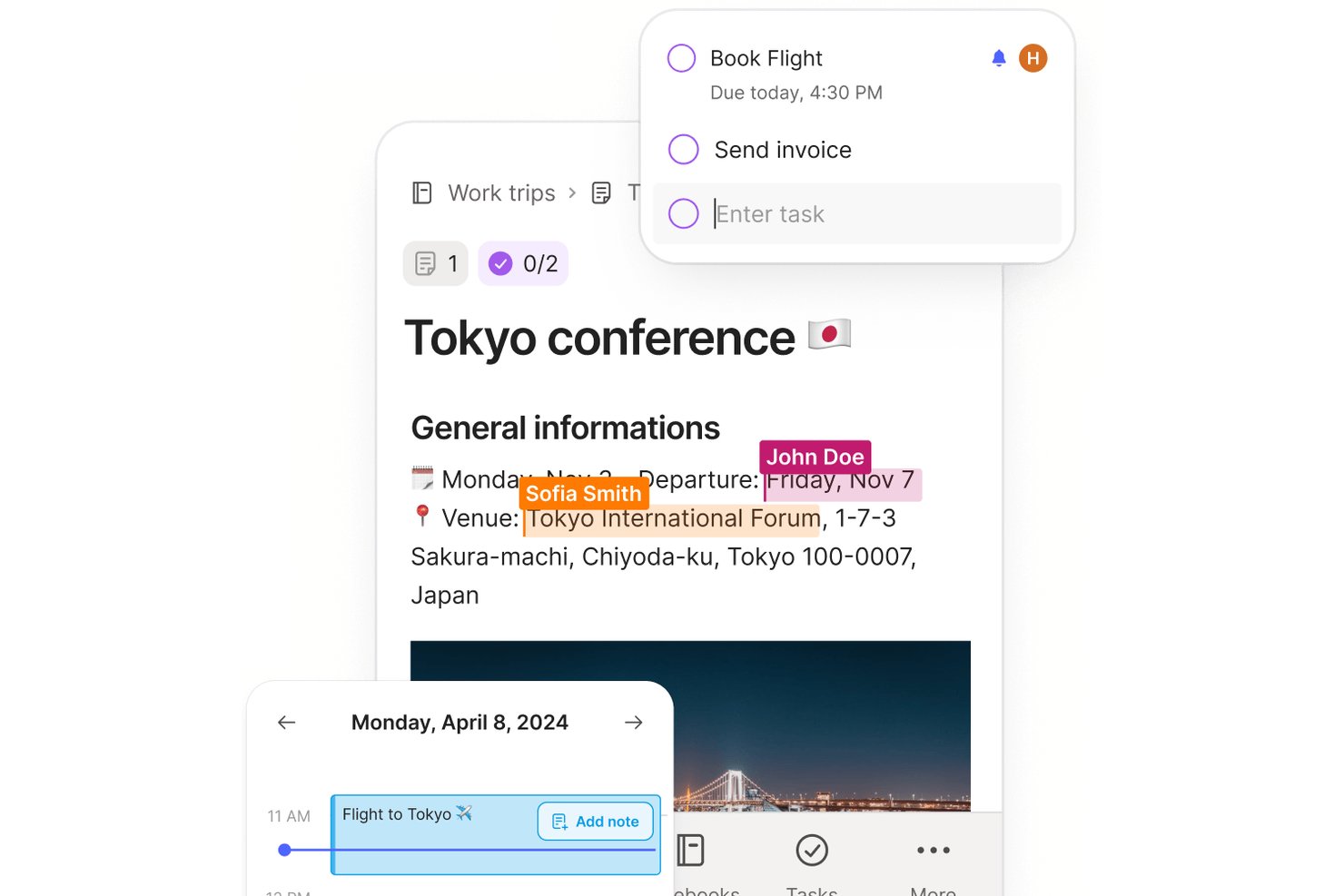
Evernote is a note-taking app that combines note capture, document scanning, web clipping, AI meeting transcription, task management, and team collaboration across a shared workspace.
Who Is Evernote Best For?
Evernote fits teams that need IT-managed shared workspaces, with Enterprise controls like SSO, audit logs, and centralized admin oversight.
Why I Picked Evernote
I've included Evernote in my top picks because it's one of the few note-taking apps built with IT oversight at its core. The Enterprise plan gives admins a centralized console to view and manage every space, notebook, and note, regardless of individual share permissions, and pairs that with SSO, audit logs, and AES-256 encryption. I also like that AI Meeting Notes can record, transcribe in 50+ languages, and summarize sessions, keeping your team's knowledge captured without extra tools.
Evernote Key Features
- Web Clipper: Save full web pages, articles, and PDFs directly to your notes via a browser extension, without ads.
- Document scanning: Capture physical documents and handwritten notes using your device's camera and store them in Evernote.
- Calendar integration: Connect Google Calendar or Microsoft Outlook to link notes directly to upcoming events and meetings.
- Advanced search: Search across note text, PDFs, image text, handwriting, and audio and video transcripts using filters and Boolean operators.
Evernote Integrations
Evernote offers integrations with Google Calendar, Google Drive, Gmail, Slack, Microsoft Outlook Email, Outlook Calendar, and Microsoft Teams. It also provides a Thrift API and MCP server for compatible AI tools.
Pros and Cons
Pros:
- Shared spaces help teams coordinate documentation
- Web clipping keeps source pages with notes
- Search finds text inside scanned attachments
Cons:
- Growing notebooks can make navigation feel crowded
- Sync delays can surface during shared editing
Best for classroom notes and student work
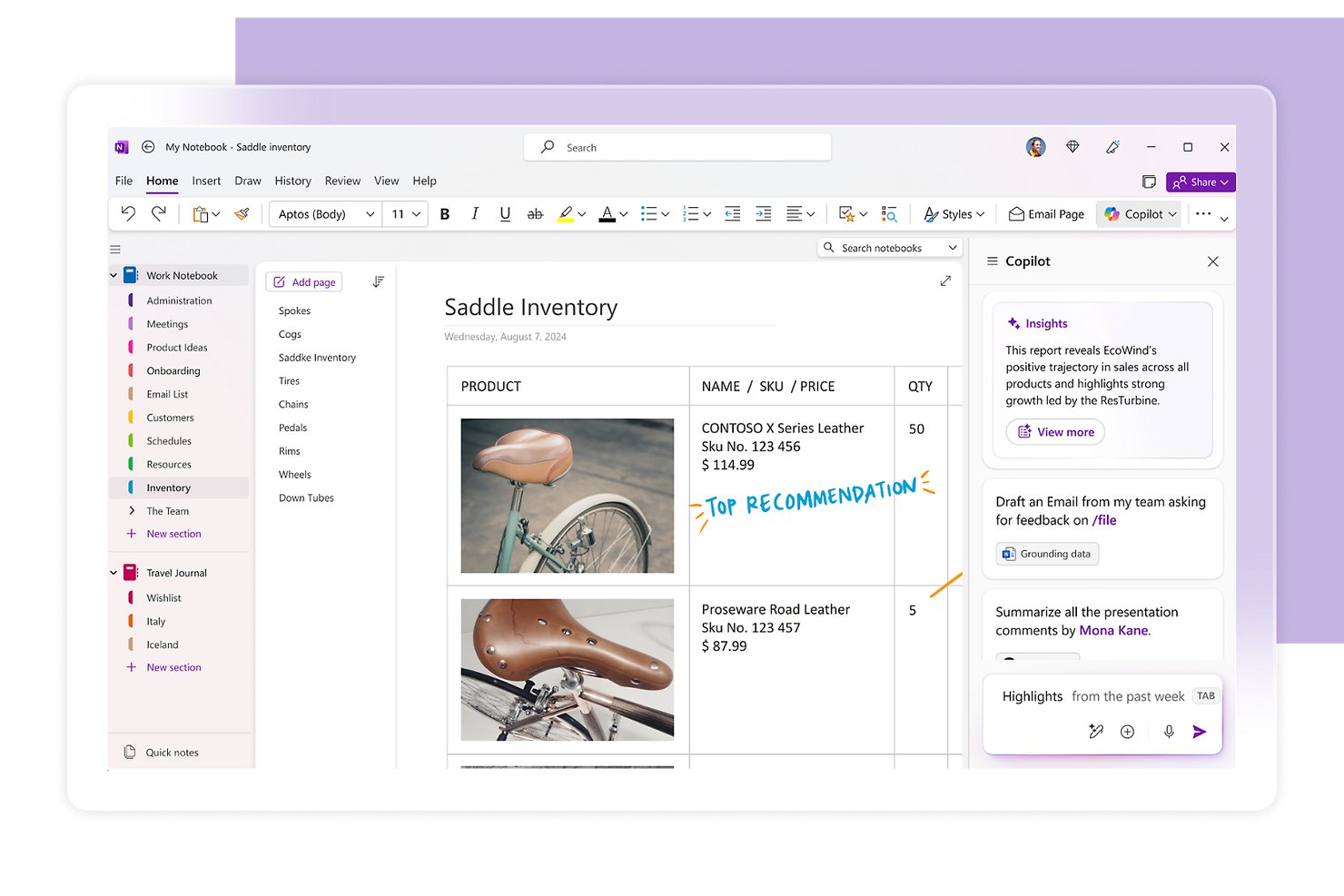
Microsoft OneNote is a digital note-taking app that lets you capture text, handwriting, images, audio, and files on a freeform canvas, organized across notebooks, sections, and pages.
Who Is Microsoft OneNote Best For?
OneNote is a strong fit for students, educators, and individual knowledge workers who are already embedded in the Microsoft 365 ecosystem.
Why I Picked Microsoft OneNote
I picked Microsoft OneNote as one of the best because it's purpose-built for classroom-style note capture, with Class Notebook giving each student their own private workspace alongside a shared content library and collaboration space. I also love how the open canvas lets you drop in handwritten annotations, audio recordings, and webpage snapshots all on one page, which mirrors how notes actually get taken in a lecture or study session. Search even works across handwriting and images, so finding a sketched diagram from weeks ago takes seconds.
Microsoft OneNote Key Features
- Copilot AI assistance: Copilot can summarize sections, generate task lists, rewrite notes, and draft content like meeting agendas directly within your notebook.
- Full-text and handwriting search: Search scans typed notes, handwritten content, and images across all your notebooks to surface older notes quickly.
- File attachments and printouts: Insert files as attachments or embed their contents directly on the page as a printout, with Excel files also offering an inline chart option.
- Microsoft Graph API: A REST-based API lets you build custom integrations that read and write notebooks, sections, and pages programmatically.
Microsoft OneNote Integrations
OneNote supports marketplace integrations with cloudHQ and Feedly, plus Zapier. Its Microsoft Graph OneNote API provides custom access to notebooks, sections, and pages.
Pros and Cons
Pros:
- Classroom notebooks separate student workspaces
- Search finds typed, handwritten, and image text
- Freeform pages combine text, sketches, and media
Cons:
- Large notebooks become harder to navigate
- Sync delays can hide collaborators’ latest changes
Best for self-managed team documentation
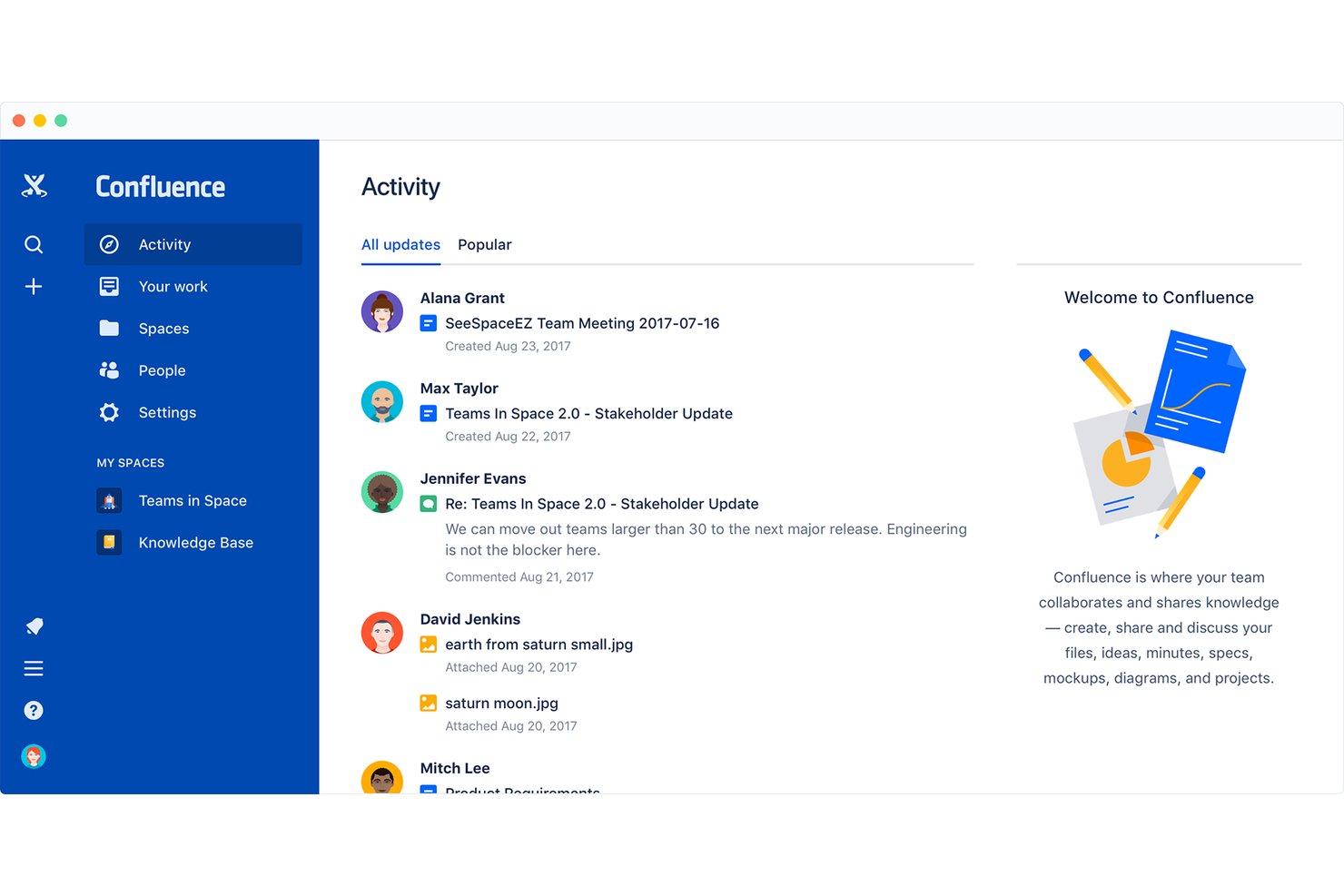
Confluence is a team knowledge management and documentation platform from Atlassian that combines collaborative page editing, structured wikis, whiteboards, databases, and AI-powered search into a shared workspace.
Who Is Confluence Best For?
Confluence is a strong fit for tech and engineering teams that need a shared, structured space to manage documentation alongside their development workflows.
Why I Picked Confluence
I've included Confluence in my top picks because it's built around the idea that your team's knowledge should live in one managed, structured space rather than scattered across docs and threads. I particularly like how spaces and page hierarchies let engineering and product teams maintain self-organized documentation, with real-time co-editing and granular permissions keeping everything controlled without requiring admin intervention at every step. Confluence's whiteboard-to-Jira pipeline is also genuinely useful: teams can brainstorm on a canvas and convert stickies directly into tracked work items.
Confluence Key Features
- Page versioning: Review the full change history of any page, compare earlier versions side by side, and restore a previous version when needed.
- Rovo AI search: Query connected knowledge sources across your workspace to surface contextual answers without manually searching through pages and tools.
- Automation rules: Use pre-built rule templates or a no-code rule builder to automate recurring content tasks and workflow steps.
- Database views: Organize Confluence pages and Jira items into table, card, or board views with filters, sorting, and custom fields to suit different audiences.
Confluence Integrations
Confluence offers native integrations with Jira, Jira Service Management, and Trello. It connects with Figma, Google Docs, and YouTube through whiteboards, supports Slack and Microsoft Excel as slide-content sources, and provides REST API v2, GraphQL, and app properties APIs.
Pros and Cons
Pros:
- Meeting templates capture decisions and owners
- Live co-editing supports team note updates
- Shared pages keep project notes together
Cons:
- Tables and code blocks need formatting cleanup
- Search can surface outdated pages
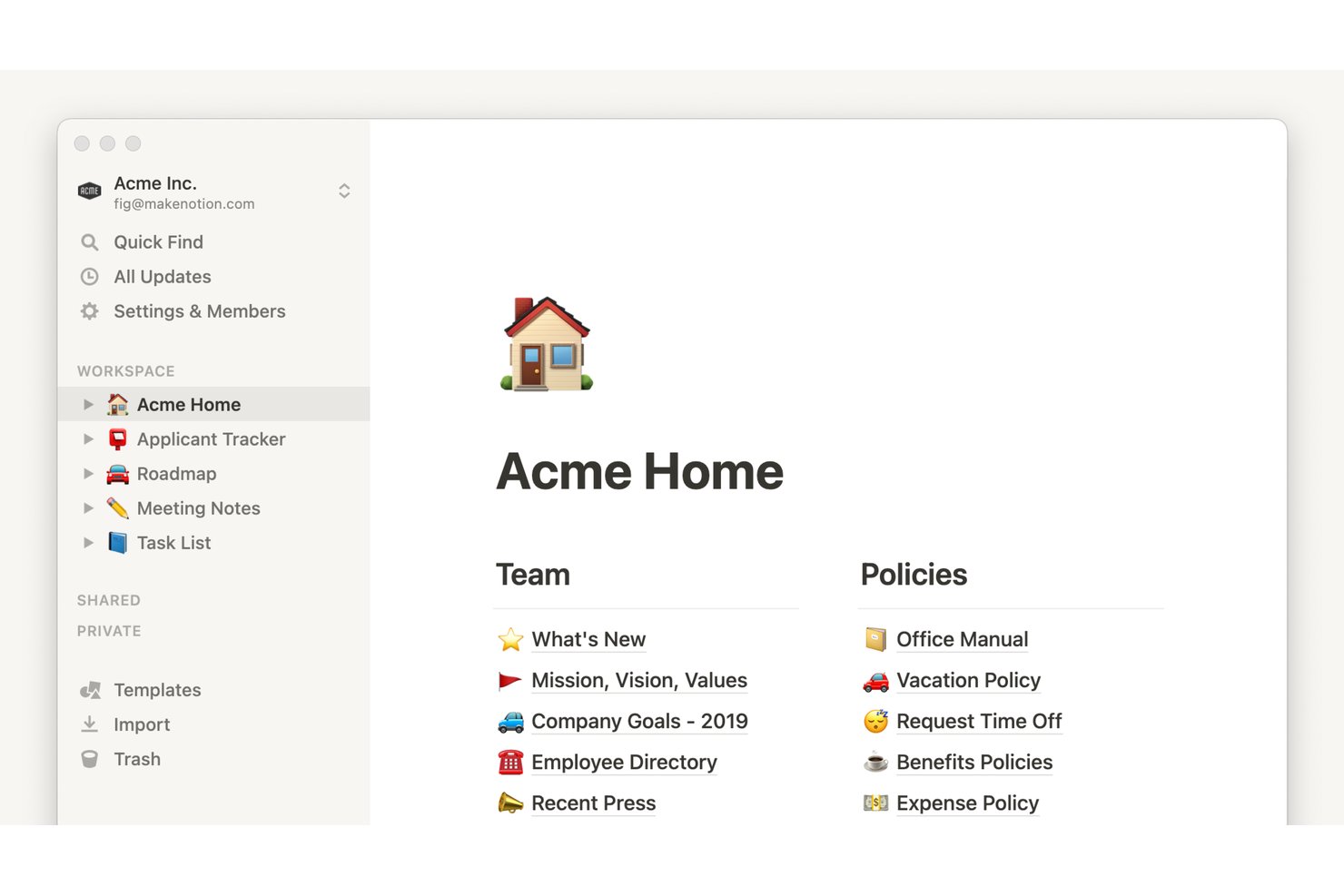
Notion is a block-based workspace that combines note-taking, document creation, and database management with AI-powered meeting transcription, cross-app integrations, and enterprise-grade access controls.
Who Is Notion Best For?
Notion fits teams that need IT-controlled documentation across distributed environments, where access permissions, audit logs, and compliance controls matter as much as the notes themselves.
Why I Picked Notion
Notion earns its spot on my shortlist because it's built for teams where IT actually needs to govern what gets documented and who can access it. I'm talking SAML SSO, SCIM provisioning, audit logs, data residency, and DLP/SIEM connections—all the controls that turn a shared workspace into something an IT team can actually manage. On top of that, Business plan users get granular database permissions and page verification, so teams can mark trusted content and lock down who edits what.
Notion Key Features
- Block-based editor: Build pages using modular content blocks—text, images, code, embeds, and more—arranged and reordered with drag-and-drop.
- Database views: Visualize the same data as a board, calendar, timeline, or chart without duplicating any information.
- AI Meeting Notes: Transcribe and summarize meetings from Zoom, Google Meet, and Microsoft Teams directly in your workspace, including generated action items.
- Backlinks: Automatically create two-way connections between pages whenever you one page from another.
Notion Integrations
Notion has native integrations with Zoom, Google Meet, and Microsoft Teams, plus marketplace integrations for Slack, Google Drive, GitHub, Jira, Asana, and Salesforce. Its public API, webhooks, Workers, SDK, CLI, and MCP support custom integrations.
Pros and Cons
Pros:
- Turn meeting audio into searchable summaries
- Collaborate on shared notes in real time
- Connect notes through backlinks and databases
Cons:
- Offline access remains limited across devices
- Quick scratchpad capture takes extra steps

Best for pairing audio with handwritten notes
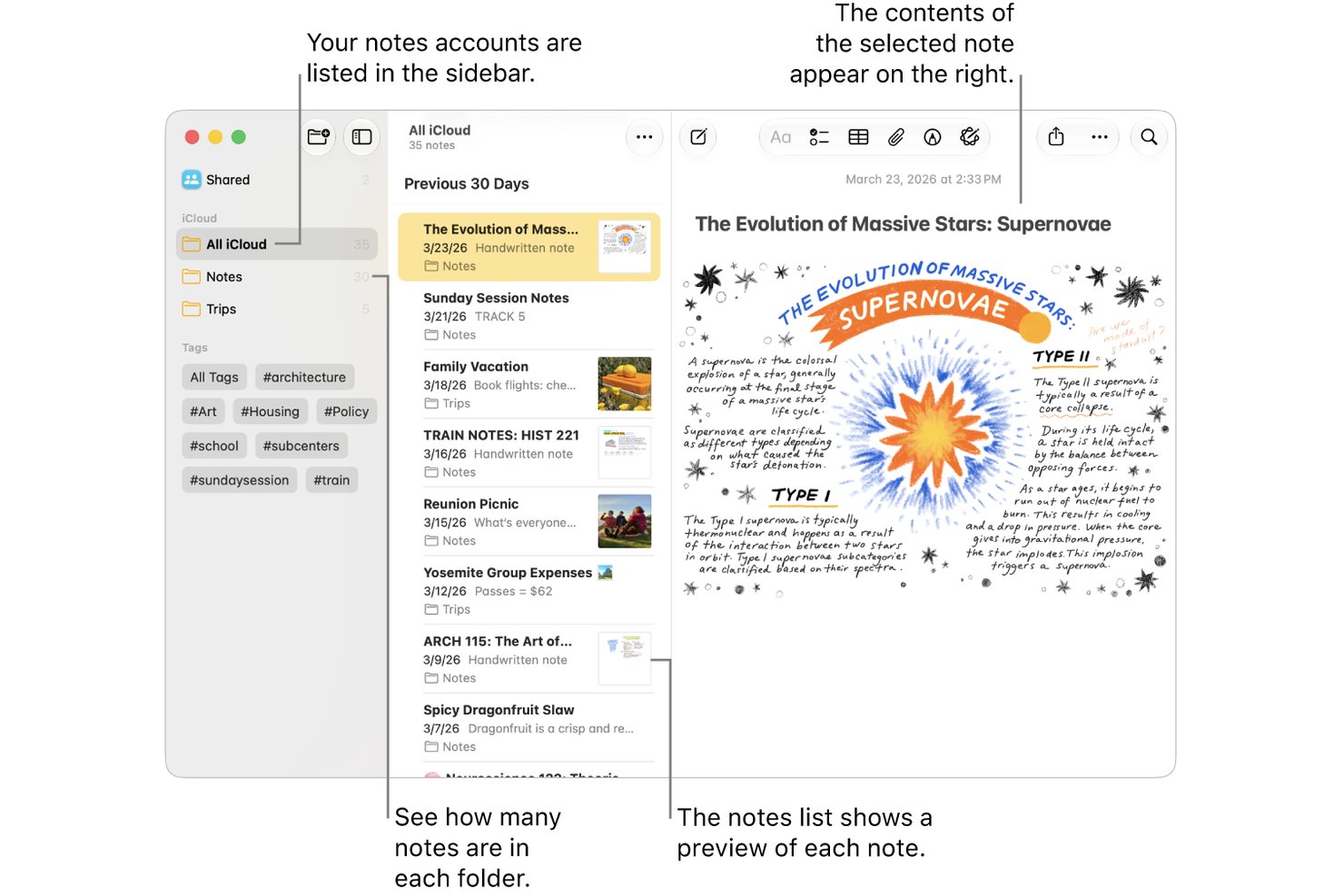
Apple Notes is a free note-taking app built into Apple devices that lets you capture typed notes, handwritten sketches, scanned documents, and audio recordings, with iCloud sync across iPhone, iPad, and Mac.
Who Is Apple Notes Best For?
Apple Notes is a natural fit for individuals and small teams already working within the Apple ecosystem who need a free, always-available tool for quick capture and lightweight collaboration.
Why I Picked Apple Notes
Apple Notes earns its spot on my shortlist because it's the only tool I've used that lets you record audio and pair it directly with handwritten sketches in the same note. I especially like the audio transcription feature: record a meeting, get a searchable transcript, and keep your hand-drawn diagram right alongside it. Apple Intelligence can also summarize that transcript automatically, which saves real time when reviewing a dense session.
Apple Notes Key Features
- Quick Note capture: Start a note instantly from Control Center, Apple Pencil, or a keyboard shortcut without opening the app.
- Smart Folders: Automatically filter and organize notes using criteria like tags, creation date, mentions, and checklists.
- Collaborative sharing: Share notes or entire folders with up to 100 people, set view or edit permissions, and track collaborators' changes in an activity view.
- Multi-modal search: Search across typed text, handwritten notes, scanned documents, and image content from a single search bar.
Apple Notes Integrations
Apple Notes has native integrations with iCloud and Siri for syncing and voice-based note capture. No third-party productivity integrations or public API are documented.
Pros and Cons
Pros:
- Quick Notes captures ideas without opening the app
- Search finds handwriting and scanned text
- Audio recordings sit beside handwritten sketches
Cons:
- Windows users rely on weaker browser access
- Text layout controls remain limited
Obsidian
Best for notes you control outside the app
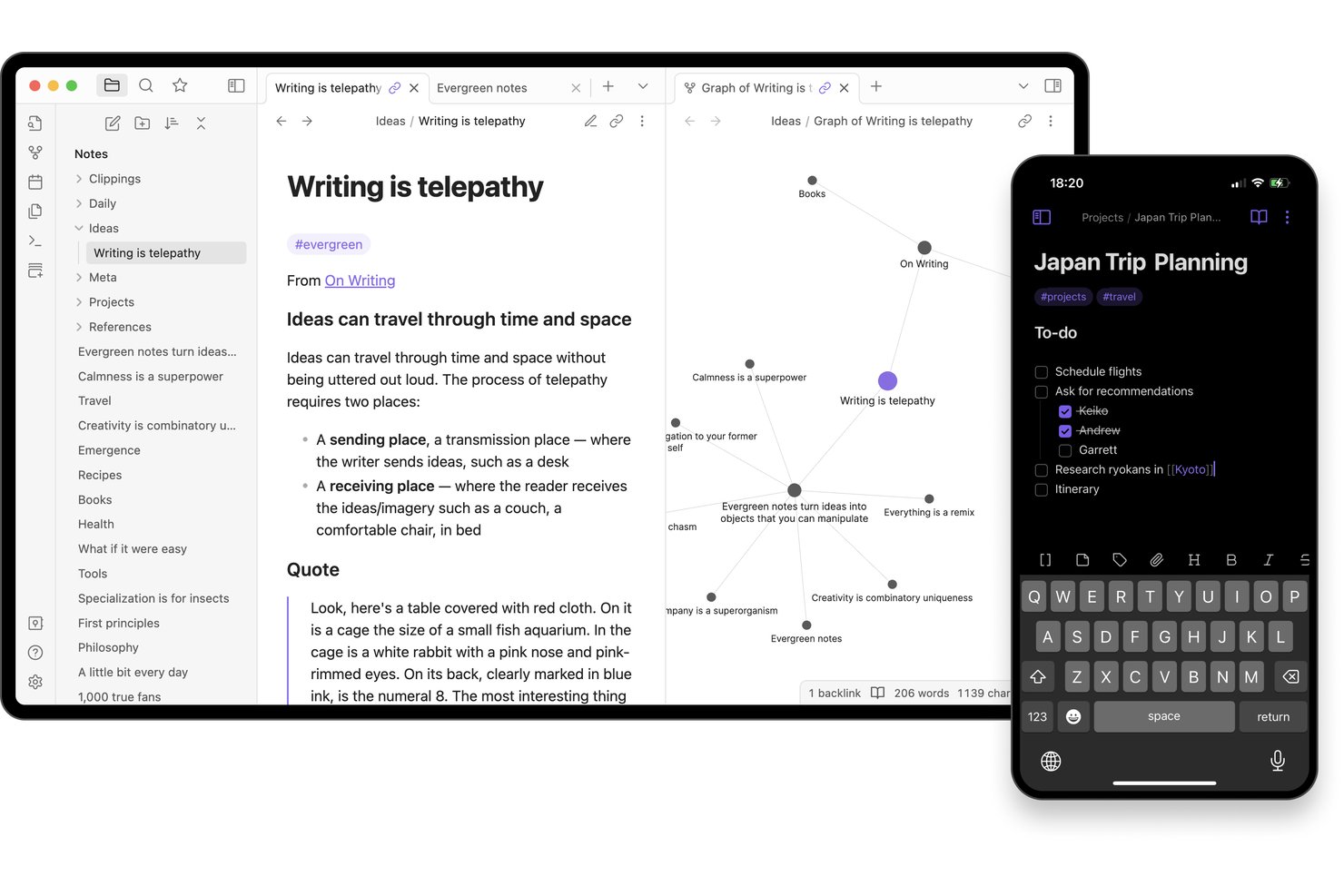
Obsidian is a local-first note-taking app that stores your notes as plain-text Markdown files on your device, with bi-directional linking, a graph view, tags, Canvas, and a community plugin library for building a personal knowledge base.
Who Is Obsidian Best For?
Obsidian is a strong fit for individual knowledge workers, researchers, and students who want to build a personal knowledge base from notes they fully own and control.
Why I Picked Obsidian
Obsidian earns its spot on my shortlist because your notes live as plain-text Markdown files on your device, meaning you can open, search, and edit them in any text editor without ever touching the app. I especially like how bi-directional linking and the graph view let you trace connections between ideas across a vault, which is genuinely useful when you're pulling together research or mapping out a project. The Web Clipper adds to that by letting you highlight and save web content directly into your local files using custom templates.
Obsidian Key Features
- Canvas workspace: Arrange notes, images, PDFs, videos, and audio on an infinite visual canvas for brainstorming, diagramming, or mapping out research.
- Advanced search operators: Query notes by filename, path, tag, property, section, block, or task using Boolean expressions, regular expressions, and negation to find anything across your vault.
- Community plugin library: Browse and install from thousands of community-built plugins—including Kanban boards, Dataview queries, and task trackers—to shape Obsidian around your workflow.
- Web Clipper: Save web pages, metadata, and highlighted content directly into your local vault as Markdown files using customizable templates and browser shortcuts.
Obsidian Integrations
Obsidian supports marketplace integrations with Apple Notes, OneNote, Evernote, Notion, Google Keep, and Google Drive through community plugins. Its open API and TypeScript plugin API support custom integrations.
Pros and Cons
Pros:
- Advanced search finds details across a vault
- Backlinks and graph connect scattered research
- Notes remain portable as plain-text files
Cons:
- Quick capture can demand setup and syntax
- Shared notes lack live co-editing
Best for syncing note tasks to calendars
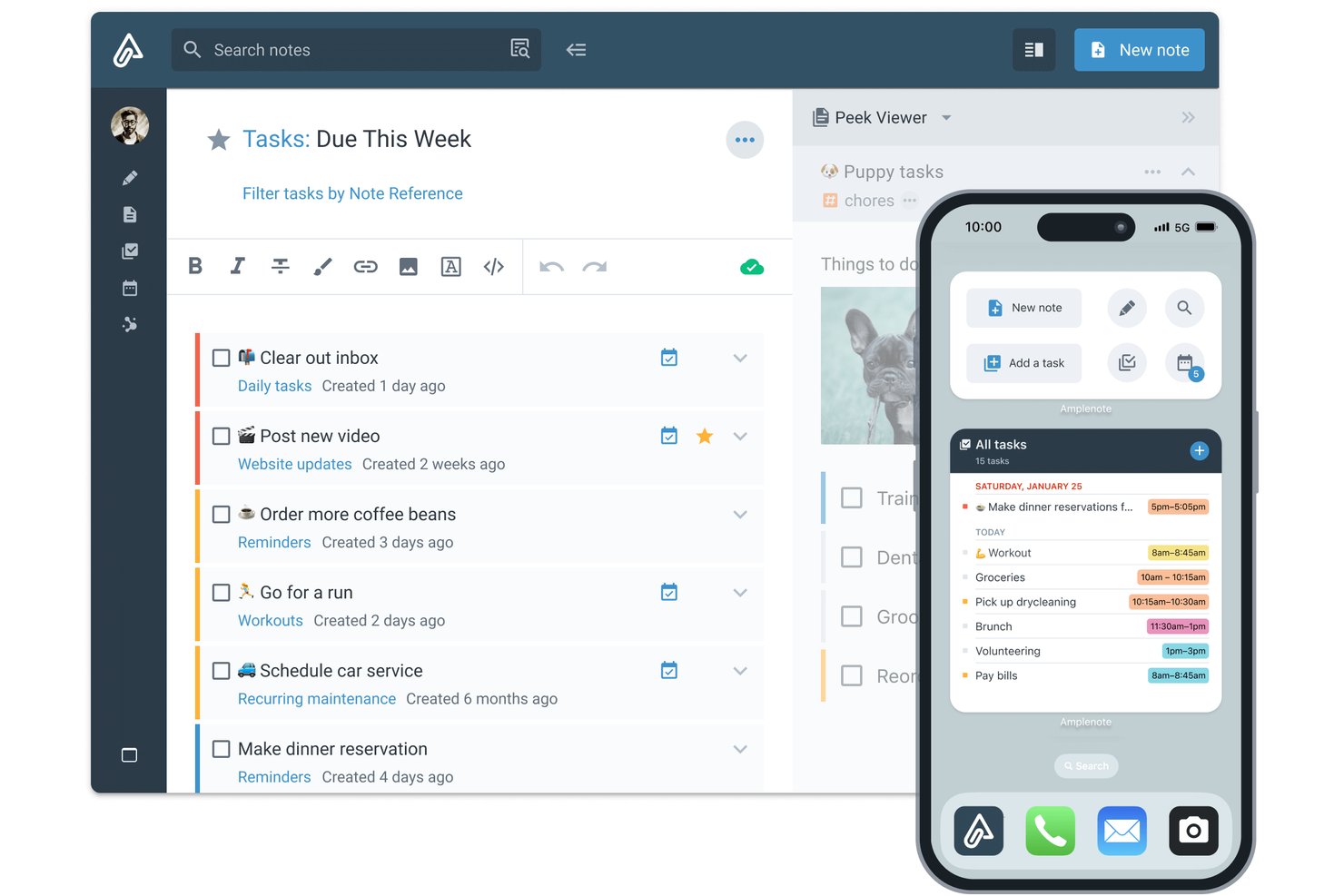
Amplenote is a note-taking app that combines quick idea capture, bidirectional linked notes, task management, and calendar scheduling in one workspace.
Who Is Amplenote Best For?
Amplenote suits individual knowledge workers and researchers who want to capture ideas, manage tasks, and schedule work from a single app.
Why I Picked Amplenote
Amplenote earns its spot on my shortlist because it genuinely closes the gap between capturing ideas and acting on them. I love how tasks created inside notes sync two ways with Google Calendar and Outlook, so a deadline I add to a meeting note shows up on my calendar without any manual copying. Amplenote's task scoring also automatically ranks what to tackle next based on priority and due date, which keeps my day grounded in what actually matters.
Amplenote Key Features
- Bidirectional linking: Connect notes to each other so you can navigate between related ideas and see every note that references the one you're reading.
- Jots quick capture: Use a dedicated Jots mode to drop ideas, tasks, or links instantly before deciding where they belong.
- Full-text and OCR search: Search across all note text, including text recognized from images uploaded to your notes.
- Shared tags: Share entire groups of notes with collaborators by granting read-only or edit access through a shared tag.
Amplenote Integrations
Amplenote offers native integrations with Google Calendar and Microsoft Outlook, plus marketplace integrations for Readwise and Zotero. Its REST API and Plugin API support custom integrations.
Pros and Cons
Pros:
- Search retrieves text from image uploads
- Backlinks connect research across notes
- Jots capture ideas before organizing them
Cons:
- Mobile capture takes extra steps for photos
- Note lists can feel jumbled without folders

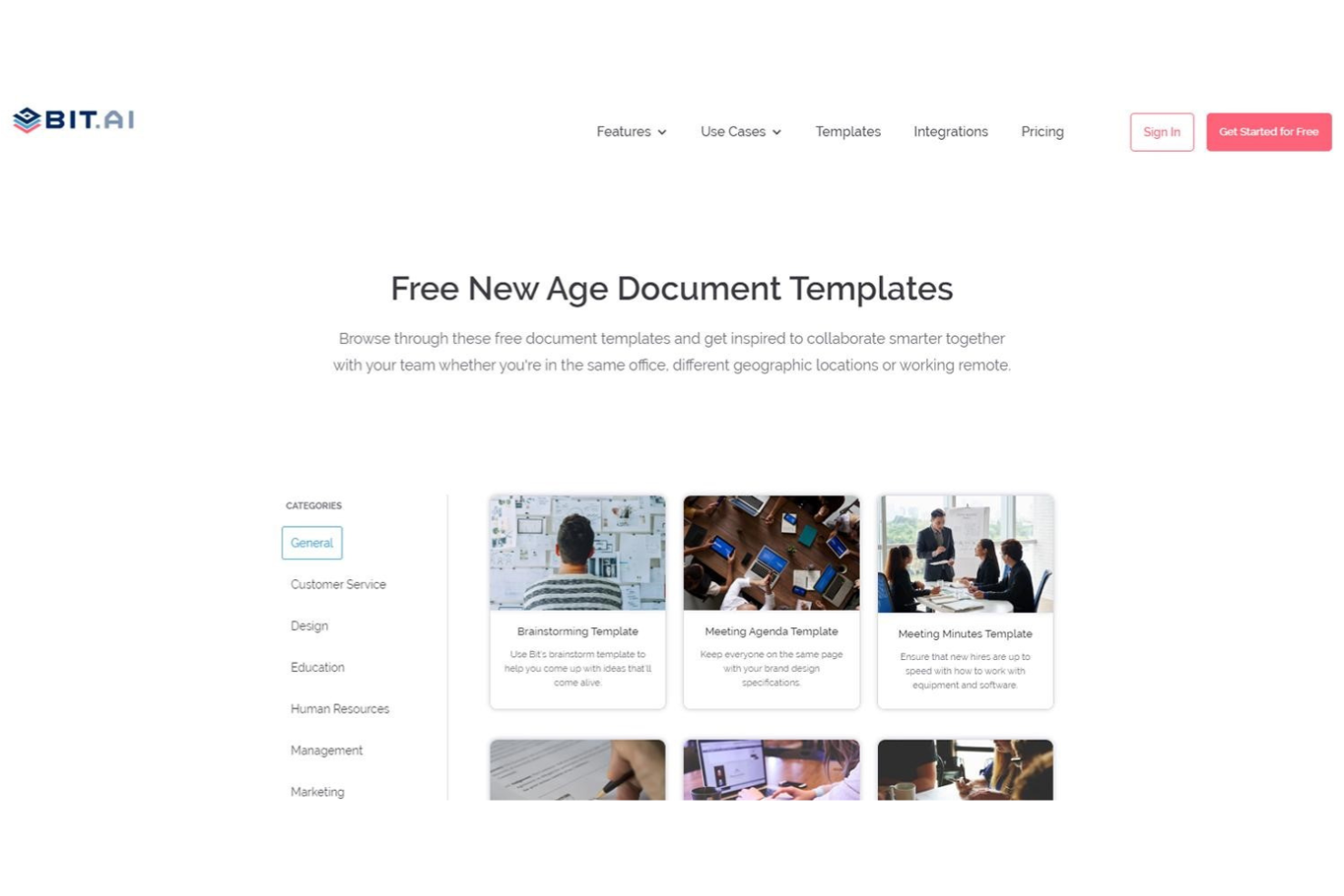
Bit.ai is a cloud-based document and wiki platform that combines rich media embedding, real-time co-editing, structured knowledge management, and client-facing sharing tools.
Who Is Bit.ai Best For?
Bit.ai is a strong fit for teams that regularly share documents, wikis, or project knowledge with clients or external stakeholders.
Why I Picked Bit.ai
I've included Bit.ai in my top picks because it's purpose-built for teams that share documentation with external stakeholders. Client portals let you create invite-only workspaces where guests get permission-controlled access, and trackable links show exactly who viewed a document, how long they spent, and which pages they read. You can even add a lead-capture form to a shared wiki to collect contact details without any back-and-forth.
Bit.ai Key Features
- Real-time co-editing: Multiple collaborators can edit the same document simultaneously, including working in the same section at the same time.
- Smart Search: Search across workspaces, folders, documents, and digital assets, with results that take you directly to the matching location inside a document.
- Wiki builder: Turn documents into navigable wikis by adding and arranging subpages in a structured hierarchy with anchor links between sections.
- Rich media embedding: Embed PDFs, videos, spreadsheets, Figma designs, and content from over 100 integrations directly inside a document.
Bit.ai Integrations
Bit.ai offers 100+ integrations, including Google Docs, Google Sheets, Airtable, Trello, Google Calendar, Miro, Lucidchart, Figma, and Loom, primarily through embedded links and content. API availability for custom integrations isn’t documented.
Pros and Cons
Pros:
- Live co-editing keeps meeting notes current
- Shared wikis organize notes for client handoffs
- Embeds keep research and project notes contextual
Cons:
- Older notes take more effort to retrieve
- Mobile browser editing feels clunky off desktop

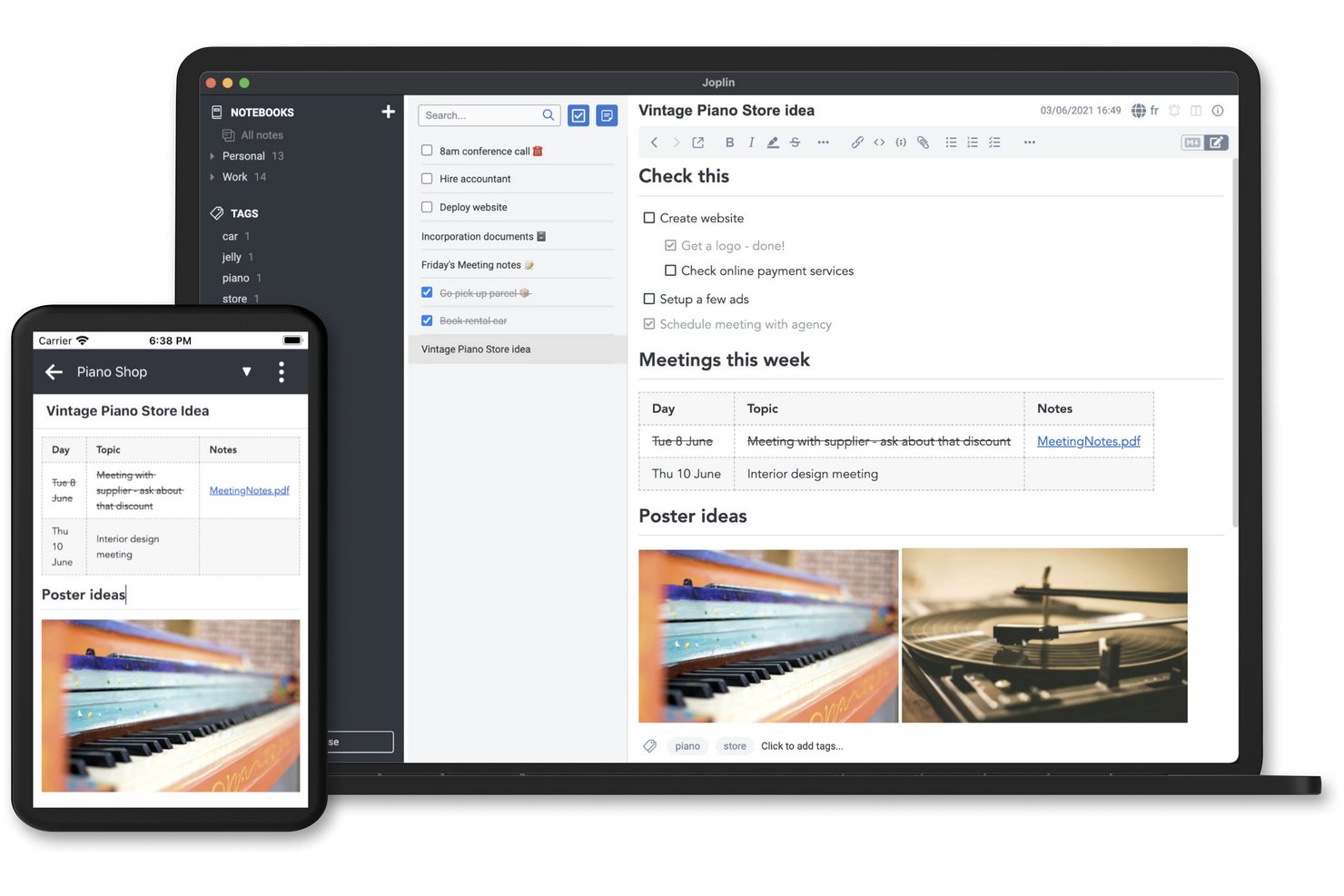
Joplin is an open-source note-taking app that supports Markdown and rich-text editing, notebook organization, cross-device sync, web clipping, and a plugin ecosystem for extending its functionality.
Who Is Joplin Best For?
Joplin is a strong fit for privacy-minded individuals and small teams who want full control over where their notes are stored and synced.
Why I Picked Joplin
I picked Joplin as one of the best because it's the only note-taking app that gives you genuine control over where your data lives. You can sync to Joplin Cloud, Dropbox, OneDrive, Nextcloud, S3, or WebDAV, and the app stores notes locally on your device by default without sending anything to external services without your say-so. End-to-end encryption is built in, and because Joplin is open source, you can self-host the entire backend through Joplin Server Business if that's what your setup requires.
Joplin Key Features
- Web clipper: A browser extension for Chrome and Firefox that saves full web pages, selections, or screenshots directly into your notebooks.
- FTS4-powered search: Full-text search with filters for phrases, tags, notebooks, dates, attachment types, and source URLs to pinpoint notes fast.
- Plugin ecosystem: A built-in plugin repository lets you install integrations with tools like Todoist, Jira, Readwise, and Zotero to extend Joplin's core functionality.
- Whiteboard canvas: An infinite, zoomable surface where you can arrange text cards, images, PDFs, and note references, stored and synced like any other note.
Joplin Integrations
Joplin offers marketplace integrations with Todoist, Readwise, Zotero, Jira, Google Docs, Anki, and n8n. Its REST Data API supports custom integrations with notes, notebooks, tags, searches, and change events.
Pros and Cons
Pros:
- Save web pages directly as notes
- Organize detailed notes in notebooks
- Choose where notes are stored
Cons:
- Scanned PDFs aren’t searchable by default
- Sync reliability varies between users
Andre alternativer for notatapper
Her er noen flere alternativer som ikke kom med på listen min over de beste notatappene, men som likevel er verdt å sjekke ut.
- Miro
For turning workshop ideas into shared docs
- Milanote
For creative inspiration and planning
- Zoho Notebook
For keeping notes with Zoho CRM records
- Otter.ai
For asking AI about your meeting history
- Guru
For turning team chats into reviewed docs
- Google Keep
For turning quick notes into Google Docs
- Mem
For using notes with AI assistants
- Clover
For presenting ideas from note canvases
- Goodnotes
For audio-linked handwritten notes
- Notability
For turning lecture notes into study aids


How I Evaluate Note Taking Apps
My evaluation has two layers: baseline criteria a tool must clear—like capturing meeting notes and syncing across devices—and differentiators that distinguish the top picks.
Core Functionality (Table Stakes For This List)
When I'm selecting tools for my list, I rank each one on a scale from 0 (does not offer the functionality) to 5 (excels in this area) for each core functionality listed below. Then, I calculate the tool's total score into a percentage. Each tool needs to achieve a minimum total score of 65% to be considered for inclusion.
- Rich Note Creation: I look for flexible editors that handle formatted text, images, file attachments, and embeds—the kind of depth you need when documenting project requirements or sprint goals.
- Organization & Structure: A flat list of notes falls apart fast. I evaluate whether tools offer folders, tags, nested pages, or cross-linking to keep project documentation logically grouped.
- Search & Retrieval: Finding last quarter's stakeholder feedback shouldn't take five minutes. I check for full-text search with filtering by tags, dates, or notebooks.
- Task & Action Item Support: Meeting notes without follow-through are wasted effort. I look for in-note checklists, assignees, or due dates that connect decisions to deliverables.
- Real-Time Collaboration & Sharing: Project teams need to co-edit documents like meeting agendas and retrospective boards together. I evaluate sharing permissions, live co-editing, and commenting features.
- Cross-Device Sync: I check that notes sync reliably across desktop, mobile, and web so you can capture client feedback on-site and access it from your laptop later without missing a beat.
Once I have a list of tools that meet the criteria, I consider what sets each platform apart.
Differentiating Factors (What Sets Vendors Apart)
Here's how I compare and contrast different vendors:
Standout Features
AI-powered features like automatic summarization and action item extraction can turn a 30-minute standup recording into a structured recap in seconds. I also look for built-in meeting transcription, since pairing it with AI makes post-meeting documentation nearly hands-free. Pre-built templates for sprint retrospectives, status reports, and project briefs matter too—they save time and keep documentation consistent across your team without starting from scratch every time.
Beyond Features
Integration with tools like Jira, Asana, Slack, and Zoom is a big deal—I check whether a note taking app connects to the project management and communication platforms your team already uses daily. Data portability also matters. I look for export options like Markdown, PDF, or HTML so you're not locked in if priorities shift. For teams handling sensitive project data or client information, I evaluate security credentials like SOC 2 compliance, encryption standards, and admin-level permission controls.
Slik velger du notatapper
Det er lett å gå seg vill i lange funksjonslister og komplekse prismodeller. For å hjelpe deg med å holde fokus mens du arbeider deg gjennom den unike prosessen med å velge programvare, får du her en sjekkliste over faktorer du bør ha i mente:
| Faktor | Hva du bør vurdere |
|---|---|
| Skalerbarhet | Vil verktøyet støtte voksende prosjektteam og samarbeid på tvers av funksjoner over tid? Se etter fleksible tillatelser, ubegrensede notater og skalerbar lagring. |
| Integrasjoner | Kan det kobles til verktøyene teamet allerede bruker – for eksempel oppgavebehandlere, kalendere eller Slack? Færre integrasjoner betyr flere manuelle oppdateringer og bortkastet tid. |
| Tilpasningsmuligheter | Kan du organisere notater på den måten teamet arbeider på – etter prosjekt, oppgave eller tidslinje? Unngå rigide systemer som tvinger deg inn i én arbeidsflyt. |
| Brukervennlighet | Kan nye brukere komme raskt i gang uten en veiledning? Hvis det tar mer enn 15 minutter å føle seg komfortabel, kan det gå ut over bruken. |
| Implementering og innføring | Hvor lang tid tar oppsettet? Finnes det maler, importverktøy eller veiledede gjennomganger som hjelper teamet med å komme raskt og problemfritt i gang? |
| Kostnad | Hvordan skalerer prisen etter antall brukere eller lagringsplass? Vær oppmerksom på kostnader per bruker som raskt blir høye, eller skjulte kostnader for ekstra funksjoner. |
| Sikkerhetstiltak | Støtter det kryptering, tilgangskontroller og sikkerhetskopiering av data? Hvis notatene dine inneholder sensitiv prosjektinformasjon, bør du ikke inngå kompromisser her. |
| Tilgjengelig kundestøtte | Er det enkelt å få hjelp når noe slutter å fungere? Se etter verktøy med direktechat eller raske svar på e-post, særlig hvis du ikke har støtte fra intern IT. |
Hva er notatapper?
Notatapper er digitale verktøy som lar deg skrive, organisere og hente frem notater eller ideer på telefonen eller datamaskinen. Prosjektledere, travle fagpersoner og teammedlemmer som håndterer mange oppgaver, bruker disse appene til å holde oversikt over lister, påminnelser, gjøremål, tiltak og viktige detaljer på ett sted.
Du kan merke, søke i eller synkronisere notater, slik at du aldri mister en tanke, enten du sitter ved skrivebordet eller er på farten. Notatapper er et nyttig minnehjelpemiddel når du gjør flere ting samtidig og skal holde oversikt over mange ansvarsområder eller oppgaver underveis.
Funksjoner
Her er de viktigste funksjonene all god programvare for notatapper bør ha:
- Redigering av rik tekst: Lar deg formatere notater med overskrifter, lister, lenker og utheving for bedre lesbarhet og struktur.
- Søkefunksjonalitet: Gjør det mulig å raskt finne bestemte notater, nøkkelord eller merkelapper uten å bla gjennom lange lister.
- Merking og organisering: Hjelper deg med å gruppere, filtrere og hente frem notater ved hjelp av mapper, merkelapper eller etiketter.
- Synkronisering på tvers av enheter: Sørger for at notatene dine alltid er oppdaterte og tilgjengelige på datamaskin, mobil og nett.
- Tilgang uten nett: Lar deg vise og redigere notater uten internettforbindelse, noe som er nyttig på reise eller ved driftsavbrudd.
- Samarbeidsverktøy: Gjør det mulig å dele og redigere notater sammen med andre i sanntid eller asynkront.
- Lydopptak: Lar deg ta opp talenotater under møter eller idédugnader.
- Lagring av nettinnhold: Lar deg lagre artikler, sider eller skjermbilder fra nettet direkte i notesystemet ditt.
- Malbibliotek: Tilbyr ferdiglagde notatformater som hjelper deg med å standardisere møtenotater, sjekklister og prosjektplaner.
- Alternativer for dataeksport: Lar deg sikkerhetskopiere eller flytte notatene dine i vanlige formater som PDF, DOCX eller ren tekst.
Fordeler
Implementering av notatapper gir flere fordeler for teamet og virksomheten din. Her er noen av fordelene du kan se frem til:
- Raskere innsamling av informasjon: Team kan raskt skrive ned ideer, møtenotater eller prosjektoppdateringer uten å lete gjennom e-post eller dokumenter.
- Bedre organisering: Funksjoner som merkelapper, mapper og søk gjør det enkelt å finne alt når du trenger det.
- Bedre samarbeid: Delte notater og redigering i sanntid gjør at teammedlemmer holder seg samkjørte uten ekstra meldinger eller møter.
- Mer konsekvent dokumentasjon: Maler og strukturerte notatformater bidrar til å sikre at viktig informasjon ikke blir oversett.
- Tilgang overalt: Synkronisering i skyen betyr at notatene er tilgjengelige på telefonen, den bærbare datamaskinen eller nettbrettet når du trenger dem.
- Færre glemte oppgaver: Sjekklister og påminnelser som er innebygd i notatene, hjelper deg med å følge opp tiltakene akkurat der de blir registrert.
- Enklere kunnskapsoverføring: Når notater oppbevares i ett system, kan nye teammedlemmer komme raskt inn i arbeidet uten å måtte lete etter spredt informasjon.
Kostnader og priser
Når du velger notatapper, må du ha en forståelse av de ulike prismodellene og abonnementene som er tilgjengelige. Kostnadene varierer basert på funksjoner, teamstørrelse, tilleggstjenester og mer. Tabellen nedenfor oppsummerer vanlige abonnementer, gjennomsnittsprisene deres og typiske funksjoner som er inkludert i notatløsninger:
Sammenligningstabell for abonnementer for notatapper
| Abonnementstype | Gjennomsnittspris | Vanlige funksjoner |
|---|---|---|
| Gratisabonnement | $0 | Grunnleggende tekstnotater, begrenset lagring, begrenset antall enheter og grunnleggende søk. |
| Privatabonnement | $5–$10/bruker/måned | Ubegrenset antall notater, synkronisering på tvers av enheter, grunnleggende organisering og tilgang uten nett. |
| Bedriftsabonnement | $10–$25/bruker/måned | Delte arbeidsområder, administratorkontroller, verktøyintegrasjoner og samarbeidsfunksjoner. |
| Virksomhetsabonnement | $25–$40/bruker/måned | Avansert sikkerhet, tilpassede roller, støtte for samsvar og dedikert kontostøtte. |
Vanlige spørsmål
For å hjelpe deg med å velge notatappen som passer for deg, finner du her svar på noen vanlige spørsmål.
Hvilke hovedfunksjoner bør du se etter når du vurderer notatapper?
Se etter et notatverktøy som er enkelt å bruke og kan åpnes hvor som helst fra alle enhetene dine. En god app lar deg også legge til bilder eller andre medier, og bør ha funksjoner for deling av notatene dine.
Du bør også kunne organisere notater på din egen måte, enten med mapper eller etiketter. De beste appene lar deg også skrive inn talenotater eller bruke en pekepenn til å lage håndskrevne notater.
Hva er de beste notatappene for iPad- eller iPhone-enheter?
Hvis du vil ta notater på iPad eller iPhone, trenger du en iOS-app. Heldigvis finnes det mange å velge mellom i App Store. Noen av de mest populære verktøyene er Notability, Evernote, GoodNotes 5 og Nebo. Mange opplever imidlertid at Apple Notes, appen som følger gratis med alle Apple-enheter, dekker alle behovene deres.
Hva er de beste notatappene for Android-enheter?
Android-brukere har mange alternativer når de skal velge en notatapp. Populære valg inkluderer OneNote, Standard Notes, Simplenote og Nimbus Notes. Du kan også spare penger ved å bruke Google Keep, notatappen som tilbys gratis med alle Google-kontoer.
Hvordan bidrar notatapper til å øke produktiviteten?
Notatapper er ypperlige for å fange opp alle gode ideer som dukker opp. Det er enkelt å ta frem telefonen, nettbrettet eller en annen enhet for å skrive ned tankene dine.
En god app hjelper deg med å organisere informasjonen effektivt, lar deg angi påminnelser og integreres enkelt med andre apper du bruker. Kort sagt kan en god notatapp gjøre mye for å gjøre deg mer effektiv og produktiv.