

I 10 migliori software per il controllo dei documenti recensiti nel 2026

10 I migliori software per il controllo dei documenti: selezione


I migliori software per il controllo dei documenti garantiscono che le persone giuste abbiano accesso alla versione corretta di documenti versionati, sicuri e pronti per gli audit. Questi strumenti aiutano a ridurre i rischi, mantenere la conformità ed eliminare gli errori causati da file obsoleti o archiviati nel posto sbagliato.
Durante il periodo in cui gestivo progetti di ingegneria globali presso Hewlett-Packard, il controllo dei documenti era fondamentale, sia per coordinare le specifiche tecniche tra diversi fusi orari sia per allineare i team durante le migrazioni dell'infrastruttura.
In questa guida ho esaminato i principali software per il controllo dei documenti sulla base di test pratici. Ognuno è stato selezionato per la sua capacità di organizzare, proteggere e semplificare l'accesso ai documenti tra team e progetti in rapida evoluzione.
Perché fidarsi dei nostri consigli sui software
Il nostro team testa e recensisce software dal 2012. In quanto project manager noi stessi, sappiamo quanto sia difficile — e importante — scegliere il software giusto.
Per questa guida, abbiamo valutato gli strumenti attraverso test pratici e ricerche indipendenti, assegnando un punteggio agli strumenti in base ai nostri criteri di selezione. Ci basiamo inoltre sulle competenze di leader di pensiero del settore e di professionisti attivi nella gestione dei progetti.
Le nostre recensioni riflettono il nostro giudizio editoriale umano, non un discorso di vendita.
Revisori esperti:
Tabella comparativa dei software per il controllo dei documenti
Questa tabella comparativa riassume i dettagli dei prezzi delle mie migliori selezioni di software per il controllo dei documenti:
| Tool | Best For | Trial Info | Price | ||
|---|---|---|---|---|---|
| 1 | Ideale per controllo delle versioni e modifica collaborativa | Prova gratuita di 14 giorni + demo disponibile | Prezzi su richiesta | Website | |
| 2 | Migliore per la sicurezza documentale autorizzata FedRAMP | Demo gratuita disponibile | Prezzo su richiesta | Website | |
| 3 | Ideale per la gestione documentale multilingue | Demo gratuita disponibile | Prezzo su richiesta | Website | |
| 4 | Ideale per la condivisione facile dei file | Prova gratuita + piano gratuito disponibile | Da $9.99/utente/mese (fatturato annualmente) | Website | |
| 5 | Ideale per la gestione delle policy | Demo gratuita disponibile | Prezzo su richiesta | Website | |
| 6 | Ideale per l'archiviazione di documenti nel cloud | Demo gratuita disponibile | Prezzo su richiesta | Website | |
| 7 | Ideale con strumenti di editing PDF alimentati dall’IA | Piano gratuito disponibile | Da $14,99/mese (fatturazione annuale) | Website | |
| 8 | Ideale per l'organizzazione documentale guidata dall'IA | Prova gratuita di 30 giorni + demo gratuita disponibile | Da $65/utente/mese | Website | |
| 9 | Ideale per il controllo dei documenti legali | Demo gratuita disponibile | Prezzo su richiesta | Website | |
| 10 | Ideale per le integrazioni con Microsoft | Prova gratuita di 30 giorni disponibile | A partire da $5.00/utente/mese (fatturazione annuale) | Website |
Recensioni dei migliori software per il controllo dei documenti
Di seguito sono riportati riepiloghi dettagliati dei migliori software per il controllo dei documenti inclusi nella mia selezione. Le mie recensioni offrono un’analisi dettagliata delle funzionalità principali, dei pro e dei contro, delle integrazioni e dei casi d’uso ideali di ogni strumento, per aiutarti a trovare quello più adatto.

Ideale per controllo delle versioni e modifica collaborativa

Document360 è una piattaforma di documentazione potenziata dall’IA che aiuta i team a creare, gestire e pubblicare knowledge base interne ed esterne. È particolarmente utile per le organizzazioni che necessitano di un controllo strutturato sulle versioni, sull’accesso degli utenti e sui flussi di lavoro dei contenuti in un ambiente collaborativo.
Perché ho scelto Document360
Ho scelto Document360 per la sua attenzione al controllo delle versioni e alla modifica collaborativa, elementi essenziali per l’accuratezza della documentazione e la produttività del team. Il software si distingue anche per la ricerca potenziata dall’IA, che consente agli utenti di trovare velocemente i contenuti appropriati, anche in librerie documentali molto ampie. La sua suite di analisi robuste supporta la conformità monitorando le modalità di utilizzo e identificando le lacune nella documentazione.
Funzionalità principali di Document360
Document360 offre inoltre diverse altre funzionalità utili alla gestione della documentazione.
- Controllo degli accessi basato sui ruoli: Puoi definire e gestire ruoli e permessi degli utenti per assicurare che le informazioni sensibili siano accessibili solo al personale autorizzato all’interno dell’organizzazione.
- Costruttore di flussi di lavoro personalizzati: Puoi creare flussi di lavoro su misura per ottimizzare i processi di approvazione dei documenti del tuo team e garantire che i contenuti vengano revisionati e pubblicati in modo efficiente.
- Deflettore di ticket di supporto: Questa funzione permette di ridurre il carico sull’assistenza indirizzando gli utenti alla documentazione pertinente tramite suggerimenti di ricerca intelligenti, minimizzando la necessità di interventi diretti.
- Albero decisionale interattivo: Puoi guidare gli utenti in processi decisionali complessi con alberi decisionali visuali che offrono assistenza passo passo e migliorano l’esperienza d’uso.
Integrazioni di Document360
Le integrazioni includono Zendesk, Freshdesk, Intercom, Drift, Slack, GitHub, Make, Salesforce e Microsoft Teams.
Pros and Cons
Pros:
- Funzionalità intelligenti di gestione dei file
- Offre reportistica e analisi avanzate
- Fornisce un controllo delle versioni robusto con tracciamento delle modifiche
Cons:
- La maggior parte delle integrazioni è disponibile solo nei piani di livello superiore
- Le funzionalità complesse possono risultare difficili per i nuovi utenti
New Product Updates from Document360

Document360 Adds Bulk Mirroring, Eddy AI Citations, and Unified SSO
Document360 adds bulk article mirroring, citations in Eddy AI chatbot responses, and a unified Enterprise SSO setup. These updates improve content reuse, answer verification, and access management. For more information, visit Document360’s official site.
 .
.
InEight
Migliore per la sicurezza documentale autorizzata FedRAMP
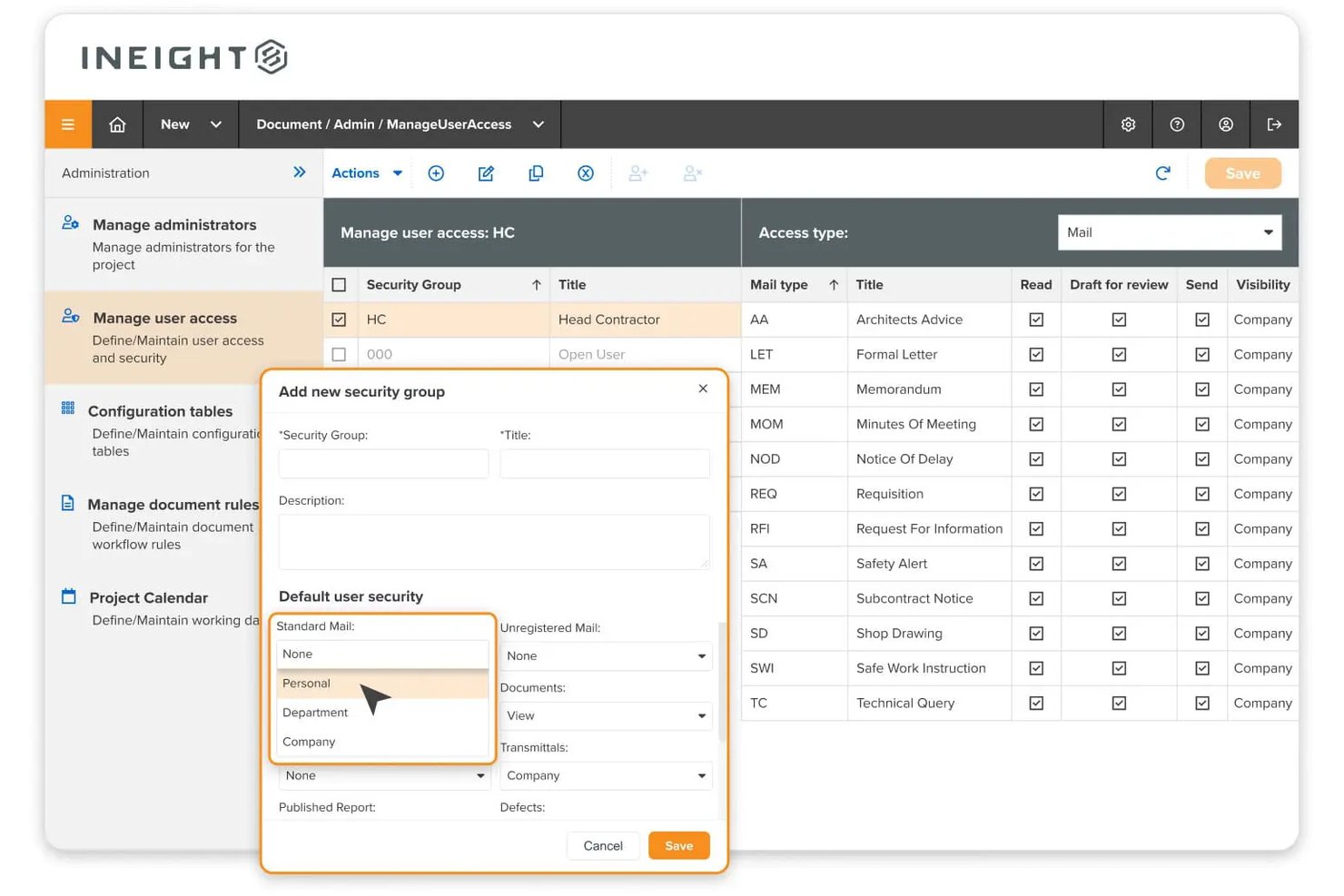
InEight Document è una piattaforma di controllo documentale focalizzata sull'edilizia civile che centralizza i file di progetto, gestisce il controllo delle versioni e delle revisioni, automatizza i flussi di lavoro di approvazione e gestisce trasmittal e corrispondenza su progetti ingegneristici e infrastrutturali su larga scala.
Per chi è ideale InEight?
InEight Document è particolarmente adatto ad agenzie federali e appaltatori governativi che necessitano di un software di controllo documentale conforme ai rigorosi requisiti di sicurezza degli Stati Uniti.
Perché ho scelto InEight
Ho incluso InEight nella mia lista perché è l'unica piattaforma di controllo documentale che abbia trovato con l'Autorizzazione all'Equivalenza Moderata FedRAMP. Le agenzie federali e i loro appaltatori possono adottarla senza ulteriori ostacoli di conformità. Mi piace il fatto che ogni azione sui documenti venga registrata in una traccia di controllo immodificabile valutata rispetto a oltre 325 controlli di sicurezza, cosa che ha un reale valore nei progetti infrastrutturali federali dove un'approvazione contestata può avere serie implicazioni legali.
Funzionalità principali di InEight
- Markup e revisione dei disegni: Annota e confronta disegni o PDF direttamente sulla piattaforma per tracciare le modifiche.
- Accesso ai documenti mobile e offline: Accedi e aggiorna i documenti controllati sul campo anche quando la connessione internet è limitata.
- Convenzioni di numerazione automatica: Applica automaticamente standard di codifica e denominazione dei documenti su grandi progetti.
- Supporto nativo per file BIM e CAD: Visualizza e gestisci le versioni dei modelli CAD e BIM senza dover scaricare o convertire file.
Integrazioni InEight
InEight offre integrazioni native con SAP, Oracle Primavera P6, Ping Identity, QuickBooks Desktop, Sage 300, Viewpoint Vista, AdobeSign, Autodesk Civil 3D, Navisworks, Revit e Bluebeam. È disponibile un'API per integrazioni personalizzate.
Pros and Cons
Pros:
- Equivalenza Moderata FedRAMP per progetti governativi
- Controllo automatico delle revisioni e traccia di controllo
- Markup avanzato dei disegni e confronto delle versioni
Cons:
- L'interfaccia risulta datata rispetto agli strumenti più moderni
- La configurazione iniziale per grandi flussi di lavoro è complessa
Doxis
Ideale per la gestione documentale multilingue

Come piattaforma ECM per le aziende, Doxis combina il controllo delle versioni dei documenti, l'archiviazione a prova di audit, la gestione dei record e la cattura basata su intelligenza artificiale in un unico sistema di gestione documentale.
Per chi è ideale Doxis?
Doxis è adatto ai team aziendali di settori regolamentati che necessitano di controllo dei documenti, gestione della conformità e governance dei contenuti su larga scala.
Perché ho scelto Doxis
Ho incluso Doxis tra le mie scelte principali perché è una delle poche piattaforme ECM aziendali progettate fin dall'inizio per operare oltre i confini linguistici. La piattaforma supporta Unicode ed è disponibile in 12 lingue ufficiali che coprono 135 paesi, tra cui arabo, cinese, persiano e russo, il che la rende realmente adatta a team globali che gestiscono flussi documentali in regioni con esigenze linguistiche molto diverse. Inoltre, l'estrazione di metadati e l'OCR potenziati dall’IA di Doxis funzionano su documenti multilingue, così la classificazione e l’indicizzazione non si interrompono solo perché un documento è in francese, polacco o turco.
Caratteristiche principali di Doxis
- Controllo delle versioni: Traccia ogni revisione del documento con una cronologia completa delle modifiche, inclusi autore, data e cosa è stato modificato.
- Workflow di approvazione a più fasi: Instrada i documenti attraverso catene di revisione e approvazione configurabili, con deleghe e utenti responsabili alternativi per garantire la continuità delle approvazioni.
- Archiviazione a prova di audit: Conserva i documenti finalizzati in archivi immodificabili che soddisfano i requisiti legali e normativi di conservazione.
- Controlli di accesso basati sui ruoli: Limita la visibilità e i diritti di modifica dei documenti a livello di cartella, tipo di documento o singolo record.
Integrazioni di Doxis
Doxis offre integrazioni native con SAP, Salesforce e l'ecosistema Microsoft, inclusi Microsoft 365, SharePoint, Outlook, Teams e Microsoft Dynamics 365. È anche disponibile su Salesforce AppExchange. Doxis supporta connettori indipendenti dal fornitore per sistemi ERP, CRM, HR e CAD e utilizza lo standard CMIS per l'interoperabilità con altre piattaforme di contenuti. È disponibile un'API per integrazioni personalizzate.
Pros and Cons
Pros:
- L’archiviazione a prova di audit soddisfa gli standard di conformità globali
- La classificazione basata su IA automatizza l’indicizzazione dei documenti
- Supporta la distribuzione in oltre 150 paesi
Cons:
- Adatto solo ad ambienti aziendali di grandi dimensioni
- La configurazione iniziale del workflow richiede formazione amministrativa

Dropbox
Ideale per la condivisione facile dei file
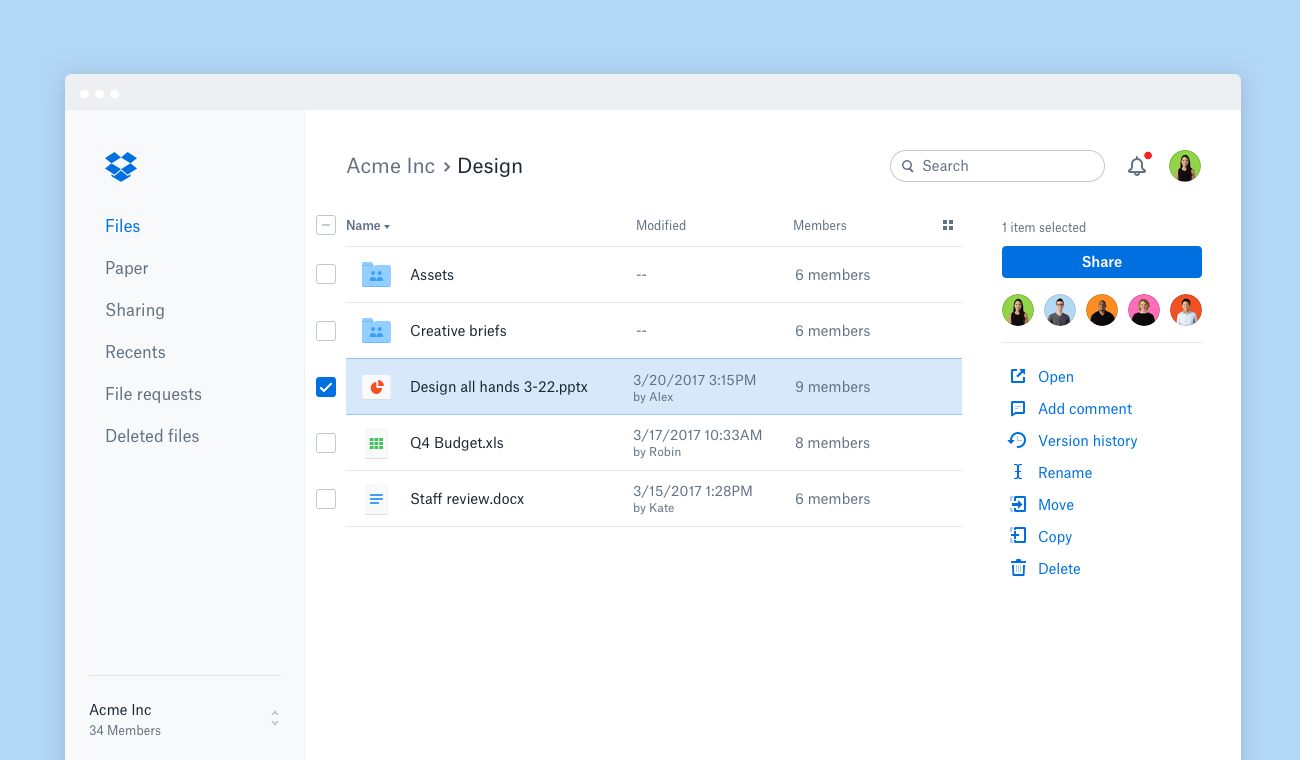
Dropbox è una piattaforma versatile che ti consente di archiviare, condividere e accedere ai file praticamente ovunque. Offre uno spazio sicuro dove puoi gestire e collaborare facilmente sui tuoi documenti.
Perché ho scelto Dropbox
Dropbox offre la condivisione sicura dei file e il monitoraggio tramite DocSend. Questa funzionalità ti permette di inviare documenti in modo sicuro, monitorarne l'attività e mantenere il controllo su ciò che accade ai file. Dropbox offre inoltre una funzione che permette di aggiungere firme elettroniche ai documenti, semplificando il processo di approvazione e accordo.
Un altro motivo per cui ho scelto Dropbox è una funzione chiamata Dash, che utilizza l'IA per aiutarti a organizzare e proteggere i contenuti della tua azienda. Questo strumento comprende il contesto del tuo lavoro e aiuta a mantenere tutto in ordine, affinché il tuo team rimanga organizzato ed efficiente. La capacità della piattaforma di fornire anteprime per oltre 175 tipi di file significa che puoi accedere e gestire rapidamente i tuoi documenti senza inutili complicazioni.
Funzionalità principali di Dropbox
Oltre alla condivisione dei file, Dropbox offre anche una serie di altre funzionalità che possono aiutarti a migliorare il controllo sui documenti.
- Controllo delle versioni: Questo ti consente di salvare automaticamente le versioni precedenti dei documenti e ripristinare le iterazioni precedenti se necessario.
- Tag dei documenti: Puoi categorizzare e taggare i documenti per una migliore ricercabilità e organizzazione.
- Impostazioni delle autorizzazioni: Questo ti permette di impostare permessi di accesso specifici per i documenti, così solo gli utenti autorizzati possono visualizzare o modificare i file sensibili.
- Backup automatico: Puoi assicurarti che tutti i documenti siano continuamente sottoposti a backup e sincronizzati tra i dispositivi, per maggiore sicurezza e tranquillità.
Integrazioni di Dropbox
Le integrazioni includono Google Workspace, Microsoft, Adobe, HubSpot, Autodesk, Canva e AWS.
Pros and Cons
Pros:
- Condivisione sicura dei documenti integrata
- Solido sistema di controllo delle versioni
- Facile da usare con un'interfaccia semplice
Cons:
- Occasionali problemi di sincronizzazione dei file
- Capacità di archiviazione limitata nei piani inferiori

DocTract
Ideale per la gestione delle policy
DocTract è un software di gestione documentale (DMS) basato su cloud pensato per le organizzazioni che necessitano di una gestione efficiente delle policy. È pensato per le aziende che vogliono migliorare e velocizzare i processi di creazione, approvazione e distribuzione delle policy.
Perché ho scelto DocTract
Eccelle nella gestione delle policy e offre strumenti per la gestione di ogni fase delle policy e dei documenti, dalla creazione alla distribuzione. La piattaforma mette a disposizione modelli personalizzabili di policy che semplificano la creazione di documenti per il tuo team. I flussi di lavoro automatizzati assicurano che le policy vengano revisionate e approvate in modo efficiente. Supporta anche l'accettazione elettronica, così sai esattamente quando i membri del team hanno letto e compreso le policy.
Funzionalità principali di DocTract
DocTract offre anche altre funzionalità che possono aiutare a migliorare il controllo dei documenti per il tuo team.
- Ricerca alimentata dall’intelligenza artificiale: Tu e il tuo team potete trovare rapidamente le policy usando il linguaggio naturale, aumentando l'efficienza e riducendo il tempo speso nella ricerca dei documenti.
- Collaborazione in tempo reale: Permette a più utenti di lavorare contemporaneamente su un documento così tutti possono contribuire senza necessità di lunghi scambi di email.
- Instradamento basato sui ruoli: Puoi automatizzare il processo di approvazione assegnando ruoli specifici per assicurare che i documenti vengano revisionati dalle persone giuste al momento giusto.
- Raccolte di conformità pronte per audit: Permette di creare automaticamente raccolte complete di documenti di conformità pronte per eventuali audit, risparmiando tempo e riducendo il rischio di non conformità.
Integrazioni DocTract
Le integrazioni includono Microsoft Office 365, Microsoft SharePoint, Docusign, Salesforce, SAP, Oracle, Google Workspace, Dropbox, Box e OneDrive.
Pros and Cons
Pros:
- Modelli di documenti di policy personalizzabili
- Supporta l’accettazione elettronica
- Caratteristiche dettagliate della traccia di audit
Cons:
- Funzioni limitate alla gestione delle policy
- Potrebbe richiedere personalizzazioni per esigenze specifiche

DocuWare
Ideale per l'archiviazione di documenti nel cloud
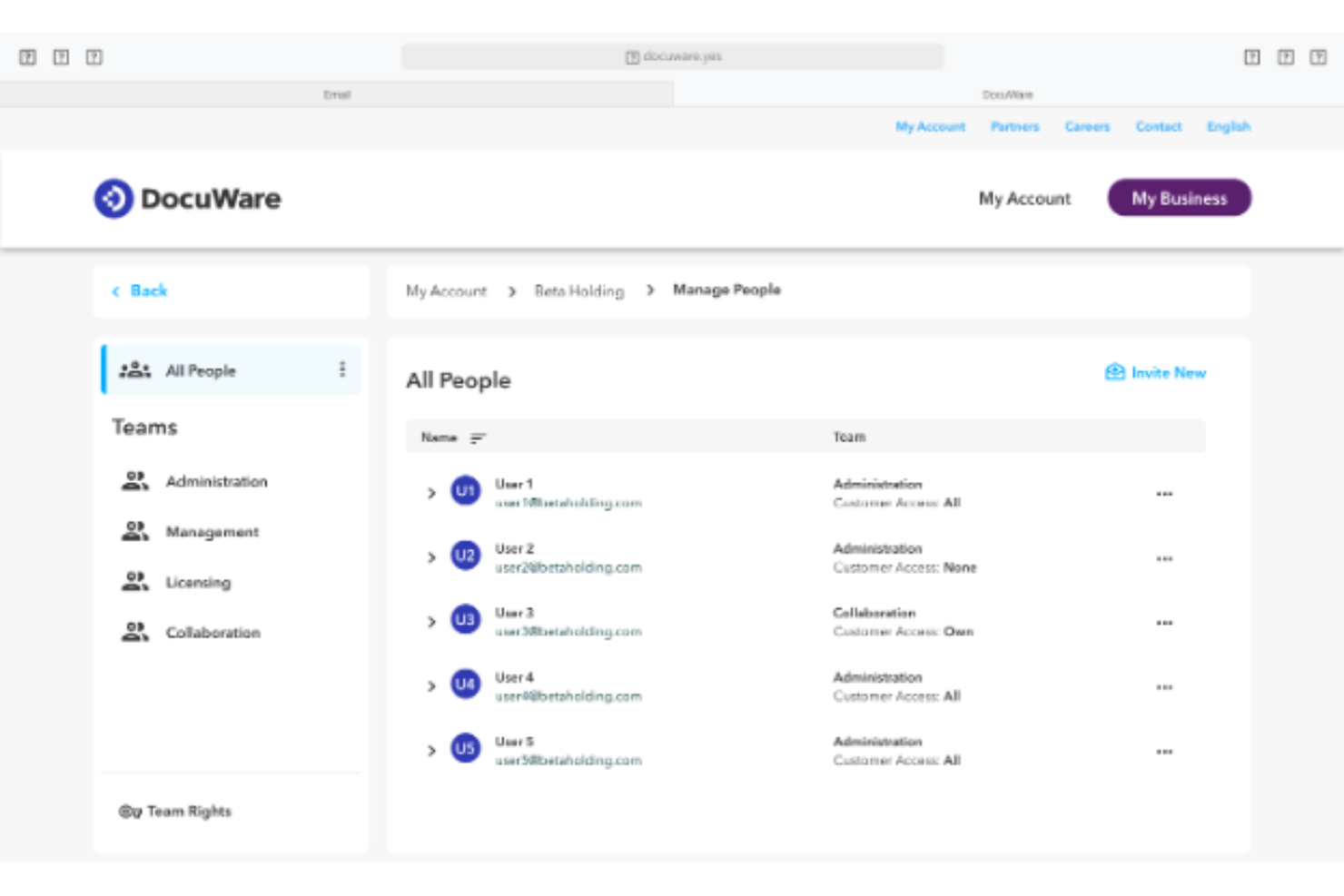
DocuWare è una soluzione di gestione documentale basata su cloud progettata per le aziende che desiderano migliorare l'archiviazione e l'accessibilità dei propri documenti. Serve settori che necessitano di flussi di lavoro documentali sicuri ed efficienti.
Perché ho scelto DocuWare
Questo strumento eccelle nell'offrire archiviazione cloud e nell'assicurare che i tuoi documenti siano sicuri e facilmente accessibili ovunque tu sia. Offre funzionalità come l'indicizzazione automatica dei documenti e capacità di automazione dei flussi di lavoro, che aiutano a rendere la gestione dei documenti più fluida per il tuo team.
Funzionalità principali di DocuWare
DocuWare offre anche una gamma di altre funzionalità per il controllo dei documenti e la gestione dei flussi di lavoro.
- Modifica digitale: Puoi modificare i documenti senza alterare l'originale per mantenere l'integrità del documento mentre apporti le modifiche necessarie.
- Versionamento: Questo ti permette di salvare automaticamente nuove versioni dei documenti, mantenere una cronologia completa, tracciare le modifiche e ripristinare se necessario.
- Connettività mobile: Puoi accedere e gestire i documenti ovunque ti trovi da qualsiasi dispositivo, ottenendo così flessibilità e continuità per le tue operazioni.
- Cruscotto di controllo: Ti consente di monitorare l'avanzamento dei flussi di lavoro in tempo reale e ti offre una panoramica chiara di compiti e scadenze per migliorare il processo decisionale.
Integrazioni di DocuWare
Le integrazioni includono Microsoft Office, Microsoft Outlook, SAP, Docusign, QuickBooks, Salesforce, Sage, Google Workspace, Dropbox e Microsoft OneDrive.
Pros and Cons
Pros:
- Accesso cloud da qualsiasi luogo
- Funzionalità di sicurezza elevata dei documenti
- L'indicizzazione automatica fa risparmiare tempo
Cons:
- Processo di configurazione complesso
- Funzionalità offline limitate

Ideale con strumenti di editing PDF alimentati dall’IA

Adobe Acrobat è una piattaforma software per il controllo dei documenti che consente di creare, modificare, organizzare e gestire file PDF con funzionalità avanzate di editing, collaborazione e sicurezza.
Per chi è più adatto Adobe Acrobat?
Adobe Acrobat è indicato per team in settori regolamentati o organizzazioni distribuite che necessitano di una gestione sicura dei documenti e avanzate capacità di modifica dei PDF.
Perché ho scelto Adobe Acrobat
Ho scelto Adobe Acrobat tra i migliori perché i suoi strumenti di editing PDF potenziati dall’intelligenza artificiale permettono al mio team di convertire rapidamente documenti scansionati in file ricercabili e modificabili. Utilizzo funzioni come il riconoscimento automatico del testo e il rilevamento intelligente dei campi modulo per velocizzare la revisione e la modifica dei documenti. In pratica, questo ci consente di gestire grandi volumi di PDF senza dover ricorrere a ritocchi manuali.
Funzionalità principali di Adobe Acrobat
- Cronologia delle versioni: Traccia e accedi alle versioni precedenti dei documenti per esigenze di audit e conformità.
- Firme elettroniche sui documenti: Raccogli firme elettroniche legalmente vincolanti direttamente all'interno dei tuoi PDF.
- Controlli dei permessi: Imposta ruoli utente e limita l’accesso ai documenti sensibili.
- Archiviazione centralizzata dei documenti: Archivia e organizza file in uno spazio di lavoro sicuro e ricercabile.
Integrazioni di Adobe Acrobat
Adobe Acrobat offre integrazioni native con Microsoft 365, Google Workspace, Microsoft Teams, SharePoint, Box, Salesforce e Workday. È disponibile un’API per integrazioni personalizzate.
Pros and Cons
Pros:
- Collaborazione in tempo reale in spazi di lavoro condivisi
- Tracciamento dettagliato per la conformità
- Integrazione nativa con Microsoft 365 e Google Workspace
Cons:
- Automazione dei flussi di lavoro limitata rispetto ai concorrenti
- Alcune integrazioni richiedono abbonamenti enterprise separati

M-Files
Ideale per l'organizzazione documentale guidata dall'IA
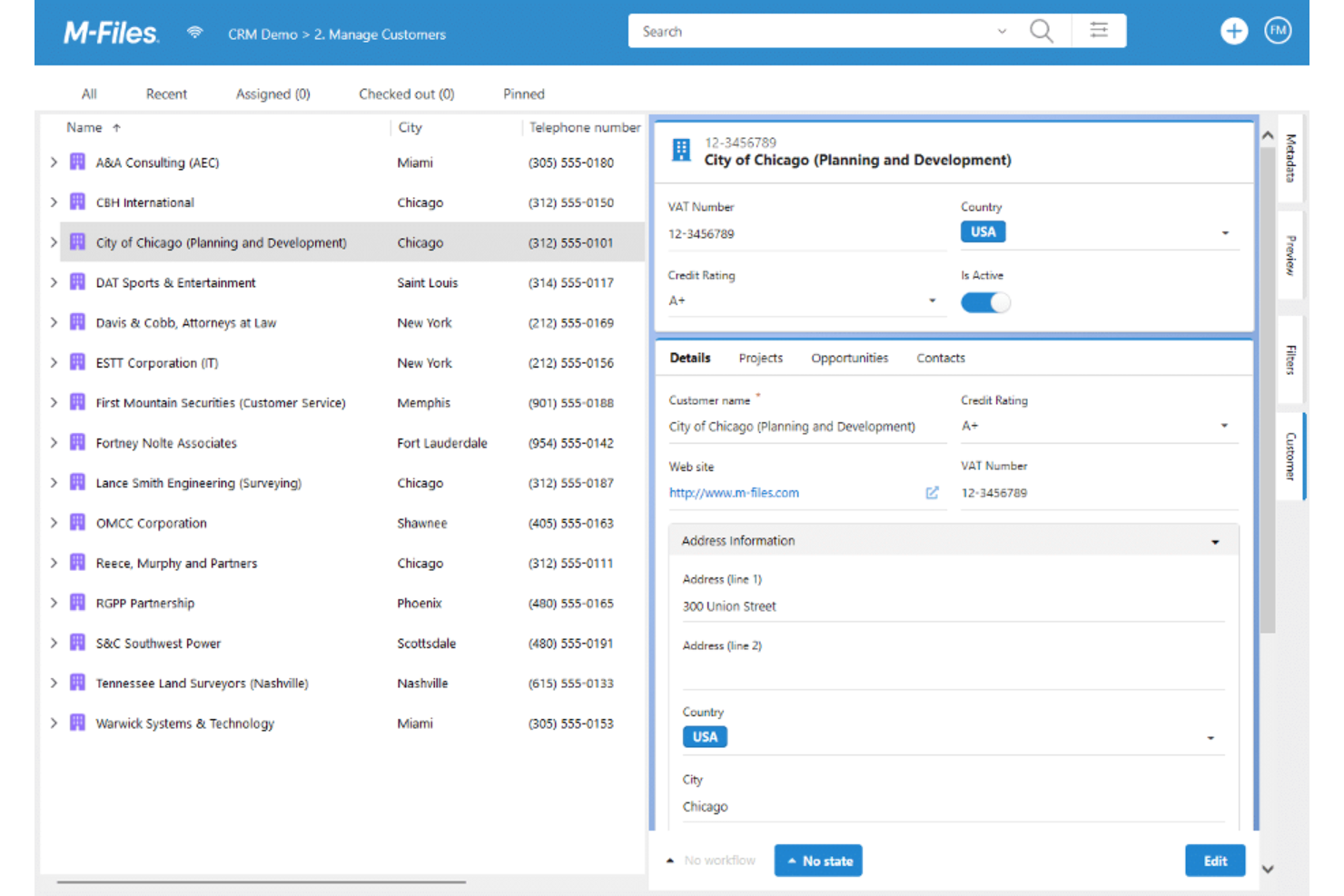
M-Files è un sistema di gestione documentale progettato per le aziende che cercano soluzioni basate sull'IA per migliorare l'organizzazione dei documenti. Aiuta le aziende a gestire, organizzare e proteggere i propri documenti.
Perché ho scelto M-Files
È ideale per le aziende che necessitano di una gestione intelligente dei documenti. M-Files utilizza l'IA per classificare e organizzare i documenti, migliorando la possibilità di ricerca e l'accessibilità. L'approccio basato sui metadati del software garantisce che i documenti siano sempre nel contesto giusto. Inoltre, la capacità di connettersi ai repository di dati esistenti lo rende una scelta flessibile per diversi ambienti aziendali.
Funzionalità principali di M-Files
Oltre all'organizzazione documentale guidata dall'IA, M-Files offre diverse altre funzionalità che lo rendono utile come software di controllo documentale.
- Flussi di lavoro automatizzati: Questa funzionalità consente al tuo team di automatizzare i processi legati ai documenti per ridurre l'inserimento manuale e aumentare l'efficienza.
- Controllo delle versioni: Puoi tracciare le modifiche ai documenti e mantenere uno storico delle revisioni, assicurandoti di lavorare sempre con le informazioni più aggiornate.
- Accessibilità da dispositivi mobili: Puoi accedere e gestire i tuoi documenti ovunque ti trovi grazie all'accesso mobile, che rende il lavoro da remoto più semplice ed efficiente.
- Permessi di accesso basati sui ruoli: Questo assicura che solo gli utenti autorizzati possano accedere ai documenti sensibili, migliorando la sicurezza e la conformità agli standard di settore.
Integrazioni di M-Files
Le integrazioni includono Microsoft Office, Salesforce, Microsoft SharePoint, Dynamics 365, Google Workspace, SAP, Oracle, QuickBooks, Dropbox e Docusign.
Pros and Cons
Pros:
- Organizzazione documentale guidata dall'IA
- Si collega ai repository di dati esistenti
- Gestione avanzata dei permessi
Cons:
- Richiede competenze iniziali per la configurazione
- Dipende fortemente dai metadati

iManage
Ideale per il controllo dei documenti legali
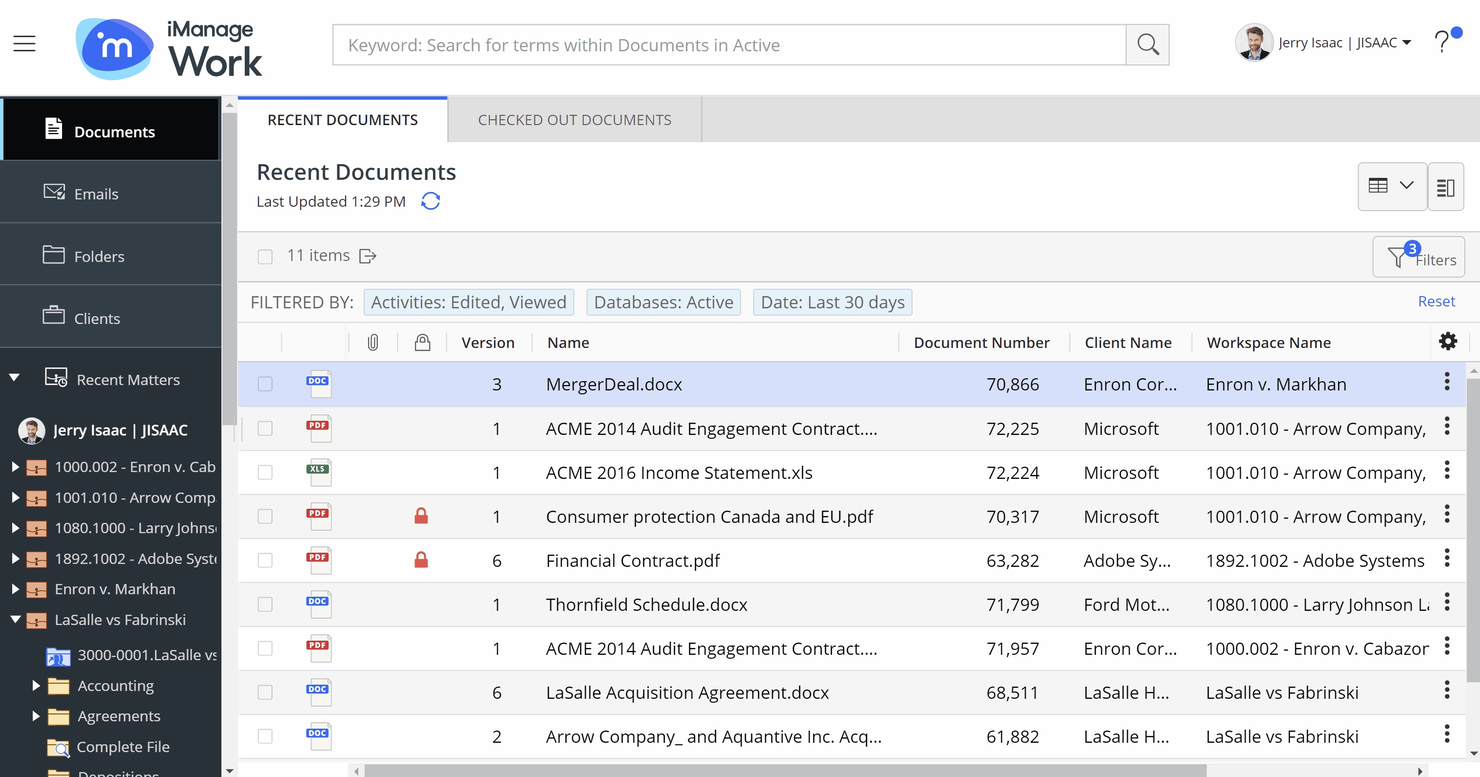
iManage è una piattaforma di knowledge work che si concentra sull'aumento della produttività, della collaborazione e della sicurezza per le organizzazioni. Aiuta a gestire documenti ed email ed è uno strumento prezioso per un controllo efficiente dei documenti.
Perché ho scelto iManage
Uno dei motivi per cui ho scelto iManage sono le sue capacità di gestione di documenti ed email, che permettono una gestione sicura e una condivisione collaborativa dei file. Questa funzionalità garantisce che il tuo team possa accedere e gestire i documenti da qualsiasi luogo, aiutando a mantenere il controllo sulle informazioni importanti. Inoltre, i suoi strumenti per la gestione dei rischi e della conformità, come il conflicts manager, lo rendono particolarmente adatto per studi legali e team legali, aiutando a ridurre i rischi aziendali e a navigare nei contesti normativi.
Un altro motivo per cui ho scelto iManage è il suo forte focus su sicurezza e governance. Con livelli multipli di misure di sicurezza, inclusi un gestore delle policy di sicurezza e un threat manager, iManage protegge le informazioni sensibili. Questo livello di sicurezza è fondamentale per le organizzazioni legali che vogliono tutelare i propri dati e mantenere la conformità agli standard di settore.
Caratteristiche principali di iManage
iManage offre anche una suite di altre funzionalità che rispondono a esigenze più ampie di gestione documentale.
- Ricerca e gestione della conoscenza: iManage migliora il recupero delle informazioni grazie a funzionalità di ricerca avanzate, così il tuo team può accedere e sfruttare la conoscenza organizzativa in modo efficiente.
- Gestione di compiti e flussi di lavoro: Facilita una migliore gestione dei progetti fornendo strumenti per il monitoraggio delle attività e la gestione delle checklist, aiutando il tuo team a restare organizzato e al passo.
- Piattaforma cloud: Basata su un'infrastruttura cloud sicura e affidabile, iManage si integra con gli strumenti Microsoft per supportare ambienti di lavoro moderni e una migliore accessibilità.
- Servizi AI: Con funzionalità di intelligenza artificiale integrate, iManage consente di automatizzare la classificazione dei documenti e l'estrazione dei dati, così puoi concentrarti su compiti più strategici.
Integrazioni di iManage
Le integrazioni includono Power BI, Slack, Microsoft Teams, Docusign, Microsoft Excel e Microsoft Word.
Pros and Cons
Pros:
- Recupero e gestione efficace dei documenti
- Strumenti di intelligenza artificiale per la gestione avanzata di documenti ed email
- Ampio spazio per l'archiviazione e l'organizzazione dei documenti
Cons:
- Necessita di JavaScript per la piena funzionalità
- Richiede un'infrastruttura server sostanziale

Ideale per le integrazioni con Microsoft

Microsoft SharePoint è uno strumento di gestione dei documenti e collaborazione utilizzato principalmente dalle aziende che già utilizzano prodotti Microsoft. Aiuta nell'archiviazione dei documenti, nell'organizzazione e nella collaborazione tra i membri del team.
Per Michelle Francine, proprietaria della società di media digitali Michelle Francine Productions, i punti di forza e i limiti di SharePoint sono chiari: “Microsoft SharePoint è eccellente nel controllo delle versioni, ma manca di capacità di collaborazione sincrona fluida. Posso trovare facilmente le modifiche precedenti apportate dal mio team ai documenti. Tuttavia, si rischia di perdere informazioni quando un collega e io modifichiamo contenuti nello stesso documento su computer separati, nonostante il salvataggio automatico nel cloud.”
Perché ho scelto Microsoft SharePoint
È particolarmente utile per i team che già utilizzano applicazioni Microsoft Office. SharePoint si integra con altri strumenti Microsoft come Word, Excel e Outlook, quindi è la scelta naturale se lavori in un ambiente focalizzato su Microsoft. Nonostante le occasionali problematiche di sincronizzazione menzionate sopra, la sua capacità di facilitare la collaborazione tramite spazi di lavoro condivisi e librerie di documenti lo distingue dagli altri.
Funzionalità principali di Microsoft SharePoint
Microsoft SharePoint offre una serie di altre funzionalità che lo rendono una scelta valida per il controllo dei documenti.
- Cronologia delle versioni: Questa funzione permette di tracciare le modifiche ai documenti nel tempo e di tornare facilmente a versioni precedenti se necessario.
- Etichettatura dei metadati: Taggando i documenti con metadati, tu e il tuo team potete cercare e organizzare rapidamente i file per migliorare il recupero delle informazioni.
- Check-in/Check-out dei documenti: Previene conflitti di modifica e assicura che le modifiche siano tracciate accuratamente consentendo a un solo utente alla volta di modificare un documento.
- Flussi di lavoro di approvazione: È possibile automatizzare il processo di approvazione dei documenti per garantire che vengano revisionati e approvati dagli stakeholder giusti prima della finalizzazione.
Integrazioni di Microsoft SharePoint
Le integrazioni comprendono Microsoft Teams, OneDrive, Outlook, Power BI, Dynamics 365, Planner, Power Apps, Azure e Power Automate.
Pros and Cons
Pros:
- Integrazione con la suite Microsoft Office
- Solide funzionalità di controllo delle versioni
- Capacità di ricerca complete
Cons:
- Curva di apprendimento ripida per i nuovi utenti
- Dipende fortemente dall'ecosistema Microsoft
Quando utilizzare un software per il controllo dei documenti
Il software per il controllo dei documenti offre al tuo team un unico spazio verificabile per ogni file, versione e approvazione, evitando che qualcosa venga trascurato nei progetti complessi o soggetti a rigorosi requisiti di conformità. Se uno degli scenari seguenti ti è familiare, probabilmente è arrivato il momento di aggiungerlo al tuo insieme di strumenti:
- Il tuo team lavora su versioni diverse dello stesso documento: immagina che i tuoi ingegneri a Chicago facciano riferimento alla versione 2 di una scheda tecnica mentre gli appaltatori in Germania utilizzano la versione 4. Il controllo dei documenti impone un'unica fonte di verità, così tutti lavorano sull'ultima versione approvata.
- I cicli di approvazione si protraggono per settimane: le approvazioni tramite e-mail finiscono sepolte tra i messaggi e i solleciti consumano il tuo tempo. I flussi di lavoro automatizzati inoltrano i documenti ai revisori appropriati e inviano promemoria, riducendo significativamente i tempi di approvazione.
- Ti stai preparando per un audit normativo: gli audit ISO 9001, HIPAA o GDPR richiedono una traccia chiara di chi ha modificato ogni documento. I registri degli audit vengono generati automaticamente, così non devi ricostruire i dati da zero nella settimana precedente alla verifica.
- La gestione di più appaltatori o fornitori sta diventando caotica: quando coordini tre o più team esterni, controllare chi può visualizzare, modificare o scaricare file sensibili diventa un rischio concreto. Le autorizzazioni granulari consentono alle persone giuste di accedere e impediscono l'accesso a tutti gli altri.
- Ci stai mettendo troppo tempo a trovare il file giusto: se il tuo team cerca tra unità condivise, conversazioni e-mail e Slack per individuare la procedura operativa standard aggiornata, perdi ore ogni settimana. La ricerca centralizzata e l'assegnazione di tag ai metadati fanno comparire il documento giusto in pochi secondi.
Altro software di controllo dei documenti
Ecco alcune ulteriori opzioni di software per il controllo dei documenti che non sono entrate nella mia selezione finale, ma che vale comunque la pena prendere in considerazione:
- SuperOps
Ideale per la gestione dei servizi IT
- Confluence
Ideale per la ricerca potenziata dall'IA
- PandaDoc
Ideale per l'automazione dei documenti di vendita
- Conga
Ideale per la gestione del ciclo di vita dei contratti
- ETQ Reliance
Ideale per la gestione della qualità in ambito enterprise
- Interfacing Enterprise Process Center
Ideale per l'automazione dei processi documentali
- SimplerQMS
Ideale per il settore delle scienze della vita
- QT9 QMS
Ideale per aziende di medie dimensioni
- Orcanos
Ideale per chi opera nel settore dei dispositivi medici
- Paradigm 3
Ideale per la gestione della qualità dei documenti
- PSC Software ACE
Ideale per la scalabilità
- ComplianceQuest
Ideale per la conformità normativa
- altaFlow
Ideale per la compilazione automatica dei documenti


Come Valuto il Software di Gestione Documentale
Divido la mia valutazione in due livelli: la base che uno strumento deve possedere—controllo delle versioni, flussi di approvazione, tracciabilità delle azioni—e gli elementi che distinguono una piattaforma dall'altra.
Funzionalità Core (Requisiti Minimi per Questa Lista)
Quando seleziono gli strumenti per la mia lista, valuto ognuno su una scala da 0 (non offre la funzionalità) a 5 (eccelle in questo ambito) per ciascuna funzionalità core elencata di seguito. Poi, calcolo il punteggio totale dello strumento in percentuale. Ogni strumento deve ottenere un punteggio totale minimo del 65% per essere preso in considerazione.
- Controllo delle Versioni & Cronologia delle Revisioni: Verifico che ogni strumento effettui versionamenti automatici dei documenti e consenta di confrontare le revisioni affiancandole, come il tracciamento delle modifiche nei disegni inviati.
- Permessi di Accesso & Ruoli utente: Qui contano controlli granulari basati sui ruoli—cerco la possibilità di restringere l’accesso per progetto, cartella o stato del documento per appaltatori e team interni.
- Flussi di Approvazione Documentale: Valuto se è possibile configurare revisioni e approvazioni multi-step con notifiche, firme elettroniche e percorsi di escalation per sottomissioni o specifiche.
- Audit Trail & Registrazione di Conformità: Ogni azione su un documento deve essere datata e tracciabile. Verifico la presenza di log esportabili che supportino le esigenze di reportistica di conformità ISO, FDA o SOX.
- Archivio Documentale Centralizzato: Cerco un repository strutturato e ricercabile con tagging di metadati—i team devono poter trovare la revisione giusta di una specifica in pochi secondi, non minuti.
- Trasmissioni & Distribuzione Controllata: Valuto come ogni strumento gestisce le trasmissioni formali dei documenti, compreso il tracciamento delle conferme dei destinatari e la gestione delle liste di distribuzione tra gli stakeholder.
Una volta che ho una lista di strumenti che rispettano i criteri, considero cosa distingue ciascuna piattaforma.
Fattori di Differenziazione (Cosa Distingue i Fornitori)
Ecco come confronto i diversi fornitori:
Funzionalità Distintive
L’accesso mobile ed offline è un elemento di grande differenziazione. I team operativi devono poter visualizzare l’ultima serie di disegni in cantiere senza dover dipendere dalla connettività. Cerco anche strumenti nativi di markup e redline che permettono ai revisori di annotare PDF e disegni direttamente in piattaforma, eliminando i passaggi tramite app esterne. Per i team che lavorano con consegne complesse, è interessante valutare il supporto per file BIM e CAD, poiché visualizzare e gestire le versioni senza convertire i modelli fa risparmiare molti sforzi di coordinamento.
Oltre le Funzionalità
Norme e certificazioni di conformità variano molto tra i settori. Un team farmaceutico necessita della convalida FDA 21 CFR Part 11, mentre uno studio AEC può dare priorità all’allineamento con la ISO 19650. Valuto la copertura di conformità di ciascun fornitore in relazione ai settori dichiarati. Anche le integrazioni sono importanti—verifico la presenza di collegamenti nativi a strumenti come Procore, Primavera P6 e DocuSign, poiché la gestione documentale raramente è isolata. La flessibilità di implementazione è un altro fattore che considero, soprattutto per le organizzazioni che richiedono hosting on-premise o ibrido per rispettare le normative sulla residenza dei dati.
Come scegliere il software per il controllo dei documenti
È facile perdersi in lunghi elenchi di funzionalità e strutture tariffarie complesse. Per aiutarti a rimanere concentrato mentre cerchi lo strumento software più adatto, ecco un elenco di fattori da tenere a mente:
| Fattore | Cosa considerare |
|---|---|
| Scalabilità | Assicurati che il software possa crescere insieme alla tua azienda. Cerca soluzioni in grado di gestire volumi di documenti e numero di utenti crescenti senza sacrificare le prestazioni. |
| Integrazioni | Verifica se il software si integra con gli strumenti che il tuo team utilizza già, come Microsoft Office o Salesforce. In questo modo si riducono al minimo le interruzioni e si migliora l'efficienza del flusso di lavoro. |
| Personalizzazione | Scegli un software che ti consenta di adattare le funzionalità alle esigenze specifiche della tua azienda. Dashboard e flussi di lavoro personalizzabili ti permettono di rendere il software più adatto al tuo team. |
| Facilità d'uso | Preferisci soluzioni con interfacce intuitive che richiedano una formazione minima. Questo aiuta il tuo team ad adattarsi rapidamente e riduce i tempi di implementazione. |
| Budget | Valuta i piani tariffari per assicurarti che siano in linea con il tuo budget. Considera costi aggiuntivi come la formazione o l'assistenza e cerca software che offrano prezzi trasparenti. |
| Misure di sicurezza | La sicurezza è fondamentale per il controllo dei documenti. Cerca funzionalità come la crittografia, i controlli degli accessi e i registri di controllo, che possono aiutare a proteggere le informazioni sensibili. |
| Conformità | Se il tuo settore prevede normative specifiche, assicurati che il software supporti la conformità a tali standard. Questo può prevenire costose violazioni e migliorare la credibilità della tua azienda. |
| Servizi di assistenza | Considera la disponibilità e la qualità dell'assistenza clienti. Un'assistenza affidabile può aiutare a risolvere i problemi e garantire un'esperienza utente fluida. |
Tendenze nel software per il controllo dei documenti
Durante la mia ricerca, ho raccolto innumerevoli aggiornamenti dei prodotti, comunicati stampa e registri delle versioni di diversi fornitori di software per il controllo dei documenti. Ecco alcune delle tendenze emergenti che sto tenendo d'occhio:
- Analisi basate sull'AI: un numero sempre maggiore di fornitori integra funzionalità di AI in grado di fornire informazioni sui modelli di utilizzo dei documenti e ottimizzare i flussi di lavoro. Questo aiuta le aziende a prendere decisioni basate sui dati e a migliorare l'efficienza. M-Files, ad esempio, utilizza l'AI per aiutare a classificare e organizzare i documenti.
- Funzionalità di sicurezza avanzate: poiché le violazioni dei dati diventano una preoccupazione sempre più importante, gli strumenti software per il controllo dei documenti si concentrano su misure di sicurezza avanzate. Funzionalità come la crittografia, l'autenticazione a più fattori e registri di controllo dettagliati stanno diventando standard per contribuire a proteggere le informazioni sensibili.
- Accessibilità basata sul cloud: la tecnologia cloud rende il controllo dei documenti più flessibile, consentendo agli utenti di accedere ai documenti da qualsiasi luogo. Questa tendenza favorisce il lavoro da remoto e la collaborazione tra team dislocati e aiuta a garantire che tutti rimangano connessi e produttivi.
- Design incentrato sull'utente: si presta sempre maggiore attenzione alle interfacce intuitive che riducono la curva di apprendimento di uno strumento. I fornitori stanno investendo in miglioramenti dell'interfaccia utente e dell'esperienza utente per rendere la gestione dei documenti più intuitiva e accessibile a tutti gli utenti, indipendentemente dalle loro competenze tecnologiche.
- Strumenti per la conformità normativa: con l'inasprirsi delle normative, i software per il controllo dei documenti aggiungono strumenti di conformità integrati. Questi strumenti aiutano le aziende a rispettare gli standard specifici del settore e a ridurre il rischio di non conformità e delle relative sanzioni.
Cos'è il software per il controllo dei documenti?
Il software per il controllo dei documenti è uno strumento che gestisce la creazione, la revisione, l'approvazione, l'archiviazione e il controllo delle versioni dei documenti durante l'intero ciclo di vita di un progetto. Viene utilizzato dai team di ingegneria, edilizia, legali e digitali per mantenere la coerenza, garantire la conformità e prevenire gli errori causati da file obsoleti.
Questi strumenti centralizzano l’accesso, applicano le autorizzazioni e tengono traccia delle modifiche, rendendoli essenziali negli ambienti regolamentati o caratterizzati da ritmi elevati.
Funzionalità del software di controllo dei documenti
Quando scegli un software di controllo dei documenti, presta attenzione alle seguenti funzionalità chiave:
- Controllo delle versioni: tiene traccia di ogni modifica apportata a un documento, così puoi vedere chi ha effettuato le modifiche e quando. Evita la confusione e garantisce che tutti lavorino sulla versione più recente. Puoi anche utilizzare un software di controllo delle versioni dei documenti a questo scopo.
- Autorizzazioni di accesso: puoi definire chi può visualizzare, modificare o approvare i documenti, mantenendo al sicuro le informazioni sensibili e rendendo più fluida la collaborazione. In questo modo, solo le persone autorizzate possono apportare modifiche.
- Registri di controllo: forniscono una cronologia trasparente delle attività sui documenti e mostrano chi ha approvato, modificato o visualizzato un documento.
- Flussi di lavoro automatizzati: aiutano a instradare i documenti attraverso le revisioni o le fasi di approvazione necessarie e riducono le lunghe catene di e-mail. Il software di automazione dei documenti ti aiuta a rispettare le scadenze e a vedere a che punto si trova ogni attività nel processo.
- Ricerca nei documenti: puoi trovare facilmente il file giusto cercando per nome o parola chiave. Questo ti evita di dover esaminare decine di cartelle o e-mail.
- Modelli di documento: ti permettono di utilizzare modelli predefiniti per i documenti più comuni, risparmiando tempo ed evitando di partire da zero ogni volta che ti serve un nuovo modulo, rapporto o elenco di controllo.
- Accesso da dispositivi mobili: ti permette di esaminare o modificare i documenti quando non sei alla scrivania e mantiene te e il tuo team connessi, indipendentemente dal luogo da cui lavorate. Anche gli strumenti di gestione dei documenti basati sul cloud sono utili a questo scopo.
- Notifiche e avvisi: riceverai notifiche istantanee quando i documenti vengono aggiornati, assegnati o approvati. Questo mantiene tutti informati e aiuta a evitare i colli di bottiglia causati dalla mancata ricezione degli aggiornamenti.
- Politiche di conservazione dei documenti: puoi automatizzare la durata di archiviazione dei documenti e stabilire quando devono essere eliminati o archiviati, aiutandoti a garantire la conformità e l’organizzazione.
Funzionalità di intelligenza artificiale nel software di controllo dei documenti
Il moderno software di controllo dei documenti include spesso funzionalità basate sull’intelligenza artificiale per aumentare la produttività e semplificare ulteriormente i processi:
- Classificazione automatizzata dei documenti: l’intelligenza artificiale può categorizzare automaticamente i documenti in base al loro contenuto, facendoti risparmiare tempo nelle operazioni manuali di ordinamento e archiviazione.
- Ricerca intelligente: gli strumenti di ricerca potenziati dall’intelligenza artificiale possono comprendere il contesto e l’intento, aiutandoti a trovare il documento giusto anche quando le parole chiave sono vaghe o incomplete.
- Estrazione intelligente dei dati: l’intelligenza artificiale può estrarre le informazioni chiave dai documenti, come date, nomi o importi delle fatture, così non devi inserire manualmente i dati.
- Suggerimenti predittivi per i flussi di lavoro: in base alle abitudini del tuo team, l’intelligenza artificiale può consigliare miglioramenti ai flussi di lavoro o assegnare automaticamente le attività alle persone giuste.
- Rilevamento delle anomalie: l’intelligenza artificiale può segnalare attività insolite sui documenti, come accessi non autorizzati o modifiche impreviste, aiutandoti a individuare tempestivamente potenziali problemi di sicurezza.
- Controlli automatizzati della conformità: l’intelligenza artificiale può esaminare i documenti per verificarne la conformità alle normative o alle politiche aziendali e segnalare potenziali problemi prima che si aggravino.
- Elaborazione del linguaggio naturale (NLP): l’intelligenza artificiale può analizzare il linguaggio dei tuoi documenti per riassumerne il contenuto, evidenziare i punti importanti o suggerire modifiche in termini di chiarezza e tono.
I team che danno priorità a queste funzionalità possono prendere in considerazione nello specifico il software di controllo dei documenti basato sull’intelligenza artificiale.
Vantaggi del software di controllo dei documenti
L’implementazione di un software di controllo dei documenti offre diversi vantaggi al tuo team e alla tua azienda. Eccone alcuni di cui potrai beneficiare:
- Migliore conformità: aiuta il tuo team a rispettare le normative del settore con funzionalità come il monitoraggio della conformità e i registri di audit.
- Sicurezza avanzata: mantiene i documenti al sicuro con autorizzazioni di accesso e firme elettroniche.
- Maggiore efficienza: automatizza i flussi di lavoro e le attività di gestione dei documenti per risparmiare tempo e ridurre il lavoro manuale.
- Collaborazione migliore: l'accesso basato sul cloud consente ai membri del team di lavorare insieme da qualsiasi luogo, favorendo il lavoro di squadra.
- Registrazione accurata: il controllo delle versioni assicura che tutti utilizzino i documenti più aggiornati e riduce gli errori.
- Recupero rapido: la funzionalità di ricerca rende rapido e semplice trovare i documenti, migliorando la produttività.
- Processo decisionale informato: gli strumenti di reportistica forniscono informazioni preziose sull'utilizzo dei documenti e sulla conformità, contribuendo alla pianificazione strategica.
Costi e prezzi del software di controllo dei documenti
La tabella seguente riassume i piani più comuni per il software di controllo dei documenti, i relativi prezzi medi e le funzionalità tipicamente incluse per ogni tipo di piano:
| Tipo di piano | Prezzo medio | Funzionalità comuni |
|---|---|---|
| Piano gratuito | $0/user/month | Archiviazione di base dei documenti, controllo delle versioni limitato e funzionalità di ricerca di base. |
| Piano personale | $5-$25/user/month | Archiviazione dei documenti, controllo delle versioni, autorizzazioni di accesso di base e monitoraggio di base della conformità. |
| Piano aziendale | $25-$50/user/month | Archiviazione avanzata dei documenti, controllo delle versioni, autorizzazioni di accesso complete, registri di audit e strumenti di reportistica. |
| Piano per grandi aziende | $50-$100/user/month | Gestione scalabile dei documenti, solide funzionalità di sicurezza, monitoraggio completo della conformità, flussi di lavoro personalizzabili e opzioni di integrazione. |
Domande frequenti sul software di controllo documentale
Ecco alcune risposte alle domande frequenti sul software di controllo documentale:
Qual è il miglior software per il controllo documentale?
La scelta del software migliore dipende dalle tue esigenze. Tra le opzioni più diffuse ci sono M-Files per l’organizzazione automatica dei file e Fluix per le funzionalità utilizzabili senza connessione durante il lavoro sul campo. Quando prendi la tua decisione, considera i requisiti specifici del tuo gruppo, come l’automazione e il controllo delle versioni. Se il controllo delle versioni è una priorità e la disponibilità economica è limitata, vale la pena prendere in considerazione il software gratuito per il controllo delle versioni dei documenti.
Cosa dovrebbe includere una lista di controllo per il controllo documentale?
La tua lista di controllo dovrebbe riguardare la creazione, la revisione e la distribuzione dei documenti. Includi procedure per gestire le modifiche e rivedere i documenti, così da mantenere tutto accurato. Non dimenticare la conservazione e lo smaltimento dei documenti per garantire un controllo completo.
In che modo l'automazione migliora il controllo documentale?
L’automazione semplifica le attività ripetitive, come l’instradamento e l’approvazione dei documenti. Riduce gli errori manuali e velocizza i processi, permettendo al tuo gruppo di concentrarsi sul lavoro più importante. Molti sistemi, come DocuPhase, offrono funzionalità di automazione per migliorare il flusso di lavoro.
Come si mantiene la conformità dei documenti?
Utilizza strumenti che offrono il monitoraggio della conformità e registri di controllo. Queste funzionalità ti aiutano a monitorare le modifiche ai documenti e a rispettare le normative del settore. Anche i controlli periodici e gli aggiornamenti delle procedure di controllo documentale contribuiscono a mantenere la conformità.
Il software di controllo documentale può integrarsi con strumenti di gestione dei progetti come Asana o Microsoft Teams?
Sì, la maggior parte delle moderne piattaforme software per il controllo documentale offre integrazioni con strumenti come Asana e Microsoft Teams. Queste integrazioni consentono ai gruppi di progetto di condividere, accedere e aggiornare i documenti direttamente all’interno delle loro piattaforme di lavoro preferite, riducendo il tempo perso nel passaggio da un’applicazione all’altra e aiutando tutti a rimanere organizzati.
Quali funzionalità di sicurezza dovrei cercare in un software di controllo documentale?
Cerca funzionalità come:
- Controllo degli accessi basato sui ruoli
- Crittografia (dei dati a riposo e in transito)
- Registri di controllo dettagliati
- Autenticazione a due fattori
Assicurati che il software sia conforme agli standard pertinenti (come ISO 27001) e supporti la condivisione sicura, le copie di sicurezza dei dati e le filigrane sui documenti per proteggere i dati sensibili dei progetti.
Quali sono le difficoltà comuni di implementazione del software di controllo documentale?
Tra le difficoltà più comuni ci sono la resistenza degli utenti, una migrazione dei dati inadeguata, un’organizzazione poco chiara dei documenti e la mancata integrazione con altri strumenti.
Riduci gli ostacoli formando il tuo gruppo, riordinando i documenti precedenti all’importazione e configurando strutture di cartelle chiare fin dall’inizio. Inoltre, collabora con il reparto IT o con il fornitore per integrare completamente il software di controllo documentale con gli strumenti di gestione dei progetti.