



Runn Vs. Kantata: Confronto e Recensioni di Esperti per il 2026



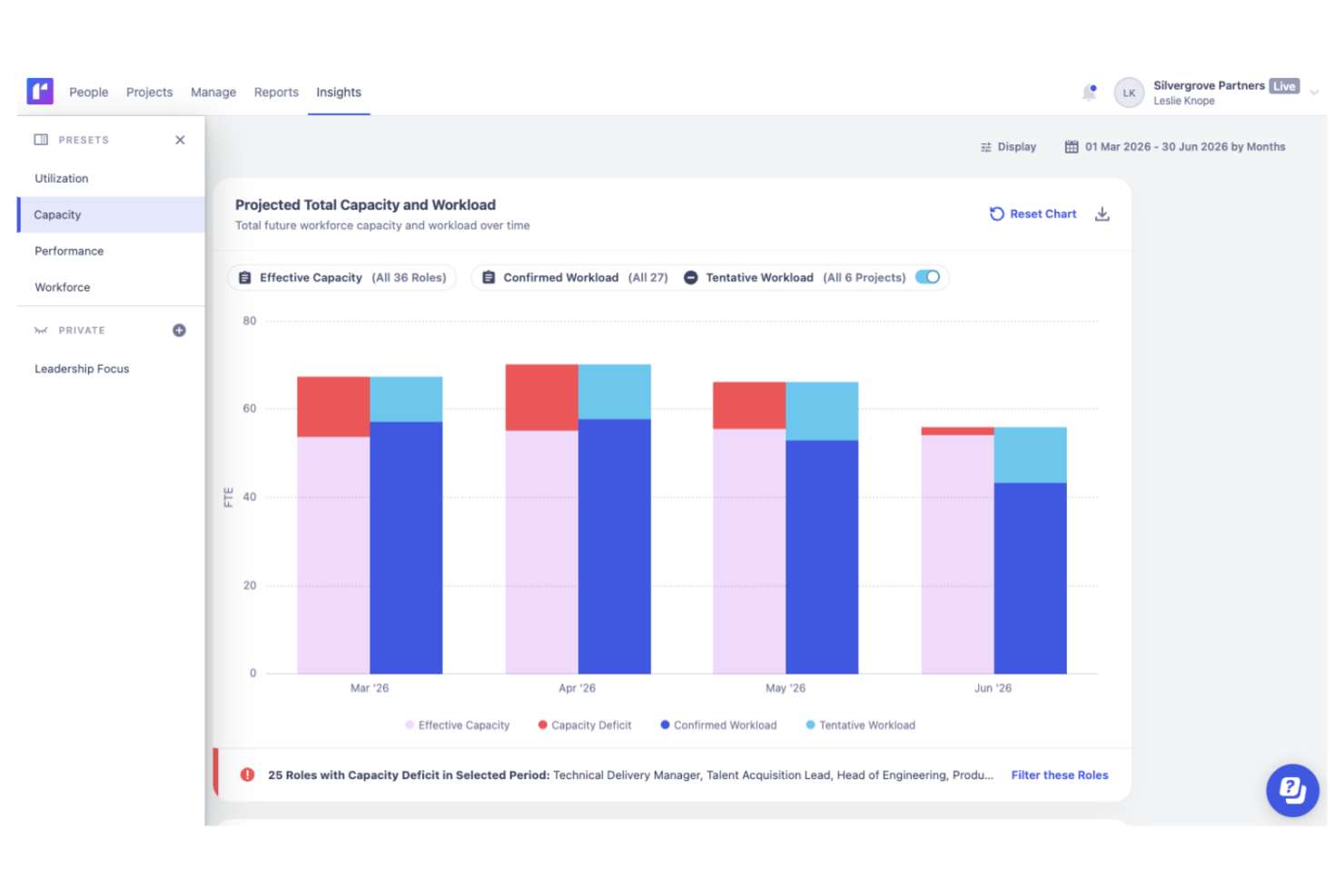
As teams grow, balancing capacity, project demand, and staffing decisions becomes increasingly difficult. The right resource management software can provide the visibility needed to understand workloads, forecast future needs, and determine whether your team has the capacity to take on new work.
You’re probably searching for resource management and capacity planning software that fits your workflow and helps you get ahead of the chaos—here’s a helpful link if you want an overview of resource management software. But should you choose Runn or Kantata? Each has a different approach to visibility, planning, and reporting.
In this article, I’ll compare both tools head-to-head, diving into their pros, cons, best-fit situations, pricing, security, and day-to-day usability—so you’ll get clear answers and the confidence to choose the right fit for your team.
Runn vs. Kantata: An Overview
Runn
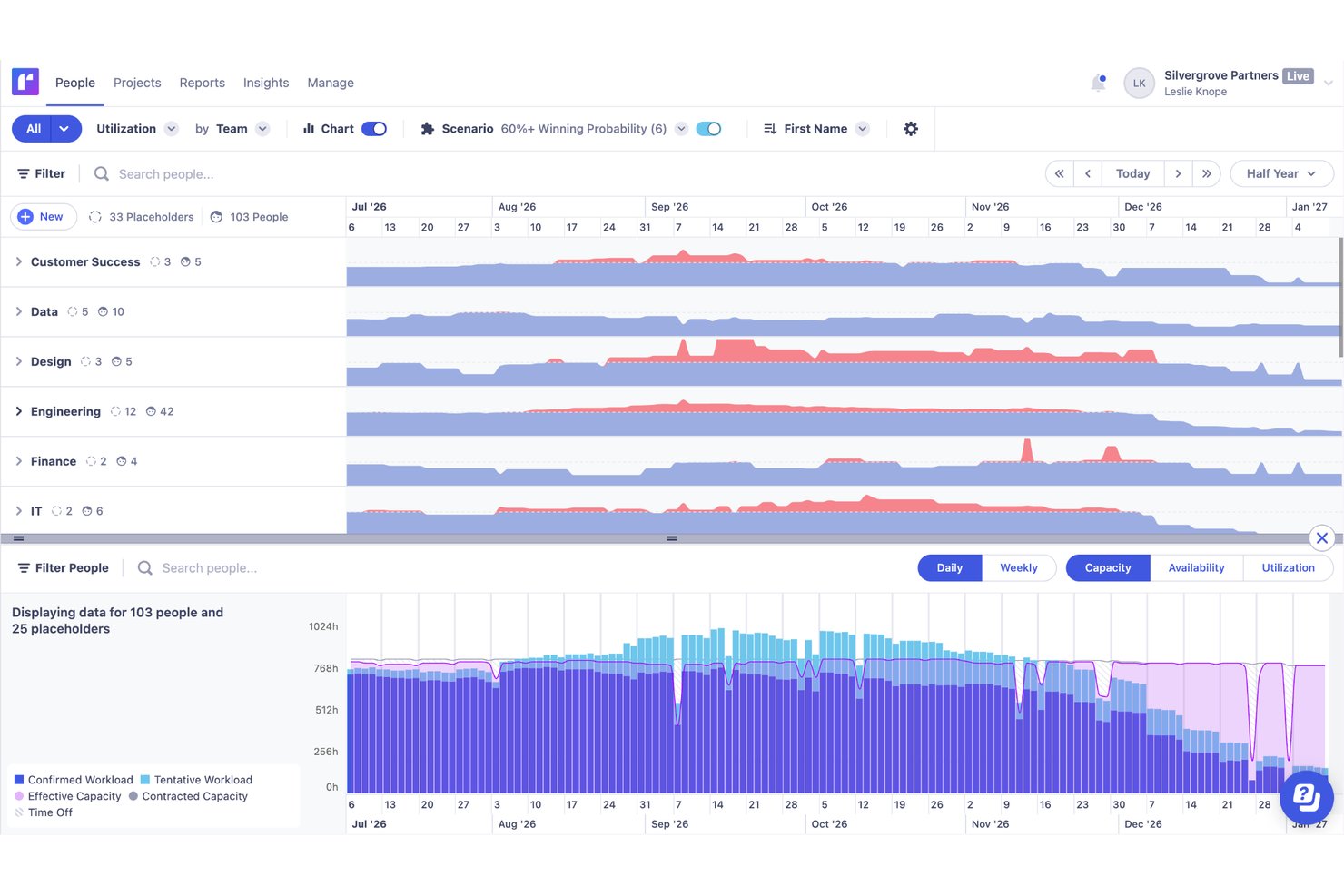
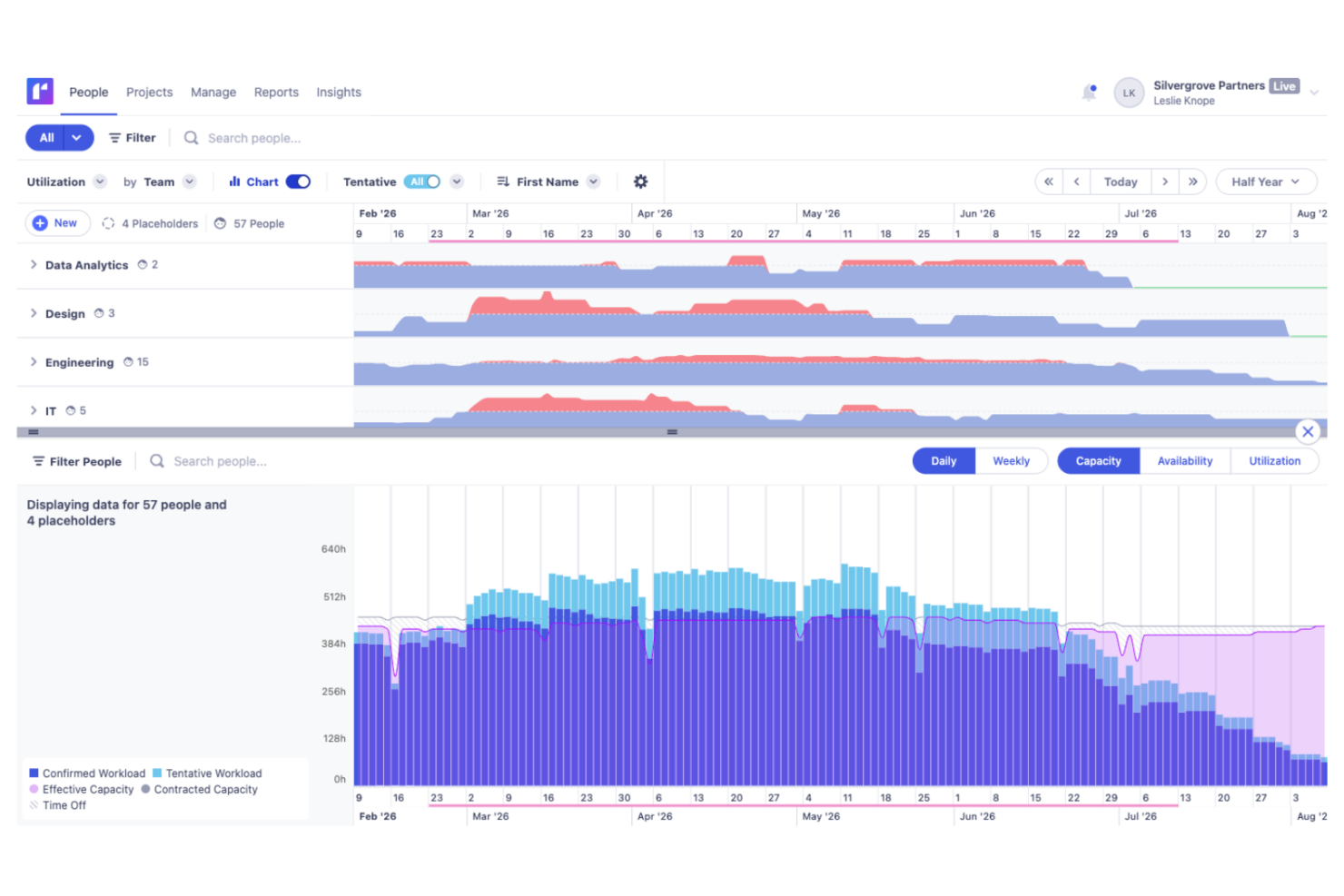
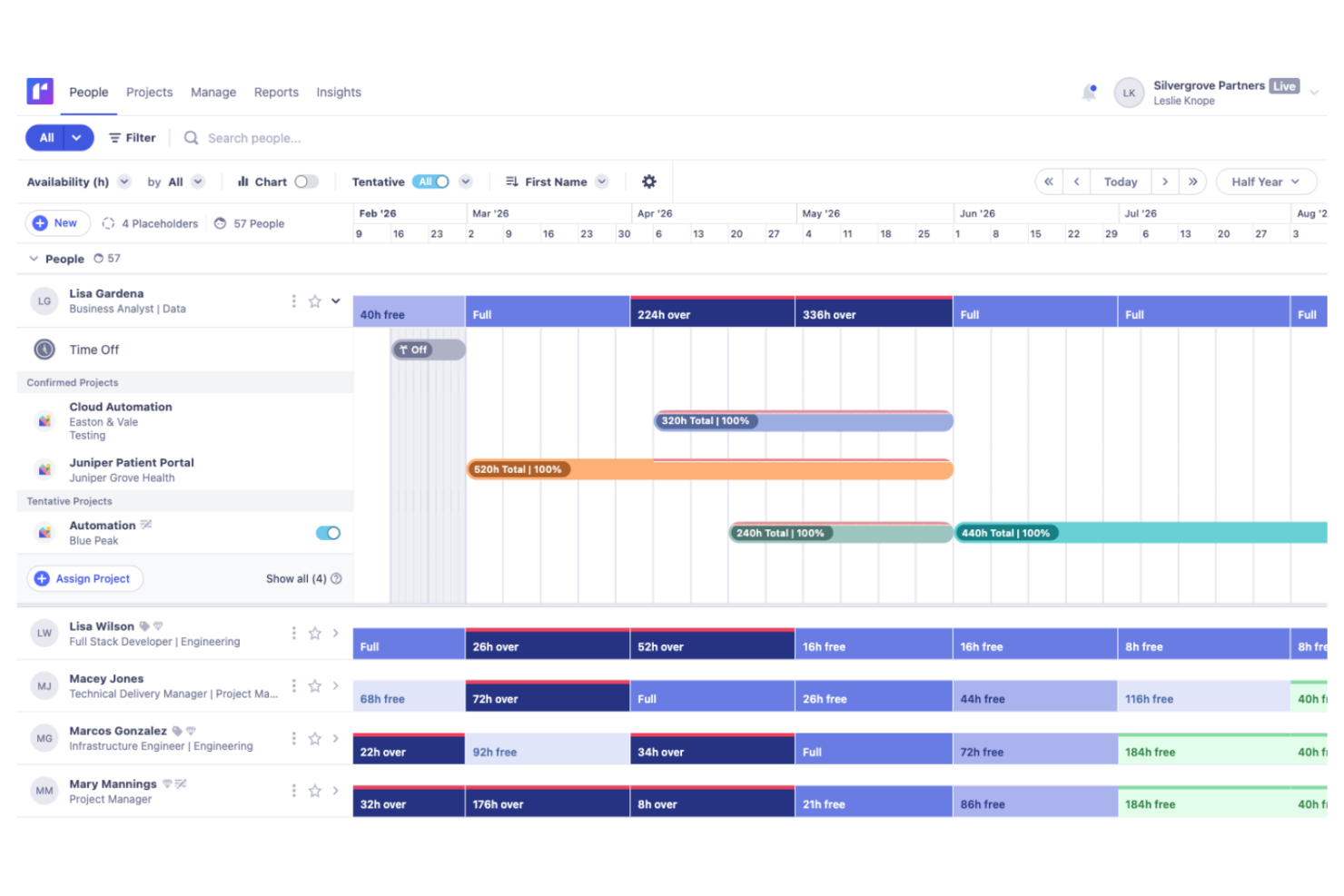
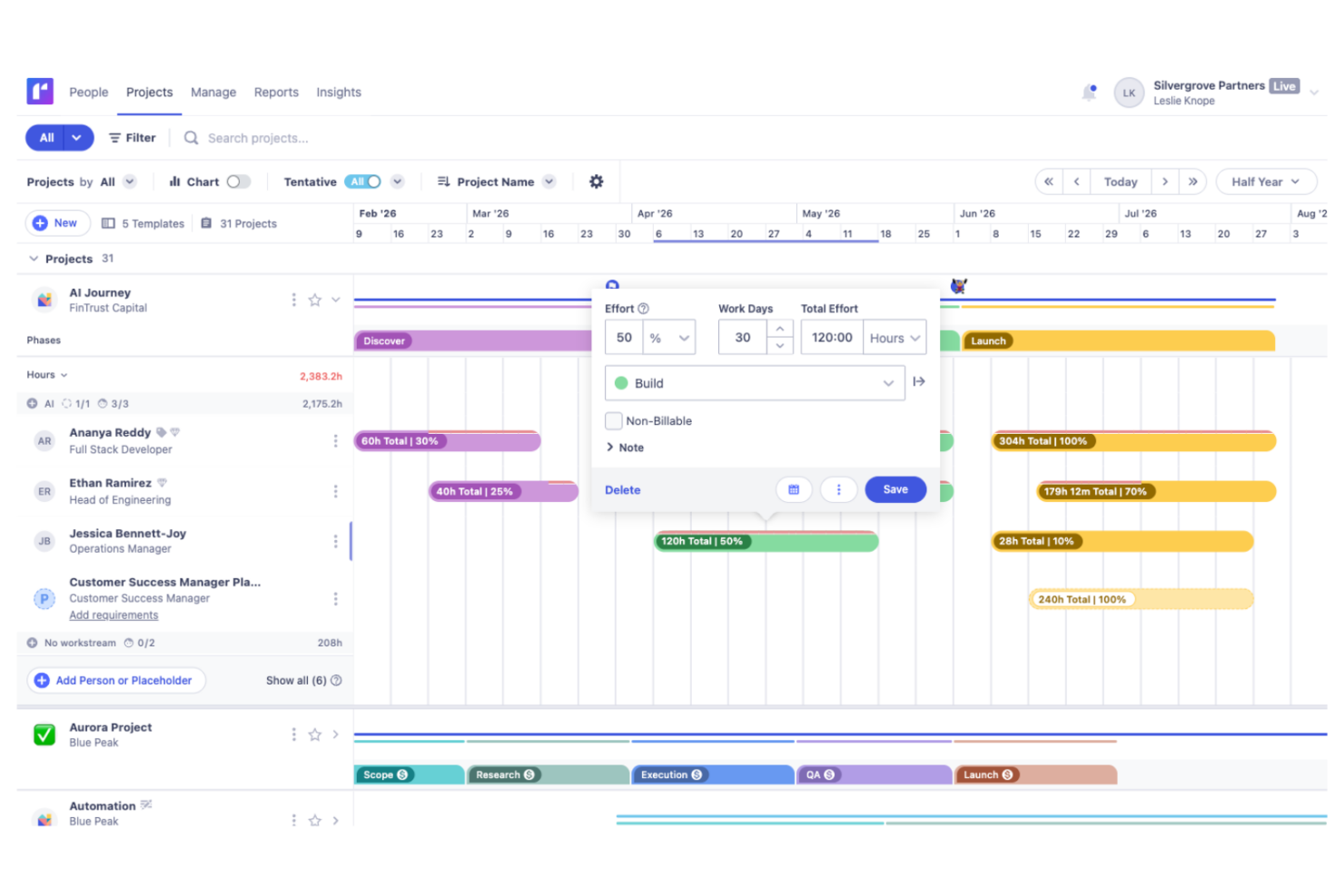
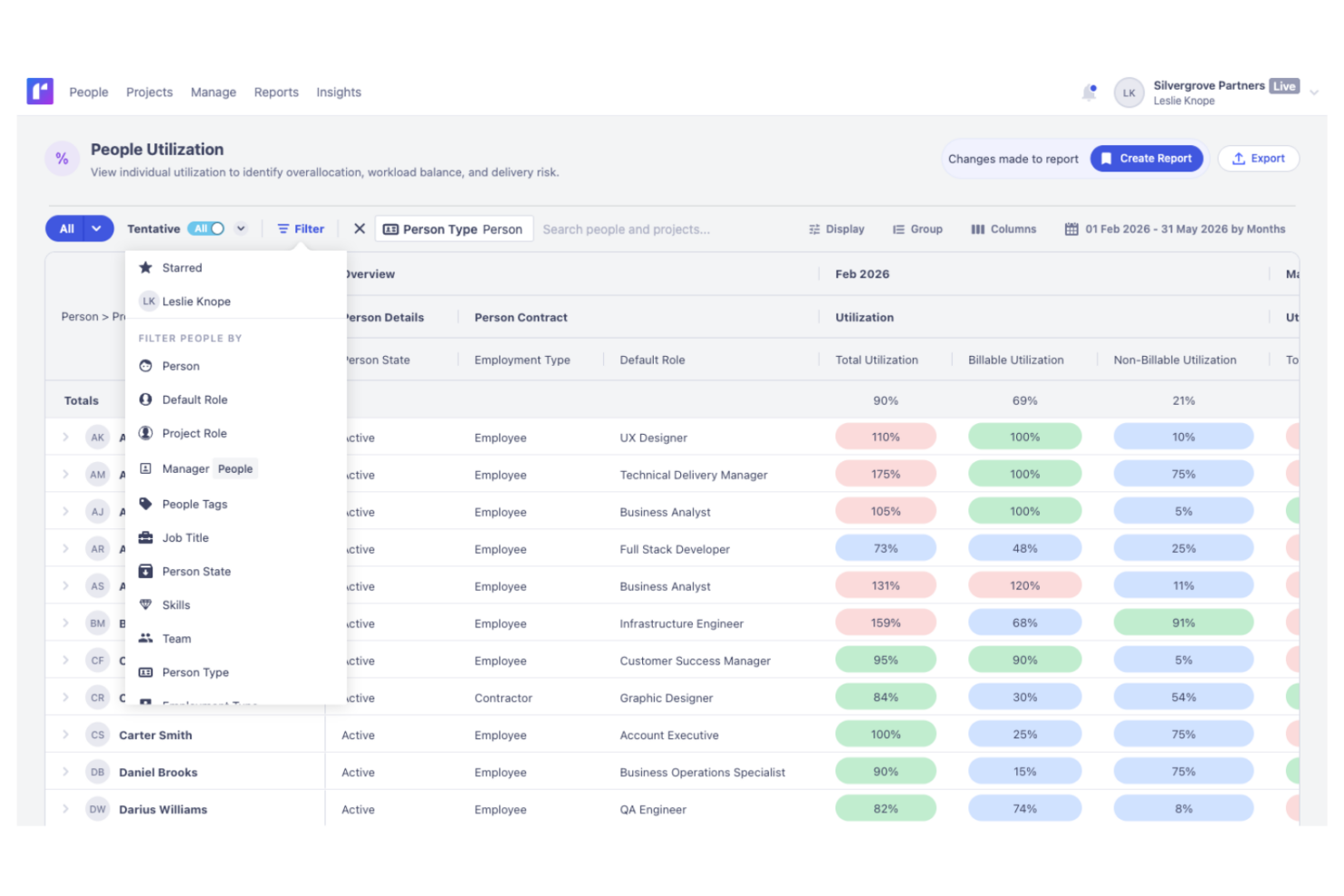
Kantata

Perché fidarsi dei nostri consigli sui software
Il nostro team testa e recensisce software dal 2012. In quanto project manager noi stessi, sappiamo quanto sia difficile — e importante — scegliere il software giusto.
Per questa guida, abbiamo valutato gli strumenti attraverso test pratici e ricerche indipendenti, assegnando un punteggio agli strumenti in base ai nostri criteri di selezione. Ci basiamo inoltre sulle competenze di leader di pensiero del settore e di professionisti attivi nella gestione dei progetti.
Le nostre recensioni riflettono il nostro giudizio editoriale umano, non un discorso di vendita.
Revisori esperti:
Runn vs. Kantata Pricing Comparison
| Runn | Kantata | |
|---|---|---|
| Free Trial | 30-day free trial | Free demo available |
| Pricing | From $7/user/month (billed annually) | Pricing upon request |
Prezzi e costi nascosti di Runn vs. Kantata
Runn utilizza un modello di abbonamento a livelli basato sul numero di risorse, con funzionalità che variano a seconda del piano. Offrono costi aggiuntivi per l’assistenza premium. I prezzi di Kantata sono meno trasparenti e richiedono spesso un preventivo personalizzato, con potenziali costi aggiuntivi per integrazioni, implementazione o reportistica avanzata. Entrambi possono comportare costi extra se le tue esigenze crescono o se desideri servizi aggiuntivi come l’implementazione.
Per scegliere la struttura tariffaria giusta, vai oltre i numeri iniziali. Stima le dimensioni previste del tuo team, le funzionalità indispensabili e la probabile crescita nell’arco dell’anno. Chiedi ai fornitori un dettaglio completo dei costi per onboarding, assistenza e integrazioni — poi confronta il costo totale stimato per il tuo caso reale, non solo quello pubblicizzato sul sito.
Runn vs. Kantata Feature Comparison
<div class="slate-p slate-selectable" data-slate-node="element" data-block-id="XG2YyVhvQq" data-slate-fragment="JTVCJTdCJTIyY2hpbGRyZW4lMjIlM0ElNUIlN0IlMjJ0ZXh0JTIyJTNBJTIyQm90aCUyMFJ1bm4lMjBhbmQlMjBLYW50YXRhJTIwY292ZXIlMjB0aGUlMjBiYXNpY3MlM0ElMjByZXNvdXJjZSUyMHNjaGVkdWxpbmclMkMlMjBjYXBhY2l0eSUyMHBsYW5uaW5nJTJDJTIwYW5kJTIwcmVhbC10aW1lJTIwcmVwb3J0aW5nLiUyMFlvdSVFMiU4MCU5OWxsJTIwZ2V0JTIwdmlzaWJpbGl0eSUyMGludG8lMjB3b3JrbG9hZHMlMjBhbmQlMjBlYXN5JTIwdG9vbHMlMjBmb3IlMjB0aW1lJTIwdHJhY2tpbmclMkMlMjBwcm9qZWN0JTIwZm9yZWNhc3RpbmclMkMlMjBhbmQlMjBhbGxvY2F0aW9uJTIwYWRqdXN0bWVudHMlMjBpbiUyMGVpdGhlciUyMHBsYXRmb3JtLiUyMiU3RCU1RCUyQyUyMnR5cGUlMjIlM0ElMjJwJTIyJTJDJTIyaWQlMjIlM0ElMjJFaE9sbjU1XzNLJTIyJTdEJTJDJTdCJTIyY2hpbGRyZW4lMjIlM0ElNUIlN0IlMjJ0ZXh0JTIyJTNBJTIyUnVubiUyMHN0YW5kcyUyMG91dCUyMGZvciUyMGl0cyUyMGVhc3klMjBzY2VuYXJpbyUyMHBsYW5uaW5nJTIwYW5kJTIwY2xlYW4lMkMlMjB2aXN1YWwlMjB0aW1lbGluZSUyMHRoYXQlMjBtYWtlJTIwc2hpZnRpbmclMjByZXNvdXJjZXMlMjBzdHJhaWdodGZvcndhcmQuJTIwS2FudGF0YSUyQyUyMG9uJTIwdGhlJTIwb3RoZXIlMjBoYW5kJTJDJTIwb2ZmZXJzJTIwZGVlcGVyJTIwaW50ZWdyYXRpb24lMjB3aXRoJTIwZmluYW5jaWFscyUyMGFuZCUyMG1vcmUlMjBhZHZhbmNlZCUyMGFuYWx5dGljcyVFMiU4MCU5NGdyZWF0JTIwZm9yJTIwdGVhbXMlMjB0aGF0JTIwd2FudCUyMHRvJTIwY29ubmVjdCUyMHByb2plY3QlMjBkZWxpdmVyeSUyMHdpdGglMjBicm9hZGVyJTIwYnVzaW5lc3MlMjBtZXRyaWNzLiUyMiU3RCU1RCUyQyUyMnR5cGUlMjIlM0ElMjJwJTIyJTJDJTIyaWQlMjIlM0ElMjJYRzJZeVZodlFxJTIyJTdEJTVE
| Runn | Kantata | |
|---|---|---|
| API | ||
| Budgeting | ||
| Data Export | ||
| Data Import | ||
| Document Management | ||
| Expense Tracking | ||
| External Integrations | ||
| Forecasting | ||
| Inventory Tracking | ||
| Multi-Currency | ||
| Multi-User | ||
| Notifications | ||
| Project Management | ||
| Resource Management | ||
| Scheduling | ||
| Workflow Management |
Runn Vs. Kantata Integrazioni
| Integrazione | Runn | Kantata |
|---|---|---|
| Google Calendar | ❌ | ✅ |
| Microsoft Teams | ❌ | ✅ |
| Jira | ✅ | ✅ |
| Slack | ❌ | ✅ |
| Pipedrive | ❌ | ❌ |
| n8n | ✅ | ✅ |
| HubSpot | ✅ | ✅ |
| QuickBooks | ❌ | ✅ |
| API | ✅ | ✅ |
| Zapier | ✅ | ✅ |
Sia Runn che Kantata si integrano con le piattaforme CRM più diffuse e i principali strumenti aziendali, facilitando il collegamento tra i dati di progetto e quelli dei clienti all’interno del tuo stack tecnologico. Runn offre un set mirato di integrazioni native, accesso API e collegamenti aggiuntivi tramite Zapier e n8n. Kantata, invece, propone una gamma più ampia di connettori già pronti, inclusi strumenti di contabilità come QuickBooks e Xero, offrendo ai team amministrativi maggiore flessibilità nella fatturazione e nei flussi finanziari. Entrambi supportano integrazioni personalizzate tramite le loro API, dunque la scelta migliore dipende dai tuoi strumenti esistenti e dalle esigenze operative.
Runn Vs. Kantata Sicurezza, Conformità & Affidabilità
| Crittografia dei dati | Runn cripta i dati in transito utilizzando TLS 1.2+ e a riposo con AES-256. | Fornisce crittografia avanzata dei dati e scansioni regolari delle vulnerabilità. |
| Conformità normativa | Runn è certificato SOC 2 Tipo II e supporta la conformità con GDPR, CCPA/CPRA e le richieste di dati degli utenti applicabili. | Offre conformità con GDPR e SOC 2 Tipo II insieme a report di audit. |
| Controllo accessi utenti | Ruoli e permessi personalizzabili per la gestione degli accessi. | Offre controlli granulari sugli utenti e opzioni SSO. |
| Operatività & Backup | Effettua backup regolari dei dati e mantiene un'elevata disponibilità. | Garantisce il 99.9% di uptime e ridondanza automatizzata. |
Kantata e Runn offrono entrambe solide funzionalità di sicurezza e conformità adatte alla maggior parte delle organizzazioni. Runn risulta leggermente superiore grazie alla sua conformità con il CCPA, rendendolo una scelta preferibile per organizzazioni con specifiche esigenze di privacy in California, anche se entrambe le piattaforme offrono una base sicura per proteggere i dati aziendali sensibili.
Runn Vs. Kantata Facilità d'Uso
| Fattore | Runn | Kantata |
|---|---|---|
| Interfaccia utente | Timeline pulita e intuitiva con semplicità drag-and-drop. | Interfaccia più ricca di funzionalità pensata per utenti avanzati. |
| Onboarding | Installazione rapida e materiali di onboarding leggeri. | Onboarding guidato ma curva di apprendimento più ripida. |
| Personalizzazione | Campi e layout personalizzati per le esigenze essenziali. | Personalizzazione più approfondita per team con processi complessi. |
| Accesso all'assistenza | Assistenza via chat e email reattiva con documentazione chiara. | Team di supporto dedicati e risorse formative. |
Runn è più semplice per la maggior parte dei team per iniziare rapidamente, mentre Kantata eccelle per chi desidera più controllo e può gestire una maggiore complessità. Sceglierei Runn se cerchi semplicità e velocità, mentre Kantata è preferibile se i flussi di lavoro richiedono personalizzazioni dettagliate e sei disposto a investire in formazione.
Runn vs Kantata: Pros & Cons
Runn
- Accurate forecasting tools provide insights into project health and resource needs, and help make informed decisions about future projects.
- Custom tags and fields make it easier to structure your data and make faster decisions.
- Reusable project templates reduce manual setup and help maintain consistency across recurring projects.
- Teams with highly complex permission requirements should review whether Runn’s role-based permissions meet their needs
- You may experience issues with managing over 1000 resources.
- Timesheet functionality isn't as robust as dedicated timesheet solutions.
Kantata
- Kantata's task management is intuitive, making it easy for your team to keep projects on track.
- Resource planning features help you allocate team members effectively and avoid burnout.
- The platform improves collaboration with real-time updates and visibility across projects.
- Some users find the interface needs time to get used to, which may slow initial productivity.
- Advanced features might be overwhelming for smaller teams or those new to project management tools.
- Reporting capabilities could be more customizable to fit diverse project needs.
Best Use Cases for Runn and Kantata
Runn
- IT Solutions Runn's project forecasting and capacity planning features are tailored for IT teams and help you manage resources effectively.
- Software Delivery The intuitive timeline view helps with planning sprints and managing project phases seamlessly.
- Digital Transformation Agencies Runn helps manage specialist workloads, plan future projects, and allocate resources more effectively across client engagements.
- Consulting firms With Runn, you can quickly adapt to changing client needs through its flexible scheduling.
- Marketing teams Its visual timelines help you coordinate campaigns and track deliverables efficiently.
- Cross-functional teams The skills management feature helps you assign tasks based on expertise and improve collaboration across departments.
Kantata
- Consulting firms Kantata helps you manage multiple client engagements with its comprehensive project tracking and billing features.
- Marketing agencies It supports you with resource planning and time tracking, which are essential for managing creative projects effectively.
- IT services Kantata's detailed project financials and billing capabilities make it a strong choice for IT project management.
- Finance departments Kantata's billing and financial tracking features help you maintain oversight on project profitability.
- HR departments With its resource planning capabilities, Kantata helps you effectively manage and allocate your team’s workload.
Chi dovrebbe usare Runn e chi dovrebbe usare Kantata?
Runn è ideale per team tecnici che devono pianificare le risorse su più progetti attivi, in particolare aziende di sviluppo software su misura, fornitori di soluzioni IT, aziende di prodotto e gruppi di ingegneria che gestiscono capacità condivise e priorità in continuo cambiamento. Kantata è più adatta a team di servizi professionali di grandi dimensioni che richiedono maggiori controlli operativi, reportistica avanzata e funzioni aziendali più estese.
Differences Between Runn and Kantata
| Runn | Kantata | |
|---|---|---|
| Compliance & Security | Covers basics like GDPR with clear settings. | Adds SOC 2, audit trails, and more granular permissions. |
| Financial Integrations | Limited connections to financial tools. | Strong links to Xero and QuickBooks for invoicing. |
| Interface Simplicity | Simple, visual timeline and scheduling tools. | Feature-rich with nested menus and advanced options. |
| Pricing Model | Transparent, per-user subscription pricing. | Quote-based, often custom packages with add-ons. |
| Visit RunnOpens new window | Read Kantata ReviewOpens new window |
Similarities Between Runn and Kantata
| API Access | Both provide open APIs, so you can extend, integrate, or customize using your own workflows and systems. |
|---|---|
| Custom Reporting | Both platforms allow you to build custom reports and dashboards based on real-time data. |
| Forecasting Tools | Each offers forecasting for resource usage and project capacity, helping you plan ahead and avoid conflicts. |
| Resource Scheduling | Both let you allocate, reassign, and track people across multiple projects with visual workload indicators. |
| Role-Based Access | You can set roles and permissions to control what each user can view and edit inside both Runn and Kantata. |
| Visit RunnOpens new window Read Kantata ReviewOpens new window | |