


Recensione TMetric 2026: Pro, Contro, Funzionalità e Panoramica dei Prezzi



Tracking time across clients and projects can quickly become unreliable without the right tools. Timers are forgotten, timesheets arrive incomplete, billing records require manual cleanup, and project managers are left answering an uncomfortable question: is the work still profitable?
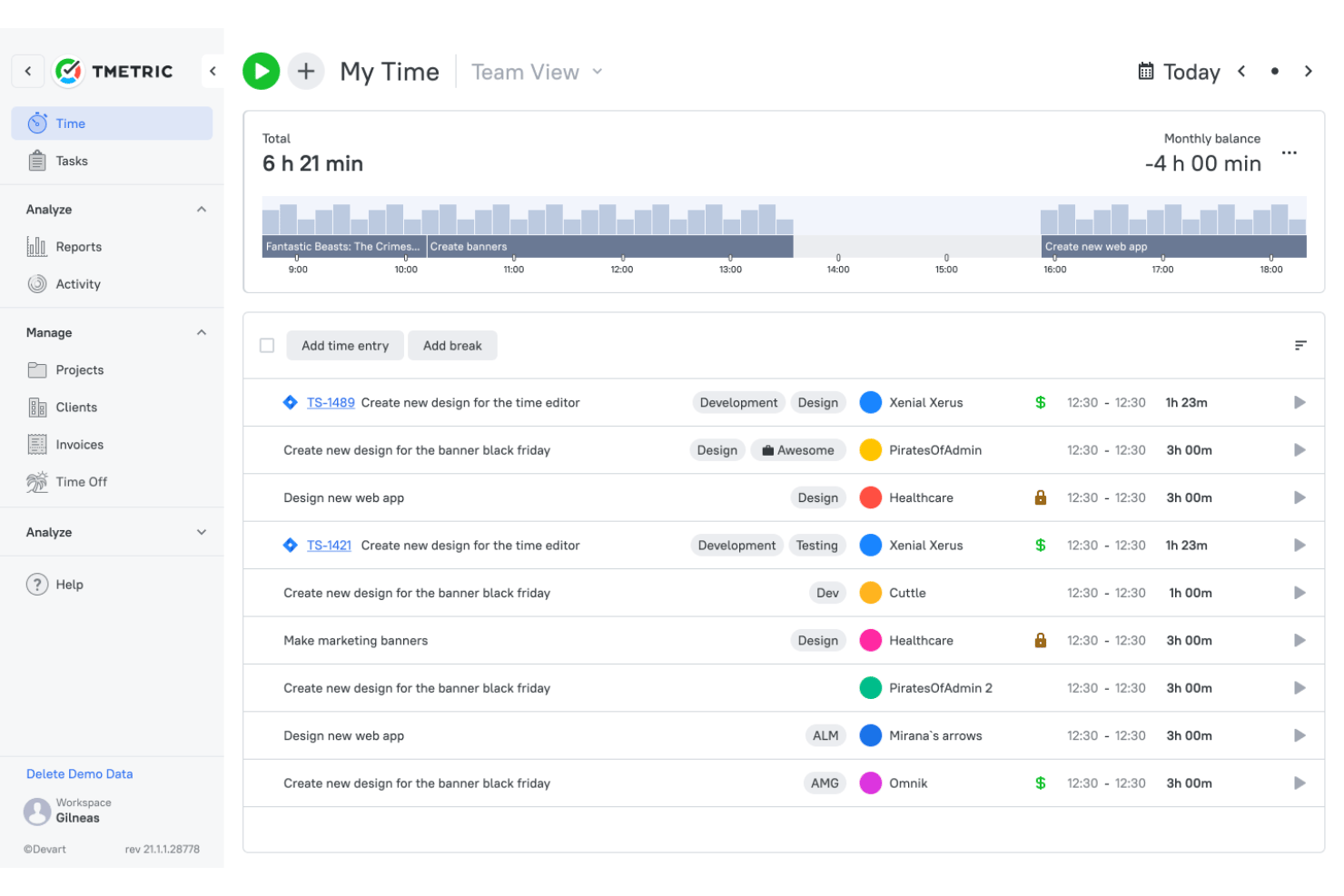
TMetric is time tracking software designed for service-based teams that need better visibility into billable hours, labor costs, and project performance. It combines manual time tracking, timesheet approvals, invoicing, project budgets, and profitability reporting, helping teams connect day-to-day work with revenue, margins, and delivery costs.
In this review, I’ll help you determine whether TMetric fits your team’s time tracking, billing, and project management needs.
TMetric Evaluation Summary
- From $5.83/user/month (billed annually)
- Free plan available + 14-day free trial
Perché fidarsi dei nostri consigli sui software
Il nostro team testa e recensisce software dal 2012. In quanto project manager noi stessi, sappiamo quanto sia difficile — e importante — scegliere il software giusto.
Per questa guida, abbiamo valutato gli strumenti attraverso test pratici e ricerche indipendenti, assegnando un punteggio agli strumenti in base ai nostri criteri di selezione. Ci basiamo inoltre sulle competenze di leader di pensiero del settore e di professionisti attivi nella gestione dei progetti.
Le nostre recensioni riflettono il nostro giudizio editoriale umano, non un discorso di vendita.
Revisori esperti:
TMetric Overview
In my opinion, TMetric is a practical choice for small and mid-sized service teams that need more than a basic timer. Its timesheet approvals, invoicing, project profitability reporting, and integrations are particularly useful when you’re managing billable work across several clients and need to know whether project hours still match the budget. The interface is straightforward and pricing is clear, although the mobile app is better suited to core tracking than full account administration, and—as with any manual time tracker—the data is only as reliable as the people entering it.
pros
-
Tracks billable and non-billable time across web, desktop, mobile, and browser extensions.
-
Shows project revenue, labor costs, budgets, and margins in profitability reports.
-
Creates invoices from billable time entries and syncs invoice data with QuickBooks and Xero.
cons
-
Manual tracking depends on users consistently starting timers or adding entries.
-
The mobile app offers fewer reporting and management features than the web app.
-
Payroll tools calculate labor costs but do not process payments or taxes.
Is TMetric Right For Your Needs?
Who Would be a Good Fit for TMetric?
TMetric is best suited to small and mid-sized service teams that need to connect tracked time with projects, clients, billing, and profitability. It is particularly relevant for organizations in software development, professional services, consulting, marketing, media, and legal services that can manage a largely self-serve setup and do not need enterprise-grade workforce infrastructure.
-
Small and Mid-Sized Service Teams
TMetric fits teams of roughly 5 to 200 people that need time tracking, approvals, attendance, PTO, billing, and project reporting in a self-serve platform.
-
Software Development Teams
Development teams can track time by task, project, and client while connecting TMetric with tools such as Jira, GitHub, GitLab, Redmine, and ClickUp.
-
Professional Services Firms
Professional services firms can approve billable hours, apply different rates, create invoices, and monitor the profitability of each engagement.
-
Consulting Teams
Consultants can organize time across clients and engagements while using configurable rates to support different contracts, roles, and work types.
-
Marketing and Media Teams
Marketing and media teams can track time by campaign, client, and task to compare delivery hours with budgets and project margins.
-
Legal Service Teams
Legal teams can use TMetric for client- and matter-based time tracking and invoicing, though it does not replace legal practice management or trust accounting software.
Who Would be a Bad Fit for TMetric?
TMetric is less suitable for field-based workforces, shift-heavy operations, or organizations that require deep ERP connectivity and managed implementation. It also does not replace payroll, HR compliance, or industry-specific workforce systems that handle location tracking, physical clock-ins, complex overtime rules, and employee payments.
-
Complex Workforce Operations
Organizations that require multi-level approval hierarchies, custom SSO, managed implementation, dedicated customer success, or SLA-backed support may need a more advanced workforce management system.
-
Construction and Real Estate Teams
TMetric is not a strong fit for mobile crews that require GPS tracking, geofencing, kiosk clock-ins, or scheduling by job site.
-
Manufacturing and Production Operations
Factories and production teams may find TMetric limited because it lacks physical punch clocks, badge scanning, complex shift scheduling, and jurisdiction-specific overtime controls.
-
ERP-Dependent Organizations
Companies that rely on deep SAP, Oracle, or Workday integrations will not find native connectors designed for those systems.
-
Budget-Constrained Growing Teams
Teams seeking free time tracking for more than two users may find TMetric’s Free plan too limited for long-term use.
-
Payroll and HR Teams
TMetric calculates labor costs but does not process payroll, taxes, direct deposits, benefits, or HR compliance workflows.
La nostra metodologia di recensione
Come testiamo e valutiamo gli strumenti
Abbiamo passato anni a costruire, perfezionare e migliorare il nostro sistema di test e valutazione dei software. Il nostro schema è progettato per cogliere tutte le sfumature della scelta di un software e ciò che rende uno strumento efficace, ponendo l’accento sugli aspetti critici del processo decisionale. Qui sotto puoi vedere esattamente come funziona il nostro test e la nostra valutazione su sette criteri. Questo ci consente di offrire una valutazione imparziale del software basata su funzionalità fondamentali, caratteristiche distintive, facilità d’uso, onboarding, assistenza clienti, integrazioni, recensioni dei clienti e rapporto qualità-prezzo.
Funzionalità principali (25% della valutazione finale)
Il punto di partenza della nostra valutazione è sempre la funzionalità principale dello strumento. Ha le funzioni e le caratteristiche di base che un utente si aspetterebbe di trovare? Alcune di queste funzionalità sono limitate ai piani premium? In sostanza, ci aspettiamo che uno strumento sia all’altezza delle capacità di base dei suoi concorrenti.
Caratteristiche distintive (25% della valutazione finale)
Successivamente valutiamo le funzioni distintive, non comuni, che vanno oltre la semplice funzionalità di base normalmente presente in strumenti simili. Un punteggio elevato riflette funzionalità specializzate o uniche che rendono il prodotto più rapido, efficiente o che offrono un valore aggiunto all’utente. Valutiamo anche la facilità d’integrazione con altri strumenti comunemente presenti nel tech stack per ampliare la funzionalità e l’utilità del software. Gli strumenti che offrono molte integrazioni native, connessioni di terze parti e accesso API per creare integrazioni personalizzate ottengono il punteggio più alto.
Facilità d’uso (10% della valutazione finale)
Consideriamo quanto sia semplice e rapido eseguire le attività definite dalla funzionalità principale tramite lo strumento. Gli strumenti con un punteggio elevato sono ben progettati, intuitivi, offrono app mobili, propongono modelli e rendono semplici anche le attività più complesse.
Onboarding (10% della valutazione finale)
Sappiamo quanto sia importante che il team adotti rapidamente una nuova piattaforma, quindi valutiamo quanto sia facile imparare e utilizzare uno strumento con poca formazione. Valutiamo quanto velocemente un membro del team possa iniziare a utilizzare lo strumento senza esperienza. Le soluzioni con un punteggio alto indicano che è richiesto poco o nessun supporto.
Supporto clienti (10% della valutazione finale)
Recensiamo la rapidità e semplicità nel trovare aiuto tramite telefono, chat live o knowledge base. Gli strumenti e le aziende che forniscono supporto in tempo reale ottengono i punteggi migliori, mentre i chatbot i più bassi.
Recensioni dei clienti (10% della valutazione finale)
Oltre ai nostri test e valutazioni, consideriamo il net promoter score dei clienti attuali e passati. Valutiamo la loro probabilità, qualora fosse possibile, di scegliere nuovamente lo strumento per le sue funzionalità di base. Un software con un punteggio elevato riflette un alto net promoter score da clienti attuali o passati.
Rapporto qualità-prezzo (10% della valutazione finale)
Infine, prendendo in considerazione tutti gli altri criteri, analizziamo il prezzo medio dei piani base confrontandolo con le funzionalità principali e valutando il valore degli altri criteri. I software che offrono di più, spendendo meno, ottengono punteggi più alti.
Core Features
Time Tracking
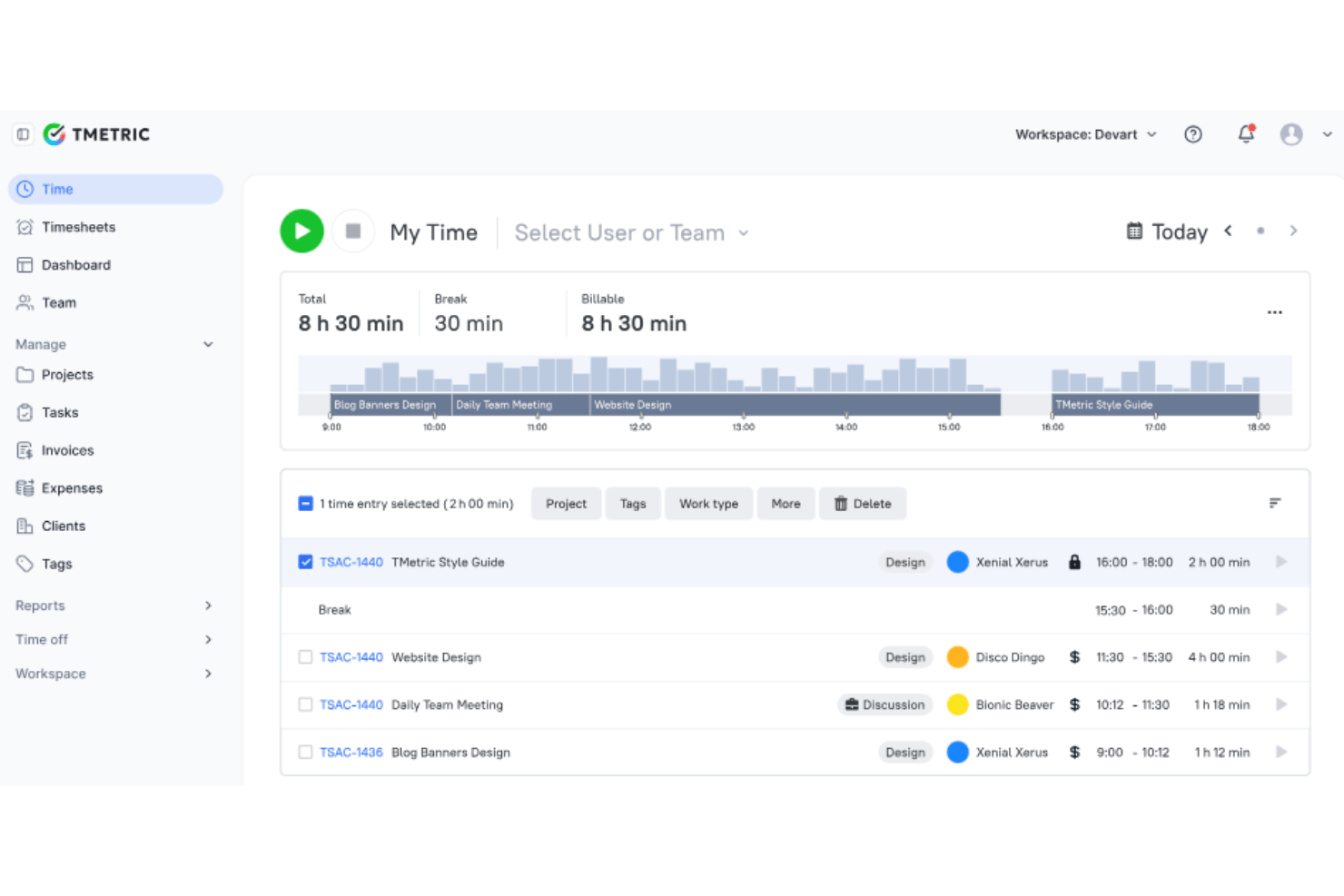
Track billable and non-billable hours through TMetric’s web app, Windows and macOS desktop apps, iOS and Android mobile apps, and Chrome and Firefox browser extensions. Each entry can be assigned to a task, project, and client, while offline entries sync automatically once the connection is restored.
Project Profitability Reporting
The Profitability Report combines tracked hours, billing rates, project budgets, revenue, labor costs, and margins for each project in real time. Rates can be configured by workspace, project, client, or team member, giving project managers a clearer view of whether delivery is still financially on track.
Team Timesheets and Approval Workflows
TMetric automatically generates timesheets from each employee’s time entries, allowing managers to review, approve, or reject submissions. Approval status is tracked by period, with notifications sent when action is required—helpful when you would rather not spend invoicing week chasing missing timesheets over email.
Billing and Invoicing
Create invoices from billable time with rates applied automatically, filtering entries by project, client, date range, or billing status. Invoices support custom branding, editable line items, PDF exports, and QuickBooks or Xero synchronization, reducing the amount of billing data that needs to be entered twice.
Time Reporting
Summary, Detailed, and Activity reports show how time is spent across employees, tasks, clients, and projects, with filters for user, project, client, tag, and date range. Reports can be exported to CSV or PDF in a consistent format, making them easier to use for internal reviews or client updates without rebuilding the data in a separate spreadsheet.
Attendance Tracking, PTO Tracking, and Scheduling
Configure workdays, employee-specific hours, shifts, and holidays, then compare expected schedules with recorded time to monitor attendance. Teams can also manage PTO policies, requests, approvals, accruals, leave balances, and availability before absences start affecting delivery plans.
Standout Features
Task Management
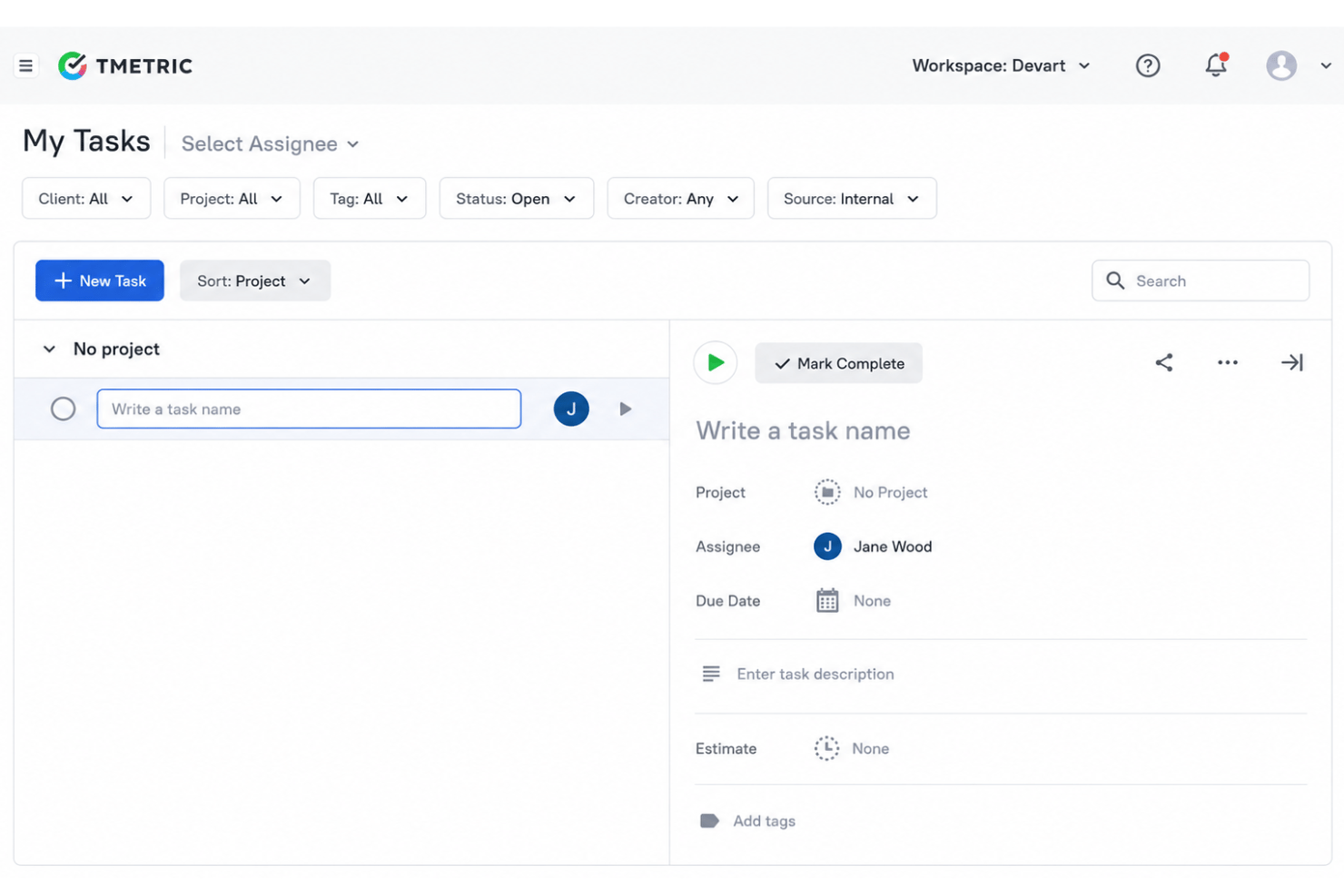
Create and assign tasks, add estimates and deadlines, and organize work by project and client. The tools are lighter than a dedicated project management system, but they keep task estimates and tracked hours close enough for managers to spot work that is consuming more time than planned.
Employee Monitoring and Team Dashboard
When enabled, TMetric records activity levels, idle time, app and website usage, and optional screenshots. The Team Dashboard gives managers an at-a-glance view of employee status, current tasks, tracked hours, activity, and absences without digging through several reports.
Ease of Use
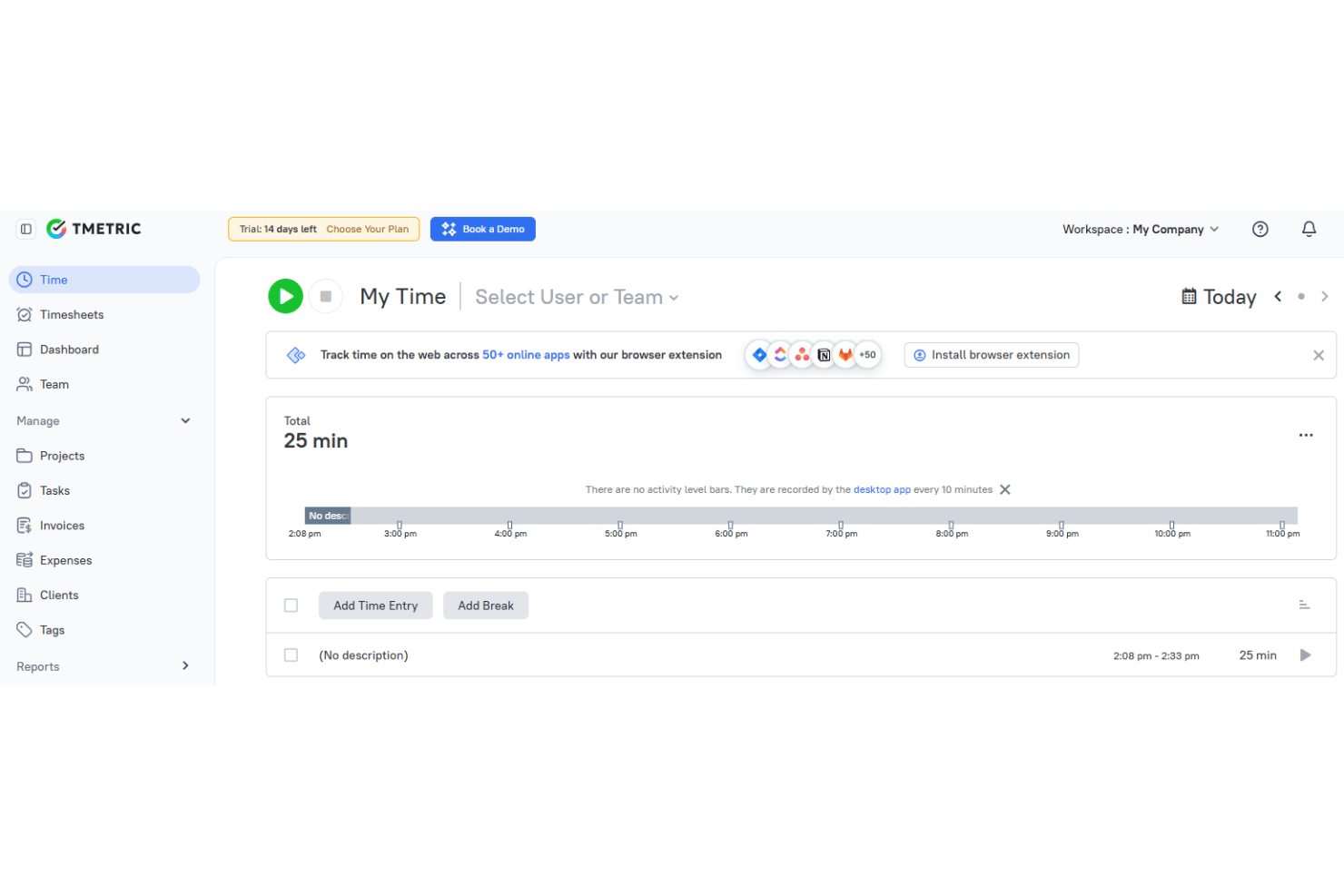
TMetric is generally easy to use, with clear navigation and straightforward timer, reporting, and manual-entry tools. Users can organize time by task, project, and client without much friction, while managers can access timesheets, reports, and billing features without a steep learning curve. Configuring wider team controls and advanced monitoring features takes more setup, however, and the mobile app is better suited to logging and reviewing time than managing the full workspace.
Onboarding
TMetric’s onboarding is primarily self-serve, with step-by-step guides, tutorials, and help center resources covering project setup, team invitations, integrations, and data imports. Teams that need more guidance can access implementation support to help configure the software and encourage consistent adoption, which matters, since even the best reporting setup will fail if the team does not use it properly.
Customer Support
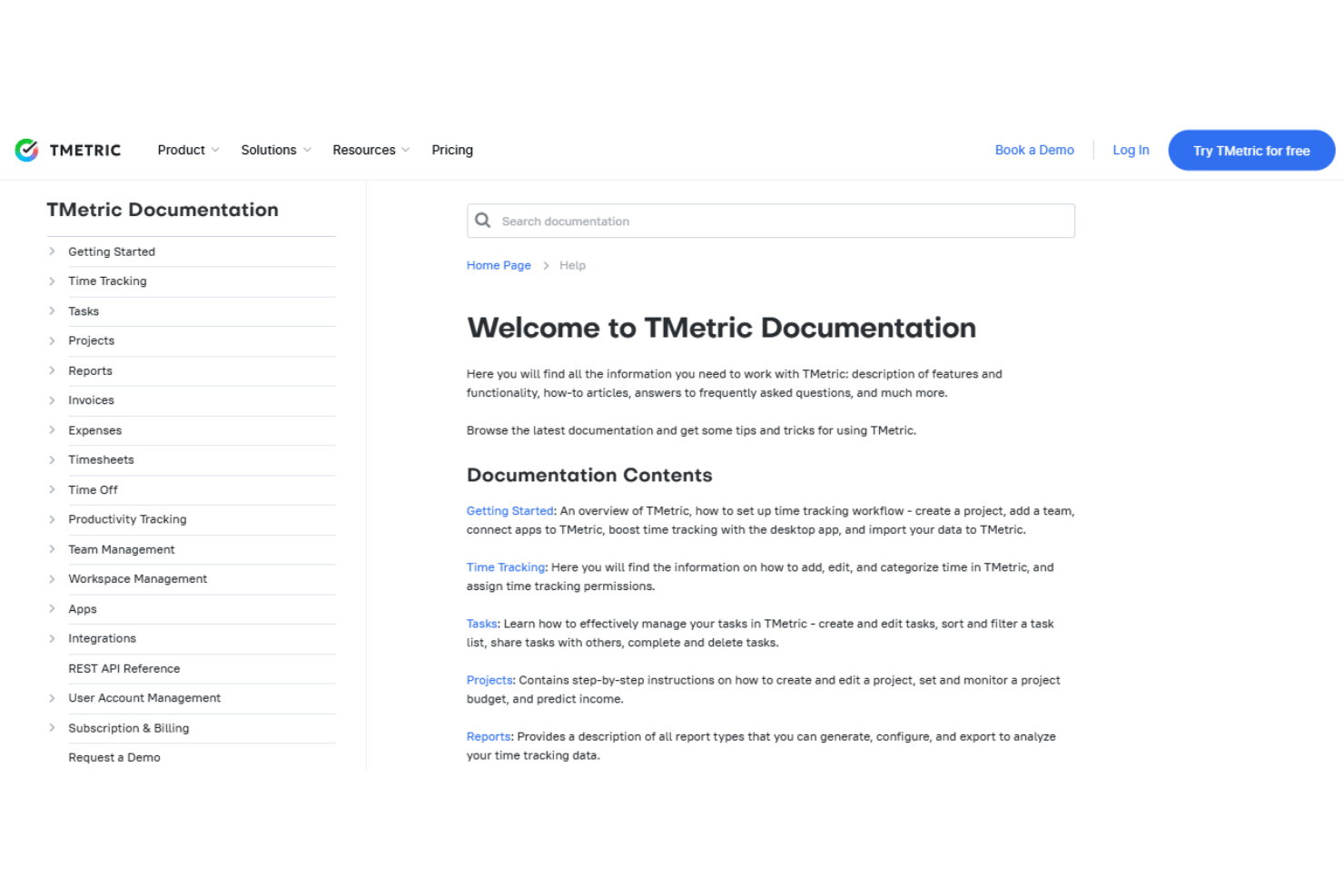
TMetric offers 24/7 customer support through email and online support requests. Its help center includes manuals, tutorials, FAQs, and step-by-step documentation for teams that prefer to troubleshoot independently, while Enterprise customers receive priority support for faster issue resolution.

Integrations
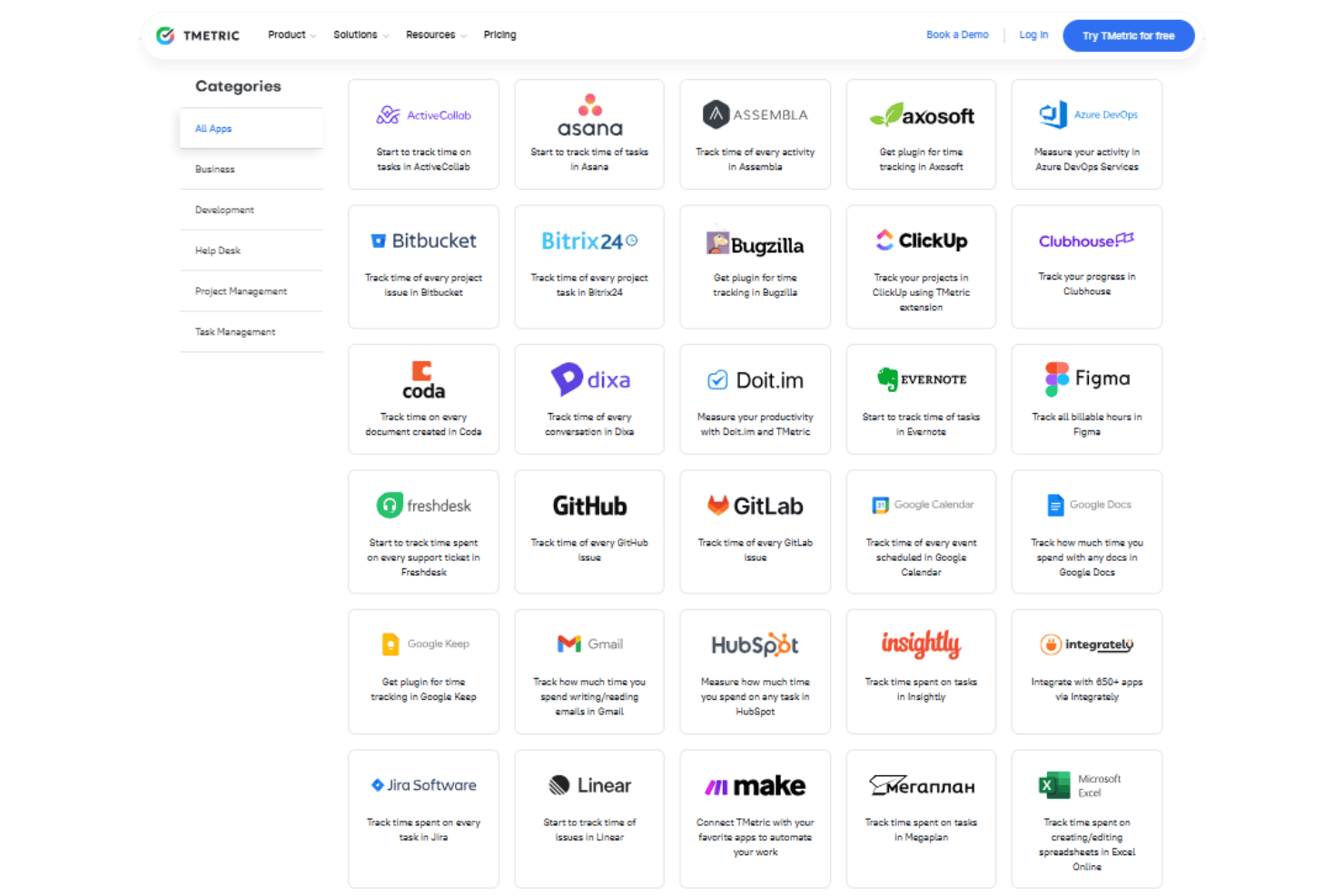
TMetric integrates with Asana, Trello, Jira, GitHub, GitLab, Todoist, Zendesk, Notion, ClickUp, and Redmine, among more than 50 supported tools. It also provides a REST API for custom integrations and connects with Zapier to automate workflows across third-party apps.
Value for Money
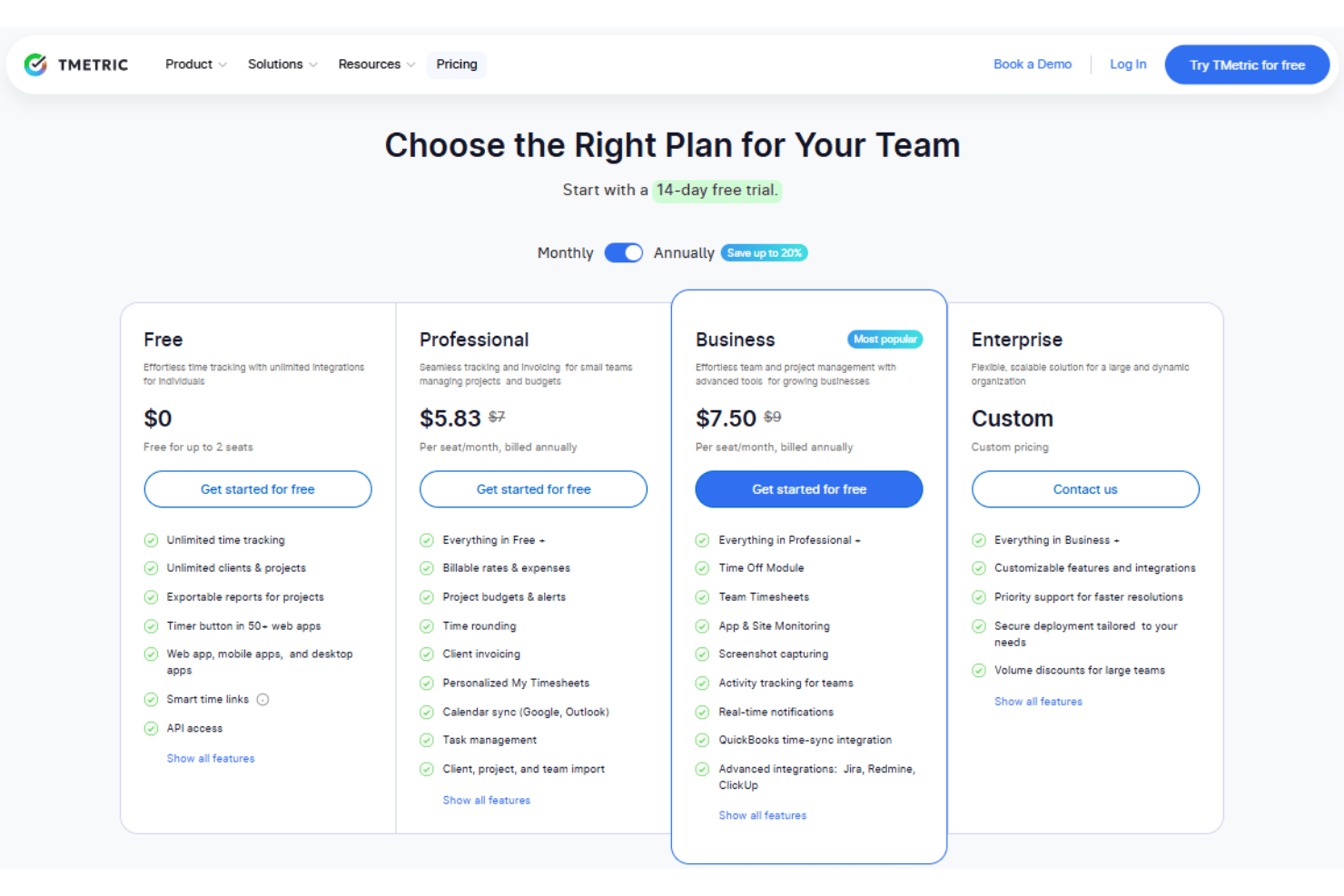
TMetric offers solid value for small and mid-sized service teams, with a capable free plan for core time tracking and reporting and paid tiers that add billing, budgeting, workforce oversight, and team management. Most growing teams will find the strongest value in the Professional and Business plans, while organizations needing custom features, tailored deployment, or priority support will need to discuss the Enterprise tier with TMetric.
- Free: Includes unlimited time tracking, clients, projects, exportable project reports, web and mobile apps, desktop tools, browser extensions, integrations, smart time links, and API access for up to two users.
- Professional: Adds billable rates, expenses, project budgets and alerts, invoicing, time rounding, My Timesheets, calendar sync, task management, and client, project, and team imports.
- Business: Adds PTO tracking, team timesheets, app and website monitoring, screenshots, activity tracking, real-time notifications, QuickBooks time sync, and advanced Jira, Redmine, and ClickUp integrations.
- Enterprise: Adds customizable features and integrations, priority support, tailored deployment options, and volume discounts for larger teams.
TMetric Specs
- Analytics
- API
- Approval Workflows
- Attendance Tracking
- Batch Permissions & Access
- Billing/Invoicing
- Budgeting
- Calendar Management
- Dashboard
- Data Export
- Data Import
- Data Visualization
- Expense Tracking
- External Integrations
- Forecasting
- Multi-User
- Notifications
- Project Management
- Resource Management
- Scheduling
- Task Scheduling/Tracking
- Time Management
- Timesheets
- Vacation & Absence Calendar
TMetric FAQs
How easy is it to onboard a team to TMetric?
Can I restrict access to sensitive data within TMetric?
Does TMetric support billable and non-billable time?
Does TMetric offer mobile time tracking?
Can TMetric generate reports suitable for client billing?
How does TMetric handle data security and GDPR compliance?
What happens if someone forgets to start or stop a timer?
Is TMetric only a basic time tracker for freelancers?
Does TMetric automatically capture all work in the background?
Can TMetric replace payroll software?
TMetric Company Overview & History
TMetric is a time tracking software product launched in 2016 by Devart, a software company founded in 1997. Originally developed as an internal productivity tool, TMetric later expanded into a commercial platform for service-based teams that need time tracking, project budgeting, invoicing, timesheet approvals, PTO management, and reporting.
TMetric serves users across software development, consulting, marketing, professional services, and other project-based industries. It is one of several products developed by Devart, which also offers database tools, data connectivity products, and the Skyvia cloud data platform.
TMetric Major Milestones
- 2016: Devart launched TMetric, which was originally developed as an internal productivity tool.
- 2017: TMetric reported reaching 40,000 customers worldwide.
- 2018: TMetric reported receiving an average customer rating of 4.5 out of 5 for reliability, functionality, and usability.
- 2020: TMetric began expanding its language support, adding localized versions for users in several markets.
- 2026: TMetric expanded its accounting integrations by adding invoice synchronization with QuickBooks Online and Xero.