

Le 10 migliori alternative a Quickbase per i team di progetto nel 2026

10 Le migliori alternative a Quickbase in sintesi


Le migliori alternative a Quickbase offrono un'interfaccia moderna e intuitiva per lo sviluppo di applicazioni senza codice, hanno una curva di apprendimento più semplice e ti consentono di dedicare meno tempo alla configurazione di modelli e flussi di lavoro e più tempo alla gestione dei progetti. Con la giusta alternativa a Quickbase, potrai creare un'app personalizzata per la gestione dei progetti che si adatta meglio ai tuoi flussi di lavoro e si integra con gli altri software che utilizzi.
Ho utilizzato la mia esperienza nella gestione dei progetti e oltre 3 anni di test del software per esaminare decine di strumenti e selezionare la mia lista delle migliori alternative a Quickbase. Ognuna delle mie raccomandazioni ti aiuterà a migliorare la produttività, rendere più efficienti i flussi di lavoro e automatizzare le attività ripetitive e manuali. Di seguito, analizzo i punti di forza e le differenze principali, i pro e i contro e i casi d'uso ideali per ogni strumento.
Cosa sono le alternative a Quickbase?
Le alternative a Quickbase sono strumenti per lo sviluppo di applicazioni senza codice o con poco codice che includono funzionalità o capacità non offerte da Quickbase e consentono di creare, personalizzare e distribuire applicazioni aziendali senza conoscenze approfondite di programmazione. Potrebbero avere un'interfaccia più intuitiva, offrire plug-in o integrazioni specifici di cui hai bisogno oppure richiedere una curva di apprendimento meno ripida, così da consentirti di iniziare rapidamente.
Le alternative a Quickbase includono generalmente anche molte delle funzionalità offerte da Quickbase, come un generatore visivo di app, dashboard personalizzabili, funzionalità di intelligenza artificiale e autorizzazioni basate sui ruoli, così da poter controllare l'accesso degli utenti a un livello granulare.
Perché fidarsi dei nostri consigli sui software
Il nostro team testa e recensisce software dal 2012. In quanto project manager noi stessi, sappiamo quanto sia difficile — e importante — scegliere il software giusto.
Per questa guida, abbiamo valutato gli strumenti attraverso test pratici e ricerche indipendenti, assegnando un punteggio agli strumenti in base ai nostri criteri di selezione. Ci basiamo inoltre sulle competenze di leader di pensiero del settore e di professionisti attivi nella gestione dei progetti.
Le nostre recensioni riflettono il nostro giudizio editoriale umano, non un discorso di vendita.
Revisori esperti:
Tabella di confronto delle alternative a Quickbase
Abbiamo analizzato i prezzi e la disponibilità di prove gratuite e versioni demo per un semplice confronto affiancato:
| Tool | Best For | Trial Info | Price | ||
|---|---|---|---|---|---|
| 1 | Ideale per flussi di lavoro personalizzati | Prova gratuita di 14 giorni + piano gratuito disponibile | Da $10/utente/mese (fatturato annualmente) | Website | |
| 2 | Ideale per soluzioni ERP low-code flessibili | Prova gratuita di 30 giorni | Da $12/utente/mese (fatturazione annuale) | Website | |
| 3 | Ideale per la creazione di app no-code con integrazione Google | Piano gratuito disponibile | Da $5/utente/mese | Website | |
| 4 | Ideale per prezzo senza limiti di utenti | Prova gratuita disponibile | Da $100/mese | Website | |
| 5 | Ideale per l'automazione completa dei processi | Demo gratuita disponibile | Prezzo su richiesta | Website | |
| 6 | Ideale per soluzioni low-code complete | Prova gratuita di 15 giorni + demo gratuita disponibile | Da $8/utente/mese (fatturazione annuale) | Website | |
| 7 | Ideale per lo sviluppo potente di app personalizzate | Not available | Da $16.50/utente/mese (fatturazione annuale, minimo 5 utenti) | Website | |
| 8 | Ideale per database online | Prova gratuita di 14 giorni disponibile | A partire da $49/mese (fatturazione annuale) | Website | |
| 9 | Ideale per l'integrazione con l'ecosistema Microsoft | Prova gratuita di 30 giorni + piano gratuito disponibile | Da $20/utente/mese | Website | |
| 10 | Ideale per lo sviluppo low-code ad alte prestazioni | Piano gratuito + demo gratuita disponibile | Da $36,300 (fatturato annualmente) | Website |

Recensioni delle migliori alternative a Quickbase
Ti illustrerò i pro e i contro di ciascuna alternativa a Quickbase. Analizzerò anche le loro funzionalità e i migliori casi d’uso per aiutarti a trovare lo strumento più adatto alle tue esigenze.

Wrike
Ideale per flussi di lavoro personalizzati
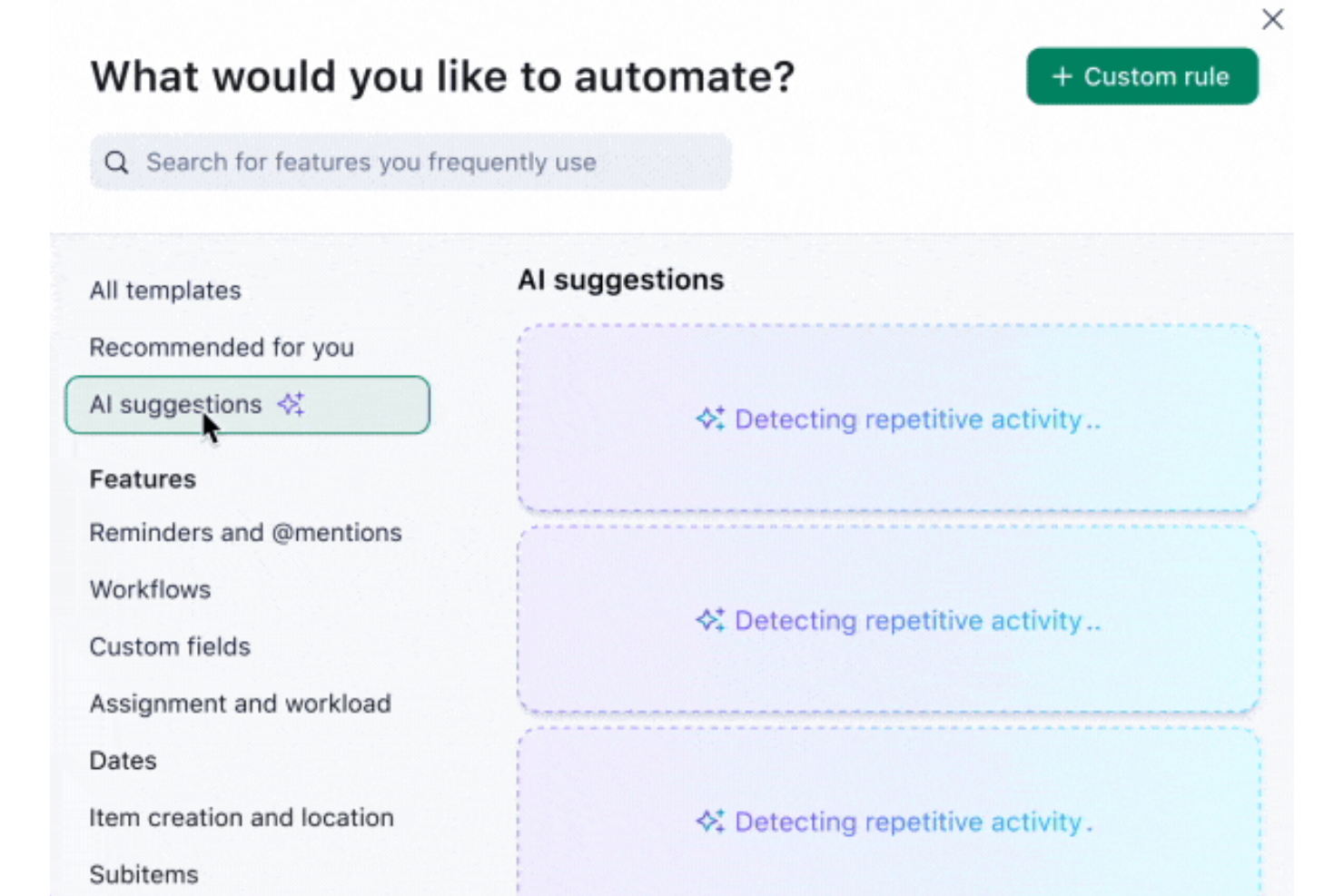
Wrike è una piattaforma di gestione dei progetti progettata per aiutare i team a organizzare le attività, collaborare in modo efficace e rispettare le scadenze. Offre strumenti per gestire i flussi di lavoro, monitorare i progressi e condividere risorse tra i team. Wrike si rivolge a una vasta gamma di settori, dal marketing alle operazioni.
Perché è una valida alternativa a Quickbase: Anche se Wrike non è una piattaforma no-code tradizionale come Quickbase, è un’ottima alternativa per chi non ha il tempo o le risorse per creare applicazioni personalizzate. Il suo alto grado di personalizzazione ti permette di configurare flussi di lavoro, tipologie di attività e dashboard in base alle esigenze uniche del tuo team. Queste funzionalità ti consentono di affrontare sfide simili nella gestione dei progetti e di raggiungere i tuoi obiettivi senza dover progettare tutto da zero come in Quickbase.
Funzionalità e integrazioni principali:
Le funzionalità includono strumenti di Work Intelligence® basati sull'IA che ti aiutano a personalizzare i flussi di lavoro, automatizzare le attività di routine, prevedere i rischi dei progetti e fornire raccomandazioni. Wrike offre anche moduli di richiesta, che ti aiutano a gestire le richieste di lavoro in entrata e a dare priorità alle attività. Inoltre, le sue funzionalità di reportistica ti forniscono approfondimenti dettagliati sull'andamento dei progetti e sulle prestazioni del team senza la necessità di monitoraggio manuale.
Le integrazioni includono Slack, Google Drive, Microsoft Teams, Dropbox, Salesforce, QuickBooks, Asana e Trello.
Pros and Cons
Pros:
- Elevato livello di personalizzazione della piattaforma
- Possibilità di configurare flussi di lavoro automatici per processi complessi
- Dashboard personalizzate per esigenze di progetto specifiche
Cons:
- Personalizzare la piattaforma può richiedere un periodo di apprendimento
- Non consente di creare applicazioni business da zero
New Product Updates from Wrike

Wrike Adds Quick Search to Table View
Wrike adds Quick Search to Table View with full-table search across titles, descriptions, and fields, plus highlighted matches. This helps users find tasks faster in large tables. For more information, visit Wrike’s official site.

Ninox
Ideale per soluzioni ERP low-code flessibili

Ninox è una piattaforma low-code progettata per aiutare le aziende a digitalizzare i propri processi con soluzioni personalizzabili e flessibili. È ideale per soluzioni ERP flessibili e low-code grazie alla sua adattabilità e facilità d'uso nella creazione di sistemi ERP su misura.
Perché è una valida alternativa a Quickbase: Ninox offre una piattaforma low-code altamente adattabile che consente alle aziende di creare soluzioni ERP personalizzate sulle proprie esigenze. La sua interfaccia intuitiva rappresenta una valida soluzione per i team che necessitano di un database semplice senza una curva di apprendimento ripida. Inoltre, Ninox offre flessibilità nella progettazione di app personalizzate grazie a strumenti che richiedono poca programmazione, risultando così accessibili anche agli utenti meno esperti.
Funzionalità e integrazioni principali:
Le funzionalità includono applicazioni, modelli per i casi d'uso più comuni e valide opzioni di sicurezza e conformità. Supporta inoltre l'automazione dei flussi di lavoro e l'integrazione senza soluzione di continuità con altri sistemi.
Le integrazioni comprendono Zapier, Integromat, Google Drive, Dropbox, Microsoft OneDrive, Box, Slack, Trello, Asana e QuickBooks.
Pros and Cons
Pros:
- Altamente personalizzabile e flessibile
- Adatto a diversi processi aziendali
- Solide funzionalità di sicurezza e conformità
Cons:
- Funzionalità avanzate limitate rispetto ad alcuni concorrenti
- Potrebbe non essere adatto per grandi aziende con esigenze di gestione dati molto ampie

AppSheet
Ideale per la creazione di app no-code con integrazione Google
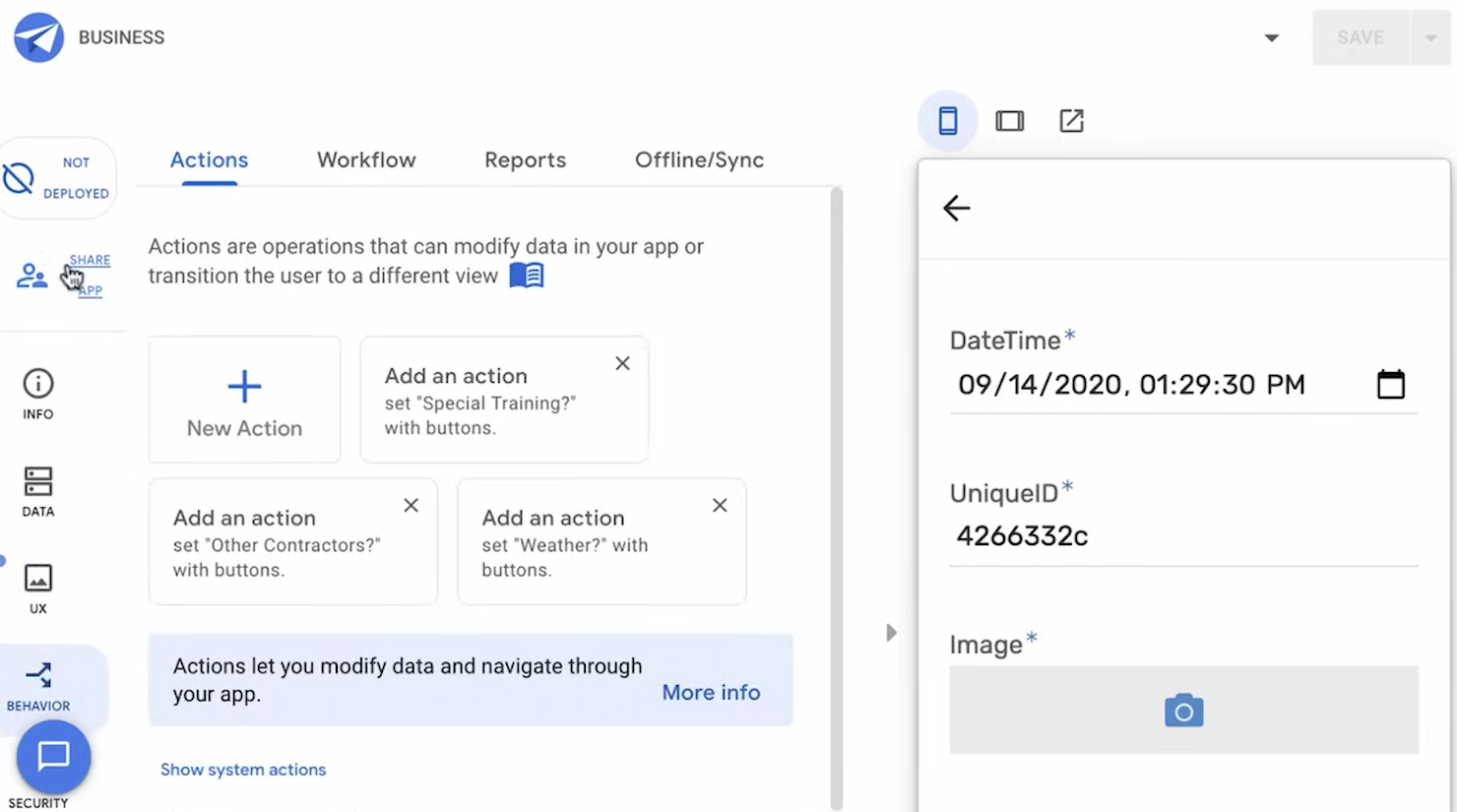
AppSheet è una piattaforma no-code che permette agli utenti di creare app e processi automatizzati senza programmare. È l'ideale per creare app no-code con integrazione Google perché si integra con Google Workspace e vari provider di archiviazione dati cloud.
Perché è una valida alternativa a Quickbase: AppSheet offre una solida piattaforma no-code che si integra perfettamente con Google Workspace. Permette agli utenti di creare app mobili e web personalizzate a partire da Google Sheets e altre fonti di dati ospitate sul cloud. Inoltre, il suo forte accento sull'automazione e sulle analisi guidate dall'IA consente alle aziende di ottimizzare le proprie operazioni in modo efficiente.
Funzionalità principali & integrazioni:
Funzionalità includono creazione di app, acquisizione avanzata dei dati, automazione dei processi e integrazione con Google Workspace. Gli utenti possono inoltre sfruttare l'IA per potenziare le funzionalità delle app.
Integrazioni includono Google Sheets, Google Drive, Office 365, Dropbox, Salesforce, Smartsheet, database SQL, Apigee, REST API e OData.
Pros and Cons
Pros:
- Piattaforma no-code adatta ai non sviluppatori
- Forte integrazione con Google Workspace
- Automazione avanzata e funzionalità IA
Cons:
- Personalizzazione limitata rispetto ad alcune piattaforme low-code
- Può richiedere un periodo di apprendimento per applicazioni complesse

Caspio
Ideale per prezzo senza limiti di utenti

Caspio è una piattaforma low-code che consente ai professionisti aziendali di creare applicazioni cloud multiutente senza necessità di una programmazione avanzata. È ideale per il prezzo illimitato per utente perché permette a un numero qualsiasi di utenti interni o esterni di accedere alle applicazioni senza costi per singolo utente.
Perché è una valida alternativa a Quickbase: Caspio offre un modello di prezzo unico che elimina i costi per utente, risultando conveniente per le organizzazioni con molti utenti. Fornisce inoltre un'interfaccia punta e clicca che semplifica la creazione di applicazioni personalizzate.
Caratteristiche distintive & integrazioni:
Caratteristiche includono un costruttore visivo di app, utenti illimitati per applicazione e sicurezza di livello aziendale. Offre anche automazione avanzata, capacità di integrazione e opzioni di gestione dei dati.
Integrazioni includono Microsoft SQL, AWS, Stripe, PayPal, Zapier, Google Drive, Dropbox, Salesforce, QuickBooks e Mailchimp.
Pros and Cons
Pros:
- Accesso utente illimitato
- Funzionalità avanzate di sicurezza e conformità
- Capacità estese di gestione dei dati
Cons:
- Prezzo iniziale più elevato rispetto ad alcuni concorrenti
- Può avere tempi di caricamento più lenti con insiemi di dati voluminosi o applicazioni complesse

Appian
Ideale per l'automazione completa dei processi
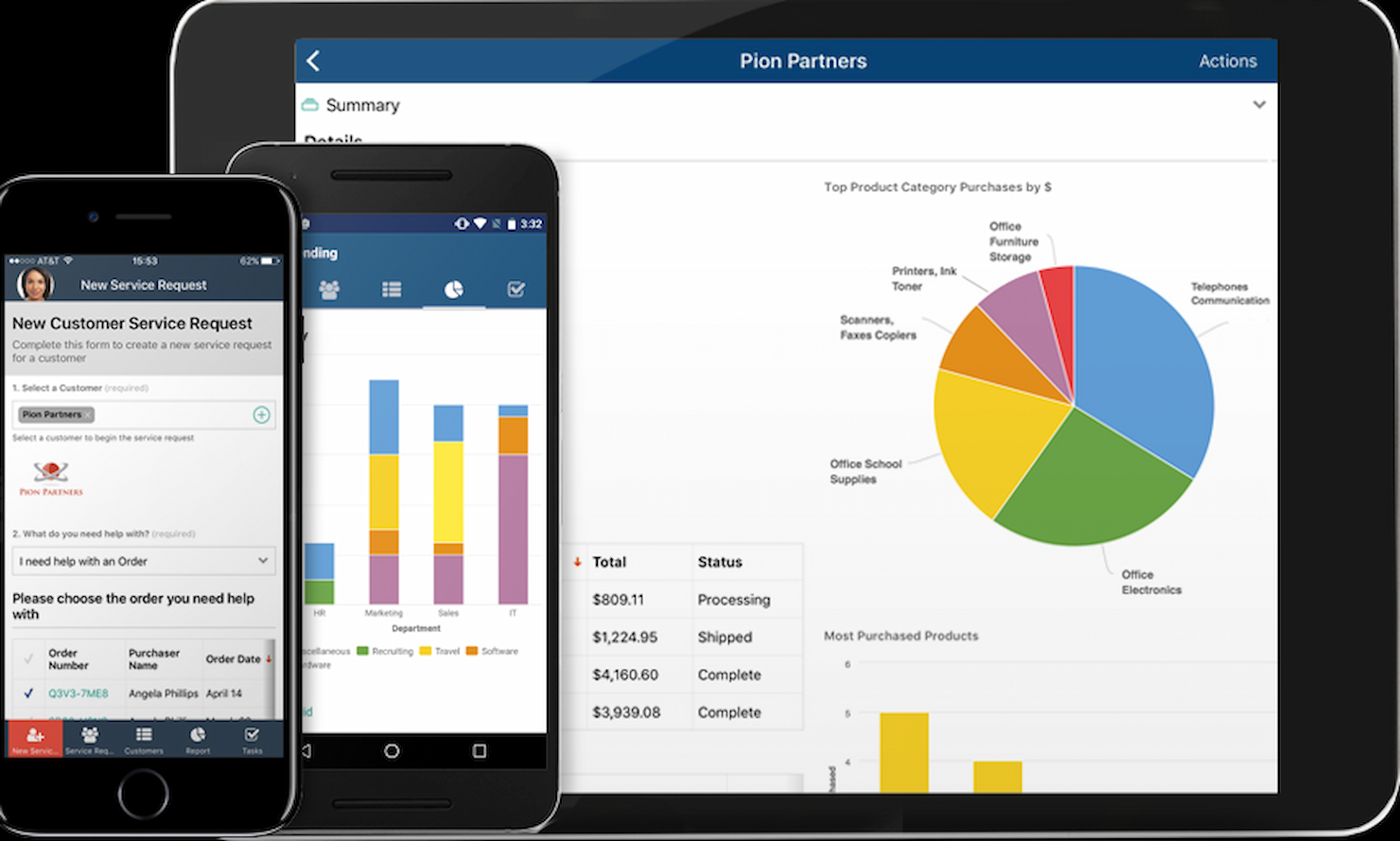
Appian è una piattaforma progettata per automatizzare i processi aziendali dall'inizio alla fine. Offre un'automazione dei processi end-to-end integrando funzionalità di RPA, AI, IDP e API.
Perché è una buona alternativa a Quickbase: Appian è una soluzione solida per le aziende che desiderano automatizzare processi complessi. La sua capacità di integrare diversi strumenti di automazione la rende una delle migliori concorrenti di Quickbase, soprattutto per le organizzazioni che necessitano di gestione dei processi.
Caratteristiche e integrazioni principali:
Le funzionalità includono progettazione di applicazioni low-code, automazione robotica dei processi, elaborazione intelligente dei documenti e capacità di intelligenza artificiale.
Le integrazioni comprendono Salesforce, Microsoft Dynamics, Google Workspace, AWS, Azure, Oracle, SAP, ServiceNow, Box e Docusign.
Pros and Cons
Pros:
- Capacità di automazione complete
- Ottime funzionalità di AI e machine learning
- Ampie opzioni di integrazione
Cons:
- Prezzo di partenza più elevato
- Configurazione complessa per i team più piccoli

Ideale per soluzioni low-code complete

Zoho Creator è una piattaforma di sviluppo applicazioni low-code che aiuta gli utenti a progettare, sviluppare ed eseguire software aziendali personalizzati. È l'opzione migliore per soluzioni low-code complete, grazie all'ampia gamma di funzionalità che soddisfano diverse esigenze aziendali.
Perché è una valida alternativa a Quickbase: Zoho Creator offre strumenti per creare applicazioni personalizzate con una programmazione minima. Il suo set di funzionalità unico, tra cui automazione dei flussi di lavoro, gestione dei dati e capacità di integrazione, la rende una solida alternativa a Quickbase. Inoltre, il prezzo flessibile la rende accessibile ad aziende di tutte le dimensioni.
Funzionalità e integrazioni principali:
Le funzionalità includono un'interfaccia drag-and-drop, app basate sull'intelligenza artificiale e analisi in tempo reale. La piattaforma offre, inoltre, ampie opzioni di personalizzazione e supporta lo sviluppo di app mobili. La sua capacità di automatizzare i processi aziendali e integrarsi con numerosi strumenti di terze parti ne aumenta la versatilità.
Le integrazioni includono Zoho CRM, Zoho Books, Zoho Analytics, Google Workspace, Microsoft Office 365, Salesforce, QuickBooks, Zapier, PayPal e Stripe.
Pros and Cons
Pros:
- Ampie opzioni di personalizzazione
- Forti capacità di integrazione
- Piani tariffari flessibili
Cons:
- Curva di apprendimento più ripida per i principianti
- Problemi occasionali di prestazioni con applicazioni complesse

Ideale per lo sviluppo potente di app personalizzate

FileMaker è una piattaforma low-code progettata per aiutare gli utenti a creare, condividere e integrare app personalizzate su misura per le esigenze aziendali. È ideale per lo sviluppo di applicazioni personalizzate grazie al suo set completo di strumenti che consente di creare e distribuire rapidamente applicazioni complesse.
Perché è una valida alternativa a Quickbase: FileMaker è rinomato per lo sviluppo di app personalizzate e per la sua capacità di integrare dati, logica di business e livelli dell'interfaccia utente in un'unica piattaforma. È una valida alternativa per chi cerca una piattaforma versatile in grado di creare app personalizzate su misura per esigenze aziendali specifiche.
Funzionalità e integrazioni principali:
Funzionalità includono strumenti di progettazione drag-and-drop, modelli integrati e strumenti di sviluppo avanzati come debugger di script e visualizzatori di dati. Offre inoltre solide funzionalità di sicurezza, tra cui la crittografia AES a 256 bit e la crittografia SSL per i dati in transito.
Integrazioni includono Amazon Web Services (AWS), Microsoft Excel, QuickBooks, Acuity, MySQL, Oracle, Microsoft SQL Server, Okta, Microsoft Active Directory e OData.
Pros and Cons
Pros:
- Completi strumenti di sviluppo low-code
- Solide funzioni di sicurezza
- Ampie capacità di integrazione
Cons:
- È richiesto un minimo di 5 utenti per il piano più economico
- Le prestazioni e le capacità di integrazione possono essere limitate su alcune piattaforme come macOS e iOS

Knack
Ideale per database online

Knack è una piattaforma per lo sviluppo di applicazioni no-code che consente agli utenti di creare database online e applicazioni personalizzate. È ideale per la gestione di database online grazie alla sua interfaccia intuitiva e alle ampie possibilità di personalizzazione.
Perché è una valida alternativa a Quickbase: Knack offre una piattaforma no-code solida che semplifica la creazione di database online. La sua flessibilità e facilità d'uso la rendono una valida scelta per chi desidera abbandonare Quickbase. Il modello di prezzi di Knack, che non prevede costi per singolo utente, garantisce anche un notevole risparmio per i team.
Funzionalità e integrazioni principali:
Funzionalità includono la creazione di app potenziate dall'AI, una gestione dati dettagliata e una solida sicurezza e infrastruttura. La piattaforma offre anche ampie capacità di reportistica e integrazione e-commerce senza soluzione di continuità.
Integrazioni includono Zapier, Integromat, Google Drive, Dropbox, Mailchimp, Stripe, QuickBooks, Salesforce e Slack.
Pros and Cons
Pros:
- Nessun costo per utente
- Ampie opzioni di personalizzazione
- Funzionalità di gestione dati avanzate
Cons:
- Costo maggiore per database di grandi dimensioni
- Capacità offline limitate
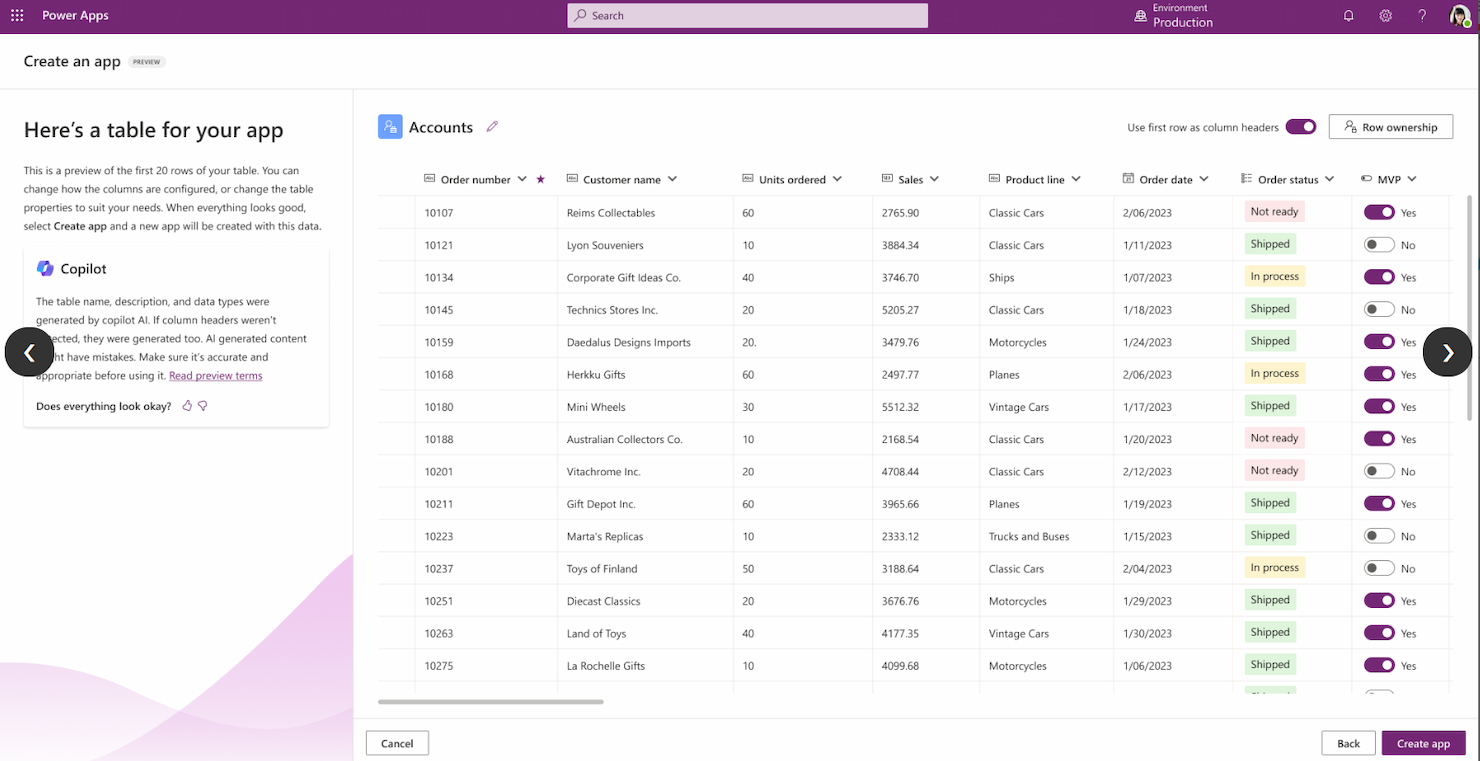
Microsoft PowerApps è una piattaforma per creare applicazioni aziendali personalizzate. È l'ideale per l'integrazione con l'ecosistema Microsoft grazie alla sua compatibilità con altri servizi Microsoft come Office 365, Dynamics 365 e Azure.
Perché è una valida alternativa a Quickbase: La profonda integrazione di Microsoft PowerApps con l'ecosistema Microsoft offre un'esperienza unificata per gli utenti già inseriti nell'ambiente Microsoft. Le sue opzioni di personalizzazione consentono di creare soluzioni su misura che soddisfano i requisiti aziendali senza necessità di conoscenze di programmazione avanzate.
Caratteristiche e integrazioni principali:
Le funzionalità includono capacità di creazione supportate da intelligenza artificiale, Dataverse e connettori predefiniti. Inoltre, consente la creazione e distribuzione illimitata di app per gli utenti con licenza.
Le integrazioni includono Office 365, Dynamics 365, Azure, SharePoint, OneDrive, SQL Server, Excel, Power BI, Outlook e Teams.
Pros and Cons
Pros:
- Integrazione profonda con i servizi Microsoft
- Supporta funzionalità di intelligenza artificiale con AI Builder
- Creazione illimitata di app per utenti con licenza
Cons:
- Richiede familiarità con l'ecosistema Microsoft
- Capacità offline limitate

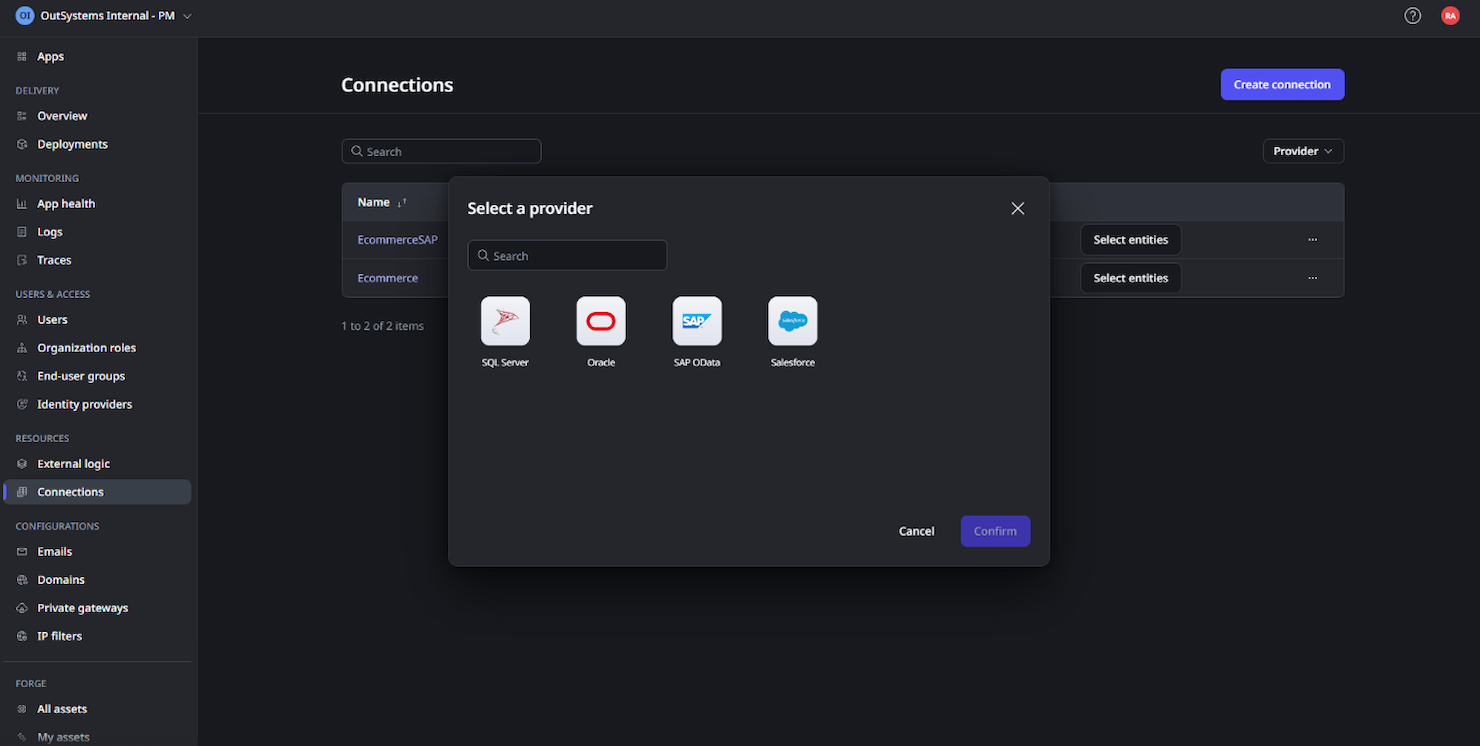
OutSystems è una piattaforma di sviluppo low-code ad alte prestazioni progettata per aiutare le organizzazioni a creare e distribuire applicazioni complesse rapidamente. È la scelta ideale per lo sviluppo low-code ad alte prestazioni, in quanto è in grado di gestire efficacemente applicazioni su larga scala e flussi di lavoro complessi.
Perché è una valida alternativa a Quickbase: OutSystems offre applicazioni ad alte prestazioni con un approccio low-code. La sua capacità di gestire flussi di lavoro complessi e applicazioni su larga scala la distingue come alternativa valida a Quickbase, in particolare per chi desidera accelerare la trasformazione digitale.
Funzionalità principali e integrazioni:
Le funzionalità includono sviluppo full-stack, architettura cloud-native e sviluppo rapido di applicazioni. Offre inoltre applicazioni di alta qualità con funzionalità di intelligenza artificiale integrate.
Le integrazioni includono Salesforce, SAP, Microsoft Dynamics, Oracle, AWS, Azure, Google Cloud, Twilio, Stripe e Slack.
Pros and Cons
Pros:
- Elevata scalabilità per applicazioni di grandi dimensioni
- Strumenti completi per sviluppo e distribuzione inclusi
- Ottimo supporto per flussi di lavoro complessi
Cons:
- Prezzo iniziale superiore rispetto ad alcuni concorrenti
- La complessità può richiedere un periodo di apprendimento
Altre alternative a Quickbase
Ecco alcune altre alternative a Quickbase che ho selezionato. Anche se non sono entrate nella top 10, restano valide e meritano di essere prese in considerazione.
- Smartsheet
Ideale per la gestione del lavoro aziendale
- GoodDay
Ideale per diverse visualizzazioni del lavoro
- AppGyver
Ideale per creare app con strumenti senza codice


Recensioni correlate dei software per la gestione dei progetti
Se non hai ancora trovato quello che cerchi, dai un'occhiata a questi strumenti correlati per la gestione dei progetti che abbiamo testato e recensito.
- Software per la gestione dei progetti
- Software per la gestione delle risorse
- Software per l'automazione dei flussi di lavoro
- Software per la gestione delle attività
- Strumenti di collaborazione
- Generatore di diagrammi di Gantt
Come Valuto le Alternative a Quickbase
Valuto gli strumenti su due livelli: criteri di base come la modellazione di dati relazionali e l'automazione dei flussi di lavoro, e fattori differenzianti che contano di più per i team PMO e operations che intendono sostituire Quickbase.
Funzionalità Principali (Requisiti Fondamentali per Questa Lista)
Quando seleziono gli strumenti per la mia lista, assegno a ciascuno un punteggio da 0 (funzionalità assente) a 5 (eccellenza in quest'area) per ogni funzionalità principale elencata di seguito. Poi, calcolo il punteggio totale dello strumento in percentuale. Ogni strumento deve raggiungere un punteggio totale minimo del 65% per essere preso in considerazione.
- Creazione di App Personalizzate: Cerco builder no-code/low-code che permettano ai team operativi di creare app su misura—come un tracker per richieste di modifica o un modulo di acquisizione risorse—senza dover fare richiesta agli sviluppatori.
- Modello di Dati Relazionale: Conta la capacità di ogni strumento di collegare i record tra più tabelle. Per esempio, collegare un record progetto alle sue attività, ai fornitori e alle voci di budget in un unico workspace.
- Automazione dei Flussi di Lavoro: Valuto come ogni piattaforma gestisce trigger multi-step, logica condizionale e catene di approvazione—come l'inoltro automatico di una richiesta di modifica al referente giusto in base al tipo di progetto.
- Gestione di Progetti e Attività: Verifico le funzionalità di project management di base come dipendenze, viste Gantt e monitoraggio delle milestone. Piattaforme come Smartsheet e monday.com lo affrontano in modo diverso, quindi valuto profondità e flessibilità.
- Dashboard e Reportistica: Controllo se è possibile creare dashboard in tempo reale che attingano dati da app e tabelle diverse—quelle di cui i direttori PMO hanno bisogno per riportare lo stato del portafoglio alla leadership senza dover manipolare manualmente i dati.
- Integrazioni e Accesso API: Lo strumento dovrebbe connettersi ai sistemi che il tuo team già utilizza. Valuto la presenza di connettori nativi, disponibilità di REST API, supporto webhook e compatibilità con piattaforme iPaaS come Zapier o Make.
Una volta compilata la lista degli strumenti che soddisfano questi requisiti, considero ciò che distingue ogni piattaforma.
Fattori Differenzianti (Cosa Distingue i Fornitori)
Ecco come confronto e metto a confronto i vari fornitori:
Funzionalità Distintive
Le visualizzazioni a livello di portafoglio sono importanti quando si gestiscono decine di progetti e serve riportare lo stato alla leadership senza dover combinare manualmente fogli di calcolo. Valuto anche se una piattaforma offre la costruzione assistita da AI—la possibilità di descrivere ciò di cui hai bisogno in linguaggio naturale e ottenere un'app o una formula già funzionante. Gli ambienti di test (sandbox) sono un altro elemento di distinzione, soprattutto per i responsabili IT che hanno bisogno di testare modifiche ai workflow prima di renderle operative su tutti i team.
Oltre le Funzionalità
La struttura dei prezzi è una delle prime cose che verifico, poiché i costi per utente di Quickbase spingono molti team a cercare alternative. Guardo se le piattaforme distinguono tra licenze per costruttori e semplici utenti finali e come i minimi crescono all'aumentare della squadra. Anche la velocità di implementazione conta—template PM preconfigurati e app starter possono abbreviare il tempo di deployment di settimane rispetto a una costruzione da zero. Per i clienti enterprise, valuto i controlli di governance come permessi basati sui ruoli, audit log e supporto per ambienti multipli per tenere separate le aree di sviluppo e produzione.
Perché cercare un'alternativa a Quickbase?
Potresti cercare un'alternativa a Quickbase se hai bisogno di quanto segue.
- Costi inferiori: I prezzi di Quickbase possono essere relativamente elevati, soprattutto per le piccole imprese o le startup. I costi, basati sulle tariffe per utente, possono aumentare rapidamente, rendendo la soluzione meno interessante per i team più numerosi con un budget limitato.
- Più funzionalità di reportistica: Alcuni utenti ritengono che gli strumenti di reportistica di Quickbase siano meno dettagliati rispetto a quelli offerti dai concorrenti, il che può rappresentare uno svantaggio per le aziende che gestiscono grandi quantità di dati.
- Interfacce utente più intuitive: La flessibilità e la profondità delle opzioni di Quickbase comportano una curva di apprendimento ripida. Potresti trovare difficile navigare nella piattaforma e sfruttarne appieno il potenziale senza una formazione significativa.
- Migliore integrazione: Nonostante supporti diverse integrazioni, Quickbase potrebbe non connettersi con altri software che stai già utilizzando, rendendo necessarie personalizzazioni aggiuntive o strumenti di terze parti. Ciò può complicare il processo di configurazione e aumentare la manutenzione complessiva del sistema.
- Scalabilità efficace: Quickbase offre ampie opzioni di personalizzazione, ma le integrazioni e le opzioni di reportistica limitate potrebbero rallentarti quando cerchi di scalare.
Funzionalità chiave delle alternative a Quickbase
Per essere una valida alternativa a Quickbase, il software scelto dovrebbe offrire o migliorare alcune funzionalità chiave. Ecco le funzionalità che sto cercando.
- Generatore visivo senza codice: Consente agli utenti di creare applicazioni senza scrivere codice
- Automazione dei flussi di lavoro: Automatizza le attività ripetitive per migliorare l'efficienza
- Dashboard personalizzabili: Fornisce dashboard specifiche per utente per una migliore visualizzazione dei dati
- Collaborazione in tempo reale: Consente a più utenti di lavorare contemporaneamente sugli stessi dati
- Reportistica avanzata: Offre report interattivi e personalizzabili
- Integrazione dei dati: Si connette a diversi sistemi esterni per una gestione unificata dei dati
- Accesso mobile: Potenzia le operazioni sul campo con l'accesso ai dati in tempo reale tramite dispositivi mobili
- Autorizzazioni basate sui ruoli: Controlla l'accesso degli utenti e le autorizzazioni a livelli granulari
- Funzionalità di intelligenza artificiale: Utilizza l'intelligenza artificiale per ottenere informazioni più approfondite e prendere decisioni migliori
- Scalabilità: supporta scalabilità e sicurezza di livello aziendale