



Float vs. Runn: Confronto e Recensioni degli Esperti per il 2026



La crescita crea opportunità, ma rende anche la pianificazione più complessa. Man mano che la domanda aumenta e le priorità cambiano, i team hanno bisogno di una visione chiara della capacità per poter prendere decisioni sicure sul personale e determinare se possono assumere nuovi incarichi.
Se stai cercando di gestire i calendari, prevedere i carichi di lavoro o assegnare le persone giuste ai progetti giusti, scegliere il miglior software per la gestione delle risorse e la pianificazione della capacità può sembrare travolgente. Sia Float che Runn promettono di aiutarti a pianificare le risorse e raggiungere gli obiettivi di consegna, ma come si confrontano realmente? Probabilmente vuoi risposte concrete sulla flessibilità, rapidità e su come ciascuno strumento supporta team distribuiti come il tuo.
In questo articolo troverai un confronto diretto tra Float e Runn—compresi pro e contro, casi d’uso principali, prezzi, sicurezza e semplicità d’uso. Ti aiuterò a capire quale software si adatta meglio alle tue esigenze, così potrai scegliere quello giusto per il tuo team.
Float.com vs. Runn: An Overview
Float.com


Runn
Perché fidarsi dei nostri consigli sui software
Il nostro team testa e recensisce software dal 2012. In quanto project manager noi stessi, sappiamo quanto sia difficile — e importante — scegliere il software giusto.
Per questa guida, abbiamo valutato gli strumenti attraverso test pratici e ricerche indipendenti, assegnando un punteggio agli strumenti in base ai nostri criteri di selezione. Ci basiamo inoltre sulle competenze di leader di pensiero del settore e di professionisti attivi nella gestione dei progetti.
Le nostre recensioni riflettono il nostro giudizio editoriale umano, non un discorso di vendita.
Revisori esperti:
Float.com vs. Runn Pricing Comparison
| Float.com | Runn | |
|---|---|---|
| Free Trial | 30-day free trial available | 30-day free trial |
| Pricing | From $7/scheduled user/month | From $7/user/month (billed annually) |
Prezzi e Costi Nascosti: Float vs. Runn
Float offre una tariffazione basata su abbonamento secondo il numero di utenti, con pacchetti a livelli che sbloccano più funzionalità salendo di livello. Potrebbero essere previsti costi aggiuntivi per componenti opzionali, integrazioni o maggiori capacità di archiviazione dati. Anche Runn applica una tariffazione per utente, ma è noto per i suoi piani trasparenti che si adattano alle dimensioni della squadra e alle esigenze in termini di funzionalità.
Quando confronti i prezzi, non fermarti al numero di partenza: valuta se le funzionalità offerte da ciascun strumento combaciano con i tuoi flussi di lavoro—soprattutto per quanto riguarda reportistica, permessi o integrazioni essenziali. Chiedi informazioni su abbonamenti annuali vs. mensili e richiedi un dettaglio di tutte le eventuali spese, inclusi onboarding, upgrade del supporto o personalizzazioni. Dai priorità ai fornitori che sono trasparenti sui costi, così da non trovarti di fronte a sorprese successivamente.
Float.com vs. Runn Feature Comparison
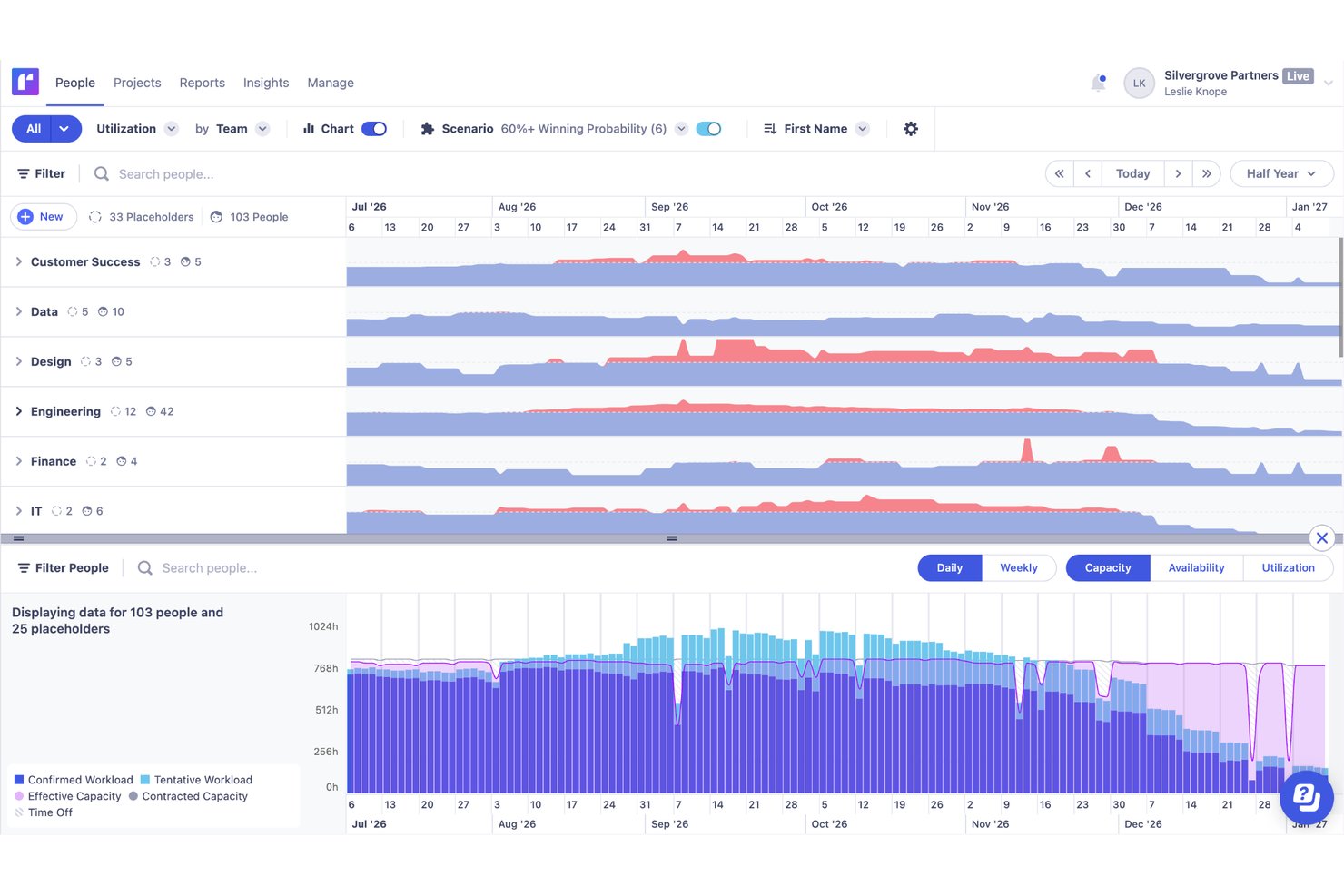
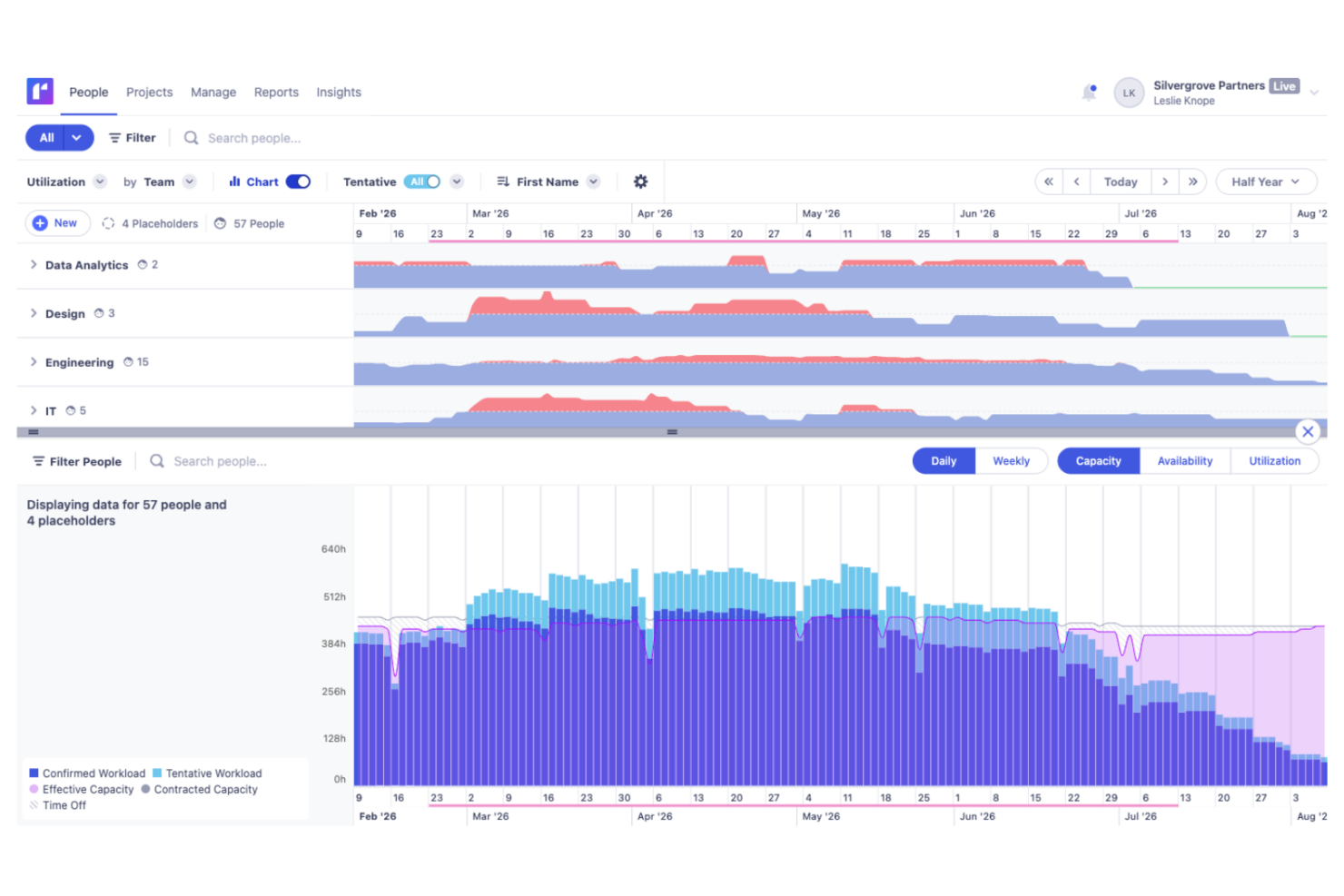
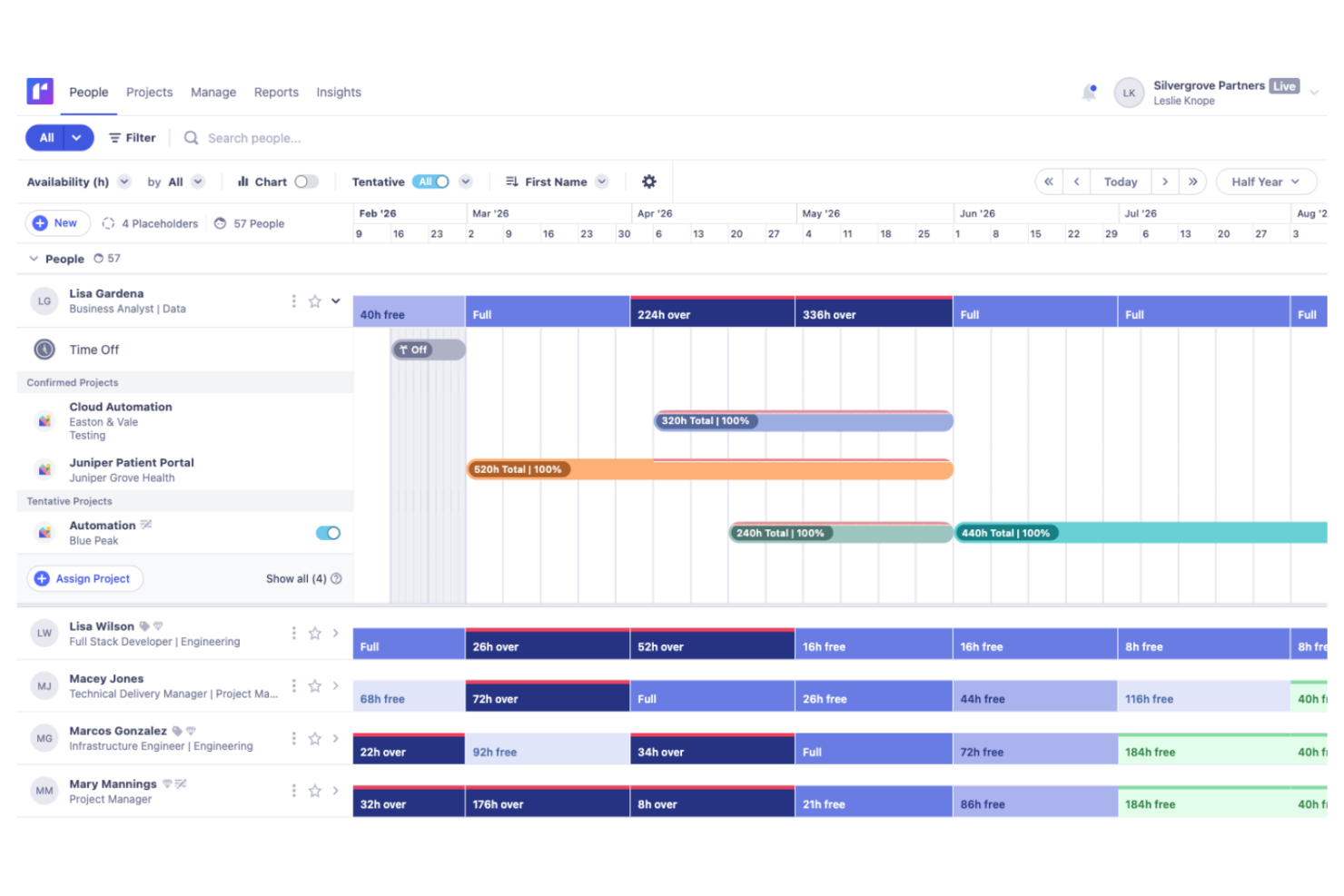
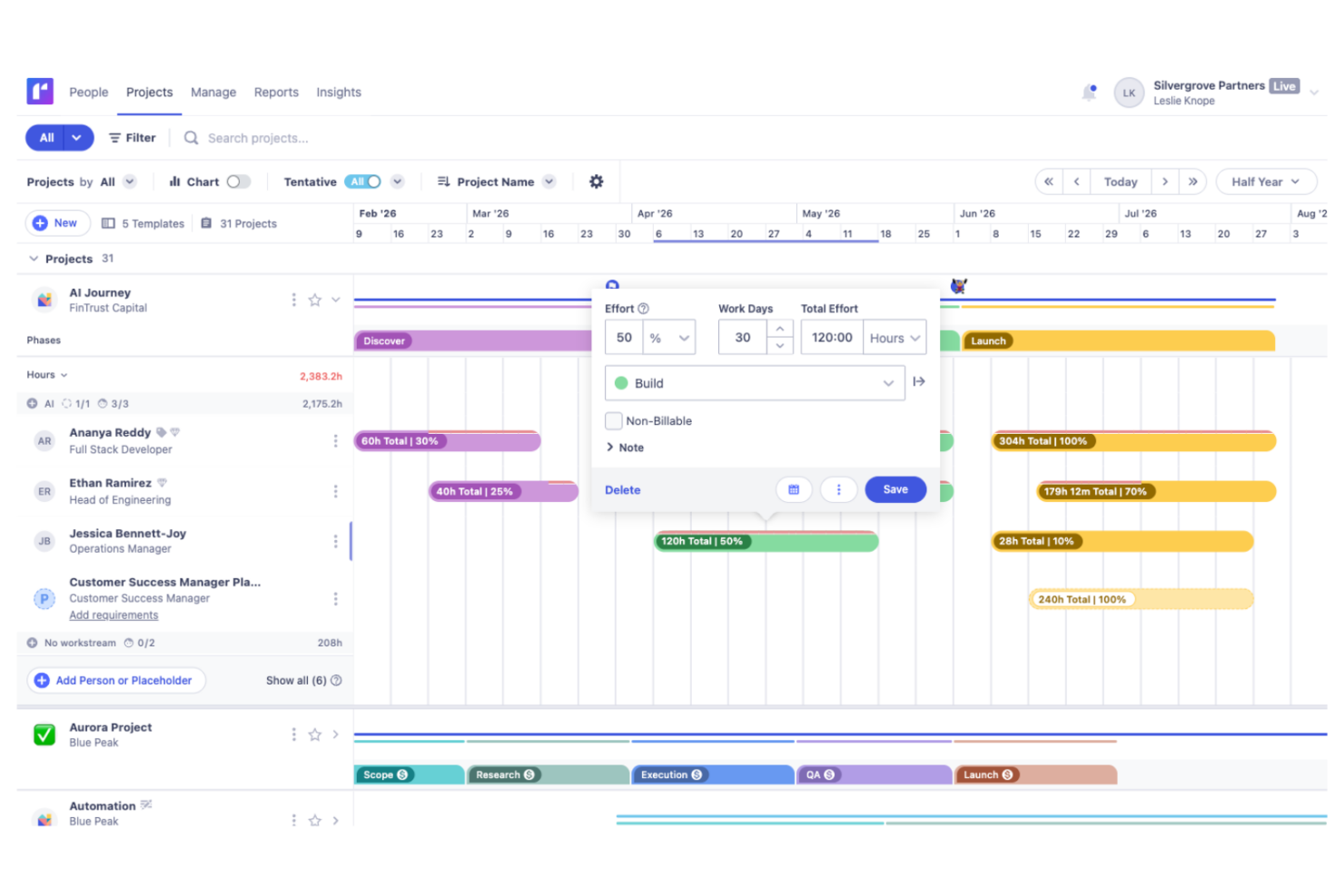
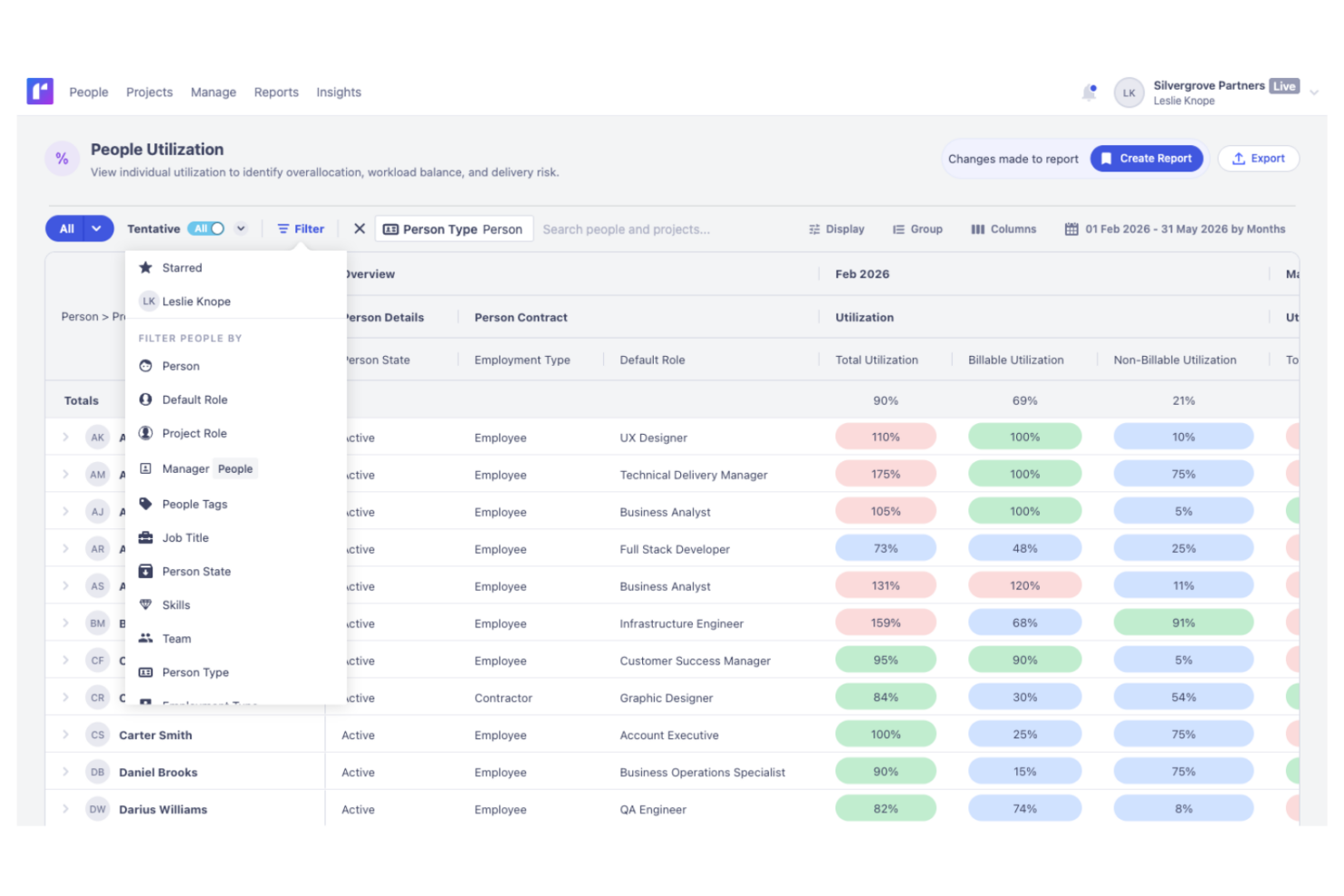
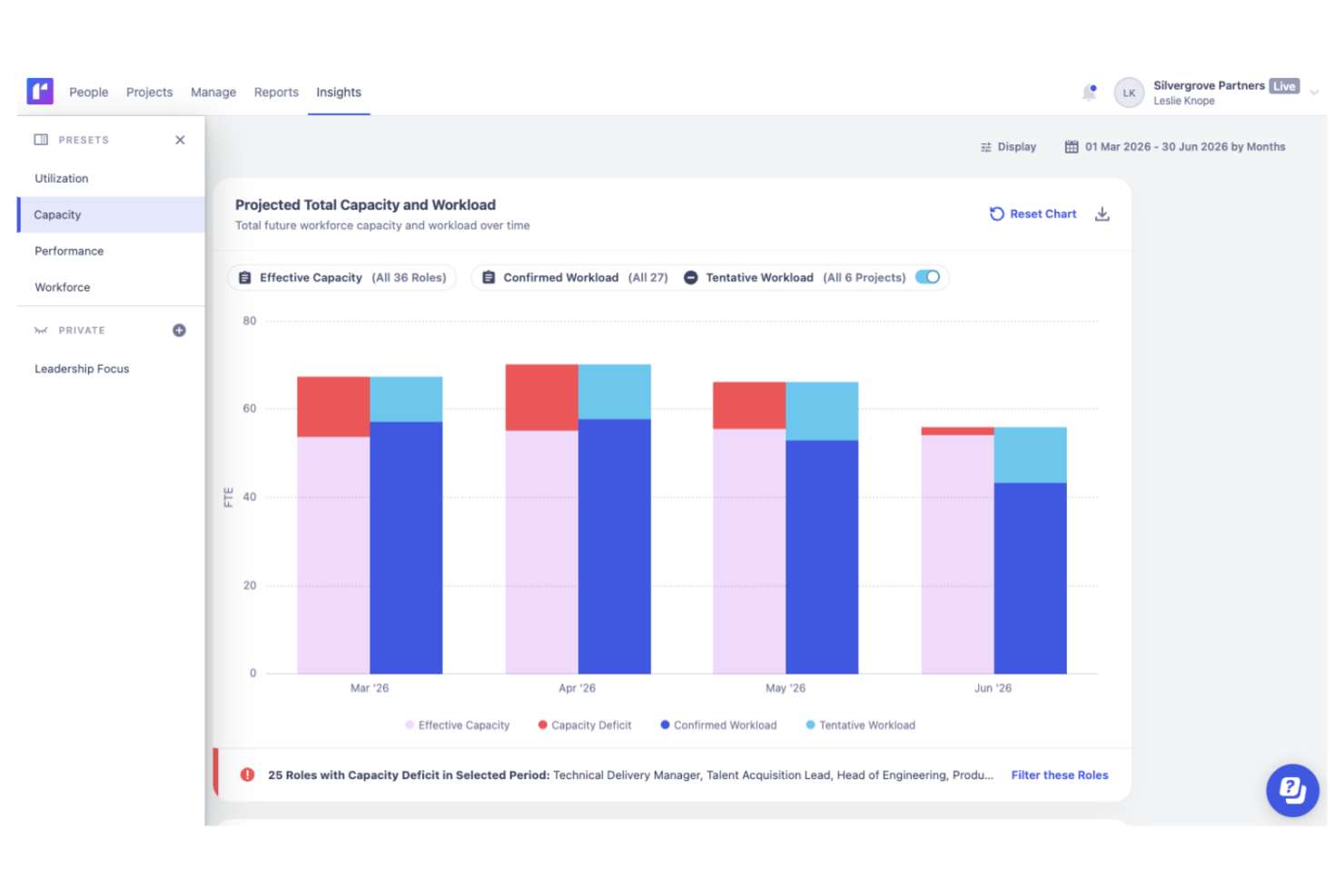
La pianificazione in tempo reale dell’utilizzo e quella consapevole del margine di Float ti consente di assegnare rapidamente le risorse tramite drag-and-drop e di individuare subito rischi di sovraccarico o problemi di margine su una settimana da agenzia. La pianificazione di scenari e i progetti provvisori di Runn sono ideali per tracciare cambiamenti di pipeline su più trimestri quando bilanci assunzioni e delivery. Rispetto a Runn, Float è preferibile quando serve massima visibilità tra pianificato e consuntivato all’interno del calendario, mentre Runn eccelle nella previsione multi-mese tra i team.
| Float.com | Runn | |
|---|---|---|
| API | ||
| Approval Workflows | ||
| Audit Trail | ||
| Budgeting | ||
| Calendar Management | ||
| Compliance Tracking | ||
| Custom Reports | ||
| Customer Management | ||
| Dashboard | ||
| Data Export | ||
| Data Import | ||
| Data Visualization | ||
| Document Management | ||
| Expense Tracking | ||
| External Integrations | ||
| Forecasting | ||
| Inventory Tracking | ||
| Multi-Currency | ||
| Multi-User | ||
| Notifications | ||
| Prioritization | ||
| Process Reporting | ||
| Project Management | ||
| Resource Management | ||
| Risk Assessment | ||
| Roadmapping | ||
| Scheduling | ||
| Supplier Management | ||
| Third-Party Plugins/Add-Ons | ||
| Workflow Management |
Float vs. Runn Integrazioni
| Integrazione | Float | Runn |
|---|---|---|
| Asana | ✅ | ❌ |
| Jira | ✅ | ✅ |
| Microsoft Teams | ✅ | ❌ |
| Trello | ✅ | ❌ |
| Slack | ✅ | ❌ |
| BambooHR | ❌ | ✅ |
| n8n | ✅ | ✅ |
| API | ✅ | ✅ |
| Zapier | ✅ | ✅ |
Runn e Float offrono una gamma comparabile di integrazioni per gli strumenti principali utilizzati dai team per la pianificazione dei progetti, la comunicazione e le operazioni aziendali. Runn propone una selezione mirata di integrazioni native, che comprende un supporto più ampio per piattaforme di gestione del personale e delle risorse umane, oltre all’accesso API e collegamenti aggiuntivi tramite Zapier e n8n. Anche Float supporta API e integrazioni con servizi terzi diffusi, quindi la soluzione più adatta dipenderà perlopiù dagli strumenti già presenti nel tuo flusso di lavoro, piuttosto che da grandi differenze nelle funzionalità di integrazione.
Sicurezza, Conformità e Affidabilità: Float vs. Runn
| Fattore | Float | Runn |
|---|---|---|
| Crittografia dei Dati | Float utilizza la crittografia AES-256 per proteggere i dati a riposo e TLS per i dati in transito. | Runn cripta i dati in transito utilizzando TLS 1.2+ e a riposo tramite AES-256. |
| Conformità Normativa | Float è conforme a GDPR e SOC 2 per garantire la privacy dei dati degli utenti. | Runn è certificato SOC 2 Type II e supporta la conformità a GDPR, CCPA/CPRA e alle richieste applicabili degli utenti sui dati. |
| Affidabilità Operativa | Float garantisce il 99,5% di uptime e backup giornalieri. | Le informazioni di sicurezza di Runn comprendono monitoraggio continuo, backup, misure di recupero e risposta agli incidenti. |
Sia Float che Runn offrono solide soluzioni per la sicurezza dei dati e la conformità. Per scegliere il software di gestione progetti e risorse più adatto, valuta come le caratteristiche di sicurezza di ciascun strumento siano in linea con le tue esigenze di conformità e gestione dati. Runn supera leggermente Float grazie al supporto della conformità CCPA, offrendo un vantaggio alle organizzazioni che hanno necessità specifiche di privacy in California.
Facilità d'Uso: Float vs. Runn
| Fattore | Float | Runn |
|---|---|---|
| Interfaccia Utente | Float offre un'interfaccia pulita e intuitiva che semplifica la pianificazione delle risorse. | Design semplice e moderno orientato a una navigazione rapida. |
| Esperienza di Onboarding | Float mette a disposizione tutorial passo dopo passo e guide che facilitano l’avvio ai nuovi utenti. | Runn offre sessioni di onboarding personalizzate e servizi di implementazione dedicati. |
| Supporto Clienti | Float garantisce un supporto via chat ed email rapido e disponibile 24/5 per una clientela globale. | Runn offre un’ampia base di conoscenza, supporto via email, chat integrata nell’app, un agente di assistenza AI in-app e un’estesa base di conoscenza. |
Float è più facile da navigare grazie alla sua interfaccia intuitiva e diretta, rendendo semplice per i nuovi team iniziare velocemente. Runn ha una curva di apprendimento leggermente più ripida a causa delle funzionalità avanzate di pianificazione e previsione, ma i team che dedicano tempo ad apprendere la piattaforma ottengono informazioni più approfondite e potenti funzionalità di pianificazione della capacità.
Float.com vs Runn: Pros & Cons
Float.com
- Float offers built-in time tracking so you can track actuals and improve accuracy in future resource planning.
- Strong forecasting tools support long-term planning and resource allocation.
- Flexible dashboards make managing complex projects more organized.
- Interface can feel overwhelming for small or simple projects.
- Time tracking features require a higher plan
- New users might need time to navigate and understand the platform's full features.
Runn
- Accurate forecasting tools provide insights into project health and resource needs, and help make informed decisions about future projects.
- Custom tags and fields make it easier to structure your data and make faster decisions.
- Reusable project templates reduce manual setup and help maintain consistency across recurring projects.
- Teams with highly complex permission requirements should review whether Runn’s role-based permissions meet their needs
- You may experience issues with managing over 1000 resources.
- Timesheet functionality isn't as robust as dedicated timesheet solutions.
Best Use Cases for Float.com and Runn
Float.com
- Creative agencies Float’s visual schedule helps you manage multiple projects and multiple client demands with ease.
- Tech startups Real-time updates keep your remote teams aligned and responsive to changes.
- Marketing departments You can quickly adjust schedules to accommodate new campaigns and priorities.
- Product development Clear reporting helps you make informed decisions for your development sprints.
- Remote teams Float's integrations with Slack and Google Calendar improve communication and coordination, which is vital for remote teams with varied schedules.
- Studios Studios benefit from Float's ability to track time and resources, and you can make sure projects stay on budget with the tool's real-time budget updates.
Runn
- IT Solutions Runn's project forecasting and capacity planning features are tailored for IT teams and help you manage resources effectively.
- Software Delivery The intuitive timeline view helps with planning sprints and managing project phases seamlessly.
- Digital Transformation Agencies Runn helps manage specialist workloads, plan future projects, and allocate resources more effectively across client engagements.
- Consulting firms With Runn, you can quickly adapt to changing client needs through its flexible scheduling.
- Marketing teams Its visual timelines help you coordinate campaigns and track deliverables efficiently.
- Cross-functional teams The skills management feature helps you assign tasks based on expertise and improve collaboration across departments.
Chi dovrebbe usare Float e chi dovrebbe usare Runn?
Float è ideale per agenzie, società di consulenza e team creativi che cercano una pianificazione delle risorse visiva, rapida e senza complessità. Runn si distingue per team basati su dati, società di servizi professionali e organizzazioni che gestiscono portafogli complessi o richiedono forecast di capacità solidi. Se dai valore alla semplicità e all’avvio rapido, scegli Float; se invece la tua priorità è la pianificazione di scenari e reportistica avanzata, Runn risulterà la scelta migliore. Entrambi gli strumenti sono adatti ai team che necessitano visibilità affidabile sui carichi di lavoro, ma le tue priorità faranno pendere l’ago della bilancia.
Differences Between Float.com and Runn
| Float.com | Runn | |
|---|---|---|
| Customization Options | Flexible views and custom fields applicable to most projects. | Deep scenario planning, capacity planning, and custom roles for complex workflows. |
| Data Visualization | Float provides an intuitive drag-and-drop interface for quick schedule adjustments. | Runn focuses on detailed project timelines with more emphasis on data analysis. |
| Financial Forecasting | Basic budget fields and limited reporting on finances. | Advanced revenue, cost, and margin analytics built-in. |
| Visit Float.comOpens new window | Visit RunnOpens new window |
Similarities Between Float.com and Runn
| API and Automation | Each platform supports integrations via API and Zapier, allowing teams to automate tasks, connect with favorite tools, and customize workflows as needed. |
|---|---|
| Availability Tracking | Each platform tracks employee availability, time off, and utilization at a glance, promoting healthy workloads and reducing scheduling conflicts for distributed teams. |
| Data Security | Float and Runn both prioritize data security and use encryption to protect your information. |
| Resource Management | Both Float and Runn excel in resource management and help with effective resource allocation and task management. Float uses visual timelines, while Runn offers detailed resource analytics. |
| Visit Float.comOpens new window Visit RunnOpens new window | |