


Revue actiTIME : Avantages, Inconvénients, Fonctionnalités et Tarification Expliqués



actiTIME is a time tracking software and project accounting platform built for teams that need visibility into how time translates into project costs, billing, and overall performance. It helps organizations capture work hours, organize work by client and task, and turn that data into reports for budgeting and profitability analysis.
For teams dealing with inconsistent time tracking, limited insight into project costs, or difficulty comparing planned versus actual work, actiTIME provides a structured system for tracking time and monitoring performance. This review breaks down its features, strengths, limitations, and pricing to help determine whether it aligns with your operational needs.
actiTIME Evaluation Summary
- From $6/user/month (billed annually)
- Free plan + 30-day free trial + free demo available
Pourquoi faire confiance à nos recommandations de logiciels
Notre équipe teste et évalue des logiciels depuis 2012. En tant que chefs de projet nous-mêmes, nous savons à quel point il est difficile — et important — de choisir le bon logiciel.
Pour ce guide, nous avons évalué les outils grâce à des tests pratiques et une recherche indépendante, en notant les outils selon nos critères de sélection. Nous nous appuyons également sur les enseignements de leaders d’opinion du secteur et de professionnels de la gestion de projet en activité.
Nos avis reflètent notre jugement éditorial humain, et non un argumentaire de vente.
Réviseurs experts:
actiTIME Overview
Compared to simpler time trackers, actiTIME stands out for its deeper focus on cost control, billing, and project-level reporting. It supports multiple budget types (time, cost, and billing) and allows teams to analyze profitability across clients, projects, and tasks. However, that added depth comes with tradeoffs. The platform can require more setup and configuration for teams using advanced features, and its ecosystem of native integrations is relatively limited—often relying on Zapier or API connections for flexibility.
pros
-
Detailed time tracking at the project and task level for better visibility.
-
Built-in leave and PTO management within the same system.
-
Strong, customizable reporting for cost, billing, and performance analysis.
cons
-
Mobile app features are limited compared to the web version.
-
Limited native integrations compared to many competing platforms.
-
No built-in payroll processing, though direct payroll integrations are available.
Is actiTIME Right For Your Needs?
Who Would be a Good Fit for actiTIME?
actiTIME is a strong fit if you need more than basic time tracking—especially if you want to connect time data to project costs, billing, and profitability. It works well for teams managing multiple clients or complex projects where tracking budgets and comparing estimated vs. actual time is essential.
It’s best suited for teams that need detailed task-level tracking, multi-level budgeting, and built-in PTO management alongside reporting. Because of its configurability, actiTIME is most effective for teams willing to invest some setup time to gain deeper operational insight.
-
Professional Services Firms
actiTIME is well-suited for professional services teams that rely on billable hours and client-based work. Its billing rates, invoicing capabilities, and profitability reporting help track margins and ensure projects stay within budget.
-
Creative Agencies
Agencies managing multiple clients benefit from task-level tracking, workflow statuses, and Kanban views, which provide visibility into project progress while supporting detailed time and cost reporting across accounts.
-
IT Departments
Internal teams can use actiTIME to monitor resource allocation, track time across initiatives, and manage leave in one system, helping improve planning and visibility across ongoing projects.
-
Consulting Teams
Consulting teams can leverage billable vs. non-billable tracking, rate management, and estimated vs. actual reporting to better manage client engagements and evaluate project performance.
-
Engineering Teams
For engineering or technical teams, actiTIME’s granular time tracking and budget controls support more accurate project costing, forecasting, and workload analysis across complex projects.
-
Mid-Sized Companies
Growing organizations benefit from actiTIME’s scalable structure, user roles/permissions, and customizable settings, though larger teams may need to account for its limited native integrations.
Who Would be a Bad Fit for actiTIME?
actiTIME may not be the best choice if you need a lightweight, plug-and-play time tracking tool or rely heavily on native integrations. Its feature depth and configurability can feel excessive for simple use cases, and teams looking for a more modern or streamlined interface may find it less intuitive.
It’s also less suitable for organizations that require advanced payroll functionality, strict compliance certifications (such as SOC 2 or ISO 27001), or field-based workforce features like geofencing and shift enforcement.
-
Freelancers
The feature set is often too complex for simple, solo time tracking needs.
-
Retail Businesses
Lacks shift scheduling, POS integrations, and tools for hourly workforce management.
-
Startups
Setup and configuration can slow down teams that need fast, simple tools.
-
HR Departments
No built-in payroll processing or advanced HR analytics capabilities.
-
Field Service Teams
Lacks geofencing, GPS tracking, and compliance tools needed for mobile workforces.
-
Manufacturing Teams
Not designed for shift-based labor tracking or production floor time clock workflows.
Notre méthodologie d'évaluation
Comment nous testons et notons les outils
Nous avons passé des années à construire, affiner et améliorer notre système de test et de notation de logiciels. Notre grille d’évaluation est conçue pour capturer les subtilités de la sélection de logiciels et ce qui rend un outil efficace, en mettant l’accent sur les aspects critiques de la prise de décision. Ci-dessous, vous pouvez voir exactement comment notre processus de test et de notation fonctionne sur sept critères. Cela nous permet de fournir une évaluation impartiale des logiciels selon leur fonctionnalité principale, leurs fonctionnalités remarquables, leur facilité d’utilisation, l’onboarding, le support client, les intégrations, les avis clients et le rapport qualité/prix.
Fonctionnalités principales (25 % du score final)
Le point de départ de notre évaluation est toujours la fonctionnalité principale de l’outil. Dispose-t-il des fonctionnalités et caractéristiques de base attendues par l’utilisateur ? Certaines de ces fonctionnalités de base sont-elles réservées aux formules tarifaires supérieures ? Nous nous attendons à ce qu’un outil soit à la hauteur des capacités de base de ses concurrents.
Fonctionnalités remarquables (25 % du score final)
Ensuite, nous évaluons les fonctionnalités remarquables et peu communes qui vont au-delà de la fonctionnalité de base habituellement retrouvée dans ce type d’outils. Un score élevé reflète des fonctionnalités spécialisées ou uniques qui rendent le produit plus rapide, plus efficace, ou offrent une valeur supplémentaire à l’utilisateur. Nous évaluons également la facilité d’intégration avec d’autres outils couramment présents dans l’environnement technique pour étendre la puissance et l’utilité du logiciel. Les outils offrant de nombreuses intégrations natives, des connexions tierces et un accès API pour créer des intégrations personnalisées obtiennent la meilleure note.
Facilité d’utilisation (10 % du score final)
Nous considérons la rapidité et la facilité d’exécution des tâches principales à l’aide de l’outil. Un logiciel bien noté est conçu intelligemment, intuitif à utiliser, propose des applications mobiles, fournit des modèles et simplifie les tâches relativement complexes.
Onboarding (10 % du score final)
Nous savons à quel point l’adoption rapide par l’équipe est cruciale lors de la mise en place d’une nouvelle plateforme. Nous évaluons donc la facilité avec laquelle un utilisateur peut apprendre et utiliser le logiciel avec un minimum de formation. Nous vérifions la rapidité avec laquelle un membre peut s’installer et démarrer sans expérience préalable. Les solutions ayant une note élevée nécessitent peu ou pas de support.
Support client (10 % du score final)
Nous examinons la rapidité et la facilité d’obtention d’une aide par téléphone, chat en direct ou base de connaissances. Les outils et sociétés proposant un support en temps réel obtiennent la meilleure note, tandis que les chatbots sont les moins bien notés.
Avis clients (10 % du score final)
Au-delà de nos propres tests et évaluations, nous tenons compte du net promoter score des clients actuels et passés. Nous étudions la probabilité, pour eux, de choisir à nouveau l’outil pour ses fonctionnalités principales. Un logiciel ayant une note élevée reflète un score NPS élevé de la part des utilisateurs actuels ou passés.
Rapport qualité/prix (10 % du score final)
Enfin, en tenant compte de tous les autres critères, nous comparons le prix moyen des forfaits d’entrée de gamme aux fonctionnalités principales et considérons la valeur des autres critères d’évaluation. Un logiciel qui en offre davantage pour moins cher sera mieux noté.
Core Features
Time Tracking
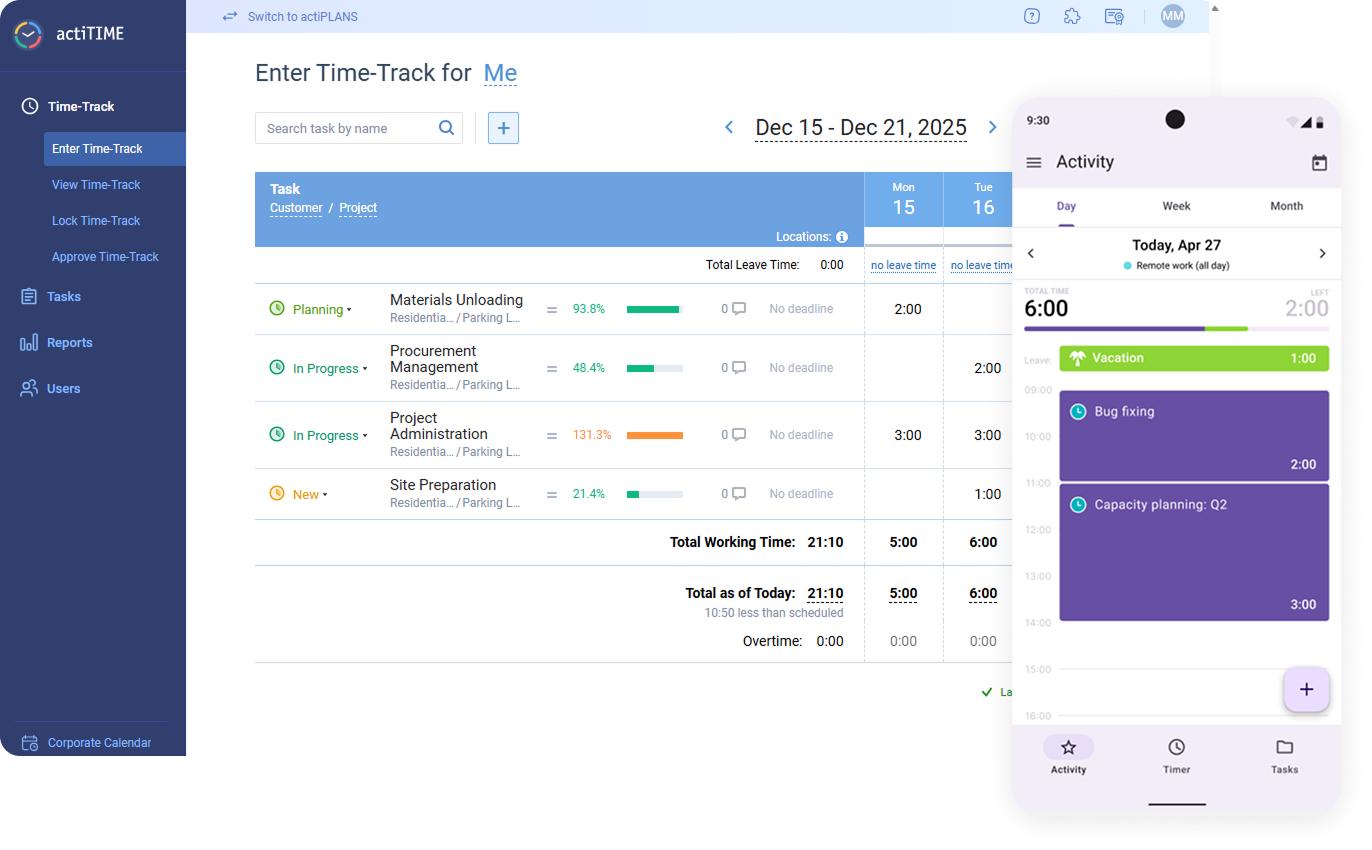
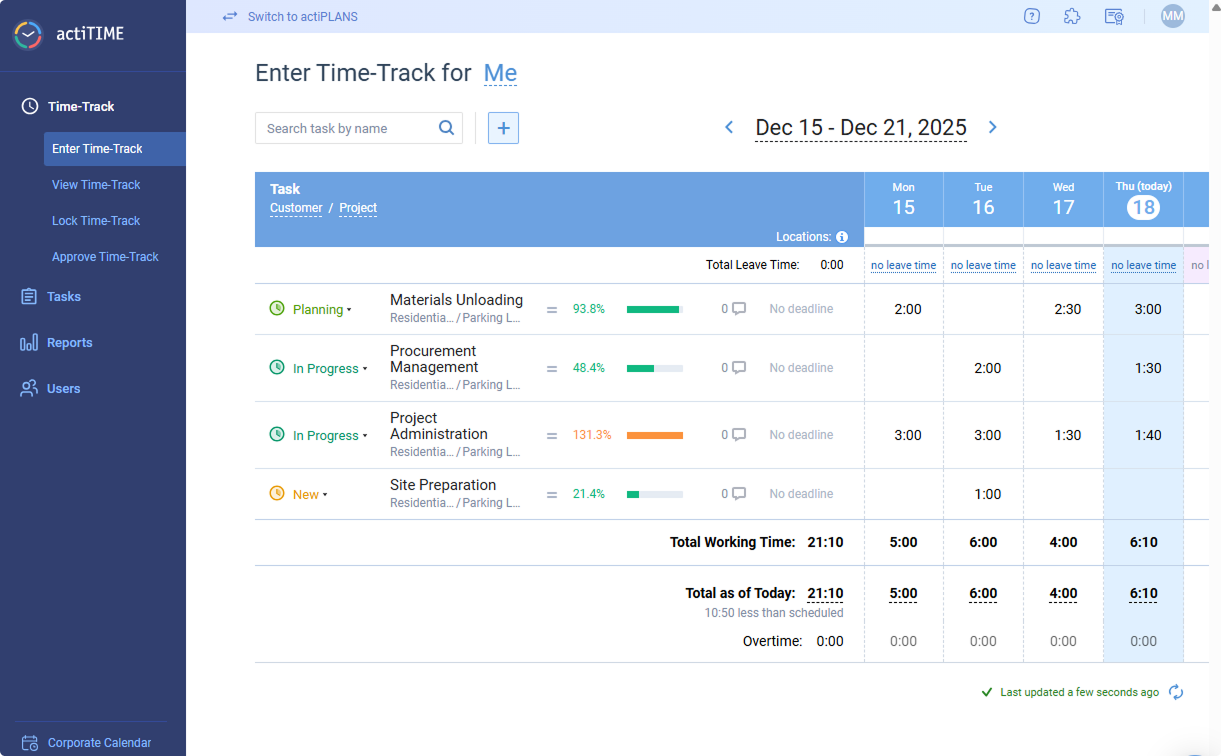
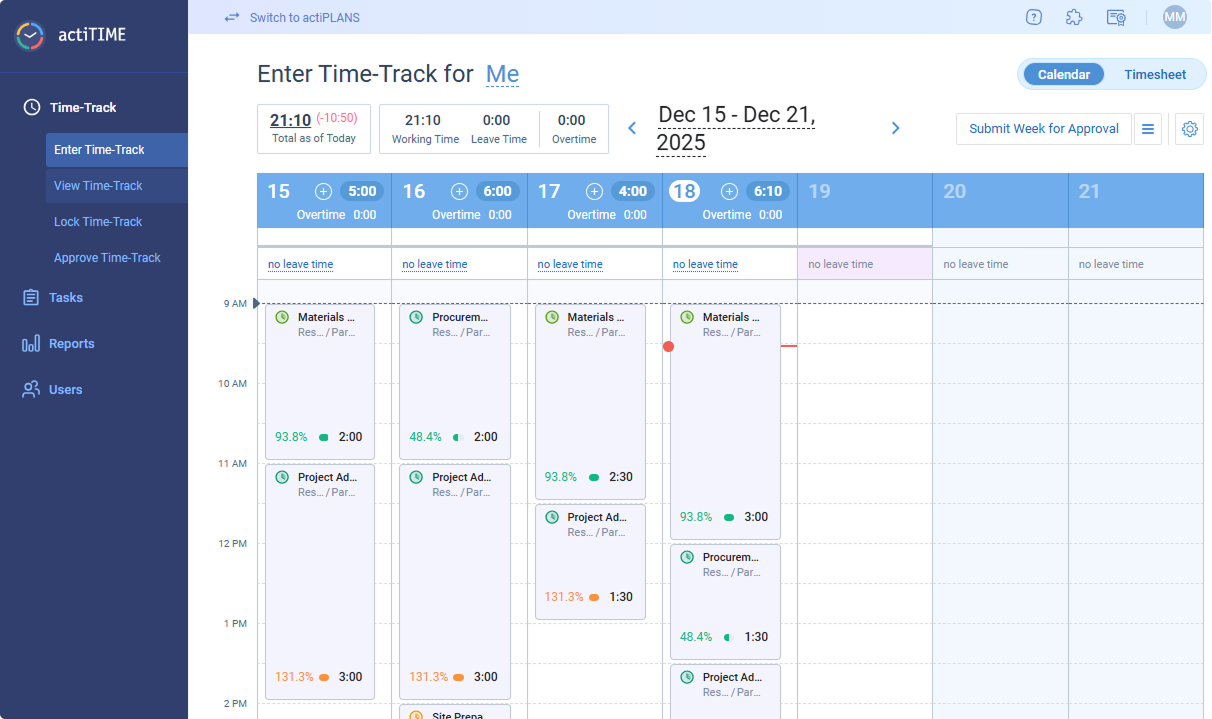
Track work hours by project, client, or task with daily or weekly timesheets and the calendar format. Users can enter time manually or use timers for real-time tracking.
Project & Task Management
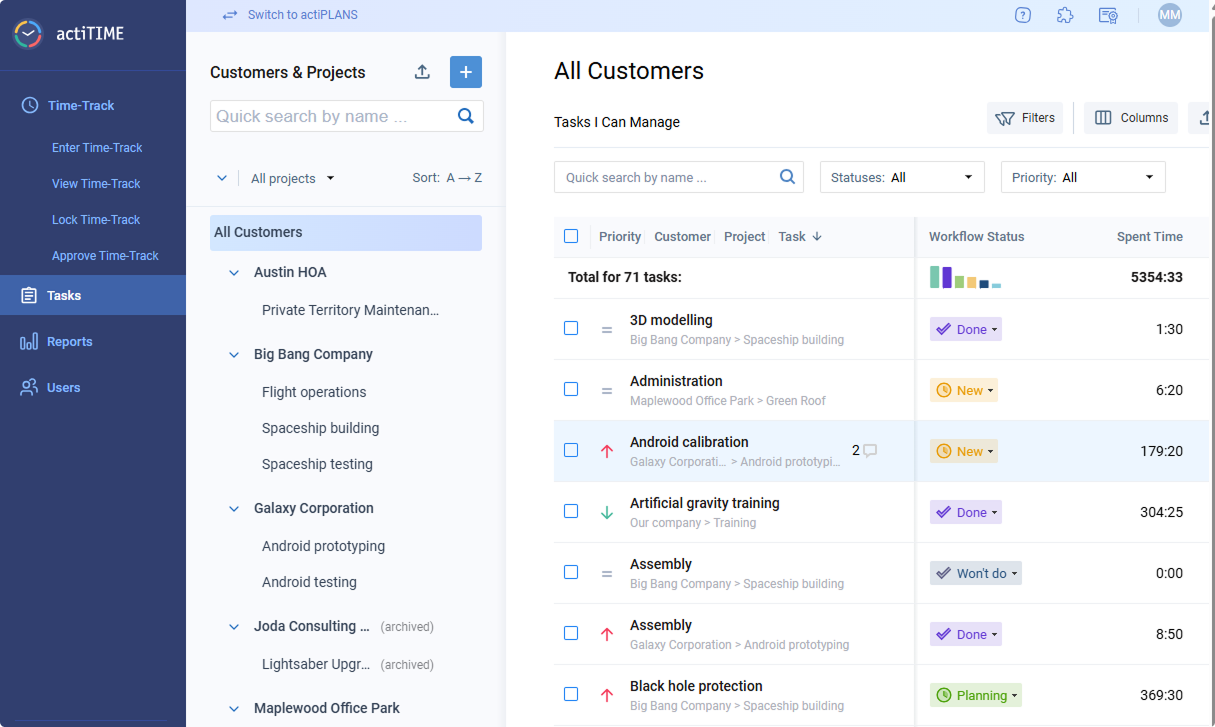
Plan, assign, and monitor tasks within projects to keep teams aligned. Task progress is visible to managers and team members for better accountability.
Reporting & Data Analysis
Generate customizable reports on time usage, project costs, and team performance. Export reports for invoicing, payroll, or internal analysis.
Budget Tracking
Compare planned vs. actual time and costs to prevent overruns. Set project budgets and receive alerts when limits are approached.
Billing & Invoicing
Track billable hours, apply custom rates, and generate invoices directly from tracked time. This feature supports accurate client billing and revenue tracking.
Leave Management
Manage PTO, sick leave, and other absences within the same platform. Approvals and balances are tracked automatically for each team member.
Time Governance & Approvals
Control time entry with timesheet approvals, locking, and submission reminders to ensure accuracy and compliance across teams.
Standout Features
Multi-Dimensional Budgeting
actiTIME lets you track time, cost, and billing budgets simultaneously across tasks, projects, and clients. This makes it easier to monitor profitability—not just time spent.
Automated Browser-Based Time Capture
The Time Management Assistant can automatically track time spent across web apps and platforms, reducing reliance on manual entry.
Ease of Use
actiTIME offers a generally intuitive interface with clear navigation, especially for core tasks like entering time and running reports. Most users can get comfortable with basic functionality relatively quickly, particularly in simpler setups. However, as more features are enabled—such as workflows, budgets, and permissions—the interface can feel more complex or busy.
Onboarding
actiTIME provides a structured onboarding experience with a detailed knowledge base, how-to videos, and optional demos. New accounts include sample data and guided steps, helping teams understand how to set up customers, projects, and tasks before rolling out usage.
Initial setup is relatively straightforward for basic use cases, but configuring more advanced features—such as budgets, workflows, and permissions—can take additional time. Most teams can begin tracking time quickly, though full implementation may require more planning and admin involvement.
Customer Support
actiTIME offers multi-channel support, including email, chat, phone, and online contact forms, along with a comprehensive help center and video resources. Users generally report responsive and helpful support, particularly for onboarding and troubleshooting. However, support availability hours are not clearly defined, and response times may vary.

Integrations
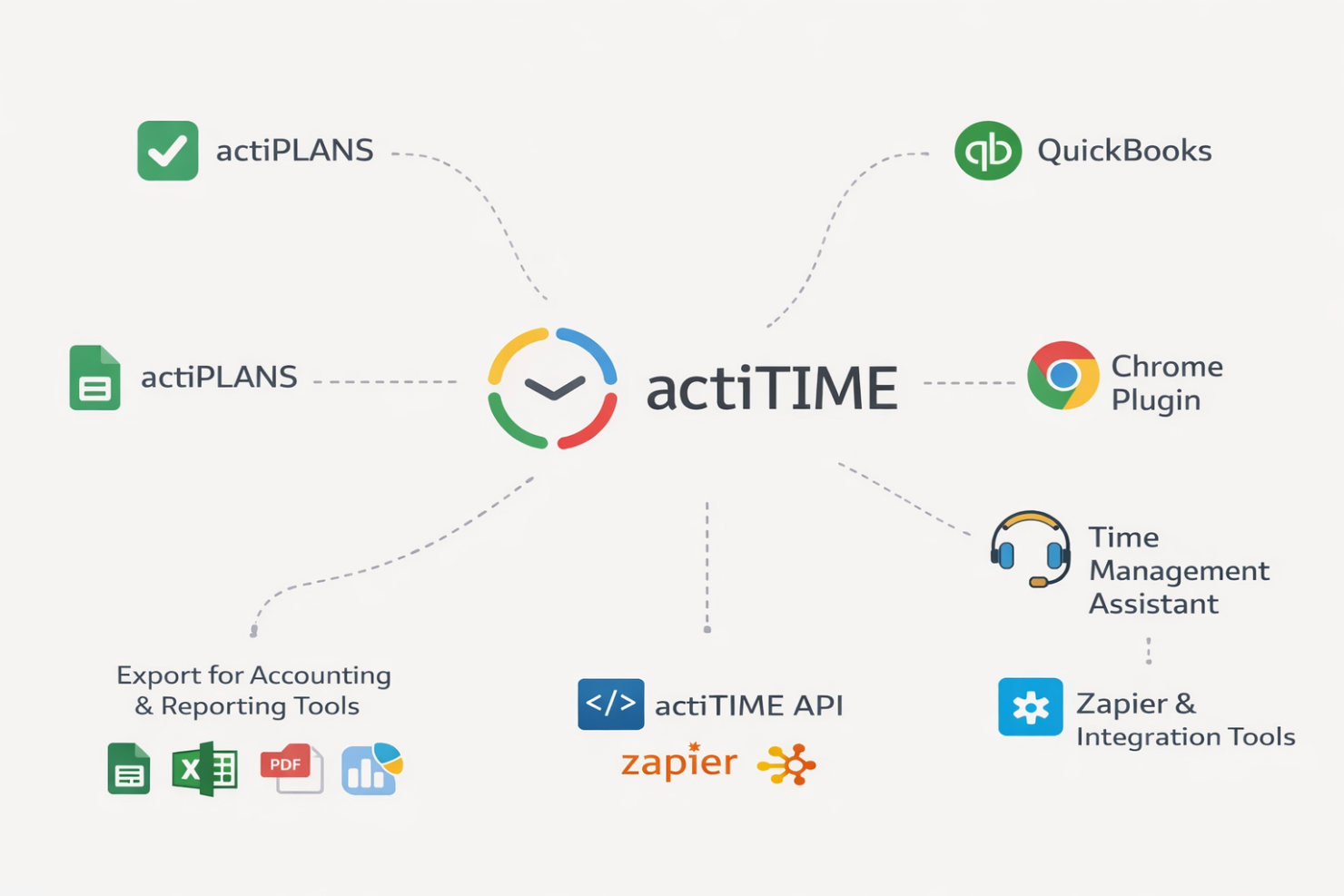
actiTIME integrates with actiPLANS, QuickBooks, Chrome Plugin, Time Management Assistant, and offers export options for accounting and reporting tools, among others.
actiTIME also provides an API and connects with third-party integration tools like Zapier for broader workflow automation.
Value for Money
actiTIME offers solid value for teams that need detailed time tracking, budgeting, and billing capabilities at a relatively affordable price point. Rather than a lightweight tool, it provides deeper functionality—especially for tracking project costs and profitability—which can justify the cost for service-based teams.
The free plan is useful for very small teams but comes with limited functionality. Paid plans remain competitively priced as you scale, though organizations with more complex needs may incur additional costs for customization, data migration, or (in self-hosted setups) infrastructure and maintenance.
- 1–3 Users: Free plan with limited functionality, suitable for basic time tracking needs
- 1–40 Users: Entry-level paid tier with full access to core features, including reporting, billing, and project tracking
- 41–200 Users: Same feature set as lower tier, with more cost-efficient scaling for growing teams
- 200+ Users: Custom enterprise plan with a fixed pricing model and full feature access
- Self-Hosted: One-time license with full functionality, requiring internal infrastructure, setup, and ongoing maintenance

New Product Updates from actiTIME

actiTIME Visual Hour Indicator and Time-Track Report Redesign
actiTIME introduces the Visual Hour Indicator and a redesigned Time-Track Report to improve time tracking and reporting. These updates add visual progress indicators, continuous scrolling, custom sorting, and clearer report layouts for a more efficient reporting experience. Highlights include:
- Visual Hour Indicator: Displays logged hours with a wave-based progress indicator that shows daily completion status and weekly totals at a glance.
- Redesigned Time-Track Report: Adds continuous scrolling, improved table hierarchy, custom sorting, and updated charts for easier navigation and clearer reporting.
Visit actiTIME's official site for more details.
 for more details.
actiTIME Specs
- Analytics
- API
- Approval Workflows
- Attendance Tracking
- Batch Permissions & Access
- Billing/Invoicing
- Budgeting
- Calendar Management
- Dashboard
- Data Export
- Data Import
- Data Visualization
- Expense Tracking
- External Integrations
- Forecasting
- Multi-User
- Notifications
- Project Management
- Resource Management
- Scheduling
- Task Scheduling/Tracking
- Time Management
- Timesheets
- Vacation & Absence Calendar
actiTIME FAQs
Can actiTIME handle multiple projects and clients at once?
How customizable are actiTIME’s reports?
Does actiTIME support billable and non-billable hours?
What data security and compliance measures does actiTIME provide?
How easy is it to onboard a new team to actiTIME?
Can actiTIME track paid time off and other leave types?
Is there a mobile app or a mobile-friendly version of actiTIME?
What kind of customer support does actiTIME provide?
actiTIME Company Overview & History
actiTIME is a privately held company specializing in time tracking and project management software for businesses of all sizes. Headquartered in Toronto, Canada, actiTIME serves over 100,000 clients worldwide. Notable clients include Xerox, Cisco, AbbVie, Bristol, DHL, General Electric, and Philips. actiTIME also offers actiPLANS, a leave management solution, and is known for its focus on usability and continuous product updates.
actiTIME Major Milestones
- 2004: actiTIME Inc. founded and initial product launched.
- 2000s–2010s: Expanded client base to include major global enterprises.
- 2020s: Surpassed 100,000 clients worldwide and introduced actiPLANS as a complementary product.