

10 alternatives à WorkflowMax pour la gestion des missions en 2026

10 Sélection des meilleures alternatives à WorkflowMax


La gestion de projets peut être difficile. Vous devez jongler avec les échéances, les ressources et la dynamique de votre équipe. Il est donc tout naturel de rechercher un outil de gestion de projets qui corresponde réellement à vos besoins.
Si WorkflowMax ne répond pas à vos attentes, vous n’êtes pas seul. Il lui manque peut-être certaines fonctionnalités ou son utilisation n’est peut-être pas suffisamment intuitive. Je comprends : vous voulez un logiciel qui vous facilite la vie, et non qui la complique.
Explorer les alternatives à WorkflowMax peut ouvrir de nouvelles possibilités. Je vais vous présenter des avis impartiaux sur les meilleurs choix susceptibles de mieux répondre aux besoins de votre équipe.
Vous découvrirez des informations sur les fonctionnalités, la convivialité et ce qui distingue chaque option. Trouvons la solution adaptée à vos enjeux de gestion de projets.
Qu’est-ce que WorkflowMax ?
WorkflowMax, développé par BlueRock, est un logiciel de gestion de projets conçu pour vous aider à gérer vos projets du début à la fin. Il est couramment utilisé par les professionnels de la création, les comptables et les consultants qui doivent suivre leur temps, leurs tâches et leur facturation. Les fonctionnalités de suivi du temps, de gestion des missions et de facturation vous aident à organiser votre travail, à gérer votre équipe et à respecter vos échéances. Dans l’ensemble, WorkflowMax offre une solution centralisée pour gérer efficacement vos projets.
Tableau comparatif des alternatives à WorkflowMax
Le tableau ci-dessous compare les fonctionnalités et les tarifs de mes meilleures alternatives à WorkflowMax.
| Tool | Best For | Trial Info | Price | ||
|---|---|---|---|---|---|
| 1 | Idéal pour les équipes de projets facturables | Forfait gratuit disponible | À partir de $11.95/mois | Website | |
| 2 | Idéal pour la gestion de projets d’agence | Formule gratuite + essai gratuit de 14 jours disponible | À partir de $9.99/utilisateur/mois (facturé annuellement) | Website | |
| 3 | Démo gratuite disponible | À partir de $45/mois | Website | ||
| 4 | Meilleure solution pour obtenir des informations financières sur les projets | Essai gratuit de 21 jours + démonstration gratuite disponible | À partir de $17/utilisateur/mois (facturé annuellement) | Website | |
| 5 | Idéal pour la facturation et le calcul des coûts à l’échelle des cabinets d’A&E | Démonstration gratuite disponible | Tarifs sur demande | Website | |
| 6 | Idéal pour le travail client facturé au forfait récurrent ou à la phase | Essai gratuit + démonstration gratuite disponibles | À partir de $29/utilisateur/mois (facturé annuellement) | Website | |
| 7 | Idéal pour les grandes agences de publicité | Démo gratuite disponible | À partir de $47/utilisateur/mois | Website | |
| 8 | Idéal pour les processus allant des interventions à la facturation, spécialement adaptés aux métiers spécialisés | Essai gratuit de 14 jours + démonstration gratuite disponible | À partir de $45/utilisateur/mois | Website | |
| 9 | Essai gratuit de 14 jours + démonstration gratuite disponible | À partir de $350/mois | Website | ||
| 10 | Idéal pour le suivi de la rentabilité des agences | Essai gratuit de 14 jours + démonstration gratuite disponible | À partir de $10/utilisateur/mois (facturé annuellement) | Website |

Pourquoi faire confiance à nos recommandations de logiciels
Notre équipe teste et évalue des logiciels depuis 2012. En tant que chefs de projet nous-mêmes, nous savons à quel point il est difficile — et important — de choisir le bon logiciel.
Pour ce guide, nous avons évalué les outils grâce à des tests pratiques et une recherche indépendante, en notant les outils selon nos critères de sélection. Nous nous appuyons également sur les enseignements de leaders d’opinion du secteur et de professionnels de la gestion de projet en activité.
Nos avis reflètent notre jugement éditorial humain, et non un argumentaire de vente.
Réviseurs experts:
Avis sur les meilleures alternatives à WorkflowMax
Vous trouverez ci-dessous mes résumés détaillés des meilleures alternatives à WorkflowMax qui ont été retenues dans ma sélection. Mes avis proposent un examen approfondi des principales fonctionnalités, des avantages et inconvénients, des intégrations et des cas d’utilisation idéaux de chaque outil, afin de vous aider à trouver celui qui vous convient le mieux.
Avaza
Idéal pour les équipes de projets facturables
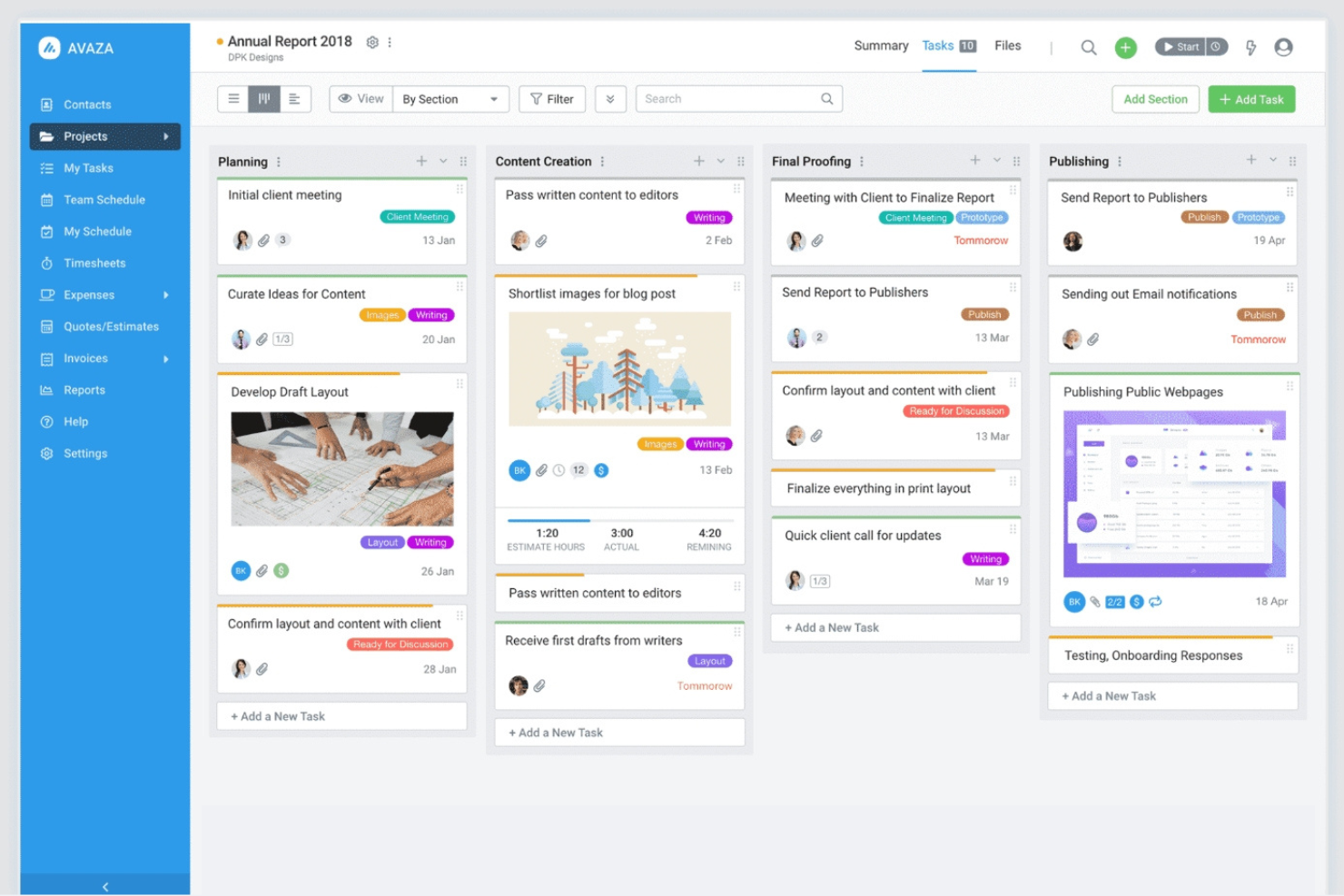
Avaza est un outil tout-en-un de gestion de projets et de collaboration conçu pour les entreprises de toutes tailles. Il aide les équipes à gérer les projets, à suivre le temps et à traiter la facturation sur une seule plateforme.
Pourquoi Avaza est une bonne alternative à WorkflowMax : Avaza regroupe le suivi du temps, la gestion de projets et la facturation dans un seul flux de travail, ce qui le rend particulièrement utile pour les équipes de services qui facturent au temps passé ou en fonction des livrables. Sa force réside dans la connexion directe entre le travail sur les projets et la facturation des clients, sans modules complémentaires.
Fonctionnalités et intégrations remarquables :
Les fonctionnalités comprennent des vues de tâches personnalisables adaptées à votre flux de travail, la gestion des dépenses pour suivre les coûts et la planification visuelle des ressources du projet pour maintenir les équipes sur la bonne voie. Ces fonctionnalités aident votre équipe à travailler efficacement et à rester organisée.
Les intégrations comprennent Xero, QuickBooks, Slack, Google Drive, Dropbox, Zapier, Stripe, Evernote, Mailchimp et bien plus encore.
Pros and Cons
Pros:
- Planification facile des ressources
- Fonctionnalités de facturation complètes
- Discussion interne de l’équipe
Cons:
- Peut nécessiter un temps de configuration
- Nécessite une saisie régulière des données

Idéal pour la gestion de projets d’agence
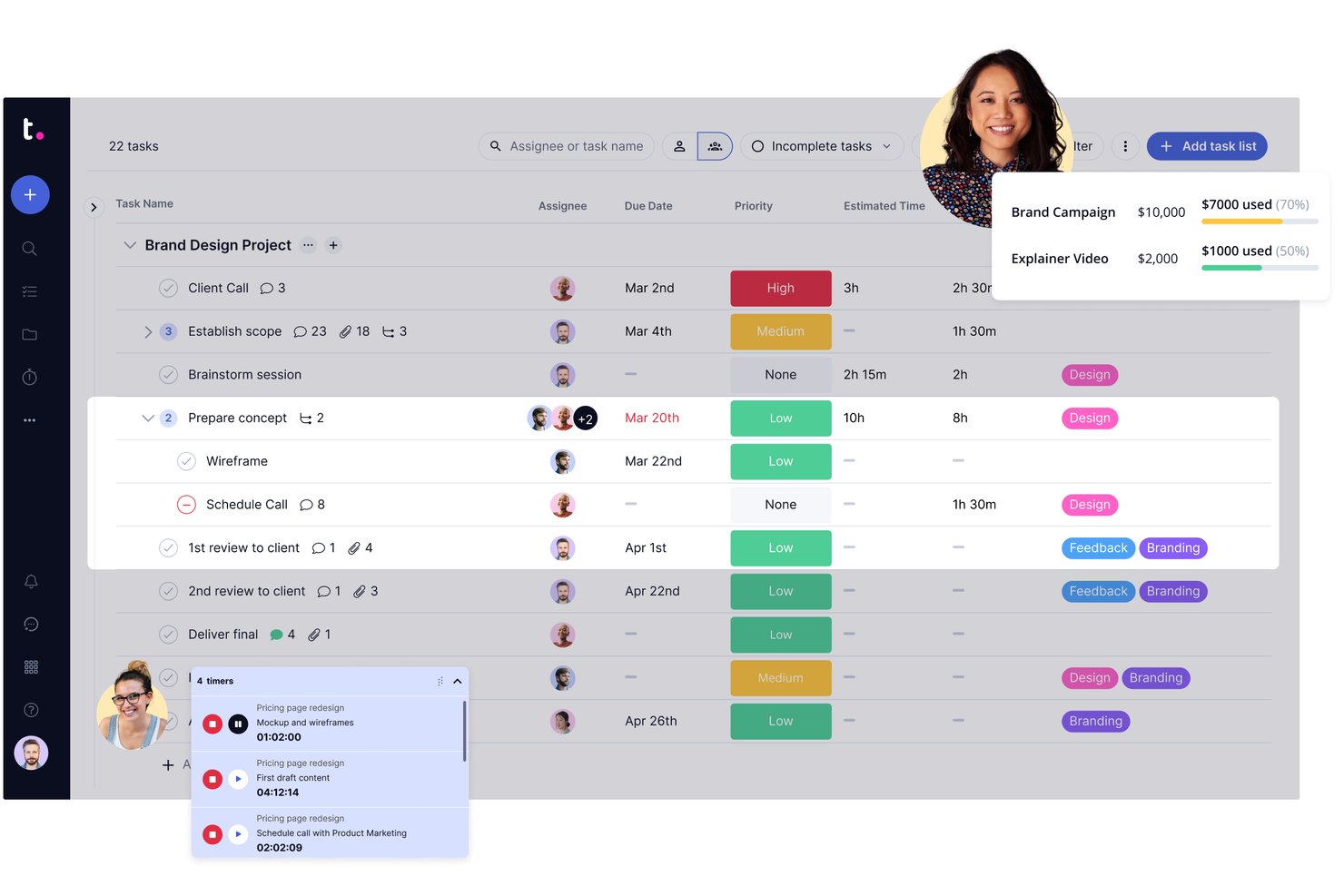
Teamwork.com offre aux équipes en charge des clients un espace partagé pour planifier les projets, attribuer le travail et suivre les échéances, ce qui aide les agences à coordonner la réalisation de plusieurs missions clients.
À qui Teamwork.com convient-il le mieux ?
Teamwork.com convient aux chefs de projet d’agence qui doivent coordonner le travail client, les échéances et la réalisation de plusieurs missions.
Pourquoi j’ai choisi Teamwork.com
J’ai choisi Teamwork.com comme solution « idéale pour la gestion de projets d’agence » parce qu’elle relie la réalisation des projets clients à leurs finances. J’apprécie son suivi du temps intégré et ses budgets de projet, qui aident à comparer les heures facturables aux coûts prévus. Les rapports de rentabilité m’aident également à repérer lorsque des changements de périmètre menacent la marge d’une mission client.
Principales fonctionnalités de Teamwork.com
- Gestion de la charge de travail : Consultez la capacité de l’équipe et réattribuez le travail.
- Vues de projet : Suivez le travail sous forme de liste, de tableau, de table ou de diagramme de Gantt.
- Jalons : Ajoutez des dates jalons aux plans de projet.
- Éléments à valider : Recueillez les retours et les approbations sur le travail du projet.
Intégrations de Teamwork.com
Les intégrations documentées de Teamwork.com comprennent Slack, HubSpot, QuickBooks, Xero, Google Drive, Microsoft OneDrive et Microsoft Teams ; leur disponibilité dépend de votre abonnement, et Zapier est également pris en charge. Teamwork.com fournit une API pour les intégrations personnalisées.
Pros and Cons
Pros:
- Les portails clients maintiennent les approbations liées à la réalisation
- Le temps facturable et les budgets révèlent les écarts de marge
- Les vues de capacité aident à équilibrer le travail client simultané
Cons:
- Les pages peuvent ralentir sur les projets volumineux
- Les paramètres et rapports avancés nécessitent une configuration

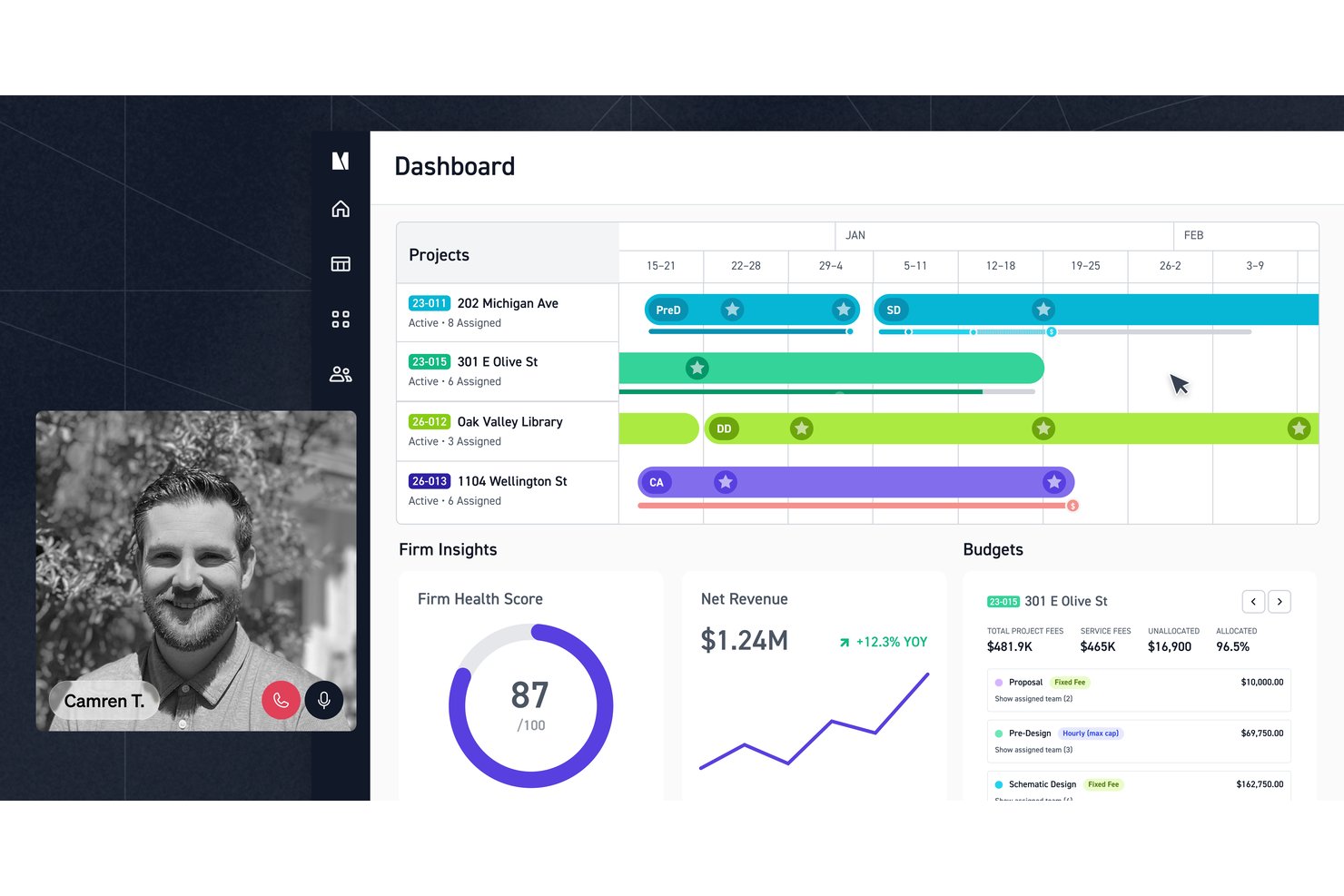
Monograph combine la planification de projets, le suivi du temps et la gestion financière pour les cabinets d’architecture et d’ingénierie qui ont besoin d’une meilleure visibilité sur les budgets, les effectifs et la réalisation des projets.
À qui Monograph convient-il le mieux ?
Monograph convient aux cabinets d’architecture et d’ingénierie qui coordonnent des projets clients entre équipes de conception et travaux facturables.
Pourquoi j’ai choisi Monograph
J’ai choisi Monograph comme alternative à WorkflowMax parce qu’il convient particulièrement aux cabinets d’architecture et d’ingénierie. J’apprécie la façon dont son planificateur de projets gère les budgets forfaitaires, horaires et hybrides par phase, puis affecte le personnel et les heures prévues à ces phases. Vous pouvez également budgétiser les honoraires des consultants par phase et ajuster les plans au fur et à mesure de l’évolution du projet.
Principales fonctionnalités de Monograph
- Créateur de propositions : Créez, envoyez et signez des propositions d’architecture et d’ingénierie.
- Suivi du temps : Enregistrez les heures consacrées aux projets dans des feuilles de temps.
- Suivi des dépenses : Enregistrez les dépenses associées aux projets.
- Facturation : Générez des factures à partir des heures, des dépenses et des honoraires liés aux projets.
Intégrations de Monograph
Monograph s’intègre à QuickBooks Online pour la comptabilité, à Google Calendar, Google Drive et Gmail, et se connecte à Stripe pour les paiements électroniques des factures. QuickBooks Online synchronise les factures, les dépenses et les données de coûts des projets ; Google Drive nécessite le module complémentaire Data, et Monograph ne propose pas d’API ouverte.
Pros and Cons
Pros:
- Les budgets par phase révèlent rapidement les dépassements d’honoraires
- Les prévisions de personnel relient la charge de travail aux calendriers des projets
- Les feuilles de temps relient la main-d’œuvre à la rentabilité des projets
Cons:
- Les filtres de rapports et les exportations de données sont limités
- Les modèles de factures s’adaptent difficilement aux conditions contractuelles variées

Meilleure solution pour obtenir des informations financières sur les projets
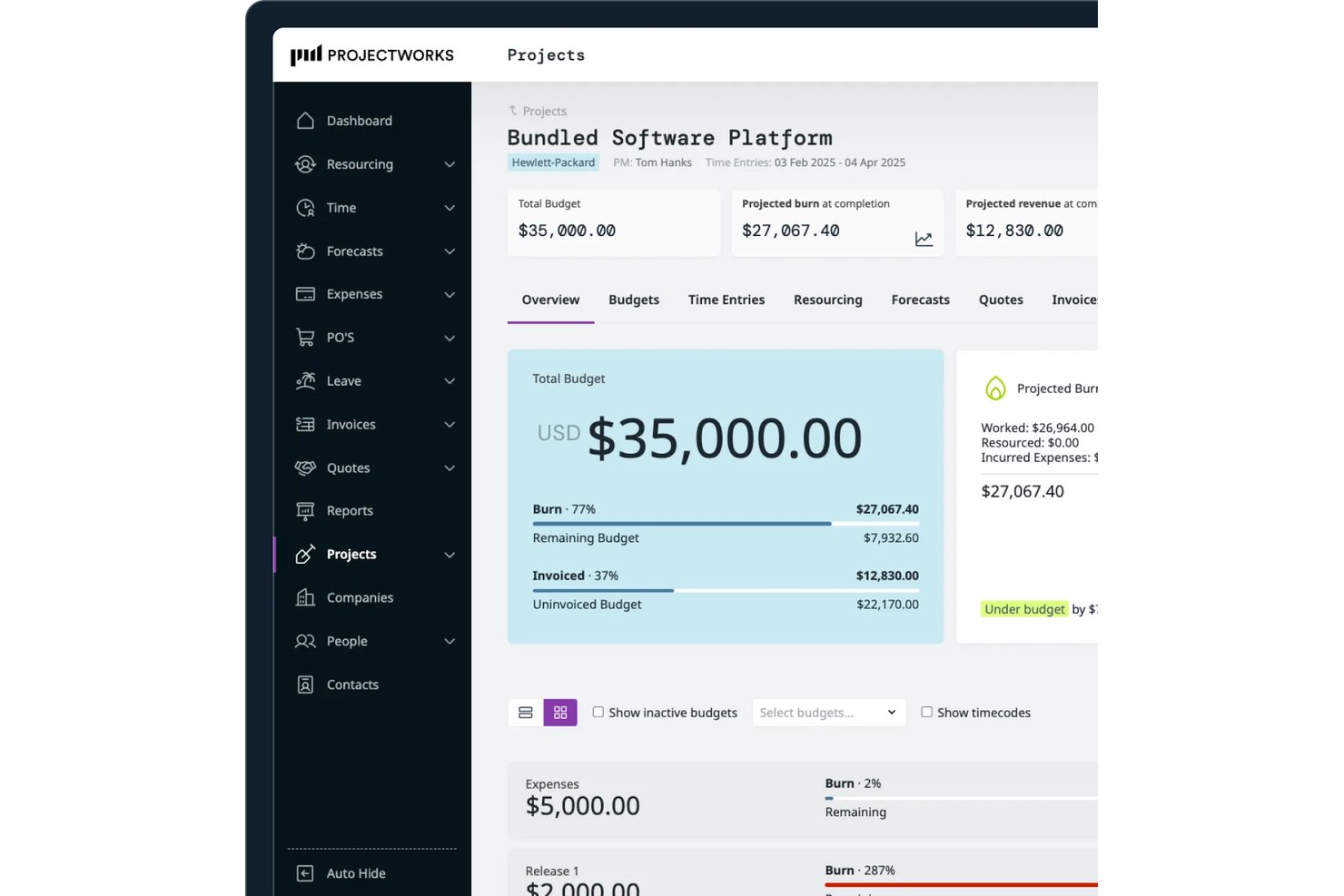
Projectworks est une plateforme de gestion de projets et de services destinée aux équipes de services professionnels qui coordonnent la prestation, les ressources, le temps et les budgets, et constitue la meilleure solution pour obtenir des informations financières sur les projets.
À qui Projectworks convient-il le mieux ?
Projectworks convient bien aux chefs de projet des cabinets de conseil et des agences qui doivent relier les décisions relatives à la prestation client aux performances financières au niveau des projets.
Pourquoi j’ai choisi Projectworks
J’ai choisi Projectworks comme alternative à WorkflowMax, car il s’agit de la meilleure solution pour obtenir des informations financières sur les projets. Ses tableaux de bord en temps réel suivent les travaux en cours, la marge et le taux d’utilisation, tandis que les prévisions indiquent la consommation, les revenus et la marge projetés. Lorsque la consommation d’un projet augmente plus rapidement que prévu, ces données vous aident à évaluer l’impact financier avant la fin du mois.
Fonctionnalités clés de Projectworks
- Suivi des opportunités : Gérez les opportunités clients et transférez les contrats remportés vers la phase de réalisation.
- Rédaction de propositions : Créez des propositions à l’aide d’une IA entraînée sur les propositions gagnantes de votre entreprise.
- Suivi du temps et des dépenses : Enregistrez les heures facturables et non facturables ainsi que les dépenses liées aux projets.
- Génération de factures : Créez des factures pour le temps passé, les dépenses, les travaux à prix fixe, les contrats de service récurrents ou les montants forfaitaires.
Intégrations de Projectworks
Projectworks propose des intégrations avec Xero, QuickBooks Online, Sage Intacct, MYOB AccountRight, HubSpot, Salesforce, Jira et Azure DevOps. Il se connecte également à Zapier et fournit une API REST pour les intégrations personnalisées.
Pros and Cons
Pros:
- Prévisions en temps réel de la marge et de la consommation
- Les cartes thermiques de capacité révèlent les écarts de taux d’utilisation
- La migration depuis WorkflowMax conserve les données historiques
Cons:
- Les rapports de dépenses manquent de détails sur le rapprochement
- Aucune cartographie intégrée des dépendances entre les tâches

BQE Core
Idéal pour la facturation et le calcul des coûts à l’échelle des cabinets d’A&E
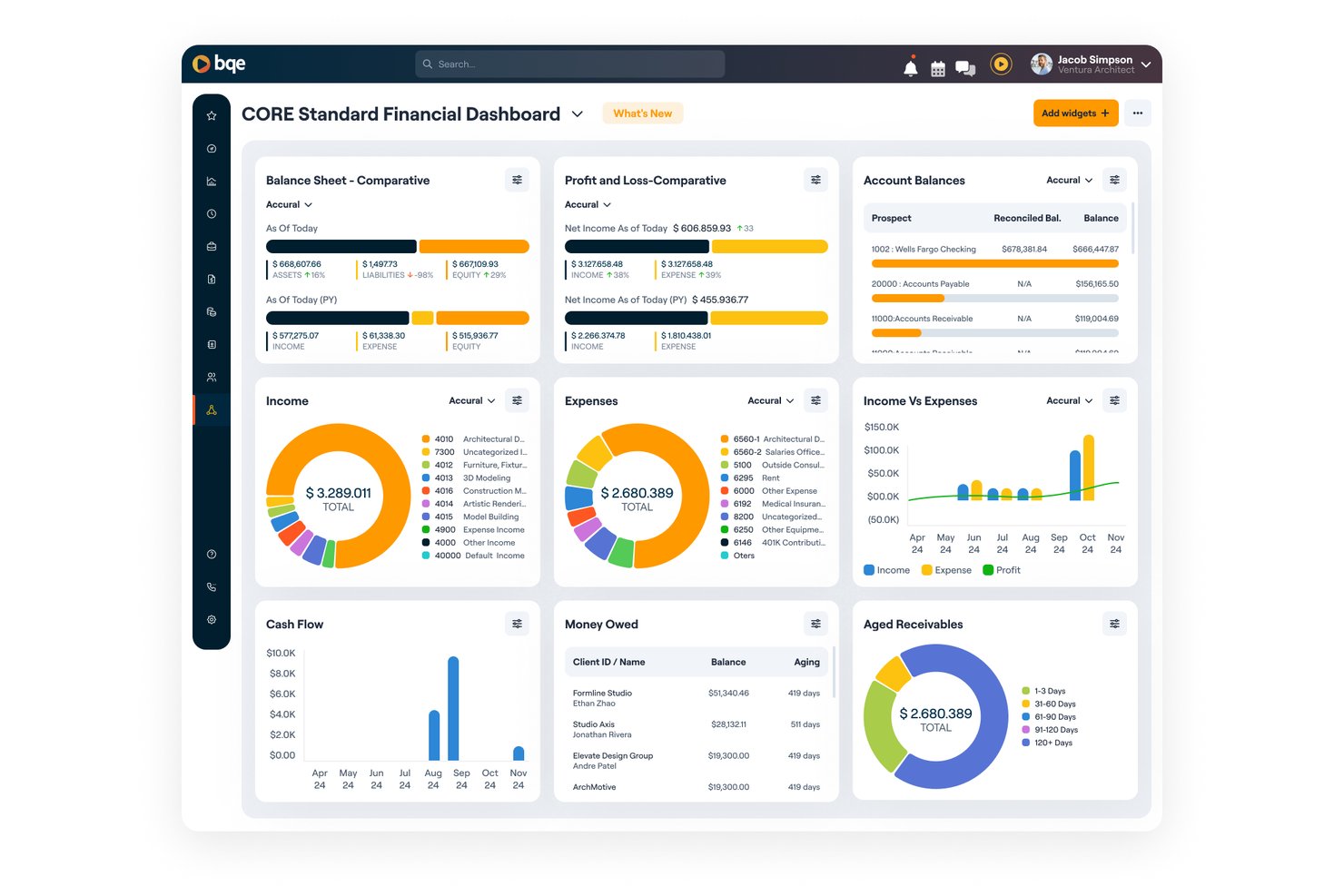
Conçu pour les cabinets d’architecture et d’ingénierie, BQE Core est un logiciel de gestion de projets qui aide les équipes à coordonner le travail sur les projets, à suivre les budgets et à gérer les relations avec les clients en un seul endroit.
À qui BQE Core convient-il le mieux ?
BQE Core convient aux cabinets d’architecture et d’ingénierie qui ont besoin d’une facturation à l’échelle du cabinet et d’une visibilité sur les coûts des projets.
Pourquoi j’ai choisi BQE Core
J’ai choisi BQE Core parce qu’il relie les budgets des projets à la facturation à l’échelle du cabinet et à la visibilité sur les coûts des projets. Son positionnement est clair : idéal pour la facturation et le calcul des coûts à l’échelle des cabinets d’A&E. J’apprécie le fait que les équipes puissent coordonner le travail sur les projets et gérer les relations avec les clients dans le même système.
Principales fonctionnalités de BQE Core
- CRM : Suivre les opportunités et les relations avec les clients.
- Création de propositions : Préparer des propositions pour les projets potentiels.
- Affectation du personnel et planification : Affecter le personnel et planifier le travail sur les projets.
- Suivi du temps et des dépenses : Enregistrer les heures du personnel et les dépenses liées aux projets.
Intégrations de BQE Core
BQE Core documente ses intégrations avec QuickBooks, DocuSign, Power BI, Xero, Google et Microsoft. Il se connecte également à Zapier et propose une API ouverte pour les intégrations personnalisées.
Pros and Cons
Pros:
- Relie directement les budgets des projets à la facturation
- Automatise la facturation à partir des feuilles de temps envoyées
- Suit les performances du personnel par phase de projet
Cons:
- La configuration des projets peut entrer en conflit avec les systèmes de numérotation des projets
- Les rapports volumineux et les écrans mobiles peuvent être ralentis

Ravetree
Idéal pour le travail client facturé au forfait récurrent ou à la phase
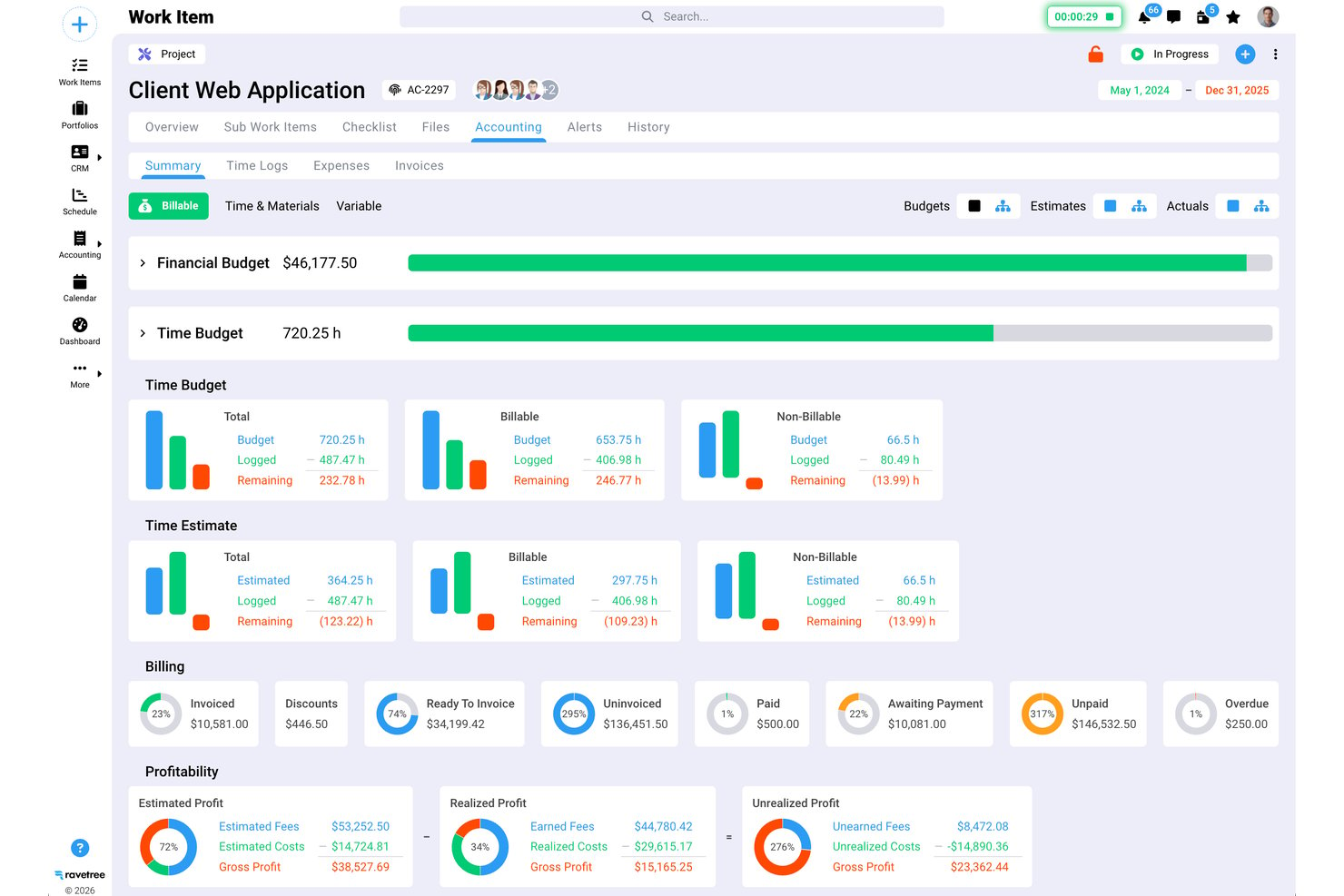
Ravetree est une plateforme de gestion du travail destinée aux agences et aux équipes de services professionnels, qui regroupe les projets, les ressources et le travail client afin d’aider les responsables à coordonner la réalisation et à suivre la charge de travail des équipes.
À qui Ravetree convient-il le mieux ?
Ravetree convient aux agences et aux équipes de services professionnels qui organisent les missions clients autour de forfaits récurrents ou de phases de réalisation.
Pourquoi j’ai choisi Ravetree
J’ai choisi Ravetree parce qu’il est idéal pour le travail client facturé au forfait récurrent ou à la phase. Il suit la consommation du forfait en fonction du temps et des dépenses, tandis que les phases à prix fixe peuvent être facturées à leur achèvement ou par versements échelonnés. J’apprécie qu’un même client puisse combiner des frais de phase, des forfaits récurrents et du travail horaire hors périmètre.
Fonctionnalités clés de Ravetree
- Modèles de projet : Créez des projets et des tâches à partir de modèles réutilisables.
- Diagrammes de Gantt : Cartographiez les échéances des tâches et reliez les travaux avec des dépendances.
- Tableaux Kanban : Organisez les tâches sur des tableaux conçus autour de flux de travail personnalisés.
- Portails clients : Partagez l’état d’avancement des projets, les fichiers et les demandes avec les clients.
Intégrations de Ravetree
Ravetree répertorie des intégrations avec QuickBooks, Xero, Stripe, HubSpot, Google Drive, Dropbox, OneDrive, Google Calendar et Outlook Calendar, et se connecte à Zapier. Il fournit également une API pour les intégrations personnalisées.
Pros and Cons
Pros:
- La consommation du forfait récurrent relie le temps à la facturation
- Les budgets de projet relient la réalisation à la rentabilité
- Les évaluateurs apprécient l’intégration et l’assistance réactives
Cons:
- L’interface datée rend la navigation moins claire
- Les utilisateurs signalent des bogues et des saisies de temps non enregistrées

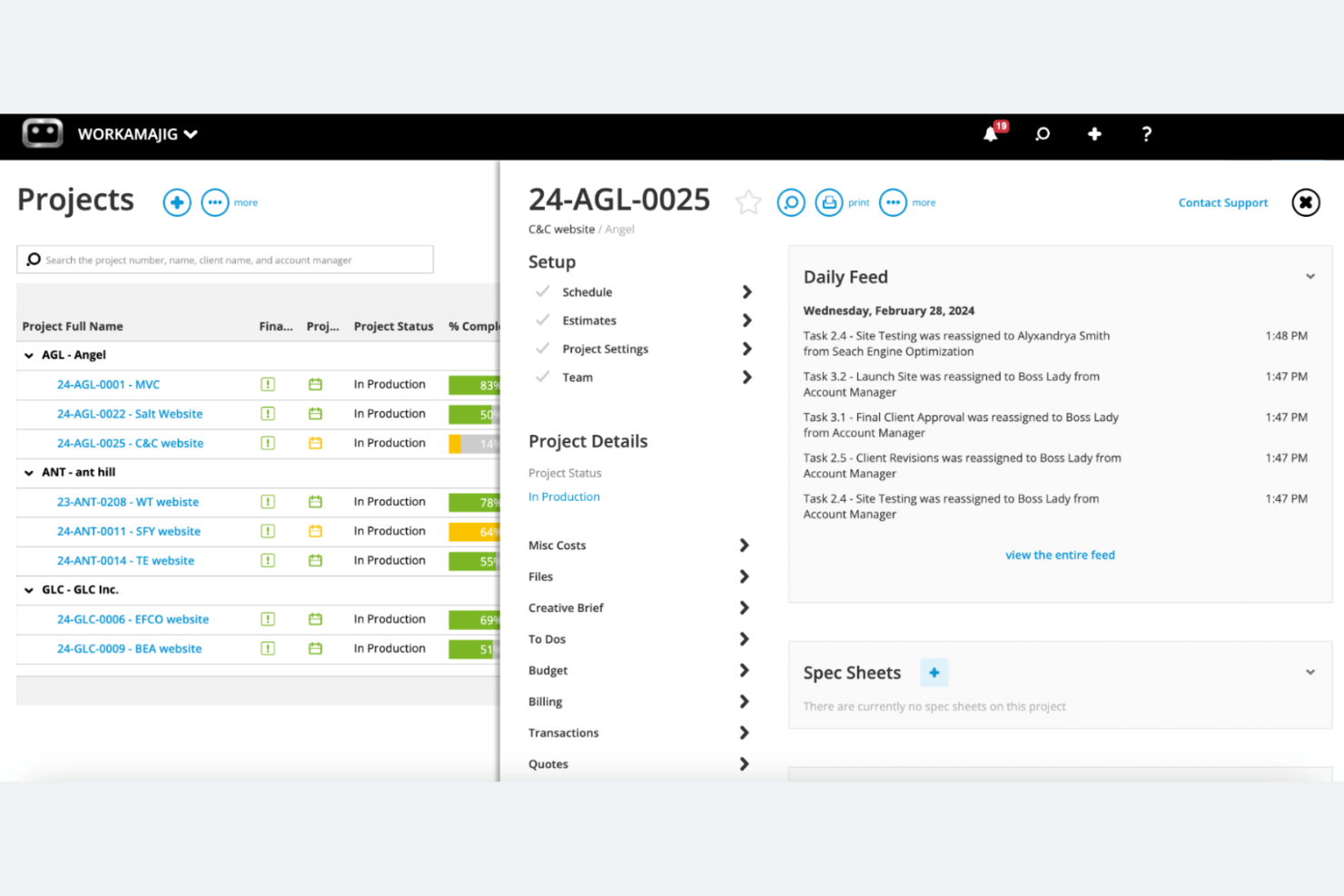
Workamajig est un logiciel de gestion de projets conçu pour les agences de publicité et de marketing. Il offre la gestion de projets, un CRM commercial et la gestion des ressources au sein d’un même système.
Pourquoi Workamajig est une bonne alternative à WorkflowMax : Workamajig est adapté aux grandes agences créatives ou à celles en pleine croissance, ainsi qu’aux équipes créatives internes, en proposant notamment une comptabilité entièrement intégrée, un CRM et des outils de reporting détaillés. Ces fonctionnalités vous aident à gérer les projets, les ressources et les finances sans devoir combiner plusieurs outils. Il permet aux équipes importantes ou réparties de suivre les coûts des projets, le temps passé et la rentabilité au sein d’une seule plateforme native.
Fonctionnalités et intégrations remarquables :
Fonctionnalités comprennent une comptabilité native, une assistance d’experts avec formation et des outils de reporting en temps réel. Ces fonctionnalités aident votre équipe à gérer les finances, à obtenir des informations utiles et à garantir que les projets sont terminés dans les délais.
Intégrations comprennent BIONIC, Edenred Pay, AvidXchange, Avalara, Google Calendar et bien d’autres.
Pros and Cons
Pros:
- Adapté aux grandes agences de publicité et à celles en pleine croissance
- Fonctionnalités de comptabilité intégrées
- Assistance d’experts disponible
Cons:
- Processus de configuration complexe
- Courbe d’apprentissage plus importante que celle des outils de gestion de projets légers
Ascora
Idéal pour les processus allant des interventions à la facturation, spécialement adaptés aux métiers spécialisés
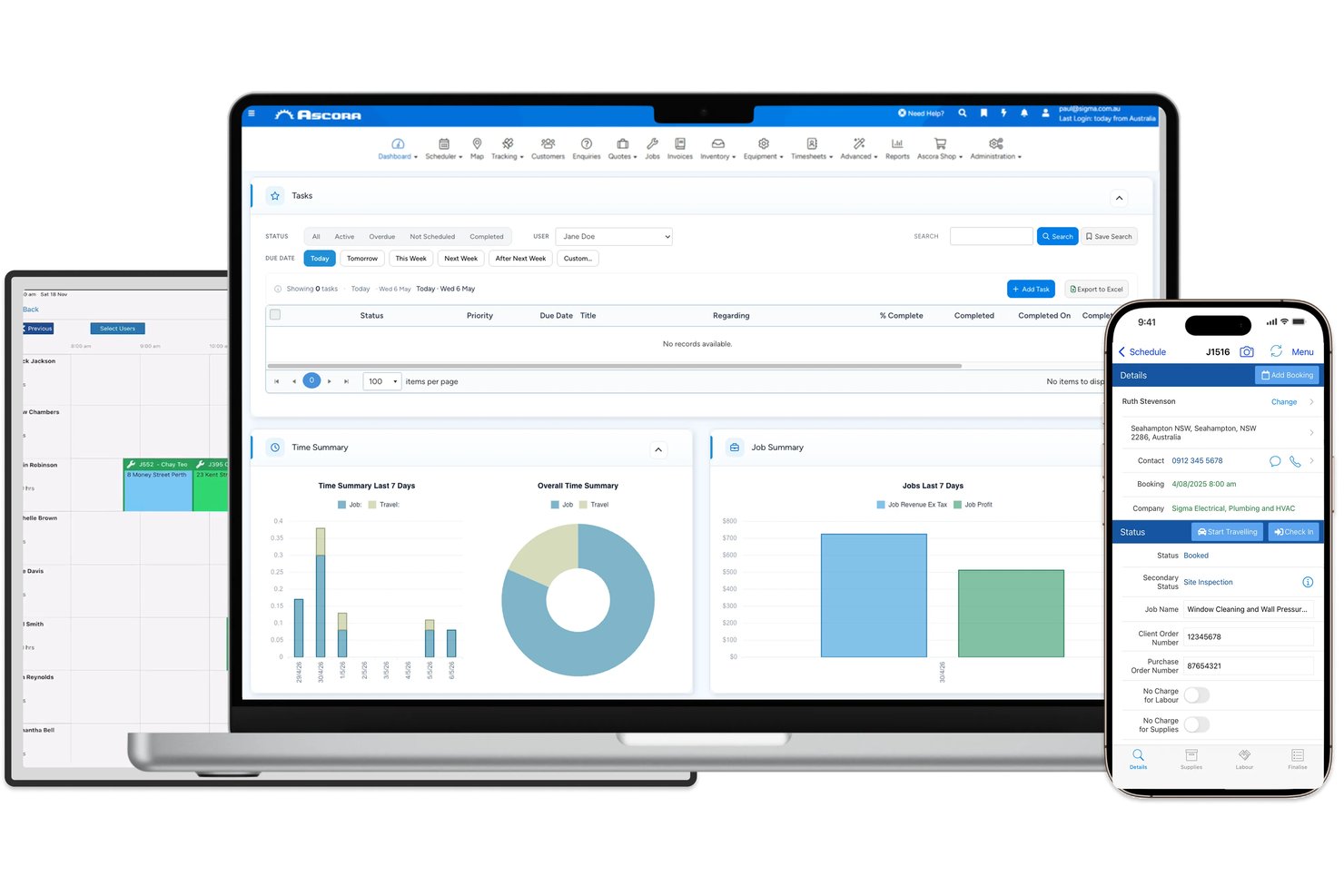
Ascora est un logiciel de gestion des interventions destiné aux entreprises de métiers spécialisés et de services sur site, qui aide les équipes à coordonner les plannings, à suivre les travaux et à gérer les informations clients et de facturation.
À qui Ascora convient-il le mieux ?
Ascora convient aux entrepreneurs de métiers spécialisés qui doivent relier les interventions sur site à la facturation et aux dossiers clients.
Pourquoi j’ai choisi Ascora
J’ai choisi Ascora comme alternative à WorkflowMax, car il est conçu pour les processus allant des interventions à la facturation, spécialement adaptés aux métiers spécialisés. J’apprécie le fait que les équipes puissent convertir les estimations en interventions, suivre les coûts des interventions et les avenants, puis facturer en fonction de l’avancement du projet. Les équipes sur site peuvent enregistrer le temps et les matériaux dans l’application, fournissant au bureau les détails nécessaires à la préparation des factures.
Fonctionnalités principales d’Ascora
- Planification visuelle : Affectez des techniciens à des interventions ponctuelles, de projet et récurrentes dans un calendrier par glisser-déposer.
- Suivi des stocks : Surveillez les stocks dans les entrepôts et les véhicules, avec lecture des codes-barres et alertes de réapprovisionnement.
- Formulaires numériques : Donnez aux équipes sur site des formulaires électroniques à remplir sur mobile.
- Intégrations comptables : Connectez Ascora à Xero, MYOB et QuickBooks.
Intégrations d’Ascora
Ascora documente des intégrations avec neuf outils : Xero, MYOB, QuickBooks Online, EzzyBills, Groundplan, Stripe, eWay, Reece maX et vControl. Il propose également une API ouverte pour les intégrations personnalisées et se connecte à Zapier.
Pros and Cons
Pros:
- Relie les devis, les interventions et les factures d’avancement
- Enregistre la main-d’œuvre et les matériaux sur site pour le calcul des coûts
- Les formulaires personnalisés permettent de suivre les équipements et les dossiers de conformité
Cons:
- Les feuilles de temps GPS peuvent créer des doublons ou ne pas enregistrer les pointages
- Les plantages de l’application peuvent effacer les notes d’intervention non enregistrées
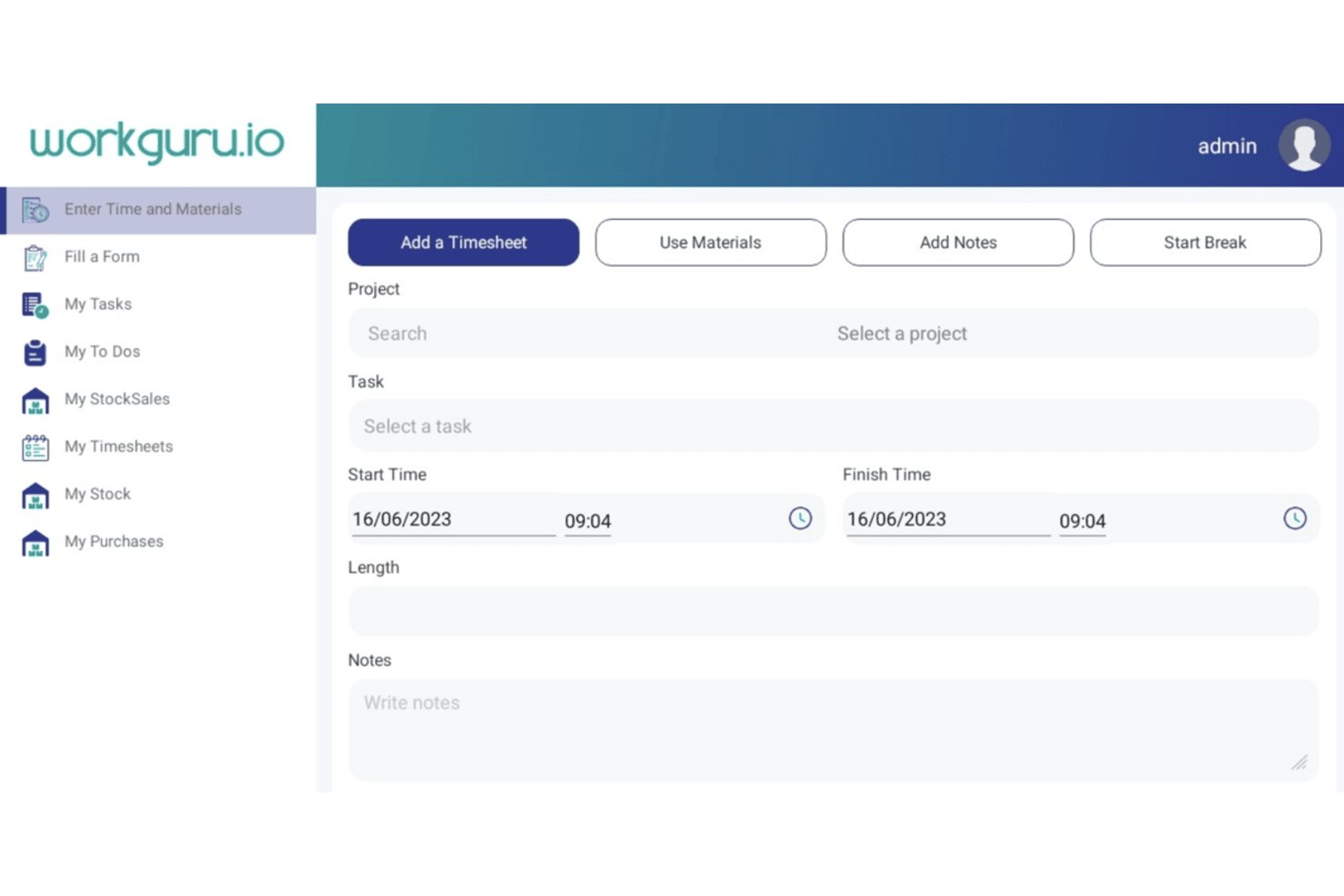
WorkGuru est une plateforme de gestion des projets et des chantiers destinée aux entreprises de métiers spécialisés et de construction, qui relie les estimations, la planification, les coûts des chantiers et le travail sur site aux opérations administratives.
À qui WorkGuru convient-il le mieux ?
WorkGuru convient aux entreprises de métiers spécialisés et de construction qui passent de WorkflowMax et qui doivent gérer les estimations, les coûts des chantiers, la planification et le travail sur site au sein d’une seule plateforme.
Pourquoi j’ai choisi WorkGuru
J’ai choisi WorkGuru parce qu’il convient particulièrement « aux entreprises de métiers spécialisés migrant depuis WorkflowMax ». J’apprécie le fait qu’il relie les estimations, les coûts des chantiers, la planification et le travail sur site aux opérations administratives, offrant ainsi aux entreprises de métiers spécialisés un moyen de suivre un chantier depuis l’estimation jusqu’aux activités sur le terrain.
Fonctionnalités clés de WorkGuru
- Pipeline commercial : Définissez des étapes personnalisables et automatisez les relances de devis.
- Discussion de projet : Partagez des messages avec votre équipe au sein d’un projet.
- Facturation flexible : Créez des factures d’avancement, par étape, d’acompte, à prix fixe et basées sur un pourcentage.
- Rapports de projet : Utilisez des rapports croisés, des graphiques et des widgets de tableau de bord pour consulter les données des projets.
Intégrations de WorkGuru
WorkGuru documente des intégrations avec Xero, MYOB, QuickBooks Online, EzzyBills, Shopify, Asana, Employment Hero, Tanda, Dropbox Business, Google Drive et SuiteFiles. Son API publique prend en charge les intégrations personnalisées.
Pros and Cons
Pros:
- Relie les devis, les coûts des chantiers et la facturation
- Suit les stocks et les coûts associés aux chantiers
- Les rapports aident à évaluer les performances des projets
Cons:
- Certains utilisateurs signalent des problèmes de navigation sur mobile
- Un évaluateur a remis en question le rapport qualité-prix

Productive
Idéal pour le suivi de la rentabilité des agences
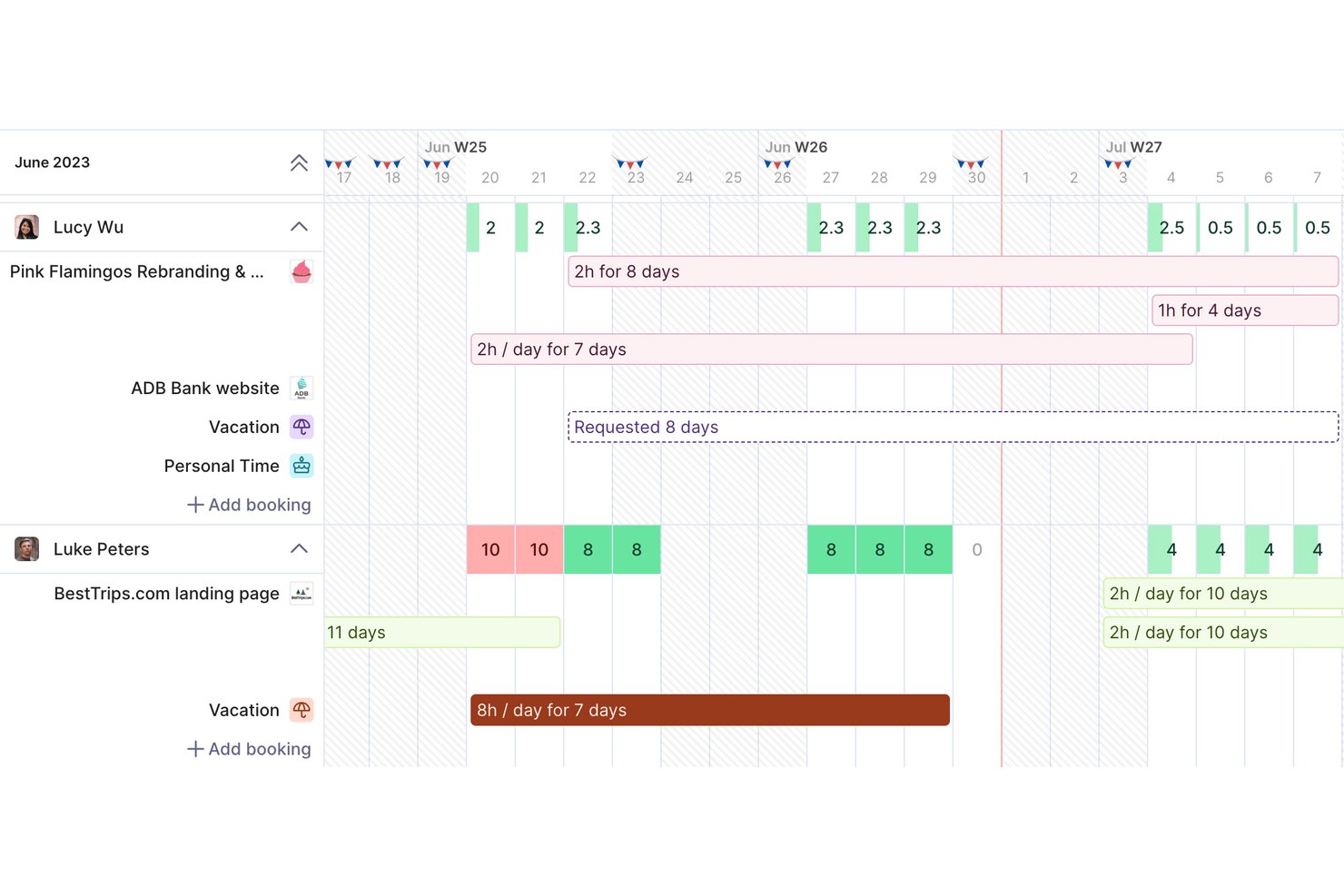
Productive est une plateforme de gestion de projets et d’automatisation des services professionnels destinée aux agences et aux cabinets de conseil. Elle combine la planification de projets, la planification des ressources, le suivi du temps et la budgétisation afin d’aider les équipes à coordonner les missions clients et à détecter les problèmes de livraison.
À qui Productive convient-il le mieux ?
Productive convient aux dirigeants d’agences et aux responsables des opérations qui ont besoin d’une visibilité sur les budgets des projets, l’utilisation des équipes et la rentabilité des missions clients.
Pourquoi j’ai choisi Productive
J’ai choisi Productive pour l’analyse des meilleures alternatives à WorkflowMax, car ses outils de budgétisation et de planification relient la rentabilité de l’agence à l’exécution quotidienne des projets. Les budgets des projets et le temps suivi m’aident à voir quand une mission client approche de sa limite de coûts, tandis que la planification des ressources montre la capacité et l’utilisation de l’équipe. Les risques pesant sur la marge sont ainsi plus faciles à repérer avant que la livraison ne prenne du retard.
Fonctionnalités clés de Productive
- Vues des projets : Organisez les tâches dans des vues Tableau, Liste, Table, Gantt, Calendrier ou Chronologie.
- Documents de projet : Créez des spécifications de projet et des comptes rendus de réunion avec du texte, des tableaux, des images et des blocs de code.
- Formulaires : Recueillez les retours de l’équipe ou des clients et transformez les réponses en tâches ou en e-mails.
- Automatisations : Déclenchez des actions telles que l’ouverture de projets, la création de factures ou l’envoi de messages Slack.
Intégrations de Productive
Productive propose des intégrations natives avec Jira, HubSpot, Xero, QuickBooks, Google Calendar, Slack, Microsoft Outlook, Gmail et Microsoft Teams, et se connecte à Zapier. La plateforme fournit également une API ouverte pour les intégrations personnalisées.
Pros and Cons
Pros:
- Le suivi budgétaire relie les heures enregistrées à la rentabilité
- La planification de la capacité affiche l’utilisation et les disponibilités
- Les projets, le temps et les finances sont réunis dans un même espace de travail
Cons:
- Certains rapports semblent peu pratiques ou nécessitent des exportations
- L’application mobile semble moins performante que la version web
New Product Updates from Productive
Productive Adds Voice Dictation, Slack Connector, Proposals, and Overtime
Productive adds voice dictation, a Slack Connector, proposal controls, and overtime tracking. These updates support faster AI interactions, client proposals, and time management. For more information, visit Productive’s official site.
Autres alternatives à WorkflowMax
Voici quelques alternatives supplémentaires à WorkflowMax qui n’ont pas été retenues dans ma sélection, mais qui méritent tout de même votre attention :
- Scoro
Idéal pour la gestion de bout en bout de l'entreprise
- Accelo
Idéal pour les prévisions de rentabilité pilotées par l’IA
- ActiveCollab
Idéal pour la facturation d’agence à partir du temps suivi
- BigTime
Idéal pour la facturation de services connectés à QuickBooks
- Deltek Vantagepoint
Idéal pour la gestion des ressources et la comptabilité de projets des entreprises d’AEC
- Flowlu
Idéal pour remplacer plusieurs outils par un espace de travail unique
- Bonsai
Idéal pour les freelances qui gèrent des contrats
- Harvest
Idéal pour le suivi du temps et la facturation


Comment j’évalue les alternatives à WorkflowMax
Je divise mon évaluation en trois parties. Tout d’abord — et c’est le plus important — je vérifie si un outil peut suivre les missions à travers des étapes définies et enregistrer les heures facturables pour ces missions. Je recherche ensuite des fonctionnalités remarquables, comme l’accès à un portail client ou la planification de la capacité des ressources. Enfin, je prends en compte l’assistance à la migration et la structure tarifaire.
Fonctionnalités essentielles (incontournables pour cette liste)
Lorsque je sélectionne les outils qui figureront dans ma liste, j’évalue chacun d’entre eux sur une échelle allant de 0 (ne propose pas la fonctionnalité) à 5 (excelle dans ce domaine) pour chacune des fonctionnalités essentielles répertoriées ci-dessous. Je convertis ensuite le total en pourcentage afin de mieux évaluer l’adéquation globale de chaque outil, en accordant un poids supplémentaire à toutes les fonctionnalités que j’ai jugées indispensables.
- Suivi des missions et des projets (indispensable) : Je recherche des missions attribuées qui progressent à travers des étapes claires, avec les responsables et les échéances visibles à mesure que le travail client passe de la planification à la livraison.
- Suivi du temps (indispensable) : Je vérifie que les heures facturables et non facturables sont associées aux missions ou aux tâches, afin que les feuilles de temps facilitent la facturation et révèlent les dépassements d’effort.
- Devis et factures : J’évalue si les équipes peuvent transformer un devis client en mission, puis utiliser le travail suivi pour préparer une facture.
- Calcul des coûts et budgets des missions : Je recherche des budgets qui peuvent être comparés aux heures et aux coûts réels, afin de rendre les dépassements visibles tant que le travail est encore en cours.
- Fiches clients : Je vérifie si les coordonnées des clients, l’historique des missions et les projets associés sont regroupés au même endroit, afin que les équipes puissent suivre le travail à travers les différents engagements.
- Rapports de rentabilité : J’évalue les rapports sur les marges des missions et l’utilisation du personnel pour déterminer si les responsables peuvent comparer les performances des projets et repérer les problèmes de livraison.
Une fois que j’ai établi une liste d’outils répondant aux critères, j’examine ce qui distingue chaque plateforme.
Facteurs de différenciation (ce qui distingue les fournisseurs)
Voici comment je compare les différents fournisseurs et les distingue les uns des autres :
Fonctionnalités remarquables
Je vérifie si un outil propose un portail client où les clients peuvent consulter les devis, approuver les estimations et suivre l’avancement des missions sans envoyer d’e-mails à votre équipe. La planification de la capacité des ressources compte également — je recherche des vues visuelles de la charge de travail qui signalent les affectations excessives avant que vous n’ayez affecté du personnel à des missions qui se chevauchent. Les outils de migration des données méritent également d’être évalués, en particulier pour les entreprises qui transfèrent leur WIP actif et leur historique client depuis WorkflowMax dans un délai serré.
Au-delà des fonctionnalités
L’assistance à la migration est actuellement le facteur le plus important. Je vérifie si un fournisseur propose un accompagnement pratique à l’intégration pour transférer les missions actives, les fiches clients et les données WIP — et pas seulement un importateur CSV. Les entreprises en plein cycle de facturation ne peuvent pas se permettre de lacunes. J’évalue également la compatibilité avec l’écosystème comptable, en particulier si l’outil maintient une synchronisation bidirectionnelle native avec Xero ou QuickBooks, qui garantit l’exactitude de la facturation et des rapports WIP sans rapprochement manuel. Enfin, la stabilité du fournisseur pèse fortement : après l’arrêt de WorkflowMax, j’examine la fréquence des mises à jour et la transparence de la feuille de route pour évaluer la viabilité à long terme.
Pourquoi chercher une alternative à WorkflowMax ?
Bien que WorkflowMax soit un bon choix de logiciel de gestion de projets, plusieurs raisons peuvent pousser certains utilisateurs à rechercher d’autres solutions. Voici quelques raisons pour lesquelles vous pourriez chercher une alternative à WorkflowMax :
- Vous avez besoin de davantage d’options de personnalisation
- Votre équipe a besoin de meilleurs outils de création de rapports
- Vous souhaitez bénéficier de plus grandes possibilités d’intégration
- Votre entreprise se développe à l’international
- Vous avez besoin d’une interface utilisateur plus simple
- Votre équipe a besoin de la prise en charge de la méthode Agile
Si vous vous reconnaissez dans l’une de ces situations, vous êtes au bon endroit. Ma liste comprend plusieurs solutions logicielles de gestion de projets mieux adaptées que WorkflowMax aux équipes confrontées à ces difficultés.
Principales fonctionnalités de WorkflowMax
Voici quelques-unes des principales fonctionnalités de WorkflowMax, afin de vous aider à comparer les offres des solutions alternatives :
- Estimation et devis des travaux : Créez des devis et des estimations personnalisables pour simplifier votre processus de vente.
- Suivi du temps : Enregistrez précisément les heures facturables afin de maximiser les revenus de votre équipe.
- Facturation : Générez des factures professionnelles pour accélérer les paiements et gérer votre trésorerie.
- Gestion des prospects : Suivez les prospects et les pipelines commerciaux afin d’optimiser vos efforts de développement commercial.
- Gestion de projets : Supervisez les tâches et les échéances depuis une seule plateforme pour maintenir vos projets sur la bonne voie.
- Gestion des documents : Accédez de manière centralisée aux documents importants des projets pour les retrouver et collaborer facilement.
- Rapports et tableau de bord : Utilisez des données en temps réel pour prendre des décisions éclairées et améliorer les performances de votre entreprise.
- Options de personnalisation : Adaptez les factures, les rapports et les autres documents aux besoins spécifiques de votre entreprise.
- Intégrations : Connectez-vous à des logiciels de comptabilité infonuagiques, tels que Xero et QuickBooks, pour gagner en efficacité et réduire le travail manuel.