



Accelo vs. Productive: Comparison & Expert Reviews For 2026



Accelo is a comprehensive solution that can help you manage your team's projects with ease, while Productive can help you optimize your team's efficiency and productivity. Both tools aim to improve project workflows, but they differ in their approach to collaboration and reporting.
Here’s my detailed review of each tool and their features, pros and cons, pricing, and more. I’ve tested and compared these tools extensively to help you decide which project management software best suits your needs.
Accelo vs. Productive: An Overview
Accelo

Productive



Why Trust Our Software Recommendations
Our team has been testing and reviewing software since 2012. As project managers ourselves, we know how difficult—and important—it is to choose the right software.
For this guide, we evaluated tools using hands-on testing and independent research, scoring tools using our selection criteria. We also draw on insights from industry thought leaders and practicing project management experts.
Our reviews reflect our human editorial judgment, not a sales pitch.
Expert reviewers:
Accelo vs. Productive Pricing Comparison
| Accelo | Productive | |
|---|---|---|
| Free Trial | Free demo available | Free trial available |
| Pricing | Pricing upon request | From $10/user/month (billed annually) |
Accelo vs. Productive Pricing & Hidden Costs
Accelo’s pricing consists of a subscription model with different tiers, and there may be additional costs for premium features or increased user limits. Productive’s pricing is also subscription-based and lets you scale based on the size of your team and the features you need.
To select the right tool, evaluate your team's specific needs and project requirements, and make sure you’re actually getting features you’ll use with the option you’re selecting.
Accelo vs. Productive Feature Comparison
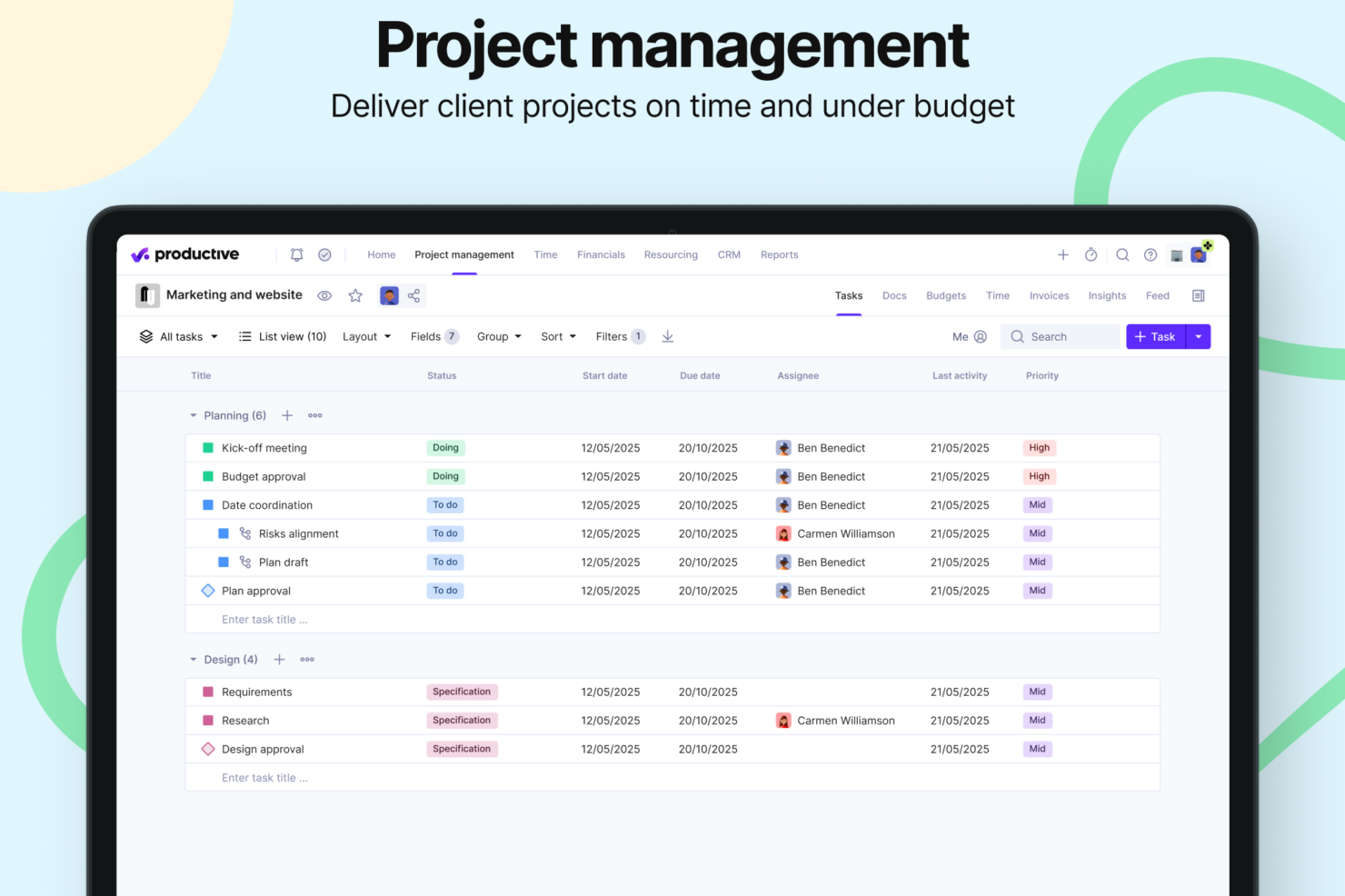
Accelo’s project visibility features lets you track your team’s progress and manage multiple client projects simultaneously. Productive’s project financials features are great for keeping a close eye on budgets and expenses, especially in agency settings.
| Accelo | Productive | |
|---|---|---|
| API | ||
| Billing/Invoicing | ||
| Budgeting | ||
| CRM Integration | ||
| Dashboards | ||
| Data Export | ||
| Data Import | ||
| Document Management | ||
| Expense Tracking | ||
| External Integrations | ||
| Financial Analysis | ||
| Forecasting | ||
| Gantt Charts | ||
| Inventory Tracking | ||
| Multi-Currency | ||
| Multi-User | ||
| Notifications | ||
| Project Management | ||
| Resource Management | ||
| Scheduling | ||
| Status Notifications | ||
| Task Scheduling/Tracking | ||
| Time Management | ||
| Workflow Management |
Accelo vs. Productive Integrations
| Integration | Accelo | Productive |
|---|---|---|
| Slack | ❌ | ✅ |
| HubSpot | ✅ | ✅ |
| Google Calendar | ✅ | ✅ |
| QuickBooks | ✅ | ✅ |
| Xero | ✅ | ✅ |
| Jira | ✅ | ✅ |
| Trello | ❌ | ❌ |
| Microsoft Teams | ✅ | ❌ |
| Bamboo HR | ❌ | ✅ |
| Salesforce | ✅ | ❌ |
| API | ✅ | ✅ |
| Zapier | ✅ | ✅ |
Accelo and Productive both provide broad integration options, allowing you to connect them to popular accounting software, communication tools, and project management applications. Overall, each platform connects to critical apps that improve data flow and productivity throughout your business processes, though specific integrations differ slightly.
Accelo vs. Productive Security, Compliance & Reliability
| Factor | Accelo | Productive |
| Compliance Certifications | SOC 2 Type II, GDPR, CCPA | SOC 2 Type II, GDPR |
| Data Encryption | In transit and at rest (industry standard) | In transit and at rest (industry standard) |
| Access Controls | Multi-factor authentication, role-based access control, automated account lockout | Multi-factor authentication, role-based access control |
| Security Audits | Regular third-party audits | Regular third-party audits |
| Backup and Recovery | Automated backups, disaster recovery plan | Automated backups, disaster recovery plan |
For professional service firms, both Accelo and Productive have tailored their security and compliance features to match your industry’s needs. Your data stays protected with both platforms through standard encryption protocols and mandatory multi-factor authentication. Evaluate how each tool's security measures align with your team's specific regulatory requirements and consider reviewing their audit capabilities and data protection policies before making a decision.
Accelo vs. Productive Ease of Use
| Factor | Accelo | Productive |
|---|---|---|
| User Interface | Accelo features a clean, intuitive interface with customizable dashboards. | Productive offers a modern, streamlined UI with drag-and-drop functionality. |
| Onboarding Experience | Dedicated onboarding and training options; some users report learning curve. | Productive includes interactive walkthroughs and in-app tips for quick learning. |
| Setup Process | Moderate complexity; guided onboarding available. | Productive offers a simple setup with pre-built templates for rapid deployment. |
| Customer Support | Accelo has 24/7 support with a comprehensive knowledge base. | Productive provides email and chat support, plus detailed FAQs. |
Accelo's user interface is easy to navigate, though some might find its depth of features a bit overwhelming at first. Productive is intuitive with its drag-and-drop capabilities, but it lacks some of the advanced customization options that larger teams might require.
Accelo vs Productive: Pros & Cons
Accelo
- Unifies operations in one platform, from project management and resource management, to CRM, billing, and time tracking.
- Automates billable time capture, expense tracking, and invoicing workflows, and provides real-time visibility into budgets, utilization, and margins.
- Adaptable to a wide range of service-based business models, including fixed-fee projects, ongoing retainers, or both.
- Accelo packs a lot of information into each screen, which can be overwhelming at first and may add to the learning curve for teams used to lightweight tools.
- While standard reports cover most use cases, teams with niche metrics or complex multi-project views may find themselves wanting more flexibility.
- While the mobile app allows time logging and basic project viewing, full project management and resource planning still require the web version.
Productive
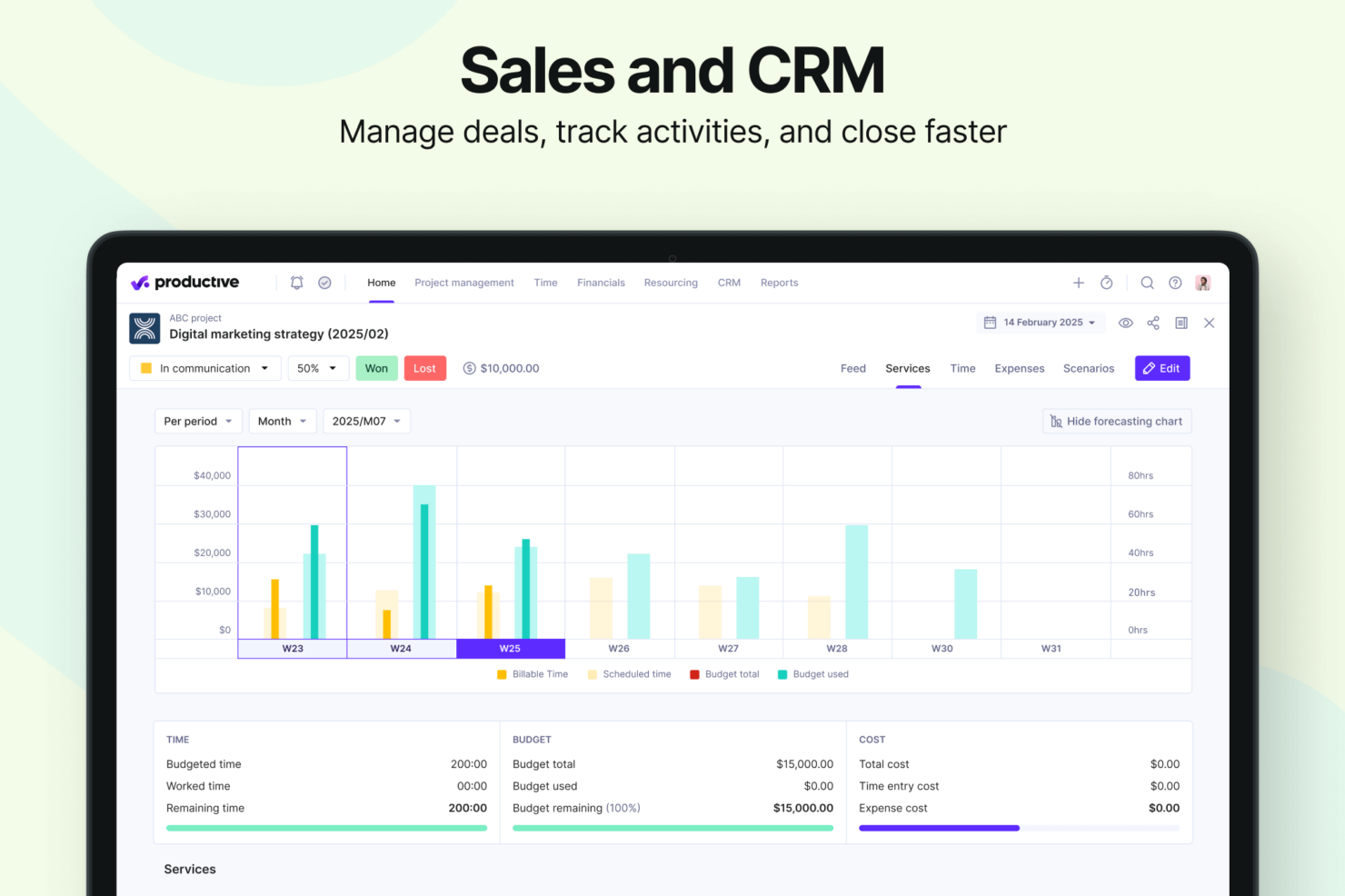
- Strong financial tracking and forecasting tools give you real-time insight into project profitability and overall business performance.
- You can handle agency projects end-to-end, from proposal to payment, which simplifies your workflow.
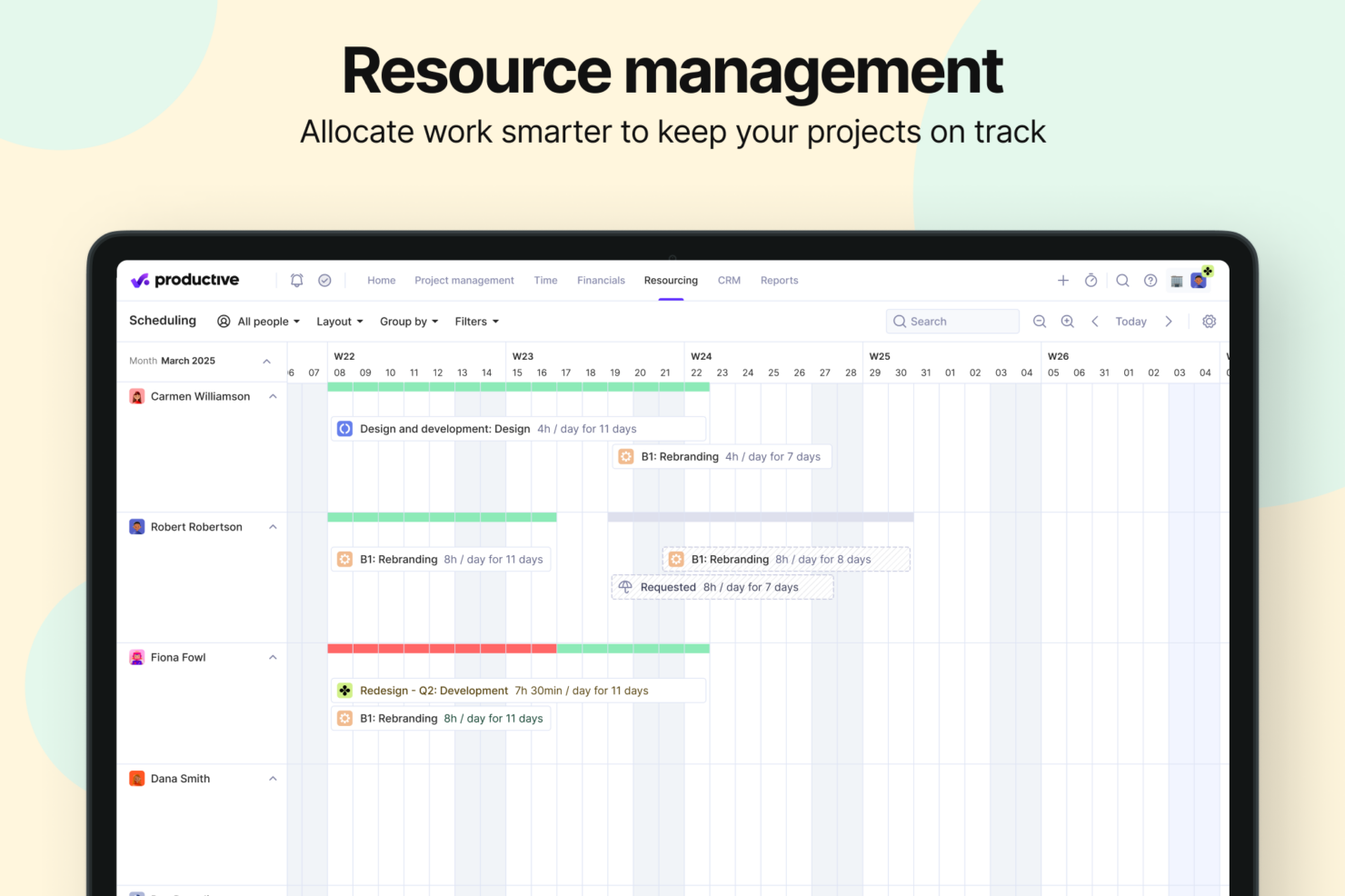
- Robust resource planning and workload management help you allocate people effectively.
- No free option available for teams looking for core project management functions.
- Advanced features can be complicated for small companies that just want basic task tracking.
- There's a minimum 3-seat requirement, so the tool isn't fit for single users or tiny teams.
Best Use Cases for Accelo and Productive
Accelo
- Engineering and Architectural Firms Firms with multi-phase, highly structured projects benefit from Accelo’s configurable workflows and milestone tracking. Its ability to connect project resource management, budget burn, and time tracking gives engineering leaders a clearer sense of whether each phase is pacing toward its goals.
- IT Services & Consulting Firms IT and technology service providers often operate with recurring contracts, SLAs, and consulting projects running in parallel. Accelo’s real-time visibility into workloads, profitability, and contract performance helps leaders make better decisions about staffing, utilization, and whether a project is veering off plan.
- Marketing, Advertising, and Creative Agencies Agencies that manage a mix of campaign work, production schedules, and recurring client support appreciate how Accelo automates time capture, client updates, and budget alerts. The platform helps recover billable hours that often slip through the cracks and reduces the administrative load that creative teams typically struggle with.
- Managed Service Providers Benefit from Accelo’s ability to join ticketing, quoting, invoicing, and project management in one platform, streamlining workflows and saving significant time.
- Legal and Financial Advisory Practices The platform’s robust billing, retainer management, and reporting features help maintain compliance and client transparency.
- Accounting & Business Consulting Firms Consulting teams often rely on strong coordination between sales, delivery, and finance. Accelo’s integrated sales pipelines, scopes, and delivery workflows help reduce friction during handoffs and ensure actual work matches what was sold, making invoicing cleaner and client communication smoother.
Productive
- Creative agencies Agencies managing client retainers or project-based work gain real-time control over budgets, utilization, and profitability. Productive supports collaborative workflows while giving leadership deep financial insights.
- Architecture & Engineering Firms Productive aligns well with your workflows by combining project budgeting, resource planning, phased delivery, and profitability tracking.
- Consulting Firms Consultancies benefit from Productive’s integrated approach to scoping, staffing, project financials, and invoicing—providing clarity across complex engagements and supporting better revenue forecasting.
- Professional Service Providers Productive supports end-to-end service delivery with strong project financials, resource planning, time tracking, and billing workflows.
- IT Services IT service teams can streamline client engagements with robust time tracking, retainer management, cost tracking, and project profitability features.
- Mid-to-Large Businesses Organizations with growing teams benefit from Productive’s scalable project controls, forecasting, custom reporting, and multi-office management capabilities.
Who Should Use Accelo, and Who Should Use Productive?
Accelo is best for professional service businesses and agencies that need client management and project tracking. If your work revolves around detailed project insights and client interactions, Accelo's key features are a great fit. On the other hand, Productive is better-suited to teams focused on financial precision and profitability. If your team values intuitive task management and clear financial oversight, Productive's the way to go.
Differences Between Accelo and Productive
| Accelo | Productive | |
|---|---|---|
| Artificial Intelligence | Accelo is investing heavily in future AI through its Forecast acquisition, focusing on upcoming capabilities like AI-powered resource recommendations, profit optimization, and project-risk prediction that are still being rolled out. | Productive offers fully launched, everyday AI tools like task summaries, report generation, and expense autofill that teams can use immediately. |
| Collaboration | Accelo, while collaborative, relies more heavily on external tools for shared documentation and project communication. | Productive offers stronger built-in collaboration tools, including shared project Docs, task comments, @mentions, activity feeds, and a client-facing portal for smooth back-and-forth communication. |
| Document Management | Accelo does not provide a built-in document editor, requiring teams to depend on third-party tools. | Productive has integrated document management through its Docs feature, allowing teams to create, edit, and store project-related content directly inside the platform. |
| Reporting | Accelo offers robust reporting capabilities with service-focused templates, but slightly less customization flexibility. | Productive provides highly customizable, real-time reporting with 50+ pre-built templates designed for agencies and professional services. |
| Visit AcceloOpens new window | Visit ProductiveOpens new window |
Similarities Between Accelo and Productive
| Client Management | Both Productive and Accelo include built-in client management tools, offering CRM capabilities that help teams track leads, manage deals, and maintain clear visibility into client relationships. |
|---|---|
| Customization | You can customize both Accelo and Productive to fit your team's unique workflows, though to varying degrees. |
| Integrations | Both platforms offer a wide range of integrations with tools like Google Calendar and Jira to improve team collaboration. Accelo focuses more on CRM integrations, whereas Productive integrates with financial tools. |
| Project Tracking | Both Accelo and Productive offer extensive project tracking capabilities, so you can monitor progress and deadlines. Accelo provides detailed insights on client work, while Productive emphasizes task completion and workflow management. |
| Subscription Model | Both use subscription models that scale with your team size and needs. Accelo's tiers are feature-based and Productive's pricing is based on the number of users and features required. |
| Visit AcceloOpens new window Visit ProductiveOpens new window | |