


Stockpress Review: Pros, Cons, Features and Pricing



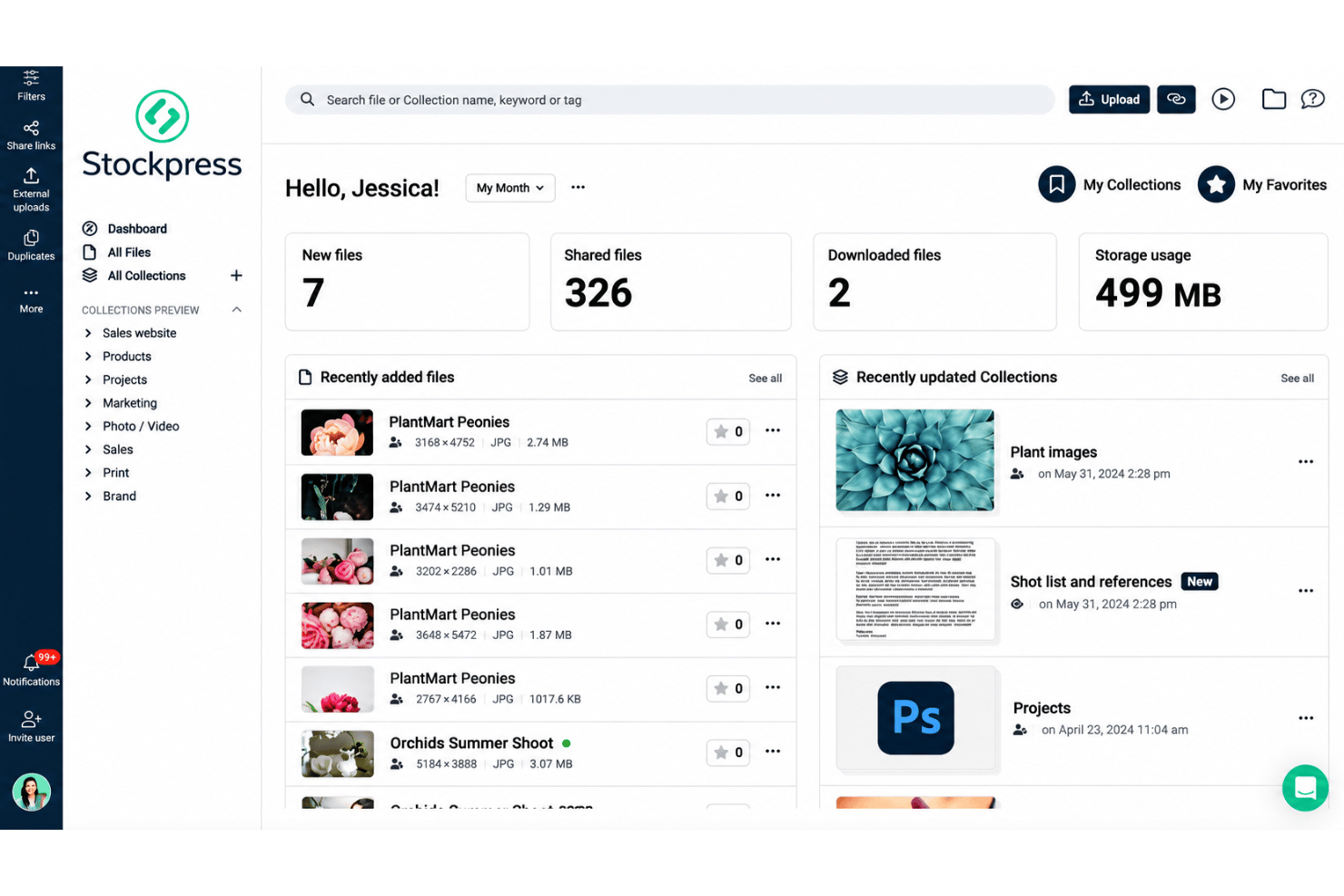
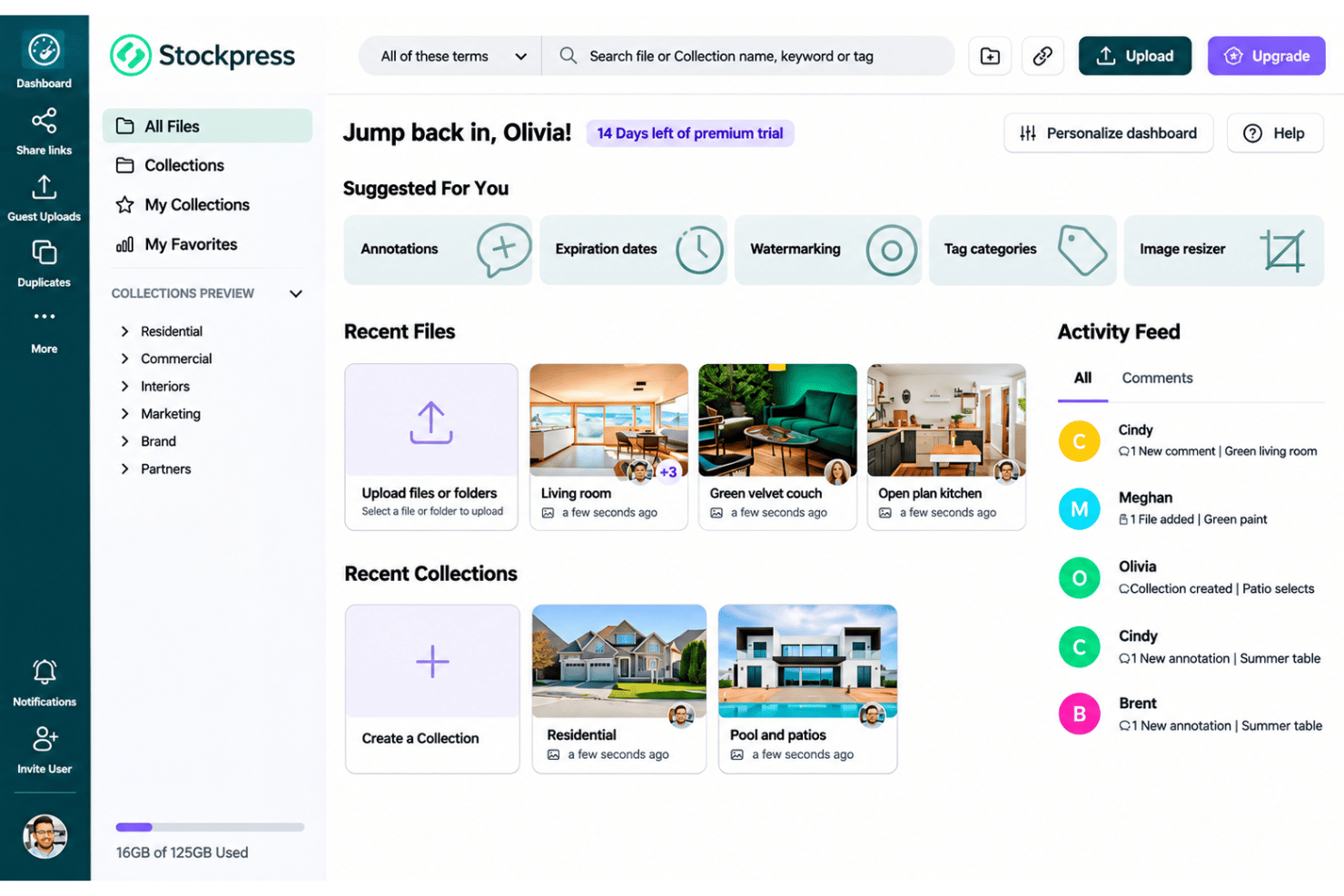
Stockpress is digital asset management software for teams that need a searchable library to organize, version, and share creative assets across departments and external collaborators. I’d consider it over Bynder if you want AI tagging, duplicate detection, and unlimited users without an enterprise-focused setup. Stockpress prices its plans by storage and features, not seats.
Stockpress Evaluation Summary
- From $99/month
- Free plan + 14-day free trial + demo available
Why Trust Our Software Recommendations
Our team has been testing and reviewing software since 2012. As project managers ourselves, we know how difficult—and important—it is to choose the right software.
For this guide, we evaluated tools using hands-on testing and independent research, scoring tools using our selection criteria. We also draw on insights from industry thought leaders and practicing project management experts.
Our reviews reflect our human editorial judgment, not a sales pitch.
Expert reviewers:
Stockpress Overview
I’d choose Stockpress for teams that need a shared, searchable library to organize, version, and distribute creative assets. Its AI tagging and duplicate detection help when you’re sorting large collections, while unlimited users and storage-based pricing make access easier to budget across departments. Compared with DAMs built around seat pricing or enterprise-focused setups, I think Stockpress suits cross-functional teams that want practical asset management without buying seats for every collaborator. For example, a design team can share approved files with external partners. Judge fit against your storage needs and required features, since those shape the plan price.
pros
-
AI tagging, duplicate detection, and version history support asset organization.
-
Unlimited users and storage-based pricing suit cross-functional teams.
-
Users praise centralized libraries, searchable assets, and external sharing.
cons
-
Users report delayed tag creation and confusing filters.
-
Users requested natural-language and visual-similarity search.
-
Watermark placement applies globally rather than per image.
-

Smartsheet
Visit WebsiteThis rating combines scores from multiple user review sites to reflect overall customer sentiment about the product.4.4 -
Celoxis
Visit WebsiteThis rating combines scores from multiple user review sites to reflect overall customer sentiment about the product.4.5 -
Accelo
Visit WebsiteThis rating combines scores from multiple user review sites to reflect overall customer sentiment about the product.4.4




Our Review Methodology
How We Test & Score Tools
We’ve spent years building, refining, and improving our software testing and scoring system. The rubric is designed to capture the nuances of software selection and what makes a tool effective, focusing on critical aspects of the decision-making process.
Below, you can see exactly how our testing and scoring works across seven criteria. It allows us to provide an unbiased evaluation of the software based on core functionality, standout features, ease of use, onboarding, customer support, integrations, customer reviews, and value for money.
Core Functionality (25% of final scoring)
The starting point of our evaluation is always the core functionality of the tool. Does it have the basic features and functions that a user would expect to see? Are any of those core features locked to higher-tiered pricing plans? At its core, we expect a tool to stand up against the baseline capabilities of its competitors.
Standout Features (25% of final scoring)
Next, we evaluate uncommon standout features that go above and beyond the core functionality typically found in tools of its kind. A high score reflects specialized or unique features that make the product faster, more efficient, or offer additional value to the user.
We also evaluate how easy it is to integrate with other tools typically found in the tech stack to expand the functionality and utility of the software. Tools offering plentiful native integrations, 3rd party connections, and API access to build custom integrations score best.
Ease of Use (10% of final scoring)
We consider how quick and easy it is to execute the tasks defined in the core functionality using the tool. High scoring software is well designed, intuitive to use, offers mobile apps, provides templates, and makes relatively complex tasks seem simple.
Onboarding (10% of final scoring)
We know how important rapid team adoption is for a new platform, so we evaluate how easy it is to learn and use a tool with minimal training. We evaluate how quickly a team member can get set up and start using the tool with no experience. High scoring solutions indicate little or no support is required.
Customer Support (10% of final scoring)
We review how quick and easy it is to get unstuck and find help by phone, live chat, or knowledge base. Tools and companies that provide real-time support score best, while chatbots score worst.
Customer Reviews (10% of final scoring)
Beyond our own testing and evaluation, we consider the net promoter score from current and past customers. We review their likelihood, given the option, to choose the tool again for the core functionality. A high scoring software reflects a high net promoter score from current or past customers.
Value for Money (10% of final scoring)
Lastly, in consideration of all the other criteria, we review the average price of entry level plans against the core features and consider the value of the other evaluation criteria. Software that delivers more, for less, will score higher.
Core Features
AI Tagging and Metadata
Stockpress tags images and videos with detected objects, scenes, colors, and concepts, while letting you edit tags and add custom metadata. For example, a team can tag event photos by subject and campaign so assets are easier to classify.
Search and Filters
Search by filename, tags, project name, or metadata, then filter results by details such as file type, upload date, or owner. You can pin a useful search, such as recent campaign images, to find matching assets again.
Collections
Collections group related assets, and one file can appear in multiple Collections without creating copies. A team can keep the same approved logo in both a brand library and a campaign Collection.
Duplicate Detection
Stockpress checks file content—not just filenames—to identify duplicates, which you can merge or remove. This helps teams spot repeat uploads even when files have different names.
File Versioning
Stockpress stacks updates under one file, records version details, and lets you restore an earlier version with one click. Share links and Collections point to the latest version, so partners can use an updated asset without receiving a new link.
Sharing and Access Controls
Create external links to files or Collections, then control options such as downloads, passwords, expiration dates, and watermarks. For example, you can share a view-only Collection with a partner while keeping file downloads disabled.

Ease of Use
I think Stockpress is easy to use for teams organizing and sharing assets: searchable tags, Collections, version history, and share links keep files and updates in one place. users praise its centralized library, searchable assets, and external sharing. Still, usability isn’t equally smooth across tasks. Some users report delayed tag creation and confusing filters, while others want natural-language and visual-similarity search. It’s a practical DAM for everyday workflows, but search can feel limited when you need more intuitive discovery.
Integrations
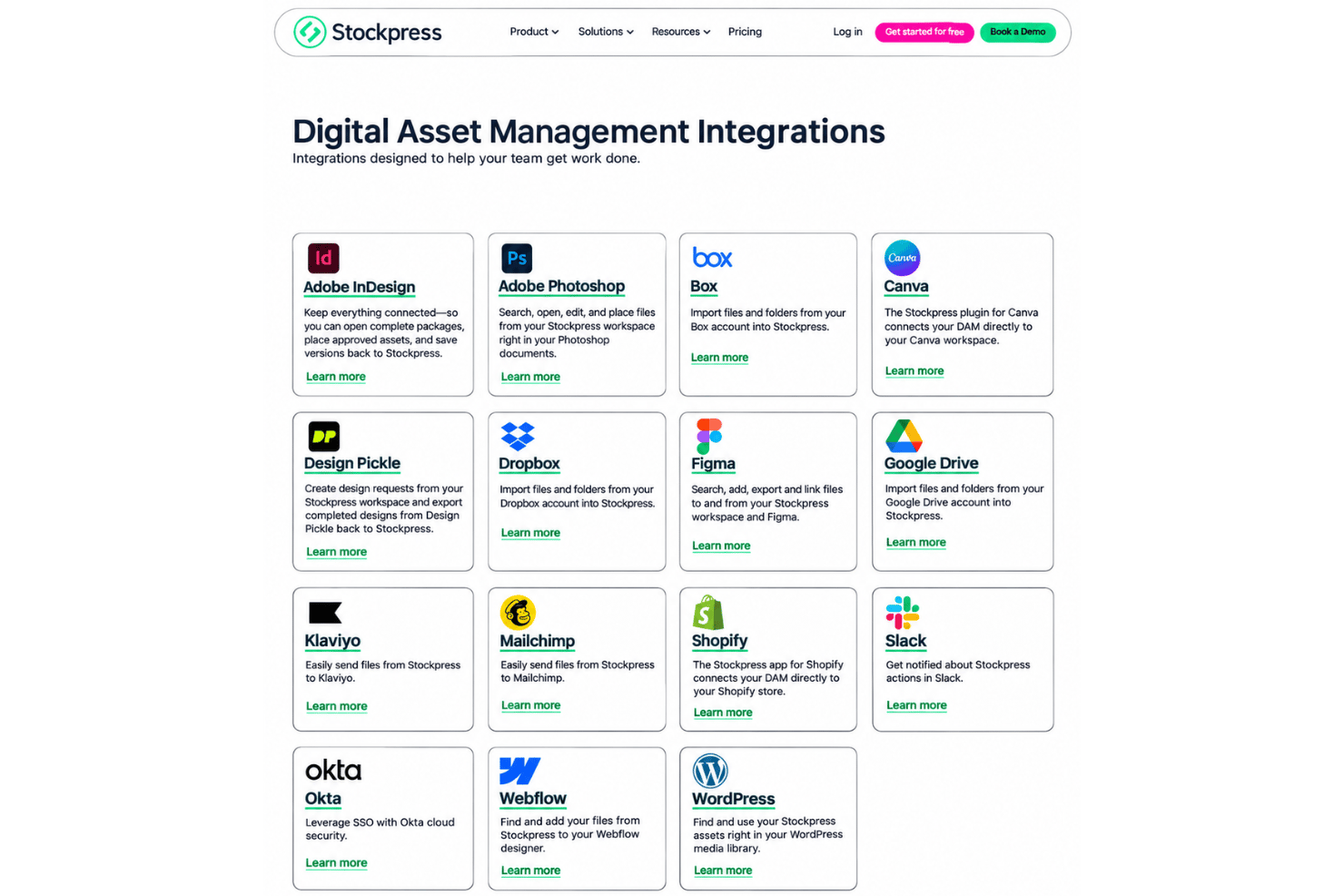
Stockpress integrates with Adobe Photoshop, Adobe InDesign, Box, Canva, Dropbox, Figma, Google Drive, Shopify, Slack, and WordPress, among others.
Stockpress also offers Premium API access for custom integrations and an MCP server for compatible AI tools.
Stockpress Specs
- Access Management
- API
- Asset Tagging
- Automatic Transcription
- Batch Permissions & Access
- Brand Asset Creation
- Brand Management
- Dashboards
- Database Search
- Document Comparison
- Document Sharing
- Downloading
- External Integrations
- File Format Conversion
- File Sharing
- File Transfer
- History/Version Control
- Keyword Tracking
- Materials Library
- Metadata Management
- Multi-User
- Product Catalog
- Reports
- Review Monitoring
- Template Designer


