



Moxo vs. Pipefy: Vergleich und Expertenbewertungen für 2026



Workflow automation sounds simple until a process starts bouncing between departments, clients, vendors, systems, and the occasional approval no one wants to own. At that point, a few triggers and reminder emails are not enough. You need a clearer way to manage the full workflow without losing the humans who still need to make the important calls.
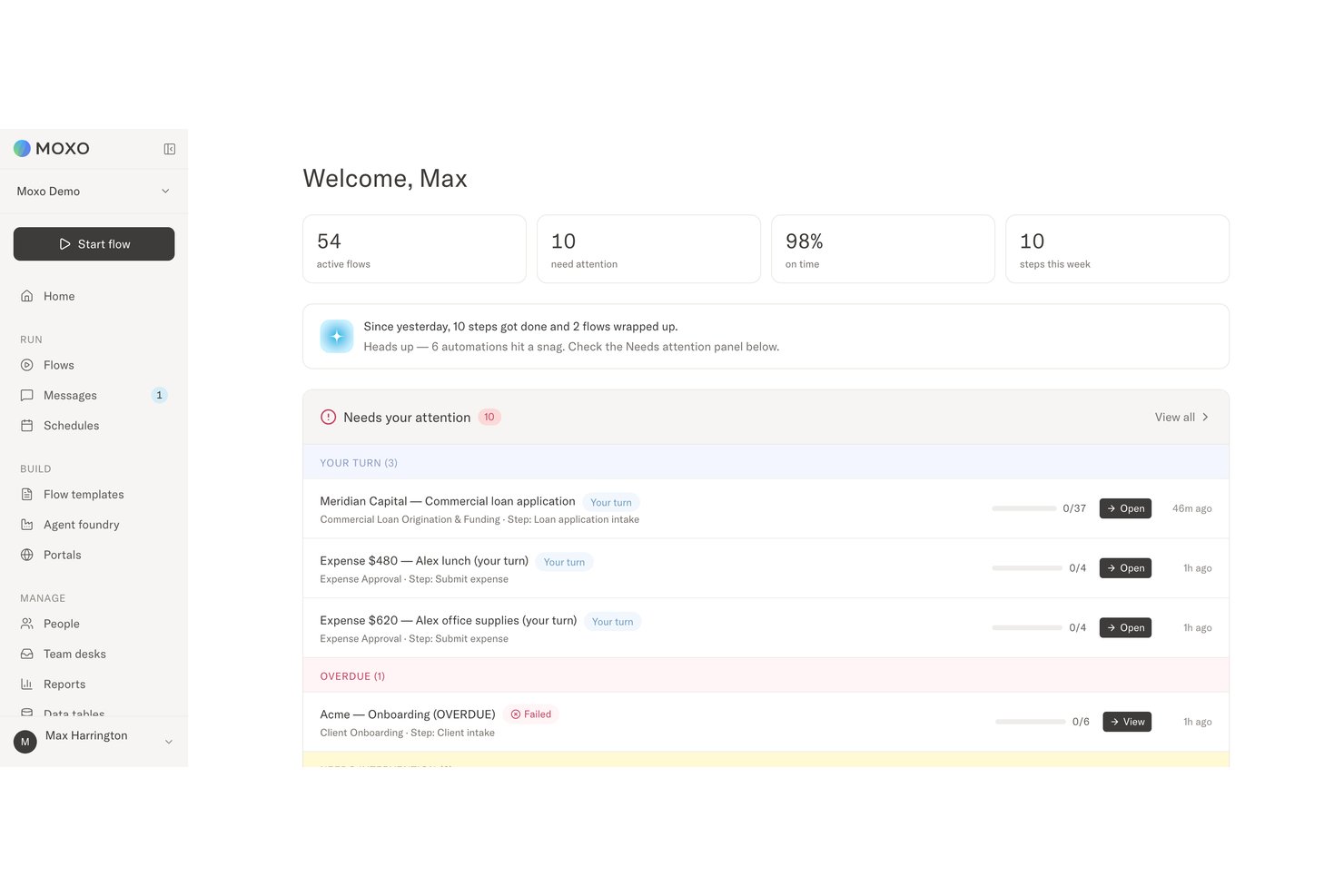
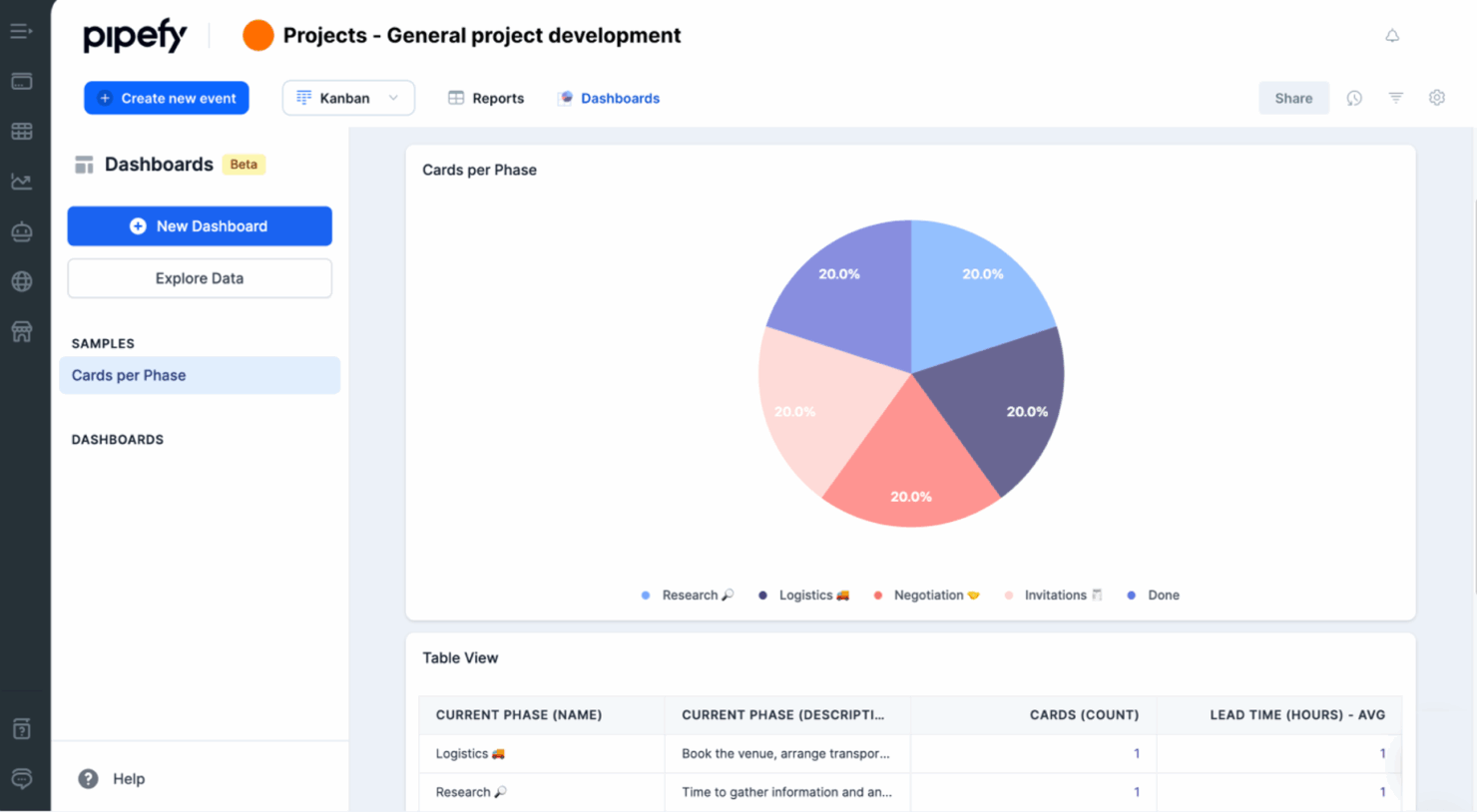
Moxo and Pipefy are workflow automation platforms, but they solve the problem differently. Moxo combines human-AI orchestration, custom client workspaces, and accountable decision-making, while Pipefy focuses on no-code process design, AI agents, forms, portals, integrations, and governance across broader business operations.
In this detailed comparison, I’ve evaluated and tested Moxo and Pipefy using my expertise in workflow automation to help you determine which tool is the right fit for your business processes and productivity goals.
Moxo vs. Pipefy: An Overview
Moxo
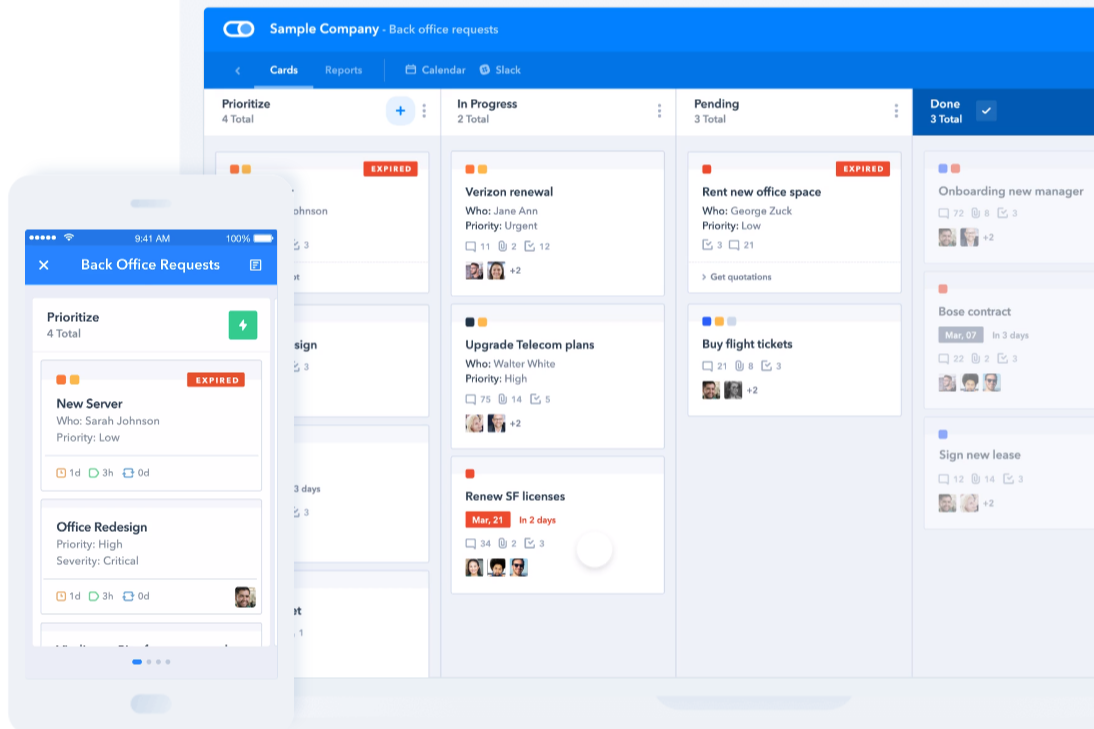
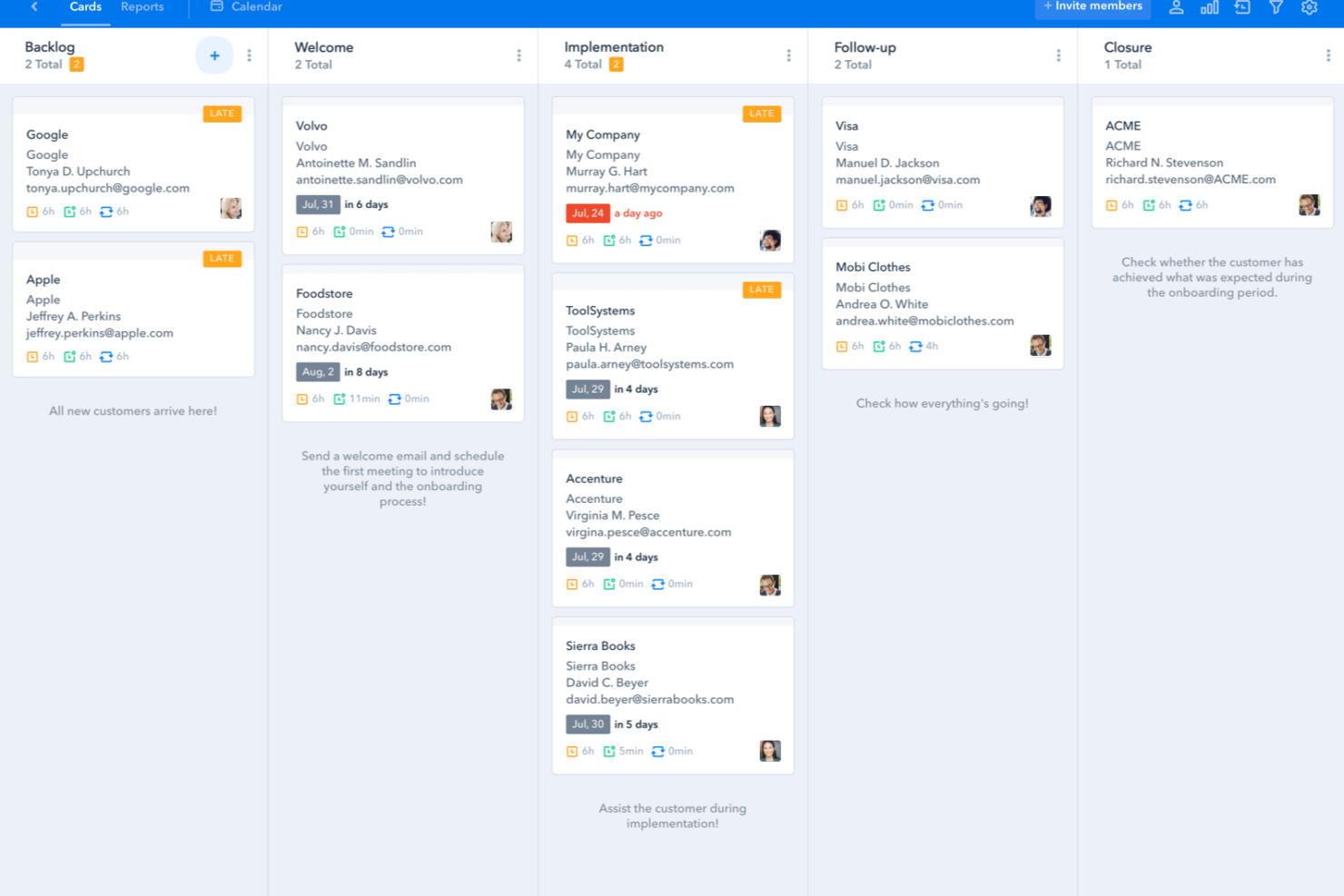
Pipefy


Warum Sie unseren Software-Empfehlungen vertrauen können
Unser Team testet und bewertet Software seit 2012. Als Projektmanager wissen wir selbst, wie schwierig – und wichtig – es ist, die richtige Software auszuwählen.
Für diesen Leitfaden haben wir Tools mithilfe von praktischen Tests und unabhängiger Recherche bewertet und dabei unsere Bewertungskriterien angewendet. Zudem greifen wir auf Erkenntnisse von Branchenvordenkern und praktizierenden Projektmanagement-Experten zurück.
Unsere Bewertungen spiegeln unser menschliches redaktionelles Urteilsvermögen wider, keine Verkaufsstrategie.
Expertenprüfer:
Moxo vs. Pipefy Pricing Comparison
| Moxo | Pipefy | |
|---|---|---|
| Free Trial | Free demo available | Free plan |
| Pricing | From $5,000/year (billed annually) | Pricing upon request |
Moxo vs. Pipefy Preisgestaltung & Versteckte Kosten
Moxo ist für die Budgetierung im Voraus einfacher, da es Preise für die Free-, Business- und Pro-Tarife veröffentlicht, während der Enterprise-Tarif eine individuelle Preisgestaltung nutzt. Die Kosten können jedoch steigen, wenn Teams mehr Flows und KI-Credits benötigen oder zu höheren Tarifen wechseln, um individuelle Kundenportale, fortgeschrittene Agenten, API-Zugriff, SSO und unternehmensspezifische Anpassungen zu erhalten. Pipefy bietet einen kostenlosen Starter-Tarif an, aber für Business und Enterprise ist ein Angebot vom Vertrieb erforderlich. Die kostenpflichtigen Tarife können außerdem eine Abrechnung pro Nutzer, höhere Nutzungslimits, Integrationen, Speicherplatz, Datenbankkapazitäten und zusätzliche Supportleistungen beinhalten.
Die entscheidendere Frage ist, welche Plattform die Funktionen bietet, die Ihre Prozesse benötigen. Moxo kann mehr Mehrwert bieten, wenn externe Beteiligte, KI-Agenten, individuelle Portale und nachvollziehbare Freigaben im Mittelpunkt des Workflows stehen. Pipefy eignet sich für Unternehmen, die ihre Prozesse über große Nutzergruppen und Abteilungen hinweg standardisieren möchten, wobei jedoch Abrechnung pro Nutzer und angebotsbasierte Tarife die Kosten weniger vorhersehbar machen können. Prüfen Sie vor einer Verpflichtung die Nutzungslimits, Implementierungsunterstützung, Integrationskosten, Schulungen, E-Mail-Limits sowie Gebühren für Automatisierung oder Speicherplatz.
Moxo vs. Pipefy Feature Comparison
<div class="slate-p slate-selectable" data-slate-node="element" data-block-id="QdqpuWWSfy" data-slate-fragment="JTVCJTdCJTIyY2hpbGRyZW4lMjIlM0ElNUIlN0IlMjJ0ZXh0JTIyJTNBJTIyTW94byUyMGFuZCUyMFBpcGVmeSUyMGJvdGglMjBjb3ZlciUyMHdvcmtmbG93JTIwYXV0b21hdGlvbiUyMGVzc2VudGlhbHMlMkMlMjBpbmNsdWRpbmclMjB0YXNrcyUyQyUyMGFwcHJvdmFscyUyQyUyMHJ1bGVzJTJDJTIwdGVtcGxhdGVzJTJDJTIwZm9ybXMlMkMlMjBkZWFkbGluZXMlMkMlMjByZXBvcnRpbmclMkMlMjBhbmQ…
| Moxo | Pipefy | |
|---|---|---|
| API | ||
| Access Management | ||
| Analytics | ||
| Approval Workflows | ||
| Audit Trail | ||
| Batch Permissions & Access | ||
| Business Rules Mining | ||
| Compliance Tracking | ||
| Custom Reports | ||
| Customer Management | ||
| Data Export | ||
| Data Import | ||
| Document Management | ||
| External Integrations | ||
| Form Builder | ||
| Multi-User | ||
| Notifications | ||
| Process Modeling | ||
| Process Reporting | ||
| Project Management | ||
| Reports | ||
| Risk Assessment | ||
| Roadmapping | ||
| White-label | ||
| Workflow Management |
Moxo vs. Pipefy Integrationen
| Integration | Moxo | Pipefy |
|---|---|---|
| DocuSign | ✅ | ✅ |
| Gmail | ✅ | ✅ |
| HubSpot | ✅ | ✅ |
| Slack | ✅ | ✅ |
| Jira | ✅ | ✅ |
| Salesforce | ✅ | ✅ |
| SAP | ✅ | ✅ |
| Google Drive | ✅ | ✅ |
| QuickBooks | ✅ | ✅ |
| Dropbox | ✅ | ✅ |
| API | ✅ | ✅ |
| Zapier | ✅ | ✅ |
Beide Plattformen verbinden sich mit gängigen Kommunikations-, CRM-, Dokumenten-, Finanz- und Business-Tools. Moxo nutzt Integrationen, um Daten und Aktionen über mehrstufige Workflows hinweg zu koordinieren, während Pipefy Automatisierung über Abteilungen und anfragende Prozesse hinweg unterstützt. APIs und Zapier erweitern beide Plattformen, wenn kein vorgefertigter Konnektor verfügbar ist.
Moxo vs. Pipefy Sicherheit, Compliance & Zuverlässigkeit
| Faktor | Moxo | Pipefy |
|---|---|---|
| Datenschutz | Verwendet eine Multi-Tenant-Architektur mit KMS-verschlüsseltem Speicher für Workflow-Daten, Dateien und Prozessaufzeichnungen. | Verschlüsselt Daten bei der Übertragung und Speicherung mit unternehmensweiten Sicherheitskontrollen. |
| Sicherheit & Compliance | SOC 2 Typ II-konform, mit dokumentierten Kontrollen für die Sicherheit und den Umgang mit Kundendaten. | SOC 2 Typ II-konform und unterstützt Anforderungen an Datenschutz und Governance im Unternehmen. |
| Zugriffssteuerung | Unterstützt SAML 2.0 Single Sign-on und rollenbasierte Zugriffskontrollen für Mitarbeitende, externe Teilnehmer und KI-Agenten. | Bietet SSO, Multi-Faktor-Authentifizierung, private Prozesse und konfigurierbare Nutzerrechte. |
| Auditierbarkeit | Erhält unveränderliche Audit-Logs, die Workflow-Aktionen, Entscheidungen, Zeitstempel und Verantwortlichkeiten über menschliche und KI-gestützte Schritte hinweg dokumentieren. | Zeichnet Workflow-Aktivitäten, Nutzeraktionen und Prozessänderungen über Audit-Logs und Prozesshistorien auf. |
| Elektronische Signaturen | Beinhaltet native elektronische Signaturen, die durch KMS-gestützte Kryptografie geschützt sind, sodass signierte Aktionen im selben auditierbaren Workflow bleiben. | Unterstützt elektronische Signaturen innerhalb von Genehmigungs- und Prozess-Workflows. |
Sowohl Moxo als auch Pipefy bieten die von Unternehmenslösungen erwarteten Sicherheitskontrollen für Workflow-Automatisierung, darunter Verschlüsselung, Zugriffsverwaltung, Compliance-Unterstützung und Audit-Logs. Moxo legt besonderen Wert auf die Nachvollziehbarkeit von Entscheidungen zwischen Personen und KI-Agenten, während Pipefy umfassendere Governance für Abteilungsautomatisierung bietet.
Moxo vs. Pipefy Benutzerfreundlichkeit
| Faktor | Moxo | Pipefy |
|---|---|---|
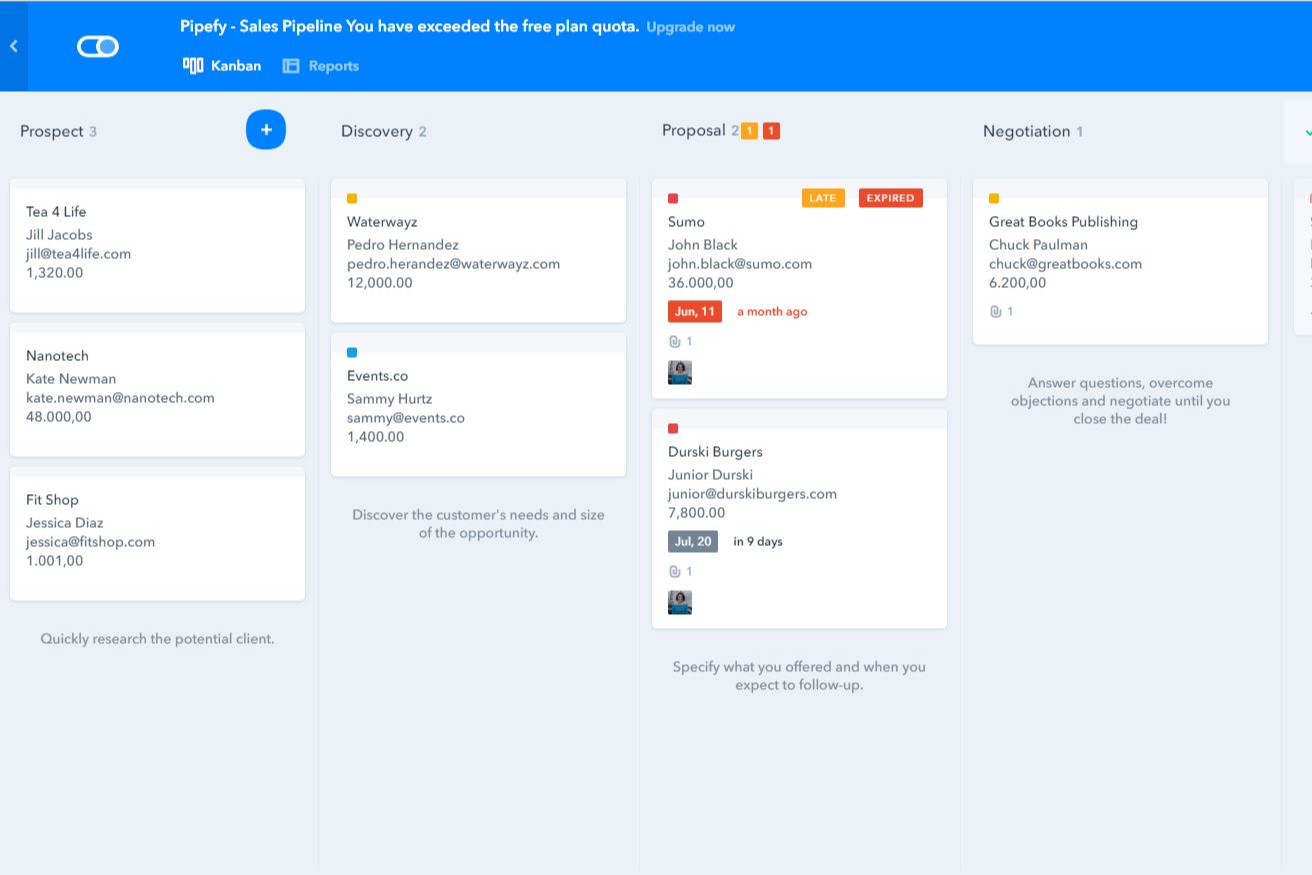
| Benutzeroberfläche | Kombiniert geführte Abläufe, individuelle Portale, kontextbezogene Nachrichten, Dateien und Entscheidungsschritte, sodass Mitarbeitende und externe Teilnehmende stets Relevantes entsprechend ihrer Rolle sehen. | Verwendet eine visuelle No-Code-Oberfläche mit Pipes, Karten, Formularen und Kanban-artigen Stufen, sodass der Prozessstatus einfach erfasst werden kann. |
| Onboarding | Unterstützt den eigenständigen Einstieg durch Vorlagen, KI-gestützte Prozesserstellung und Dokumenten-Uploads sowie geführte Implementierung für größere Einführungen. | Bietet Vorlagen, Tutorials und No-Code-Konfiguration für schnellen Einstieg; unternehmensweite Berechtigungen und Integrationen können jedoch mehr Zeit in Anspruch nehmen. |
| Workflow-Erstellung | Der No-Code-Workflow-Builder erzeugt strukturierte Abläufe aus schriftlichen Anweisungen, Diagrammen oder Prozessdokumenten, wobei komplexe Verzweigungen und Agenten-Überwachung mehr Planung erfordern. | Bietet einen Drag-and-Drop-Builder mit anpassbaren Stufen, Formularen, bedingter Logik und Automatisierungsregeln für strukturierte interne Abläufe. |
| Supportressourcen | Enthält In-App-Support sowie Customer Success Management und spezialisierte Technik-Betreuung auf höheren Tarifstufen. | Stellt ein Helpcenter, eine Akademie, Community-Ressourcen sowie tariffabhängigen Support für Implementierung und Konfiguration bereit. |
| Mobile Nutzung | Unterstützt mobilen Zugriff auf individuelle Portale, Nachrichten, Dateien, Anfragen und zugewiesene Aufgaben; Magic Links ermöglichen es externen Nutzern, ohne vollständigen Account teilzunehmen. | Die mobilen Apps ermöglichen den Nutzern, Pipes einzusehen, Karten zu aktualisieren, Benachrichtigungen zu erhalten und Workflow-Aufgaben auch unterwegs zu erledigen. |
Moxo bietet eine stärker geführte Erfahrung für Workflows mit Kunden, Lieferanten und anderen externen Beteiligten – insbesondere dank individueller Portale und kontextbezogener Aktionen. Pipefy wirkt vertrauter für Teams, die visuelle Boards, Formulare und klar definierte Prozessstufen bevorzugen. Beide Lösungen sind einfach zugänglich, wenngleich Moxos fortgeschrittenes Branching und agentenbasierte Workflows mehr Aufwand im Prozessdesign bedeuten können.
Moxo vs Pipefy: Pros & Cons
Moxo
- Agentic AI handles preparation, validation, routing, and monitoring
- Custom portals keep external participants aligned
- Human-in-the-loop controls, SLA rules, and audit trails reinforce accountability
- Advanced workflow design requires an adjustment period
- Less common integrations may require Zapier, Composio, or APIs
- Reporting focuses on process operations rather than customizable BI
Pipefy
- Pipefy's user-friendly interface helps your team quickly adapt and manage tasks.
- It offers excellent customer support, so your team can resolve issues promptly.
- The platform's flexibility makes it easy for your team to customize workflows to fit specific needs.
- The onboarding process can be challenging and might require extra time to master.
- The reporting features may not meet the needs of teams that want advanced analytics.
- Customization options can be limited for teams with highly specific requirements.
Best Use Cases for Moxo and Pipefy
Moxo
- Professional Services Firms Accounting, legal, consulting, and marketing firms can manage client onboarding, document collection, approvals, and recurring service delivery.
- Financial Services and Insurance Banks, lenders, wealth managers, and insurers can coordinate applications, compliance checks, exception reviews, signatures, and client decisions.
- Healthcare Administration Healthcare organizations can manage provider credentialing, intake, document verification, acknowledgements, and approval-heavy processes.
- B2B SaaS Customer Operations Customer success and implementation teams can coordinate onboarding, account reviews, renewals, and service requests across customers and internal specialists.
- Real Estate and Construction Firms Moxo helps organize contracts, approvals, vendor requirements, project documentation, and communication between clients, brokers, contractors, and internal staff.
- Manufacturing and Logistics Operations Operations teams can use Moxo for vendor onboarding, order fulfillment, compliance checks, document requests, and other multi-party workflows.
Pipefy
- Marketing teams Pipefy lets your team automate campaign workflows to save time and reduce manual tasks.
- HR departments Your HR team can improve recruitment and onboarding processes with Pipefy's customizable workflows.
- Finance teams Pipefy helps your finance team automate approval processes and manage invoices effectively.
- Small businesses Pipefy’s easy-to-use platform lets small businesses get up and running and start organizing and automating daily operations quickly.
- Project managers Pipefy provides project managers with tools to track progress and manage tasks smoothly.
- Customer support Customer support teams can use Pipefy to automate ticket management and improve response times.
Für wen eignet sich Moxo, und für wen Pipefy?
Brauchen Sie eine Workflow-Automatisierung für komplexe Prozesse zwischen Mitarbeitenden, Kunden, Lieferanten, KI-Agenten und verknüpften Systemen, ist Moxo wahrscheinlich die bessere Wahl. Die Lösung passt ideal zu Branchen wie professionelle Dienstleistungen, Finanzdienstleistung, Gesundheitswesen und andere regulierte Organisationen mit Bedarf an individuellen Kundenportalen, nachvollziehbaren Genehmigungen, Audit-Trails und Zusammenarbeit über interne Teams hinaus.
Wenn Sie eine visuelle No-Code-Plattform suchen, um Prozesse in mehreren Abteilungen zu automatisieren und zu standardisieren, ist Pipefy wahrscheinlich die stärkere Option. Das funktioniert besonders gut für Workflows in HR, Finanzen, IT, Kundensupport, Marketing und Betrieb – besonders, wenn individuell anpassbare Formulare, Portale, Kanban-artige Stufen und bedingte Automatisierung entscheidend sind.
Differences Between Moxo and Pipefy
| Moxo | Pipefy | |
|---|---|---|
| AI Agent Architecture | Agent Foundry supports purpose-built agents that prepare, advise, review, automate, and monitor work, with supervisor agents available to check outputs and escalate exceptions. | Uses AI agents, Copilot, and assistant capabilities to build workflows, extract information, answer questions, and automate repetitive process tasks. |
| Decision Governance | Keeps humans accountable for approvals, exceptions, compliance sign-offs, and client commitments, with immutable logs recording who decided, when, and with what context. | Uses permissions, approval rules, activity histories, and process controls to govern how work moves through automated departmental workflows. |
| External Participant Experience | Provides branded workspaces configured for clients, vendors, partners, and other participants, with access to relevant messages, files, resources, and assigned actions through accounts or magic links. | Offers portals and request forms that let employees, customers, suppliers, and other guests submit information, track requests, and participate in selected process steps. |
| Primary Workflow Scope | Built around complex, multi-party processes that cross organizational boundaries, including customer onboarding, implementations, service delivery, and vendor management. | Built for broad business process automation across HR, finance, IT, procurement, customer support, and operations, including processes involving external requesters. |
| Workflow Design Model | Its no-code workflow builder generates structured flows from natural-language instructions, uploaded diagrams, or process documents, including roles, branching, data references, deadlines, and escalation rules. | Combines natural-language and AI-assisted process creation with a visual no-code model based on pipes, cards, forms, stages, conditional logic, and automation rules. |
| Visit MoxoOpens new window | Read Pipefy ReviewOpens new window |
Similarities Between Moxo and Pipefy
| Automation and Notifications | Both can trigger actions, route work, send reminders, and notify participants based on workflow events, conditions, and due dates. |
|---|---|
| Document Workflows | Both support file requests, document sharing, electronic signatures, and process records for workflows that depend on submitted or approved documents. |
| Forms and Data Collection | Both let teams build forms and questionnaires to collect complete, standardized information from employees, customers, vendors, and other participants. |
| Integrations and Extensibility | Both connect with common business applications and provide API and Zapier support for extending workflows into additional systems. |
| Task and Approval Management | Both support assigned tasks, deadlines, approvals, decisions, and structured handoffs that move work from one stage to the next. |
| Visit MoxoOpens new window Read Pipefy ReviewOpens new window | |