



Microsoft Project vs. monday.com: Expertenbewertungen für 2026



Microsoft Project bietet eine leistungsstarke Lösung für das Management komplexer Projekte und ist daher eine zuverlässige Wahl für Unternehmen. Im Gegensatz dazu stellt monday.com eine flexible und intuitive Plattform bereit, die sich an die individuellen Arbeitsabläufe Ihres Teams anpasst.
Obwohl beide Tools leistungsfähig sind, ist Microsoft Project traditioneller und strukturierter, während monday.com einen modernen und anpassbaren Ansatz verfolgt.
In diesem Artikel nehmen wir einen detaillierten Vergleich dieser Tools vor, prüfen ihre Funktionen, Vor- und Nachteile, Preise und mehr, um Ihnen die Entscheidung zu erleichtern, welche Projektmanagement-Software am besten zu Ihren Anforderungen passt.
Microsoft Project vs. monday AI Workspace: An Overview
Microsoft Project
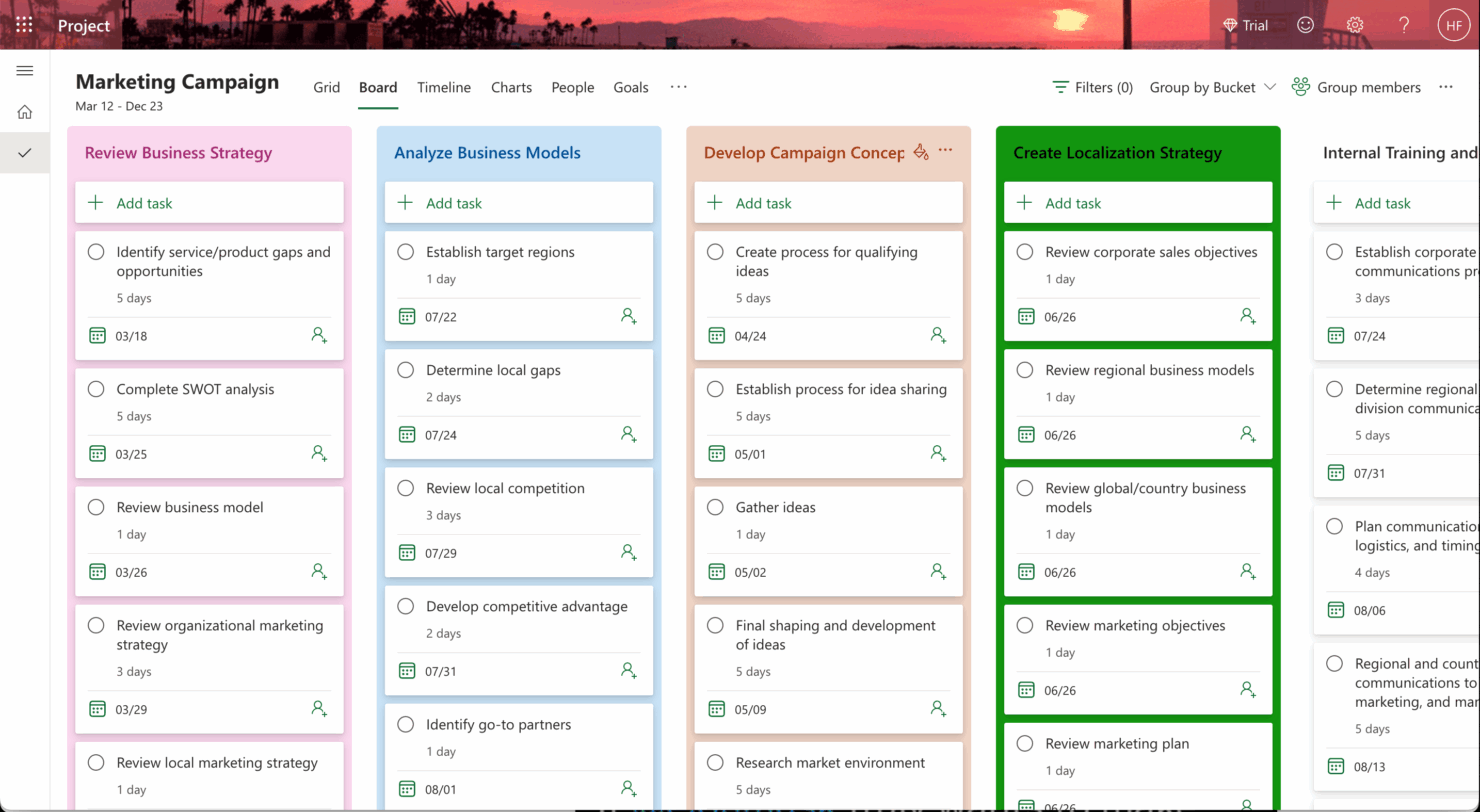


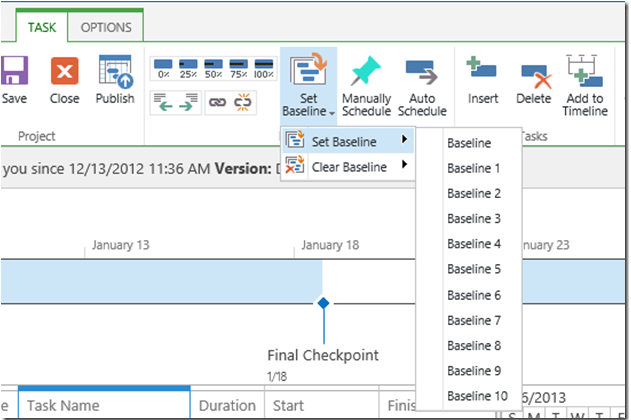


monday AI Workspace


Warum Sie unseren Software-Empfehlungen vertrauen können
Unser Team testet und bewertet Software seit 2012. Als Projektmanager wissen wir selbst, wie schwierig – und wichtig – es ist, die richtige Software auszuwählen.
Für diesen Leitfaden haben wir Tools mithilfe von praktischen Tests und unabhängiger Recherche bewertet und dabei unsere Bewertungskriterien angewendet. Zudem greifen wir auf Erkenntnisse von Branchenvordenkern und praktizierenden Projektmanagement-Experten zurück.
Unsere Bewertungen spiegeln unser menschliches redaktionelles Urteilsvermögen wider, keine Verkaufsstrategie.
Expertenprüfer:
Microsoft Project vs. monday AI Workspace Pricing Comparison
| Microsoft Project | monday AI Workspace | |
|---|---|---|
| Free Trial | 30-day free trial | Free plan available |
| Pricing | From $10/user/month (billed annually) | From $9/user/month (billed annually) |
Microsoft Project vs monday.com: Preise & versteckte Kosten
Die Preise für Microsoft Project basieren auf einem Abonnementmodell, wobei die Kosten je nach Plan variieren und zusätzliche Gebühren für Funktionen wie erweiterte Berichte oder Integrationen anfallen können.
Im Gegensatz dazu sind die Preisstufen von monday.com gestaffelt, bieten verschiedene Ebenen je nach Nutzerzahl und Funktionen und können zusätzliche Kosten für Premium-Support oder Add-ons nach sich ziehen.
Um das Werkzeug mit dem passenden Preis-Leistungs-Verhältnis für Ihre Anforderungen auszuwählen, sollten Sie die Größe Ihres Teams, benötigte Funktionen und die Komplexität Ihrer Projekte berücksichtigen und die Tools über kostenlose Testversionen ausprobieren, um herauszufinden, welches am besten zu Ihren Arbeitsprozessen und Ihrem Budget passt.
Microsoft Project vs. monday AI Workspace Feature Comparison
Mit der Drag-and-drop-Zeitplanfunktion von Microsoft Project können Sie komplexe Projektpläne mühelos verwalten, was besonders für die detaillierte Planung von groß angelegten Unternehmensprojekten ideal ist.
Die Automatisierungen von monday.com hingegen sind ideal, um sich wiederholende Aufgaben zu automatisieren, sodass Sie sich auf strategische Entscheidungen in dynamischen, schnelllebigen Umgebungen fokussieren können.
Während die Zeitachse von Microsoft Project besonders für strukturierte Planung geeignet ist, bieten die Automatisierungen von monday.com Flexibilität und Effizienz im Tagesgeschäft.
| Microsoft Project | monday AI Workspace | |
|---|---|---|
| API | ||
| Batch Permissions & Access | ||
| Budgeting | ||
| Calendar Management | ||
| Collaboration Support | ||
| Contact Management | ||
| Contact Sharing | ||
| Customer Management | ||
| Dashboard | ||
| Dashboards | ||
| Data Export | ||
| Data Import | ||
| Data Visualization | ||
| Dependency Tracking | ||
| Document Sharing | ||
| Expense Tracking | ||
| External Integrations | ||
| File Sharing | ||
| Gantt Charts | ||
| Kanban Boards | ||
| Multi-User | ||
| Notifications | ||
| Project Management | ||
| Resource Management | ||
| Scheduling | ||
| Task Scheduling/Tracking | ||
| Third-Party Plugins/Add-Ons | ||
| Time Management | ||
| Travel Management | ||
| Workflow Management |
Microsoft Project vs monday.com Integrationen
| Integration | Microsoft Project | monday.com |
| Microsoft Teams | ✅ | ✅ |
| Slack | ❌ | ✅ |
| Jira | ✅ | ✅ |
| Trello | ❌ | ✅ |
| Salesforce | ✅ | ✅ |
| Google Workspace | ❌ | ✅ |
| Zoom | ❌ | ✅ |
| Power BI | ✅ | ❌ |
| API | ✅ | ✅ |
| Zapier | ✅ | ✅ |
Microsoft Project lässt sich mit Power BI verbinden, um detaillierte, datengesteuerte Berichte zu erstellen – ein großer Vorteil für Manager, die tiefe Einblicke in Projekte benötigen. monday.com bietet eine Integration mit Slack, die Echtzeit-Kommunikation und schnelle Aufgaben-Updates für kollaborative Teams ermöglicht. Microsoft Project punktet bei der erweiterten Berichterstellung, während monday.com agile Zusammenarbeit und Kommunikation unterstützt.
Microsoft Project vs monday.com Sicherheit, Compliance & Zuverlässigkeit
| Faktor | Microsoft Project | monday.com |
| Datenverschlüsselung | Microsoft Project verwendet AES-256-Verschlüsselung, um Daten sowohl im Ruhezustand als auch während der Übertragung zu schützen. | monday.com setzt auf TLS-Verschlüsselung für Daten während der Übertragung und AES-256 im Ruhezustand. |
| Regulatorische Compliance | Microsoft Project erfüllt Standards wie die DSGVO, ISO 27001 und HIPAA. | monday.com ist konform mit DSGVO, ISO 27001 und SOC 2 Typ II Zertifizierungen. |
| Datenschutz | Microsoft Project bietet anpassbare Datenschutzeinstellungen und Benutzerrechte. | monday.com stellt rollenbasierte Zugriffskontrolle und Datenschutzfunktionen bereit. |
Microsoft Project und monday.com legen großen Wert auf Sicherheit und Compliance, allerdings bietet Microsoft Project ein breiteres Spektrum an Zertifizierungen. Bei der Bewertung dieser Tools sollten Sie die spezifischen Compliance-Anforderungen Ihrer Branche berücksichtigen und mit Testkonten die Sicherheitseinstellungen jeder Plattform prüfen, um herauszufinden, welche Lösung am besten geeignet ist.
Microsoft Project vs monday.com Benutzerfreundlichkeit
| Faktor | Microsoft Project | monday.com |
| Benutzeroberfläche | Microsoft Project hat eine traditionelle, funktionsreiche Oberfläche, die für Anfänger überwältigend sein kann. | monday.com bietet eine moderne, visuelle Benutzeroberfläche mit Drag-and-Drop-Funktionalität. |
| Onboarding-Erlebnis | Microsoft Project erfordert ausführliche Tutorials und Schulungen, um alle Funktionen vollständig zu nutzen. | monday.com stellt interaktive Anleitungen und Vorlagen für einen schnellen Einstieg bereit. |
| Einrichtung | Die Einrichtung von Microsoft Project ist komplex und erfordert häufig IT-Unterstützung zur Integration. | monday.com bietet eine unkomplizierte Einrichtung mit leicht nachvollziehbaren Schritten. |
| Support | Microsoft Project stellt umfangreiche Dokumentationen und ein engagiertes Supportteam zur Verfügung. | monday.com bietet Live-Chat-Support und ein Community-Forum für schnelle Hilfe. |
monday.com lässt sich dank moderner Oberfläche und schnellem Onboarding einfach bedienen. Im Gegensatz dazu weist Microsoft Project aufgrund seiner Komplexität eine höhere Einstiegshürde auf. Während monday.com mit Benutzerfreundlichkeit überzeugt, bietet Microsoft Project fortgeschrittene Funktionen, die erfahrenen Nutzern mit hohem Steuerungsbedarf Vorteile bringen.
Microsoft Project vs monday AI Workspace: Pros & Cons
Microsoft Project
- You can manage complex project schedules with ease.
- It offers robust resource management tools.
- You get detailed reporting and analytics for better decision-making.
- It has a steep learning curve for new users.
- The interface can feel outdated compared to newer tools.
- It requires significant time investment for setup and maintenance.
monday AI Workspace
- The interface is easy to use, with simple drag and drop timeline and charting mechanics.
- You can create forms that live within your project as a view.
- There is a long list of supported integrations
- The Gantt view isn't useful for building a project.
- Recurring tasks are considered automations and limited to higher tier plans.
- There is a steep learning curve for beginners.
Best Use Cases for Microsoft Project and monday AI Workspace
Microsoft Project
- Construction Firms You can manage timelines and resources effectively, ensuring project phases align perfectly.
- IT Departments You’ll find its detailed scheduling invaluable for managing multiple, overlapping projects.
- Government Agencies You can rely on its precise tracking and reporting to meet regulatory requirements.
- Engineering Teams You’ll benefit from its resource management capabilities to allocate manpower and materials efficiently.
- Large Enterprises You can handle complex project portfolios with advanced analytics and reporting tools.
- Project Managers You’ll appreciate its ability to plan and track intricate project details for successful execution.
monday AI Workspace
- Creative departments With features like collaborative docs and a proofing screen, creative teams can improve feedback loops and increase delivery speeds.
- Marketing teams Its customizable dashboards and automation features let you track campaigns and workflows efficiently.
- Content creation monday.com's file management and commenting capabilities let teams manage media files and improve collaboration.
- Event planners The platform’s timeline views and easy collaboration features make managing multiple events straightforward.
- Product development You can track progress and updates across teams to maintain alignment and meet deadlines.
- Remote teams With collaborative features and real-time updates, remote teams can maintain productivity and communication effortlessly.
Differences Between Microsoft Project and monday AI Workspace
Im Folgenden finden Sie Details dazu, wodurch sich diese Tools voneinander unterscheiden.
| Microsoft Project | monday AI Workspace | |
|---|---|---|
| Automation | Microsoft Project's automation is less intuitive, requiring more setup and customization. | monday.com offers easy-to-use automations that streamline repetitive tasks quickly. |
| Integrations | Microsoft Project integrates well within the Microsoft ecosystem, like with Power BI. | monday.com integrates with a wide range of apps like Slack and Trello, enhancing team collaboration. |
| Onboarding | Microsoft Project's onboarding process is extensive, often needing formal training. | monday.com provides interactive guides and templates for a quick start. |
| Pricing | Microsoft Project uses a subscription-based model with additional costs for advanced features. | monday.com offers tiered pricing based on users and features, with add-ons available. |
| User Interface | Microsoft Project has a traditional, complex interface suited for detailed planning. | monday.com features a modern, intuitive interface with drag-and-drop functionality. |
| Read Microsoft Project ReviewOpens new window | Visit monday AI WorkspaceOpens new window |
Similarities Between Microsoft Project and monday AI Workspace
Nachdem Sie nun wissen, worin sie sich unterscheiden, werfen wir einen Blick auf die Gemeinsamkeiten.
| Cloud-Based | Both platforms are cloud-based, giving you and your team access to project data from anywhere. Microsoft Project offers cloud integration with Office 365, while monday.com provides seamless access through web and mobile apps |
|---|---|
| Collaboration | You can collaborate with your team using both platforms, allowing for shared updates and comments. Microsoft Project integrates with Microsoft Teams, and monday.com provides in-app communication features. |
| Customization | You can customize workflows in both tools to fit your project's needs. Microsoft Project allows for in-depth customization, while monday.com offers easy-to-use templates and drag-and-drop functions. |
| Reporting | Both offer reporting capabilities to track project progress and performance. Microsoft Project provides detailed Gantt charts and reports, whereas monday.com offers customizable dashboards and visual reports. |
| Task Management | Both Microsoft Project and monday.com enable you to create, assign, and track tasks, helping your team stay organized and on schedule. Microsoft Project excels in detailed task dependencies, while monday.com offers visual task boards. |
| Read Microsoft Project ReviewOpens new window Visit monday AI WorkspaceOpens new window | |