



Microsoft Planner vs. Microsoft Project: Bewertungen 2026



Microsoft Planner bietet Ihrem Team eine unkomplizierte Aufgabenverwaltung, während Microsoft Project robustere Tools für komplexe Projekte zur Verfügung stellt. Obwohl beide das Ziel verfolgen, Sie bei der Projektverwaltung zu unterstützen, eignet sich Planner besser für einfachere Aufgaben, während Project ideal für die detaillierte Projektplanung und -überwachung ist.
Ich habe beide Tools getestet und bewertet sowie Funktionen, Vor- und Nachteile, Preise und mehr verglichen, um Ihnen bei der Auswahl der richtigen Projektmanagement-Software für Ihre Anforderungen zu helfen.
Microsoft Planner vs. Microsoft Project: An Overview
Microsoft Project




Warum Sie unseren Software-Empfehlungen vertrauen können
Unser Team testet und bewertet Software seit 2012. Als Projektmanager wissen wir selbst, wie schwierig – und wichtig – es ist, die richtige Software auszuwählen.
Für diesen Leitfaden haben wir Tools mithilfe von praktischen Tests und unabhängiger Recherche bewertet und dabei unsere Bewertungskriterien angewendet. Zudem greifen wir auf Erkenntnisse von Branchenvordenkern und praktizierenden Projektmanagement-Experten zurück.
Unsere Bewertungen spiegeln unser menschliches redaktionelles Urteilsvermögen wider, keine Verkaufsstrategie.
Expertenprüfer:
Microsoft Planner vs. Microsoft Project Pricing Comparison
| Microsoft Planner | Microsoft Project | |
|---|---|---|
| Free Trial | 30-day free trial | 30-day free trial |
| Pricing | From $10/user/month (billed annually) | From $10/user/month (billed annually) |
Microsoft Planner vs. Microsoft Project Preise & versteckte Kosten
Die Kosten für Microsoft Planner sind normalerweise in bestimmten Microsoft 365-Abonnements enthalten, wobei Sie jedoch auf mögliche Zusatzkosten für zusätzlichen Speicherplatz oder Premium-Funktionen achten sollten. Hingegen basiert die Preisgestaltung von Microsoft Project auf einem Abonnementmodell, das je nach Funktionsumfang und benötigter Benutzeranzahl variiert.
Um das passende Tool mit dem richtigen Preis zu wählen, bewerten Sie die spezifischen Anforderungen Ihrer Projekte, schätzen Sie Häufigkeit und Umfang der Nutzung sowie die Gesamtkosten des Besitzes ein – einschließlich etwaiger zusätzlicher Kosten für Support oder Schulungen.
Microsoft Planner vs. Microsoft Project Feature Comparison
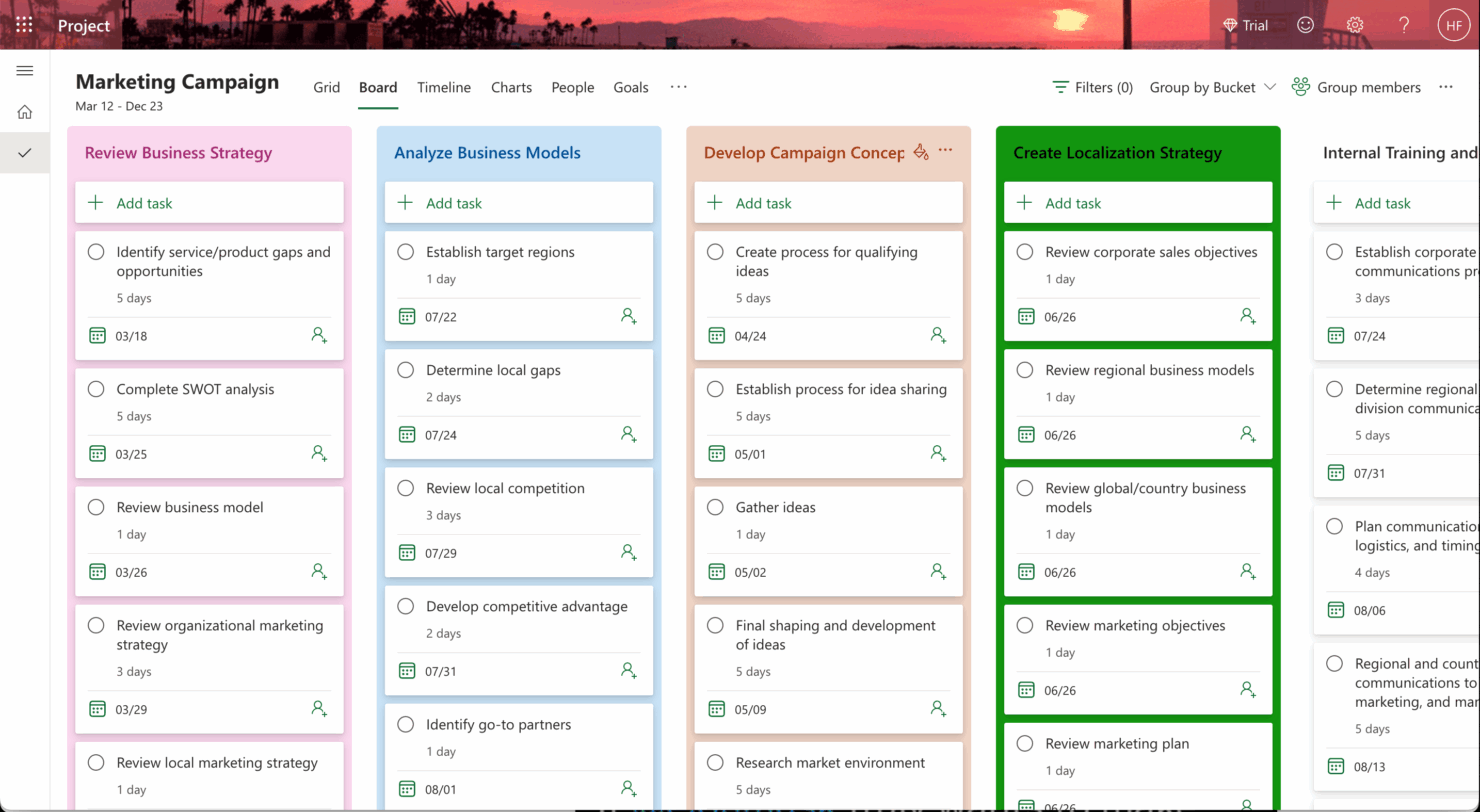
Mit dem Aufgaben-Board von Microsoft Planner können Sie tägliche Aufgaben einfach verwalten und Fortschritte in einem kollaborativen Umfeld nachverfolgen. Die Zeitachsenansicht in Microsoft Project ist hingegen ideal für Projektmanager:innen, die komplexe Projektpläne und Aufgabenabhängigkeiten auf einen Blick visualisieren müssen.
| Microsoft Planner | Microsoft Project | |
|---|---|---|
| API | ||
| Collaboration Support | ||
| Dashboard | ||
| Dashboards | ||
| Data Export | ||
| Data Import | ||
| External Integrations | ||
| Gantt Charts | ||
| Multi-User | ||
| Notifications | ||
| Resource Management | ||
| Scheduling | ||
| Task Scheduling/Tracking |
Microsoft Planner vs. Microsoft Project Integrationen
| Integration | Microsoft Planner | Microsoft Project |
|---|---|---|
| Microsoft Teams | ✅ | ✅ |
| Power BI | ❌ | ✅ |
| SharePoint | ✅ | ✅ |
| OneDrive | ✅ | ✅ |
| Outlook | ✅ | ✅ |
| Trello | ❌ | ❌ |
| Slack | ❌ | ❌ |
| Jira | ❌ | ❌ |
| API | ✅ | ✅ |
| Zapier | ❌ | ❌ |
Microsoft Planner lässt sich in Microsoft Teams integrieren, sodass Sie Kommunikation und Aufgabenverwaltung an einem Ort bündeln können – ideal für agile Teams, die rasche Updates benötigen. Microsoft Project punktet mit der Power BI-Integration, die besonders dann hilfreich ist, wenn Sie detailreiche Berichte und Visualisierungen erstellen möchten, um Aufgaben und Projektfortschritt im Blick zu behalten.
Microsoft Planner vs. Microsoft Project Sicherheit, Compliance & Zuverlässigkeit
| Faktor | Microsoft Planner | Microsoft Project |
|---|---|---|
| Datenschutz | Microsoft Planner gewährleistet Datenschutz durch die robusten Protokolle von Microsoft, einschließlich der Einhaltung der DSGVO. | Microsoft Project hält sich ebenfalls an Microsofts Sicherheitsstandards und bietet Datenschutz sowie DSGVO-Konformität. |
| Verschlüsselung | Microsoft Planner folgt strengen Verschlüsselungsprotokollen zum Schutz von Daten bei der Übertragung und Speicherung. | Microsoft Project stellt starke Verschlüsselungsmaßnahmen für die sichere Datenverarbeitung bereit. |
| Zuverlässigkeit | Microsoft Planner profitiert von der Cloud-Infrastruktur von Microsoft und bietet hohe Verfügbarkeit und Zuverlässigkeit. | Microsoft Project nutzt dieselbe Cloud-Infrastruktur für einen zuverlässigen Service. |
| Regulatorische Compliance | Microsoft Planner erfüllt verschiedene Branchenstandards wie ISO 27001 und SOC 2. | Microsoft Project entsprechen ebenfalls Branchenstandards wie ISO 27001 und SOC 2. |
Microsoft Planner und Microsoft Project bieten beide starke Sicherheits- und Compliance-Funktionen, aber Project ermöglicht eine detailliertere Kontrolle über das Projekt-Datenmanagement. Um Sicherheits- und Compliance-Funktionen zu überprüfen, sollten Sie die spezifischen Standards und Zertifizierungen betrachten, die jedes Tool erfüllt, und prüfen, wie diese zu den regulatorischen Anforderungen Ihres Unternehmens passen.
Microsoft Planner vs. Microsoft Project Benutzerfreundlichkeit
| Faktor | Microsoft Planner | Microsoft Project |
|---|---|---|
| Benutzeroberfläche | MS Planner bietet eine übersichtliche, einfache Oberfläche, die Aufgabenmanagement durch Kanban-Boards besonders intuitiv macht. | MS Project hat eine komplexere Oberfläche, deren Bedienung Zeit zum Erlernen erfordert, dafür aber detaillierte Projektverfolgungsfunktionen bietet. |
| Einarbeitung | Die Integration von Microsoft Planner in Microsoft 365 vereinfacht die Einarbeitung und benötigt wenig Setup-Aufwand. | Microsoft Project benötigt aufgrund seines großen Funktionsumfangs eine umfangreichere Einarbeitung. |
| Einrichtung | Die Einrichtung von Microsoft Planner ist schnell erledigt und erfordert kaum zusätzliche Konfiguration – ideal für kleine Teams und Einsteiger. | Microsoft Project benötigt eine aufwendigere Einrichtung und richtet sich an größere Projekte sowie detaillierte Planung. |
| Support | Microsoft Planner profitiert von den umfassenden Support-Ressourcen und Community-Foren von Microsoft. | Auch Microsoft Project bietet umfassenden Support, detaillierte Anleitungen und Expertenunterstützung. |
| Zusammenarbeit | Durch die Integration in Teams ermöglicht Microsoft Planner einfache und zugängliche Zusammenarbeit für alle Nutzer. | Microsoft Project erfordert zusätzliche Konfiguration für die Zusammenarbeit; für die Kommunikation muss auf Teams zurückgegriffen werden. |
Microsoft Planner ist aufgrund seiner einfachen Oberfläche und dem geringen Setup-Aufwand leichter von kleinen Teams einsetzbar. Microsoft Project bietet hingegen, obwohl es anspruchsvoller zu erlernen ist, leistungsstarke Funktionen für komplexes Projektmanagement. Um zu entscheiden, welches Aufgabenmanagement-Tool zu Ihrem Team passt, sollten Sie die Komplexität Ihrer Projekte berücksichtigen und abwägen, ob Benutzerfreundlichkeit oder erweiterte Funktionen wichtiger sind.
Microsoft Planner vs Microsoft Project: Pros & Cons
Microsoft Planner
- You can easily assign and track tasks within your team.
- Its integration with Microsoft 365 enhances team collaboration
- The simple, user-friendly interface makes task management straightforward.
- It lacks advanced customization options for complex projects.
- The reporting features are not as robust as some competitors.
- It may not accommodate larger teams needing detailed task dependencies.
Microsoft Project
- You can manage complex project schedules with ease.
- It offers robust resource management tools.
- You get detailed reporting and analytics for better decision-making.
- It has a steep learning curve for new users.
- The interface can feel outdated compared to newer tools.
- It requires significant time investment for setup and maintenance.
Best Use Cases for Microsoft Planner and Microsoft Project
Microsoft Planner
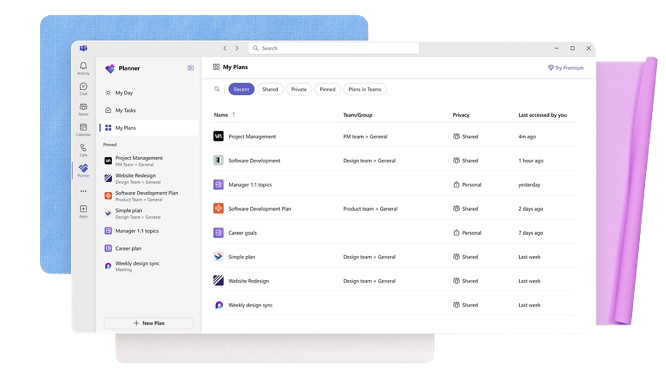
- Small Businesses Microsoft Planner's straightforward interface is perfect for small businesses that need to manage tasks without complex features.
- Marketing Teams It helps marketing teams track campaigns and collaborate effectively with its task assignment and tracking capabilities.
- Educational Institutions Schools and universities can use it to organize academic projects and coordinate activities across departments.
- IT Departments IT teams can benefit from its integration with Microsoft 365, making it easy to manage tech projects and resources.
- Remote Teams For remote teams needing a simple way to track tasks and collaborate, Microsoft Planner provides the necessary tools.
- Nonprofits Nonprofits can use it to manage volunteer tasks and projects efficiently, leveraging its easy-to-use interface.
Microsoft Project
- Construction Firms You can manage timelines and resources effectively, ensuring project phases align perfectly.
- IT Departments You’ll find its detailed scheduling invaluable for managing multiple, overlapping projects.
- Government Agencies You can rely on its precise tracking and reporting to meet regulatory requirements.
- Engineering Teams You’ll benefit from its resource management capabilities to allocate manpower and materials efficiently.
- Large Enterprises You can handle complex project portfolios with advanced analytics and reporting tools.
- Project Managers You’ll appreciate its ability to plan and track intricate project details for successful execution.
Wer sollte Microsoft Planner nutzen, und wer sollte Microsoft Project verwenden?
Meiner Meinung nach eignet sich Microsoft Planner am besten für kleine Teams oder Einzelpersonen, die ein einfaches, intuitives Werkzeug für Aufgabenmanagement und Teamarbeit brauchen – ohne unnötige Komplexität. Das Tool ist ideal für Mitarbeitende in kreativen Branchen oder Start-ups, in denen Flexibilität und Benutzerfreundlichkeit im Vordergrund stehen.
Microsoft Project hingegen ist ideal für Projektmanager in größeren Unternehmen oder Branchen wie Bauwesen oder IT, wo detaillierte Projektplanung, Nachverfolgung und Ressourcenmanagement unerlässlich sind. Wenn Ihre Teammitglieder komplexe Projekte steuern und ein leistungsstarkes Planungstool benötigen, ist Microsoft Project die richtige Wahl.
Differences Between Microsoft Planner and Microsoft Project
| Microsoft Planner | Microsoft Project | |
|---|---|---|
| Automation | Microsoft Planner offers limited automation features for task updates and reminders. | Microsoft Project supports advanced automation for project tracking and reporting. |
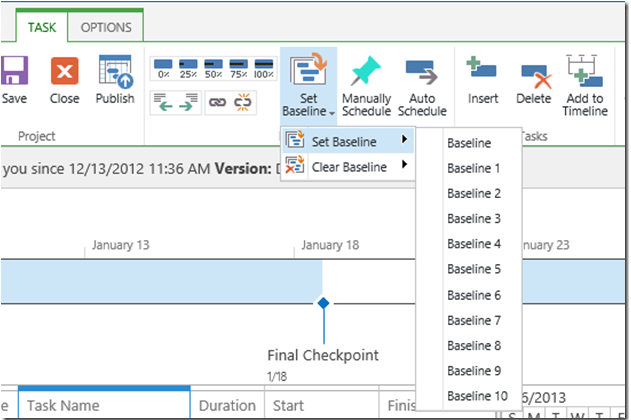
| Core Features | Microsoft Planner focuses on task management with simple boards and checklists. | Microsoft Project offers advanced project planning with Gantt charts and resource management. |
| Pricing | Microsoft Planner is included with certain Microsoft 365 subscriptions, with potential extra costs. | Microsoft Project offers subscription-based pricing with various tiers depending on features and users. |
| User Interface | Microsoft Planner offers a straightforward, user-friendly interface ideal for quick task tracking. | Microsoft Project has a complex interface designed for detailed project planning and management. |
| Read Microsoft Planner ReviewOpens new window | Read Microsoft Project ReviewOpens new window |
Similarities Between Microsoft Planner and Microsoft Project
| Automation | Both tools work with Power Automate to let you set up custom workflows. |
|---|---|
| Cloud-Based Access | You can use both on the web and access them across devices. |
| Collaboration | They both integrate with Microsoft 365, so your team can collaborate via Teams, Outlook, and SharePoint. |
| Pricing | They both use Microsoft’s subscription pricing model. You pay per user, monthly or annually. Microsoft Planner is included in most Microsoft 365 plans, so there’s no extra charge. |
| Task Management | Both let you assign tasks, set due dates, and track progress. Microsoft Planner uses a board view, and Microsoft Project offers more detailed scheduling with Gantt charts. |
| Read Microsoft Planner ReviewOpens new window Read Microsoft Project ReviewOpens new window | |