



Lucid vs. Miro: Vergleich und Expertenbewertungen für 2026



Your team has ideas worth sharing and processes worth untangling, but are your tools helping you see them, or burying them? The right canvas turns scattered thinking into something everyone can follow; the wrong one just adds another tab to ignore.
If you’re stuck between Lucid and Miro, you’re not alone. Picking the right visual collaboration platform can make or break how your team visualizes processes, shares ideas, and moves projects forward. Maybe you want clarity, real-time collaboration, or simple integrations—but need to cut through the buzzwords.
In this article, you’ll get a practical comparison including pros and cons, who each tool is best for, where pricing stands, and what to know about security and usability. I’ll help you figure out which solution fits your style, your team, and your projects best.
Lucid vs. Miro: An Overview
Lucid
Miro

Warum Sie unseren Software-Empfehlungen vertrauen können
Unser Team testet und bewertet Software seit 2012. Als Projektmanager wissen wir selbst, wie schwierig – und wichtig – es ist, die richtige Software auszuwählen.
Für diesen Leitfaden haben wir Tools mithilfe von praktischen Tests und unabhängiger Recherche bewertet und dabei unsere Bewertungskriterien angewendet. Zudem greifen wir auf Erkenntnisse von Branchenvordenkern und praktizierenden Projektmanagement-Experten zurück.
Unsere Bewertungen spiegeln unser menschliches redaktionelles Urteilsvermögen wider, keine Verkaufsstrategie.
Expertenprüfer:
Lucid vs. Miro Pricing Comparison
| Lucid | Miro | |
|---|---|---|
| Free Trial | Free trial + free plan available | Free plan + 14-day free trial available |
| Pricing | From $15/month (billed annually) | From $8/user/month (billed annually) |
Lucid vs. Miro Preise & versteckte Kosten
Lucid und Miro bieten beide ein gestaffeltes Abonnementmodell, das sich nach Funktionsumfang und Teamgröße richtet. Lucid erhebt zusätzliche Gebühren für bestimmte fortgeschrittene Integrationen und erweiterte Kollaborationsmöglichkeiten, während Miro wichtige Funktionen wie unbegrenzte Boards oder fortgeschrittene Vorlagen oft teureren Plänen vorbehält. Auch wenn beide Plattformen kostenlose Pläne anbieten, können bei beiden trotzdem weitere Kosten für Add-ons oder Premium-Support entstehen, so dass die tatsächlichen Kosten über das Grundabonnement hinaus ansteigen können.
Um den passenden Anbieter zu wählen, sollte man nicht nur auf den angegebenen Abonnementpreis schauen, sondern für jedes Tool die Funktionsstufen mit den tatsächlichen Arbeitsprozessen im Team abgleichen. Testen Sie die kostenlosen Versionen, prüfen Sie, welche Integrationen enthalten sind, und achten Sie besonders darauf, wie Limits oder Zusatzkosten den Gesamtpreis beeinflussen könnten, sobald Ihr Team die Software vollständig nutzt.
Lucid vs. Miro Feature Comparison
<div class="slate-p" data-slate-node="element" data-block-id="rFW3i4spWl" data-slate-fragment="JTVCJTdCJTIyY2hpbGRyZW4lMjIlM0ElNUIlN0IlMjJ0ZXh0JTIyJTNBJTIyTHVjaWQlMjBhbmQlMjBNaXJvJTIwYm90aCUyMGxldCUyMHlvdSUyMGNyZWF0ZSUyMGR5bmFtaWMlMjB2aXN1YWwlMjB3b3JrZmxvd3MlMkMlMjBjb2xsYWJvcmF0ZSUyMGluJTIwcmVhbCUyMHRpbWUlMkMlMjBhbmQlMjB1c2UlMjB0ZW1wbGF0ZXMlMjB0byUyMHN0YXJ0JTIwZGlhZ3JhbXMlMjBxdWlja2x5LiUyMEVhY2glMjBvZmZlcnMlMjBpbnRlZ3JhdGlvbnMlMjB3aXRoJTIwcG9wdWxhciUyMHBsYXRmb3JtcyUyQyUyMHZlcnNpb24lMjBoaXN0b3J5JTJDJTIwYW5kJTIwc2hhcmluZyUyMHRvb2xzJTIwdG8lMjBrZWVwJTIweW91ciUyMHRlYW0lMjBjb25uZWN0ZWQlMjBhbmQlMjB5b3VyJTIwdmlzdWFsJTIwaWRlYXMlMjBlYXN5JTIwdG8lMjBhY2Nlc3MuJTIyJTdEJTVEJTJDJTIydHlwZSUyMiUzQSUyMnAlMjIlMkMlMjJpZCUyMiUzQSUyMnpFOUpiaWNSbXolMjIlN0QlMkMlN0IlMjJjaGlsZHJlbiUyMiUzQSU1QiU3QiUyMnRleHQlMjIlM0ElMjJXaGVyZSUyMHRoZXklMjBkaWZmZXIlM0ElMjBMdWNpZCUyMGlzJTIwa25vd24lMjBmb3IlMjBhZHZhbmNlZCUyQyUyMGRhdGEtYmFja2VkJTIwZGlhZ3JhbW1pbmclMkMlMjBkYXRhJTIwbGlua2luZyUyQyUyMGF1dG9nZW5lcmF0ZWQlMjBvcmclMjBjaGFydHMlMjBhbmQlMjBFUkRzJTJDJTIwYW5kJTIwZW50ZXJwcmlzZS1ncmFkZSUyMHByb2Nlc3MlMjBtYXBwaW5nJTIwJUUyJTgwJTkzJTIwcGx1cyUyMEx1Y2lkJTIwQUklMjB0byUyMGdlbmVyYXRlJTIwYW5kJTIwcmVmaW5lJTIwZGlhZ3JhbXMlMkMlMjBhbmQlMjBpdCUyMGNvdmVycyUyMGZyZWVmb3JtJTIwYnJhaW5zdG9ybWluZyUyMHRocm91Z2glMjBMdWNpZHNwYXJrJTJDJTIwaXRzJTIwdmlydHVhbCUyMHdoaXRlYm9hcmQuJTIwTWlybyUyQyUyMG9uJTIwdGhlJTIwb3RoZXIlMjBoYW5kJTJDJTIwY2VudGVycyUyMGV2ZXJ5dGhpbmclMjBvbiUyMG9uZSUyMGluZmluaXRlJTIwY2FudmFzJTJDJTIwd2l0aCUyMGludGVyYWN0aXZlJTIwd29ya3Nob3AlMjB0b29scyUyQyUyMGJ1aWx0LWluJTIwc3RpY2t5JTIwbm90ZXMlMkMlMjBhbmQlMjBNaXJvJTIwQUklMjB0aGF0JTIwbWFrZSUyMGdyb3VwJTIwYnJhaW5zdG9ybWluZyUyMGFuZCUyMGFnaWxlJTIwcGxhbm5pbmclMjBzbW9vdGhlci4lMjIlN0QlNUQlMkMlMjJ0eXBlJTIyJTNBJTIycCUyMiUyQyUyMmlkJTIyJTNBJTIyckZXM2k0c3BXbCUyMiU3RCU1RA==
| Lucid | Miro | |
|---|---|---|
| API | ||
| Data Export | ||
| Data Import | ||
| Email Integration | ||
| External Integrations | ||
| Multi-User | ||
| Notifications | ||
| Project Management |
Lucid vs. Miro Integrationen
| Integration | Lucid | Miro |
|---|---|---|
| Google Drive | ✅ | ✅ |
| Microsoft Teams | ✅ | ✅ |
| Slack | ✅ | ✅ |
| Jira | ✅ | ✅ |
| Confluence | ✅ | ❌ |
| Salesforce | ✅ | ✅ |
| GitHub | ❌ | ✅ |
| Zoom | ✅ | ✅ |
| Asana | ✅ | ✅ |
| Notion | ✅ | ✅ |
| API | ✅ | ✅ |
| Zapier | ✅ | ✅ |
Sowohl Lucid als auch Miro decken die wichtigsten Team-Kollaborations- und Dateispeicherintegrationen ab und beide bieten eine öffentliche API und Zapier – die meisten gängigen Stacks werden also auf beiden Wegen unterstützt. Miro hat einen größeren Katalog und legt Wert auf bidirektionale Synchronisation mit Projekt-Tools, während Lucid mit seinem Marktplatz auf Datenkonnektoren und Architekturlösungen für Unternehmen wie AWS, Azure, Ardoq und LeanIX setzt. Insgesamt sind sich die Integrationsmöglichkeiten sehr ähnlich, sodass die Entscheidung vor allem von den Präferenzen und Arbeitsabläufen Ihres Teams abhängt.
Lucid vs. Miro Sicherheit, Compliance & Zuverlässigkeit
| Faktor | Lucid | Miro |
|---|---|---|
| Datenverschlüsselung | AES-256 im Ruhezustand und TLS 1.2/1.3 während der Übertragung, Schlüsselverwaltung über AWS KMS. | AES-256 im Ruhezustand und TLS 1.2+ während der Übertragung. |
| Regulatorische Compliance | SOC 2 Typ II, ISO27001/27701, PCI, FedRAMPAuthorized und IRAP (PROTECTED) sowie DSGVO/CCPA; EnterpriseShield Add-on für zusätzliche Governance. | SOC 2 Typ II, SOC 3, ISO 27001, ISO 42001 (KI), NIST und TISAX sowie DSGVO/CCPA. |
| Zugriffskontrollen | SAML SSO, SCIM-Bereitstellung, Zwei-Faktor-Authentifizierung und rollenbasierte Admin-Kontrollen. | SAML SSO, SCIM-Bereitstellung, Zwei-Faktor-Authentifizierung, Domainkontrolle und Audit-Logs für Enterprise. |
| Verfügbarkeit & Zuverlässigkeit | 99,9 % Verfügbarkeitsgarantie für Unternehmenskunden auf AWS-Infrastruktur über mehrere Verfügbarkeitszonen hinweg und transparente Statusmeldung in Echtzeit. | Transparenter Status in Echtzeit mit garantierten SLAs über Premium-Support für Unternehmenskunden verfügbar. |
Sowohl Lucid als auch Miro bieten starke, gut dokumentierte Sicherheits- und Compliance-Standards. Lucid ist besonders für den öffentlichen Sektor und stark regulierte Branchen interessant – es ist FedRAMP-zertifiziert und nach IRAP auf PROTECTED-Niveau bewertet –, während Miro eine breite Palette an Zertifizierungen mit EU-Standard-Datenresidenz mitbringt. In den meisten Organisationen kommen beide problemlos durch den Einkauf; entscheidend ist meist das spezifische Rahmenwerk, das Ihre Branche verlangt. Dennoch sehe ich Lucid hier leicht im Vorteil.
Lucid vs. Miro Benutzerfreundlichkeit
| Faktor | Lucid | Miro |
|---|---|---|
| Benutzeroberfläche | Übersichtliches Layout mit Fokus auf strukturiertes Diagrammerstellen und Drag-and-Drop-Komponenten. | Intuitive, unendliche Leinwand, gedacht für freies Skizzieren und agile Brainstormings. |
| Onboarding | Schritt-für-Schritt-Anleitungen und Vorlagen begleiten neue Nutzer von Anfang an; optionales Training und White-Glove-Einrichtung verfügbar. | Bietet interaktive Einführungen und Beispiel-Boards, um den Einstieg zu erleichtern. |
| Kollaboration | Bearbeitung in Echtzeit mit Kommentaren und einfacher Freigabe für vernetzte Teams. | Live-Cursor, Notizzettel und Abstimmungsmöglichkeiten fördern eine lebendige und engagierte Gruppenarbeit. |
| Einrichtung & Vorlagen | Umfangreiche Vorlagenbibliothek und schneller Einstieg für Prozessabbildungen. | Breites Vorlagenangebot für Workshops, Sprintplanung und teamübergreifende Zusammenarbeit. |
| Support | Hilfecenter, Lucid Training Labs und eine aktive Community; professionelle Services für Enterprise verfügbar. | Hilfecenter und Community in allen Tarifen; E-Mail-Support bei kostenpflichtigen Paketen sowie 24/7 Premium-Support als Zusatzoption. |
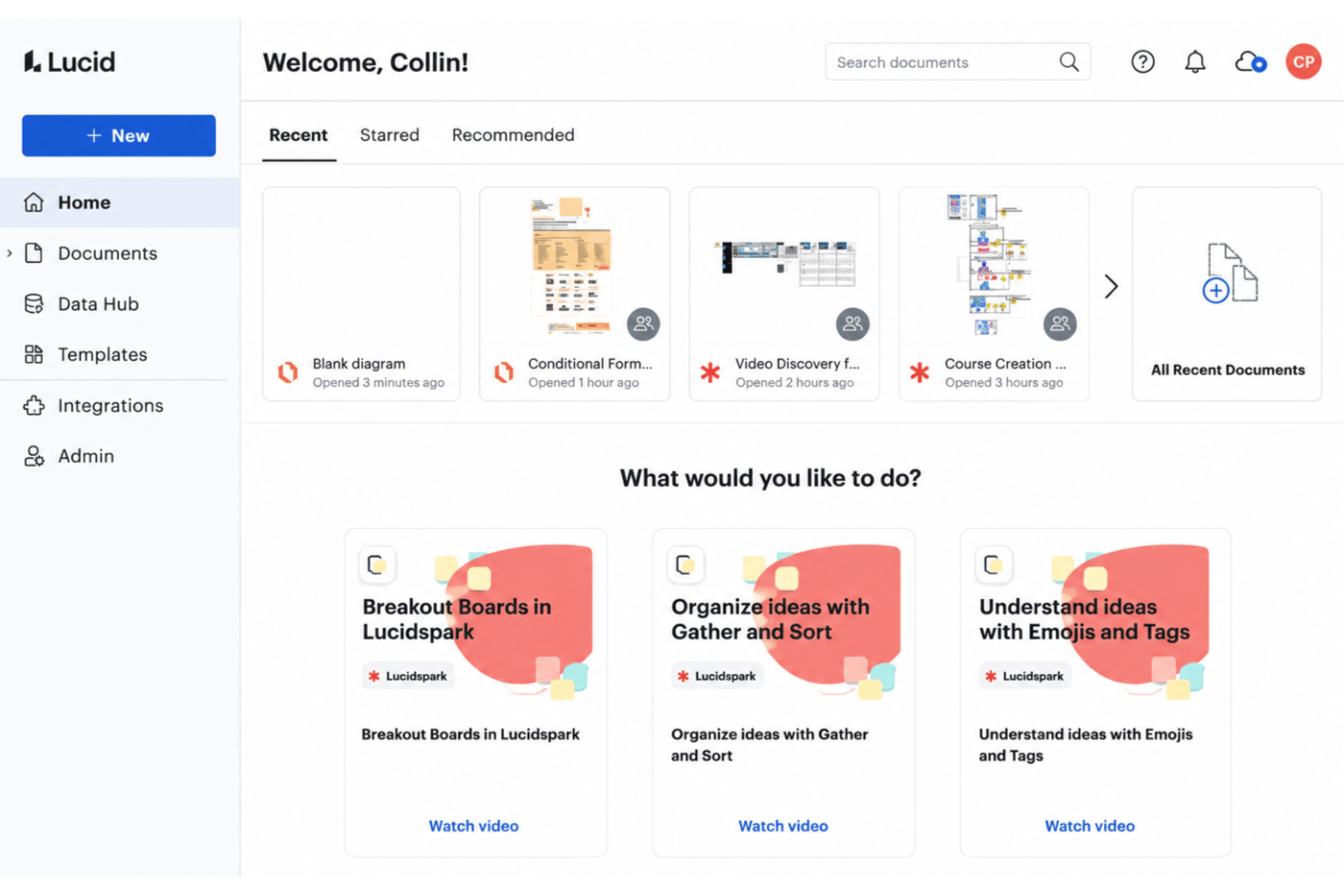
Miro gilt allgemein als das spielerischere, leinwandorientierte Werkzeug, während Lucid Lucidspark als freies Whiteboard mit Lucidchart für präzises, methodisches Diagrammieren kombiniert. Für strukturierte, datenbasierte Klarheit finde ich Lucid ideal, während Miro mit einem kreativen, kollaborativen Ansatz Gruppenarbeiten angenehmer gestaltet.
Lucid vs Miro: Pros & Cons
Lucid
- Real-time collaboration supports remote and hybrid teams well
- Advanced diagramming tools for technical and business workflows
- Version history enables easy rollback to previous states
- Tapping the full toolset means moving between Lucidchart and Lucidspark
- More advanced data features are reserved for the Enterprise plan
- Limited offline access for users without internet connection
Miro
- You’ll love Miro's intuitive and visually engaging interface.
- Your team can collaborate in real-time with ease.
- Miro's flexible templates save you time on project setup.
- You might find the learning curve steep for advanced features.
- Your team could experience occasional performance lags with large boards.
- Miro may require frequent updates, which can interrupt your workflow.
Best Use Cases for Lucid and Miro
Lucid
- Product Management Teams Lucid enables rapid user journey mapping, roadmapping, and workflow visualization for cross-functional project work.
- Software Engineering UML diagrams, system architectures, and data flow mapping are easy to build and share with real-time collaboration.
- Enterprise IT Departments Complex process mapping, network diagrams, and documentation can be maintained at scale with admin controls and access management.
- Consulting Firms Facilitates collaborative client workshops, value stream mapping, and dynamic presentations for stakeholder alignment.
- Higher Education Offers collaborative whiteboarding for faculty and students, encouraging interactive learning and group project work.
- Large Enterprises Lucid's scalability, advanced security, and integration options match large organizations' governance and compliance requirements.
Miro
- Creative agencies Miro supports brainstorming sessions with its visual tools and helps your team innovate and execute creative ideas efficiently.
- Marketing teams It allows you to map out marketing campaigns visually and keeps your projects organized and aligned with your goals.
- Design departments Miro’s flexible templates and drawing tools let your team create and iterate on design concepts with ease.
- Product management Visual roadmaps and collaboration features make it easy for your team to track product development and align on tasks.
- Remote teams Miro allows for seamless remote collaboration, so your team stays connected and productive, no matter where they’re located.
- Education sector Engage your students and make learning more dynamic with interactive lessons using Miro’s visual aids and collaborative features.
Wer sollte Lucid nutzen und wer sollte Miro wählen?
Lucid eignet sich am besten für Teams, die technische Präzision, komplexe Prozessabbildung und strukturierte Dokumentation benötigen, und gleichzeitig Brainstorming- und Workshop-Formate durch Lucidspark unterstützen möchten. Es ist ideal für Bereiche wie Softwareentwicklung, SaaS, Beratung, Bildung, Gesundheitswesen, Finanzdienstleistungen sowie den öffentlichen Sektor – insbesondere wenn FedRAMP- und IRAP-Zertifizierungen gefragt sind. Miro hingegen richtet sich an Teams, bei denen offenes Brainstorming, agile Meetings und kreative Zusammenarbeit im Mittelpunkt stehen, wie Designer, Digitalprodukt-Teams oder kreative Agenturen. Wer Wert auf Struktur, Daten und Governance legt, wählt Lucid; für einen offenen, leinwandbasierten Ansatz zur Ideenfindung und für Workshops empfiehlt sich Miro. Budgetbewusste Startups finden eventuell auch das Freemium-Modell von Miro attraktiv, wobei Lucid ebenfalls einen kostenfreien Einstieg bietet.
Differences Between Lucid and Miro
| Lucid | Miro | |
|---|---|---|
| Advanced Data Linking | Offers robust data linking for process automation and real-time updates. | Data linking is limited, focusing more on visual collaboration tools. |
| Diagramming Depth | Best for detailed flowcharts, ERDs, and technical diagrams. | Geared toward broad mind maps, workshops, and high-level sketches. |
| Ideal Use Case | Teams that need structured, polished diagrams and precise technical or business documentation. | Teams that want a flexible shared canvas for ideation, meetings, planning, and moving ideas toward execution. |
| Process and cloud governance | Offers tools for standardizing processes, managing approvals, and mapping cloud infrastructure. | Focuses more on collaborative planning, workshops, and visual teamwork. |
| Visit LucidOpens new window | Visit MiroOpens new window |
Similarities Between Lucid and Miro
| Cloud-Based Access | You can access both platforms in any web browser and sync your work across devices for flexibility. |
|---|---|
| Integrations | Each tool connects with top work apps like Slack, Zoom, Jira, and Google Drive for smoother workflows. |
| Real-Time Collaboration | Both offer live editing, commenting, and multi-user sessions, making it easy to work as a group. |
| Templates Library | Both come with a large range of templates for brainstorming, diagramming, and business processes. |
| Visit LucidOpens new window Visit MiroOpens new window | |