



Jira vs Microsoft Project: Vergleich 2026 Seite an Seite



Jira stärkt Ihr Team mit agilen Projektmanagement-Fähigkeiten, die sich flexibel an Ihre Arbeitsabläufe anpassen. Microsoft Project bietet robuste Planungs- und Terminierungswerkzeuge für eine umfassende Projektverfolgung. Während beide Tools im Projektmanagement überzeugen, unterscheiden sie sich in ihrem Ansatz: Jira legt den Fokus auf Flexibilität, während Microsoft Project Struktur betont. In diesem Artikel vergleichen wir die Tools und ihre Funktionen, Vor- und Nachteile, Preise und mehr, damit Sie die beste Projektmanagement-Software für Ihre Bedürfnisse auswählen können.
Jira vs. Microsoft Project: An Overview
Jira

Microsoft Project




Warum Sie unseren Software-Empfehlungen vertrauen können
Unser Team testet und bewertet Software seit 2012. Als Projektmanager wissen wir selbst, wie schwierig – und wichtig – es ist, die richtige Software auszuwählen.
Für diesen Leitfaden haben wir Tools mithilfe von praktischen Tests und unabhängiger Recherche bewertet und dabei unsere Bewertungskriterien angewendet. Zudem greifen wir auf Erkenntnisse von Branchenvordenkern und praktizierenden Projektmanagement-Experten zurück.
Unsere Bewertungen spiegeln unser menschliches redaktionelles Urteilsvermögen wider, keine Verkaufsstrategie.
Expertenprüfer:
Jira vs. Microsoft Project Pricing Comparison
| Jira | Microsoft Project | |
|---|---|---|
| Free Trial | Free plan available | 30-day free trial |
| Pricing | From $8.48/user/month | From $10/user/month (billed annually) |
JIRA vs. Microsoft Project Preise & Versteckte Kosten
Jira bietet ein gestuftes Preismodell je nach Nutzeranzahl, wobei zusätzliche Kosten für erweiterte Funktionen und Integrationen möglich sind, die Sie unter Jira Preise finden. Microsoft Project verfolgt ein abonnementbasiertes Preismodell, das je nach Zugangsstufe und gewünschten Funktionen variiert, wie unter Microsoft Project Preise genauer beschrieben. Um das passende Tool mit dem optimalen Preis-Leistungs-Verhältnis auszuwählen, sollten Sie Teamgröße, benötigte Funktionen und Integrationsbedarf prüfen und anschließend vergleichen, wie die Preisstrukturen der Tools zu Ihren Anforderungen passen.
Jira vs. Microsoft Project Feature Comparison
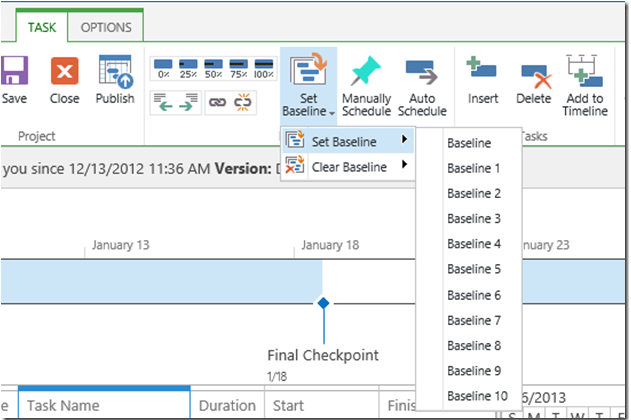
Mit den agilen Boards von Jira können Sie Sprints und Backlogs mühelos verwalten – ideal für Teams, die mit Scrum- oder Kanban-Methoden arbeiten. Die Gantt-Diagramme von Microsoft Project eignen sich hervorragend zur Nachverfolgung von Zeitplänen und Abhängigkeiten, besonders bei komplexen Projekten mit vielen Beteiligten. Während Jira durch Flexibilität und Anpassungsfähigkeit punktet, bietet Microsoft Project strukturierte Planung und detailliertes Tracking und spricht damit unterschiedliche Projektmanagement-Bedürfnisse an.
| Jira | Microsoft Project | |
|---|---|---|
| API | ||
| Calendar Management | ||
| Collaboration Support | ||
| Dashboards | ||
| Data Export | ||
| Data Import | ||
| External Integrations | ||
| File Sharing | ||
| Gantt Charts | ||
| Kanban Boards | ||
| Multi-User | ||
| Notifications | ||
| Project Management | ||
| Task Scheduling/Tracking | ||
| Time Management |
JIRA vs. Microsoft Project Integrationen
| Integration | Jira | Microsoft Project |
| Slack | ✅ | ❌ |
| Trello | ✅ | ❌ |
| Salesforce | ✅ | ❌ |
| GitHub | ✅ | ❌ |
| Microsoft Teams | ❌ | ✅ |
| Power BI | ❌ | ✅ |
| SharePoint | ❌ | ✅ |
| Confluence | ✅ | ❌ |
| API | ✅ | ✅ |
| Zapier | ✅ | ✅ |
Dank Jiras Integration mit Slack können Sie die Kommunikation straffen, indem Projekt-Updates direkt zu den Kanälen Ihres Teams gesendet werden – besonders wertvoll für Teams, die auf Echtzeit-Kollaboration setzen. Microsoft Projects Integration mit Power BI eignet sich ideal für die Erstellung detaillierter visueller Berichte, sodass Sie Projektdaten effektiv analysieren können.
Während Jira bei der Förderung der Team-Kommunikation überzeugt und zahlreiche native Integrationen bietet, erfordern einige Tools – insbesondere externe wie Salesforce – manchmal Plugins oder Middleware wie Zapier. Microsoft Project hingegen integriert sich tief in das Microsoft-Ökosystem, doch die Verbindung mit Drittanbieter-Apps wie GitHub oder Slack erfolgt meist über Power Automate oder individuelle Lösungen. Deshalb ist es wichtig zu prüfen, ob Integrationen nicht nur vorhanden, sondern auch einfach in Ihren Workflow integrierbar sind.
JIRA vs. Microsoft Project Benutzerfreundlichkeit
| Faktor | Jira | Microsoft Project |
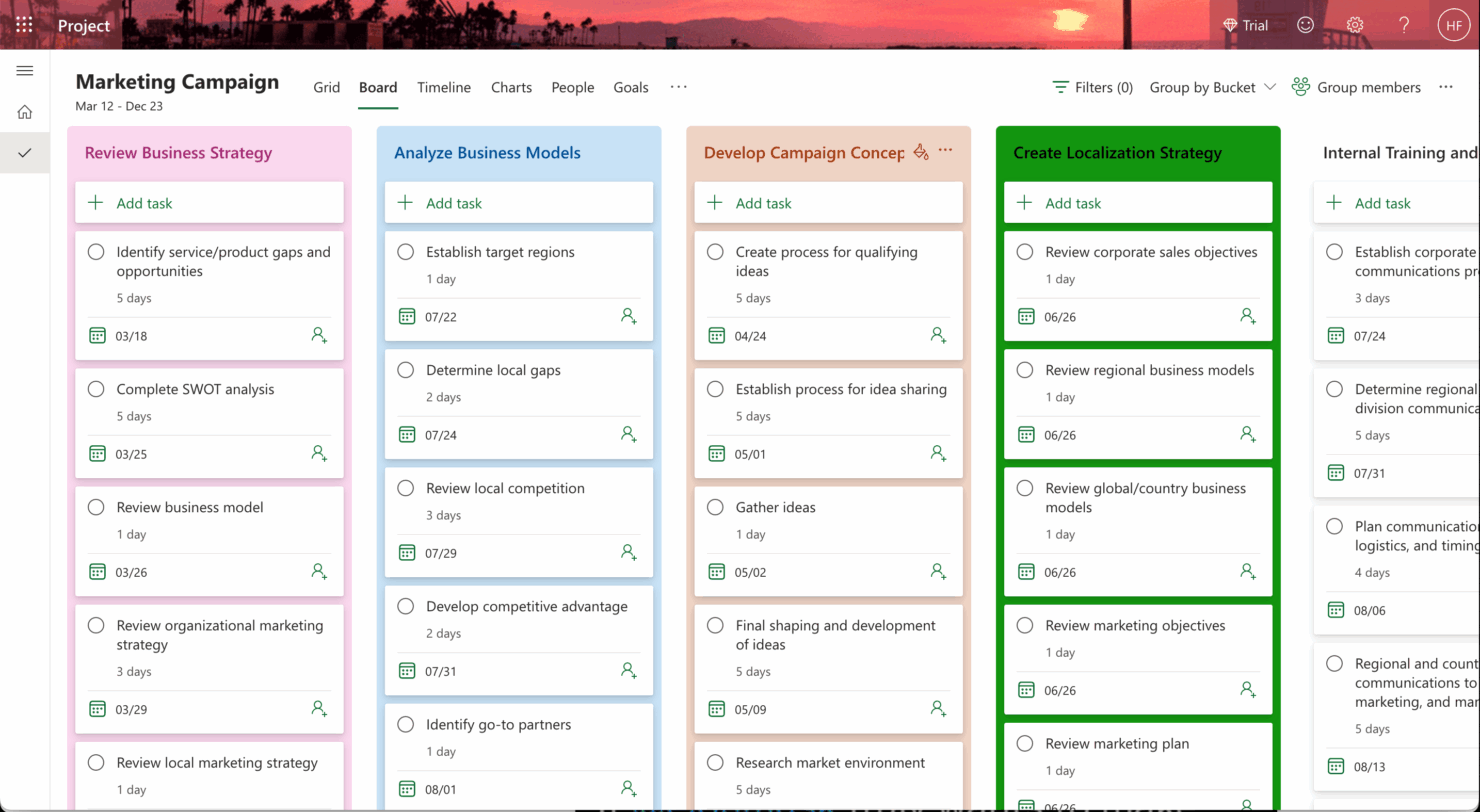
| Benutzeroberfläche | Jira bietet eine übersichtliche, anpassbare Oberfläche mit Drag-and-Drop-Funktionalität für agile Arbeitsabläufe. | Microsoft Project stellt eine detaillierte, strukturierte Oberfläche mit Fokus auf Gantt-Diagramme und Zeitachsen bereit. |
| Einführung | Das Onboarding bei Jira beinhaltet interaktive Tutorials und eine lebhafte Online-Community für schnelles Lernen. | Microsoft Project bietet umfassende Anleitungen und Schulungsressourcen, kann aber mehr Zeit zum Erlernen erfordern. |
| Einrichtung | Die Einrichtung von Jira ist unkompliziert dank Vorlagen für verschiedene Arbeitsabläufe, was die anfängliche Konfiguration erleichtert. | Die Einrichtung von Microsoft Project kann aufgrund des umfangreichen Funktionsumfangs und der Anpassungsoptionen komplex sein. |
Jira ist intuitiv und schnell zu erlernen, insbesondere für Teams, die mit agilen Methoden vertraut sind, kann aber durch seine Flexibilität neue Nutzer manchmal überfordern. Microsoft Project überzeugt durch strukturierte Planung, allerdings kann die Komplexität für Einsteiger in Projektmanagement-Software herausfordernd sein und eignet sich daher besonders für erfahrene Anwender, die detaillierte Planungs- und Terminierungswerkzeuge benötigen.
Jira vs Microsoft Project: Pros & Cons
Jira
- Agile workflow management supports Scrum and Kanban and can improve your teams' productivity.
- Automation rules are easy to set up, which helps your team speed up their work.
- Custom filters can be created and accessed quickly, which improves your team's efficiency.
- Field names can be confusing, which might slow down your team's workflow.
- The interface can be too crowded in Scrum projects, which can make it hard for your team to navigate.
- There's a lack of resource management capabilities, which could limit your team's planning.
Microsoft Project
- You can manage complex project schedules with ease.
- It offers robust resource management tools.
- You get detailed reporting and analytics for better decision-making.
- It has a steep learning curve for new users.
- The interface can feel outdated compared to newer tools.
- It requires significant time investment for setup and maintenance.
Best Use Cases for Jira and Microsoft Project
Jira
- Software development Jira’s agile tools like Scrum and Kanban boards make it perfect for managing software projects.
- IT departments Its issue tracking capabilities help your team efficiently handle technical support and bug fixes.
- Tech startups Jira offers customization capabilities that allow your team to scale and adapt as your projects grow.
- Agile teams Sprint planning and backlog management features keep your agile processes organized and effective.
- Large enterprises Jira’s automation rules can streamline your complex workflows and improve team productivity.
- Project managers Its reporting and analytics provide insights that help you make informed decisions quickly.
Microsoft Project
- Construction Firms You can manage timelines and resources effectively, ensuring project phases align perfectly.
- IT Departments You’ll find its detailed scheduling invaluable for managing multiple, overlapping projects.
- Government Agencies You can rely on its precise tracking and reporting to meet regulatory requirements.
- Engineering Teams You’ll benefit from its resource management capabilities to allocate manpower and materials efficiently.
- Large Enterprises You can handle complex project portfolios with advanced analytics and reporting tools.
- Project Managers You’ll appreciate its ability to plan and track intricate project details for successful execution.
Wer sollte JIRA nutzen und wer Microsoft Project?
Meiner Meinung nach ist Jira ideal für Teams, die agile Methoden leben und Flexibilität beim Management dynamischer Projekte benötigen, insbesondere in der Technologie- und Softwareentwicklungsbranche. Microsoft Project eignet sich aus meiner Sicht besser für Teams, die detaillierte Planung und Ressourcenmanagement brauchen, wie sie häufig in größeren Unternehmen oder Branchen wie Bauwesen und Engineering anzutreffen sind. Wenn Ihr Team Wert auf Anpassungsfähigkeit und Zusammenarbeit legt, greifen Sie zu Jira; benötigen Sie hingegen strukturierte Projektzeitpläne und umfassendes Ressourcen-Tracking, empfiehlt sich Microsoft Project.
Differences Between Jira and Microsoft Project
Im Folgenden finden Sie Details dazu, was diese Tools voneinander unterscheidet.
| Jira | Microsoft Project | |
|---|---|---|
| Automation | Jira supports automation with customizable workflows and integrations. | Microsoft Project includes automation features but focuses more on manual scheduling. |
| Integrations | Jira integrates seamlessly with tools like Slack and GitHub for collaboration. | Microsoft Project integrates with Microsoft tools like Teams and SharePoint for enterprise use. |
| Onboarding | Jira offers interactive tutorials and community support for quick learning. | Microsoft Project provides in-depth guides and resources, requiring more time to master. |
| Pricing | Jira uses a tiered pricing model based on user count and features. | Microsoft Project follows a subscription-based model with various access levels. |
| User Interface | Jira offers a clean, customizable interface suited for agile workflows. | Microsoft Project provides a structured interface focused on Gantt charts. |
| Read Jira ReviewOpens new window | Read Microsoft Project ReviewOpens new window |
Similarities Between Jira and Microsoft Project
Nachdem Sie nun wissen, worin sie sich unterscheiden, werfen wir einen Blick auf die Gemeinsamkeiten.
| Collaboration | Each tool supports team collaboration; Jira through integrations like Slack, and Microsoft Project through Microsoft Teams. |
|---|---|
| Customization | They allow customization to fit your workflow; Jira offers flexible workflows and fields, Microsoft Project offers custom views and fields. |
| Project Tracking | Both Jira and Microsoft Project offer robust project tracking capabilities; Jira excels with agile boards while Microsoft Project shines with Gantt charts. |
| Reporting | Both provide comprehensive reporting features; Jira offers agile reports and dashboards, while Microsoft Project provides detailed project reports. |
| Security | Both ensure security and compliance with industry standards; Jira and Microsoft Project are both GDPR compliant and offer encryption. |
| Read Jira ReviewOpens new window Read Microsoft Project ReviewOpens new window | |