


Einsichtsvoller Testbericht 2026: Vorteile, Nachteile, Funktionen und Preise



Insightful is a time tracking software built for teams that need visibility into how work time is actually being spent. It tracks activity across apps, websites, and projects—not just clock-in and clock-out times. I'd consider it over Hubstaff if deeper workforce analytics and productivity scoring matter more to you than GPS tracking and basic time logging.
Insightful Evaluation Summary
- From $8/user/month (billed annually)
- Free demo + 7-day free trial available
Warum Sie unseren Software-Empfehlungen vertrauen können
Unser Team testet und bewertet Software seit 2012. Als Projektmanager wissen wir selbst, wie schwierig – und wichtig – es ist, die richtige Software auszuwählen.
Für diesen Leitfaden haben wir Tools mithilfe von praktischen Tests und unabhängiger Recherche bewertet und dabei unsere Bewertungskriterien angewendet. Zudem greifen wir auf Erkenntnisse von Branchenvordenkern und praktizierenden Projektmanagement-Experten zurück.
Unsere Bewertungen spiegeln unser menschliches redaktionelles Urteilsvermögen wider, keine Verkaufsstrategie.
Expertenprüfer:
Insightful Overview
When choosing a time tracking solution, I think Insightful stands out for its transparent reporting, intuitive dashboard, and automated time mapping that reduces manual entries. Its pricing feels fair for mid-sized teams seeking visibility without a steep learning curve. While some integrations are limited compared to others, and onboarding support could be more hands-on, I judge its core tracking and productivity analytics as reliable.
I’d suggest Insightful for teams that prioritize simple, agentless deployment and clear productivity insights over dense workflow customizations.
pros
-
Automatic time tracking accurately captures activity in real time
-
Detailed productivity analytics are included for team and individual insights
-
Stealth mode option helps monitor activity without interrupting workflows
cons
-
Manual editing of tracked time is not always flexible
-
Mobile time tracking features are limited compared to desktop
-
Occasional false positives in idle detection are reported by users
-

Celoxis
Visit WebsiteThis rating combines scores from multiple user review sites to reflect overall customer sentiment about the product.4.5 -
Smartsheet
Visit WebsiteThis rating combines scores from multiple user review sites to reflect overall customer sentiment about the product.4.5 -
Accelo
Visit WebsiteThis rating combines scores from multiple user review sites to reflect overall customer sentiment about the product.4.4





Unsere Bewertungsmethodik
Wie wir Tools testen & bewerten
Wir haben jahrelang unser System zur Softwareüberprüfung und -bewertung aufgebaut, verfeinert und verbessert. Das Bewertungsschema wurde entwickelt, um die Feinheiten der Softwareauswahl und die Effektivität eines Tools einzufangen, wobei der Fokus auf den entscheidenden Aspekten des Entscheidungsprozesses liegt. Unten sehen Sie genau, wie unser Test- und Bewertungssystem über sieben Kriterien hinweg funktioniert. So können wir eine objektive Einschätzung der Software auf Grundlage von Kernfunktionen, herausragenden Merkmalen, Benutzerfreundlichkeit, Onboarding, Kundenservice, Integrationen, Kundenbewertungen und Preis-Leistungs-Verhältnis bieten.
Kernfunktionalität (25% der Gesamtbewertung)
Ausgangspunkt unserer Bewertung ist immer die Kernfunktionalität des Tools. Hat es die grundlegenden Funktionen, die ein Nutzer erwarten würde? Sind einige dieser Kernfunktionen nur in höherpreisigen Tarifen verfügbar? Wir erwarten, dass ein Tool mindestens den grundlegenden Leistungsumfang seiner Mitbewerber erfüllt.
Herausragende Funktionen (25% der Gesamtbewertung)
Anschließend bewerten wir außergewöhnliche Funktionen, die über die üblichen Kernfunktionen hinausgehen. Eine hohe Bewertung spiegelt spezialisierte oder einzigartige Eigenschaften wider, durch die das Produkt schneller, effizienter oder für den Nutzer besonders wertvoll wird. Wir bewerten auch, wie einfach sich das Tool in andere Tools integrieren lässt, die üblicherweise im Tech-Stack zu finden sind, um die Funktionalität zu erweitern. Lösungen mit vielen nativen Integrationen, Drittanbieter-Anbindungen und API-Zugang zur Erstellung individueller Verknüpfungen schneiden am besten ab.
Benutzerfreundlichkeit (10% der Gesamtbewertung)
Wir berücksichtigen, wie schnell und einfach sich die Aufgaben – basierend auf der Kernfunktionalität – mit dem Tool erledigen lassen. Eine hohe Bewertung erhalten Tools, die durchdacht gestaltet und intuitiv bedienbar sind, mobile Apps und Vorlagen bieten und sogar komplexe Aufgaben einfach erscheinen lassen.
Onboarding (10% der Gesamtbewertung)
Wir wissen, wie wichtig eine schnelle Einführung im Team ist, und bewerten deshalb, wie leicht ein Tool mit minimaler Schulung erlernt und genutzt werden kann. Wir prüfen, wie schnell neue Teammitglieder ohne Vorkenntnisse starten können. Lösungen, die wenig oder gar keine Unterstützung erfordern, erhalten die höchste Bewertung.
Kundenservice (10% der Gesamtbewertung)
Wir überprüfen, wie schnell und unkompliziert Hilfe per Telefon, Live-Chat oder Wissensdatenbank verfügbar ist. Tools und Unternehmen, die Echtzeit-Support bieten, schneiden am besten ab; Chatbots am schlechtesten.
Kundenbewertungen (10% der Gesamtbewertung)
Neben unseren eigenen Tests beziehen wir auch den Net Promoter Score aktueller und ehemaliger Nutzer ein. Wir prüfen die Wahrscheinlichkeit, mit der sie das Tool erneut für die Kernfunktionalitäten wählen würden. Ein hohes Ergebnis spiegelt einen hohen Net Promoter Score bei aktuellen oder früheren Kund:innen wider.
Preis-Leistungs-Verhältnis (10% der Gesamtbewertung)
Abschließend vergleichen wir – unter Berücksichtigung aller anderen Kriterien – den Durchschnittspreis der Einstiegstarife mit den Kernfunktionen und bewerten das Preis-Leistungs-Verhältnis. Software, die mehr Leistung für weniger Geld bietet, bekommt die höchsten Werte.
Core Features
Automatic Time Tracking
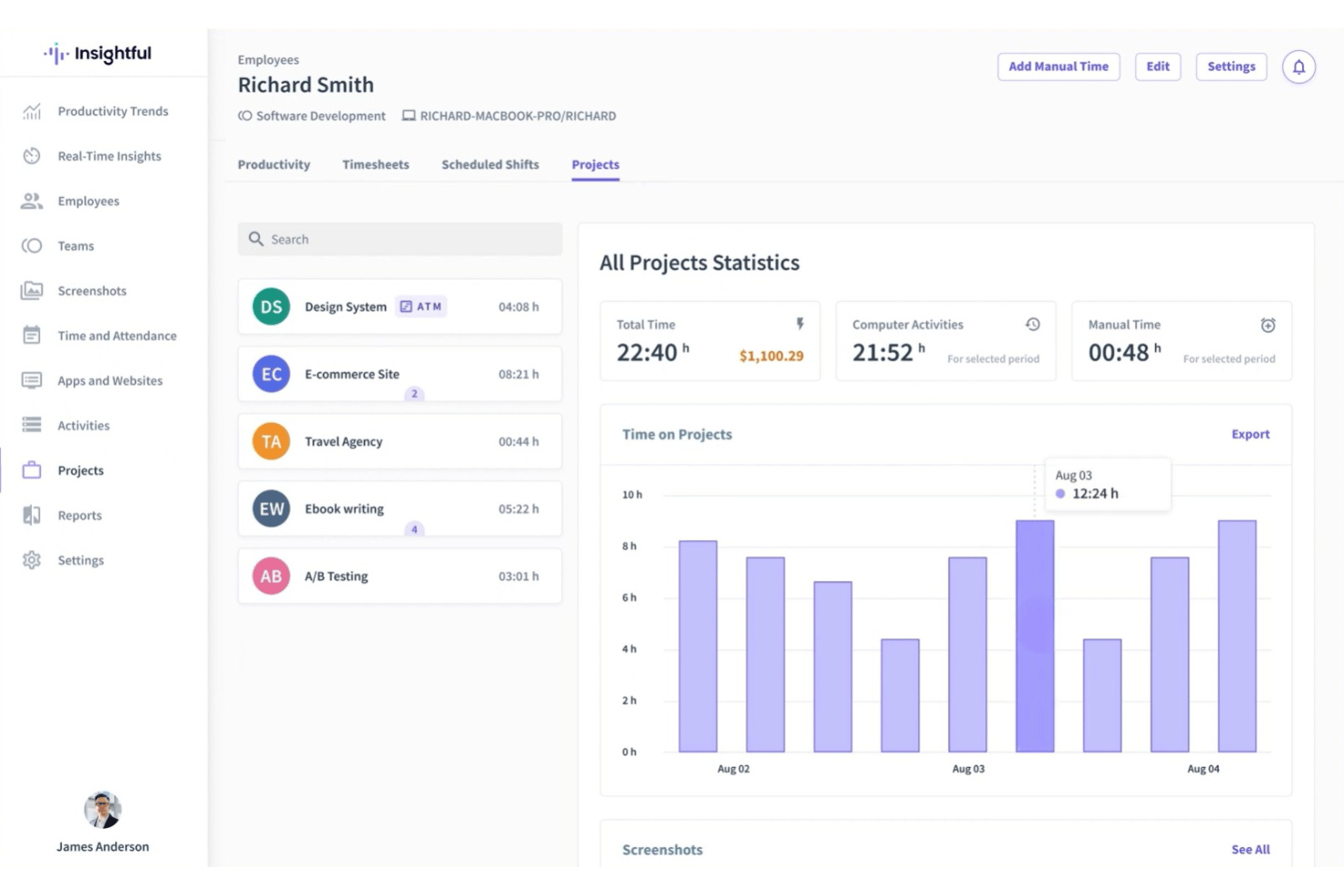
Tracks work hours and activities in real time without manual input. Users see detailed records by app, website, and project.
Employee Productivity Insights
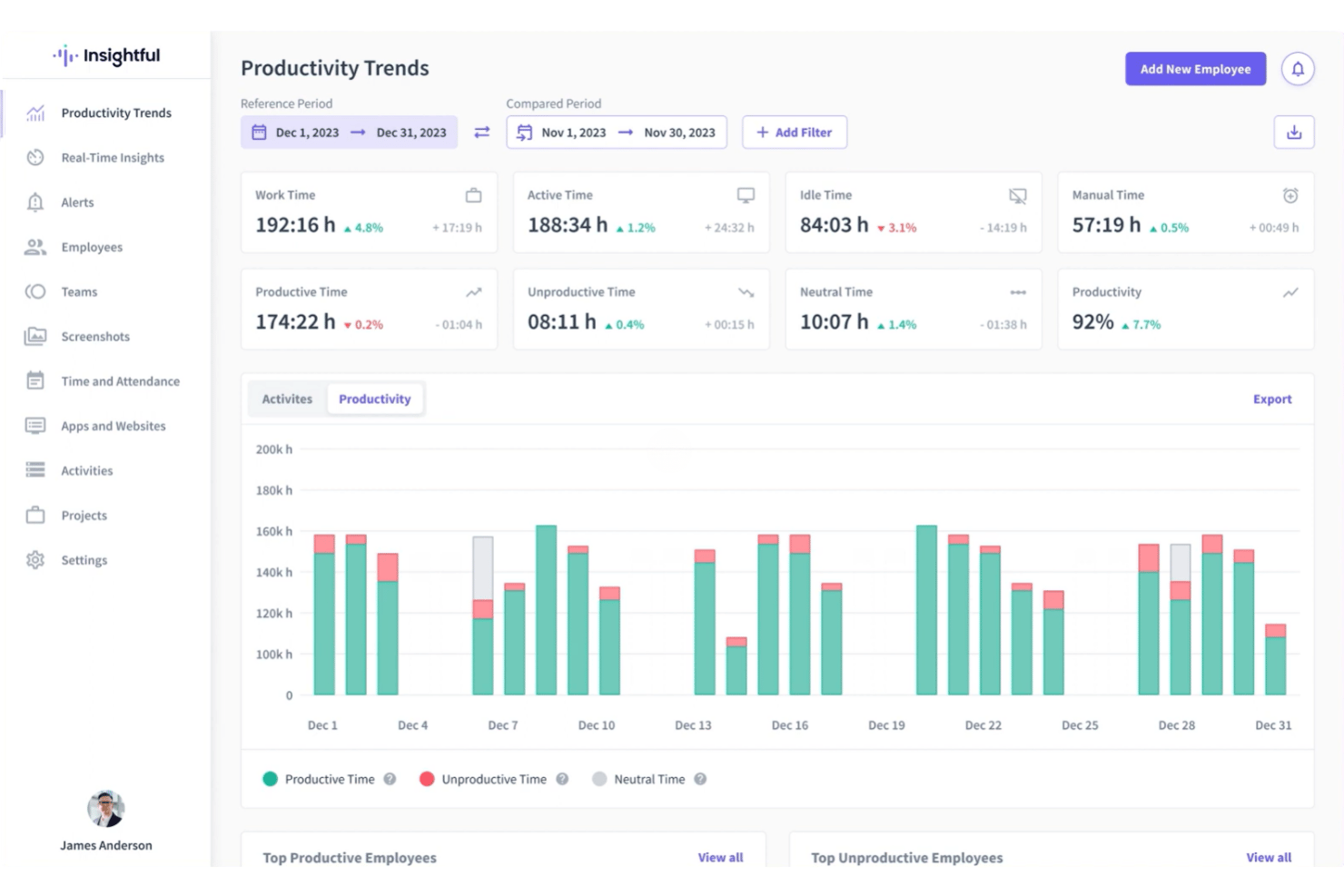
Delivers analytics on productive, unproductive, and neutral time for individuals and teams. Managers can spot trends and make data-driven decisions.
Stealth Mode Monitoring
Runs in the background invisibly, capturing user activity discreetly. This helps teams gather unbiased data on work habits.
Screenshots Capture
Takes automatic screenshots at set intervals for transparency and accountability. You control frequency and can blur images for privacy.
Project and Task Tracking
Assigns tracked time to specific projects or tasks for precise billing and reporting. Managers can monitor project progress and allocate resources.
Idle Time Detection
Automatically detects periods of inactivity and flags them in reports. Helps ensure only actual work hours are logged.
Ease of Use
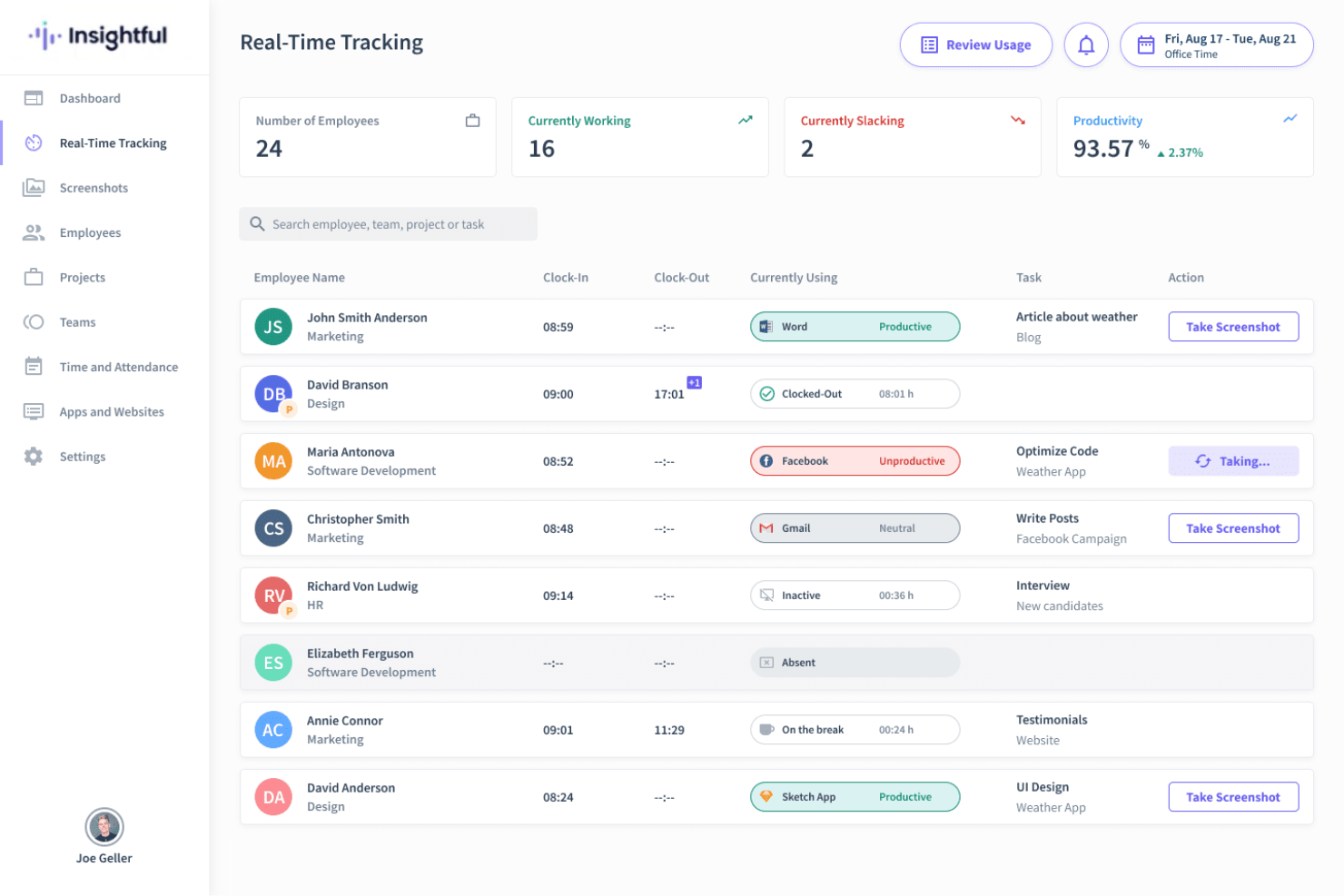
Insightful feels straightforward to use, thanks to its clean dashboard and automatic tracking, which minimizes the need for manual input. Users regularly praise how quickly they can view team activity and productivity analytics.
Visual timelines and clear reporting make it easy to get actionable insights without digging through menus.
Integrations
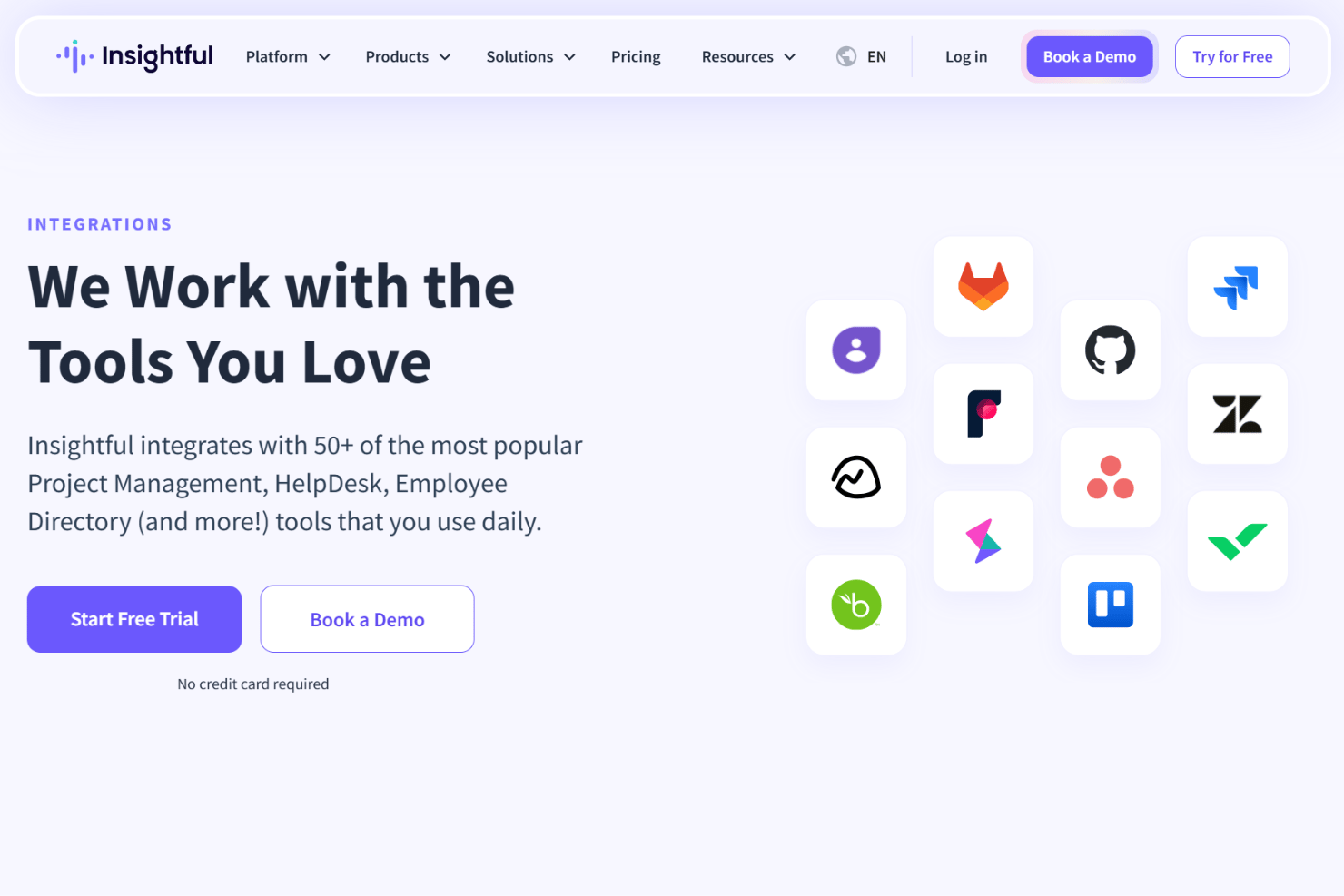
Insightful integrates with Jira, Trello, Asana, ClickUp, Basecamp, GitHub, GitLab, Azure DevOps, Wrike, and Zoho BugTracker, among others.
Insightful also offers a public API for custom integrations.
New Product Updates from Insightful
Insightful Expands MCP and HRIS Integrations
Insightful MCP Server now lets authorized users query live workforce data from ChatGPT and Copilot Studio using OAuth. HRIS integrations can also sync manager access from reporting hierarchies and keep permissions updated as structures change. Highlights include:
- ChatGPT Connection: Connects ChatGPT to live Insightful data through OAuth.
- Copilot Studio Connection: Adds OAuth access for Microsoft Copilot Studio.
- Read-Only MCP Access: Keeps AI queries within existing Insightful permissions.
- Manager Scope Sync: Aligns manager access with HRIS reporting hierarchies.
- Automatic Permission Updates: Adjusts manager access as organizational structures change.
- HRIS Beta: Manager scope syncing is currently available in Beta.
Visit Insightful’s official site for more details.
 for more details.
Insightful API Adds Alert Management
Insightful has expanded its API capabilities to include alert management, making it easier to automate and centrally administer alerting workflows. This helps teams integrate Insightful alerts into existing tools and reduce manual setup. Highlights include:
- Alert Creation: Creates new alerts through the API.
- Alert Updates: Changes existing alert configurations programmatically.
- Activation Controls: Activates or deactivates alerts through API calls.
- Alert Deletion: Removes alerts without using the UI.
- Permission Controls: Limits actions based on token access and user roles.
Visit Insightful’s official site for more details.
Insightful Redesigns Tracking Settings With Shared Controls
Insightful now centralizes shared tracking settings, employee assignments, and tracking actions in one redesigned experience. Admins can also assign employees during setup and review each setting’s scope more easily. Highlights include:
- Shared Tracking Settings: Centralizes reusable tracking configurations in one place.
- All Tab: Lists every shared tracking setting and its assigned scope.
- Employees Tab: Shows active employees alongside their applied tracking setting.
- Guided Setup: Walks admins through creating settings and assigning employees.
- Manage Actions: Groups employee tracking actions under a single Manage button.
- Team Inheritance: Lets employees inherit their team’s tracking setting when moved.
Visit Insightful’s official site for more details.
Insightful Brings Work Intelligence to AI Assistants
Insightful MCP Server lets Work Intelligence users access saved reports and run discovery conversations from AI assistants such as Claude. Users can start analyses, check progress, answer clarifying questions, and ask follow-ups from the same assistant. Highlights include:
- Saved Reports: Lets users list and read saved Work Intelligence reports.
- Discovery Conversations: Runs Work Intelligence analysis directly from a connected AI assistant.
- Progress Tracking: Lets users check the status of an active analysis.
- Follow-Up Questions: Supports clarifications and continued analysis within the conversation.
- Early Access: Available to organizations with Work Intelligence enabled.
Visit Insightful’s official site for more details.
Insightful Specs
- API
- Batch Permissions & Access
- Behavioral Tracking
- Big Data
- Competency Assessment
- Compliance Tracking
- Dashboard
- Data Export
- Data Import
- Data Visualization
- Database
- Employee Database
- Employee Engagement
- Employee Onboarding
- External Integrations
- Feedback Management
- Multi-User
- Notifications
- Password & Access Management
- Performance Appraisal
- Site Access Management
- Social-Media Integration
- Workflow Management


