

DeskTime Testbericht: Vorteile, Nachteile, Funktionen und Preise erklärt



DeskTime is a time tracking software for teams that need automatic, always-on visibility into how work hours are spent across apps, projects, and URLs. It tracks activity in the background without requiring manual timer input. I'd consider it over Toggl Track if your team needs built-in productivity monitoring alongside time tracking, rather than a more manual, timer-first approach.
DeskTime Evaluation Summary
- From $6.42/user/month (billed annually)
- 14-day free trial + free demo available
Warum Sie unseren Software-Empfehlungen vertrauen können
Unser Team testet und bewertet Software seit 2012. Als Projektmanager wissen wir selbst, wie schwierig – und wichtig – es ist, die richtige Software auszuwählen.
Für diesen Leitfaden haben wir Tools mithilfe von praktischen Tests und unabhängiger Recherche bewertet und dabei unsere Bewertungskriterien angewendet. Zudem greifen wir auf Erkenntnisse von Branchenvordenkern und praktizierenden Projektmanagement-Experten zurück.
Unsere Bewertungen spiegeln unser menschliches redaktionelles Urteilsvermögen wider, keine Verkaufsstrategie.
Expertenprüfer:
DeskTime Overview
In my opinion, DeskTime stands out for its clear interface, strong automatic tracking, and affordable plans, especially for teams wanting quick onboarding and simple productivity reporting. When judging integrations and customizability, it’s not as deep as some competitors, but for most project teams, daily activity tracking, absence management, and built-in screenshots deliver real value. I think DeskTime is best if you want a no-fuss, reliable way to track work hours, see productivity trends, and encourage accountability—ideal for distributed or hybrid teams that need more transparency without heavy admin work.
pros
-
Automatic tracking of apps, URLs, and document time
-
Built-in productivity categorization for each tracked activity
-
Quick project time assignment with drag-and-drop timeline
cons
-
Limited offline tracking and manual entry options
-
Screenshot monitoring may raise privacy concerns for users
-
Lacks in-depth project budgeting and forecasting features
-

Celoxis
Visit WebsiteThis rating combines scores from multiple user review sites to reflect overall customer sentiment about the product.4.5 -
Smartsheet
Visit WebsiteThis rating combines scores from multiple user review sites to reflect overall customer sentiment about the product.4.5 -
Accelo
Visit WebsiteThis rating combines scores from multiple user review sites to reflect overall customer sentiment about the product.4.4





Unsere Bewertungsmethodik
Wie wir Tools testen & bewerten
Wir haben jahrelang unser System zur Softwareüberprüfung und -bewertung aufgebaut, verfeinert und verbessert. Das Bewertungsschema wurde entwickelt, um die Feinheiten der Softwareauswahl und die Effektivität eines Tools einzufangen, wobei der Fokus auf den entscheidenden Aspekten des Entscheidungsprozesses liegt. Unten sehen Sie genau, wie unser Test- und Bewertungssystem über sieben Kriterien hinweg funktioniert. So können wir eine objektive Einschätzung der Software auf Grundlage von Kernfunktionen, herausragenden Merkmalen, Benutzerfreundlichkeit, Onboarding, Kundenservice, Integrationen, Kundenbewertungen und Preis-Leistungs-Verhältnis bieten.
Kernfunktionalität (25% der Gesamtbewertung)
Ausgangspunkt unserer Bewertung ist immer die Kernfunktionalität des Tools. Hat es die grundlegenden Funktionen, die ein Nutzer erwarten würde? Sind einige dieser Kernfunktionen nur in höherpreisigen Tarifen verfügbar? Wir erwarten, dass ein Tool mindestens den grundlegenden Leistungsumfang seiner Mitbewerber erfüllt.
Herausragende Funktionen (25% der Gesamtbewertung)
Anschließend bewerten wir außergewöhnliche Funktionen, die über die üblichen Kernfunktionen hinausgehen. Eine hohe Bewertung spiegelt spezialisierte oder einzigartige Eigenschaften wider, durch die das Produkt schneller, effizienter oder für den Nutzer besonders wertvoll wird. Wir bewerten auch, wie einfach sich das Tool in andere Tools integrieren lässt, die üblicherweise im Tech-Stack zu finden sind, um die Funktionalität zu erweitern. Lösungen mit vielen nativen Integrationen, Drittanbieter-Anbindungen und API-Zugang zur Erstellung individueller Verknüpfungen schneiden am besten ab.
Benutzerfreundlichkeit (10% der Gesamtbewertung)
Wir berücksichtigen, wie schnell und einfach sich die Aufgaben – basierend auf der Kernfunktionalität – mit dem Tool erledigen lassen. Eine hohe Bewertung erhalten Tools, die durchdacht gestaltet und intuitiv bedienbar sind, mobile Apps und Vorlagen bieten und sogar komplexe Aufgaben einfach erscheinen lassen.
Onboarding (10% der Gesamtbewertung)
Wir wissen, wie wichtig eine schnelle Einführung im Team ist, und bewerten deshalb, wie leicht ein Tool mit minimaler Schulung erlernt und genutzt werden kann. Wir prüfen, wie schnell neue Teammitglieder ohne Vorkenntnisse starten können. Lösungen, die wenig oder gar keine Unterstützung erfordern, erhalten die höchste Bewertung.
Kundenservice (10% der Gesamtbewertung)
Wir überprüfen, wie schnell und unkompliziert Hilfe per Telefon, Live-Chat oder Wissensdatenbank verfügbar ist. Tools und Unternehmen, die Echtzeit-Support bieten, schneiden am besten ab; Chatbots am schlechtesten.
Kundenbewertungen (10% der Gesamtbewertung)
Neben unseren eigenen Tests beziehen wir auch den Net Promoter Score aktueller und ehemaliger Nutzer ein. Wir prüfen die Wahrscheinlichkeit, mit der sie das Tool erneut für die Kernfunktionalitäten wählen würden. Ein hohes Ergebnis spiegelt einen hohen Net Promoter Score bei aktuellen oder früheren Kund:innen wider.
Preis-Leistungs-Verhältnis (10% der Gesamtbewertung)
Abschließend vergleichen wir – unter Berücksichtigung aller anderen Kriterien – den Durchschnittspreis der Einstiegstarife mit den Kernfunktionen und bewerten das Preis-Leistungs-Verhältnis. Software, die mehr Leistung für weniger Geld bietet, bekommt die höchsten Werte.
Core Features
Automatic Time Tracking
DeskTime records time spent on applications, websites, and documents in real time. You see exactly where work hours go without manual input.
Productivity Categorization
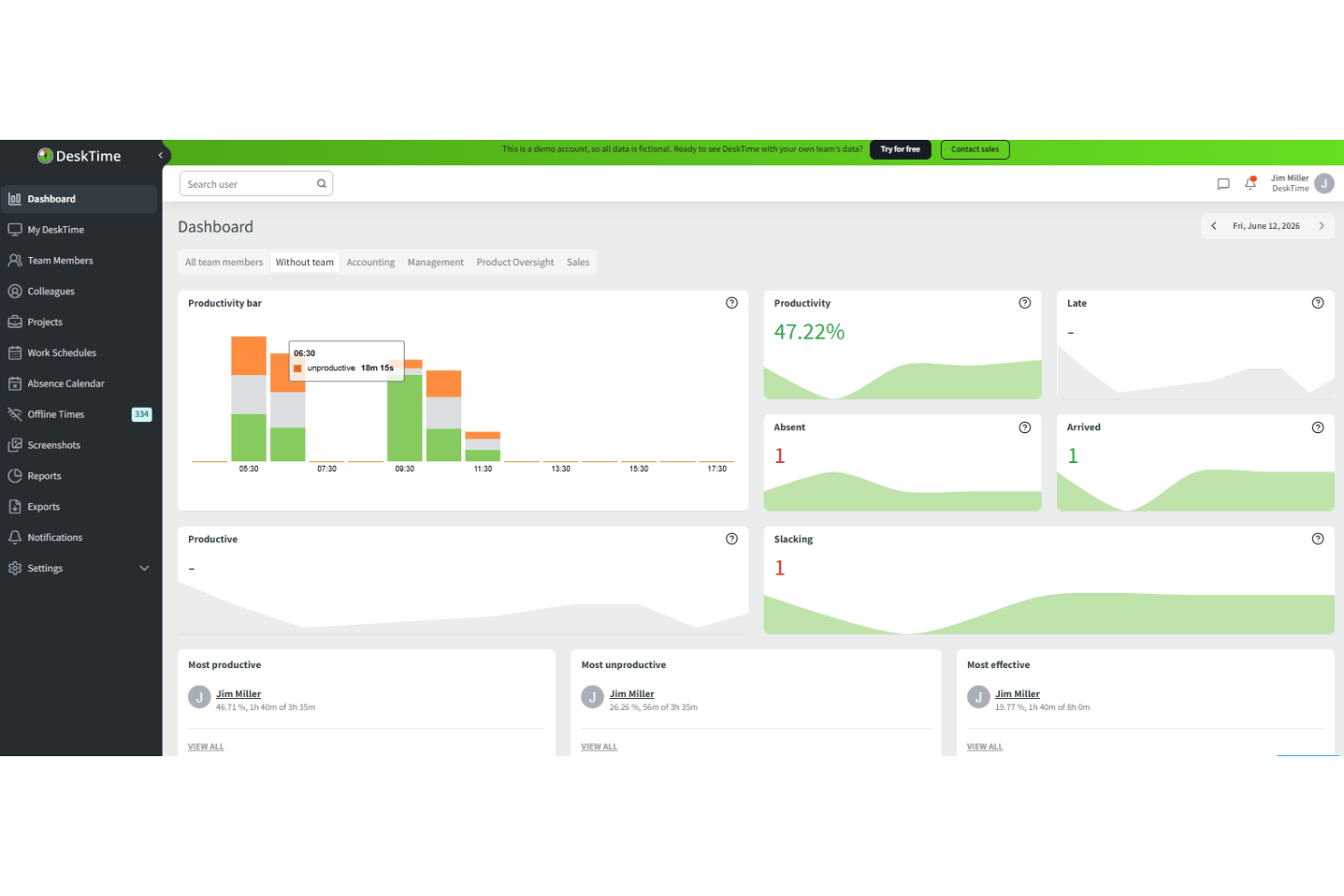
The platform automatically classifies activities as productive, unproductive, or neutral based on your role. This gives teams a clear, at-a-glance view of focus and distractions.
Project and Task Tracking
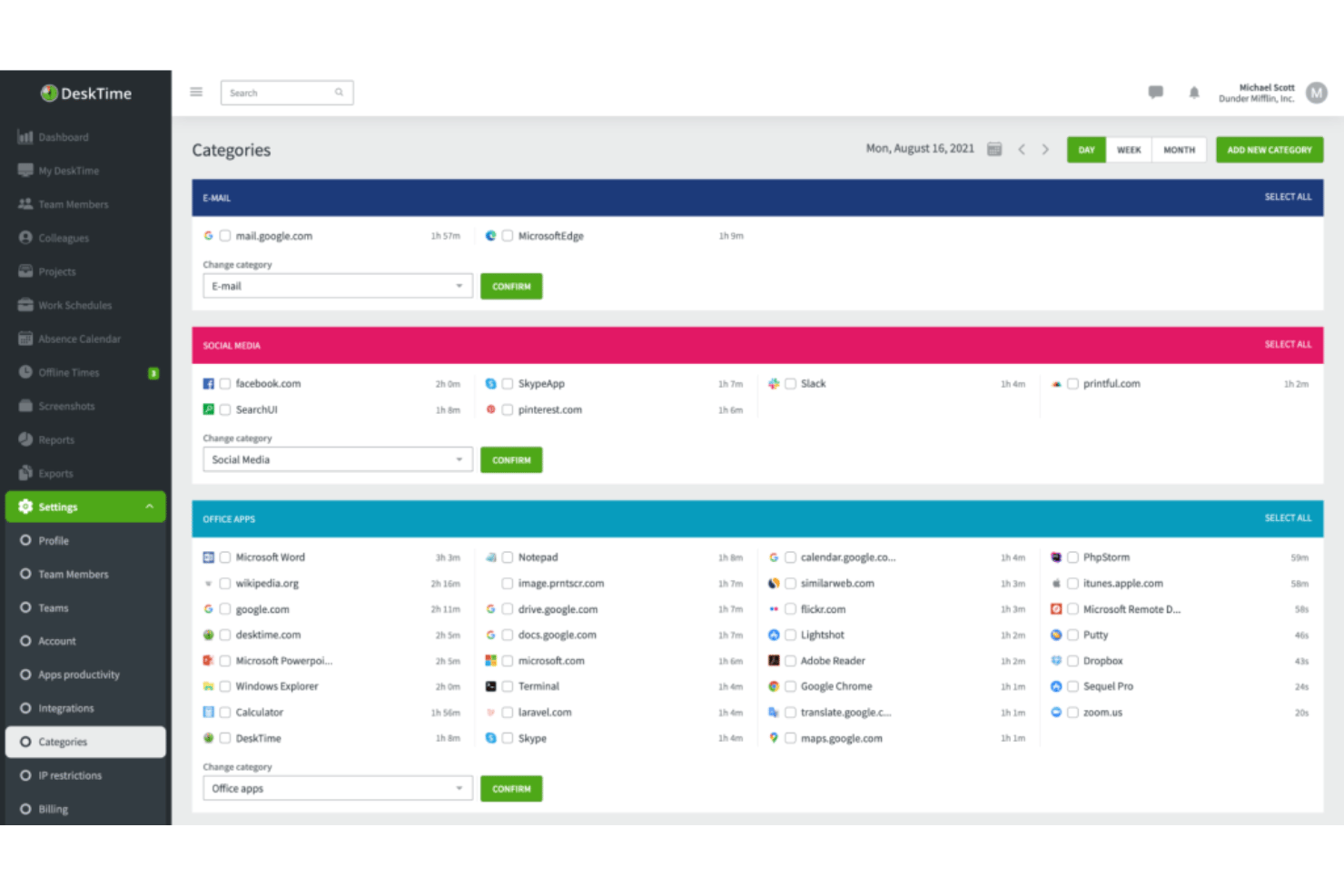
Assign tracked time to specific projects or clients using tag and drag-and-drop functionality. This enables accurate billing and client reporting.
Absence and Break Tracking
DeskTime logs vacations, sick leave, and breaks alongside work hours. You get a complete attendance picture in one dashboard.
Screenshot Capture
Enable periodic screenshots to monitor activity and verify work without constant check-ins. This is especially useful for remote teams and client reporting.
Detailed Reporting and Export
Generate daily, weekly, or custom reports on time, productivity, and project allocation. Export data to spreadsheets for payroll, invoicing, or deeper analysis.
Ease of Use
DeskTime is one of the most user-friendly time tracking solutions I’ve tried, thanks to its clean dashboard, fast onboarding, and intuitive timeline controls. Users highlight how easy it is to assign tasks and generate reports without training. I think its drag-and-drop project assignment and automatic tracking make it ideal for teams that want accuracy without complexity or hand-holding.
Integrations
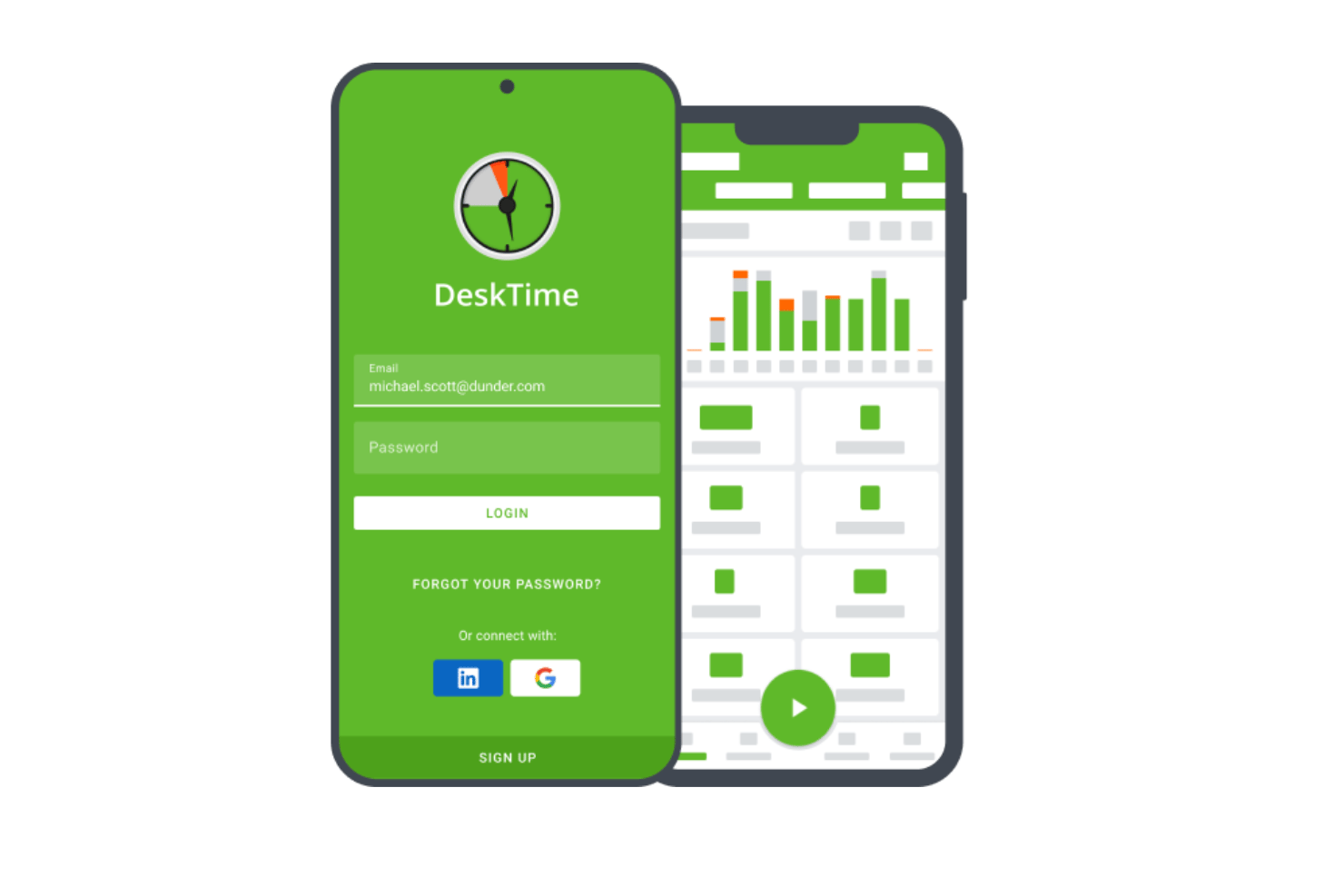
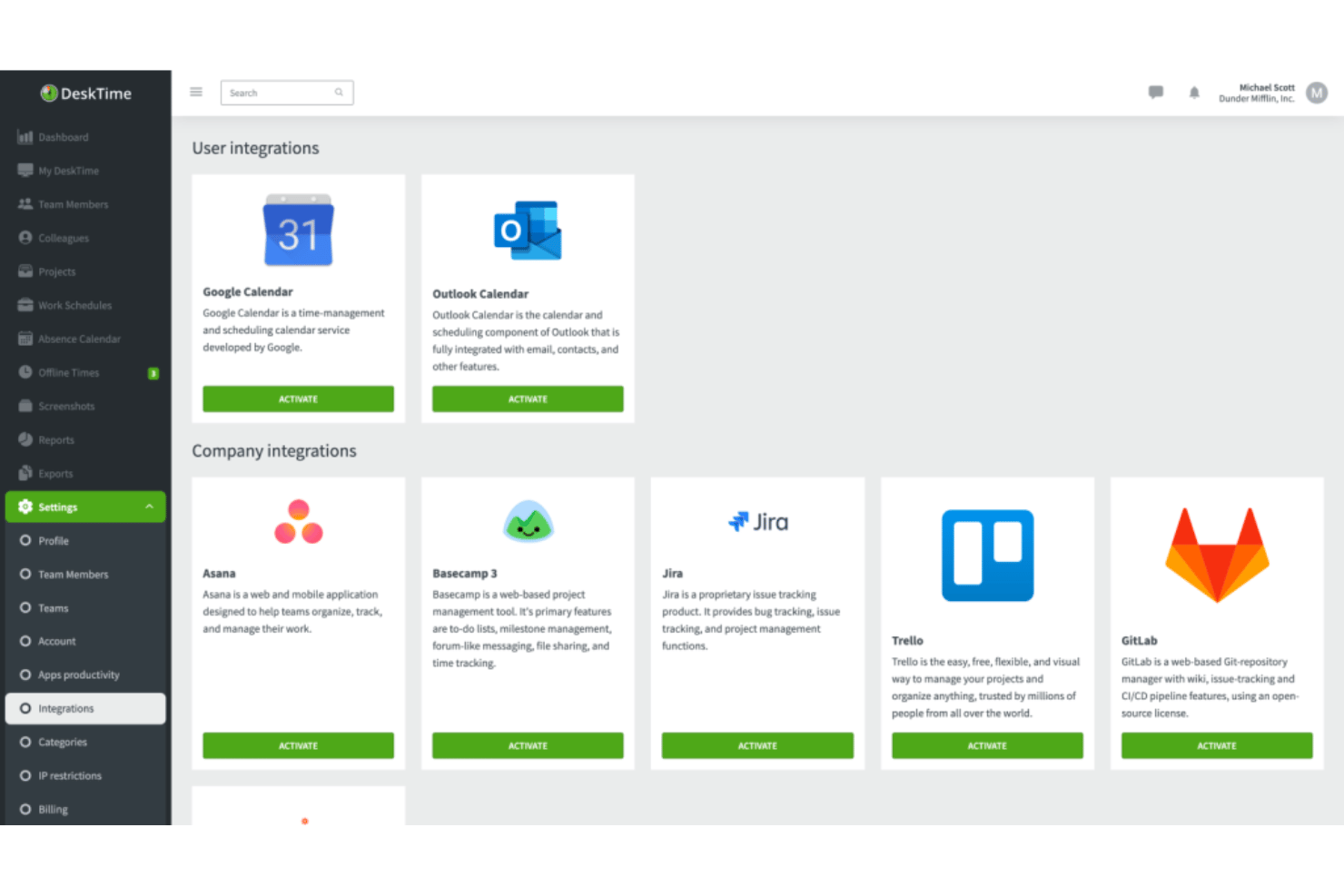
DeskTime integrates with Google Calendar, Outlook Calendar, Asana, Trello, Gitlab, Jira, and Zapier.
DeskTime also offers an API for custom integrations and connections with additional third-party tools.
DeskTime Specs
- 360 Degree Feedback
- API
- Attendance Tracking
- Batch Permissions & Access
- Budgeting
- Calendar Management
- Dashboard
- Data Export
- Data Import
- Data Visualization
- Employee Database
- Employee Engagement
- Employee Onboarding
- External Integrations
- Feedback Management
- Forecasting
- Multi-User
- Notifications
- Project Management
- Scheduling
- Timesheets
- Travel Management
- Vacation & Absence Calendar


