

10 beste PandaDoc-Alternativen für Angebote im Jahr 2026

10 Die besten PandaDoc-Alternativen im Überblick


Geschäftsdokumente effizient zu verwalten, ist eine Herausforderung, der sich viele Projektmanager stellen müssen. Vielleicht suchen Sie nach einer Alternative zu PandaDoc, weil die Lösung die individuellen Anforderungen Ihres Teams nicht vollständig erfüllt. Ganz gleich, ob Sie die Zusammenarbeit verbessern, Kosten senken oder eine Lösung finden möchten, die besser zu Ihrem Arbeitsablauf passt – es gibt zahlreiche Optionen.
Meiner Erfahrung nach hilft eine unabhängige Bewertung von Software dabei, herauszufinden, was wirklich funktioniert. Ich habe verschiedene Alternativen recherchiert und geprüft, um Ihnen dabei zu helfen, die richtige Lösung zu finden. Diese Übersicht führt Sie durch die wichtigsten Optionen und hebt Funktionen hervor, die für Ihr Team einen Unterschied machen könnten. Sehen wir uns Lösungen an, die Ihre Dokumentenabläufe verbessern und Ihre spezifischen Herausforderungen bewältigen können.
Was ist PandaDoc?
PandaDoc ist eine Plattform für Dokumentenabläufe in Unternehmen, mit der Sie Dokumente online erstellen, verwalten und teilen können. Sie wird häufig von Vertriebsteams, Marketingfachleuten und Projektmanagern genutzt, die eine effiziente Dokumentenverwaltung benötigen. Sie und Ihr Team können von der Möglichkeit profitieren, Vertriebsprozesse zu vereinfachen und die Zusammenarbeit zu verbessern. Die Funktionen für elektronische Signaturen, Dokumentenanalysen und Vorlagen unterstützen Sie dabei, den Fortschritt von Dokumenten zu verfolgen, Genehmigungen einzuholen und einheitliche Abläufe sicherzustellen. Insgesamt bietet PandaDoc eine zuverlässige Möglichkeit, komplexe Dokumentenabläufe benutzerfreundlich zu verwalten.
Zusammenfassung der besten PandaDoc-Alternativen
Diese Vergleichstabelle fasst die Preisinformationen meiner wichtigsten PandaDoc-Alternativen zusammen und hilft Ihnen dabei, die beste Lösung für Ihr Budget und Ihre geschäftlichen Anforderungen zu finden.
| Tool | Best For | Trial Info | Price | ||
|---|---|---|---|---|---|
| 1 | Am besten für Funktionen zum Massenversand | Kostenloser Tarif verfügbar | Ab $10/Nutzer/Monat (jährlich abgerechnet) | Website | |
| 2 | Am besten für anpassbare Vorlagen geeignet | 14-tägige kostenlose Testversion + kostenlose Demo verfügbar | Ab $19/Benutzer/Monat (jährlich abgerechnet) | Website | |
| 3 | Am besten für branchenspezifische Lösungen geeignet | Kostenloser Tarif verfügbar | Ab $10/Nutzer/Monat | Website | |
| 4 | Am besten für interaktive Angebote geeignet | 14-tägige kostenlose Testversion verfügbar | Ab $35/Nutzer/Monat (jährliche Abrechnung) | Website | |
| 5 | Am besten für KI-gestützte Vertriebstools geeignet | Kostenlose Testversion + kostenlose Demo verfügbar | Ab $25/Nutzer/Monat | Website | |
| 6 | Am besten für fortschrittliche Identitätsüberprüfung geeignet | 30-tägige kostenlose Testversion + Demonstration verfügbar | Ab $10/Nutzer/Monat (jährlich abgerechnet) | Website | |
| 7 | Am besten für mobile Signaturen | Kostenlose Testversion verfügbar | Ab $9.99/Benutzer/Monat (jährlich abgerechnet) | Website | |
| 8 | Am besten für den Schutz von Benutzerdaten geeignet | Kostenloser Tarif + 14-tägige kostenlose Testversion + Demo verfügbar | Ab $10/Benutzer/Monat | Website | |
| 9 | Ideal für sichere Lösungen für elektronische Signaturen | Kostenlose Demo verfügbar | Preise auf Anfrage | Website | |
| 10 | Am besten für integrierte Vertragsabläufe geeignet | Kostenlose Testversion + Demo verfügbar | Ab $200/Vollbenutzer/Monat | Website |
Warum Sie unseren Software-Empfehlungen vertrauen können
Unser Team testet und bewertet Software seit 2012. Als Projektmanager wissen wir selbst, wie schwierig – und wichtig – es ist, die richtige Software auszuwählen.
Für diesen Leitfaden haben wir Tools mithilfe von praktischen Tests und unabhängiger Recherche bewertet und dabei unsere Bewertungskriterien angewendet. Zudem greifen wir auf Erkenntnisse von Branchenvordenkern und praktizierenden Projektmanagement-Experten zurück.
Unsere Bewertungen spiegeln unser menschliches redaktionelles Urteilsvermögen wider, keine Verkaufsstrategie.
Expertenprüfer:
Bewertungen der besten PandaDoc-Alternativen
Nachfolgend finden Sie meine ausführlichen Zusammenfassungen der besten PandaDoc-Alternativen, die es in meine Auswahl geschafft haben. Meine Bewertungen bieten einen detaillierten Einblick in die wichtigsten Funktionen, Vor- und Nachteile, Integrationen und idealen Anwendungsfälle jedes Tools, damit Sie die beste Lösung für Ihre Anforderungen finden.

BoldSign
Am besten für Funktionen zum Massenversand
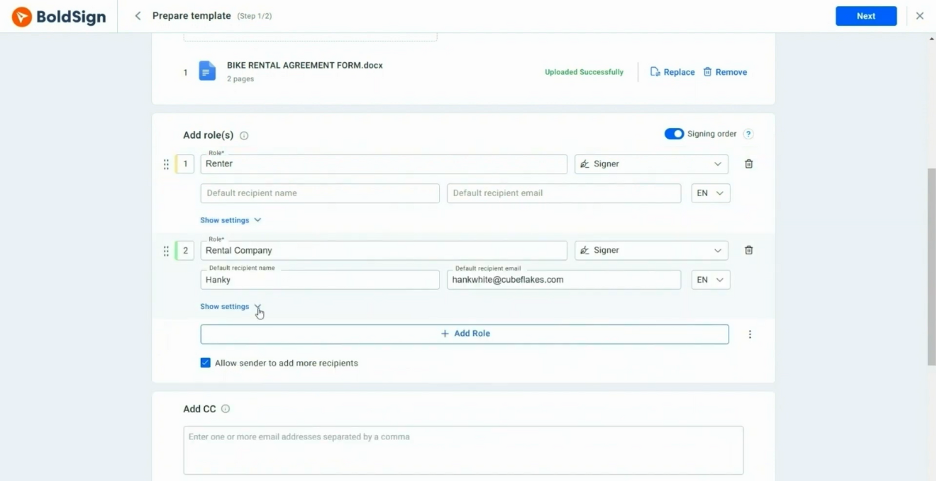
BoldSign ist eine Plattform für elektronische Signaturen, die für Unternehmen entwickelt wurde, die effiziente Lösungen zum Unterzeichnen von Dokumenten benötigen. Sie wird hauptsächlich von Organisationen eingesetzt, die Dokumente massenweise an mehrere Empfänger senden müssen.
Warum BoldSign eine gute PandaDoc-Alternative ist: BoldSign bietet Funktionen zum Massenversand, mit denen Sie Dokumente problemlos an große Gruppen verteilen können. Die benutzerfreundliche Oberfläche hilft Ihrem Team, umfangreiche Dokumentenprozesse effizient zu verwalten. Mit den anpassbaren Vorlagen der Plattform können Sie die Einheitlichkeit Ihrer Dokumente sicherstellen. Mit BoldSign können Sie Ihre Dokumentenabläufe vereinfachen und die Produktivität steigern.
Hervorstechende Funktionen und Integrationen:
Funktionen umfassen erweiterte Analysen, die Einblicke in den Status und die Interaktion mit Dokumenten bieten. Die Plattform unterstützt automatische Erinnerungen, um den rechtzeitigen Abschluss der Dokumentenunterzeichnung sicherzustellen. Sie können Arbeitsabläufe außerdem an die spezifischen Anforderungen Ihres Teams anpassen.
Integrationen umfassen Microsoft 365, Google Drive, Dropbox, Zapier und mehr.
Pros and Cons
Pros:
- Funktionen zum Massenversand
- Benutzerfreundliche Oberfläche
- Kostengünstige Tarife für Freiberufler und kleine Unternehmen
Cons:
- Eingeschränkte erweiterte Anpassungsmöglichkeiten
- Einige Funktionen erfordern technische Kenntnisse

Am besten für anpassbare Vorlagen geeignet

Proposify ist eine Software zur Verwaltung von Angeboten, die Unternehmen dabei unterstützt, Angebote effizient zu erstellen, zu verwalten und zu versenden. Sie wird häufig von Vertriebsteams und Agenturen genutzt, um ihren Angebotsprozess zu vereinfachen und die Interaktion mit Kunden zu verbessern.
Warum Proposify eine gute PandaDoc-Alternative ist: Proposify bietet anpassbare Dokumentvorlagen, mit denen Sie Ihre Angebote an die Identität Ihrer Marke anpassen können. Der Editor zum Ziehen und Ablegen erleichtert das Gestalten und Formatieren von Dokumenten ohne technische Kenntnisse. Sie können außerdem Aufrufe und Interaktionen mit Angeboten verfolgen und erhalten dadurch wertvolle Einblicke in die Kundenbindung. Mit Proposify kann Ihr Team professionelle Angebote erstellen, die sich abheben.
Herausragende Funktionen und Integrationen:
Zu den Funktionen gehört eine Inhaltsbibliothek, in der häufig verwendete Elemente von Angeboten für den schnellen Zugriff gespeichert werden. Die Plattform unterstützt elektronische Signaturen und sorgt so für einen reibungslosen Unterzeichnungsprozess. Außerdem können Sie Genehmigungsabläufe für interne Prüfungen einrichten, bevor Angebote an Kunden gesendet werden.
Zu den Integrationen gehören Salesforce, HubSpot, QuickBooks, Stripe, Zapier, Slack, Pipedrive, Basecamp, Trello und mehr.
Pros and Cons
Pros:
- Editor zum Ziehen und Ablegen
- Verfolgt Aufrufe und Interaktionen mit Angeboten
- Inhaltsbibliothek für die schnelle Erstellung
Cons:
- Kann für neue Benutzer komplex sein
- Erfordert Zeit für die Ersteinrichtung
Docusign
Am besten für branchenspezifische Lösungen geeignet

Docusign ist eine Plattform für elektronische Signaturen, die von Unternehmen weit verbreitet eingesetzt wird, um eine sichere und effiziente Unterzeichnung von Dokumenten zu ermöglichen. Sie ist in Branchen wie Immobilien, Finanzwesen und Gesundheitswesen beliebt, da sie zuverlässig bei der Verwaltung von Dokumenten-Workflows ist.
Warum Docusign eine gute Alternative zu PandaDoc ist: Docusign bietet maßgeschneiderte Lösungen für verschiedene Branchen und ist damit eine vielseitige Wahl für spezielle Anforderungen. Die fortschrittlichen Sicherheitsfunktionen und die Einhaltung branchenspezifischer Vorschriften heben die Plattform hervor und gewährleisten, dass Ihre Dokumente sorgfältig behandelt werden. Die benutzerfreundliche Oberfläche und die umfangreiche Vorlagenbibliothek helfen Ihnen, die Vorbereitung und Unterzeichnung von Dokumenten zu optimieren. Mit Docusign können Sie Ihre Dokumenten-Workflows in verschiedenen Branchen sicher verwalten.
Herausragende Funktionen und Integrationen:
Zu den Funktionen gehören individuelles Branding, persönliche Unterzeichnung und Unterstützung mehrerer Sprachen, um den unterschiedlichen Anforderungen der Nutzer gerecht zu werden. Sie können außerdem von der Prüfprotokollfunktion profitieren, die detaillierte Aufzeichnungen über die Aktivitäten an Dokumenten bereitstellt. Eine weitere wichtige Funktion ist die Möglichkeit, die Reihenfolge und Berechtigungen für die Unterzeichnung festzulegen, um sicherzustellen, dass Dokumente in der richtigen Reihenfolge unterzeichnet werden.
Integrationen umfassen Salesforce, Microsoft 365, Google Workspace, SAP, Oracle, Workday, Box, Dropbox, Slack, NetSuite und mehr.
Pros and Cons
Pros:
- Unterstützt branchenspezifische Vorschriften
- Bietet ein detailliertes Prüfprotokoll
- Ermöglicht persönliche Unterzeichnungen
Cons:
- Begrenzte Anpassungsmöglichkeiten für Vorlagen
- Höhere Kosten als einige Alternativen

Qwilr
Am besten für interaktive Angebote geeignet
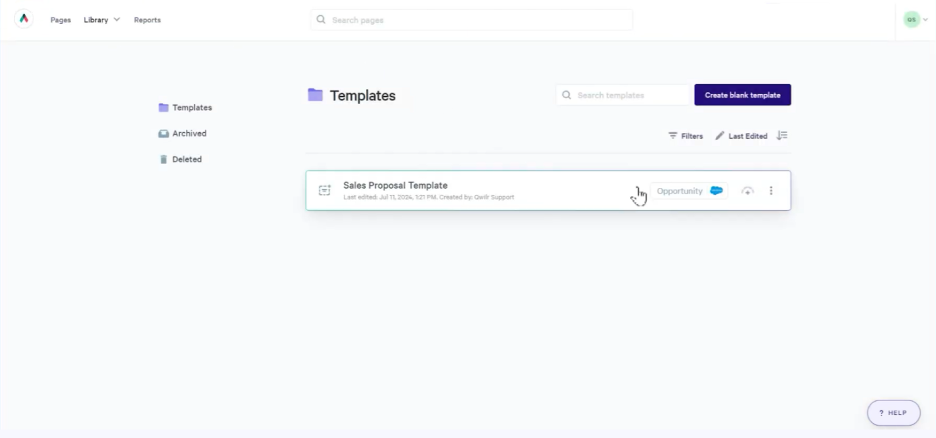
Qwilr ist ein Tool zur Erstellung von Angeboten, das für Unternehmen jeder Größe entwickelt wurde, die ansprechende und interaktive Dokumente erstellen möchten. Es ist bei Vertriebs- und Marketingteams beliebt, die Kunden mit visuell ansprechenden Angeboten begeistern möchten.
Warum Qwilr eine gute PandaDoc-Alternative ist: Qwilr bietet interaktive Angebote, mit denen Sie dynamische und ansprechende Dokumente erstellen können. Der Editor zum Ziehen und Ablegen der Plattform erleichtert das Einfügen von Multimedia-Elementen wie Videos und Bildern. Sie können außerdem verfolgen, wie Empfänger mit Ihren Angeboten interagieren, und dadurch Einblicke in die Kundeninteraktion gewinnen. Mit Qwilr kann Ihr Team Angebote erstellen, die Ihr Publikum nicht nur informieren, sondern auch einbinden.
Hervorstechende Funktionen und Integrationen:
Zu den Funktionen gehören Analysen, die Ihnen Einblicke darin geben, wie Kunden mit Ihren Angeboten interagieren. Die Plattform unterstützt anpassbare Vorlagen, sodass Sie eine einheitliche Markenpräsentation beibehalten können. Außerdem können Sie die Zusammenarbeitstools nutzen, um in Echtzeit mit Ihrem Team zu arbeiten.
Zu den Integrationen gehören Salesforce, HubSpot, Slack, QuickBooks, Stripe, Zapier und weitere.
Pros and Cons
Pros:
- Möglichkeiten für interaktive Angebote
- Editor zum Ziehen und Ablegen enthalten
- Anpassbare Angebotsvorlagen verfügbar
Cons:
- Höherer Preis als bei anderen Optionen
- Eingeschränkte Flexibilität bei Design und Formatierung

Am besten für KI-gestützte Vertriebstools geeignet

GetAccept ist eine digitale Vertriebsplattform, die darauf ausgelegt ist, Dokumenten-Workflows zu optimieren und die Vertriebsinteraktion zu fördern. Sie wird hauptsächlich von Vertriebsteams genutzt, die ihr Dokumentenmanagement und ihre Kundeninteraktionen verbessern möchten.
Warum GetAccept eine gute PandaDoc-Alternative ist: GetAccept nutzt KI-gestützte Vertriebstools, um die Produktivität und Interaktion Ihres Teams zu steigern. Mit der Videonachrichtenfunktion können Sie personalisierte Einleitungen für Ihre Dokumente erstellen. Die Plattform umfasst außerdem Analysen zur Verfolgung von Dokumentenkennzahlen und Interaktionen. Diese Funktionen helfen Ihnen, Ihren Ansatz gezielt anzupassen und Geschäfte effektiver abzuschließen.
Herausragende Funktionen und Integrationen:
Zu den Funktionen gehören Optionen für individuelles Branding, mit denen Sie ein einheitliches Unternehmensbild wahren können. Die Plattform bietet Dokumentenverfolgung, um Kundeninteraktionen in Echtzeit zu überwachen. Darüber hinaus können Sie Nachfassaktionen automatisieren, damit keine Gelegenheit verpasst wird.
Zu den Integrationen gehören Salesforce, HubSpot, Pipedrive, Microsoft Dynamics 365, Slack, Google Drive, Dropbox, Zapier, Gmail, Outlook und mehr.
Pros and Cons
Pros:
- KI-gestützte Analysen
- Möglichkeiten für Videonachrichten
- Individuelles Branding verfügbar
Cons:
- Steilere Lernkurve für Anfänger
- Für einige erweiterte Funktionen ist eine Schulung erforderlich

emSigner
Am besten für fortschrittliche Identitätsüberprüfung geeignet
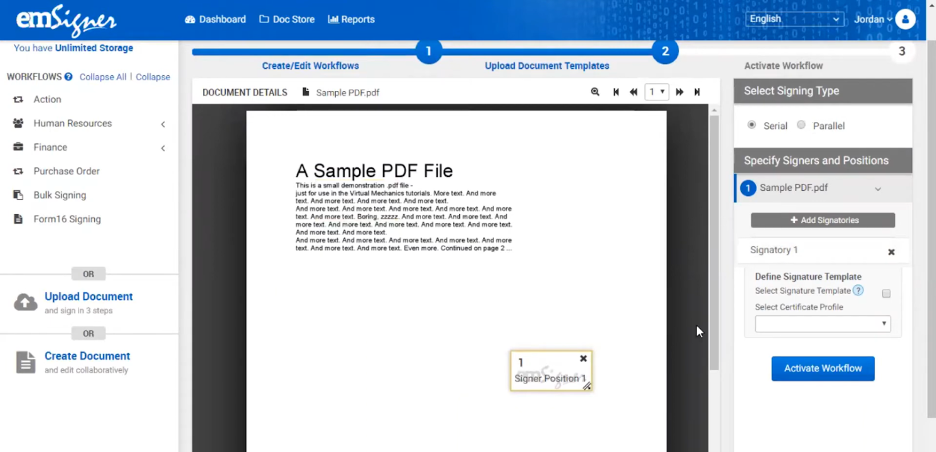
emSigner ist eine Plattform für digitale Signaturen, die sich an Unternehmen richtet, die sichere und konforme Lösungen für die Dokumentenverwaltung benötigen. Sie wird hauptsächlich von Organisationen eingesetzt, die Sicherheit und die Einhaltung gesetzlicher Vorschriften in ihren Dokumentenabläufen priorisieren.
Warum emSigner eine gute Alternative zu PandaDoc ist: emSigner bietet fortschrittliche Funktionen zur Identitätsüberprüfung und stellt sicher, dass Ihre Dokumente sicher von den richtigen Personen signiert werden. Die Multi-Faktor-Authentifizierung sorgt für eine zusätzliche Sicherheitsebene bei Ihren Dokumentenprozessen. Die Konformität der Plattform mit globalen Gesetzen zu elektronischen Signaturen macht sie für Unternehmen in regulierten Branchen geeignet. Mit emSigner können Sie darauf vertrauen, dass Ihre Dokumententransaktionen sowohl sicher als auch konform sind.
Herausragende Funktionen und Integrationen:
Zu den Funktionen gehören anpassbare Arbeitsabläufe, die zu den spezifischen Prozessen Ihres Teams passen. Sie können von der Prüfpfadfunktion profitieren, die ein detailliertes Protokoll der Dokumentaktivitäten bereitstellt. Die Plattform unterstützt außerdem das Unterzeichnen mehrerer Dokumente auf einmal.
Zu den Integrationen gehören Google Drive, Salesforce, Microsoft SharePoint, Dropbox, SAP SuccessFactors und mehr.
Pros and Cons
Pros:
- Fortschrittliche Identitätsüberprüfung
- Konformität mit globalen Gesetzen zu elektronischen Signaturen
- Anpassbare Arbeitsabläufe verfügbar
Cons:
- Die Ersteinrichtung kann zeitaufwendig sein
- Für die Anpassung sind technische Kenntnisse erforderlich


Dropbox Sign ist ein elektronisches Signaturtool, das entwickelt wurde, um den Signaturprozess für Unternehmen und Einzelpersonen zu vereinfachen. Es wird häufig von Teams verwendet, die eine effiziente Dokumentensignatur unterwegs benötigen.
Warum Dropbox Sign eine gute PandaDoc-Alternative ist: Dropbox Sign bietet eine mobilfreundliche Benutzeroberfläche und cloudbasierten Speicher, sodass Sie und Ihr Team Dokumente von überall aus einfach signieren können. Die benutzerfreundliche Gestaltung sorgt dafür, dass das Signieren in mobilen Apps schnell und problemlos möglich ist. Die intuitive Navigation der Plattform hilft, den Zeitaufwand für die Verwaltung von Dokumentenarbeitsabläufen zu reduzieren. Mit Dropbox Sign können Sie Ihr Unternehmen auch dann voranbringen, wenn Sie nicht im Büro sind.
Hervorstechende Funktionen und Integrationen:
Funktionen umfassen wiederverwendbare Vorlagen, die Ihnen bei der Vorbereitung von Dokumenten Zeit sparen. Die Plattform bietet außerdem fortschrittliche Werkzeuge zur Teamverwaltung, um die Dokumentenarbeitsabläufe Ihres Teams zu organisieren. Praktische automatische Erinnerungen können aktiviert werden, damit Dokumente nicht untergehen.
Integrationen umfassen Google Drive, Salesforce, Microsoft Dynamics 365, Slack, HubSpot, Evernote, Microsoft OneDrive, Zapier und mehr.
Pros and Cons
Pros:
- Mobilfreundliche Benutzeroberfläche
- Einfache Navigation für schnelles Signieren
- Automatische Erinnerungen für Unterzeichner
Cons:
- Grundlegende Berichtswerkzeuge
- Die Ersteinrichtung kann komplex sein


Zoho Sign ist eine Plattform für digitale Signaturanwendungen, die auf Unternehmen zugeschnitten ist, die eine sichere und effiziente Dokumentenverwaltung anstreben. Sie ist besonders bei Teams beliebt, die hohe Standards in Bezug auf Datenschutz und Datensicherheit einhalten müssen.
Warum Zoho Sign eine gute Alternative zu PandaDoc ist: Zoho Sign legt großen Wert auf den Schutz von Benutzerdaten und ist daher eine zuverlässige Wahl für alle, die sich um den Datenschutz sorgen. Die Ende-zu-Ende-Verschlüsselung stellt sicher, dass Ihre Dokumente während des gesamten Signaturprozesses vertraulich bleiben. Die Plattform bietet außerdem erweiterte Authentifizierungsoptionen zur Überprüfung der Identität von Unterzeichnern. Sie können darauf vertrauen, dass Zoho Sign Ihre vertraulichen Dokumente sorgfältig verarbeitet und Ihrem Team Sicherheit gibt.
Herausragende Funktionen und Integrationen:
Zu den Funktionen gehören anpassbare E-Mail-Vorlagen, mit denen Sie die Kommunikation mit Ihren Kunden personalisieren können. Mit der Funktion zum Massenversand der Plattform können Sie Dokumente gleichzeitig an mehrere Empfänger senden. Sie können außerdem Erinnerungsbenachrichtigungen automatisieren, um den rechtzeitigen Abschluss der Dokumentensignatur sicherzustellen.
Zu den Integrationen gehören Zoho CRM, Zoho People, Zoho Books, Gmail, Dropbox, Google Drive, OneDrive, Microsoft Teams, Zapier und mehr.
Pros and Cons
Pros:
- Ende-zu-Ende-Verschlüsselung verfügbar
- Erweiterte Authentifizierungsoptionen
- Unterstützt den Massenversand von Dokumenten
Cons:
- Begrenzte erweiterte Funktionen
- Grundlegende Berichtsfunktionen

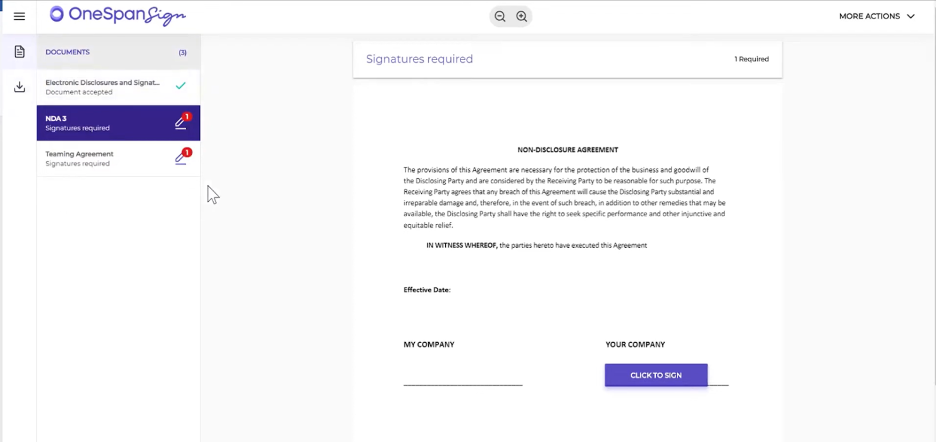
OneSpan Sign ist eine elektronische Signaturlösung für Unternehmen, die eine sichere und zuverlässige Unterzeichnung von Dokumenten benötigen. Sie wird häufig von Branchen eingesetzt, die hohe Sicherheitsstandards erfüllen müssen, beispielsweise im Finanz- und Gesundheitswesen.
Warum OneSpan Sign eine gute PandaDoc-Alternative ist: OneSpan Sign bietet sichere Lösungen für elektronische Signaturen, bei denen der Schutz Ihrer Dokumente und Transaktionen im Vordergrund steht. Die manipulationssichere Technologie stellt sicher, dass unbefugte Änderungen an Dokumenten erkannt werden. Die Einhaltung von Branchenvorschriften durch die Plattform gibt Ihrem Team Sicherheit. Mit OneSpan Sign können Sie Ihre Dokumenten-Workflows zuverlässig verwalten und gleichzeitig höchste Sicherheitsstandards einhalten.
Besondere Funktionen und Integrationen:
Zu den Funktionen gehören starke Authentifizierungsoptionen zur Überprüfung der Identität von Unterzeichnern. Außerdem können Sie von der Prüfprotokollfunktion profitieren, die eine detaillierte Aufzeichnung der Dokumentaktivitäten bereitstellt. Die Plattform unterstützt die persönliche Unterzeichnung, sodass Sie bei persönlichen Treffen Unterschriften einholen können.
Zu den Integrationen gehören Salesforce, Microsoft Dynamics 365, Microsoft SharePoint, Workday, Google Workspace und weitere.
Pros and Cons
Pros:
- Hohe Sicherheitsstandards
- Einhaltung von Branchenvorschriften
- Persönliche Unterzeichnung wird unterstützt
Cons:
- Höhere Kosten bei Basistarifen
- Begrenzte Anpassungsmöglichkeiten


AlineSign ist ein digitales Vertragsverwaltungstool für Rechts- und Geschäftsteams, die eine effiziente Dokumentenverwaltung anstreben. Es unterstützt die elektronische Unterzeichnung und automatisiert Vertragsabläufe, um die Produktivität zu steigern und sicherzustellen, dass Unterschriften rechtsverbindlich sind.
Warum AlineSign eine gute Alternative zu PandaDoc ist: AlineSign bietet integrierte Vertragsabläufe, die die Dokumentenverwaltung für Ihr Team optimieren. Es ermöglicht unbegrenzte elektronische Unterzeichnungen, sodass Sie ohne zusätzliche Kosten so viele Dokumente wie nötig verarbeiten können. Die integrierten Prüfpfade und das KI-gestützte Vertragslebenszyklusmanagement der Plattform sorgen für Compliance und Effizienz. Mit AlineSign können Sie Ihren gesamten Vertragsprozess einfach automatisieren und verwalten.
Besondere Funktionen und Integrationen:
Zu den Funktionen gehören die automatische Speicherung unterzeichneter Dokumente mit Versionsverlauf, die einen einfachen Zugriff auf frühere Verträge ermöglicht. Die AlineSign-Plattform unterstützt KI-Berichte in Echtzeit zur Vertragsanalyse und liefert Ihnen Erkenntnisse zu Ihren Vereinbarungen. Außerdem können Sie kollaborative Abläufe einrichten, um den Genehmigungsprozess Ihres Teams effizient zu verwalten.
Zu den Integrationen gehören Google Drive, Dropbox, Box, Microsoft OneDrive und weitere.
Pros and Cons
Pros:
- Unbegrenzte Möglichkeiten zur elektronischen Unterzeichnung
- Integrierte Prüfpfade
- KI-gestütztes Vertragsmanagement
Cons:
- Für Teams, die lediglich grundlegende Funktionen zur elektronischen Unterzeichnung benötigen, möglicherweise zu teuer
- Details zu den spezifischen Preisplänen sind nicht eindeutig aufgeführt
Weitere PandaDoc-Alternativen
Hier sind einige weitere PandaDoc-Alternativen, die es nicht in meine Auswahl geschafft haben, aber dennoch einen Blick wert sind:
- airSlate SignNow
Am besten für schnelle Einrichtung
- ReadySign
Ideal für einfache Lösungen für elektronische Signaturen
- DocuSeal
Am besten für die sichere Versiegelung von Dokumenten


Wie ich PandaDoc-Alternativen bewerte
Ich unterteile meine Bewertung in zwei Ebenen: grundlegende Muss-Kriterien wie E-Signaturen und Freigabe-Workflows sowie Unterscheidungsmerkmale wie PM-Integrationen und Preisgestaltung, die die besten Lösungen von den anderen abheben.
Kernfunktionen (Basisvoraussetzungen für diese Liste)
Wenn ich Werkzeuge für meine Liste auswähle, bewerte ich jedes einzelne auf einer Skala von 0 (Funktionalität wird nicht angeboten) bis 5 (hervorragend in diesem Bereich) für jede der unten aufgeführten Kernfunktionen. Anschließend berechne ich die Gesamtpunktzahl des Tools als Prozentsatz. Jedes Tool muss mindestens eine Gesamtpunktzahl von 65 % erreichen, um berücksichtigt zu werden.
- Dokumentenerstellung & Vorlagen: Ich prüfe, ob jedes Tool es erlaubt, SOWs, Angebote und Änderungsaufträge aus wiederverwendbaren Vorlagen mit dynamischen Feldern zu erstellen, anstatt jedes Mal von Grund auf neu zu beginnen.
- Elektronische Signaturen: Die E-Signatur-Unterstützung jedes Tools sollte Mehrparteienunterschriften, Unterzeichner-Authentifizierung und die Einhaltung von Standards wie ESIGN, UETA und eIDAS abdecken.
- Freigabe-Workflows: Ich bewerte, ob die Plattform anpassbare, mehrstufige Weiterleitungen unterstützt, zum Beispiel das Senden eines Kunden-SOWs erst durch die Rechtsabteilung, dann durch Finanzen und einen Projektsponsor, bevor es beim Unterzeichner ankommt.
- Zusammenarbeit in Echtzeit: Teams, die einen Vertrag oder ein Angebot prüfen, brauchen mehr als asynchrone Kommentare. Ich achte auf Live-Co-Editing, Versionierung und verschachtelte Diskussionen mit internen und externen Beteiligten.
- Dokumenten-Tracking & Analytics: Zu wissen, dass ein Angebot geöffnet wurde, reicht nicht aus. Ich suche nach detaillierten Aktivitätenprotokollen, Ansichtszeitstempeln und Engagement-Daten, die PMs helfen, im richtigen Moment nachzuhaken.
- PM-Tool-Integrationen: Ich prüfe, ob es native Anbindungen an Plattformen wie Asana, Jira, Monday und gängige CRMs gibt, damit unterschriebene Dokumente und Projektdaten ohne manuellen Aufwand verknüpft bleiben.
Nachdem ich eine Liste von Tools habe, die diese Kriterien erfüllen, schaue ich, was jede Plattform einzigartig macht.
Unterscheidungsmerkmale (Wodurch sich Anbieter unterscheiden)
So vergleiche und unterscheide ich verschiedene Anbieter:
Herausragende Funktionen
Interaktive Preistabellen machen einen spürbaren Unterschied, wenn Sie Leistungsangebote mit variablem Umfang oder gestaffelten Lieferungen versenden. Ich achte auch auf integrierte Zahlungsabwicklung, mit der PMs Anzahlungen oder Meilensteinzahlungen direkt aus einem unterschriebenen SOW einziehen können, anstatt Nachzahlungen separat einzufordern. Eine Inhaltsbibliothek mit wiederverwendbaren Klauseln und Projektbausteinen ist ein weiterer Faktor, den ich gewichte, da Teams, die Angebote immer von Grund auf neu erstellen, unnötig viel Zeit verlieren.
Über Funktionen hinaus
Die Preisstruktur spielt hier eine große Rolle. Manche Plattformen berechnen pro gesendetem Dokument, was Teams mit hohem Volumen bei mehreren Kundenprojekten benachteiligt. Ich bewerte, ob die Preise nach Nutzeranzahl oder Nutzungslimits skalieren. API-Tiefe und Ökosystemkompatibilität sind ebenso wichtig — ein Tool mit REST-API und Webhook-Unterstützung gibt Ihrem Team Spielraum, Übergaben zwischen unterschriebenen Verträgen und PM-Boards zu automatisieren. Ich beachte auch die Branchenpassung, etwa ob eine Plattform Vorlagen und Workflows speziell für Agenturen, Bauunternehmen oder professionelle Dienstleistungen bietet.
Warum nach einer PandaDoc-Alternative suchen?
Obwohl PandaDoc eine gute Wahl für Software zur Verwaltung von Dokumentenabläufen in Unternehmen ist, gibt es mehrere Gründe, warum manche Nutzer nach alternativen Lösungen suchen. Vielleicht suchen Sie aus folgenden Gründen nach einer PandaDoc-Alternative:
- Sie benötigen umfangreichere Anpassungsmöglichkeiten
- Ihr Team benötigt bessere Funktionen für mobile Geräte
- Sie suchen nach wettbewerbsfähigeren Preisen
- Sie benötigen eine Integration mit bestimmten Tools
- Ihr Unternehmen ist in Regionen mit eingeschränktem Support tätig
- Sie wünschen sich erweiterte Funktionen für Datensicherheit
Wenn Ihnen einer dieser Punkte bekannt vorkommt, sind Sie hier genau richtig. Meine Liste enthält mehrere Optionen, die für Teams, die mit diesen Herausforderungen bei PandaDoc konfrontiert sind und nach passenden Lösungen suchen, besser geeignet sein könnten.
Wichtige Funktionen von PandaDoc
Hier sind einige der wichtigsten Funktionen von PandaDoc, die Ihnen dabei helfen, die Angebote alternativer Lösungen gegenüberzustellen und zu vergleichen:
- Anpassbare Vorlagen: Erstellung von Dokumenten, abgestimmt auf Ihre Marke und Anforderungen.
- Elektronische Signaturen: Dokumente sicher elektronisch signieren und verwalten.
- Workflow-Automatisierung: Wiederkehrende Aufgaben automatisieren, um die Effizienz zu steigern.
- Dokumentenverfolgung: Dokumentstatus und Interaktionen in Echtzeit überwachen.
- Genehmigungsprozesse: Verfahren für Dokumentprüfungen und Genehmigungen einrichten.
- Inhaltsbibliothek: Auf ein Repository wiederverwendbarer Dokumentelemente zugreifen.
- Änderungsmarkierungen: Sicher mit Änderungsverfolgung und Versionskontrolle zusammenarbeiten.
- Intelligente Inhalte: Dokumentinhalte auf Grundlage der Interaktionen der Empfänger anpassen.
- Analysen: Erkenntnisse über die Leistung und Interaktion mit Dokumenten gewinnen.
- Integrationsmöglichkeiten: CRM-Systeme und andere Geschäftstools verbinden.
Wie geht es weiter:
Wenn Sie gerade Plattformen für Dokumenten-Workflows in Unternehmen recherchieren, wenden Sie sich an einen SoftwareSelect-Berater und erhalten Sie kostenlos Empfehlungen.
Sie füllen ein Formular aus und führen ein kurzes Gespräch, in dem die Details Ihrer Anforderungen besprochen werden. Anschließend erhalten Sie eine engere Auswahl an Software zur Prüfung. Die Berater unterstützen Sie sogar während des gesamten Kaufprozesses, einschließlich der Preisverhandlungen.