


actiTIME Testbericht: Vorteile, Nachteile, Funktionen und Preise erklärt



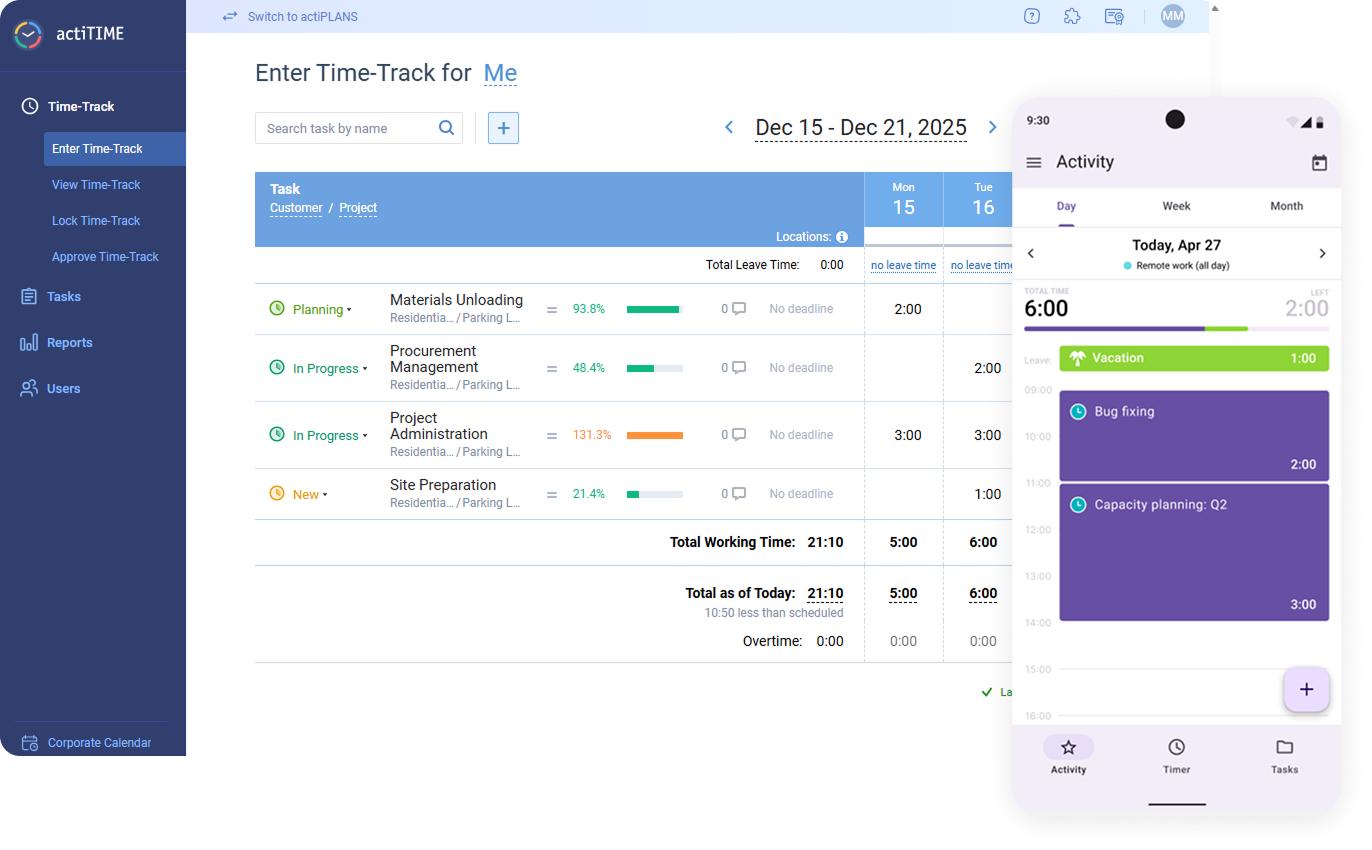
actiTIME is a time tracking software and project accounting platform built for teams that need visibility into how time translates into project costs, billing, and overall performance. It helps organizations capture work hours, organize work by client and task, and turn that data into reports for budgeting and profitability analysis.
For teams dealing with inconsistent time tracking, limited insight into project costs, or difficulty comparing planned versus actual work, actiTIME provides a structured system for tracking time and monitoring performance. This review breaks down its features, strengths, limitations, and pricing to help determine whether it aligns with your operational needs.
actiTIME Evaluation Summary
- From $6/user/month (billed annually)
- Free plan + 30-day free trial + free demo available
Warum Sie unseren Software-Empfehlungen vertrauen können
Unser Team testet und bewertet Software seit 2012. Als Projektmanager wissen wir selbst, wie schwierig – und wichtig – es ist, die richtige Software auszuwählen.
Für diesen Leitfaden haben wir Tools mithilfe von praktischen Tests und unabhängiger Recherche bewertet und dabei unsere Bewertungskriterien angewendet. Zudem greifen wir auf Erkenntnisse von Branchenvordenkern und praktizierenden Projektmanagement-Experten zurück.
Unsere Bewertungen spiegeln unser menschliches redaktionelles Urteilsvermögen wider, keine Verkaufsstrategie.
Expertenprüfer:
actiTIME Overview
Compared to simpler time trackers, actiTIME stands out for its deeper focus on cost control, billing, and project-level reporting. It supports multiple budget types (time, cost, and billing) and allows teams to analyze profitability across clients, projects, and tasks. However, that added depth comes with tradeoffs. The platform can require more setup and configuration for teams using advanced features, and its ecosystem of native integrations is relatively limited—often relying on Zapier or API connections for flexibility.
pros
-
Detailed time tracking at the project and task level for better visibility.
-
Built-in leave and PTO management within the same system.
-
Strong, customizable reporting for cost, billing, and performance analysis.
cons
-
Mobile app features are limited compared to the web version.
-
Limited native integrations compared to many competing platforms.
-
No built-in payroll processing, though direct payroll integrations are available.
Is actiTIME Right For Your Needs?
Who Would be a Good Fit for actiTIME?
actiTIME is a strong fit if you need more than basic time tracking—especially if you want to connect time data to project costs, billing, and profitability. It works well for teams managing multiple clients or complex projects where tracking budgets and comparing estimated vs. actual time is essential.
It’s best suited for teams that need detailed task-level tracking, multi-level budgeting, and built-in PTO management alongside reporting. Because of its configurability, actiTIME is most effective for teams willing to invest some setup time to gain deeper operational insight.
-
Professional Services Firms
actiTIME is well-suited for professional services teams that rely on billable hours and client-based work. Its billing rates, invoicing capabilities, and profitability reporting help track margins and ensure projects stay within budget.
-
Creative Agencies
Agencies managing multiple clients benefit from task-level tracking, workflow statuses, and Kanban views, which provide visibility into project progress while supporting detailed time and cost reporting across accounts.
-
IT Departments
Internal teams can use actiTIME to monitor resource allocation, track time across initiatives, and manage leave in one system, helping improve planning and visibility across ongoing projects.
-
Consulting Teams
Consulting teams can leverage billable vs. non-billable tracking, rate management, and estimated vs. actual reporting to better manage client engagements and evaluate project performance.
-
Engineering Teams
For engineering or technical teams, actiTIME’s granular time tracking and budget controls support more accurate project costing, forecasting, and workload analysis across complex projects.
-
Mid-Sized Companies
Growing organizations benefit from actiTIME’s scalable structure, user roles/permissions, and customizable settings, though larger teams may need to account for its limited native integrations.
Who Would be a Bad Fit for actiTIME?
actiTIME may not be the best choice if you need a lightweight, plug-and-play time tracking tool or rely heavily on native integrations. Its feature depth and configurability can feel excessive for simple use cases, and teams looking for a more modern or streamlined interface may find it less intuitive.
It’s also less suitable for organizations that require advanced payroll functionality, strict compliance certifications (such as SOC 2 or ISO 27001), or field-based workforce features like geofencing and shift enforcement.
-
Freelancers
The feature set is often too complex for simple, solo time tracking needs.
-
Retail Businesses
Lacks shift scheduling, POS integrations, and tools for hourly workforce management.
-
Startups
Setup and configuration can slow down teams that need fast, simple tools.
-
HR Departments
No built-in payroll processing or advanced HR analytics capabilities.
-
Field Service Teams
Lacks geofencing, GPS tracking, and compliance tools needed for mobile workforces.
-
Manufacturing Teams
Not designed for shift-based labor tracking or production floor time clock workflows.
Unsere Bewertungsmethodik
Wie wir Tools testen & bewerten
Wir haben jahrelang unser System zur Softwareüberprüfung und -bewertung aufgebaut, verfeinert und verbessert. Das Bewertungsschema wurde entwickelt, um die Feinheiten der Softwareauswahl und die Effektivität eines Tools einzufangen, wobei der Fokus auf den entscheidenden Aspekten des Entscheidungsprozesses liegt. Unten sehen Sie genau, wie unser Test- und Bewertungssystem über sieben Kriterien hinweg funktioniert. So können wir eine objektive Einschätzung der Software auf Grundlage von Kernfunktionen, herausragenden Merkmalen, Benutzerfreundlichkeit, Onboarding, Kundenservice, Integrationen, Kundenbewertungen und Preis-Leistungs-Verhältnis bieten.
Kernfunktionalität (25% der Gesamtbewertung)
Ausgangspunkt unserer Bewertung ist immer die Kernfunktionalität des Tools. Hat es die grundlegenden Funktionen, die ein Nutzer erwarten würde? Sind einige dieser Kernfunktionen nur in höherpreisigen Tarifen verfügbar? Wir erwarten, dass ein Tool mindestens den grundlegenden Leistungsumfang seiner Mitbewerber erfüllt.
Herausragende Funktionen (25% der Gesamtbewertung)
Anschließend bewerten wir außergewöhnliche Funktionen, die über die üblichen Kernfunktionen hinausgehen. Eine hohe Bewertung spiegelt spezialisierte oder einzigartige Eigenschaften wider, durch die das Produkt schneller, effizienter oder für den Nutzer besonders wertvoll wird. Wir bewerten auch, wie einfach sich das Tool in andere Tools integrieren lässt, die üblicherweise im Tech-Stack zu finden sind, um die Funktionalität zu erweitern. Lösungen mit vielen nativen Integrationen, Drittanbieter-Anbindungen und API-Zugang zur Erstellung individueller Verknüpfungen schneiden am besten ab.
Benutzerfreundlichkeit (10% der Gesamtbewertung)
Wir berücksichtigen, wie schnell und einfach sich die Aufgaben – basierend auf der Kernfunktionalität – mit dem Tool erledigen lassen. Eine hohe Bewertung erhalten Tools, die durchdacht gestaltet und intuitiv bedienbar sind, mobile Apps und Vorlagen bieten und sogar komplexe Aufgaben einfach erscheinen lassen.
Onboarding (10% der Gesamtbewertung)
Wir wissen, wie wichtig eine schnelle Einführung im Team ist, und bewerten deshalb, wie leicht ein Tool mit minimaler Schulung erlernt und genutzt werden kann. Wir prüfen, wie schnell neue Teammitglieder ohne Vorkenntnisse starten können. Lösungen, die wenig oder gar keine Unterstützung erfordern, erhalten die höchste Bewertung.
Kundenservice (10% der Gesamtbewertung)
Wir überprüfen, wie schnell und unkompliziert Hilfe per Telefon, Live-Chat oder Wissensdatenbank verfügbar ist. Tools und Unternehmen, die Echtzeit-Support bieten, schneiden am besten ab; Chatbots am schlechtesten.
Kundenbewertungen (10% der Gesamtbewertung)
Neben unseren eigenen Tests beziehen wir auch den Net Promoter Score aktueller und ehemaliger Nutzer ein. Wir prüfen die Wahrscheinlichkeit, mit der sie das Tool erneut für die Kernfunktionalitäten wählen würden. Ein hohes Ergebnis spiegelt einen hohen Net Promoter Score bei aktuellen oder früheren Kund:innen wider.
Preis-Leistungs-Verhältnis (10% der Gesamtbewertung)
Abschließend vergleichen wir – unter Berücksichtigung aller anderen Kriterien – den Durchschnittspreis der Einstiegstarife mit den Kernfunktionen und bewerten das Preis-Leistungs-Verhältnis. Software, die mehr Leistung für weniger Geld bietet, bekommt die höchsten Werte.
Core Features
Time Tracking
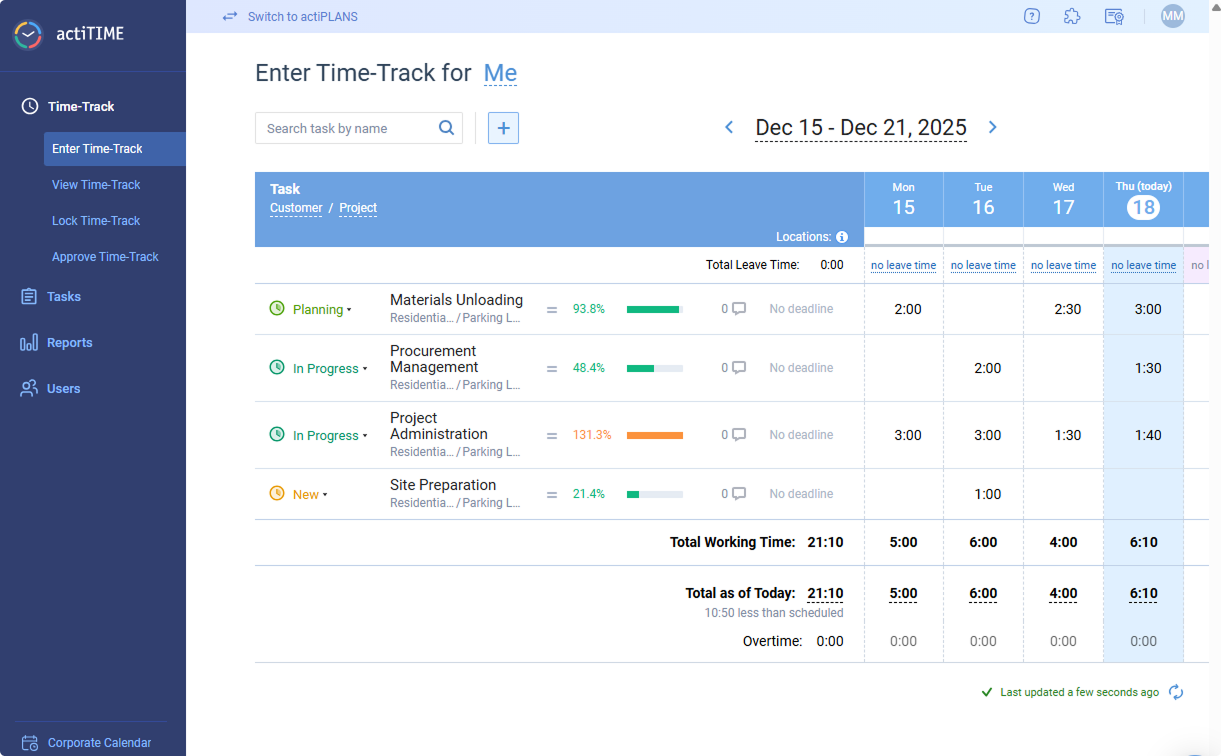
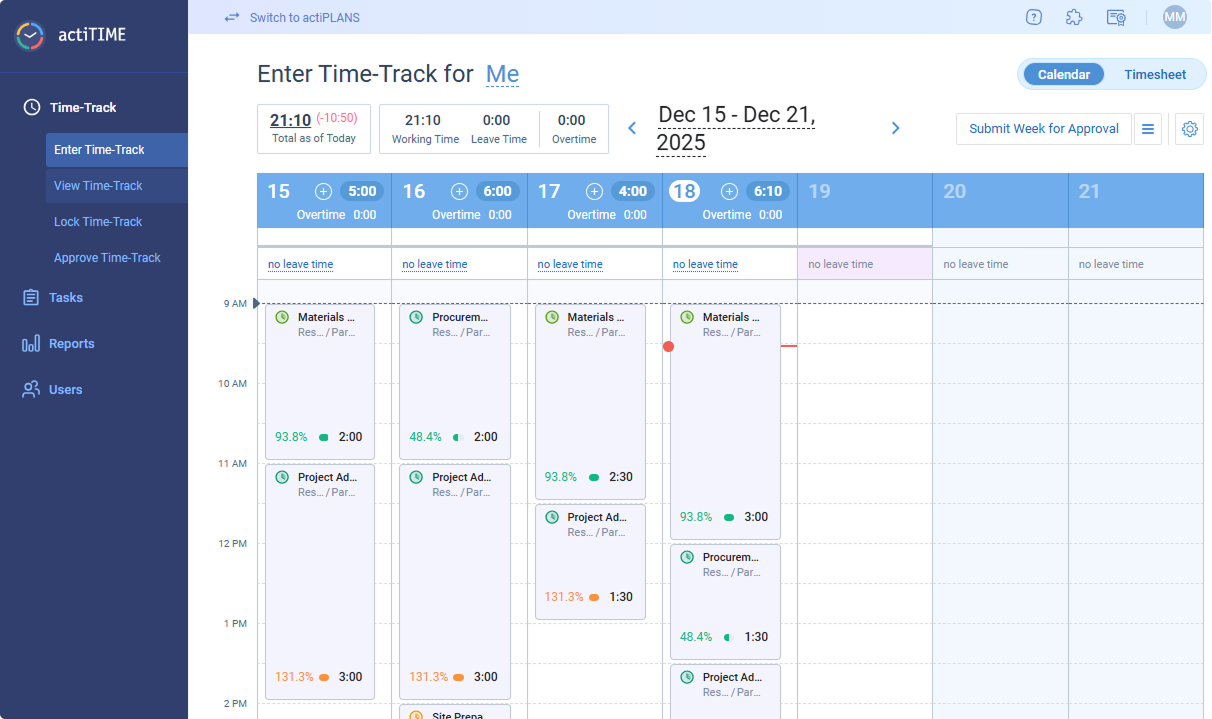
Track work hours by project, client, or task with daily or weekly timesheets and the calendar format. Users can enter time manually or use timers for real-time tracking.
Project & Task Management
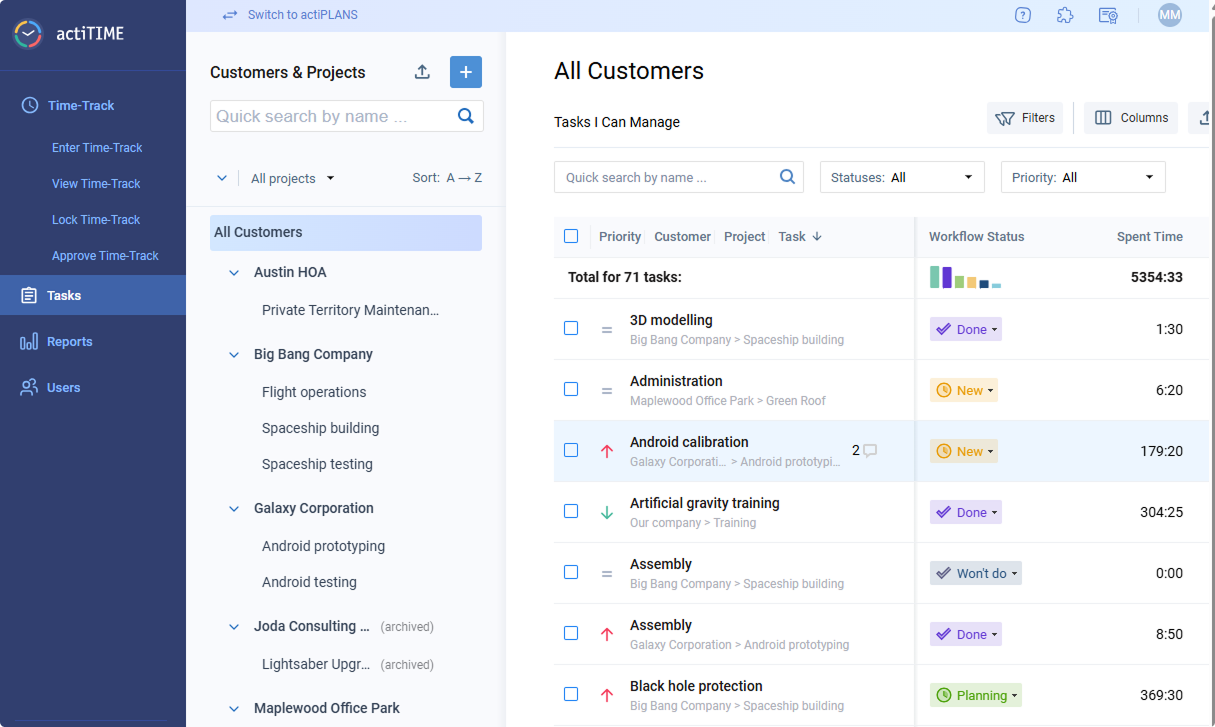
Plan, assign, and monitor tasks within projects to keep teams aligned. Task progress is visible to managers and team members for better accountability.
Reporting & Data Analysis
Generate customizable reports on time usage, project costs, and team performance. Export reports for invoicing, payroll, or internal analysis.
Budget Tracking
Compare planned vs. actual time and costs to prevent overruns. Set project budgets and receive alerts when limits are approached.
Billing & Invoicing
Track billable hours, apply custom rates, and generate invoices directly from tracked time. This feature supports accurate client billing and revenue tracking.
Leave Management
Manage PTO, sick leave, and other absences within the same platform. Approvals and balances are tracked automatically for each team member.
Time Governance & Approvals
Control time entry with timesheet approvals, locking, and submission reminders to ensure accuracy and compliance across teams.
Standout Features
Multi-Dimensional Budgeting
actiTIME lets you track time, cost, and billing budgets simultaneously across tasks, projects, and clients. This makes it easier to monitor profitability—not just time spent.
Automated Browser-Based Time Capture
The Time Management Assistant can automatically track time spent across web apps and platforms, reducing reliance on manual entry.
Ease of Use
actiTIME offers a generally intuitive interface with clear navigation, especially for core tasks like entering time and running reports. Most users can get comfortable with basic functionality relatively quickly, particularly in simpler setups. However, as more features are enabled—such as workflows, budgets, and permissions—the interface can feel more complex or busy.
Onboarding
actiTIME provides a structured onboarding experience with a detailed knowledge base, how-to videos, and optional demos. New accounts include sample data and guided steps, helping teams understand how to set up customers, projects, and tasks before rolling out usage.
Initial setup is relatively straightforward for basic use cases, but configuring more advanced features—such as budgets, workflows, and permissions—can take additional time. Most teams can begin tracking time quickly, though full implementation may require more planning and admin involvement.
Customer Support
actiTIME offers multi-channel support, including email, chat, phone, and online contact forms, along with a comprehensive help center and video resources. Users generally report responsive and helpful support, particularly for onboarding and troubleshooting. However, support availability hours are not clearly defined, and response times may vary.

Integrations
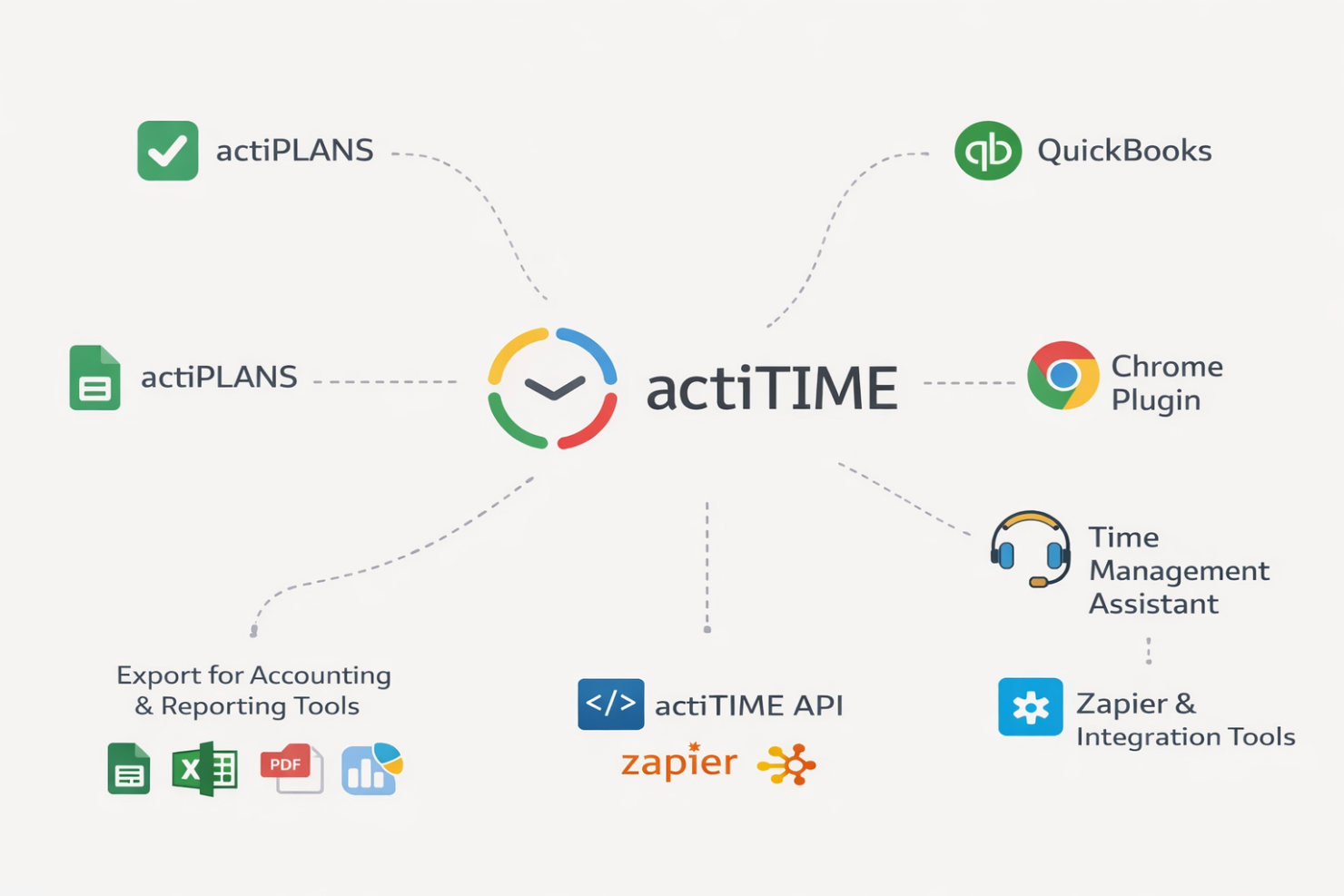
actiTIME integrates with actiPLANS, QuickBooks, Chrome Plugin, Time Management Assistant, and offers export options for accounting and reporting tools, among others.
actiTIME also provides an API and connects with third-party integration tools like Zapier for broader workflow automation.
Value for Money
actiTIME offers solid value for teams that need detailed time tracking, budgeting, and billing capabilities at a relatively affordable price point. Rather than a lightweight tool, it provides deeper functionality—especially for tracking project costs and profitability—which can justify the cost for service-based teams.
The free plan is useful for very small teams but comes with limited functionality. Paid plans remain competitively priced as you scale, though organizations with more complex needs may incur additional costs for customization, data migration, or (in self-hosted setups) infrastructure and maintenance.
- 1–3 Users: Free plan with limited functionality, suitable for basic time tracking needs
- 1–40 Users: Entry-level paid tier with full access to core features, including reporting, billing, and project tracking
- 41–200 Users: Same feature set as lower tier, with more cost-efficient scaling for growing teams
- 200+ Users: Custom enterprise plan with a fixed pricing model and full feature access
- Self-Hosted: One-time license with full functionality, requiring internal infrastructure, setup, and ongoing maintenance

New Product Updates from actiTIME

actiTIME Visual Hour Indicator and Time-Track Report Redesign
actiTIME introduces the Visual Hour Indicator and a redesigned Time-Track Report to improve time tracking and reporting. These updates add visual progress indicators, continuous scrolling, custom sorting, and clearer report layouts for a more efficient reporting experience. Highlights include:
- Visual Hour Indicator: Displays logged hours with a wave-based progress indicator that shows daily completion status and weekly totals at a glance.
- Redesigned Time-Track Report: Adds continuous scrolling, improved table hierarchy, custom sorting, and updated charts for easier navigation and clearer reporting.
Visit actiTIME's official site for more details.
 for more details.
actiTIME Specs
- Analytics
- API
- Approval Workflows
- Attendance Tracking
- Batch Permissions & Access
- Billing/Invoicing
- Budgeting
- Calendar Management
- Dashboard
- Data Export
- Data Import
- Data Visualization
- Expense Tracking
- External Integrations
- Forecasting
- Multi-User
- Notifications
- Project Management
- Resource Management
- Scheduling
- Task Scheduling/Tracking
- Time Management
- Timesheets
- Vacation & Absence Calendar
actiTIME FAQs
Can actiTIME handle multiple projects and clients at once?
How customizable are actiTIME’s reports?
Does actiTIME support billable and non-billable hours?
What data security and compliance measures does actiTIME provide?
How easy is it to onboard a new team to actiTIME?
Can actiTIME track paid time off and other leave types?
Is there a mobile app or a mobile-friendly version of actiTIME?
What kind of customer support does actiTIME provide?
actiTIME Company Overview & History
actiTIME is a privately held company specializing in time tracking and project management software for businesses of all sizes. Headquartered in Toronto, Canada, actiTIME serves over 100,000 clients worldwide. Notable clients include Xerox, Cisco, AbbVie, Bristol, DHL, General Electric, and Philips. actiTIME also offers actiPLANS, a leave management solution, and is known for its focus on usability and continuous product updates.
actiTIME Major Milestones
- 2004: actiTIME Inc. founded and initial product launched.
- 2000s–2010s: Expanded client base to include major global enterprises.
- 2020s: Surpassed 100,000 clients worldwide and introduced actiPLANS as a complementary product.