

Acquia DAM Bewertung: Vorteile, Nachteile, Funktionen & Preise



Acquia DAM (Widen) is a digital asset management software for marketing and brand teams that need to organize, govern, and distribute large libraries of digital content. It's worth a close look if your team handles complex asset taxonomies, multiple product lines, or strict brand governance requirements. I'd choose it over Bynder when metadata-driven organization matters most. Bynder has a cleaner interface, but Acquia DAM (Widen) gives you more control over how assets are tagged, categorized, and surfaced across teams.
Acquia DAM (Widen) Evaluation Summary
- Pricing upon request
- Free demo available
Warum Sie unseren Software-Empfehlungen vertrauen können
Unser Team testet und bewertet Software seit 2012. Als Projektmanager wissen wir selbst, wie schwierig – und wichtig – es ist, die richtige Software auszuwählen.
Für diesen Leitfaden haben wir Tools mithilfe von praktischen Tests und unabhängiger Recherche bewertet und dabei unsere Bewertungskriterien angewendet. Zudem greifen wir auf Erkenntnisse von Branchenvordenkern und praktizierenden Projektmanagement-Experten zurück.
Unsere Bewertungen spiegeln unser menschliches redaktionelles Urteilsvermögen wider, keine Verkaufsstrategie.
Expertenprüfer:
Acquia DAM (Widen) Overview
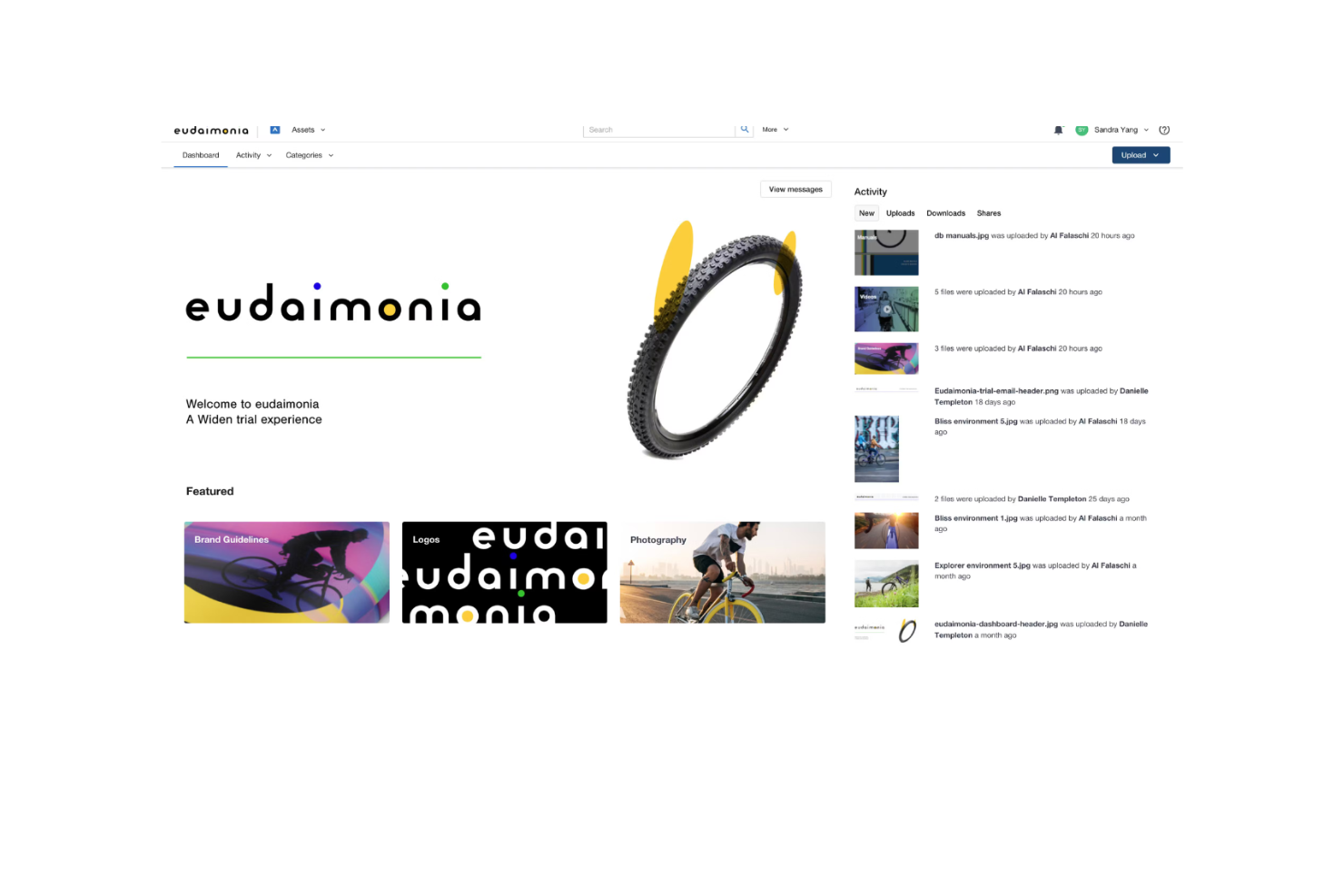
Acquia DAM (formerly known as Widen Collective) is a strong digital asset management solution that is particularly well-suited for marketing and creative teams. It offers extensive support and a wide range of features that help with asset organization and collaboration. Its ability to integrate with CMS platforms and responsive customer support set it apart from competitors.
However, the pricing is less accessible for smaller teams, and the onboarding experience could be more user-friendly. It also lacks breadth in third-party integrations, but it’s a worthwhile DAM solution for teams that need strong asset and brand management.
pros
-
It offers an excellent customer experience, and their support team can respond quickly and effectively to your team's needs.
-
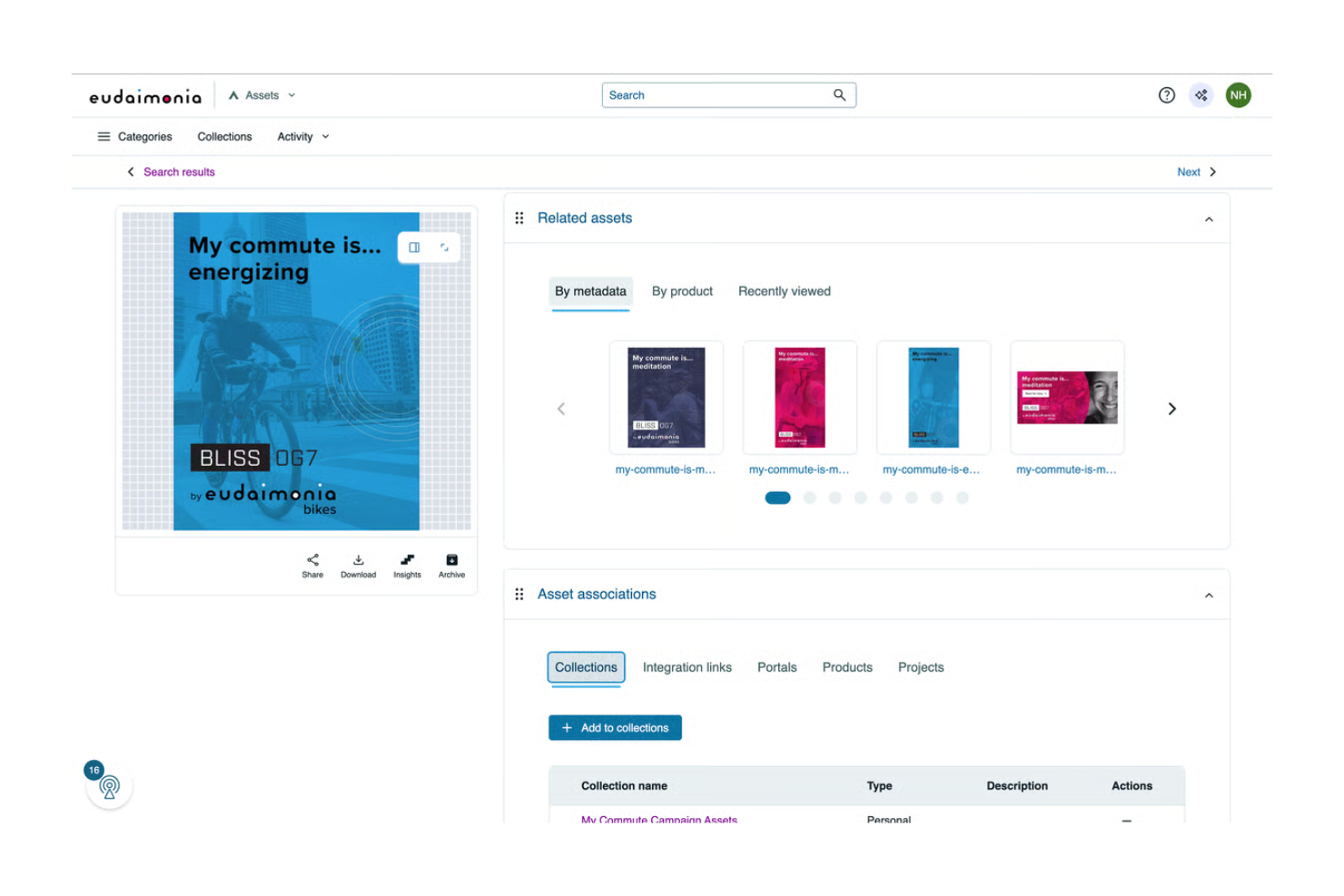
The intuitive interface simplifies asset management and makes it easy for your team to find and use assets.
-
It improves collaboration and lets your team work together seamlessly on digital content.
cons
-
The onboarding process can be a bit complex and time-consuming for new users.
-
It doesn’t offer as many templates as some competitors, which could slow your team's initial setup.
-
The learning curve can be steep and lots of time is required for your team to master all functionalities.
-

Smartsheet
Visit WebsiteThis rating combines scores from multiple user review sites to reflect overall customer sentiment about the product.4.5 -
Celoxis
Visit WebsiteThis rating combines scores from multiple user review sites to reflect overall customer sentiment about the product.4.5 -
Accelo
Visit WebsiteThis rating combines scores from multiple user review sites to reflect overall customer sentiment about the product.4.4





Unsere Bewertungsmethodik
Wie wir Tools testen & bewerten
Wir haben jahrelang unser System zur Softwareüberprüfung und -bewertung aufgebaut, verfeinert und verbessert. Das Bewertungsschema wurde entwickelt, um die Feinheiten der Softwareauswahl und die Effektivität eines Tools einzufangen, wobei der Fokus auf den entscheidenden Aspekten des Entscheidungsprozesses liegt. Unten sehen Sie genau, wie unser Test- und Bewertungssystem über sieben Kriterien hinweg funktioniert. So können wir eine objektive Einschätzung der Software auf Grundlage von Kernfunktionen, herausragenden Merkmalen, Benutzerfreundlichkeit, Onboarding, Kundenservice, Integrationen, Kundenbewertungen und Preis-Leistungs-Verhältnis bieten.
Kernfunktionalität (25% der Gesamtbewertung)
Ausgangspunkt unserer Bewertung ist immer die Kernfunktionalität des Tools. Hat es die grundlegenden Funktionen, die ein Nutzer erwarten würde? Sind einige dieser Kernfunktionen nur in höherpreisigen Tarifen verfügbar? Wir erwarten, dass ein Tool mindestens den grundlegenden Leistungsumfang seiner Mitbewerber erfüllt.
Herausragende Funktionen (25% der Gesamtbewertung)
Anschließend bewerten wir außergewöhnliche Funktionen, die über die üblichen Kernfunktionen hinausgehen. Eine hohe Bewertung spiegelt spezialisierte oder einzigartige Eigenschaften wider, durch die das Produkt schneller, effizienter oder für den Nutzer besonders wertvoll wird. Wir bewerten auch, wie einfach sich das Tool in andere Tools integrieren lässt, die üblicherweise im Tech-Stack zu finden sind, um die Funktionalität zu erweitern. Lösungen mit vielen nativen Integrationen, Drittanbieter-Anbindungen und API-Zugang zur Erstellung individueller Verknüpfungen schneiden am besten ab.
Benutzerfreundlichkeit (10% der Gesamtbewertung)
Wir berücksichtigen, wie schnell und einfach sich die Aufgaben – basierend auf der Kernfunktionalität – mit dem Tool erledigen lassen. Eine hohe Bewertung erhalten Tools, die durchdacht gestaltet und intuitiv bedienbar sind, mobile Apps und Vorlagen bieten und sogar komplexe Aufgaben einfach erscheinen lassen.
Onboarding (10% der Gesamtbewertung)
Wir wissen, wie wichtig eine schnelle Einführung im Team ist, und bewerten deshalb, wie leicht ein Tool mit minimaler Schulung erlernt und genutzt werden kann. Wir prüfen, wie schnell neue Teammitglieder ohne Vorkenntnisse starten können. Lösungen, die wenig oder gar keine Unterstützung erfordern, erhalten die höchste Bewertung.
Kundenservice (10% der Gesamtbewertung)
Wir überprüfen, wie schnell und unkompliziert Hilfe per Telefon, Live-Chat oder Wissensdatenbank verfügbar ist. Tools und Unternehmen, die Echtzeit-Support bieten, schneiden am besten ab; Chatbots am schlechtesten.
Kundenbewertungen (10% der Gesamtbewertung)
Neben unseren eigenen Tests beziehen wir auch den Net Promoter Score aktueller und ehemaliger Nutzer ein. Wir prüfen die Wahrscheinlichkeit, mit der sie das Tool erneut für die Kernfunktionalitäten wählen würden. Ein hohes Ergebnis spiegelt einen hohen Net Promoter Score bei aktuellen oder früheren Kund:innen wider.
Preis-Leistungs-Verhältnis (10% der Gesamtbewertung)
Abschließend vergleichen wir – unter Berücksichtigung aller anderen Kriterien – den Durchschnittspreis der Einstiegstarife mit den Kernfunktionen und bewerten das Preis-Leistungs-Verhältnis. Software, die mehr Leistung für weniger Geld bietet, bekommt die höchsten Werte.
Core Features
Asset Organization: Acquia DAM helps you categorize and store your digital files efficiently, which makes it easy for your team to find what they need. Its intuitive tagging and metadata features allow for quick retrieval of assets.
Native Integrations: Acquia DAM can connect with tools like Drupal, Slack, Adobe Creative Cloud, Asana, and Microsoft Office 365. These integrations let teams access and use assets directly within their existing workflows.
Mobile-Responsive: Acquia DAM’s web interface adapts seamlessly to smartphones and tablets, so you have full access to features on any device. This lets you manage, share, and collaborate on assets from anywhere without needing a separate mobile app.
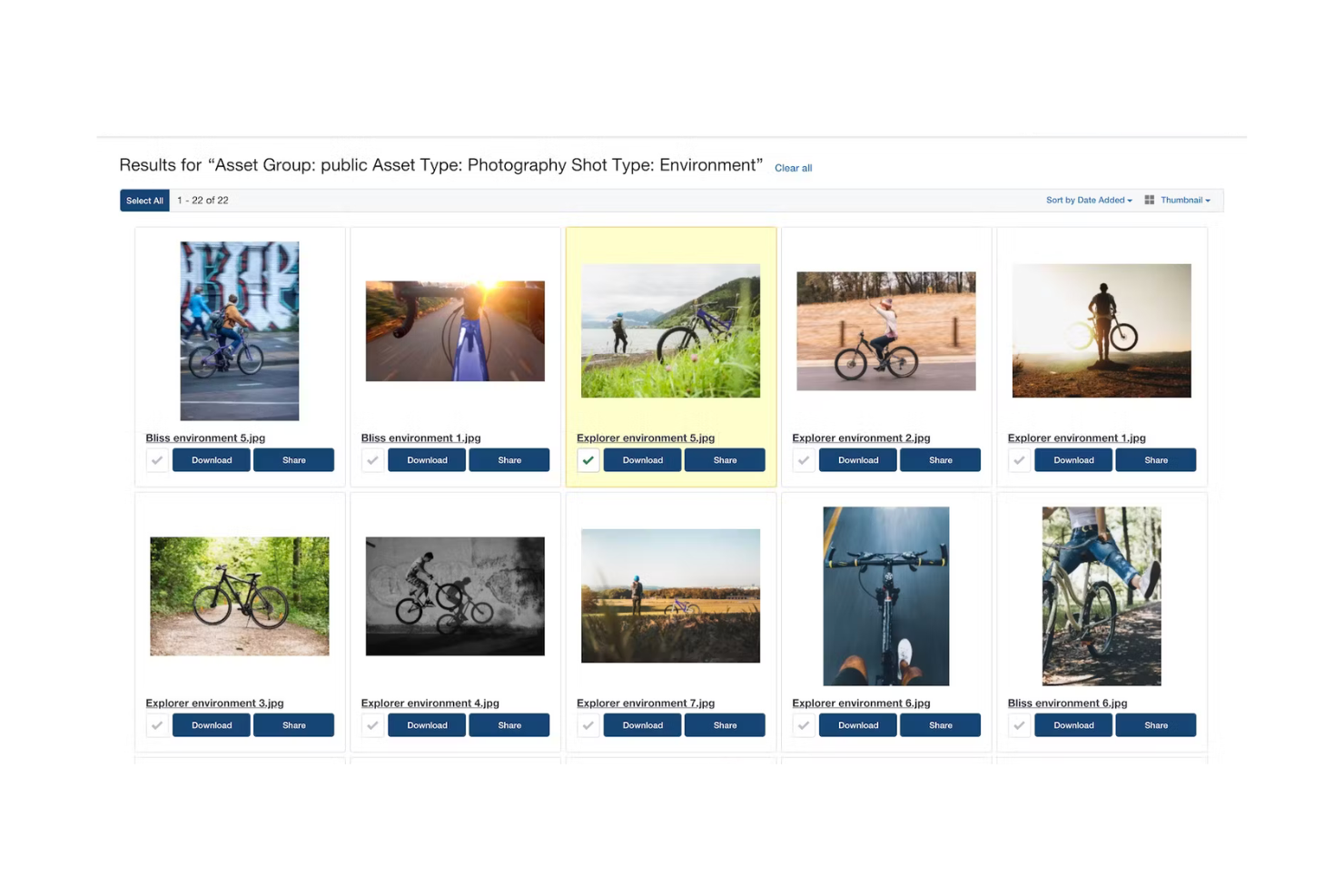
Search Functionality: Acquia DAM's powerful search tool lets your team find assets quickly using keywords and filters. This saves time and boosts productivity when you’re managing large asset libraries.
Collaboration Tools: Your team can collaborate in real-time and share feedback and updates directly within the platform. This improves your workflow and your team’s ability to work together.
Reporting and Analytics: Acquia DAM provides insights into asset usage and performance to help you make informed decisions. You can track engagement and optimize your content strategies effectively.
Ease of Use
Acquia DAM may not be ideal for small businesses or startups with limited budgets, as its pricing is high and onboarding can be complex.
Teams with minimal digital content or basic asset management needs might not fully benefit from its advanced features. If quick setup and ease of use are priorities, more straightforward digital asset management platforms may be a better fit.
Acquia DAM (Widen) Specs
- Access Management
- API
- Asset Tagging
- Automatic Transcription
- Batch Permissions & Access
- Brand Asset Creation
- Brand Management
- Dashboards
- Database Search
- Document Comparison
- Document Sharing
- Downloading
- External Integrations
- File Format Conversion
- File Sharing
- File Transfer
- History/Version Control
- Keyword Tracking
- Materials Library
- Metadata Management
- Multi-User
- Product Catalog
- Reports
- Review Monitoring
- Template Designer
Alternatives to Acquia DAM (Widen)




Acquia DAM (Widen) FAQs
How does Acquia DAM handle data security and compliance?
Can I customize workflows in Acquia DAM?
Is there a mobile app for Acquia DAM?
How does Acquia DAM support collaboration?
What kind of training resources are available for new users?
Can I track asset usage in Acquia DAM?
Does Acquia DAM support multiple languages?
What kind of customer support can I expect with Acquia DAM?
Wie geht es weiter?
Möchten Sie sich mit anderen digitalen Projektmanager:innen vernetzen, um Ressourcen und Best Practices auszutauschen? Treten Sie unserer Community bei und erhalten Sie Zugang zu über 100 Vorlagen, Beispielen und Mustern und vernetzen Sie sich mit Hunderten anderer digitaler Projektmanager:innen in Slack.