

2026’da İncelenen En İyi 10 İnşaat Kaynak Yönetimi Yazılımı

En İyi İnşaat Kaynak Yönetimi Yazılımları Kısa Listesi


Ekipleri plan doğrultusunda çalışır durumda tutmak, ekipmanları gereken yerde bulundurmak ve programları kontrol altında tutmak kolay değildir. Birden fazla sahada iş gücünü, malzemeleri ve alt yüklenicileri yönetirken gecikmeler ve iletişim eksiklikleri hızla birikebilir.
İnşaat kaynak yönetimi yazılımı; işleri atamanıza, uygunluğu takip etmenize ve size zaman ya da para kaybettirmeden önce sorunların önüne geçmenize yardımcı olur.
Bu listede, piyasadaki en iyi seçenekleri inceleyeceğim. Proje yönetimi yazılımlarını bağımsız olarak test edip değerlendiriyorum ve bu araçları, inşaat proje yönetiminde çalışan kişiler için gerçekten işe yarayan özelliklere göre seçtim.
Why Trust Our Software Recommendations
Our team has been testing and reviewing software since 2012. As project managers ourselves, we know how difficult—and important—it is to choose the right software.
For this guide, we evaluated tools using hands-on testing and independent research, scoring tools using our selection criteria. We also draw on insights from industry thought leaders and practicing project management experts.
Our reviews reflect our human editorial judgment, not a sales pitch.
Expert reviewers:
İnşaat Kaynak Yönetimi Yazılımları Karşılaştırma Tablosu
Bu karşılaştırma tablosu, en iyi inşaat kaynak yönetimi yazılımı seçimlerimin fiyatlandırma ayrıntılarını özetlemektedir:
| Tool | Starting Price | Website | |
|---|---|---|---|
| Best for visualizing team workloads | 4.3 out of 5 | $10/user/month Free plan + 14-day trial + demo available | Book Demo |
| Best for capacity-based resource allocation | 4.5 out of 5 | $17/user/month 14-day free trial | Book Demo |
| Best with a single database platform | 4.2 out of 5 | Pricing upon request Free demo available | Website |
| Best for resource maintenance | 4.8 out of 5 | Pricing upon request Free demo available | Website |
| Best for resource allocation | 4.6 out of 5 | $63.55/month 15-day free trial | Book Demo |
| Best for on-site efficiency | 4.5 out of 5 | $49/month 30-day free trial + free demo available | Website |
| Best for customer management | 4.5 out of 5 | Pricing upon request Free demo available | Website |
| Best for field coordination | 4.5 out of 5 | $39/user/month Free plan available | Website |
| Best for planning accuracy | 4.4 out of 5 | Pricing upon request Not available | Website |
| Best for connecting field data to job costs | 4.4 out of 5 | Pricing upon request Free demo available | Website |
En İyi İnşaat Kaynak Yönetimi Yazılımları İncelemeleri
Aşağıda, kısa listeme giren en iyi inşaat kaynak yönetimi yazılımlarına ilişkin ayrıntılı özetlerimi bulabilirsiniz. İncelemelerimde, her aracın temel özelliklerini, avantajlarını & dezavantajlarını, entegrasyonlarını ve ideal kullanım alanlarını ayrıntılı olarak ele alarak sizin için en uygun seçeneği bulmanıza yardımcı oluyorum.

Wrike
Best for visualizing team workloads
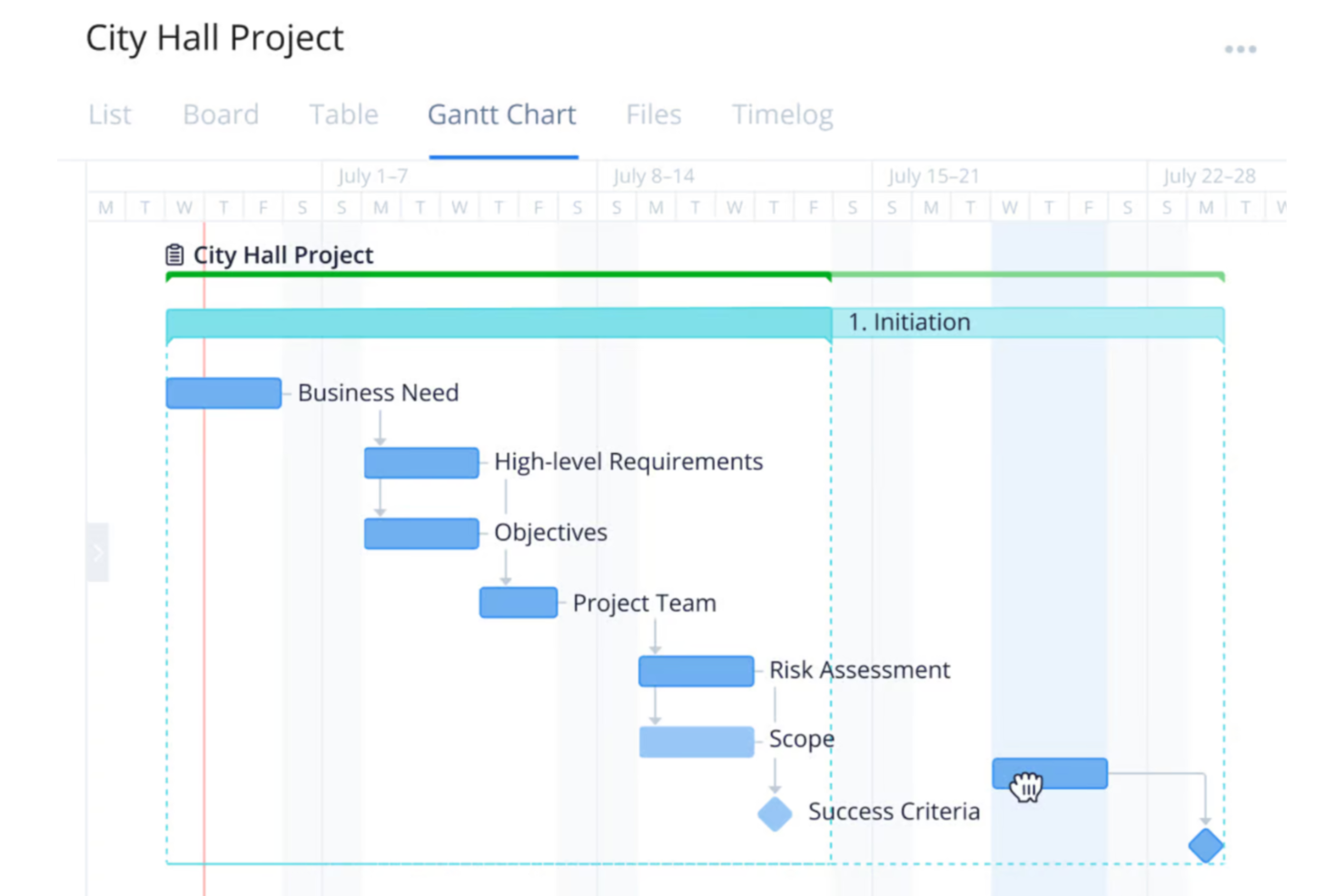
Wrike is a versatile project management platform designed for organizations across various industries, including construction teams wanting to improve the planning, execution, and delivery of projects.
Why I Picked Wrike:
One of Wrike's key features is its workload charts. These charts provide a clear view of each team member's assignments and capacity, helping you distribute tasks effectively and prevent overloading. By visualizing workloads, you can allocate resources based on availability and project needs, ensuring balanced workloads and timely project completion. I also like Wrike's time-tracking tools. These allow your team to log hours spent on tasks, providing insights into productivity and project progress.
Standout features & integrations:
Features include customizable dashboards that let you tailor your workspace to your team's specific needs, providing quick access to essential project information. Additionally, Wrike's dynamic request forms streamline the intake process by capturing all necessary details upfront, reducing back-and-forth communications. The platform also offers real-time reporting tools, enabling you to generate up-to-date reports on project status and resource utilization.
Integrations include QuickBooks, Skyvia, Power BI, Google Sheets, Miro, Salesforce, Tableau, Microsoft Teams, MediaValet, Zoom, Adobe Creative Cloud, and Google Drive.
Pros and Cons
Pros:
- Scalable for growing teams
- Custom workflows, dashboards, and reports
- Offers diverse project management tools
Cons:
- No built-in chat feature
- Learning curve due to extensive features
New Product Updates from Wrike

Wrike Redesigns Workspace Search With New Filters
Wrike introduces a redesigned Workspace Search interface with recent search shortcuts, item type and location filters, and parent-task context. These updates help users find relevant work items and navigate search results efficiently. For more information, visit Wrike’s official site.
 .

Scoro
Best for capacity-based resource allocation
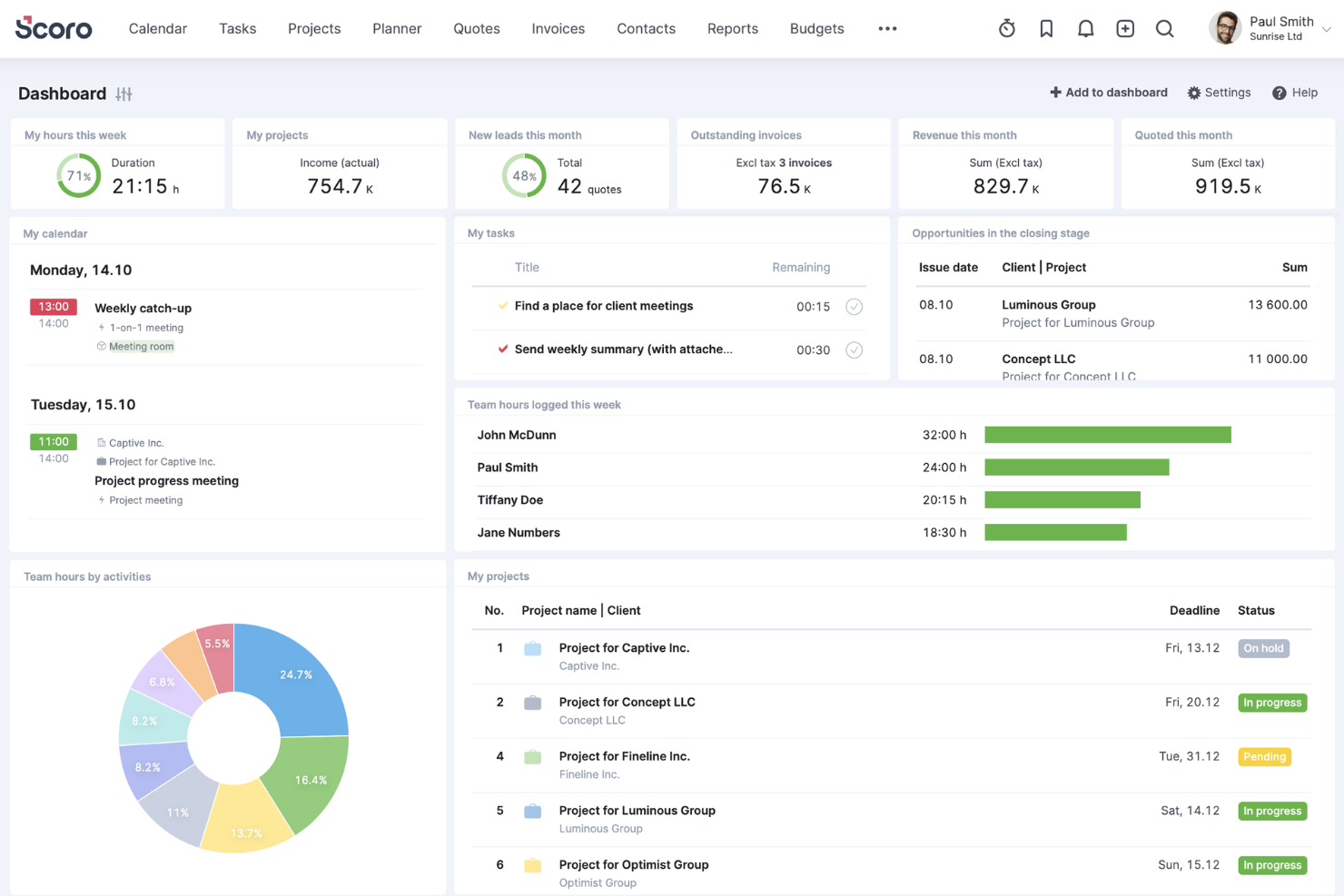
Scoro is an all-in-one business management software designed to help professional service firms enhance their operations. It integrates project management, resource planning, sales, billing, and reporting into a single platform.
Why I Picked Scoro:
Scoro offers a dynamic Gantt chart feature that allows you to track real-time progress, manage tasks and dependencies, and adjust plans as needed. This ensures that your construction projects stay on schedule and that any changes are immediately reflected across the team, minimizing manual updates and reducing the risk of double bookings. Another valuable feature is Scoro's resource planning capabilities. You can define individual team members' capacity and allocate resources based on actual availability, helping you avoid overloading your staff and ensuring optimal utilization.
Standout features & integrations:
Features include time-tracking tools that let your team log both billable and non-billable hours, providing accountability and accurate client billing. Shared calendars and timesheets enhance team coordination by offering a unified view of schedules and deadlines. Additionally, Scoro's quoting and budgeting tools enable you to create detailed proposals and monitor project costs against budgets.
Integrations include Gmail, Google Calendar, Microsoft Exchange, QuickBooks, Xero, Stripe, PayPal, Jira, Asana, HubSpot, Salesforce, Dropbox, and Zapier.
Pros and Cons
Pros:
- Robust reporting and analytics
- Good resource planning and utilization management
- Comprehensive project management features
Cons:
- Some time tracking features are limited to higher-tier plans
- Mobile app could be improved
New Product Updates from Scoro

Scoro Adds Time Mobile App and ELI Improvements
Scoro adds the Scoro Time mobile app for iOS/Android to track time anywhere and expands ELI with attachments, smarter filtering, and trigger-based actions. For more information, visit Scoro's official site.
 .
CMiC
Best with a single database platform
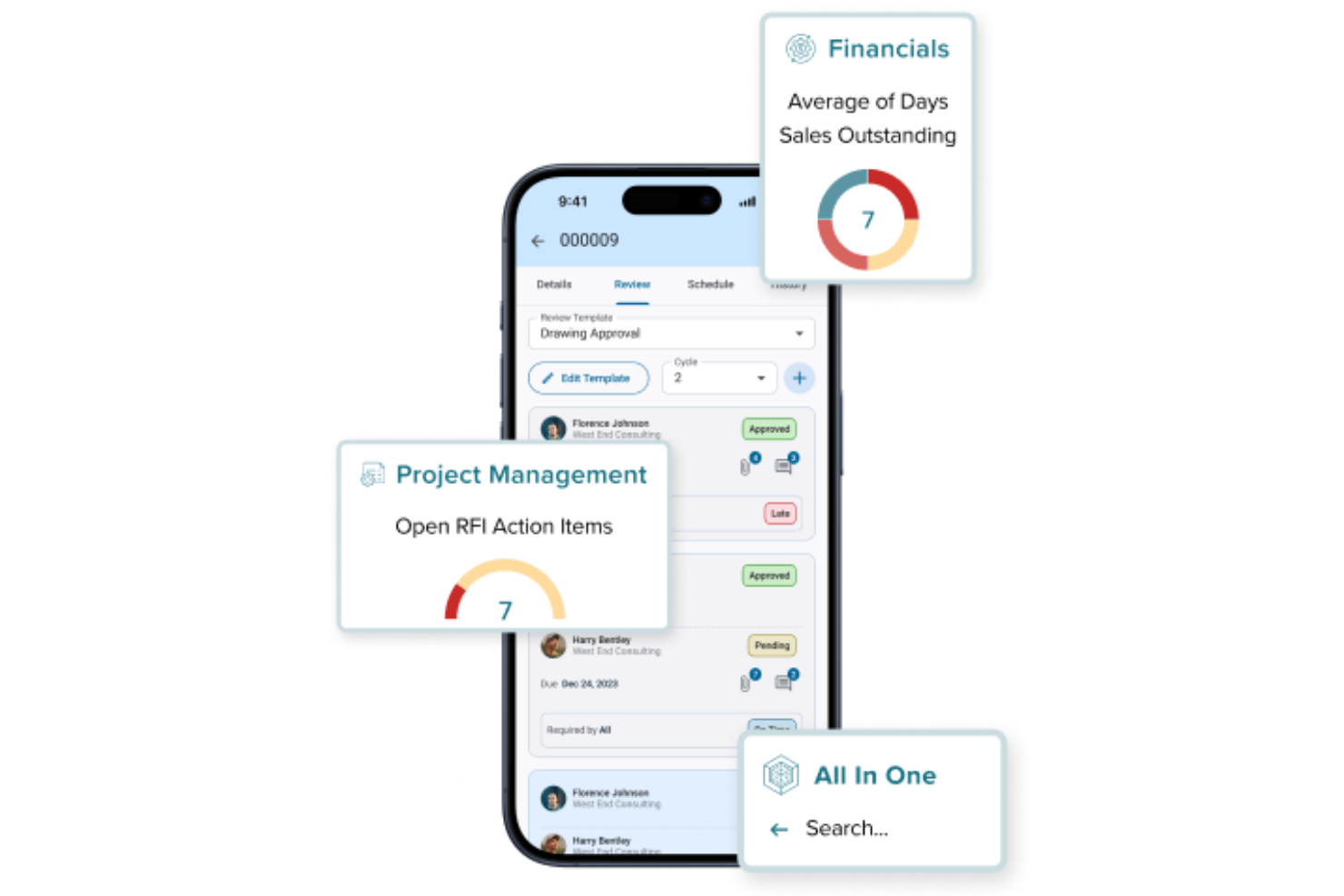
CMiC is a construction management platform built for firms that need to connect project teams, resources, and financials in one place. It’s designed for general contractors, specialty contractors, and project managers who want to unify their workflows and data. CMiC helps address challenges like fragmented information, manual processes, and lack of real-time visibility across construction projects.
Who Is CMiC Best For?
CMiC is a good fit for mid-sized to large construction firms and contractors that need to manage complex projects, resources, and financials within a unified platform.
Why I Picked CMiC
I picked CMiC because its single database platform addresses one of the biggest challenges in construction resource management: fragmented data across multiple systems. With all project, resource, and financial information stored in one centralized database, teams can access real-time updates and maintain data consistency throughout the project lifecycle. This unified approach reduces errors and eliminates the need for manual data reconciliation. I also appreciate how this setup supports better collaboration between office and field teams, ensuring everyone works from the same source of truth.
CMiC Key Features
Some other features in CMiC that stand out for construction resource management include:
- Resource scheduling tools: Assign and manage labor, equipment, and materials across multiple projects from a centralized dashboard.
- Document management system: Store, organize, and share project documents, drawings, and contracts with version control.
- Mobile field applications: Enable field teams to access project data, submit reports, and update progress directly from job sites.
- Change order management: Track, approve, and document change orders to maintain project control and transparency.
CMiC Integrations
Integrations include Arcoro, Prophix, Workday, Cosential, HammerTech, SmartBarrel, Nutrient, Salesforce, Clearstory, and Oracle Cloud.
Pros and Cons
Pros:
- Strong payroll and compliance tracking features
- Built-in equipment and subcontractor management tools
- Real-time job costing supports accurate forecasting
Cons:
- Custom report building can be complex
- Mobile app functionality is limited compared to peers

Limble
Best for resource maintenance

Limble is a cloud-based computerized maintenance management system (CMMS) designed for maintenance and resource management operations. It provides an intuitive interface and powerful tools that cater to various industries, including construction.
Why I Picked Limble:
It allows construction teams to manage and prioritize their critical equipment and resources, minimizing downtime and maintenance costs. Limble's preventive maintenance programs automate scheduling and task assignments, ensuring that equipment is maintained proactively, which is essential for avoiding breakdowns and delays in construction projects.
Standout features & integrations:
Features include its mobile accessibility, allowing field teams to manage maintenance tasks on the go, and comprehensive asset management capabilities that centralize all asset information in one place. Additionally, Limble offers a spare parts inventory management system, which ensures that critical parts are always in stock. Other notable features are real-time reporting and dashboards, predictive maintenance, and workflow automation.
Integrations include QuickBooks, Salesforce, Microsoft Teams, Slack, Jira, ServiceNow, and Google Workspace.
Pros and Cons
Pros:
- User-friendly mobile accessibility
- Custom dashboards and work orders
- Automated preventative maintenance
Cons:
- Automated reporting features could be more robust
- Initial setup can be complex

Ezo
Best for resource allocation
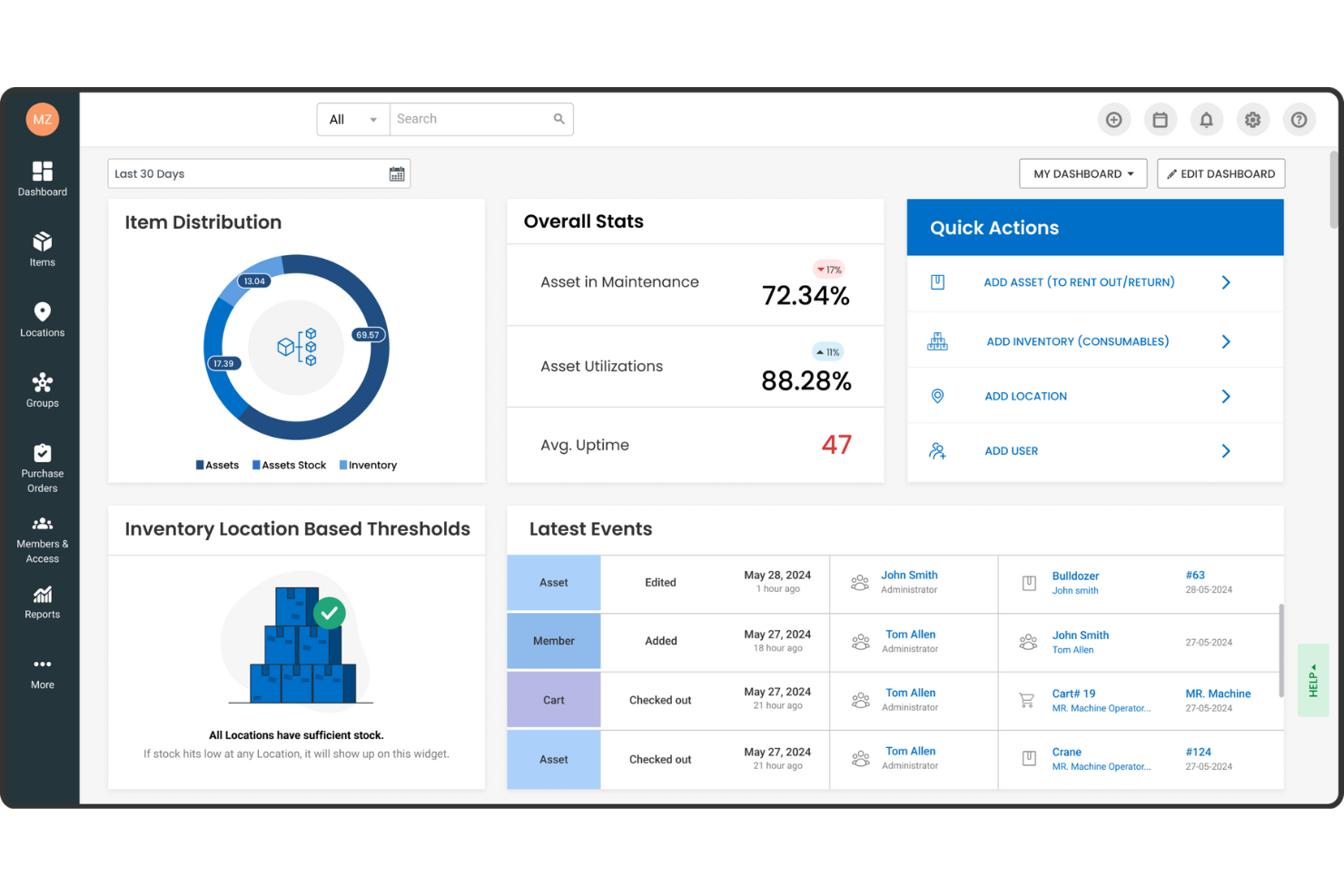
EZOfficeInventory, now known as EZO, is an asset management software designed to enhance the efficiency and utilization of physical assets. It's particularly tailored for sectors like construction, where meticulous resource management is crucial.
Why I Picked EZOfficeInventory:
I picked EZOfficeInventory for construction resource management because of its focus on fixed asset tracking, inventory management, and maintenance management. These features help construction companies keep tabs on their equipment and materials, ensuring everything is in the right place and in good working order. By using these tools, your team can focus more on the project and less on logistical headaches. Another reason is the software's advanced reporting and analytics capabilities, which provide valuable insights into asset performance. This means you can make more informed decisions about resource allocation and maintenance schedules. Knowing exactly how your assets are performing helps you anticipate issues before they become problems, keeping projects on track.
Standout features & integrations:
Features include tool tracking software that allows you to monitor equipment and tools effectively, minimizing loss or misplacement. The software supports various asset tracking methods like barcode, QR code, and RFID, enhancing inventory accuracy. Additionally, EZO offers customizable reporting options tailored to the construction industry's needs, providing valuable data to help you manage resources better.
Integrations include Google Sheets, monday.com, Google Forms, Slack, QuickBooks Online, Microsoft Office 365, Smartsheet, Knack, Zendesk, Jira, Dropbox, and OneDrive.
Pros and Cons
Pros:
- Offers cloud backup management
- Supports multiple tracking technologies like barcode, QR code, and RFID
- Customizable reporting and analytics
Cons:
- Requires training for effective use
- Lack of a sandbox environment for testing new features

Best for on-site efficiency
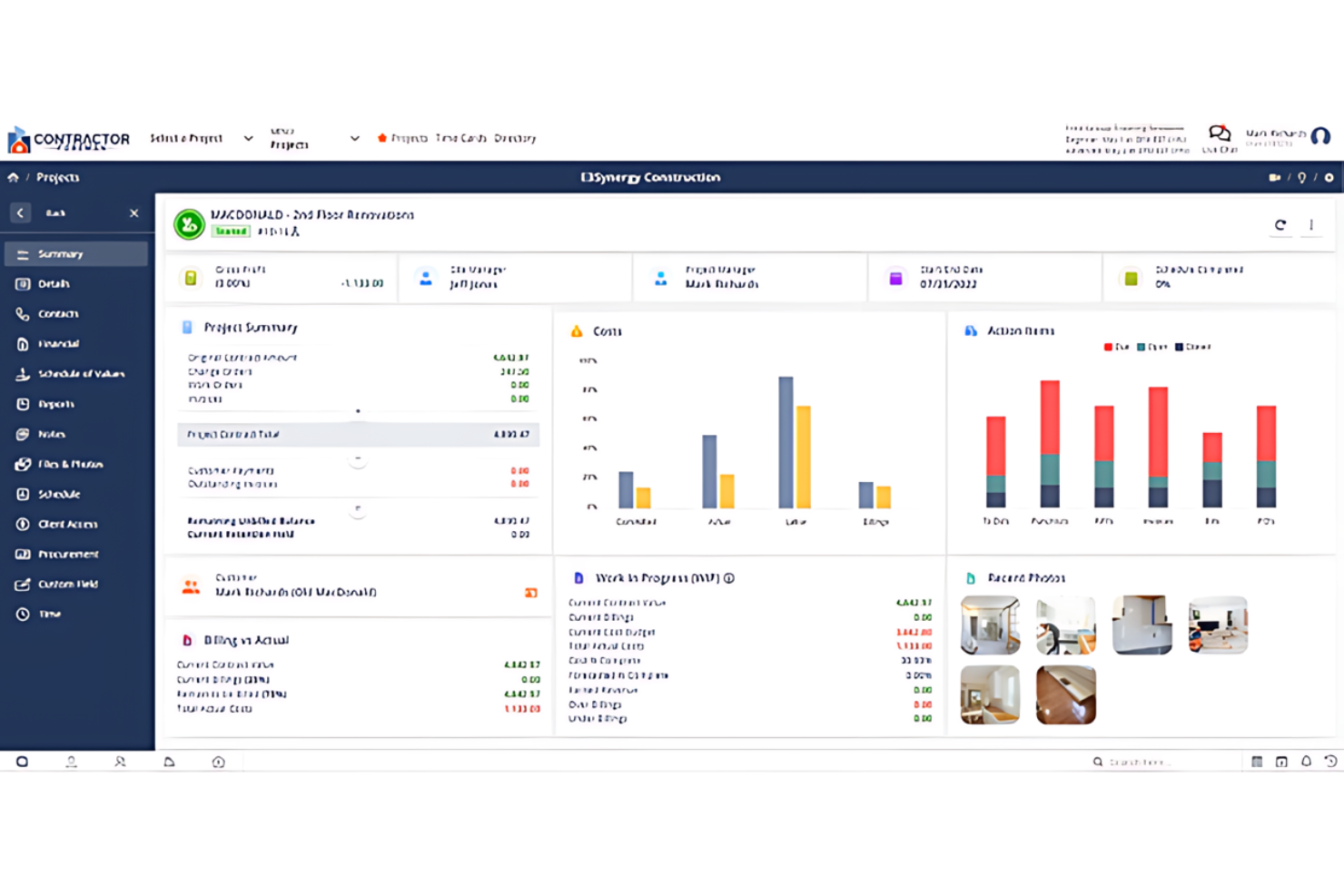
Contractor Foreman is best for contractors needing on-site project management tools. It offers on-site efficiency and has tools designed specifically for contractors' project management needs.
Why I Picked Contractor Foreman:
I selected Contractor Foreman because it uniquely addresses the demands of on-site construction management. Its specialized features help with project oversight and coordination directly in the field. I think it's best for on-site efficiency as it helps contractors manage projects with tools specifically designed for construction sites.
Standout features & integrations:
Features include job scheduling, incident reporting, and time tracking. These are accessible on mobile devices, ensuring project managers and workers stay connected.
Integrations include QuickBooks, Xero, PlanSwift, Google Calendar, Outlook, and Dropbox.
Pros and Cons
Pros:
- Direct integrations with popular accounting and productivity tools
- Complete feature set for end-to-end project management
- Mobile app for on-the-go management
Cons:
- The interface may have a learning curve for new users
- Additional costs for extra features or integrations may apply

Best for customer management

Buildertrend is a construction resource management software that simplifies project management, scheduling, and financial tracking. It helps construction businesses improve accuracy in planning and managing their projects.
Why I Picked Buildertrend:
I chose Buildertrend for its unique focus on customer management in construction. Its dedicated tools for client engagement, including a client portal, enhance transparency and collaboration. These features set it apart from other construction management software.
Standout features & integrations:
Features include project scheduling, budgeting, and customer management, all centralized within a user-friendly interface. The client portal also enables direct communication and updates.
Integrations include QuickBooks, Xero, Procore, Dropbox, DocuSign, Google Calendar, Microsoft Project, Google Drive, Slack, and Trello.
Pros and Cons
Pros:
- Integration with popular accounting and procurement platforms
- Comprehensive project management capabilities
- Dedicated client portal for improved customer interaction
Cons:
- Advanced features require higher-tier plans
- Potential complexity when using the extensive features

Best for field coordination
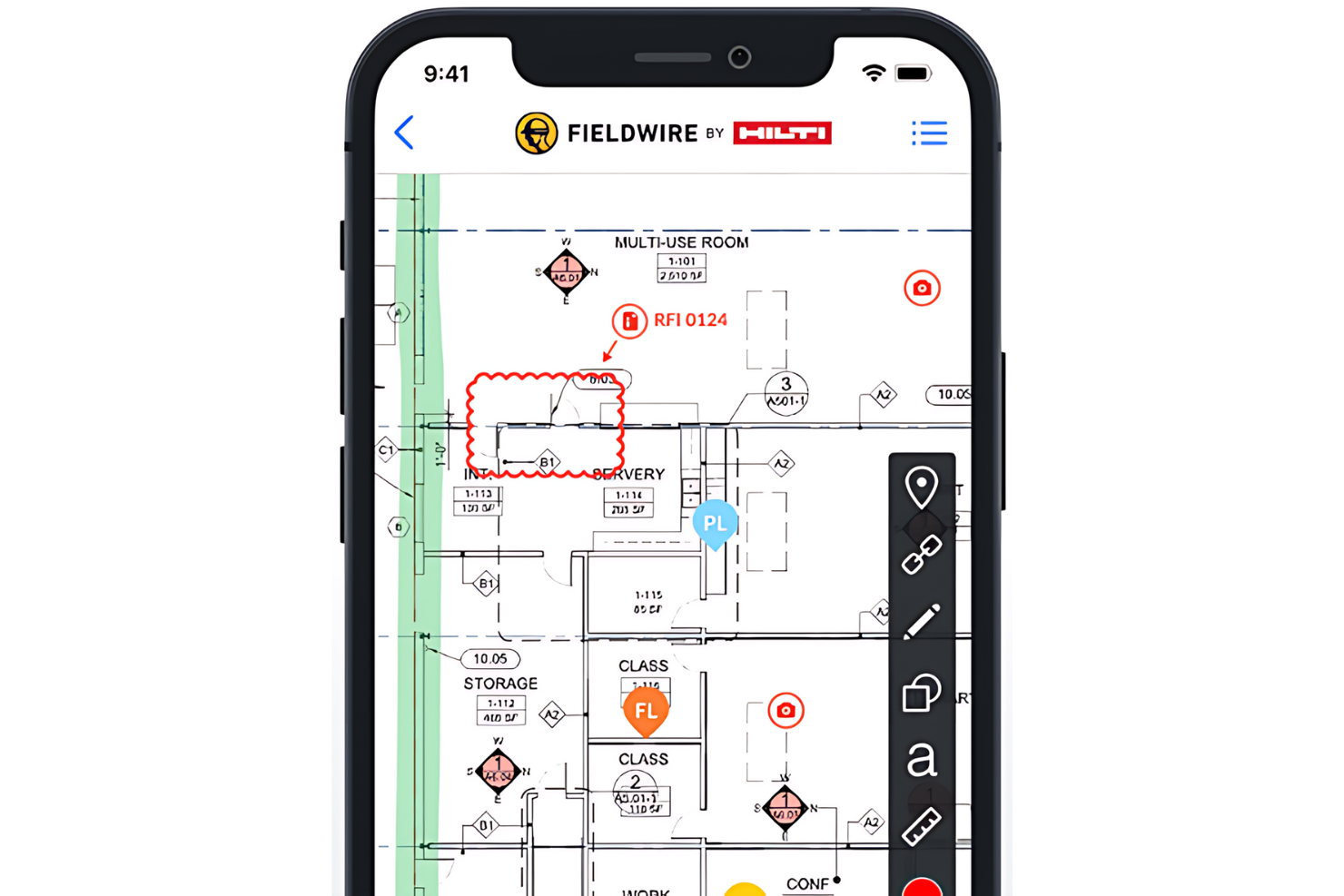
Fieldwire is a task management platform for construction teams. It is ideal for field coordination and simplifying direct communication.
Why I Picked Fieldwire:
I selected Fieldwire for its task management capabilities and emphasis on improving field coordination. Its real-time communication and collaboration features set it apart from other construction management tools. I think Fieldwire is best for field coordination because it can manage tasks, track work progress, and ensure that field teams are always aligned with project goals.
Standout features & integrations:
Features include plan viewing, task management, and issue tracking. The platform also offers powerful reporting tools and a mobile app to keep teams connected.
Integrations include PlanGrid, Autodesk BIM 360, Box, Dropbox, Google Drive, OneDrive, Egnyte, Bluebeam, and Zapier.
Pros and Cons
Pros:
- Mobile app for on-site access
- Comprehensive task management and tracking
- Real-time updates and communication
Cons:
- Higher-tier features require additional investment
- Annual billing is required for the starting price

Basis
Best for planning accuracy
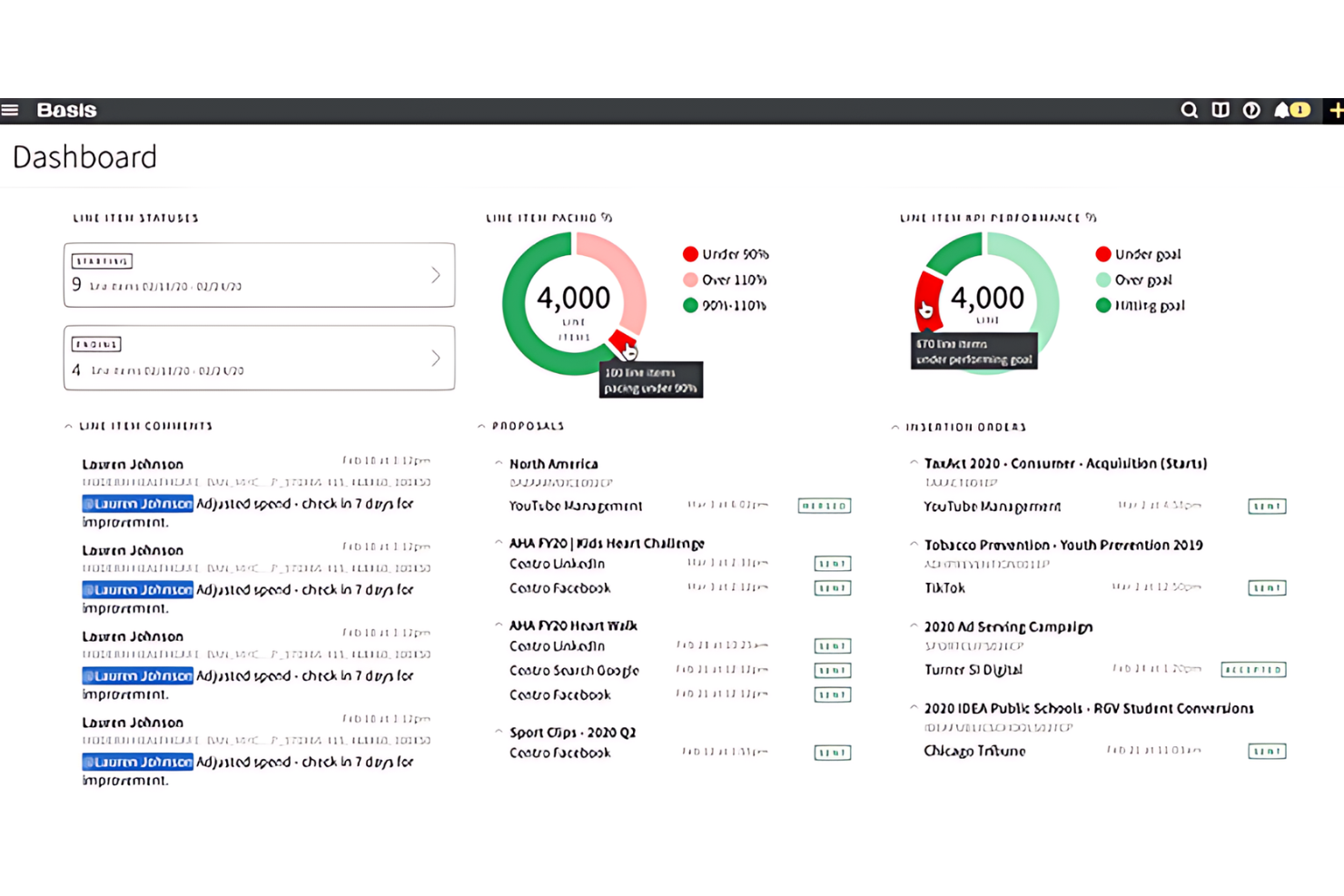
Basis is a software that enhances project planning and scheduling precision. It is best for teams requiring detailed project planning and scheduling as it offers automated bid tracking and efficient organization of bid invites.
Why I Picked Basis:
I chose Basis for its efficient bid management automation, making it ideal for subcontractors and material vendors. Its centralized dashboard ensures planning accuracy by automatically updating bid invites and project schedules.
Standout features & integrations:
Features include a cost database, project and bid management, RFP and task management, file sharing, quotes, version control, supplier management, collaboration tools, and project tracking. These features are essential for streamlining the bidding process and providing bid data analysis.
Integrations include Procore, PlanGrid, Bluebeam, Microsoft Office Suite, QuickBooks, Autodesk BIM 360, Smartsheet, Box, DocuSign, Xero, and more, helping businesses optimize their operations.
Pros and Cons
Pros:
- User-friendly interface with strong customer support
- A centralized dashboard streamlines project planning
- Automated bid tracking eliminates manual data entry
Cons:
- A steep learning curve for some users
- Lack of transparent pricing information
Miter
Best for connecting field data to job costs
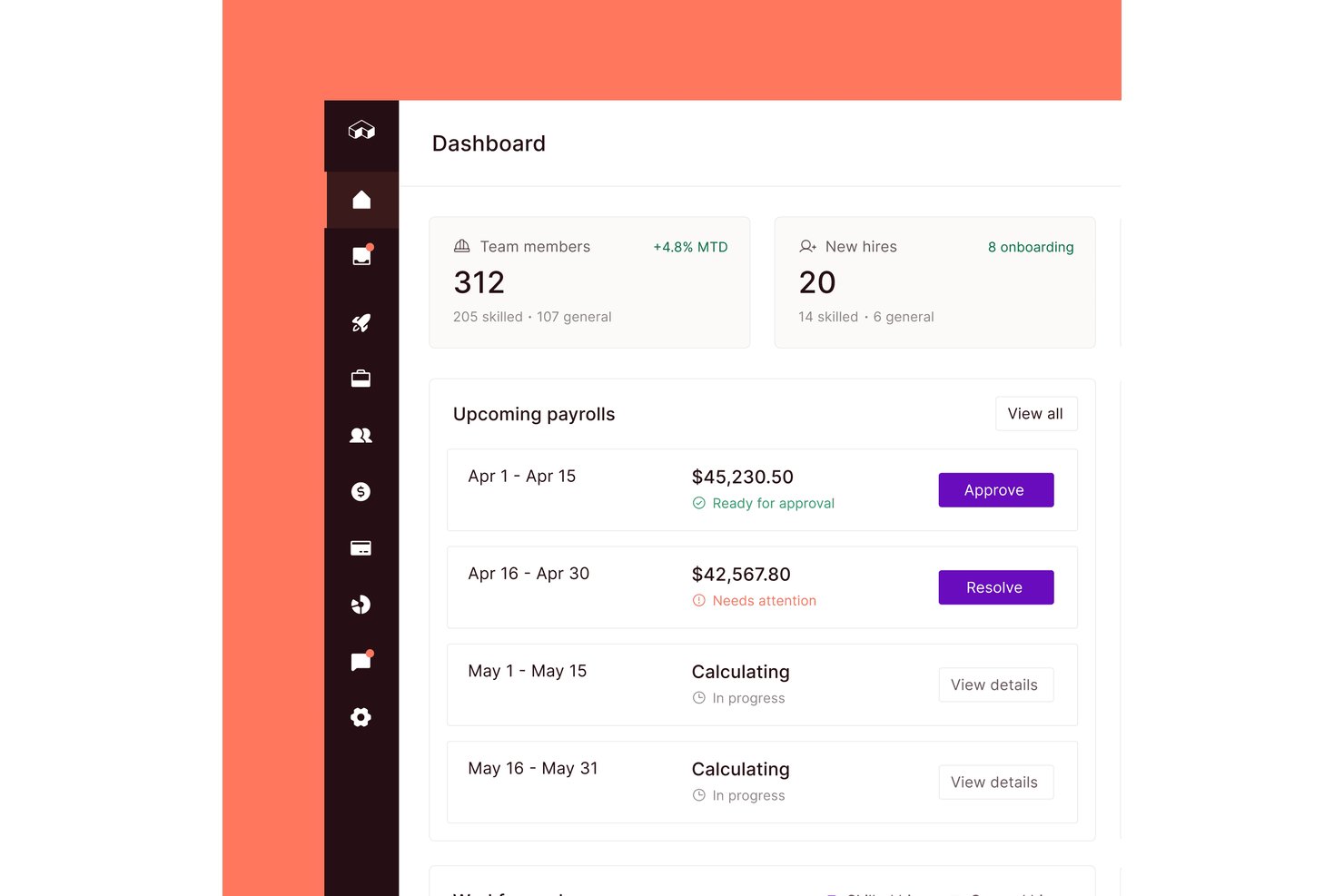
Miter is a construction workforce management platform that covers field time tracking, employee and equipment scheduling, production tracking, daily reports, and safety tools—connected to payroll and ERP job costing.
Who Is Miter Best For?
Miter is a strong fit for construction contractors who need field time tracking and production data tied directly to payroll and ERP job costing.
Why I Picked Miter
I've included Miter in my top picks because it's one of the few tools that closes the loop between what's happening on the jobsite and what shows up in job costing. I love how field crews can log production quantities and equipment hours directly against cost codes, with that data syncing back to ERPs like Sage Intacct or Viewpoint in real time. Supervisors can also compare actual quantities against budgeted quantities by crew, date, and cost code, giving the back office a live picture of where labor and equipment costs are landing.
Miter Key Features
- Geofenced time tracking: Workers can clock in and out via mobile app or kiosk, with geofencing to flag or restrict clock-ins outside a designated jobsite boundary.
- Certification tracking with expiry alerts: Employee credentials and external licenses are stored centrally, with automated reminders before expiration and visibility into missing or lapsing certifications.
- Daily report builder: Field teams can compile timesheets, equipment logs, production quantities, photos, weather data, and signatures into branded PDF jobsite reports.
- Multi-ERP integration: Miter connects natively to Sage Intacct, Viewpoint, Acumatica, QuickBooks, and other construction accounting systems to sync jobs, cost codes, and payroll data.
Miter Integrations
Miter has native integrations with Acumatica, Sage Intacct, Sage 300 CRE, Viewpoint Vista, Viewpoint Spectrum, NetSuite, Procore, HCSS, BuildOps, and QuickBooks. Its REST API supports custom integrations.
Pros and Cons
Pros:
- Field data supports job-costing decisions
- Recurring labor and equipment assignments
- Production quantities compare against budgets
Cons:
- Crews must select the correct job for time entries
- No equipment utilization or demand forecasts
Diğer İnşaat Kaynak Yönetimi Yazılımları
İşte kısa listeme giremeyen ancak yine de göz atmaya değer bazı ek inşaat kaynak yönetimi yazılımı seçenekleri:
- Orangescrum
For team collaboration
- PlanGrid
For document centralization
- CMiC
For enterprise integration
- ConstructionOnline
For real-time data
- Jonas Construction
For financial control
- Builterra
For civil engineering projects
- Hub Planner by Milient
For managing overlapping projects
- Jira
For agile teams
- Zoho Projects
For budget tracking


How I Evaluate Construction Resource Management Software
I split my evaluation into three parts, with the most weight on core functionality: scheduling crews, equipment, and materials across sites, and showing availability to prevent double-booking. Next, I look for differentiators such as equipment GPS tracking or what-if planning. Finally, I consider beyond-feature factors like offline reliability, onboarding support, and ERP integration.
Core Functionality (Table Stakes For This List)
When I'm selecting tools for my list, I score each one on a scale from 0 (does not offer the functionality) to 5 (excels in this area) for each core functionality listed below. I then convert the total into a percentage to help assess each tool's overall fit, with extra weight on any functionalities I’ve deemed essential.
- Multi-Resource Scheduling (Essential): I look for ways to assign crews, equipment, and materials to tasks across sites, then revise plans when availability or delivery dates change.
- Assignment Visibility (Essential): I assess whether a calendar, Gantt, or board view makes bookings across projects easy to scan for gaps and overlaps.
- Capacity & Utilization: I check whether booked and available capacity is clear over time, so an overloaded crew or idle machine is easier to spot.
- Cross-Site Coordination: I look at how readily teams can reallocate shared resources and coordinate handoffs between concurrent projects or job sites.
- Construction Resource Types: I check whether the tool distinguishes trades and crews, equipment units, and materials rather than treating resources as generic tasks.
- Conflict Alerts: I look for automatic flags when a crew or machine is double-booked, plus clear options to reassign it.
Once I have a list of tools that meet the criteria, I consider what sets each platform apart.
Differentiating Factors (What Sets Vendors Apart)
Here's how I compare and contrast different vendors:
Standout Features
I check whether a tool connects with fleet GPS or IoT sensors to show equipment location and usage hours in real time—knowing where a crane actually is beats trusting a spreadsheet. Certification expiry alerts matter just as much, since a lapsed operator license can shut down a pour mid-day. I also look for scenario planning that lets you model crew swaps across projects before committing changes.
Beyond Features
I check whether scheduling data syncs with accounting or ERP systems like Sage or QuickBooks, since dual entry between resource plans and job costing is where margin visibility breaks down. Offline reliability matters just as much—field supervisors on remote sites need mobile apps that capture and sync labor logs without data loss. I also evaluate onboarding support, because construction crews moving off whiteboards need hands-on training to actually adopt the tool.
İnşaat Kaynak Yönetimi Yazılımı Nasıl Seçilir?
Uzun özellik listeleri ve karmaşık fiyatlandırma yapılarına kapılmak kolaydır. Size özgü yazılım seçim sürecinizi yürütürken odaklanmanıza yardımcı olmak için göz önünde bulundurmanız gereken faktörleri içeren bir kontrol listesi hazırladım:
| Faktör | Göz Önünde Bulundurulması Gerekenler |
| Ölçeklenebilirlik | Yazılımın şirketinizle birlikte büyüyebildiğinden, gerektiğinde daha fazla projeyi, kullanıcıyı ve çalışma sahasını destekleyebildiğinden emin olun. |
| Entegrasyonlar | Çift veri girişini azaltmak için planlama, bordro, muhasebe veya ERP sistemlerinize bağlanabilen araçları tercih edin. |
| Özelleştirilebilirlik | Ekibinizin çalışanları ve ekipmanları takip etme biçimine uyacak şekilde araçtaki alanları, görünümleri ve iş akışlarını özelleştirebilmelisiniz. |
| Kullanım Kolaylığı | Ekibinizin yazılımı hızlı bir şekilde kullanmaya başlaması gerekir; özellikle de masa başında çalışmayan ustabaşılar ve saha denetçileri için bu önemlidir. |
| Bütçe | Her fiyatlandırma kademesinde hangi özelliklerin sunulduğunu kontrol edin. Bazı araçlar raporlama veya mobil erişim gibi temel özellikler için ekstra ücret talep eder. |
| Güvenlik Önlemleri | Proje verilerinizi güvende tutmak için platformun role dayalı erişim, veri şifreleme ve düzenli yedekleme sunduğundan emin olun. |
| Mobil Erişim | Saha ekipleri, sahadaki herhangi bir cihazdan görevleri kontrol edebilmeli, ilerlemeyi güncelleyebilmeli ve sorunları kaydedebilmelidir. |
| Destek Seçenekleri | Projeler söz konusu olduğunda güvenilir destek önemlidir. Canlı sohbet, işe alıştırma yardımı ve nasıl yapılır kaynakları sunan araçları tercih edin. |
İnşaat Kaynak Yönetimi Yazılımındaki Trendler
Araştırmam sırasında farklı inşaat kaynak yönetimi yazılımı tedarikçilerinden sayısız ürün güncellemesi, basın bülteni ve sürüm günlüğü derledim. İşte yakından takip ettiğim yükselen trendlerden bazıları:
- Uzmanlık Alanına Göre Özelleştirme: Artık daha fazla araç; sıhhi tesisat, beton veya elektrik gibi farklı iş kollarına göre uyarlanmış ayarlar ve şablonlar sunuyor. Bu, her iş için sıfırdan özelleştirme yapmadan doğru ekip türlerini ve ekipmanları yönetmenize yardımcı oluyor.
- Yapay Zekâ Destekli Tahmin: Artık daha fazla araç, planlama geçmişine ve proje türüne göre iş gücü ve ekipman ihtiyaçlarını tahmin etmek için yapay zekâ kullanıyor. Bu, ekibinizin işin önemli aşamalarında aşırı rezervasyon yapmasını veya yetersiz kaynak ayırmasını önlemeye yardımcı oluyor.
- Görsel Kaynak Planlama: Sürükle-bırak takvimler ve harita görünümleri standart hâle geliyor. Bu özellikler, listeleri incelemeden ekipleri ve ekipmanları konuma, tarihe veya iş türüne göre atamayı kolaylaştırıyor.
- Yerleşik Uyumluluk Takibi: Yazılımlar, çalışan sertifikalarını, güvenlik eğitimlerini ve ekipman denetimlerini doğrudan planlama sistemi içinde takip etmeye başlıyor. Bu, ayrı araçlara veya elektronik tablolara duyulan ihtiyacı azaltıyor.
- Sahadan Gerçek Zamanlı Güncellemeler: Sahadaki ekipler artık telefonlarından durum güncellemeleri gönderebiliyor, gecikmeleri bildirebiliyor ve görevlerin tamamlandığını onaylayabiliyor. Bu bilgiler, ofis çalışanlarının incelemesi için anında kaydediliyor.
İnşaat Kaynak Yönetimi Yazılımı Nedir?
İnşaat kaynak yönetimi yazılımı, inşaat projelerindeki kaynakları planlamak, koordine etmek ve kontrol etmek için kullanılan özel bir araçtır. İnşaat yöneticileri, müteahhitler ve inşaat firmaları tarafından malzemelerin, iş gücünün, ekipmanların ve finansal kaynakların tahsisini ve kullanımını kolaylaştırmak için kullanılır.
Yazılım, kaynakların ihtiyaç duyulduğunda kullanılabilir olmasını sağlar. Böylece iş akışını optimize eder ve projelerin zamanında ve bütçe dâhilinde tamamlanmasına yardımcı olur.
Özellikler
Her iyi inşaat kaynak yönetimi yazılımında bulunması gereken temel özellikler şunlardır:
- Kaynak planlama: Çalışanları, ekipmanları ve malzemeleri belirli projelere ve zaman çizelgelerine atamanızı sağlar.
- Kullanılabilirlik takibi: Çakışmaları ve aşırı rezervasyonu önlemek için kimlerin ve nelerin gerçek zamanlı olarak kullanılabilir olduğunu gösterir.
- Ekipman yönetimi: Tüm ekipman ve araçların kullanımını, bakım programlarını ve konumlarını takip eder.
- Zaman takibi: Bordro ve proje raporlamasına yardımcı olmak için çalışanların çalışma saatlerini ve ekip devam durumunu kaydeder.
- Proje tahmini: Mevcut kullanıma ve yaklaşan proje aşamalarına göre gelecekteki kaynak ihtiyaçlarını tahmin eder.
- Bütçe takibi: İş gücü ve ekipman maliyetlerini proje bütçelerine göre izlemenize yardımcı olur.
- Mobil erişim: Saha ekiplerinin herhangi bir cihazdan programları güncellemesine, görevleri kontrol etmesine ve sorunları kaydetmesine olanak tanır.
- Sertifika takibi: Çalışan lisanslarının, eğitimlerinin ve güvenlik belgelerinin kayıtlarını tutar.
- Özel raporlama: Birden fazla iş genelinde kaynak kullanımı, üretkenlik ve maliyetler hakkında raporlar oluşturmanızı sağlar.
- Role dayalı erişim: İş rolüne göre kimlerin programları, maliyetleri ve proje ayrıntılarını görüntüleyebileceğini veya düzenleyebileceğini kontrol eder.
Faydalar
İnşaat kaynak yönetimi yazılımını uygulamak, ekibiniz ve işletmeniz için çeşitli faydalar sağlar. Yararlanabileceğiniz avantajlardan bazıları şunlardır:
- Daha az planlama çakışması: Kullanılabilirliği gerçek zamanlı olarak takip ederek ekipleri veya ekipmanları aynı anda birden fazla işe atamaktan kaçınabilirsiniz.
- Daha iyi maliyet kontrolü: İş gücü ve ekipman giderlerini sonradan değil, gerçekleştikleri anda takip edebilirsiniz.
- Daha hızlı karar alma: Panolar ve tahminler sayesinde sahadaki gecikmelere veya değişikliklere hızlıca tepki verebilirsiniz.
- Geliştirilmiş saha iletişimi: Mobil erişim, saha ekiplerinizin telefon açmadan programları kontrol etmesine ve güncellemeler göndermesine olanak tanır.
- Daha kolay uyumluluk kontrolleri: Yerleşik sertifika takibi, eğitim, güvenlik ve denetim gerekliliklerinin önünde olmanıza yardımcı olur.
- Daha doğru raporlama: Özel raporlar, kaynakların işler genelinde nasıl kullanıldığına dair net bilgiler sunar.
- Daha yüksek ekip üretkenliği: Doğru kişiler ve araçlar hazır olduğunda ekipler işe daha hızlı başlayabilir ve plan doğrultusunda ilerleyebilir.
Maliyet ve Fiyatlandırma
İnşaat kaynak yönetimi yazılımı seçmek, mevcut çeşitli fiyatlandırma modellerinin ve planların anlaşılmasını gerektirir. Maliyetler özelliklere, ekip büyüklüğüne, eklentilere ve daha fazlasına bağlı olarak değişir. Aşağıdaki tablo, inşaat kaynak yönetimi yazılımı çözümlerinde yaygın planları, ortalama fiyatlarını ve genellikle sunulan özellikleri özetlemektedir:
İnşaat Kaynak Yönetimi Yazılımı İçin Plan Karşılaştırma Tablosu
| Plan Türü | Ortalama Fiyat | Yaygın Özellikler |
| Ücretsiz | $0 | Temel proje takibi, sınırlı sayıda kullanıcı, topluluk desteğine erişim |
| Standart | $50/kullanıcı/ay | Proje planlama, bütçe takibi, gerçek zamanlı iş birliği, temel raporlama |
| Profesyonel | $100/kullanıcı/ay | Gelişmiş raporlama, API erişimi, sınırsız proje, öncelikli destek |
| Kurumsal | Özel Fiyatlandırma | Özel entegrasyonlar, gelişmiş güvenlik özellikleri, özel hesap yöneticisi, kapsamlı eğitim oturumları |