

Os 10 melhores softwares de gestão de projetos para empreendedores individuais 2026

Lista restrita do melhor software de gestão de projetos para profissionais independentes


O melhor software de gestão de projetos para profissionais independentes ajuda-o a manter-se organizado, a definir prioridades para a sua carga de trabalho e a cumprir prazos — sem precisar de uma equipa para gerir os detalhes. Quer esteja a conciliar trabalho para clientes, objetivos internos ou prioridades variáveis, estas ferramentas oferecem a estrutura de que os profissionais independentes precisam para se manterem concentrados e no controlo.
Testei e analisei as principais plataformas de gestão de projetos especificamente para profissionais independentes, freelancers e criadores autónomos. Desde a gestão simplificada de tarefas e o controlo do tempo até aos portais de clientes integrados e à automatização, cada ferramenta neste guia foi concebida para o ajudar a fazer mais com menos.
Why Trust Our Software Recommendations
Our team has been testing and reviewing software since 2012. As project managers ourselves, we know how difficult—and important—it is to choose the right software.
For this guide, we evaluated tools using hands-on testing and independent research, scoring tools using our selection criteria. We also draw on insights from industry thought leaders and practicing project management experts.
Our reviews reflect our human editorial judgment, not a sales pitch.
Expert reviewers:
Tabela comparativa: software de gestão de projetos para profissionais independentes
Esta tabela comparativa resume os detalhes de preços das minhas principais escolhas de software de gestão de projetos para profissionais independentes:
| Tool | Best For | Trial Info | Price | ||
|---|---|---|---|---|---|
| 1 | Best for task management with time tracking | Free plan + 15-day trial + demo available | From $4/user/month (billed annually) | Website | |
| 2 | Best for integrated CRM features | Free plan + 7-day free trial + free demo available | From $12/user/month | Website | |
| 3 | Best for project timelines | Free plan + 14-day free trial available | From $10/user/month (billed annually) | Website | |
| 4 | Best for solo work tracked across five views | Free plan + trial + demo available | From $10.99/user/month (billed annually) | Website | |
| 5 | Best for team communication tools | 14-day free trial | From $45/month (billed annually) | Website | |
| 6 | Best for client work billing and project proofing | Free plan + 14-day free trial + free demo available | From $9.99/user/month (billed annually) | Website | |
| 7 | Best for solopreneurs billing clients by the hour | 7-day free trial | From $19/month | Website | |
| 8 | Best for freelance client billing and projects | Free demo + 14-day free trial available | From $10/month (billed annually) | Website | |
| 9 | Best for solo time tracking and project planning | Free plan available; 30-day free trial; Free demo available | From $9/user/month | Website | |
| 10 | Best for customizable views | Free plan + demo available | From $7/user/month (billed annually) | Website |


Análise do melhor software de gestão de projetos para profissionais independentes
Apresentamos abaixo os meus resumos detalhados do melhor software de gestão de projetos para profissionais independentes que entrou na minha lista restrita. As minhas análises oferecem uma visão detalhada das principais funcionalidades, vantagens e desvantagens, integrações e casos de utilização ideais de cada ferramenta, para o ajudar a encontrar a melhor opção para si.

Best for task management with time tracking

For solopreneurs navigating the complexities of project management, Zoho Projects offers a tailored solution that simplifies task organization and enhances productivity. With its comprehensive suite of tools, Zoho Projects appeals to solopreneurs and small business owners who seek an intuitive platform to manage tasks, track time, and collaborate efficiently. It addresses challenges like time management and project tracking by providing features that streamline operations, making it an ideal choice for those juggling multiple responsibilities.
Why I Picked Zoho Projects
I picked Zoho Projects for its unique ability to cater to the specific needs of solopreneurs with its robust task management and time tracking features. The platform's task automation allows you to set up workflows that reduce manual effort, freeing up time to focus on core business activities. Additionally, the team collaboration tools are perfect for solopreneurs who work with freelancers or clients, ensuring seamless communication and project updates. By integrating these features, Zoho Projects helps you overcome the common hurdle of managing multiple tasks single-handedly.
Zoho Projects Key Features
In addition to its standout task management and collaboration tools, Zoho Projects offers:
- Time Sheets: Allows you to log time spent on tasks and generate detailed reports for better time management.
- Gantt Charts: Provides a visual timeline of your project, helping you track progress and deadlines effectively.
- Customizable Dashboards: Enables you to personalize your project view with widgets, offering quick insights into key metrics.
- Issue Tracking: Helps you identify and resolve project-related issues promptly, ensuring smooth project execution.
Zoho Projects Integrations
Integrations include Slack, Google Drive, Microsoft Teams, Dropbox, GitHub, Bitbucket, Zoho CRM, Zoho Books, Zoho People, and Zoho Invoice.
Pros and Cons
Pros:
- Useful client collaboration tools
- Affordable for solopreneurs
- Strong task and time tracking
Cons:
- Mobile features more limited
- Interface can feel cluttered
New Product Updates from Zoho Projects
Zoho Projects Adds CodeX Scripts for Custom Modules
Zoho Projects now supports CodeX Scripts for custom modules, enabling conditional logic and rules for creating, updating, and deleting records. For more information, visit Zoho Projects' official site.
 .

Flowlu
Best for integrated CRM features

Flowlu is an all-in-one project management platform for solopreneurs and freelancers that combines task tracking, project planning, CRM, time tracking, and invoicing in a single workspace.
Who Is Flowlu Best For?
Flowlu is a strong fit for freelance consultants and solo agency owners who need to manage client relationships, project work, and invoicing from a single platform.
Why I Picked Flowlu
I've included Flowlu in my top picks because its CRM lives inside the same workspace as your projects, tasks, and invoices, so you're never copying client details between tools. I particularly like that you can spin up a new project directly from a won CRM deal and carry all the contact context with you. From there, you can log billable hours against tasks and generate a client invoice from those time records without leaving the platform.
Flowlu Key Features
- Recurring task scheduling: Set tasks to repeat daily, weekly, monthly, or annually, with a custom interval and a defined end condition.
- Agile project tools: Run sprints with backlogs, Kanban boards, and work-in-progress limits inside dedicated agile projects.
- Mind maps: Build and customize visual mind maps for brainstorming and organizing ideas directly within the platform.
- Estimate-to-invoice conversion: Convert an approved client estimate into an invoice, with all estimate details carried over automatically.
Flowlu Integrations
Flowlu integrations include Google Calendar, Gmail, Google Drive, Stripe, PayPal, Slack, and more. It also supports REST API access, webhooks, and OAuth 2.0 for custom integrations.
Pros and Cons
Pros:
- Client portal shares tasks and documents
- Kanban, calendar, and Gantt views organize work
- CRM, projects, and billing stay connected
Cons:
- Project totals may omit tracked hours
- Many modules take time to navigate
Nifty
Best for project timelines

Nifty is a project management tool designed to help teams and solopreneurs manage tasks and timelines efficiently. It offers features that support collaboration, task management, and milestone tracking.
Why I picked Nifty: It excels in managing project timelines, making it ideal for users who need to keep track of deadlines and progress. Nifty's milestone feature lets you set clear goals and visualize your project's path to completion. You can easily create tasks and assign them to team members, ensuring everyone knows their responsibilities. The tool also offers a timeline view, which helps you see how different tasks and milestones align over time.
Standout Features & Integrations:
Features include a comprehensive timeline view that allows you to track project progress and deadlines visually. The task management feature helps you organize and prioritize tasks efficiently. Nifty also offers a collaborative document editor, enabling your team to work together on documents without leaving the platform.
Integrations include Slack, Google Drive, Zoom, Microsoft Teams, Dropbox, Google Calendar, Trello, Asana, GitHub, and Zapier.
Pros and Cons
Pros:
- Easy to track project progress
- Customizable task lists
- Collaborative document editing
- Visual timeline management
- Clear milestone tracking
Cons:
- Some features need manual updates
- May require training to use effectively
- Limited offline access
- Initial setup can be complex
- Can become cluttered with large projects
Asana
Best for solo work tracked across five views
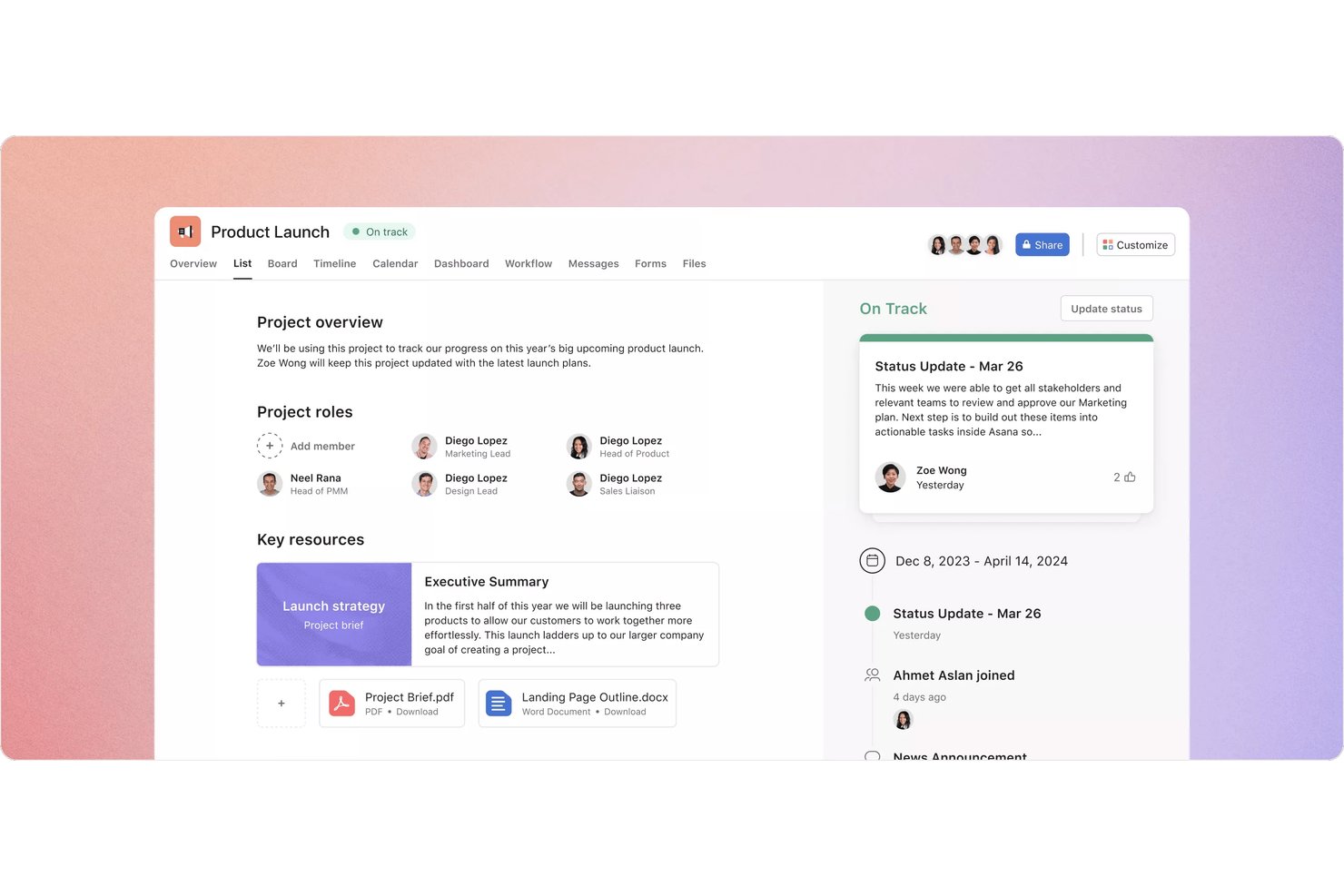
Asana is a project management platform for solopreneurs and small teams that combines task tracking, multiple project views, scheduling, and client collaboration in one workspace.
Who Is Asana Best For?
Asana suits solopreneurs who need to manage multiple client projects across different views without outgrowing a single workspace.
Why I Picked Asana
I picked Asana as one of the best because no other tool on this list gives you five distinct ways to view your work in a single workspace. I love that you can flip between a list, board, calendar, timeline, and Gantt chart depending on what a project demands, and save up to 50 filtered or sorted tabs per project. When I'm juggling multiple client deadlines, the timeline view makes it easy to spot scheduling conflicts before they become real problems.
Asana Key Features
- My Tasks: A personalized view that pulls all your assigned work into one list across every project you're part of.
- Mobile task capture: Create tasks, set due dates, and attach files from your phone, with offline actions that sync when you're back online.
- Reusable project templates: Build templates from existing projects with relative dates, custom fields, and intake forms to standardize repeat work.
- Guest access: Invite clients or contractors to specific tasks or projects so they can comment and complete work without seeing anything else.
Asana Integrations
Asana supports 270+ marketplace integrations, including Slack, Google Drive, Google Calendar, Microsoft Teams, Jira Cloud, Figma, Dropbox, and Zapier. It also offers a REST API, webhooks, SDKs, and an MCP server for custom integrations.
Pros and Cons
Pros:
- Reusable templates simplify repeat client work
- Client feedback stays attached to tasks
- Five views help spot scheduling conflicts
Cons:
- Clients may avoid shared project spaces
- No single-seat paid plan for soloists

ProofHub
Best for team communication tools
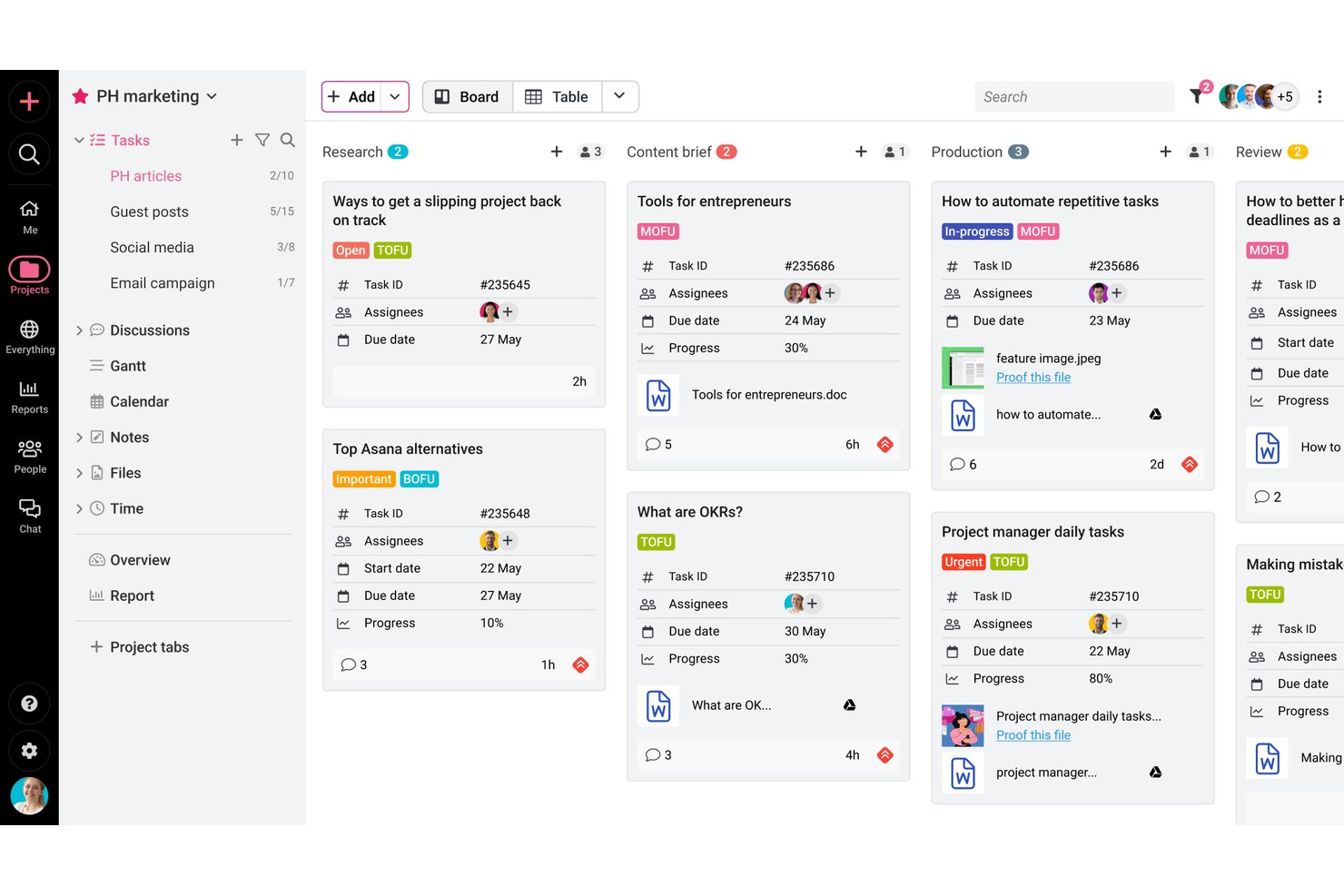
ProofHub is a project management and team collaboration platform that combines task tracking, visual workflow views, built-in proofing and approvals, time tracking, and client-facing communication tools in one place.
Who Is ProofHub Best For?
ProofHub suits independent creative professionals and freelancers who need to manage client reviews, feedback, and approvals alongside their project work.
Why I Picked ProofHub
I picked ProofHub as one of the best because its built-in communication tools genuinely replace the scattered email threads and chat messages that slow down client work. I especially like how clients can leave feedback directly on files using markup tools, and how discussion threads keep conversations tied to specific projects rather than buried in inboxes. Proofing, approvals, and group chat all live alongside your tasks, so nothing falls through the cracks between review cycles.
ProofHub Key Features
- Task dependencies: Link tasks so work can only progress in the right order, keeping project sequencing clear across client deliverables.
- White labeling: Apply your own domain, logo, and brand colors to your ProofHub account for a more professional client-facing experience.
- Time tracking with billable hour filters: Log time manually or with timers, then filter entries by billable or non-billable status before exporting to FreshBooks or QuickBooks.
- Project templates: Save a project as a reusable template—including assignees, dates, and milestones—to spin up similar client projects faster.
ProofHub Integrations
ProofHub offers native integrations with Google Calendar, Dropbox, OneDrive, FreshBooks, FreshBooks Classic, QuickBooks, Slack, Box, and iCal. Its API supports custom integrations.
Pros and Cons
Pros:
- Gantt views clarify dependencies and deadlines
- Separate client projects keep tasks organized
- Client feedback stays tied to project files
Cons:
- Finding specific actions can take time
- Frequent updates can bury important notifications

Best for client work billing and project proofing
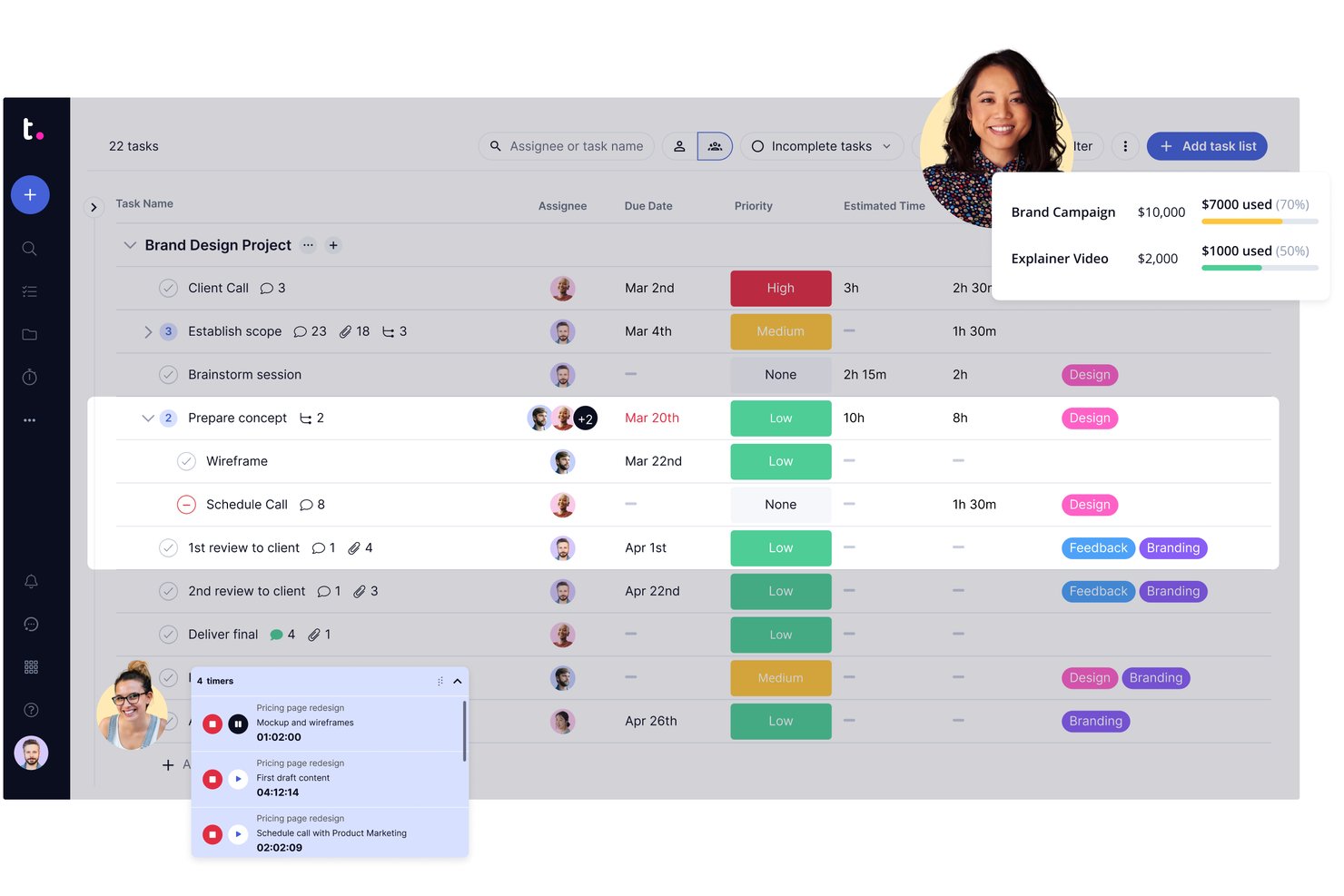
Teamwork.com is a client work project management platform built around billable time tracking, invoicing, proofing workflows, and client collaboration.
Who Is Teamwork.com Best For?
Teamwork.com is a strong fit for freelance consultants, independent creatives, and solo agency owners who manage multiple client projects and need billable time tracking, invoicing, and client proofing in one place.
Why I Picked Teamwork.com
I've included Teamwork.com in my top picks because it's the only tool on this list that combines client proofing workflows with invoicing built directly from logged time. When I'm wrapping up a deliverable, I can send a proof for client review, collect annotated feedback, get sign-off, and generate an invoice from the billable hours logged against that project, all without switching apps. The proofing and billing features together are what make it genuinely suited to freelance consultants and solo creative professionals managing real client work.
Teamwork.com Key Features
- Project templates: Pre-built and custom templates for marketing, project management, and creative work let you spin up new client projects without rebuilding from scratch.
- AI Project Wizard: Turns a written project brief into a structured project with tasks and timelines automatically.
- Workload and capacity planning: Visualizes how work is distributed so you can spot overallocation before it affects a deadline.
- Custom fields: Add formula and custom fields to tasks and projects to capture the specific data points your client work requires.
Teamwork.com Integrations
Teamwork.com lists 150+ integrations, including native connections to QuickBooks Online, Xero Online, HubSpot, Google Calendar, Slack, Harvest, and Google Sheets, plus Zapier. Its API and webhooks support custom integrations.
Pros and Cons
Pros:
- Templates organize repeat client engagements
- Billable hours connect directly to project work
- Client proofing keeps revisions and approvals together
Cons:
- Navigation can make project updates cumbersome
- Paid plans impose minimum user counts

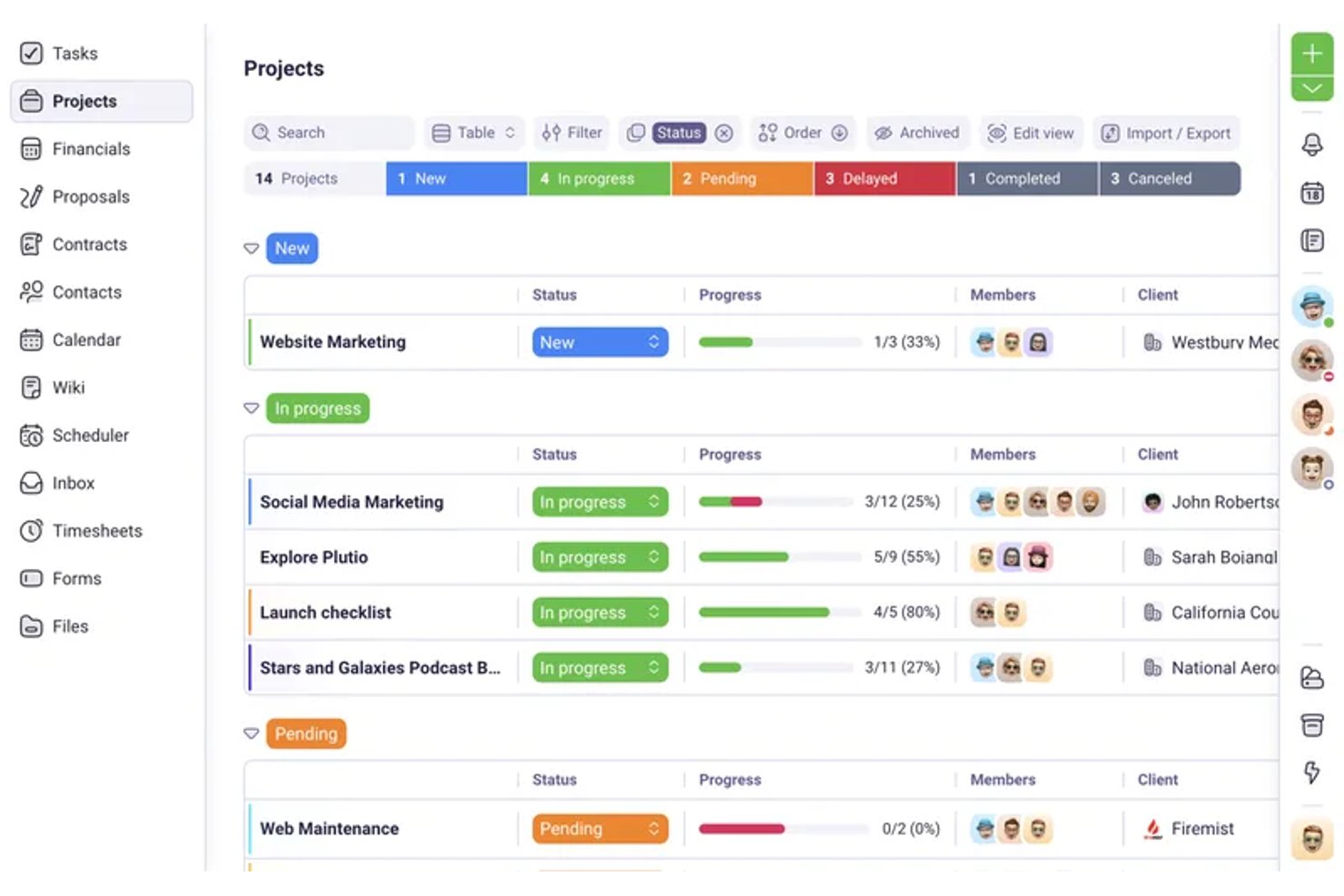
Plutio is an all-in-one business management platform for freelancers and solopreneurs that combines project tracking, client portals, proposals, contracts, time tracking, and invoicing in a single workspace.
Who Is Plutio Best For?
Plutio is a strong fit for freelance consultants, designers, and coaches who bill clients by the hour and need proposals, contracts, and invoicing in one place.
Why I Picked Plutio
I picked Plutio as one of the best because it nails the billing workflow that solopreneurs who charge by the hour live inside daily. You can start a timer directly from a task, mark that time as billable, and convert it into an invoice line item with the hours, rate, and amount already filled in—no spreadsheet in between. That proposal-to-project automation also means a signed proposal can instantly spin up a new project, keeping you moving without the admin lag.
Plutio Key Features
- Client portal access: Give clients a login to view shared projects, invoices, proposals, and files without needing a Plutio subscription.
- Proposal builder: Create proposals with a drag-and-drop editor, optional or required line items, and client e-signature approval.
- Recurring invoices and subscriptions: Set up invoices to send automatically on a schedule, with support for split payments, discounts, and taxes.
- Workflow automation: Trigger actions across projects, invoices, and tasks automatically—such as sending invoice reminders or updating task statuses.
Plutio Integrations
Plutio offers native integrations with Google Calendar, Google Meet, Outlook, Stripe, PayPal, and Square, plus REST API and webhook access for custom integrations. It also connects with 5,000+ apps through Zapier.
Pros and Cons
Pros:
- Reusable boards and templates support repeat work
- Keeps client projects and business records together
- Connects billable hours directly to invoices
Cons:
- Automation may fall short for complex processes
- Reviewers report glitches in client workflows

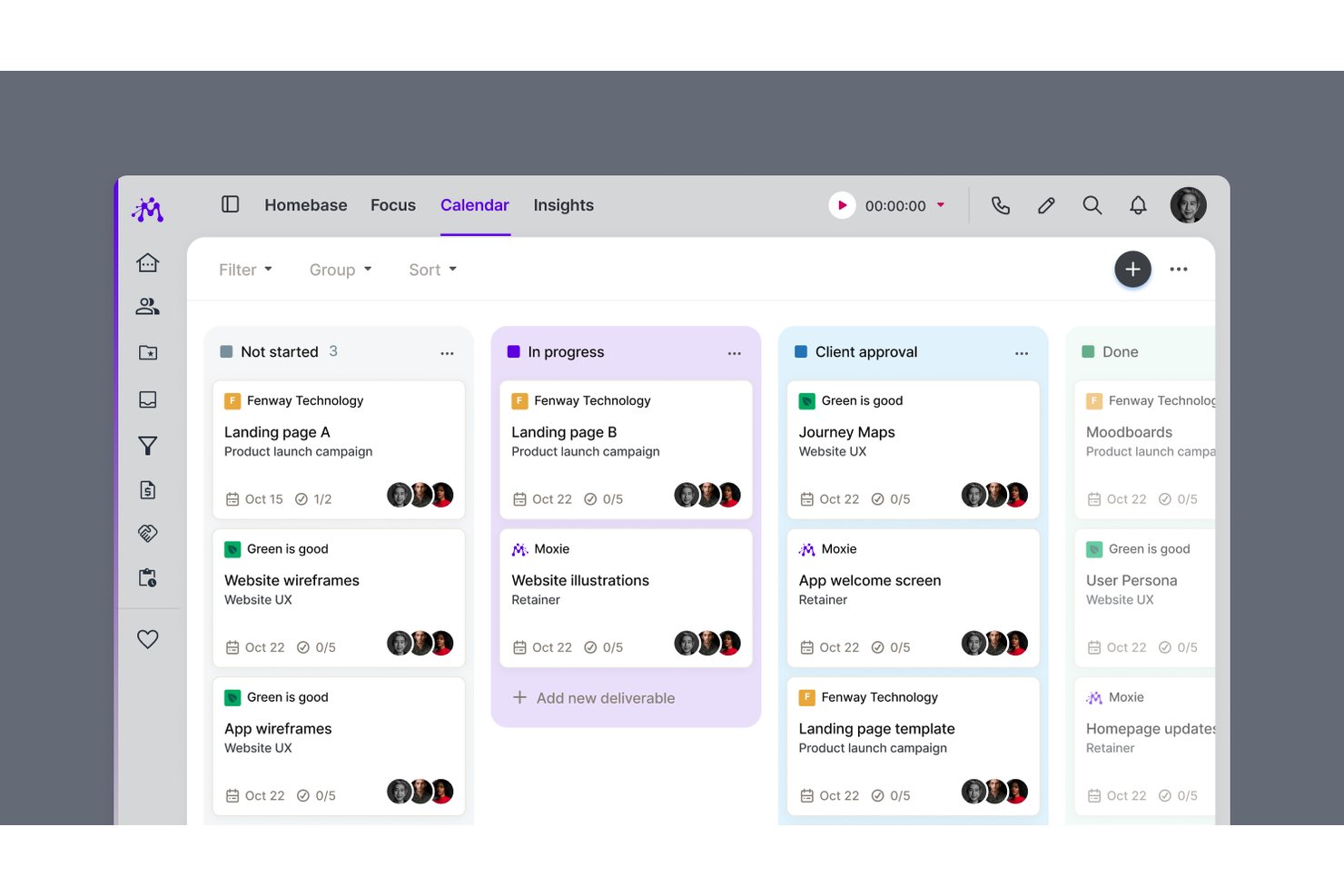
Moxie is an all-in-one freelance business management platform that combines project and task management, time tracking, invoicing, client portals, proposals, contracts, and scheduling in a single workspace.
Who Is Moxie Best For?
Moxie is a strong fit for freelancers and independent service providers—designers, writers, consultants, and coaches—who need client billing and project work managed in one place.
Why I Picked Moxie
I picked Moxie as one of the best because it's the only tool on this list built specifically around the freelance billing cycle, not just project work. I love how tracked time flows directly into invoices from inside the project workspace, so I'm not jumping between apps to reconcile hours. The white-label client portal lets clients sign contracts, approve deliverables, and pay invoices in one place, which cuts down on the back-and-forth that eats into solo working hours.
Moxie Key Features
- Proposal-to-project automation: When a client accepts an agreement, Moxie automatically creates a project, including dates and estimates, based on your configured package.
- Daily Focus digest: Each morning, Moxie surfaces your assigned tasks and upcoming project deadlines in a daily summary you can configure by notification type.
- Sales pipeline: Track leads through customizable stages, set estimated values, and trigger follow-up workflows automatically when a prospect takes action.
- Project templates: Save reusable project structures—including tasks, subtasks, due dates, and pricing defaults—to apply whenever a new project starts.
Moxie Integrations
Moxie offers native integrations with QuickBooks, Stripe, PayPal, Google Calendar, Microsoft Outlook, Zoom, Google Meet, and Gmail. It also supports Make, webhooks, a public API, and Zapier for custom integrations.
Pros and Cons
Pros:
- Project templates reuse tasks and deadlines
- Tracked work feeds directly into invoices
- Client portal cuts invoice follow-ups
Cons:
- Limited task durations and dependencies
- Project planning can feel clunky

Toggl
Best for solo time tracking and project planning
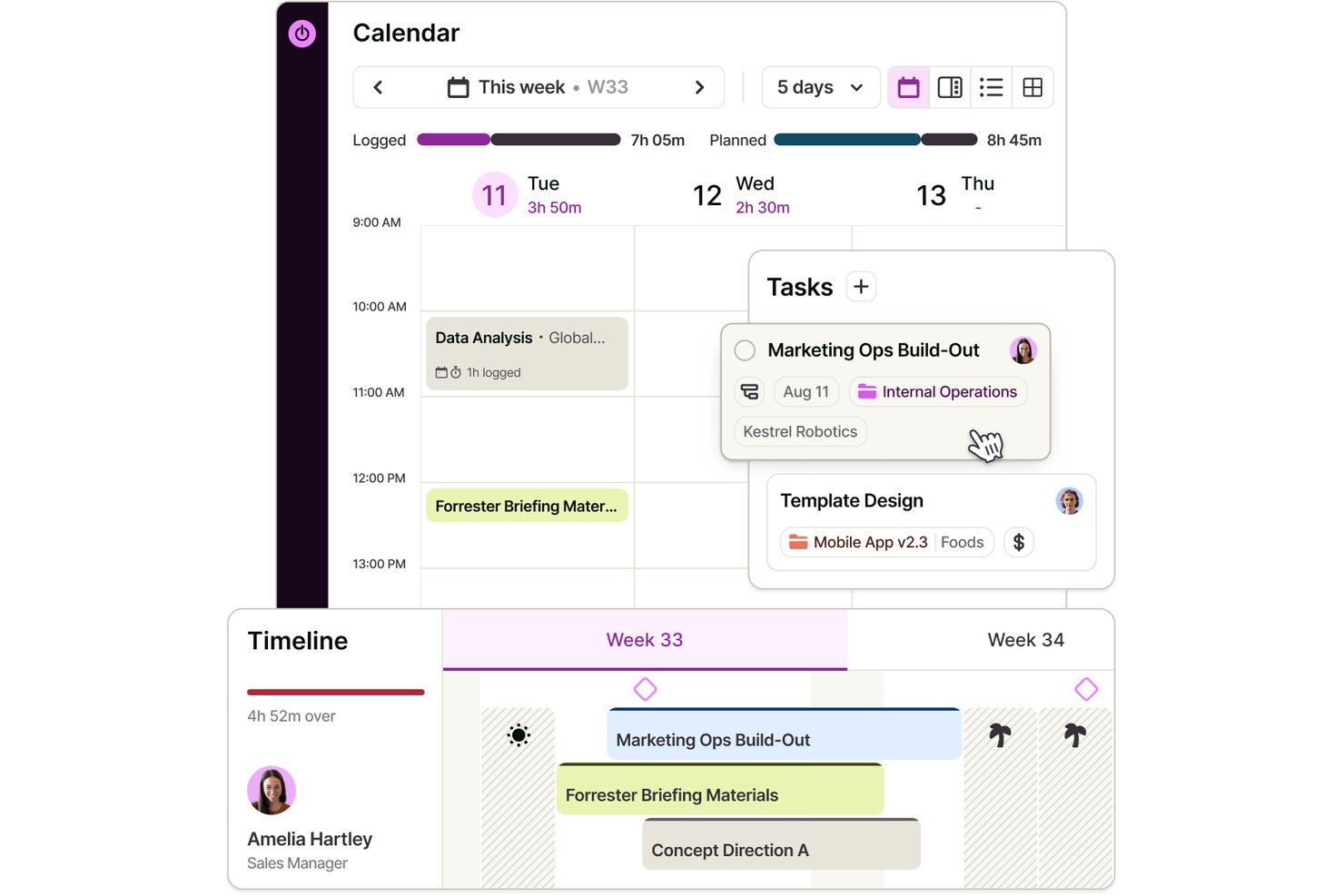
Toggl is a project management and time tracking tool that combines task planning, visual scheduling, and built-in time tracking across board, list, calendar, and timeline views.
Who Is Toggl Best For?
Toggl is a strong fit for solo professionals who need to track time and manage projects in one place without paying for features built around teams.
Why I Picked Toggl
I've included Toggl in my top picks because it's the only tool here that combines project planning and time tracking in one place without requiring you to stitch together separate apps. I particularly like how you can build out a project timeline, drag tasks to reschedule them as priorities shift, and immediately see how your tracked hours compare against your original estimates. That feedback loop between planning and actual time spent is what makes Toggl genuinely useful for solo work, especially when you're billing clients by the hour.
Toggl Key Features
- Recurring tasks and projects: Schedule tasks or entire projects to repeat on a set cadence, from daily to annually, with period-specific milestones and budgets.
- Billable rate tracking: Set billable rates at the workspace, member, or project level to monitor revenue alongside tracked time.
- AI Task Creator: Turn raw notes or briefs into structured tasks using Toggl's built-in AI, without manual setup.
- View-only report sharing: Generate shareable links that let clients or stakeholders view reports without needing a Toggl account.
Toggl Integrations
Toggl offers native integrations with Google Calendar, Outlook Email & Calendar, Asana, Jira, and Slack, plus browser extensions for GitHub, Trello, and Visual Studio. Its REST API and webhooks, support custom integrations.
Pros and Cons
Pros:
- Solo plan covers core planning needs
- Tracked hours expose estimate overruns
- Drag-and-drop timelines make deadline shifts visible
Cons:
- Client collaboration relies on paid access
- No dependencies auto-adjust downstream task dates

ClickUp
Best for customizable views
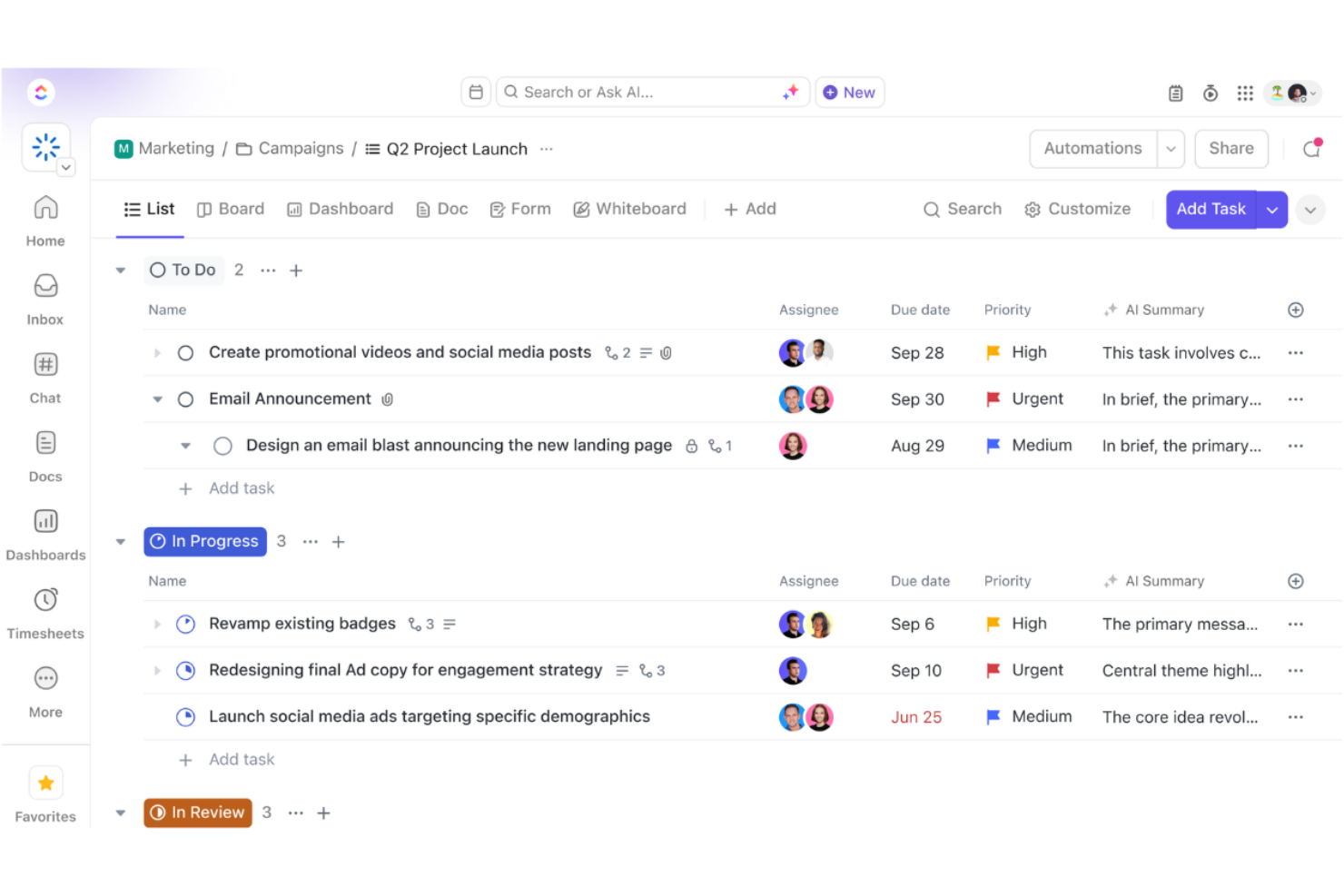
ClickUp is a versatile project management tool designed for teams and solopreneurs who need a flexible workspace to manage tasks, projects, and workflows. It offers a wide range of features that cater to various business needs, including task management and collaboration.
Why I picked ClickUp: It provides customizable views, allowing you to tailor your workspace to fit your specific preferences. You can switch between list, board, and calendar views, making it easy to visualize your work. The tool also offers custom fields, enabling you to track exactly what matters to you. With ClickUp, you have the flexibility to create a workflow that aligns with how you and your team work best.
Standout Features & Integrations:
Features include goal tracking, which helps you set and achieve your objectives by breaking them down into manageable steps. The time tracking feature allows you to monitor how much time you're spending on tasks, helping you optimize your productivity. ClickUp also offers a built-in document editor, so you can create and collaborate on documents directly within the platform.
Integrations include Slack, Google Drive, Dropbox, Microsoft Teams, Zoom, Outlook, Evernote, GitHub, Trello, and Zapier.
Pros and Cons
Pros:
- Supports various project styles
- Goal setting features
- Built-in time tracking
- Flexible task management
- Highly customizable views
Cons:
- Frequent updates may disrupt workflow
- Limited offline functionality
- Some features need manual setup
- Requires time to learn features
- Can be overwhelming for new users
New Product Updates from ClickUp
ClickUp Adds Meetings Hub, Super Agent Templates, and ZoomInfo Integration
ClickUp adds a searchable Meetings Hub, new ways to clone and template Super Agents, and a ZoomInfo integration through the App Center. These updates improve meeting retrieval, agent reuse, and access to sales intelligence. For more information, visit ClickUp’s official site.
Outro software de gestão de projetos para profissionais independentes
Eis algumas opções adicionais de software de gestão de projetos para profissionais independentes que não entraram na minha lista restrita, mas que ainda vale a pena conhecer:
- Paymo
For billing clients from your timesheet
- GoodDay
For customizable workflows
- Wrike
For project tracking
- Freedcamp
For solo work with free guest access
- Scoro
For quote-to-project billing in one place
- 17hats
For solopreneurs managing clients end-to-end
- ActiveCollab
For client billing tied to project tasks
- Airtable
For database-style solo project tracking
- Hive
For AI-assisted solo client projects
- Bonsai
For freelancers managing projects and billing


How I Evaluate Project Management Software for Solopreneurs
I split my evaluation into three parts, giving the most weight to core needs: organize projects, track tasks and deadlines, and share progress with clients. Next, I consider mobile task capture and proposal-to-project workflows. Finally, I weigh self-guided onboarding, collaborator costs, and single-user pricing value.
Core Functionality (Table Stakes For This List)
When I'm selecting tools for my list, I score each one on a scale from 0 (does not offer the functionality) to 5 (excels in this area) for each core functionality listed below. I then convert the total into a percentage to help assess each tool's overall fit, with extra weight on any functionalities I’ve deemed essential.
- Task & Project Tracking (Essential): I look for project grouping, clear task statuses, and subtasks that help track deliverables across several client engagements.
- Visual Workflow Views (Essential): I check for useful list, board, or calendar views so you can plan work your way and spot overloaded weeks.
- Deadlines & Scheduling: I look for due dates, reminders, and milestones that help keep approvals and client deliverables on schedule.
- Client Collaboration: I consider how easily you can share project updates, files, or feedback with clients and occasional collaborators.
- Single-User Pricing: I assess whether a free or low-cost solo plan covers core project needs without requiring unused team seats.
- Time & Billing: I look for time logs or invoicing connections that help you track billable work and prepare client charges.
Once I have a list of tools that meet the criteria, I consider what sets each platform apart.
Differentiating Factors (What Sets Vendors Apart)
Here's how I compare and contrast different vendors:
Standout Features
I look for a proposal-to-project flow that converts accepted quotes into live projects—tools like HoneyBook and Dubsado handle this well, and it cuts out the duplicate data entry that eats into billable hours. White-label client portals matter just as much; I check whether the portal can carry your branding and restrict visibility so each client sees only their own project. I also evaluate mobile quick-capture, since logging a task or starting a timer between site visits keeps nothing from slipping through the cracks.
Beyond Features
I evaluate how easily a solo user can self-onboard without dedicated support. Tools like Trello or Notion offer guided tours and community templates that get you productive in minutes, while heavier platforms can stall you for days. I also check whether adding a subcontractor or VA forces a full team-plan upgrade, since most solopreneurs only need a second seat a few times a year. Finally, client-facing surfaces matter—branded portals and polished invoices shape how clients perceive your professionalism, which directly influences repeat work.
Como escolher software de gestão de projetos para profissionais independentes
É fácil ficar preso a listas extensas de funcionalidades e estruturas de preços complexas. Para o ajudar a manter-se concentrado enquanto avalia o software mais adequado às suas necessidades específicas, apresentamos uma lista de verificação com os fatores a ter em conta:
| Fator | O que deve considerar |
|---|---|
| Escalabilidade | O software acompanhará o crescimento da sua atividade? Considere se a ferramenta consegue gerir um aumento do número de tarefas e utilizadores sem problemas. Procure planos que ofereçam flexibilidade para acompanhar o seu crescimento sem exigir uma reformulação completa. |
| Integrações | Funciona com as ferramentas que já utiliza? Certifique-se de que é compatível com as integrações do software que já utiliza, como o correio eletrónico, os calendários e o armazenamento de ficheiros, para manter fluxos de trabalho eficientes. |
| Personalização | Pode adaptá-lo aos seus processos? Avalie se pode ajustar painéis, fluxos de trabalho e campos para corresponderem às suas necessidades específicas, em vez de seguir simplesmente um modelo rígido. |
| Facilidade de utilização | É simples de utilizar por si e pela sua equipa? Procure uma interface intuitiva que minimize o tempo de formação e o ajude a adaptar-se rapidamente à ferramenta. |
| Implementação e integração inicial | Com que rapidez pode começar a utilizá-lo? Considere o tempo e os recursos necessários para começar a trabalhar. Verifique se estão disponíveis recursos de formação, como vídeos e guias. |
| Custo | Enquadra-se no seu orçamento? Compare os planos de preços e esteja atento a custos ocultos. Avalie se as funcionalidades justificam o custo e se existem descontos para a faturação anual. |
| Medidas de segurança | Quão seguros estão os seus dados? Certifique-se de que o software dispõe de medidas de segurança robustas, como encriptação, cópias de segurança dos dados e permissões de utilizador, para manter as suas informações protegidas. |
O que é software de gestão de projetos para profissionais independentes?
O software de gestão de projetos para trabalhadores por conta própria são ferramentas que ajudam os indivíduos a gerir tarefas, prazos e projetos de forma independente e eficiente.
Utilizadas por freelancers, consultores e proprietários de pequenas empresas, estas ferramentas combinam o acompanhamento de tarefas, o agendamento e a gestão do tempo num só lugar. Ajudam a simplificar os fluxos de trabalho, a melhorar a concentração e a manter os profissionais independentes organizados — sem a complexidade das plataformas de nível empresarial.
Funcionalidades do software de gestão de projetos para trabalhadores por conta própria
Ao selecionar software de gestão de projetos para trabalhadores por conta própria, procure as seguintes funcionalidades essenciais:
- Gestão de tarefas: Ajuda a organizar e a definir prioridades para as tarefas, garantindo que nada fica esquecido e mantendo os projetos dentro do prazo.
- Ferramentas de colaboração: Facilitam a comunicação e o trabalho em equipa, mesmo que trabalhe sozinho, permitindo partilhar facilmente ficheiros e mensagens.
- Acompanhamento de prazos: Mantém-no informado sobre os próximos prazos, para que possa gerir o seu tempo de forma eficaz e cumprir as expectativas dos clientes.
- Painéis de controlo personalizáveis: Permitem adaptar o seu espaço de trabalho às suas necessidades específicas, facilitando a concentração no que é mais importante.
- Controlo do tempo: Permite monitorizar o tempo dedicado às tarefas, ajudando a otimizar a produtividade e a gerir a faturação com precisão.
- Opções de integração: Garantem a compatibilidade com as ferramentas que já utiliza, mantendo fluxos de trabalho fluidos e sem interrupções.
- Funcionalidades de automatização: Reduzem o esforço manual através da automatização de tarefas repetitivas, poupando tempo para trabalhos mais importantes.
- Partilha de ficheiros: Disponibiliza uma forma segura de armazenar e partilhar documentos, facilitando o acesso a ficheiros importantes a partir de qualquer lugar.
- Relatórios e análises: Oferecem informações sobre o progresso e o desempenho do projeto, ajudando a tomar decisões fundamentadas.
- Disponibilidade de aplicação móvel: Garante que pode gerir os seus projetos em qualquer lugar, mantendo tudo acessível a partir do seu telemóvel ou tablet.
Vantagens do software de gestão de projetos para trabalhadores por conta própria
A implementação de software de gestão de projetos para trabalhadores por conta própria proporciona várias vantagens para si e para a sua empresa. Eis algumas das vantagens que pode esperar:
- Melhor organização: Mantém todas as suas tarefas, ficheiros e prazos num só lugar, facilitando a gestão da carga de trabalho e a concentração.
- Maior produtividade: As funcionalidades de automatização e controlo do tempo ajudam-no a tirar o máximo partido do seu tempo, permitindo concluir projetos de forma mais eficiente.
- Melhor comunicação: As ferramentas de colaboração e a partilha de ficheiros garantem que pode trocar facilmente informações e atualizações, mesmo que trabalhe sozinho ou com clientes à distância.
- Maior responsabilização: As funcionalidades de acompanhamento de prazos e de elaboração de relatórios ajudam-no a cumprir os seus compromissos, garantindo que atinge os seus objetivos e corresponde às expectativas dos clientes.
- Fluxos de trabalho personalizáveis: Permitem configurar o seu espaço de trabalho de acordo com as suas necessidades específicas, possibilitando-lhe trabalhar de uma forma adequada ao seu estilo.
- Tomada de decisões fundamentada: Os relatórios e as análises fornecem informações sobre o progresso do projeto, ajudando-o a tomar decisões baseadas em dados.
- Flexibilidade: A disponibilidade de uma aplicação móvel garante que pode gerir os seus projetos a partir de qualquer lugar, dando-lhe a liberdade de trabalhar em mobilidade.
Custos e preços do software de gestão de projetos para trabalhadores por conta própria
A seleção de software de gestão de projetos para trabalhadores por conta própria exige uma compreensão dos vários modelos de preços e planos disponíveis. Os custos variam consoante as funcionalidades, a dimensão da equipa, os complementos, entre outros fatores. A tabela abaixo resume os planos comuns, os respetivos preços médios e as funcionalidades normalmente incluídas nas soluções de software de gestão de projetos para trabalhadores por conta própria:
Tabela de comparação de planos de software de gestão de projetos para trabalhadores por conta própria
| Tipo de plano | Preço médio | Funcionalidades comuns |
|---|---|---|
| Plano gratuito | $0 | Gestão básica de tarefas, partilha de ficheiros e integrações limitadas. |
| Plano pessoal | $5-$15/utilizador/mês | Gestão de tarefas, vista de calendário, automatização limitada e relatórios básicos. |
| Plano empresarial | $15-$25/utilizador/mês | Gestão avançada de tarefas, controlo do tempo, integrações melhoradas e ferramentas de colaboração em equipa. |
| Plano empresarial de grande dimensão | $25-$50/utilizador/mês | Fluxos de trabalho personalizáveis, suporte dedicado, funcionalidades avançadas de segurança e análises abrangentes. |
Perguntas frequentes sobre software de gestão de projetos para empreendedores individuais
Eis algumas respostas a perguntas frequentes sobre software de gestão de projetos para empreendedores individuais:
A Asana é adequada para empreendedores individuais?
A Asana é uma excelente opção para empreendedores individuais que precisam de gerir as suas tarefas e projetos de forma eficiente. Oferece uma interface intuitiva com funcionalidades como listas de tarefas, datas de vencimento e lembretes. Pode organizar a sua carga de trabalho e garantir que nada fica esquecido. É especialmente útil para acompanhar prioridades e prazos.
A ClickUp é adequada para empreendedores individuais?
A ClickUp é uma solução adequada para empreendedores individuais que procuram uma ferramenta versátil de gestão de projetos. Disponibiliza vistas e modelos personalizáveis, permitindo adaptar o espaço de trabalho às suas necessidades. Com funcionalidades como acompanhamento de tarefas, gestão de documentos e opções de integração, pode tratar vários aspetos do seu trabalho num só lugar.
Como escolher o melhor software de gestão de projetos para empreendedores individuais?
Para escolher o melhor software, tenha em conta as suas necessidades específicas, o orçamento e as funcionalidades que lhe serão mais úteis. Procure ferramentas que ofereçam escalabilidade, integrações e facilidade de utilização. É também importante avaliar o processo de integração inicial e as opções de apoio ao cliente para garantir uma transição tranquila.
Que funcionalidades devo procurar num software de gestão de projetos para empreendedores individuais?
Entre as principais funcionalidades a procurar estão a gestão de tarefas, as ferramentas de colaboração, o acompanhamento de prazos e os painéis personalizáveis. Considere também as capacidades de automatização e as opções de integração para melhorar o seu fluxo de trabalho. Estas funcionalidades ajudam a gerir os seus projetos de forma eficiente e a manter tudo organizado.
O software de gestão de projetos para empreendedores individuais pode ajudar na gestão do tempo?
Sim, muitas ferramentas de gestão de projetos oferecem funcionalidades de controlo do tempo que ajudam a monitorizar quanto tempo dedica às tarefas. Isto pode melhorar a sua produtividade e garantir que utiliza o seu tempo de forma eficaz. Ao identificar as tarefas que consomem mais tempo, pode ajustar o seu horário e concentrar-se no que é mais importante.
Vale a pena investir num plano pago de software de gestão de projetos?
Investir num plano pago pode valer a pena se precisar de funcionalidades avançadas, de um melhor apoio ou de mais opções de personalização. Os planos gratuitos têm frequentemente limitações, por isso, considere os seus requisitos e se as vantagens adicionais justificam o custo. Avalie o valor que proporciona à sua produtividade e à gestão dos seus projetos.