

10 beste KI-verktøy for konsulenter gjennomgått i 2026

10 Beste AI-verktøy for konsulenter – kortliste


Som prosjektleder må du hele tiden håndtere flere oppgaver og tidsfrister samtidig. Presset for å levere resultater av høy kvalitet i tide er konstant. AI-verktøy for konsulenter kan gjøre arbeidsbelastningen lettere ved å automatisere repetitive oppgaver og gi innsikt som sparer deg for tid og arbeid.
Etter min erfaring kan disse verktøyene forbedre teamets produktivitet og beslutningstaking betydelig. Jeg har testet og gjennomgått en rekke programvareløsninger uavhengig for å gi deg en upartisk liste over de beste tilgjengelige alternativene.
I denne artikkelen finner du en grundig gjennomgang av de beste AI-verktøyene som er tilpasset de unike utfordringene du står overfor. Enten du ønsker å forbedre dataanalyse, kommunikasjon eller klientinteraksjoner, har denne veiledningen det du trenger.
Why Trust Our Software Recommendations
Our team has been testing and reviewing software since 2012. As project managers ourselves, we know how difficult—and important—it is to choose the right software.
For this guide, we evaluated tools using hands-on testing and independent research, scoring tools using our selection criteria. We also draw on insights from industry thought leaders and practicing project management experts.
Our reviews reflect our human editorial judgment, not a sales pitch.
Expert reviewers:
Sammenligningstabell: AI-verktøy for konsulenter
Denne sammenligningstabellen oppsummerer prisdetaljene for mine beste utvalgte AI-verktøy for konsulenter.
| Tool | Best For | Trial Info | Price | ||
|---|---|---|---|---|---|
| 1 | Best for client collaboration | Free demo available | From $5,000/year (billed annually) | Website | |
| 2 | Best for no-code automation tools | 14-day free trial | From $10/user/month (billed annually) | Website | |
| 3 | Best with multilingual AI agent support | 7-day free trial + free plan + free demo available | From $32/month (billed annually) | Website | |
| 4 | Best for strategic insights | 14-day free trial | From $69/month (billed monthly) | Website | |
| 5 | Best for AI-generated slides | Free plan available | From $8.33/month (billed annually) | Website | |
| 6 | Best for virtual assistance | 7-day free trial + free demo available | From $30/user/month (billed annually) | Website | |
| 7 | Best for slideshow templates | 14-day free trial + free demo available | From $12/month (billed annually) | Website | |
| 8 | Best for interactive proposals | 14-day free trial | From $35/user/month (billed annually) | Website | |
| 9 | Best for transcription services | Free plan available | From $8.17/month (billed annually) | Website | |
| 10 | Best for CRM integration | Free demo available | Pricing upon request | Website |


Anmeldelser av de beste AI-verktøyene for konsulenter
Nedenfor finner du mine detaljerte sammendrag av de beste AI-verktøyene for konsulenter som kom med på kortlisten. Anmeldelsene mine gir en detaljert gjennomgang av de viktigste funksjonene, fordelene & ulempene, integrasjonene og ideelle bruksområdene for hvert verktøy, slik at du kan finne det som passer best for deg.

Moxo
Best for client collaboration

Moxo is a collaborative platform designed for consultants and businesses that require efficient client engagement and project management. It facilitates communication and document sharing, helping teams stay connected with clients and manage tasks effectively.
Why I picked Moxo: It excels in client collaboration, making it perfect for teams that need to maintain strong client relationships. Moxo offers features like secure messaging and video conferencing, which keep communication open and transparent. The platform's task management tools help you track project progress and ensure deadlines are met. Its document sharing capabilities allow you to exchange files easily, enhancing collaboration with clients.
Standout features & integrations:
Features include secure messaging for confidential communication, video conferencing for face-to-face meetings, and task management tools to track project progress. The platform also offers document sharing, audit trails, client portals, and workflow automation, allowing you to coordinate deliverables and approvals more efficiently.
Integrations include Salesforce, Microsoft Teams, Slack, Zoom, Box, Dropbox, Google Drive, OneDrive, Outlook, and Gmail.
Pros and Cons
Pros:
- Enhances task management
- Facilitates document sharing
- Supports secure client communication
Cons:
- Internet-dependent for full functionality
- Slight learning curve for advanced features

Wrike
Best for no-code automation tools
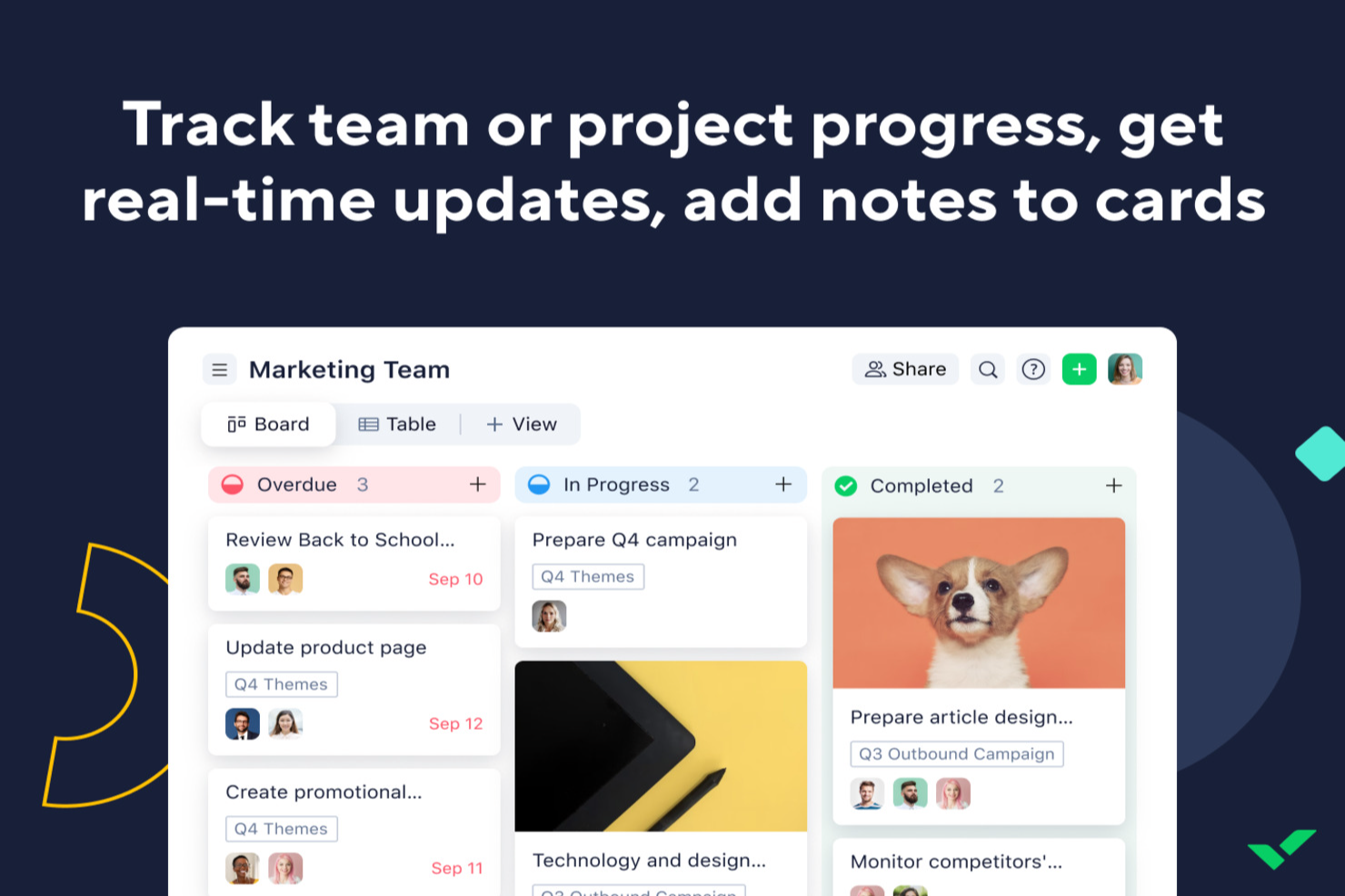
For consultants looking for an AI tool to improve project management, Wrike offers a practical option. The platform helps streamline workflows so you can spend more time delivering value to clients. Whether you’re handling complex engagements or coordinating with external stakeholders, Wrike’s automation and AI features support task prioritization and risk management in day-to-day project work.
Why I Picked Wrike
I picked Wrike for its AI-driven features that align well with consulting needs. Wrike Copilot helps with project prioritization and risk identification, both essential for keeping projects on track. The no-code automation tools also make it easier to reduce routine manual work, freeing up time for higher-level planning and decision-making. Together, these features address common consulting challenges like time management and resource allocation.
Wrike Key Features
In addition to its AI capabilities, I also found several other features valuable for consultants:
- Mind Mapping: A tool that helps visualize project plans and ideas, facilitating better strategic planning.
- Customizable Request Forms: Allows you to create tailored forms for client inputs, ensuring you capture all necessary information efficiently.
- Real-Time Dashboards: Provides instant insights into project status and performance, helping you make informed decisions.
- Multiple Project Views: Offers Gantt charts and Kanban boards to suit diverse project management styles and preferences.
Wrike Integrations
Integrations include Microsoft Teams, Google Workspace, Zoom, Slack, Dropbox, Outlook, Salesforce, Adobe Creative Cloud, Jira, and QuickBooks. An API is available for custom integrations.
Pros and Cons
Pros:
- Customizable real-time dashboards
- No-code workflow automation tools
- AI-powered task prioritization
Cons:
- Pricing may challenge small teams
- Advanced features require higher tiers
New Product Updates from Wrike
Wrike Adds Klaxoon MCP Integration
Wrike’s Klaxoon MCP integration is now generally available, enabling AI agents to navigate between Wrike tasks and attached whiteboards, read task context, and manage whiteboard attachments via API. For more information, visit Wrike's official site.

Chatbase
Best with multilingual AI agent support
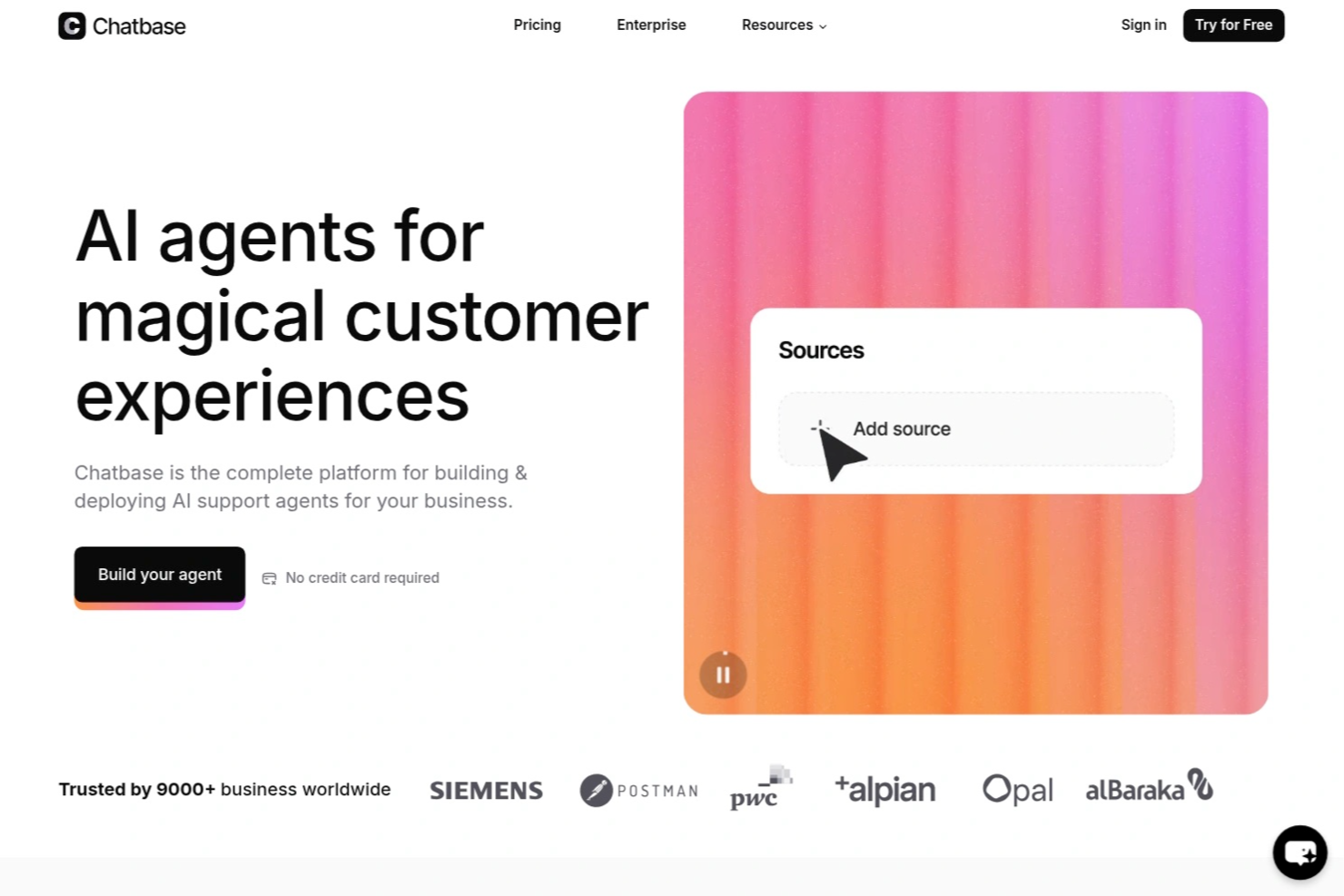
Chatbase is an AI chatbot builder designed for consultants who want to create, deploy, and manage custom chatbots that connect to multiple data sources and integrate with external systems.
Who Is Chatbase Best For?
Chatbase suits consultants and small teams who need to build custom AI chatbots that connect with diverse data sources and client systems.
Why I Picked Chatbase
I picked Chatbase as one of the best because I can build AI chatbots that handle conversations in multiple languages without extra setup. My team uses its multilingual agent support to serve clients across different regions. I also like that I can upload documents in various languages and the chatbot responds accurately, making it easy to support global consulting projects.
Chatbase Key Features
- Custom chatbot builder: Create AI chatbots tailored to your consulting workflows and branding.
- Data source integration: Connect chatbots to websites, pdfs, or text files for dynamic knowledge delivery.
- Conversation analytics: Track user interactions and chatbot performance with built-in analytics tools.
- API access: Integrate Chatbase with your existing systems using its API for advanced automation.
Chatbase Integrations
Chatbase offers native integrations with Zendesk, Notion, Slack, Stripe, Salesforce, Cal.com, Calendly, WhatsApp, Messenger, and Make. It also connects with Zapier and provides an API for custom integrations.
Pros and Cons
Pros:
- Includes analytics for tracking chatbot performance
- Provides API access for workflow automation
- Allows custom chatbot training on unique data
Cons:
- Limited branding customization for chat widgets
- No built-in live chat handoff to humans

Best for strategic insights

Pointerpro is a digital assessment platform designed for consultants, coaches, HR professionals, and marketers. It enables users to create online assessments and automatically generate tailored PDF reports for various evaluations, like client and employee assessments.
Why I picked Pointerpro: It offers strategic insights through its automated assessment features. The platform includes a questionnaire builder and report generator, allowing you to create interactive assessments and detailed reports. Its benchmarking feature helps you compare results against industry standards. Multi-user management enables your team to collaborate efficiently on projects.
Standout features & integrations:
Features include advanced report logic (formulas, conditional visibility), distribution options for sharing assessments, and support for over 50 languages. The platform also provides extensive training and ISO 27001:2022 certification for data security.
Integrations include Zapier, Google Sheets, HubSpot, Salesforce, Mailchimp, Slack, Microsoft Teams, ActiveCampaign, WordPress, and Dropbox.
Pros and Cons
Pros:
- Benchmarking and advanced logic capabilities
- Supports multiple languages
- Highly customizable automated reporting
Cons:
- Automation and team features require higher-tier plans
- Advanced setup can have a learning curve

SlidesAI
Best for AI-generated slides

SlidesAI is an AI-powered presentation tool designed for educators, professionals, and students. It helps users create engaging presentations quickly in Google Slides and PowerPoint by generating slide outlines and themes without the need for design skills.
Why I picked SlidesAI: It excels in generating AI solutions for your slides, allowing you to quickly create presentations. You can input topics or documents, and the platform generates slide outlines in over 100 languages. Theme editing and content rearrangement enhance the presentation's appeal. These features make it a go-to tool for quick and effective presentation creation.
Standout features & integrations:
Features include the ability to edit themes for a fresh look, rearrange content easily, and integrate images from AI-generated options or stock. The platform also offers content shortening for conciseness and translation features for global reach. These capabilities are strengthened by generative AI and machine learning algorithms, helping you produce polished presentations quickly.
Integrations include Google Slides and PowerPoint.
Pros and Cons
Pros:
- No design skills required
- Quick slide generation
- Supports over 100+ languages
Cons:
- Requires Google Slides or PowerPoint
- Learning curve for some features


Fyxer is an AI-powered email assistant tailored for consultants who need to manage communication efficiently. It focuses on automating inbox management, allowing consultants to prioritize client interactions and reduce administrative tasks.
Why I picked Fyxer: It offers virtual assistance (similar to AI chatbots and AI models) by automating email responses and organizing your inbox. The tool drafts replies using your past email history, saving you time on writing. It labels emails by priority and filters out distractions, helping you focus on important tasks. These features make it an ideal AI assistant for consultants who want to enhance productivity.
Standout features & integrations:
Features include automatic email drafting that uses your tone and style, priority labeling for efficient inbox management, and spam filtering to eliminate distractions. The platform also provides detailed meeting summaries and follow-up emails, ensuring no important details are missed.
Integrations include Outlook and Gmail.
Pros and Cons
Pros:
- Provides detailed AI-powered meeting summaries
- Organizes inbox by priority
- Automates email responses
Cons:
- Relies on email platform integration
- Limited offline functionality


Beautiful.ai is a presentation software designed for professionals across various industries who need to create visually appealing slides. It automates the slide design process, allowing users to focus on content rather than formatting.
Why I picked Beautiful.ai: It offers AI-driven slideshow templates that automatically adjust as you add content, ensuring your slides always look polished. The tool provides a wide range of customizable themes and layouts to fit your presentation needs. It also includes a library of images and icons to enhance your slides visually. You can even integrate ChatGPT to generate slide content or outlines instantly. Its DesignerBot feature can generate slide content. These features simplify the creation process, making it a favorite for those who want professional-looking presentations without the hassle.
Standout features & integrations:
Features include an intuitive drag-and-drop interface for easy content placement, a real-time collaboration feature that allows your team to work together on presentations, and automatic slide updates to keep your designs consistent. The platform also offers a library of stock images and icons for visual enhancement, helping you create high-quality presentations with less effort.
Integrations include Slack, Microsoft Teams, PowerPoint, Keynote, Google Slides, Dropbox, Box, Google Drive, and Salesforce.
Pros and Cons
Pros:
- Real-time team collaboration
- Extensive template library
- Automates slide design
Cons:
- Advanced branding and collaboration features require higher-tier plans
- Less granular design control compared to full presentation tools


Qwiler is a proposal software aimed at sales teams and freelancers who need to create interactive and visually appealing proposals. It allows users to build dynamic proposals that engage clients and facilitate faster decision-making.
Why I picked Qwiler: It excels in creating interactive proposals, making it ideal for teams that want to impress clients with engaging content. The platform offers customizable templates that help you design proposals tailored to your brand. It includes analytics that provide insights into how clients interact with your proposals. These features give your team a clear competitive advantage by making proposals both compelling and data-driven.
Standout features & integrations:
Features include a drag-and-drop builder for easy content creation, customizable templates that align with your brand identity, and analytics that track client interactions. The platform also offers e-signature functionality to speed up the approval process.
Integrations include Salesforce, HubSpot, Xero, QuickBooks, Slack, Zapier, Stripe, PayPal, Google Analytics, and Microsoft Teams.
Pros and Cons
Pros:
- Offers e-signature and payment functionality
- Provides client interaction insights
- Customizable templates available
Cons:
- Internet-dependent for full functionality
- Limited offline access


Notta is a transcription tool designed for consultants, educators, and business professionals who need accurate and fast transcriptions of meetings, interviews, and lectures. It converts audio into text in real time, helping users save time on manual note-taking and ensuring nothing is missed during discussions.
Why I picked Notta: It excels in providing reliable transcription services, making it perfect for those who need quick and accurate text conversion. The platform supports 58+ languages, allowing for diverse use cases. It offers real-time transcription, which means you can follow along as words are spoken, like real-time GenAI. You can also edit and export transcriptions, which adds flexibility to your workflow.
Standout features & integrations:
Features include speaker identification to distinguish between different voices, the ability to search within transcriptions for specific keywords, and text editing capabilities for refining the output. The platform also supports exporting transcriptions in various formats, which is useful for sharing. These capabilities are powered by advanced AI technology, making the tool both accurate and efficient.
Integrations include Zoom, Google Meet, Microsoft Teams, Slack, Dropbox, Google Drive, Evernote, Notion, Trello, Asana, and Microsoft OneNote.
Pros and Cons
Pros:
- Offers text editing features
- Real-time transcription available
- Supports 58+ languages
Cons:
- Can be resource-intensive
- Accuracy depends on audio quality


Introhive is a relationship intelligence and revenue acceleration platform tailored for consulting firms, focusing on enhancing client relationships and driving growth through data automation and insights. It automates client data entry and offers AI-driven relationship mapping to help you identify cross-selling opportunities and monitor client risk.
Why I picked Introhive: It integrates with CRM systems, making it ideal for firms looking to optimize their client engagement strategies. The platform's AI-powered features map relationships to uncover hidden opportunities for cross-selling. It also provides insights into client risk and retention, helping you maintain strong client connections, which is vital for social media presence. These capabilities contribute to increased internal referrals and revenue growth.
Standout features & integrations:
Features include automated client contact and activity capture that reduces manual work, AI-driven relationship mapping to identify business opportunities, and client risk monitoring to ensure retention. The platform also offers insights on leveraging extended networks for new business.
Integrations include Salesforce, Microsoft Dynamics 365, HubSpot, LinkedIn, Outlook, and Gmail.
Pros and Cons
Pros:
- Maps cross-selling opportunities
- Automates data entry processes
- Enhances client relationship insights
Cons:
- Requires CRM integration
- Pricing details not transparent
Andre AI-verktøy for konsulenter
Her er noen flere AI-verktøy for konsulenter som ikke kom med på kortlisten, men som likevel er verdt å undersøke:
- Olive
For scaling services
- Sally
For AI-driven data analysis
- cloudsquid
For secure knowledge centralization
- monday AI Workspace
For customizable AI-driven workflows
- Fireflies.ai
For meeting transcription accuracy
- ClickUp
For customizable task views


How I Evaluate AI Tools for Consultants
Every tool on this list needs to go beyond slapping an AI label on basic features—I look for platforms that actually save consultants time on deliverables, project plans, or client reporting. I split my evaluation into core functionality every tool must deliver to qualify and differentiating factors that separate a solid option from the best fit for your workflow.
Core Functionality (Table Stakes For This List)
When I'm selecting tools for my list, I rank each one on a scale from 0 (does not offer the functionality) to 5 (excels in this area) for each core functionality listed below. Then, I calculate the tool's total score into a percentage. Each tool needs to achieve a minimum total score of 65% to be considered for inclusion.
- AI Document Generation: I look for tools that produce consulting-grade deliverables—SOWs, project charters, status reports—from a prompt, not just generic text blocks.
- AI-Assisted Project Planning: The tool should help build schedules, estimate timelines, or break down workstreams, like scoping a 12-week digital transformation engagement.
- AI Meeting Intelligence: I check whether the tool transcribes client calls, pulls out action items, and links them back to project tasks or deliverables automatically.
- AI-Driven Data Analysis: Tools earn higher marks here when they can ingest a client dataset or survey export and surface patterns, summaries, or visual insights worth presenting.
- Client Engagement Management: I evaluate how well a tool separates work by client—dedicated workspaces, permissioned access, and deliverable tracking per engagement matter here.
- AI Workflow Automation: Repetitive consulting tasks like sending weekly status updates or logging time entries should be automatable with AI-triggered rules or agents.
Once I have a list of tools that meet this criteria, I consider what sets each platform apart.
Differentiating Factors (What Sets Vendors Apart)
Here's how I compare and contrast different vendors:
Standout Features
I pay close attention to whether a tool can be trained on your own frameworks and past deliverables, so AI outputs reflect your methodology instead of generic boilerplate. Client-facing portals also matter—being able to share branded dashboards or status updates directly with stakeholders saves hours of formatting. Billable time intelligence is another separator, especially for consultants juggling multiple engagements who need automatic tracking tied to profitability insights.
Beyond Features
Data security is a top concern—I check whether a vendor isolates client data and confirms it won't be used to train shared AI models, since consultants routinely handle sensitive business information. Pricing structure matters too, especially for solo practitioners or small firms who need flexible, per-seat plans that scale as they take on more engagements. I also evaluate integration depth with tools like Slack, Jira, and Google Workspace, because a tool that doesn't connect to your clients' tech stacks creates more manual work than it saves.
Slik velger du AI-verktøy for konsulenter
Det er lett å gå seg vill i lange funksjonslister og kompliserte prismodeller. For å hjelpe deg med å holde fokus mens du arbeider deg gjennom den unike prosessen med å velge programvare, får du her en sjekkliste over faktorer du bør ha i tankene:
| Faktor | Hva du bør vurdere |
| Skalerbarhet | Kan verktøyet vokse sammen med virksomheten din? Ta hensyn til fremtidige behov, og sørg for at verktøyet kan håndtere økte datamengder og flere brukere uten ytelsesproblemer. |
| Integrasjoner | Kan verktøyet integreres med den eksisterende programvaren din? Kontroller kompatibilitet med CRM-, e-post- og prosjektstyringsverktøy for å unngå datasiloer og forstyrrelser i arbeidsflyten. |
| Tilpasningsmuligheter | Kan du tilpasse verktøyet til arbeidsflytene dine? Se etter tilpassbare oversikter, arbeidsflyter og rapporteringsalternativer som passer teamets behov. |
| Brukervennlighet | Er verktøyet intuitivt for teamet ditt? Test grensesnittet for enkelhet, og sørg for at læringskurven ikke er bratt, noe som kan redusere bruken. |
| Implementering og opplæring | Hvor raskt kan teamet ditt komme i gang? Ta hensyn til tiden og ressursene som kreves for oppsettet, inkludert opplæringsmateriell som videoer og støtte fra leverandøren. |
| Kostnad | Passer prisen inn i budsjettet ditt? Sammenlign kostnadene med funksjonene som tilbys, og se etter skjulte gebyrer. Ta hensyn til langsiktige kostnader og potensiell avkastning på investeringen. |
| Sikkerhetstiltak | Beskytter verktøyet dataene dine? Sørg for at det følger bransjestandarder, for eksempel kryptering, og tilbyr funksjoner som tofaktorautentisering. |
| Tilgjengelig kundestøtte | Hvilke støttealternativer er tilgjengelige? Vurder leverandørens åpningstider for kundestøtte, kanaler (for eksempel chat eller telefon) og brukeranmeldelser av kvaliteten på kundestøtten. |
Hva er AI-verktøy for konsulenter?
AI-verktøy for konsulenter er programvareløsninger som bruker kunstig intelligens til å forbedre konsulenttjenester ved å automatisere oppgaver og tilby datadrevet innsikt. Konsulenter, forretningsanalytikere og prosjektledere bruker ofte disse verktøyene til å forbedre effektiviteten og beslutningstakingen. Funksjoner som dataanalyse, automatisert rapportering og støtte for kundekommunikasjon hjelper konsulenter med å håndtere komplekse prosjekter og skape verdi for kundene. Disse verktøyene hjelper til syvende og sist brukerne med å spare tid, redusere manuelt arbeid og ta velinformerte beslutninger.
Funksjoner i AI-verktøy for konsulenter
Når du velger AI-verktøy for konsulenter, bør du se etter følgende viktige funksjoner:
- Dataanalyse: Gir innsikt gjennom automatisert databehandling og hjelper konsulenter med å ta velinformerte beslutninger.
- Automatisert rapportering: Genererer detaljerte rapporter raskt, sparer tid og sikrer nøyaktighet i kundekommunikasjonen.
- Kundekommunikasjon: Legger til rette for sikker og effektiv kommunikasjon med kunder og forbedrer relasjonshåndteringen.
- Tilpassbare dashbord: Gjør det mulig for brukere å tilpasse grensesnittet for bedre oversikt og kontroll over prosjekter.
- Oppgaveautomatisering: Reduserer manuelt arbeid ved å automatisere repetitive oppgaver og øker den samlede produktiviteten.
- Flerspråklig støtte: Gjør det mulig for globale team å samarbeide effektivt ved å støtte dusinvis av språk.
- Integrasjonsmuligheter: Kobler seg til eksisterende verktøy som CRM- og prosjektstyringsprogramvare og sikrer smidige arbeidsflyter.
- Ytelsessporing: Overvåker teamets og prosjektets ytelse og gir innsikt for kontinuerlig forbedring.
- Sikker datahåndtering: Sikrer databeskyttelse gjennom kryptering og samsvar med bransjestandarder.
- Samarbeid i sanntid: Støtter teamarbeid ved å la flere brukere arbeide sammen om prosjekter samtidig.
Fordeler med AI-verktøy for konsulenter
Implementering av AI-verktøy for konsulenter gir flere fordeler for teamet og virksomheten din. Her er noen av fordelene du kan se frem til:
- Økt effektivitet: Automatisering av repetitive oppgaver frigjør tid, slik at teamet kan fokusere på strategiske aktiviteter.
- Forbedret beslutningstaking: Dataanalysefunksjoner gir innsikt som hjelper teamet med å ta velinformerte beslutninger raskt.
- Forbedret kundekommunikasjon: Sikre og effektive kommunikasjonsverktøy styrker kunderelasjoner og tillit.
- Tidsbesparelser: Automatisert rapportering reduserer tiden som brukes på å lage rapporter manuelt, og fremskynder prosjektleveransen.
- Globalt samarbeid: Flerspråklig støtte gjør det mulig for team fra ulike regioner å samarbeide uten språkbarrierer.
- Bedre prosjektstyring: Tilpassbare dashbord og ytelsessporing gir bedre kontroll og oversikt over prosjekter.
- Datasikkerhet: Sikker datahåndtering sørger for at sensitiv informasjon er beskyttet, slik at du kan føle deg trygg.
Kostnader og priser for AI-verktøy for konsulenter
Valg av AI-verktøy for konsulenter krever en forståelse av de ulike prismodellene og abonnementene som er tilgjengelige. Kostnadene varierer basert på funksjoner, teamstørrelse, tillegg og mer. Tabellen nedenfor oppsummerer vanlige abonnementer, gjennomsnittsprisene deres og typiske funksjoner som er inkludert i løsninger med AI-verktøy for konsulenter:
Sammenligningstabell for abonnementer for AI-verktøy for konsulenter
| Abonnementstype | Gjennomsnittlig pris | Vanlige funksjoner |
| Gratisabonnement | $0 | Grunnleggende dataanalyse, begrenset automatisering og viktig rapportering. |
| Personlig abonnement | $5-$25/bruker/måned | Dataanalyse, oppgaveautomatisering, tilpassbare dashbord og kundestøtte via e-post. |
| Forretningsabonnement | $30-$70/bruker/måned | Avansert rapportering, verktøy for kundekommunikasjon, teamsamarbeid og kundestøtte. |
| Virksomhetsabonnement | $75-$150/bruker/måned | Full tilpasning, prioritert kundestøtte, integrasjonsmuligheter og forbedret sikkerhet. |
Vanlige spørsmål om KI-verktøy for konsulenter
Her er noen svar på vanlige spørsmål om KI-verktøy for konsulenter:
Hvordan integreres KI-verktøy for konsulenter med eksisterende programvare?
Ja, de fleste KI-verktøy for konsulenter integreres med populær programvare som CRM-systemer, prosjektstyringsverktøy og kommunikasjonsplattformer. Integrasjon muliggjør dataflyt, noe som forbedrer effektiviteten og samarbeidet. Før du kjøper et verktøy, bør du kontrollere kompatibiliteten med de nåværende systemene dine og om det støtter nødvendige integrasjoner, for eksempel Salesforce, Slack eller Google Workspace. Dette sikrer en smidig overgang og maksimerer verktøyets nytte i arbeidsflyten din.
Kan KI-verktøy for konsulenter tilpasses ulike bransjer?
Ja, mange KI-verktøy for konsulenter tilbyr tilpasningsmuligheter for ulike bransjer. Du kan ofte tilpasse instrumentpaneler, rapporter og arbeidsflyter slik at de passer til spesifikke bransjebehov, for eksempel innen finans eller helsevesen. Tilpasning gjør verktøyet mer relevant og effektivt, så vurder verktøy som lar deg tilpasse funksjonene til bransjens unike krav.
Hvilken teknisk støtte er tilgjengelig for KI-verktøy for konsulenter?
Den tekniske støtten varierer fra leverandør til leverandør, men omfatter ofte ressurser som nettbaserte hjelpesentre, brukerstøtte via e-post og direktechat. Noen leverandører tilbyr brukerstøtte døgnet rundt eller dedikerte kundeansvarlige for abonnementer på høyere nivå. Kontroller hvilke støttealternativer som er tilgjengelige, slik at du sikrer at teamet ditt kan få hjelp ved behov, særlig under implementering og innføring.
Er KI-verktøy for konsulenter sikre?
Ja, anerkjente KI-verktøy for konsulenter prioriterer sikkerhet ved å iverksette tiltak som datakryptering, tofaktorautentisering og regelmessige sikkerhetsrevisjoner. Det er viktig å vurdere verktøyets sikkerhetsfunksjoner og sikre samsvar med bransjestandarder, særlig hvis du håndterer sensitive kundedata. Se etter sertifiseringer som ISO 27001 eller samsvar med GDPR som tegn på gode sikkerhetsrutiner.