

10 migliori alternative a Timely per il monitoraggio automatico del tempo nel 2026

Migliori alternative a Timely in elenco


Gestire i progetti in modo efficiente non è affatto semplice. Potresti scoprire che Timely non soddisfa tutte le tue esigenze. Forse cerchi funzionalità migliori o maggiore flessibilità, oppure vuoi semplicemente uno strumento che si adatti al flusso di lavoro specifico del tuo team.
Comprendo le difficoltà che affronti. Nella mia esperienza, trovare il software giusto per il monitoraggio del tempo può fare una grande differenza. Può aiutarti a mantenere i progetti sulla buona strada, a gestire meglio il tempo del tuo team e, in definitiva, a migliorare la produttività.
In questo articolo condividerò le mie migliori alternative a Timely. Ho testato e recensito ogni opzione per assicurarmi che tu disponga delle informazioni migliori. Che tu stia cercando funzionalità specifiche o una soluzione più adatta al tuo team, troverai ciò che cerchi. Diamo un'occhiata alle opzioni che potrebbero rappresentare un'ottima soluzione per le tue esigenze di gestione dei progetti.
Che cos'è Timely?
Timely è un software per il monitoraggio del tempo progettato per aiutare aziende e singoli professionisti a controllare e gestire il proprio tempo in modo efficiente. Viene comunemente utilizzato da freelance, responsabili di progetto e team che desiderano migliorare la produttività e la responsabilità. Il monitoraggio automatico del tempo, la reportistica e le funzionalità di gestione dei progetti aiutano a capire come viene impiegato il tempo e a ottimizzare i flussi di lavoro. Nel complesso, Timely offre informazioni preziose che possono migliorare la gestione del tempo e l'esecuzione dei progetti del tuo team.
Tabella comparativa delle alternative a Timely
Questa tabella comparativa riassume i dettagli dei prezzi delle mie migliori alternative a Timely.
| Tool | Best For | Trial Info | Price | ||
|---|---|---|---|---|---|
| 1 | Ideale per il monitoraggio tramite estensione del browser | Piano gratuito + prova gratuita di 7 giorni disponibile | A partire da $3.99/utente/mese (con fatturazione annuale) | Website | |
| 2 | Ideale per il monitoraggio automatico | Prova gratuita di 14 giorni + piano gratuito + demo gratuita disponibile | A partire da $3.99/utente/mese (con fatturazione annuale) | Website | |
| 3 | Ideale per l'integrazione nativa con gli strumenti | Piano gratuito disponibile + prova gratuita di 14 giorni | A partire da $5.83/utente/mese (fatturato annualmente) | Website | |
| 4 | Ideale per l'analisi della forza lavoro basata sull'IA | Prova gratuita di 14 giorni + dimostrazione gratuita disponibile | A partire da $6.67/utente/mese (con fatturazione annuale) | Website | |
| 5 | Ideale per il monitoraggio attento alla privacy | Prova gratuita di 14 giorni | A partire da $14/mese (con fatturazione annuale) | Website | |
| 6 | Ideale per una gestione conveniente | Piano gratuito + prova gratuita di 30 giorni + demo gratuita disponibile | A partire da $6/utente/mese (con fatturazione annuale) | Website | |
| 7 | Ideale per il monitoraggio del tempo tramite GPS | Prova gratuita di 14 giorni + demo gratuita disponibile | A partire da $4.99/utente/mese (con fatturazione annuale) | Website | |
| 8 | Ideale per le squadre a distanza e in sede | Prova gratuita di 14 giorni + dimostrazione gratuita disponibile | Da $6.42/utente/mese (fatturato annualmente) | Website | |
| 9 | Ideale per la proprietà dei dati | Prova gratuita di 15 giorni + piano gratuito + demo gratuita disponibili | A partire da $4/utente/mese (con fatturazione annuale) | Website | |
| 10 | Ideale per la prenotazione autonoma da parte dei clienti | Prova gratuita di 7 giorni | A partire da $20/mese | Website |


Perché fidarsi dei nostri consigli sui software
Il nostro team testa e recensisce software dal 2012. In quanto project manager noi stessi, sappiamo quanto sia difficile — e importante — scegliere il software giusto.
Per questa guida, abbiamo valutato gli strumenti attraverso test pratici e ricerche indipendenti, assegnando un punteggio agli strumenti in base ai nostri criteri di selezione. Ci basiamo inoltre sulle competenze di leader di pensiero del settore e di professionisti attivi nella gestione dei progetti.
Le nostre recensioni riflettono il nostro giudizio editoriale umano, non un discorso di vendita.
Revisori esperti:
Recensioni delle migliori alternative a Timely
Di seguito trovi i miei riepiloghi dettagliati delle migliori alternative a Timely incluse nel mio elenco. Le mie recensioni offrono una panoramica approfondita delle funzionalità principali, dei pro e dei contro, delle integrazioni e dei casi d’uso ideali di ogni strumento, per aiutarti a trovare quello più adatto a te.

Clockify
Ideale per il monitoraggio tramite estensione del browser
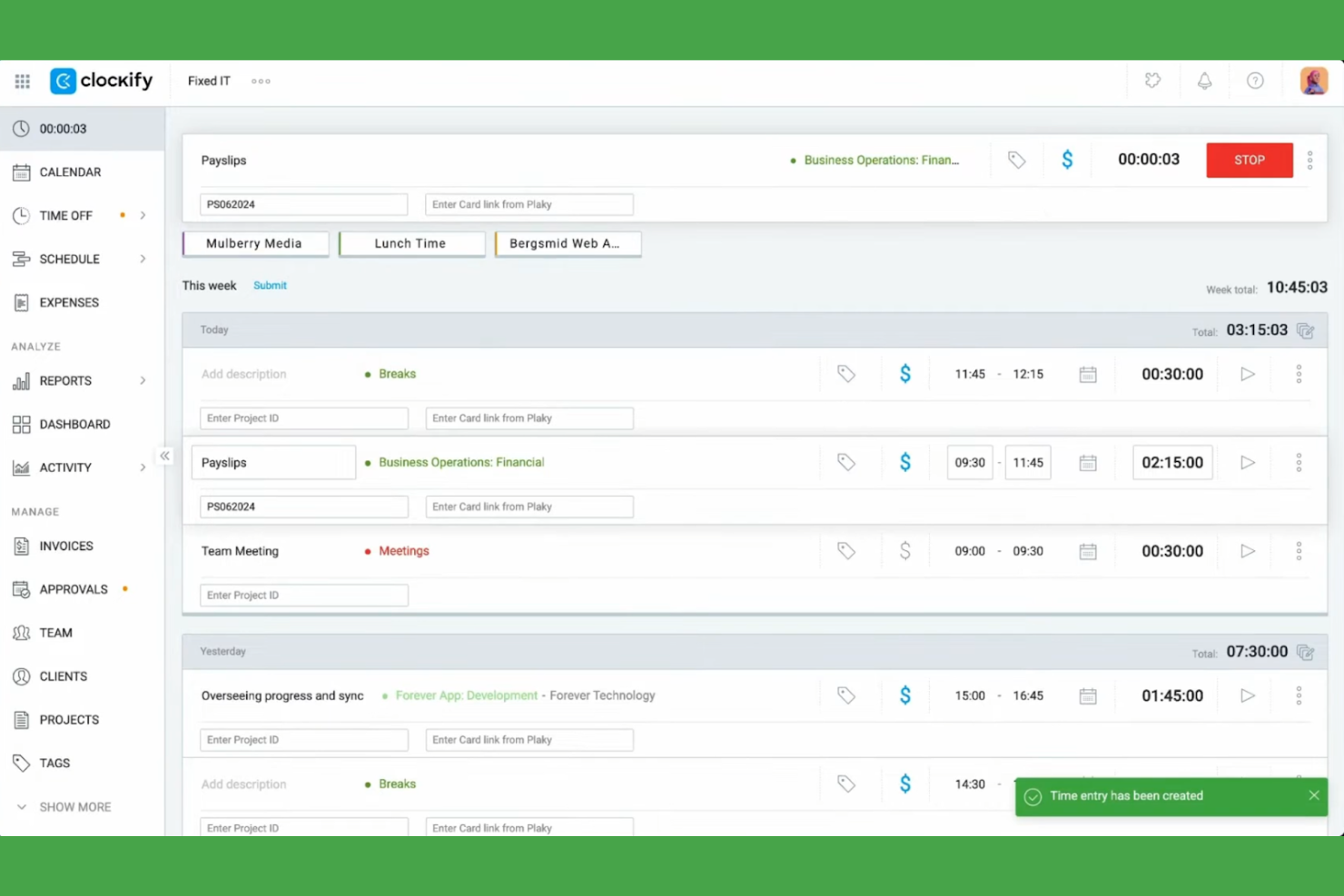
Clockify è un software per il monitoraggio del tempo progettato per liberi professionisti, piccole imprese e aziende, che consente di monitorare in modo efficiente le ore lavorate e gestire i progetti. Aiuta gli utenti a tenere sotto controllo le ore fatturabili, l'avanzamento dei progetti e la produttività del team.
Perché Clockify è una valida alternativa a Timely: Ho selezionato Clockify perché la sua estensione del browser consente ai membri del team di attivare i timer di monitoraggio direttamente all'interno delle applicazioni web già in uso senza perdere la concentrazione. Il software include diverse visualizzazioni dei progetti e report dettagliati, permettendo di vedere come sta lavorando il team, ed è disponibile su Windows, Mac e Linux. Questo lo rende un'opzione flessibile e accessibile per team di qualsiasi dimensione.
Funzionalità e integrazioni di rilievo:
Le funzionalità includono il monitoraggio del tempo, la gestione dei progetti e report dettagliati. È possibile impostare tariffe fatturabili per i progetti e monitorare l'attività del team tramite una dashboard intuitiva. Il software offre inoltre analisi approfondite per aiutarti a ottimizzare la gestione del tempo.
Le integrazioni includono Asana, Trello, Jira, QuickBooks, monday.com, Notion, Google Calendar, GitHub, Salesforce e altro ancora.
Pros and Cons
Pros:
- Ampio supporto multipiattaforma per dispositivi ed estensioni
- Funzionalità di report dettagliati
- Visualizzazioni dei progetti personalizzabili
Cons:
- Funzionalità avanzate limitate
- Solo strumenti di base per la gestione dei progetti

TimeCamp
Ideale per il monitoraggio automatico
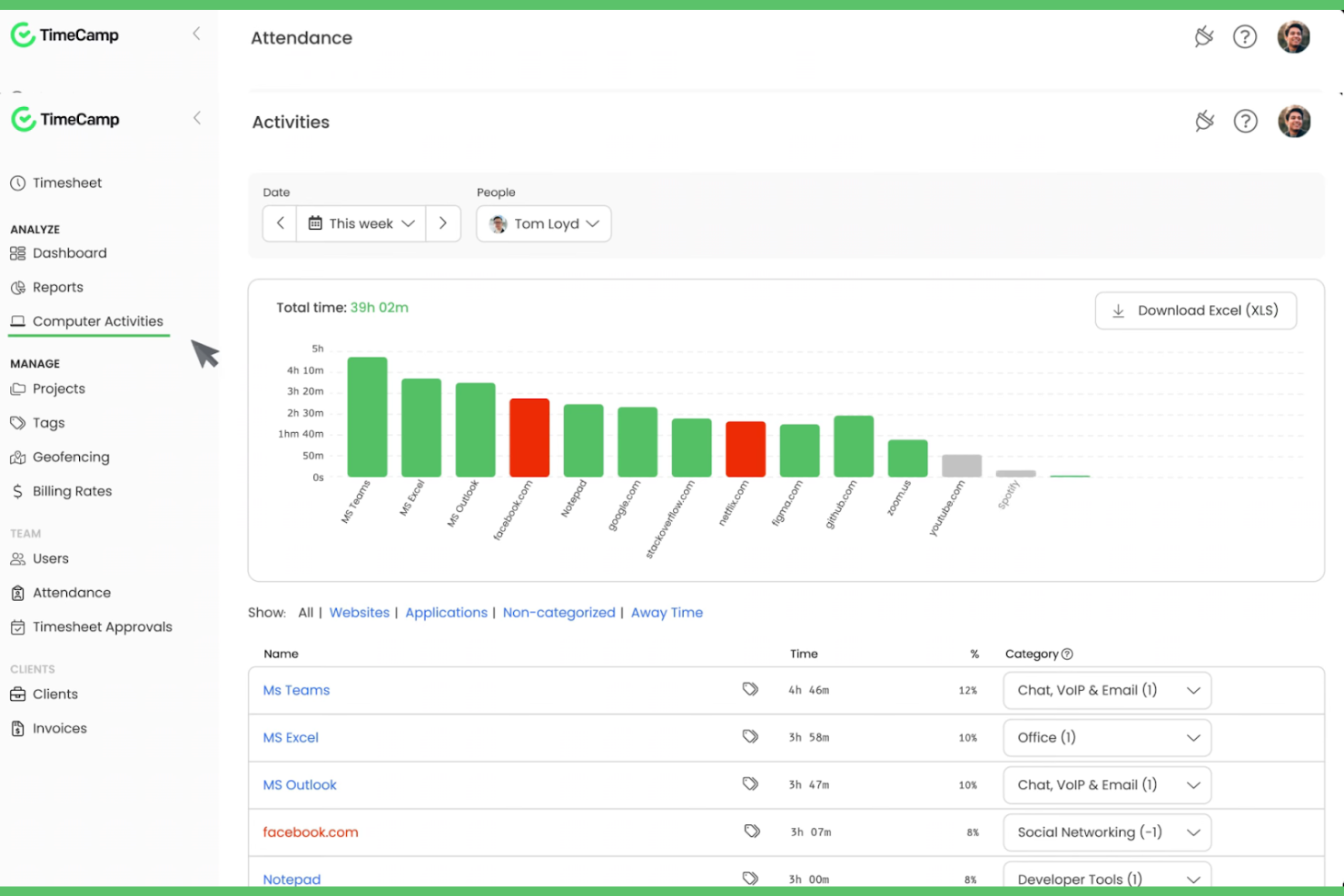
TimeCamp è uno strumento per il monitoraggio del tempo e la gestione dei progetti, progettato per liberi professionisti, piccole imprese e grandi aziende. Aiuta gli utenti a monitorare le ore fatturabili, gestire i progetti e migliorare la produttività attraverso report e analisi dettagliati.
Perché TimeCamp è una buona alternativa a Timely: TimeCamp offre il monitoraggio automatico del tempo, eliminando la necessità di inserimenti manuali e facendo risparmiare tempo prezioso al tuo team. Grazie alla possibilità di monitorare il tempo trascorso su applicazioni e siti web, puoi ottenere un quadro più accurato della tua produttività. Lo strumento offre utili funzionalità di reportistica per analizzare l'avanzamento dei progetti e supportare la gestione del team. I pannelli di controllo facili da usare consentono di gestire più progetti.
Funzionalità e integrazioni principali:
Le funzionalità includono la possibilità di monitorare il tempo su diversi dispositivi, sia Android che iOS, garantendo flessibilità ai team da remoto. Puoi impostare tariffe di fatturazione personalizzate per i progetti, semplificando la gestione dei budget. TimeCamp offre inoltre il monitoraggio della produttività per identificare e affrontare le potenziali perdite di tempo.
Le integrazioni includono Trello, Asana, Slack, QuickBooks, Jira, monday.com, Google Calendar, Microsoft Teams, GitHub, Salesforce e altro ancora.
Pros and Cons
Pros:
- Monitoraggio automatico del tempo
- Tariffe di fatturazione personalizzate
- Monitora il tempo su diversi dispositivi
Cons:
- La configurazione iniziale può essere complessa
- Opzioni di personalizzazione limitate
TMetric
Ideale per l'integrazione nativa con gli strumenti
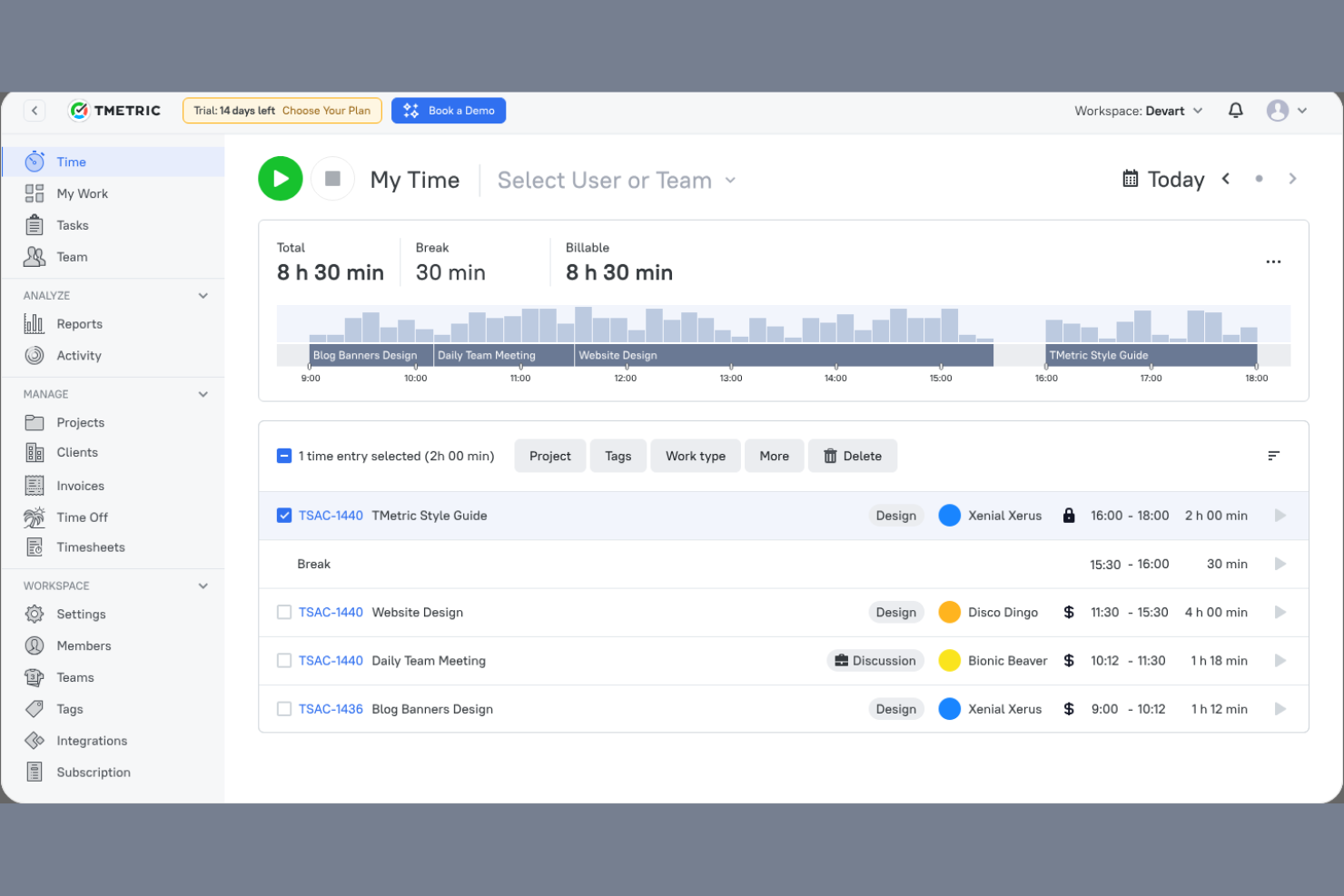
TMetric è un software per il monitoraggio del tempo progettato per liberi professionisti, piccole imprese e grandi aziende. Aiuta i team a monitorare il tempo, gestire i progetti e ottimizzare la produttività attraverso report e analisi dettagliati.
Perché TMetric è una buona alternativa a Timely: TMetric offre l'integrazione nativa con gli strumenti, consentendo di connettersi a diverse piattaforme per un flusso di lavoro unificato. Le sue funzionalità di monitoraggio del tempo permettono di registrare facilmente le ore per più progetti. Il software fornisce report dettagliati, aiutando ad analizzare la produttività e la fatturazione. È inoltre possibile monitorare le ore fatturabili e gestire i budget in modo più efficace, rendendolo una scelta versatile per diverse esigenze aziendali.
Funzionalità e integrazioni principali:
Le funzionalità includono la possibilità di impostare tariffe orarie per diversi progetti, garantendo una fatturazione flessibile. È inoltre possibile monitorare l'attività del team in tempo reale, ottenendo informazioni sui modelli di lavoro. TMetric dispone di un'interfaccia intuitiva che semplifica la gestione del tempo e il monitoraggio dei progetti.
Le integrazioni includono Trello, Asana, Jira, GitHub, QuickBooks, Google Calendar, Todoist, Salesforce e altro.
Pros and Cons
Pros:
- Monitoraggio dell'attività del team in tempo reale
- Fatturazione flessibile con tariffe orarie
- Integrazione nativa con altri strumenti popolari
Cons:
- Tempi di caricamento lenti durante il monitoraggio di molte attività
- Nessun monitoraggio integrato degli straordinari o delle regole per le pause

Ideale per l'analisi della forza lavoro basata sull'IA
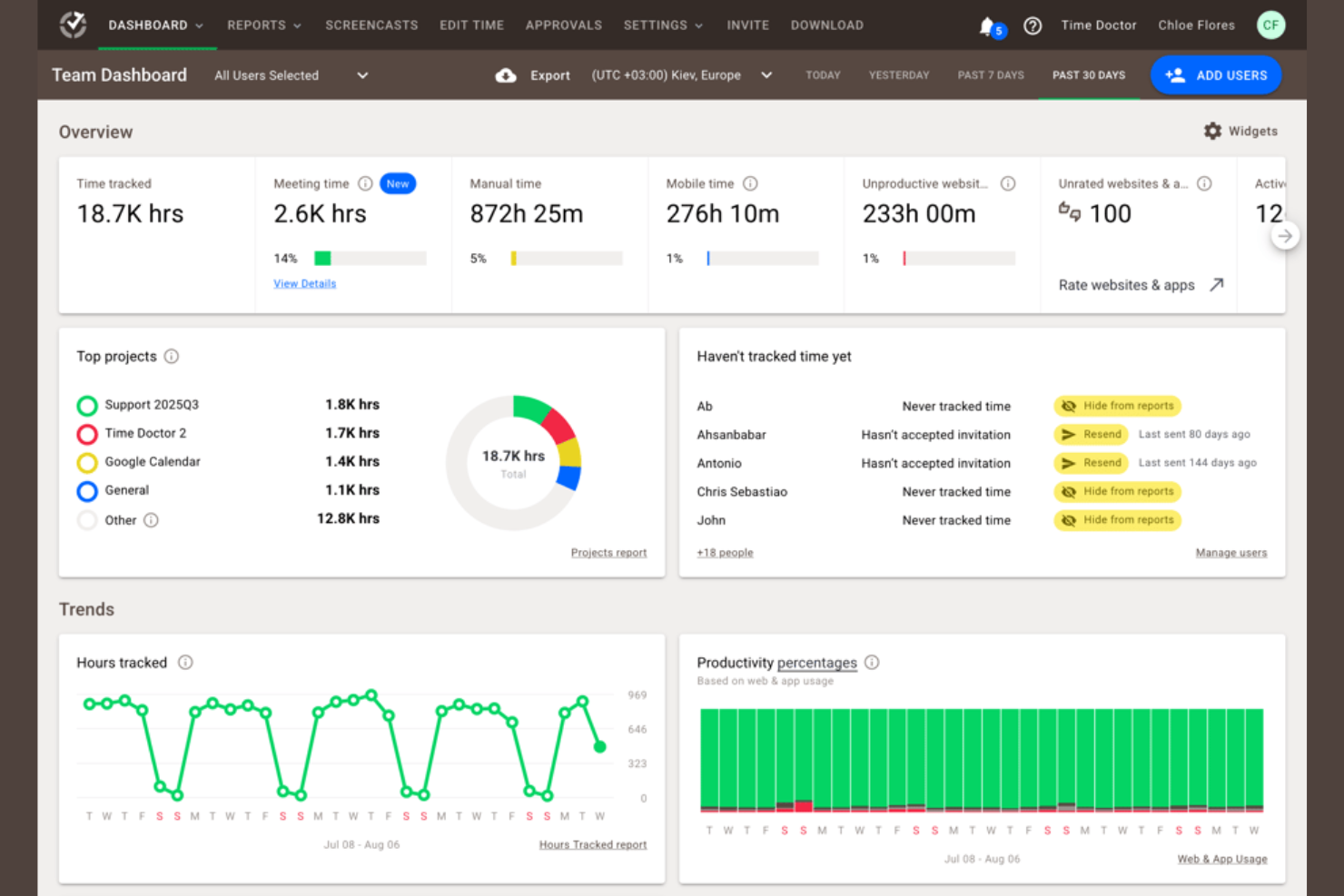
Time Doctor è uno strumento di monitoraggio del tempo e gestione della produttività progettato per aziende di qualsiasi dimensione. Aiuta i team a monitorare il tempo dedicato alle attività, controllare la produttività e gestire il lavoro da remoto in modo efficiente.
Perché Time Doctor è una buona alternativa a Timely: Time Doctor offre analisi della forza lavoro basate sull'IA che forniscono informazioni sulla produttività e sulle prestazioni del team. Grazie al monitoraggio in tempo reale, è possibile controllare come viene impiegato il tempo nelle attività e individuare le aree di miglioramento. Le funzioni di acquisizione delle schermate e monitoraggio delle attività dello strumento contribuiscono a garantire la responsabilità del team. I report personalizzabili consentono di analizzare le tendenze della produttività e prendere decisioni consapevoli.
Funzioni e integrazioni principali:
Le funzioni includono avvisi sulle distrazioni per aiutare il team a concentrarsi sulle attività. È possibile impostare obiettivi di produttività e monitorare i progressi rispetto a tali obiettivi, aiutando i team a mantenere l'attenzione sui risultati. Time Doctor offre inoltre la gestione delle buste paga, semplificando la gestione dei pagamenti per le ore fatturabili.
Le integrazioni includono Trello, Asana, Jira, Basecamp, monday.com, GitHub, Sentry, Salesforce e altro.
Pros and Cons
Pros:
- Informazioni sulla produttività basate sull'IA
- Report di produttività personalizzabili
- Gestione integrata delle buste paga
Cons:
- La configurazione iniziale può richiedere molto tempo
- Dispone solo di funzioni di base per l'app mobile

Memtime
Ideale per il monitoraggio attento alla privacy
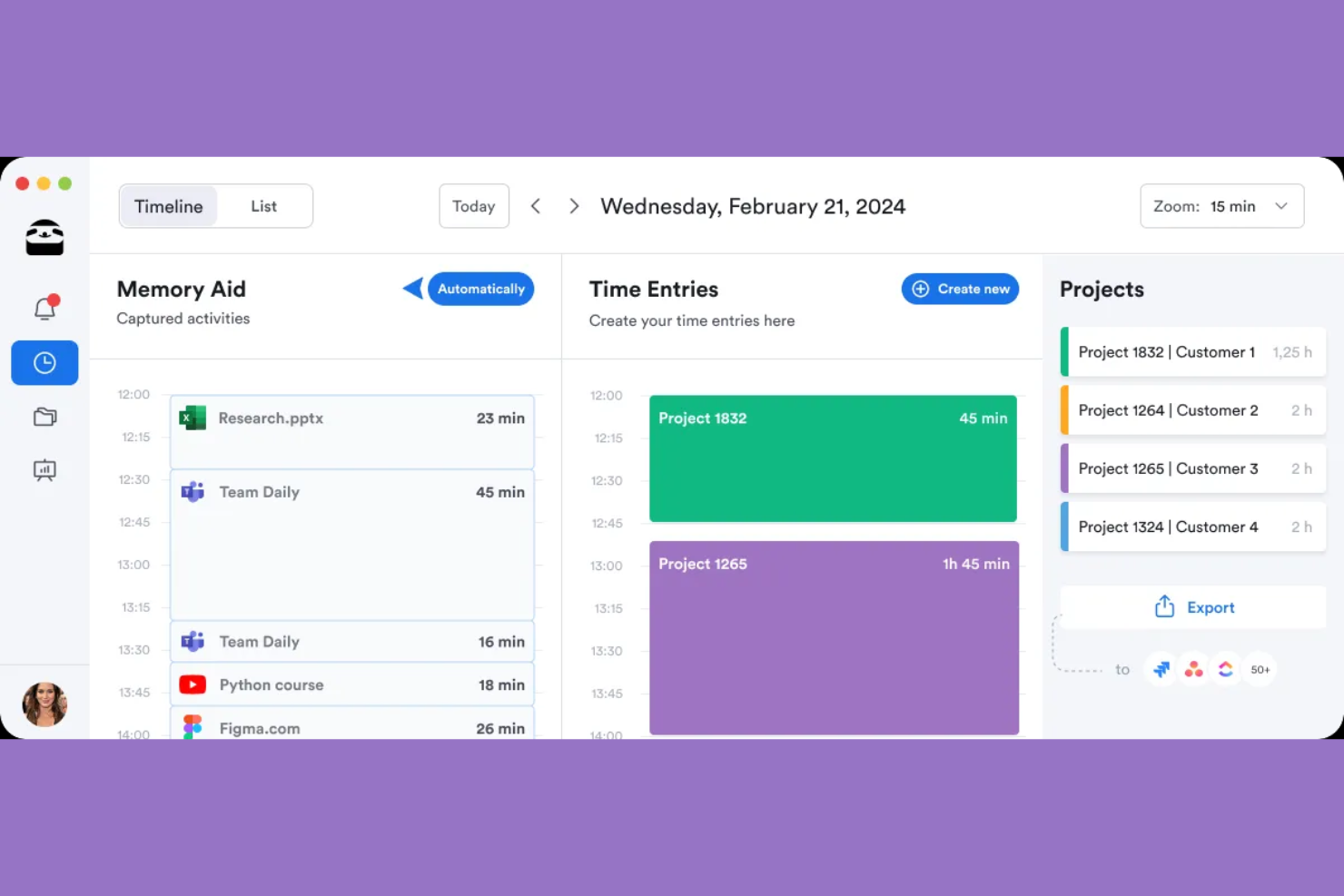
memtime è uno strumento per il monitoraggio del tempo che consente di registrare istantaneamente il tempo dedicato ai progetti. È progettato per professionisti di diversi settori, tra cui quello legale, il marketing e lo sviluppo software, aiutandoli a monitorare le ore lavorate e a migliorare la precisione della fatturazione.
Perché memtime è una buona alternativa a Timely: memtime offre un monitoraggio incentrato sulla privacy, archiviando i dati senza connessione, distinguendosi così da Timely. È possibile registrare il tempo per progetti specifici, semplificando la gestione e il monitoraggio dei carichi di lavoro. Le registrazioni del tempo possono essere esportate o sincronizzate con il software di gestione dei progetti. Le revisioni dettagliate delle attività forniscono informazioni sulla produttività quotidiana, aiutando a ottimizzare la pianificazione dei progetti.
Funzionalità e integrazioni principali:
Le funzionalità includono un sistema di monitoraggio automatico che rileva il tempo dedicato alle attività senza inserimento manuale. È possibile registrare facilmente il tempo associato ai progetti, favorendo una fatturazione accurata. Le revisioni dettagliate delle attività aiutano ad analizzare i modelli di lavoro quotidiani per una migliore gestione dei progetti.
Le integrazioni includono Asana, Zoho Books, Jira, QuickBooks, Microsoft Teams, Google Calendar e altro ancora.
Pros and Cons
Pros:
- Archiviazione dei dati senza connessione e incentrata sulla privacy
- Acquisizione automatica del tempo
- Revisioni dettagliate delle attività quotidiane
Cons:
- Nessuna app mobile per il monitoraggio del tempo
- Opzioni di personalizzazione limitate

actiTIME
Ideale per una gestione conveniente

actiTIME è uno strumento di monitoraggio del tempo e gestione dei progetti progettato per aziende di tutte le dimensioni. Aiuta i team a gestire le attività, monitorare le ore lavorate e ottimizzare i flussi di lavoro dei progetti.
Perché actiTIME è una buona alternativa a Timely: actiTIME offre piani a pagamento convenienti, rendendolo un'opzione interessante per i team attenti al budget. Le sue funzionalità di monitoraggio del tempo consentono di controllare le ore lavorate e assicurarsi che i budget dei progetti vengano rispettati. Grazie agli strumenti di gestione delle attività, è possibile assegnare e monitorare le attività con facilità. Il software offre inoltre report utili per analizzare le prestazioni dei progetti e prendere decisioni informate.
Funzionalità e integrazioni principali:
Le funzionalità includono la possibilità di configurare flussi di lavoro personalizzati, contribuendo a perfezionare i processi del team. È possibile monitorare in tempo reale i costi e i budget dei progetti per evitare spese eccessive. actiTIME offre anche un'interfaccia intuitiva che semplifica il monitoraggio del tempo e la gestione delle attività.
Le integrazioni includono QuickBooks, Jira, Trello, Todoist, Microsoft Outlook, Salesforce, Zapier e altro.
Pros and Cons
Pros:
- Conveniente per i team attenti al budget
- Monitoraggio dei costi in tempo reale
- Interfaccia intuitiva
Cons:
- Funzionalità avanzate limitate
- Funzionalità di base dell'app mobile
New Product Updates from actiTIME

actiTIME Visual Hour Indicator and Time-Track Report Redesign
actiTIME adds a wave-style hour indicator to the Timesheet and Calendar views and refreshes the Time-Track report for smoother navigation and clearer visuals. For more information, visit actiTIME's official site.

Hubstaff
Ideale per il monitoraggio del tempo tramite GPS
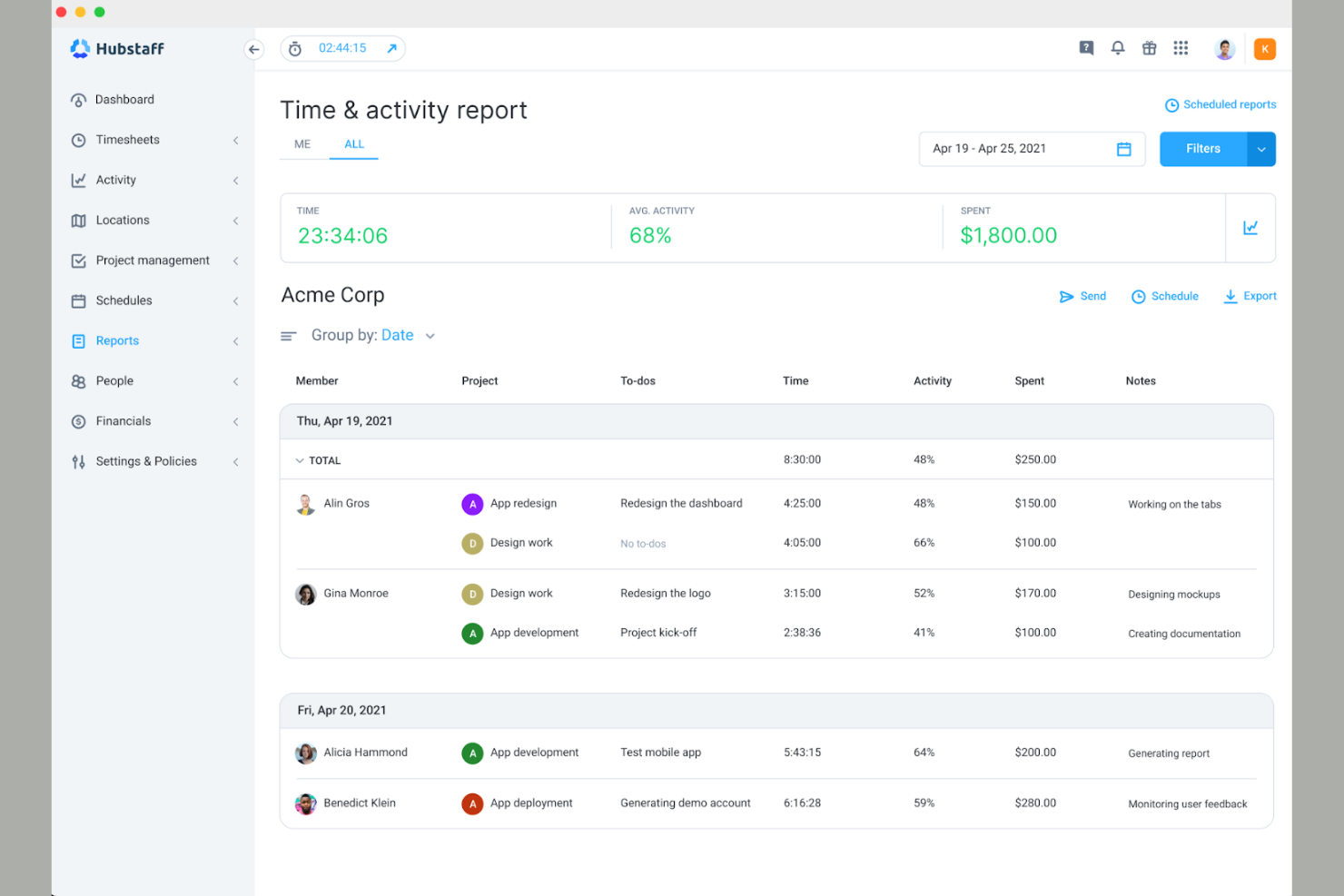
Hubstaff è uno strumento per il monitoraggio del tempo e il controllo dei dipendenti, progettato per team remoti e aziende con personale mobile. Aiuta gli utenti a tenere traccia del tempo, monitorare la produttività e gestire efficacemente le attività dei dipendenti.
Perché Hubstaff è una buona alternativa a Timely: Hubstaff offre il monitoraggio del tempo tramite GPS, rendendolo ideale per i team che devono monitorare il lavoro basato sulla posizione ed eliminando la necessità di timbrare l’ingresso. Puoi monitorare da dove lavorano i membri del tuo team e garantire la responsabilità dei dipendenti mobili. Lo strumento mostra i livelli di attività e offre la possibilità di acquisire schermate per aiutarti a capire come viene impiegato il tempo. Puoi anche generare report dettagliati per analizzare la produttività del tuo team e prendere decisioni informate.
Funzionalità e integrazioni principali:
Le funzionalità includono la gestione automatica delle paghe, che semplifica i pagamenti in base alle ore registrate. Puoi impostare obiettivi di produttività e monitorare i progressi per mantenere il tuo team concentrato. Hubstaff offre inoltre la generazione automatica dei fogli presenze, semplificando il processo di pagamento.
Le integrazioni includono QuickBooks, Asana, Trello, Salesforce, Jira, Slack, GitHub, Zendesk, PayPal e altro.
Pros and Cons
Pros:
- Monitoraggio GPS per il lavoro basato sulla posizione
- Gestione automatica delle paghe
- Processo di approvazione dei fogli presenze
Cons:
- Richiede tempo per la configurazione iniziale
- Costo totale elevato per componenti aggiuntivi e funzionalità avanzate

DeskTime
Ideale per le squadre a distanza e in sede

DeskTime è un programma per il monitoraggio del tempo e l'analisi della produttività, progettato per le squadre sia a distanza che in sede. Aiuta le aziende a monitorare la produttività dei dipendenti, gestire i progetti e ottimizzare i processi di lavoro.
Perché DeskTime è una valida alternativa a Timely: DeskTime offre funzionalità utili sia alle squadre a distanza che a quelle in sede, garantendo flessibilità e adattabilità. Include il monitoraggio automatico del tempo, che funziona in secondo piano senza inserimento manuale, assicurando registrazioni accurate delle ore. Grazie agli strumenti di analisi della produttività, è possibile ottenere informazioni sulle applicazioni e sui siti web utilizzati. Il programma fornisce inoltre punteggi giornalieri di produttività, aiutandoti a individuare e risolvere le inefficienze della squadra.
Caratteristiche distintive & integrazioni:
Le funzionalità includono il monitoraggio del tempo senza connessione, che consente di registrare le ore di lavoro quando non si è connessi a Internet. È inoltre possibile impostare gli orari di lavoro e monitorare il rispetto degli stessi da parte della squadra, garantendo la responsabilità. DeskTime fornisce report dettagliati che aiutano ad analizzare le prestazioni della squadra e a prendere decisioni informate.
Le integrazioni includono Trello, Asana, Jira, GitLab, Google Calendar, Zapier e Outlook.
Pros and Cons
Pros:
- Monitoraggio automatico in secondo piano
- Fornisce punteggi giornalieri di produttività
- Offre il monitoraggio del tempo senza connessione
Cons:
- Integrazioni limitate
- Un monitoraggio esteso può comportare problemi di privacy

Ideale per la proprietà dei dati
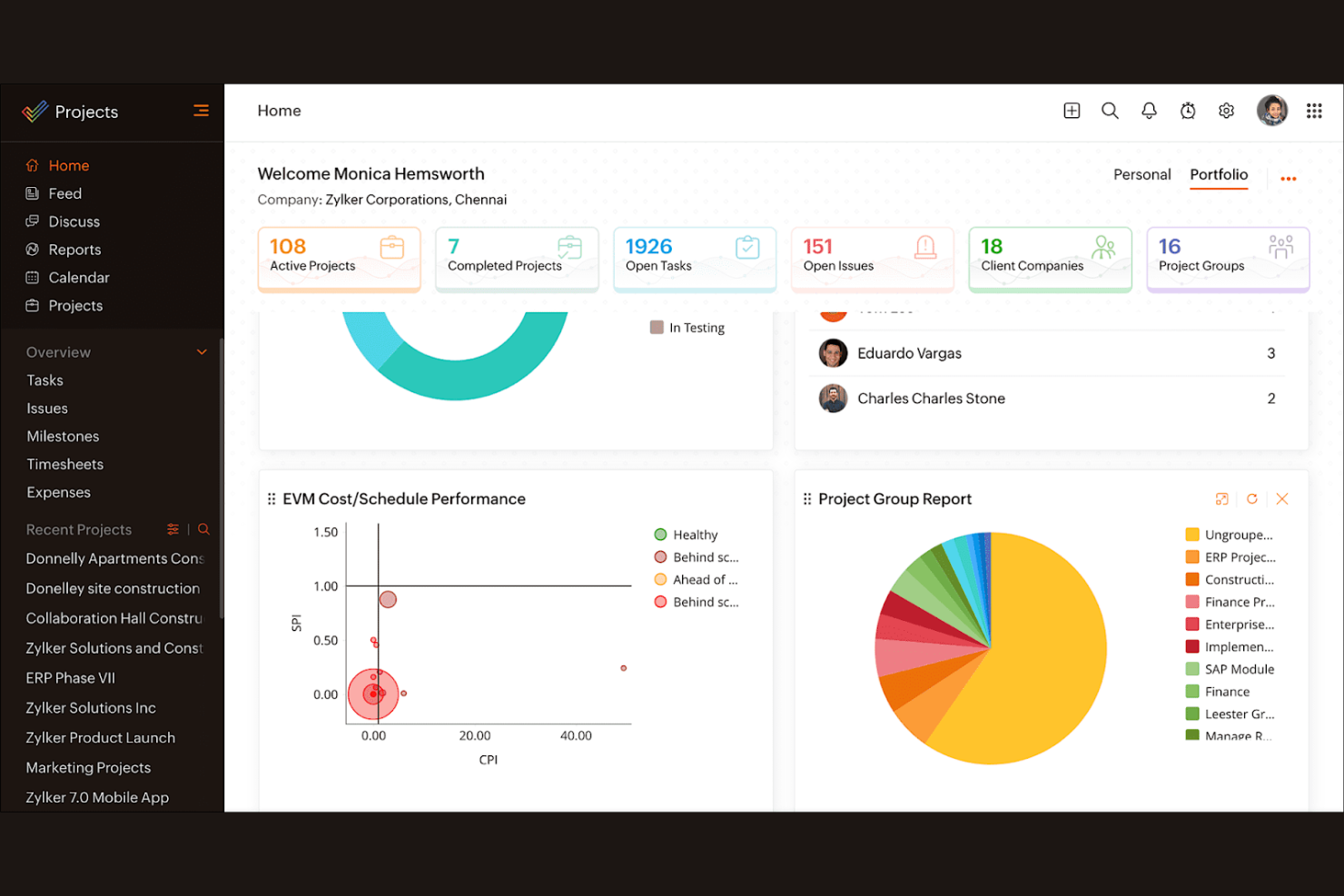
Zoho Projects è un software di gestione dei progetti progettato per team di ogni dimensione. Aiuta le aziende a pianificare i progetti, monitorare i progressi e collaborare in modo efficace.
Perché Zoho Projects è una buona alternativa a Timely: Zoho Projects offre funzionalità che enfatizzano la proprietà dei dati, garantendo che le informazioni del tuo team siano sicure e accessibili. I suoi strumenti di gestione delle attività consentono di suddividere i progetti in parti gestibili e assegnare facilmente le attività. Il software fornisce diagrammi di Gantt per visualizzare le tempistiche e le dipendenze dei progetti. Grazie alle funzionalità di monitoraggio del tempo, puoi controllare le ore dedicate ai progetti e assicurarti di rispettare il budget.
Funzionalità e integrazioni principali:
Le funzionalità includono modelli di progetto che semplificano la configurazione delle attività ricorrenti, facendoti risparmiare tempo. Puoi anche utilizzare il monitoraggio dei problemi per gestire e risolvere in modo efficiente le difficoltà dei progetti. Zoho Projects offre la gestione dei documenti, consentendo al tuo team di archiviare e condividere i file in un unico luogo.
Le integrazioni includono Dropbox, Microsoft Teams, Zapier, Slack, GitHub, Zoho CRM, Zoho Books, Zoho Invoice e altro ancora.
Pros and Cons
Pros:
- Enfatizza la proprietà dei dati
- Monitoraggio efficiente dei problemi
- Gestione centralizzata dei documenti
Cons:
- Curva di apprendimento ripida per i nuovi utenti
- Interfaccia complessa
New Product Updates from Zoho Projects
Zoho Projects Adds CodeX Scripts for Custom Modules
Zoho Projects now supports CodeX Scripts for custom modules, enabling conditional logic and rules for creating, updating, and deleting records. For more information, visit Zoho Projects' official site.
 .
.
Ideale per la prenotazione autonoma da parte dei clienti



Come valuto le alternative a Timely
Valuto gli strumenti su due livelli: i requisiti di base, come la rilevazione passiva del tempo e l'allocazione ai progetti fatturabili, e gli elementi distintivi che rivelano quale opzione si adatti meglio al flusso di lavoro effettivo del tuo team.
Funzionalità principali (requisiti di base per questo elenco)
Quando seleziono gli strumenti per il mio elenco, assegno a ciascuno un punteggio su una scala da 0 (non offre la funzionalità) a 5 (eccelle in quest'area) per ogni funzionalità principale elencata di seguito. Poi calcolo il punteggio totale dello strumento in percentuale. Ogni strumento deve raggiungere un punteggio totale minimo del 65% per essere preso in considerazione.
- Monitoraggio automatico del tempo: verifico se lo strumento rileva passivamente l'attività svolta su app, browser e documenti, così gli utenti non devono avviare e arrestare continuamente i timer durante la giornata.
- Allocazione a progetti e clienti: le ore registrate devono essere associate in modo chiaro a clienti, progetti e attività, soprattutto per le agenzie che gestiscono contemporaneamente più clienti con contratti continuativi.
- Fogli ore e approvazioni: cerco fogli ore modificabili con flussi di approvazione che consentano ai responsabili di esaminare e bloccare le registrazioni prima che confluiscano nella fatturazione o nell'elaborazione delle buste paga.
- Tariffe fatturabili e budget: gli strumenti dovrebbero supportare tariffe fatturabili per progetto o per utente insieme a limiti di budget, così i consulenti possono monitorare i margini senza ricorrere a un foglio di calcolo separato.
- Report e analisi: valuto se i pannelli di controllo mostrano dati sull'utilizzo e sulla redditività che possono essere filtrati per membro del team, cliente o intervallo di date ed esportati per le revisioni con le parti interessate.
- Ecosistema di integrazioni: lo strumento dovrebbe connettersi alle piattaforme di gestione dei progetti, calendario e contabilità già utilizzate dal team, come Jira, Google Calendar, QuickBooks o Xero.
Una volta ottenuto un elenco di strumenti che soddisfano questi criteri, considero ciò che distingue ogni piattaforma.
Fattori distintivi (ciò che differenzia i fornitori)
Ecco come confronto i diversi fornitori:
Funzionalità distintive
I controlli sulla privacy dei dipendenti sono molto importanti in questo caso. Alcuni strumenti consentono ai singoli utenti di esaminare i propri dati grezzi sull'attività prima che qualsiasi informazione arrivi a un responsabile, rendendo molto più semplice l'adozione da parte dei team. Valuto anche se una piattaforma include la pianificazione della capacità: poter prevedere il carico di lavoro del team in relazione alle ore dei progetti imminenti aiuta a prevenire l'esaurimento e il sovraccarico di lavoro. La fatturazione nativa è un altro elemento distintivo che vale la pena valutare. Gli strumenti che generano fatture pronte per i clienti direttamente dalle ore fatturabili registrate eliminano completamente il passaggio manuale di esportazione verso il sistema contabile.
Oltre le funzionalità
La privacy dei dati e la conformità normativa meritano grande attenzione quando è coinvolto il monitoraggio delle attività. Verifico se i fornitori possiedono certificazioni come SOC 2 o conformità al GDPR e se offrono politiche che non prevedono screenshot. Anche la struttura dei prezzi svolge un ruolo importante: alcuni strumenti riservano il monitoraggio automatico ai piani più costosi, quindi le esigenze di un libero professionista sono molto diverse da quelle di un'agenzia di 50 persone. La copertura delle piattaforme completa la mia valutazione. I team che suddividono il lavoro tra computer desktop e dispositivi mobili hanno bisogno di app native su entrambe le piattaforme, idealmente con il monitoraggio offline che si sincronizza quando torna la connettività.
Perché cercare un'alternativa a Timely?
Sebbene Timely sia una buona scelta per il software di monitoraggio del tempo, ci sono diversi motivi per cui alcuni utenti cercano soluzioni alternative. Potresti cercare un'alternativa a Timely perché…
- Hai bisogno di funzionalità di reportistica più avanzate
- Il tuo team necessita di funzionalità di monitoraggio offline
- Hai bisogno di una migliore integrazione con gli strumenti esistenti
- Il tuo team ha superato i limiti utente di Timely
- Hai bisogno di un'opzione più conveniente
- Hai bisogno del supporto per più lingue
Se ti riconosci in una di queste situazioni, sei nel posto giusto. Il mio elenco contiene diverse opzioni software per il monitoraggio del tempo più adatte ai team che affrontano queste difficoltà con Timely e cercano soluzioni alternative.
Funzionalità principali di Timely
Ecco alcune delle funzionalità principali di Timely, per aiutarti a confrontare ciò che offrono le soluzioni alternative:
- Monitoraggio automatico del tempo: utilizza l'intelligenza artificiale per registrare automaticamente il tempo dedicato alle attività, riducendo l'inserimento manuale per il tuo team.
- Foglio presenze con intelligenza artificiale: completa rapidamente i fogli presenze utilizzando l'intelligenza artificiale per suggerire le registrazioni del tempo, facendoti risparmiare tempo.
- Dashboard dei progetti: offrono una panoramica visiva di tutti i progetti, aiutandoti a monitorare i progressi e le scadenze.
- Tariffe fatturabili: ti consentono di impostare tariffe di fatturazione diverse per attività e progetti, garantendo una fatturazione accurata ai clienti.
- Rilevamento dell'inattività: ti avvisa quando non viene rilevata alcuna attività, garantendo che i registri del tempo rimangano accurati e riflettano il lavoro effettivo.
- Monitoraggio della memoria: registra automaticamente l'attività del computer, offrendo un'elevata precisione senza timer manuali.
- Pianificazione della capacità: ti aiuta a comprendere il tempo disponibile per il lavoro fatturabile, ottimizzando l'allocazione delle risorse.
- Gestione delle attività: consente di assegnare e monitorare le attività, mantenendo il team allineato agli obiettivi del progetto.
- Report dettagliati: offrono informazioni sull'utilizzo del tempo e sulla produttività, supportando l'analisi delle prestazioni.