

Smartsheet Test 2026: Funktionen & Expertenmeinung



Smartsheet is an AI-powered work management platform that helps teams plan, track, and manage work in a flexible spreadsheet-like interface. It’s a good fit for teams that require cross-functional coordination, such as operations, marketing, and PMO teams in industries like construction, healthcare, and IT. Smartsheet gives you a clear, customizable view of your work so you can keep projects moving without confusion or delays.
In this article, I’ll walk you through Smartsheet’s features, pros and cons, pricing, and where it works best—and where it doesn’t. If you’re trying to keep your projects organized and your team aligned, this’ll help you decide if Smartsheet’s right for your workflow.
Smartsheet Evaluation Summary

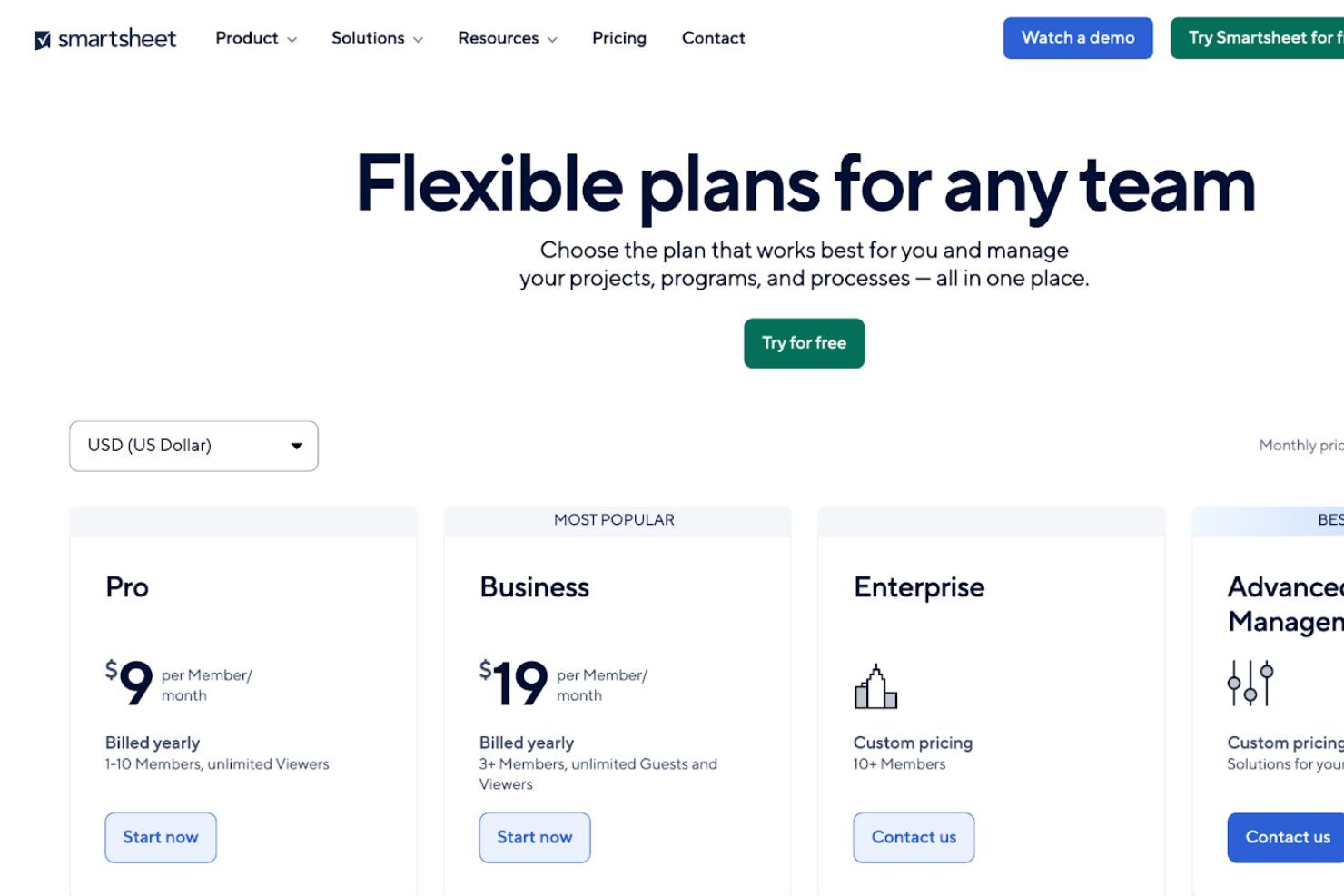
- From $9/user/month (billed annually)
- 30-day free trial
Warum Sie unseren Software-Empfehlungen vertrauen können
Unser Team testet und bewertet Software seit 2012. Als Projektmanager wissen wir selbst, wie schwierig – und wichtig – es ist, die richtige Software auszuwählen.
Für diesen Leitfaden haben wir Tools mithilfe von praktischen Tests und unabhängiger Recherche bewertet und dabei unsere Bewertungskriterien angewendet. Zudem greifen wir auf Erkenntnisse von Branchenvordenkern und praktizierenden Projektmanagement-Experten zurück.
Unsere Bewertungen spiegeln unser menschliches redaktionelles Urteilsvermögen wider, keine Verkaufsstrategie.
Smartsheet Overview
In my opinion, Smartsheet does a solid job as a project management software, especially for teams that like the familiarity of spreadsheets but need more structure and automation. It’s not the flashiest tool, but it delivers steady value with strong dashboards, flexible workflows, and solid reporting. It outperforms many tools when it comes to managing multiple, complex projects at scale, but it can feel clunky compared to lighter options.
Onboarding takes effort, and non-technical users might feel overwhelmed at first. That said, once it’s up and running, it’s a powerhouse for operations, marketing, and PMO teams that manage deadlines and dependencies across departments. If you’re judging tools based on control, visibility, and scalability, Smartsheet is a smart pick.

pros
-
Gives your team a lot of flexibility with how you set up sheets, dashboards, and workflows
-
Proofing and approval tools can help you better collaborate with your team
-
Handles complex projects and cross-team coordination better than most tools
cons
-
It takes time to set up and isn’t very intuitive for new users
-
Interactive spreadsheets don’t automatically sync changes
-
You can’t easily build simple task lists without doing extra setup
Is Smartsheet Right For Your Needs?
Who Would be a Good Fit for Smartsheet?
Smartsheet works best for teams that manage complex projects with lots of moving parts, like operations, marketing, or PMO teams. If you’re tracking dependencies, deadlines, approvals, and deliverables across multiple people or departments, Smartsheet gives you the structure and visibility to keep things on track. It’s also a great tool if your team likes spreadsheets but needs more automation, reporting, and control.
-
Marketing Teams
You can manage campaign timelines, creative approvals, and content calendars in one place using built-in forms, reminders, and dashboards.
-
Construction Projects
Smartsheet is great for tracking tasks, permits, and inspections across vendors and crews using Gantt charts and status columns.
-
PMO Departments
You get a clear portfolio view of all your projects, timelines, and risks with built-in reports and resource views.
-
Healthcare Operations
Smartsheet helps you track compliance tasks, training, and onboarding with audit-ready logs and approval workflows.
-
IT Teams
Smartsheet is useful for managing system rollouts, support requests, and change logs with forms, automations, and sheet linking.
-
Mid-Sized & Enterprise-Level Companies
You get enough structure to handle complex operations and scale without needing a full custom solution.
Who Would be a Bad Fit for Smartsheet?
If your team runs simple, repeatable projects or just wants a fast way to assign tasks, Smartsheet might feel like overkill. It’s not built for teams that want plug-and-play simplicity or don’t have time to configure sheets and workflows. Creative teams, freelancers, or very small teams might feel bogged down by the setup and learning curve.
-
Freelance Creatives
Smartsheet requires too much setup just to manage a few tasks or share updates with clients.
-
Small Startups
You probably won’t need Smartsheet’s structure or reporting if your team’s still figuring out basic processes.
-
Sales Teams
Smartsheet isn't built for CRM work—tracking leads, calls, and deal stages feels clunky and inefficient.
-
Agencies
If you manage fast-turn client projects, Smartsheet may slow you down with too much structure and not enough speed.
-
Retail Stores
You won’t find much value in Smartsheet for day-to-day store ops or inventory tracking.
-
HR Teams
Smartsheet lacks people-first features, which makes it not the best fit for managing hiring pipelines or employee engagement.
Unsere Bewertungsmethodik
Wie wir Tools testen & bewerten
Wir haben jahrelang unser System zur Softwareüberprüfung und -bewertung aufgebaut, verfeinert und verbessert. Das Bewertungsschema wurde entwickelt, um die Feinheiten der Softwareauswahl und die Effektivität eines Tools einzufangen, wobei der Fokus auf den entscheidenden Aspekten des Entscheidungsprozesses liegt. Unten sehen Sie genau, wie unser Test- und Bewertungssystem über sieben Kriterien hinweg funktioniert. So können wir eine objektive Einschätzung der Software auf Grundlage von Kernfunktionen, herausragenden Merkmalen, Benutzerfreundlichkeit, Onboarding, Kundenservice, Integrationen, Kundenbewertungen und Preis-Leistungs-Verhältnis bieten.
Kernfunktionalität (25% der Gesamtbewertung)
Ausgangspunkt unserer Bewertung ist immer die Kernfunktionalität des Tools. Hat es die grundlegenden Funktionen, die ein Nutzer erwarten würde? Sind einige dieser Kernfunktionen nur in höherpreisigen Tarifen verfügbar? Wir erwarten, dass ein Tool mindestens den grundlegenden Leistungsumfang seiner Mitbewerber erfüllt.
Herausragende Funktionen (25% der Gesamtbewertung)
Anschließend bewerten wir außergewöhnliche Funktionen, die über die üblichen Kernfunktionen hinausgehen. Eine hohe Bewertung spiegelt spezialisierte oder einzigartige Eigenschaften wider, durch die das Produkt schneller, effizienter oder für den Nutzer besonders wertvoll wird. Wir bewerten auch, wie einfach sich das Tool in andere Tools integrieren lässt, die üblicherweise im Tech-Stack zu finden sind, um die Funktionalität zu erweitern. Lösungen mit vielen nativen Integrationen, Drittanbieter-Anbindungen und API-Zugang zur Erstellung individueller Verknüpfungen schneiden am besten ab.
Benutzerfreundlichkeit (10% der Gesamtbewertung)
Wir berücksichtigen, wie schnell und einfach sich die Aufgaben – basierend auf der Kernfunktionalität – mit dem Tool erledigen lassen. Eine hohe Bewertung erhalten Tools, die durchdacht gestaltet und intuitiv bedienbar sind, mobile Apps und Vorlagen bieten und sogar komplexe Aufgaben einfach erscheinen lassen.
Onboarding (10% der Gesamtbewertung)
Wir wissen, wie wichtig eine schnelle Einführung im Team ist, und bewerten deshalb, wie leicht ein Tool mit minimaler Schulung erlernt und genutzt werden kann. Wir prüfen, wie schnell neue Teammitglieder ohne Vorkenntnisse starten können. Lösungen, die wenig oder gar keine Unterstützung erfordern, erhalten die höchste Bewertung.
Kundenservice (10% der Gesamtbewertung)
Wir überprüfen, wie schnell und unkompliziert Hilfe per Telefon, Live-Chat oder Wissensdatenbank verfügbar ist. Tools und Unternehmen, die Echtzeit-Support bieten, schneiden am besten ab; Chatbots am schlechtesten.
Kundenbewertungen (10% der Gesamtbewertung)
Neben unseren eigenen Tests beziehen wir auch den Net Promoter Score aktueller und ehemaliger Nutzer ein. Wir prüfen die Wahrscheinlichkeit, mit der sie das Tool erneut für die Kernfunktionalitäten wählen würden. Ein hohes Ergebnis spiegelt einen hohen Net Promoter Score bei aktuellen oder früheren Kund:innen wider.
Preis-Leistungs-Verhältnis (10% der Gesamtbewertung)
Abschließend vergleichen wir – unter Berücksichtigung aller anderen Kriterien – den Durchschnittspreis der Einstiegstarife mit den Kernfunktionen und bewerten das Preis-Leistungs-Verhältnis. Software, die mehr Leistung für weniger Geld bietet, bekommt die höchsten Werte.
New Product Updates from Smartsheet
Smartsheet Introduces Custom Privacy Notices for Forms
Smartsheet introduces custom privacy notices in Admin Center that appear alongside Smartsheet’s notice on new and existing forms. This gives admins one place to manage organization-wide privacy messaging. Highlights include:
- Custom Privacy Notices: Lets admins add organization-specific privacy information to forms.
- Organization-Wide Setup: Applies the configured notice across all new and existing forms.
- Separate Notices: Displays the organization’s notice alongside Smartsheet’s own privacy notice.
- Admin Center Controls: Lets admins configure the notice once from a central location.
Visit Smartsheet’s official site for more details.
 for more details.
Smartsheet Brings Scenario Planning to Its MCP Server
Smartsheet brings Scenario Planning to its MCP server with tools for creating scenarios, checking allocation, comparing plans, and reassigning work. These capabilities make AI-assisted planning more accessible through Claude and Copilot. Highlights include:
- Scenario Creation: Lets users create scenario plans and individual scenarios through an AI assistant.
- Scenario Comparison: Provides high-level scenario data and comparison metrics.
- Resource Checks: Shows allocation and availability for the active plan.
- Bulk Reassignment: Lets users move tasks between resources in bulk.
- Plan Application: Applies revised scenarios back to the original sheet.
Visit Smartsheet’s official site for more details.
Smartsheet Introduces New Dashboard Charting Experience
Smartsheet introduces a new charting experience with AI-assisted creation, direct data sourcing, built-in aggregations, and live previews. These updates make dashboard chart creation faster and reduce manual data preparation. Highlights include:
- Build With AI: Creates charts from sheet data using a prompt.
- Direct Data Sourcing: Builds charts directly from a primary sheet or report.
- Built-In Aggregations: Supports Count, Sum, Average, Min, Max, and Median.
- Live Preview: Shows chart changes as users adjust the configuration.
- Chart Types: Supports bar, column, line, pie, donut, stacked, and grouped charts.
- Legacy Charts: Keeps existing charts available in Legacy mode.
Visit Smartsheet’s official site for more details.
Smartsheet Adds Smart Assist for Sheets on Mobile
Smartsheet has brought Smart Assist directly into sheets on the iOS and Android mobile apps. This gives teams AI-powered visibility and quicker communication from anywhere, helping users understand progress and act on work faster. Highlights include:
- AI Status Readouts: Summarizes completed, in-progress, at-risk, and blocked work directly from a sheet.
- Suggested Prompts: Helps surface assigned tasks, overdue items, summaries, and other sheet information.
- Drafted Updates: Lets users prepare updates for collaborators directly from the Smart Assist panel.
Visit Smartsheet’s official site for more details.

Smartsheet Adds Project Leads Sync for Workspace Access
Smartsheet adds Project Leads Sync to automatically manage workspace admin access when project leads are added or removed. This helps teams keep access permissions current without manually updating sharing settings across workspaces. Highlights include:
- Automatic Admin Access: Grants workspace admin access when a contact is added to the Project Leads column.
- Automatic Access Removal: Revokes admin access when a project lead is removed, helping keep permissions in sync with project ownership.
Visit Smartsheet’s official site for more details.
Smartsheet Expands Seat Management and Reporting
Smartsheet lets system admins check inactive users and available seats, then upgrade or downgrade users through supported MCP-compatible AI clients with confirmation. The Seat Type Report also adds details such as how users joined the plan, starting status, department, job title, and key true-up dates. Highlights include:
- AI Seat Management: Lets admins manage seats through supported MCP-compatible AI clients.
- Seat Availability Checks: Shows inactive users and available seats before making changes.
- User Upgrades and Downgrades: Supports seat changes with explicit confirmation.
- Expanded Seat Type Report: Adds user source, starting status, department, job title, and true-up details.
- Admin Auditing: Gives admins more context for billing reviews, seat audits, and user management.
Visit Smartsheet’s official site for more details.
Smartsheet Adds Scenario Plan Duplication
Smartsheet adds a duplicate option for scenario plans that copies the full planning setup into a new plan. The update helps teams create what-if variations and carry existing plans into new cycles faster. Highlights include:
- Scenario Plan Duplication: Creates a complete copy of an existing scenario plan.
- Full Plan Copy: Includes scenarios, connected sheets, dates, dependencies, and resource allocations.
- Faster What-If Modeling: Lets users test variations without rebuilding the original plan.
- Planning Cycle Reuse: Makes it easier to carry an existing plan into a new planning period.
Visit Smartsheet’s official site for more details.
Smartsheet Dynamic View Adds Support for Larger Sheets
Smartsheet Dynamic View expands support to sheets with up to 2.5 million cells and applies filtering and sorting across the complete dataset. The update improves usability for teams working with larger enterprise sheets. Highlights include:
- 2.5 Million Cell Support: Expands Dynamic View to significantly larger sheets.
- Full-Dataset Filtering: Applies filters across the entire dataset instead of only visible rows.
- Full-Dataset Sorting: Sorts results across the complete sheet for more accurate views.
Visit Smartsheet’s official site for more details.
Smartsheet Adds Event Filtering for Sheet-Level Webhooks
Smartsheet adds event filtering to sheet-level webhooks, allowing developers to specify which event types trigger callbacks when creating or updating a webhook. The update reduces callback noise and downstream processing by sending integrations only the sheet events they need. Highlights include:
- Event Filtering: Lets developers select which sheet event types trigger webhook callbacks.
- Webhook Controls: Supports event selection when creating or updating sheet-level webhooks.
- Reduced Callback Noise: Prevents unwanted sheet events from being sent to connected integrations.
Visit Smartsheet’s official site for more details.
Smartsheet Adds Drag-and-Drop Timeline Rescheduling
Smartsheet adds drag-and-drop controls for changing start and end dates, moving bars or milestones to new dates, and repositioning items across swim lanes in Timeline view. The update makes it faster to build and adjust project roadmaps without opening individual record details. Highlights include:
- Date Rescheduling: Lets users drag bars or milestones to new dates directly on the timeline.
- Duration Adjustments: Changes start or end dates by dragging the edge of a timeline bar.
- Swim Lane Movement: Lets users drag items between swim lanes to reorganize roadmap work.
Visit Smartsheet’s official site for more details.
Core Features
Sheets
Smartsheet’s Sheets give you a spreadsheet-style way to organize work, assign owners, set due dates, and track progress in one place.
Calendar View
Calendar View displays tasks and deadlines in a calendar format, helping teams quickly see what’s due and plan upcoming work more easily.
Gantt View + Dependencies
Gantt View lets you map tasks across a timeline, while dependencies help you connect work steps so your schedule adjusts when timelines shift.
Automation Workflows
Smartsheet automation helps reduce manual follow-ups by triggering alerts, approvals, and status updates based on changes in your sheet.
Board View
This Kanban-style layout helps you organize tasks by status, making it easy to track what’s next, what’s in progress, and what’s done.
Dashboards + Reports
Dashboards and reports help you track project health in real time and share progress with stakeholders without building manual status updates.

Standout Features
Control Center
Control Center helps you standardize and manage multiple projects at once by rolling out consistent templates, tracking progress across initiatives, and reducing manual setup work.
Dynamic View
Dynamic View lets you share only the right tasks and updates with specific users, making collaboration easier while protecting the rest of your sheet from unwanted edits.
Ease of Use
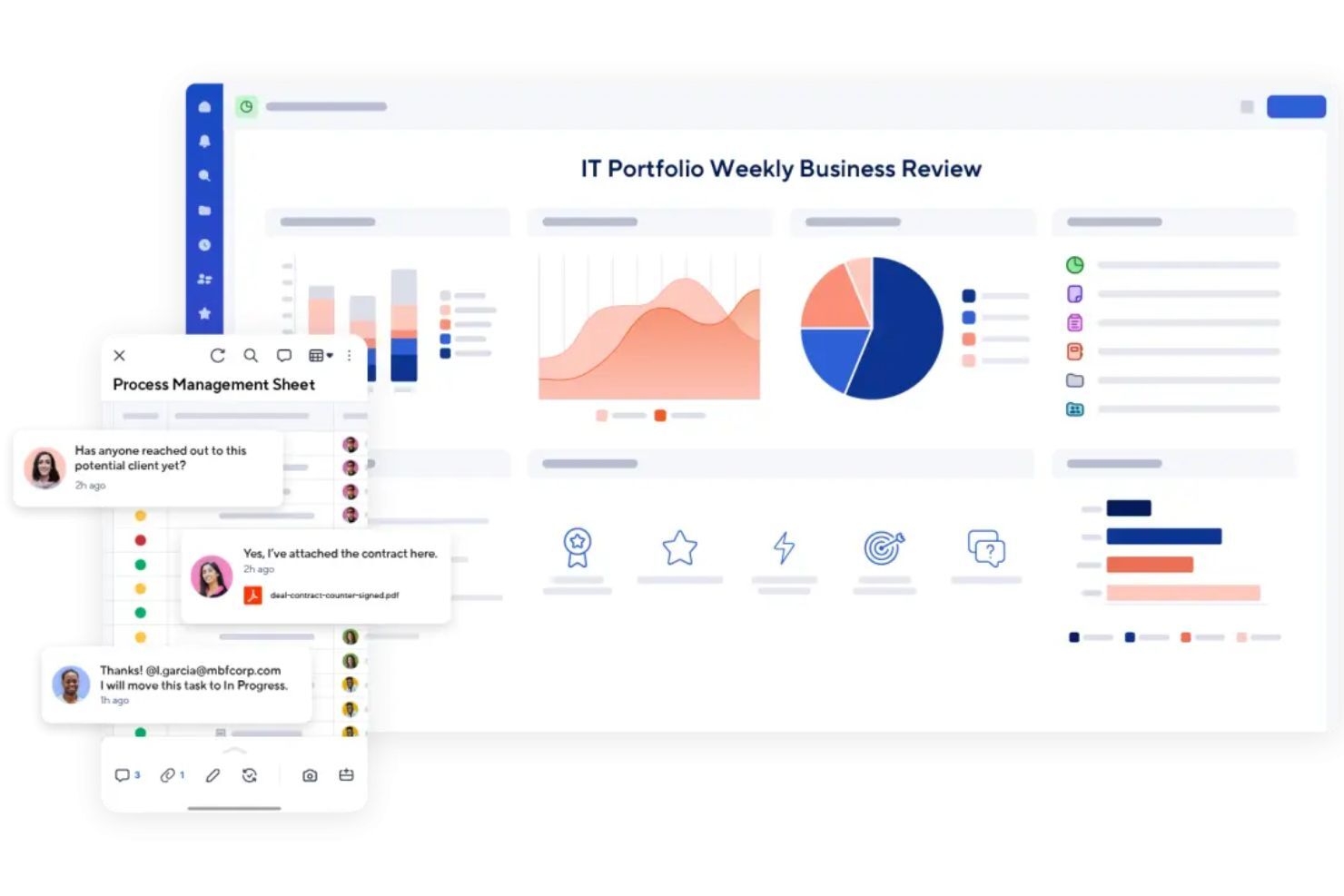
Smartsheet is fairly easy to pick up, especially if you’re already comfortable using spreadsheets. The layout feels familiar, and it’s simple to create a sheet, assign tasks, and track deadlines.
Where it gets harder is when you start building more advanced setups like automations, dashboards, formulas, and reporting across multiple sheets. It’s powerful, but it can take time to learn how to structure things properly so your workspace doesn’t get messy.
Overall, it’s user-friendly for teams that like a spreadsheet-style workflow, but it may feel less intuitive if you’re not familiar with that format and if you prefer a more modern, visual project management tool.
Onboarding
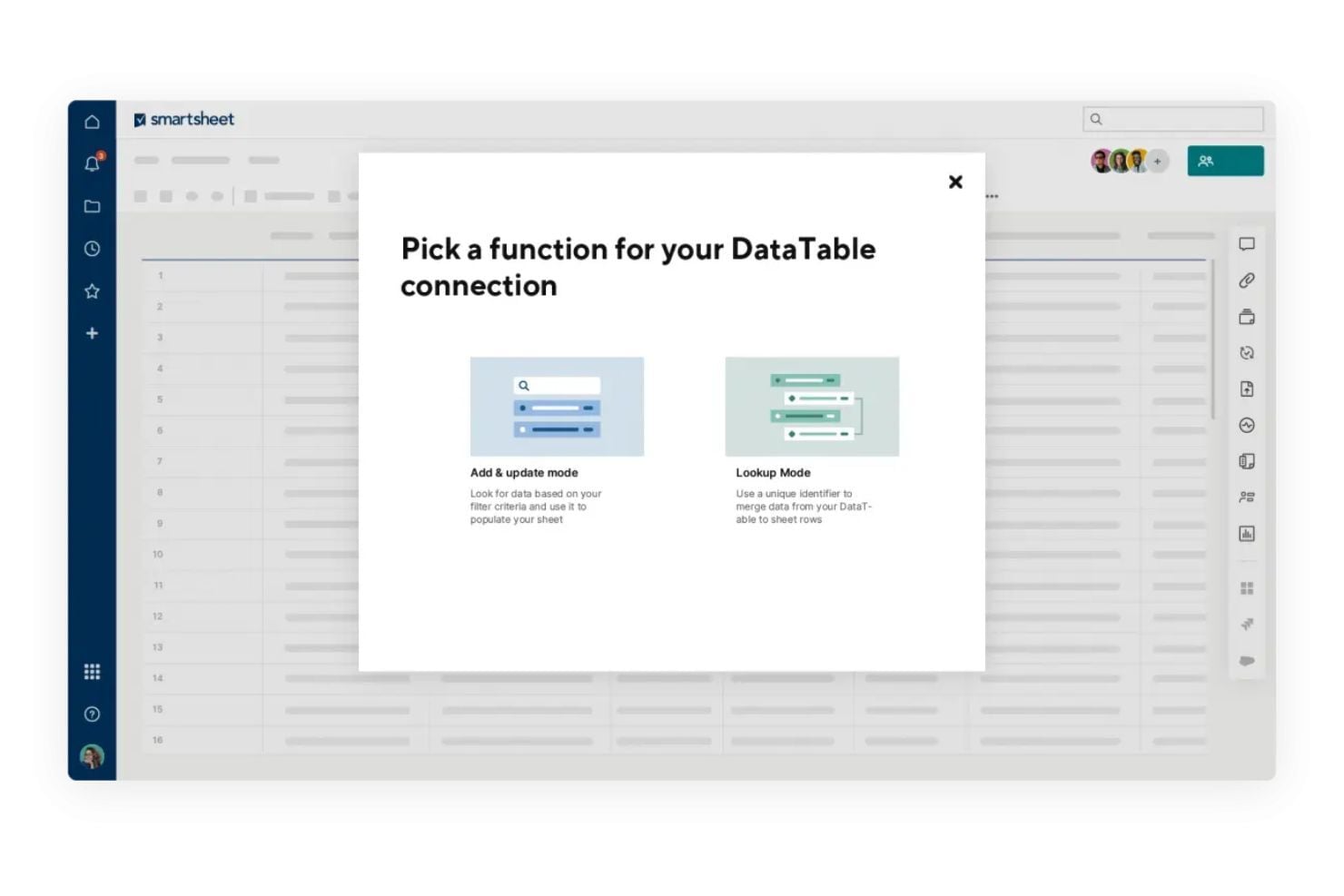
Smartsheet onboarding is mostly self-guided, with plenty of structured resources to help new users ramp up quickly.
New teams can follow Smartsheet’s Getting Started checklist and learning paths to understand the basics, then build from templates and examples as their workflows get more advanced. Smartsheet also offers onboarding webinar sessions for users who prefer a guided walkthrough of the platform’s core capabilities.
Customer Support
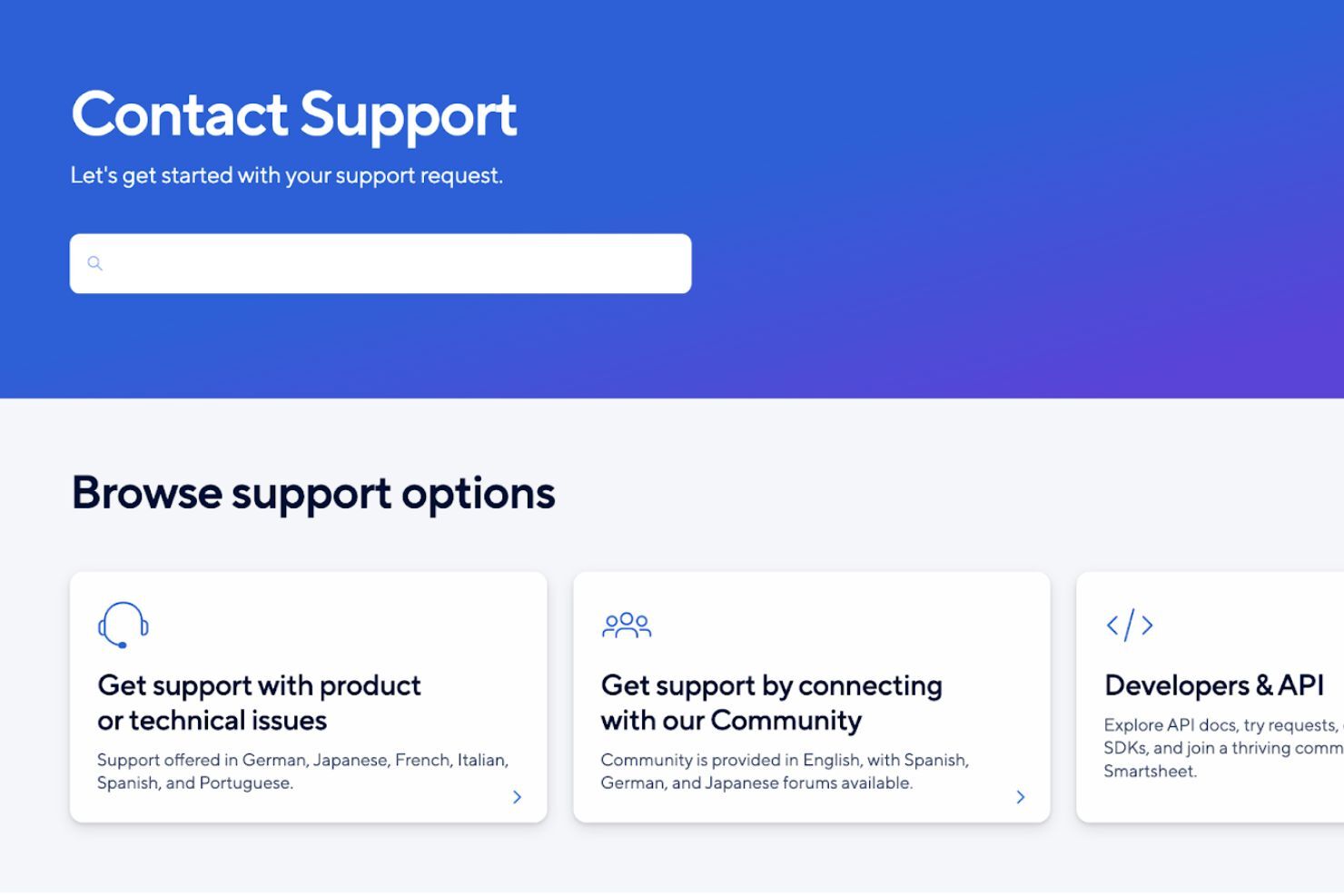
Smartsheet offers customer support through its Contact Support page, where you can get directed to the right help option based on what you need. Live support is available through multiple channels (tickets, the Smartsheet Community, and in-app chat), though some options are restricted to higher-tiers, like 24/7 global phone support, 24/7 live agent support via in-app chat, and Pro Desk guided coaching sessions.
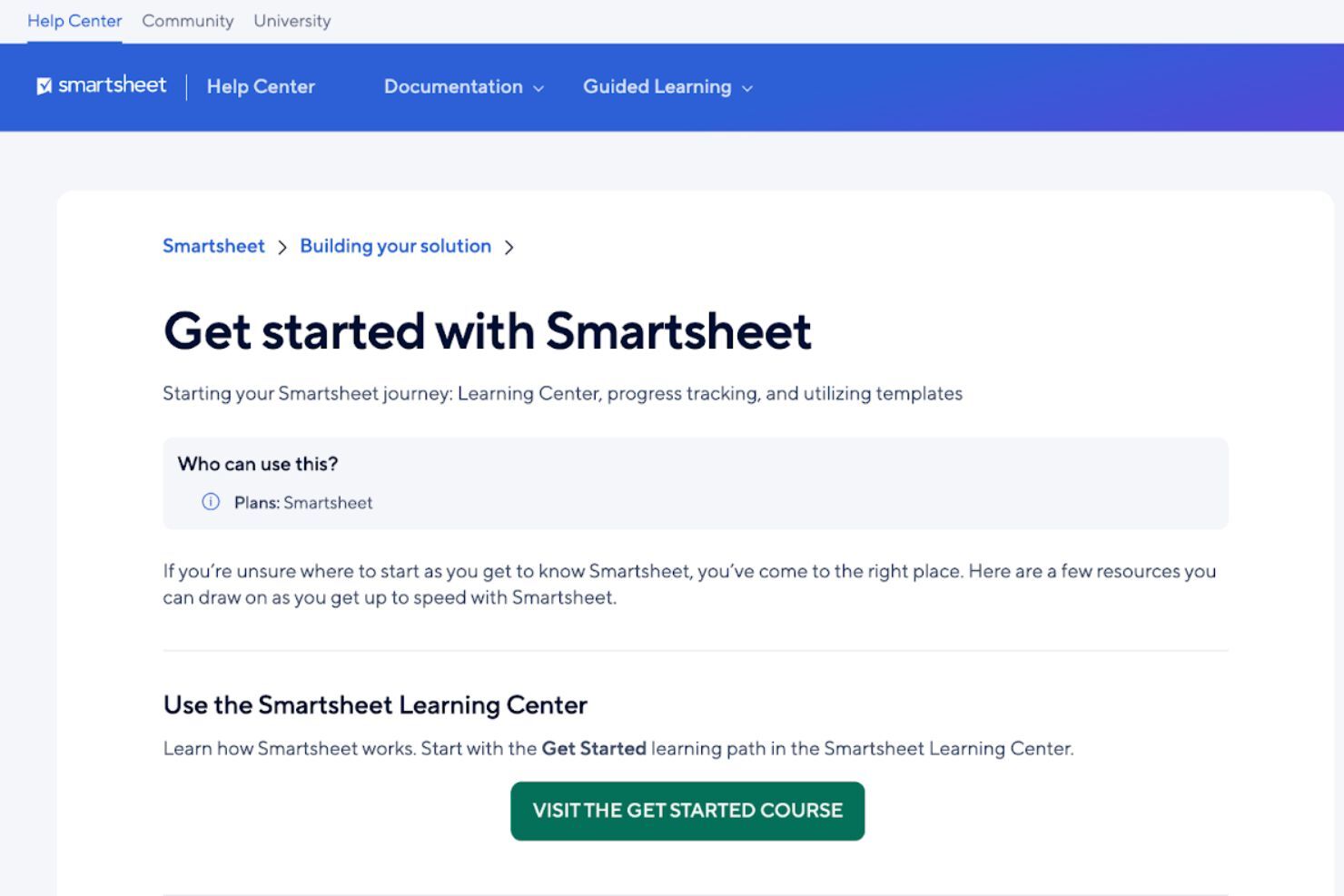
If you prefer self-serve support, you can also rely on Smartsheet’s Help Center documentation and guided learning resources to troubleshoot issues, learn features, and set up workflows without needing to contact support directly.
Integrations
Integrations include Jira, Power BI, Salesforce, ServiceNow, Workday, Make, Google Calendar, Slack, and Microsoft Teams.
An API is available for building custom integrations, which is helpful if you need Smartsheet to sync with internal systems or support more advanced workflows.

Value for Money
Smartsheet uses a tiered subscription model with plans built for different team sizes and workflow complexity.
- Pro: Basic work tracking for individuals and small teams.
- Business: More workflow tools for growing teams and projects.
- Enterprise: Advanced security, admin, and governance controls.
- Advanced Work Management: Premium tools for portfolio-level work management.
Plans include core views like Gantt, board, and calendar, plus tools like forms, reports, and automations. Higher tiers add stronger security, admin controls, and premium apps like Control Center and Dynamic View.
Smartsheet Specs
- API
- Batch Permissions & Access
- Budgeting
- Calendar Management
- Collaboration Support
- Contact Management
- Contact Sharing
- Customer Management
- Dashboard
- Dashboards
- Data Export
- Data Import
- Data Visualization
- Dependency Tracking
- Document Sharing
- Expense Tracking
- External Integrations
- File Sharing
- Gantt Charts
- Kanban Boards
- Multi-User
- Notifications
- Project Management
- Resource Management
- Scheduling
- Task Scheduling/Tracking
- Third-Party Plugins/Add-Ons
- Time Management
- Travel Management
- Workflow Management
Smartsheet FAQs
Can Smartsheet handle complex projects with multiple teams?
Is Smartsheet easy for non-technical team members to use?
How does Smartsheet support collaboration?
Can I automate repetitive tasks in Smartsheet?
Is Smartsheet secure and compliant?
Can I track project performance in real time?
How does Smartsheet handle document sharing and storage?
What happens if someone accidentally deletes data?
Smartsheet Company Overview & History
Smartsheet Inc. is a publicly traded company based in Bellevue, Washington, with more than 3,000 employees. It launched its project management platform in 2006 and has grown to serve large organizations like Cisco, Netflix, and PayPal. Smartsheet focuses on enterprise work management and is known for its flexible, spreadsheet-style interface. The company trades on the NYSE under the ticker symbol SMAR.
Smartsheet Major Milestones
- 2005: Smartsheet Inc. was founded in Bellevue, Washington.
- 2006: First version of Smartsheet launched to the public.
- 2017: Reached over $100M in annualized recurring revenue.
- 2018: Went public on the NYSE under the ticker symbol SMAR.
- 2020: Acquired Brandfolder, a digital asset management platform.
- 2025: Acquired by Vista Equity Partners and Blackstone for $8.4 billion.
Was kommt als Nächstes?
Möchten Sie sich mit anderen digitalen Projektmanager:innen vernetzen, um Ressourcen und Best Practices auszutauschen? Treten Sie unserer Mitglieder-Community bei, um Zugriff auf über 100 Vorlagen, Muster und Slack-Gruppen mit Hunderten von Kolleg:innen zu erhalten.