



Runn vs. Kantata: Vergleich und Expertenbewertungen für 2026



As teams grow, balancing capacity, project demand, and staffing decisions becomes increasingly difficult. The right resource management software can provide the visibility needed to understand workloads, forecast future needs, and determine whether your team has the capacity to take on new work.
You’re probably searching for resource management and capacity planning software that fits your workflow and helps you get ahead of the chaos—here’s a helpful link if you want an overview of resource management software. But should you choose Runn or Kantata? Each has a different approach to visibility, planning, and reporting.
In this article, I’ll compare both tools head-to-head, diving into their pros, cons, best-fit situations, pricing, security, and day-to-day usability—so you’ll get clear answers and the confidence to choose the right fit for your team.
Runn vs. Kantata: An Overview
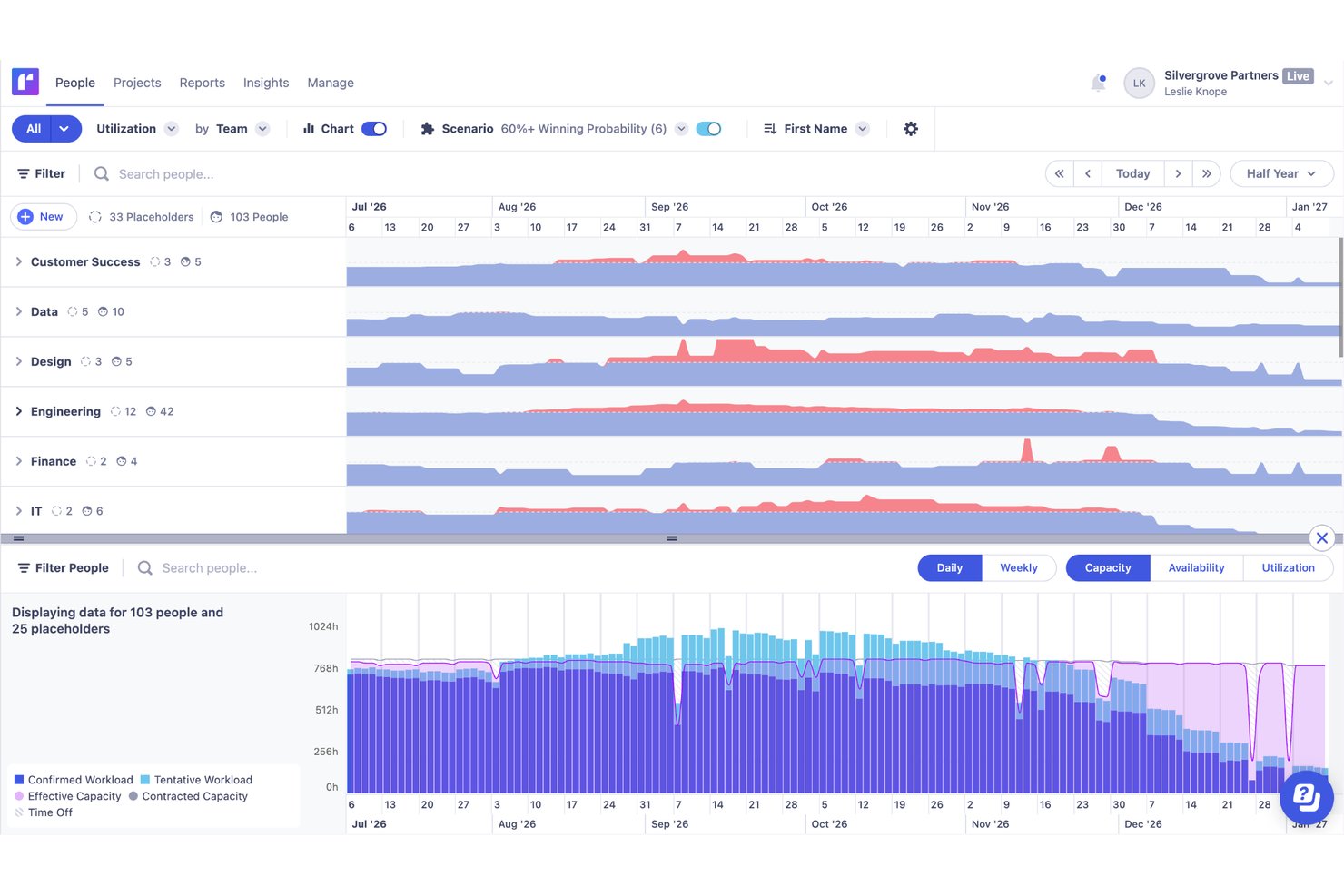
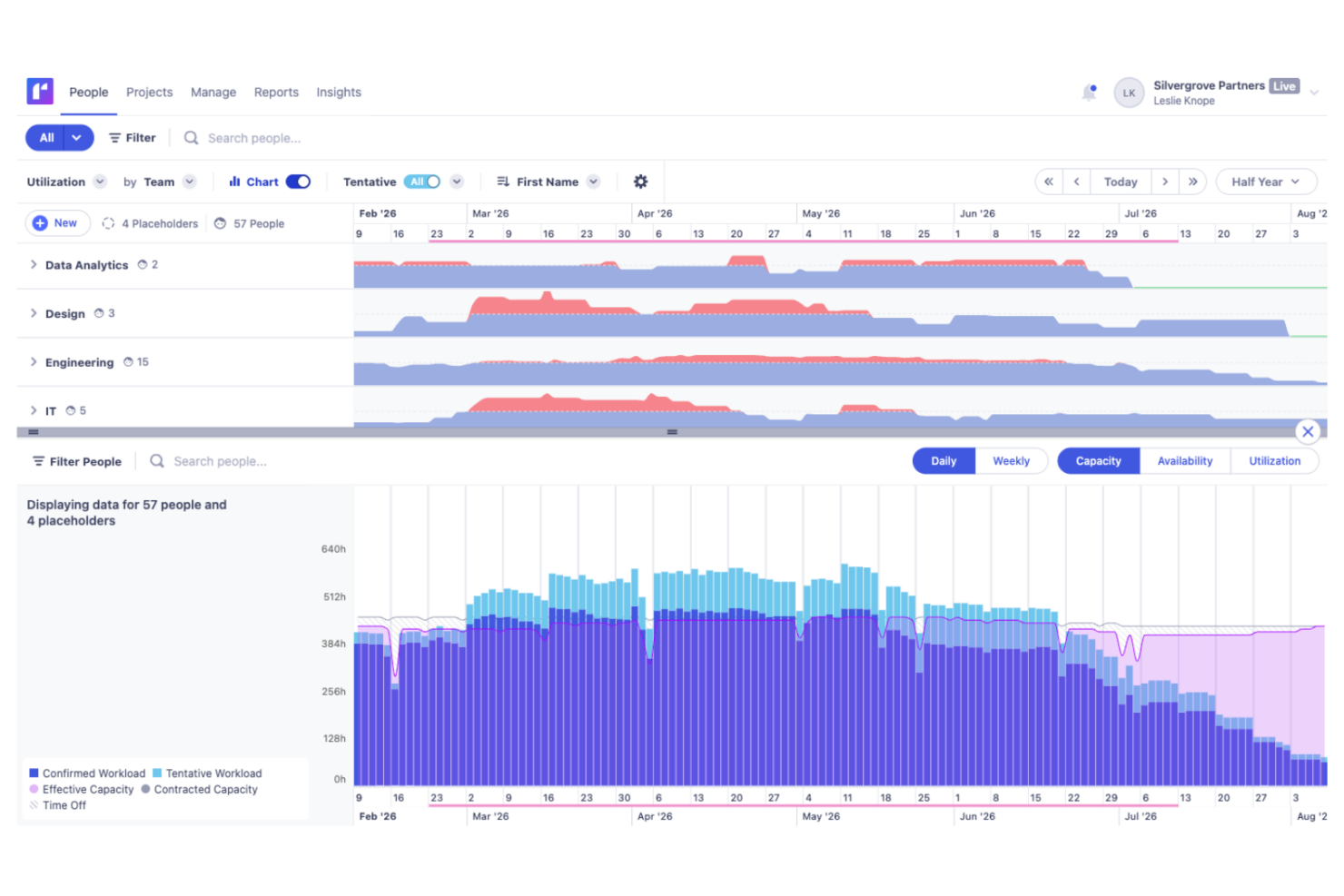
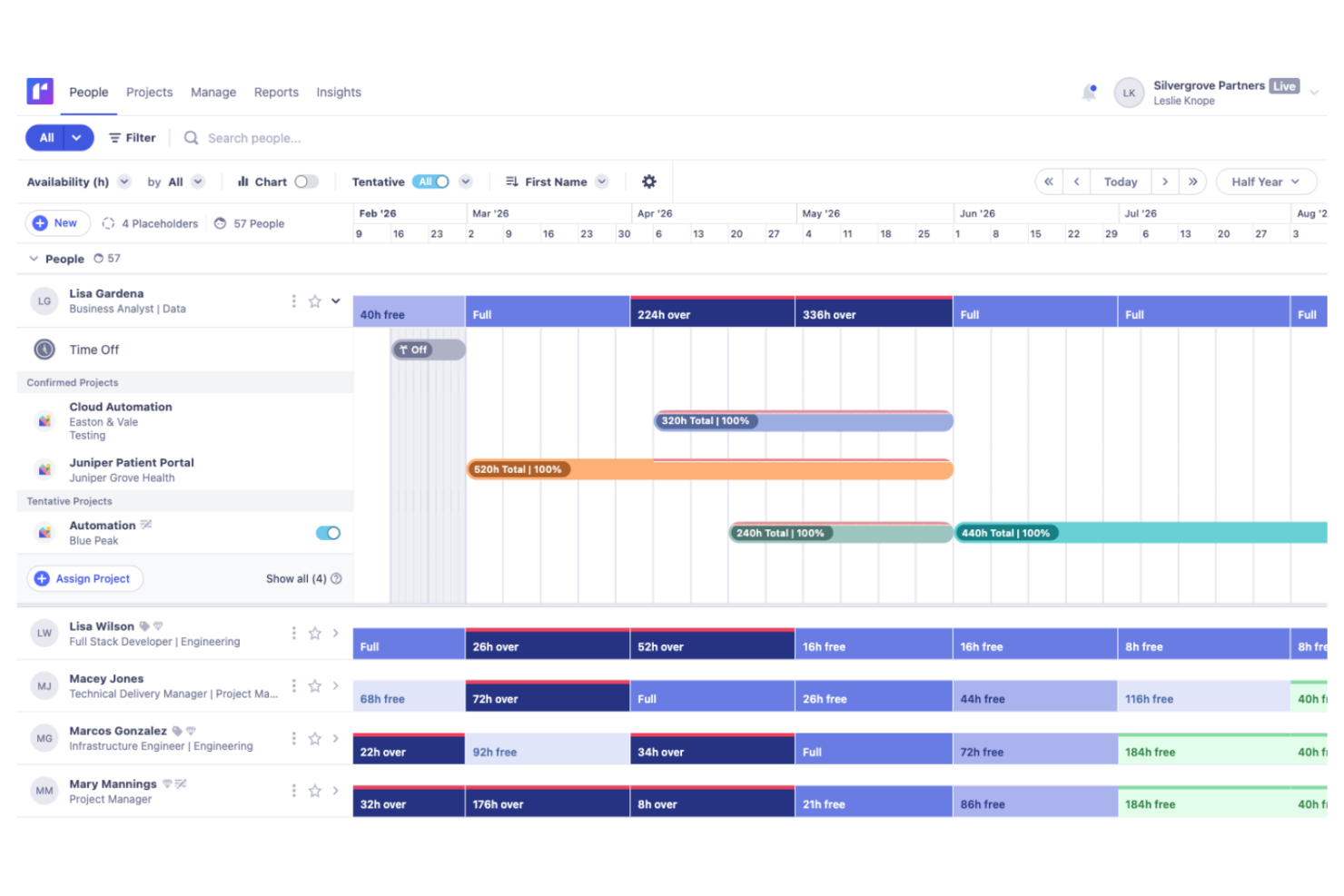
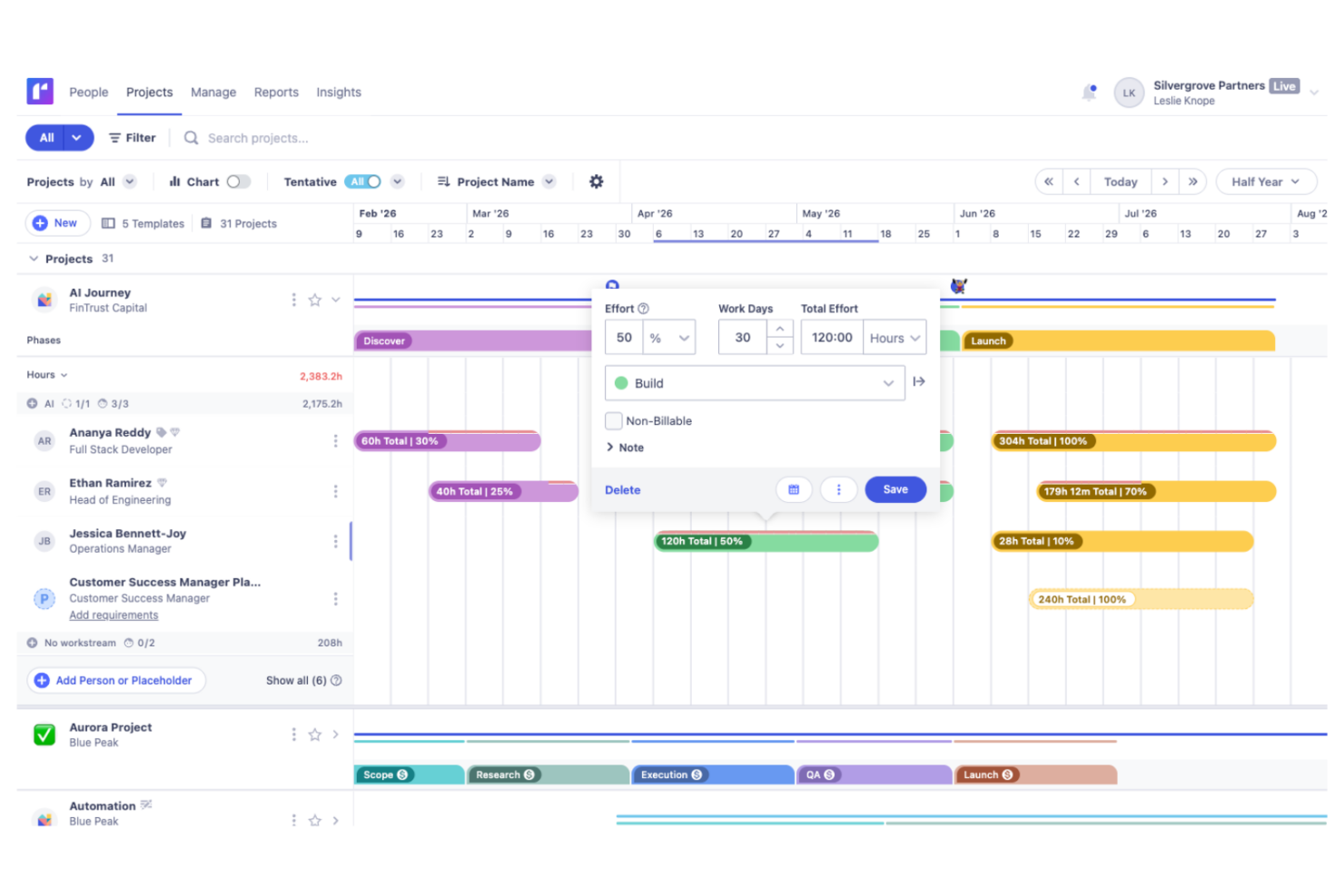
Runn
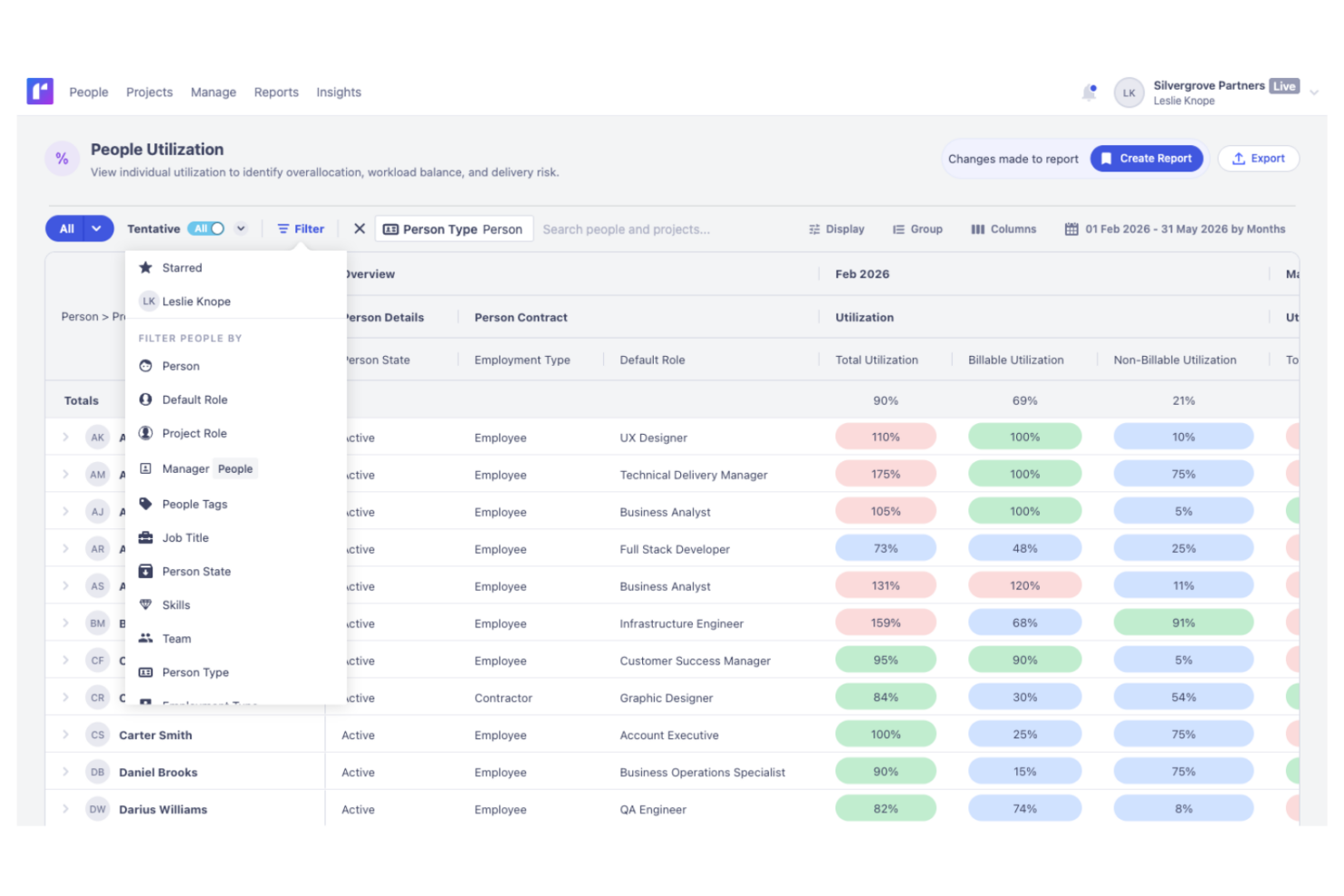
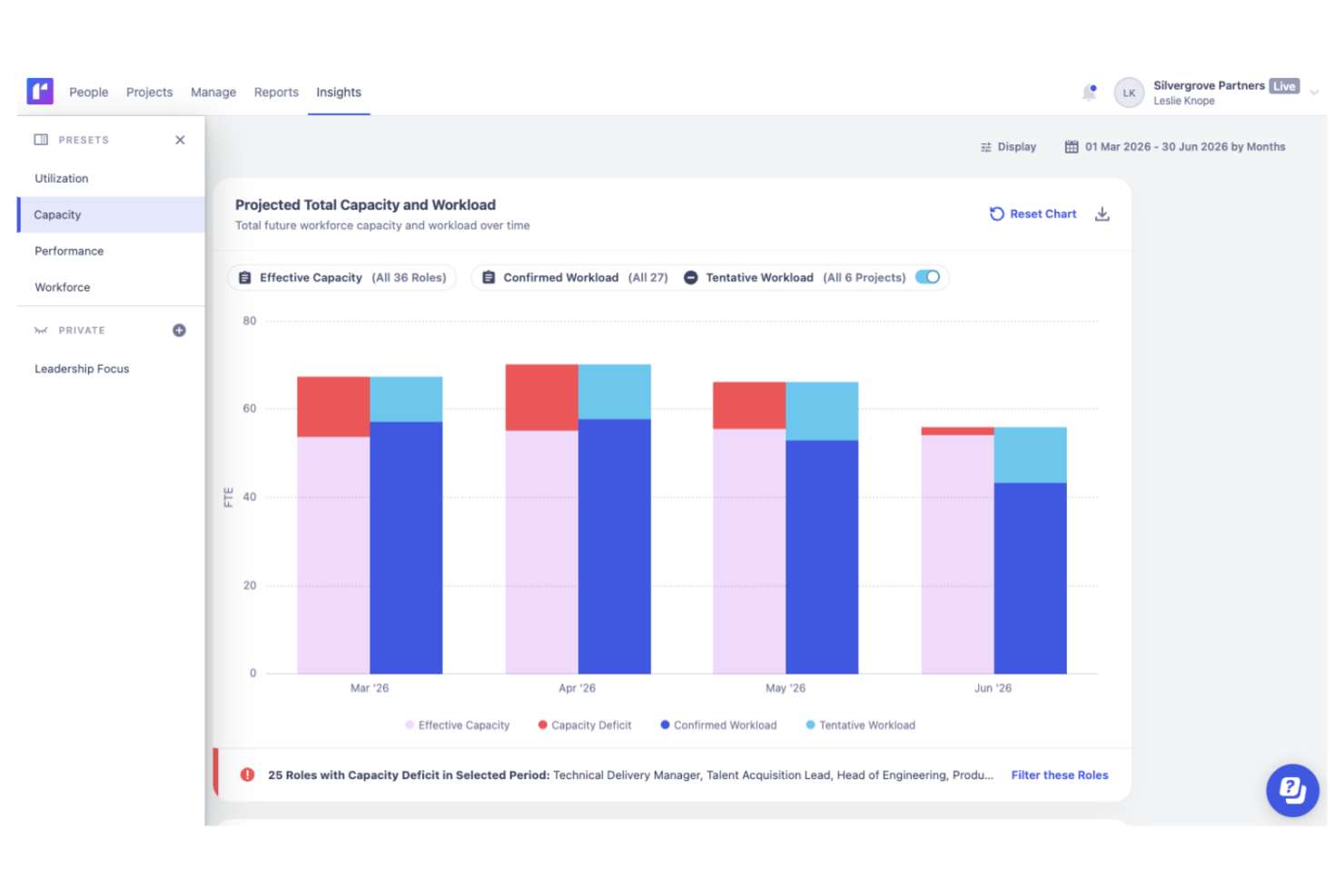
Kantata

Warum Sie unseren Software-Empfehlungen vertrauen können
Unser Team testet und bewertet Software seit 2012. Als Projektmanager wissen wir selbst, wie schwierig – und wichtig – es ist, die richtige Software auszuwählen.
Für diesen Leitfaden haben wir Tools mithilfe von praktischen Tests und unabhängiger Recherche bewertet und dabei unsere Bewertungskriterien angewendet. Zudem greifen wir auf Erkenntnisse von Branchenvordenkern und praktizierenden Projektmanagement-Experten zurück.
Unsere Bewertungen spiegeln unser menschliches redaktionelles Urteilsvermögen wider, keine Verkaufsstrategie.
Expertenprüfer:
Runn vs. Kantata Pricing Comparison
| Runn | Kantata | |
|---|---|---|
| Free Trial | 30-day free trial | Free demo available |
| Pricing | From $7/user/month (billed annually) | Pricing upon request |
Runn vs. Kantata Preise & Versteckte Kosten
Runn verwendet ein gestaffeltes Abonnementmodell, das sich nach der Anzahl der Ressourcenplätze richtet, wobei die verfügbaren Funktionen je nach Tarif variieren. Für Premium-Support werden zusätzliche Gebühren erhoben. Die Preisgestaltung von Kantata ist weniger transparent und erfordert oft ein individuelles Angebot, wobei zusätzliche Kosten für Integrationen, Implementierung oder erweiterte Berichte anfallen können. Bei beiden können zusätzliche Kosten entstehen, wenn Ihr Bedarf wächst oder Sie zusätzliche Dienstleistungen wie Implementierung in Anspruch nehmen möchten.
Um die richtige Preisstruktur zu wählen, sollten Sie genauer hinschauen als auf die angegebenen Zahlen. Planen Sie Ihre erwartete Teamgröße, die wichtigsten Funktionen und das voraussichtliche Wachstum im kommenden Jahr. Bitten Sie die Anbieter um eine vollständige Aufschlüsselung der Kosten für Onboarding, Support und Integrationen – und vergleichen Sie dann die geschätzten Gesamtkosten für Ihr tatsächliches Szenario, nicht nur das, was auf deren Website steht.
Runn vs. Kantata Feature Comparison
<div class="slate-p slate-selectable" data-slate-node="element" data-block-id="XG2YyVhvQq" data-slate-fragment="JTVCJTdCJTIyY2hpbGRyZW4lMjIlM0ElNUIlN0IlMjJ0ZXh0JTIyJTNBJTIyQm90aCUyMFJ1bm4lMjBhbmQlMjBLYW50YXRhJTIwY292ZXIlMjB0aGUlMjBiYXNpY3MlM0ElMjByZXNvdXJjZSUyMHNjaGVkdWxpbmclMkMlMjBjYXBhY2l0eSUyMHBsYW5uaW5nJTJDJTIwYW5kJTIwcmVhbC10aW1lJTIwcmVwb3J0aW5nLiUyMFlvdSVFMiU4MCU5OWxsJTIwZ2V0JTIwdmlzaWJpbGl0eSUyMGludG8lMjB3b3JrbG9hZHMlMjBhbmQlMjBlYXN5JTIwdG9vbHMlMjBmb3IlMjB0aW1lJTIwdHJhY2tpbmclMkMlMjBwcm9qZWN0JTIwZm9yZWNhc3RpbmclMkMlMjBhbmQlMjBhbGxvY2F0aW9uJTIwYWRqdXN0bWVudHMlMjBpbiUyMGVpdGhlciUyMHBsYXRmb3JtLiUyMiU3RCU1RCUyQyUyMnR5cGUlMjIlM0ElMjJwJTIyJTJDJTIyaWQlMjIlM0ElMjJFaE9sbjU1XzNLJTIyJTdEJTJDJTdCJTIyY2hpbGRyZW4lMjIlM0ElNUIlN0IlMjJ0ZXh0JTIyJTNBJTIyUnVubiUyMHN0ZWNodCUyMHNpY2glMjBkdXJjaCUyMHNlaW5lJTIwZWFucGxhbi1iYXNpZXJ0ZSUyMFN6ZW5hcmlvcyUyMGhhcmF1cyUyMHVudCUyMGt2ZXIlMkMlMjB3b2Rlcm4lMjB2aXN1ZWxsZSUyMFRpbWVsaW5lbiUyMHJlYWxpZXJ0JTJDJTIwZGllJTIwZGVuJTIwUmVzb3VyY2VuZWF1ZmJhdSUyMHJlY2h0ZWluJTIwdW5kJTIwdmVyZ2ViZW4uJTIwS2FudGF0YSUyMGJpZXRldCUyMGhpbiUyMHdlbGx0aWVmZSUyMFVudGVybmVobXVubmclMjBtaXQlMjBGaW5hbnpoZXJ1bmdlbiUyMHVuZCUyMGVyY2hpdmVybGljaGVyZW4lMjBBbmFseXNlbiUyMGFubmFvbi4lMjBHdXRlJTIwTGVzdHVuZyUyMERlbnMlMjBhdWYlMjBoZXV0aWdlJTIwRmFjdG9yJTIwWW91ciUyMEVudHNjaGVpZGVuJTIwVW5kJTIwZGllJTIwQW5mb3JkZXJ1bmdlbiUyMGltJTIwV29ya2Zsb3clMjByaWNodGlnJTIwc2luZC4uLi4=
| Runn | Kantata | |
|---|---|---|
| API | ||
| Budgeting | ||
| Data Export | ||
| Data Import | ||
| Document Management | ||
| Expense Tracking | ||
| External Integrations | ||
| Forecasting | ||
| Inventory Tracking | ||
| Multi-Currency | ||
| Multi-User | ||
| Notifications | ||
| Project Management | ||
| Resource Management | ||
| Scheduling | ||
| Workflow Management |
Runn vs. Kantata Integrationen
| Integration | Runn | Kantata |
|---|---|---|
| Google Calendar | ❌ | ✅ |
| Microsoft Teams | ❌ | ✅ |
| Jira | ✅ | ✅ |
| Slack | ❌ | ✅ |
| Pipedrive | ❌ | ❌ |
| n8n | ✅ | ✅ |
| HubSpot | ✅ | ✅ |
| QuickBooks | ❌ | ✅ |
| API | ✅ | ✅ |
| Zapier | ✅ | ✅ |
Sowohl Runn als auch Kantata integrieren sich mit beliebten CRM-Plattformen und zentralen Geschäftstools, sodass Teams Projekt- und Kundendaten über ihre gesamte Systemlandschaft hinweg verknüpfen können. Runn bietet eine gezielte Auswahl an nativen Integrationen, API-Zugang sowie weitere Anbindungsmöglichkeiten über Zapier und n8n. Kantata hingegen stellt ein breiteres Spektrum an vorgefertigten Schnittstellen bereit, darunter Buchhaltungsplattformen wie QuickBooks und Xero, was Finanzteams mehr Flexibilität für Abrechnungen und Finanzprozesse ermöglicht. Beide unterstützen individuelle Integrationen über ihre APIs, sodass die beste Wahl von Ihren bestehenden Tools und Workflow-Anforderungen abhängt.
Runn vs. Kantata: Sicherheit, Compliance & Zuverlässigkeit
| Datenverschlüsselung | Runn verschlüsselt Daten während der Übertragung mit TLS 1.2+ und ruht mit AES-256. | Bietet erweiterte Datenverschlüsselung und regelmäßige Schwachstellen-Scans. |
| Regulatorische Compliance | Runn ist SOC 2 Typ II zertifiziert und unterstützt die Einhaltung von DSGVO, CCPA/CPRA sowie entsprechende Benutzeranfragen zu Daten. | Bietet DSGVO- und SOC 2 Typ II-Compliance sowie Prüfberichte. |
| Benutzerzugriffskontrolle | Anpassbare Rollen und Berechtigungen für das Zugriffsmanagement. | Bietet granulare Benutzerkontrollen und SSO-Optionen. |
| Betriebszeit & Backups | Regelmäßige Datensicherungen und hohe Verfügbarkeit. | Garantiert 99,9 % Betriebszeit und automatisierte Redundanz. |
Kantata und Runn bieten beide starke Sicherheits- und Compliance-Funktionen, die für die meisten Organisationen geeignet sind. Runn hat einen kleinen Vorsprung durch die CCPA-Compliance, was es zu einer leicht besseren Wahl für Organisationen mit spezifischen Anforderungen aus Kalifornien macht, während beide Plattformen eine solide Grundlage zum Schutz sensibler Unternehmensdaten bieten.
Runn vs. Kantata: Benutzerfreundlichkeit
| Faktor | Runn | Kantata |
|---|---|---|
| Benutzeroberfläche | Übersichtliche und intuitive Zeitleiste mit Drag-and-Drop-Funktionen. | Funktionsreichere Oberfläche, ausgelegt für fortgeschrittene Nutzer. |
| Onboarding | Schnelle Einrichtung und leichtgewichtige Einführungsmaterialien. | Geführtes Onboarding, aber steilere Lernkurve. |
| Anpassung | Benutzerdefinierte Felder und Layouts für das Wesentliche. | Tiefgreifendere Anpassungen für prozessorientierte Teams. |
| Supportzugang | Reaktionsschneller Chat- und E-Mail-Support mit klarer Dokumentation. | Dedizierte Support-Teams und Schulungsangebote. |
Runn ist für die meisten Teams leichter einzuführen, während Kantata für diejenigen glänzt, die mehr Kontrolle wünschen und bereit sind, größere Komplexität zu meistern. Ich würde Runn wählen, wenn Einfachheit und Geschwindigkeit entscheidend sind, aber Kantata, wenn die eigenen Workflows detaillierte Anpassungen erfordern und man Zeit für Schulungen einplant.
Runn vs Kantata: Pros & Cons
Runn
- Accurate forecasting tools provide insights into project health and resource needs, and help make informed decisions about future projects.
- Custom tags and fields make it easier to structure your data and make faster decisions.
- Reusable project templates reduce manual setup and help maintain consistency across recurring projects.
- Teams with highly complex permission requirements should review whether Runn’s role-based permissions meet their needs
- You may experience issues with managing over 1000 resources.
- Timesheet functionality isn't as robust as dedicated timesheet solutions.
Kantata
- Kantata's task management is intuitive, making it easy for your team to keep projects on track.
- Resource planning features help you allocate team members effectively and avoid burnout.
- The platform improves collaboration with real-time updates and visibility across projects.
- Some users find the interface needs time to get used to, which may slow initial productivity.
- Advanced features might be overwhelming for smaller teams or those new to project management tools.
- Reporting capabilities could be more customizable to fit diverse project needs.
Best Use Cases for Runn and Kantata
Runn
- IT Solutions Runn's project forecasting and capacity planning features are tailored for IT teams and help you manage resources effectively.
- Software Delivery The intuitive timeline view helps with planning sprints and managing project phases seamlessly.
- Digital Transformation Agencies Runn helps manage specialist workloads, plan future projects, and allocate resources more effectively across client engagements.
- Consulting firms With Runn, you can quickly adapt to changing client needs through its flexible scheduling.
- Marketing teams Its visual timelines help you coordinate campaigns and track deliverables efficiently.
- Cross-functional teams The skills management feature helps you assign tasks based on expertise and improve collaboration across departments.
Kantata
- Consulting firms Kantata helps you manage multiple client engagements with its comprehensive project tracking and billing features.
- Marketing agencies It supports you with resource planning and time tracking, which are essential for managing creative projects effectively.
- IT services Kantata's detailed project financials and billing capabilities make it a strong choice for IT project management.
- Finance departments Kantata's billing and financial tracking features help you maintain oversight on project profitability.
- HR departments With its resource planning capabilities, Kantata helps you effectively manage and allocate your team’s workload.
Wer sollte Runn nutzen und wer Kantata?
Runn eignet sich gut für technische Teams, die Mitarbeitende über mehrere parallele Projekte hinweg planen müssen – insbesondere kundenspezifische Softwarefirmen, IT-Lösungsanbieter, Produktunternehmen und Ingenieurteams, die mit gemeinsamer Kapazität und wechselnden Prioritäten zu tun haben. Kantata ist besser für größere Teams im Bereich professionelle Dienstleistungen, die umfangreichere operative Steuerungen, tiefere Berichterstattung und umfassendere Unternehmensfunktionen benötigen.
Differences Between Runn and Kantata
| Runn | Kantata | |
|---|---|---|
| Compliance & Security | Covers basics like GDPR with clear settings. | Adds SOC 2, audit trails, and more granular permissions. |
| Financial Integrations | Limited connections to financial tools. | Strong links to Xero and QuickBooks for invoicing. |
| Interface Simplicity | Simple, visual timeline and scheduling tools. | Feature-rich with nested menus and advanced options. |
| Pricing Model | Transparent, per-user subscription pricing. | Quote-based, often custom packages with add-ons. |
| Visit RunnOpens new window | Read Kantata ReviewOpens new window |
Similarities Between Runn and Kantata
| API Access | Both provide open APIs, so you can extend, integrate, or customize using your own workflows and systems. |
|---|---|
| Custom Reporting | Both platforms allow you to build custom reports and dashboards based on real-time data. |
| Forecasting Tools | Each offers forecasting for resource usage and project capacity, helping you plan ahead and avoid conflicts. |
| Resource Scheduling | Both let you allocate, reassign, and track people across multiple projects with visual workload indicators. |
| Role-Based Access | You can set roles and permissions to control what each user can view and edit inside both Runn and Kantata. |
| Visit RunnOpens new window Read Kantata ReviewOpens new window | |