


MyCase vs. Filevine: Vergleich und Expertenbewertungen für 2026



Juggling deadlines, clients, and case docs can leave you feeling buried—especially if your software doesn't keep up. MyCase and Filevine both promise to transform the way your firm works, but the best choice depends on your needs and how each tool fits your workflow. If you're still searching for that perfect project management software for lawyers, you're in the right place.
In this article, you'll find a clear comparison of MyCase and Filevine. I’ll break down their pros and cons, best use cases, pricing, security features, and usability so you can pick the right tool for your practice.
MyCase vs. Filevine: An Overview
MyCase
Filevine
Warum Sie unseren Software-Empfehlungen vertrauen können
Unser Team testet und bewertet Software seit 2012. Als Projektmanager wissen wir selbst, wie schwierig – und wichtig – es ist, die richtige Software auszuwählen.
Für diesen Leitfaden haben wir Tools mithilfe von praktischen Tests und unabhängiger Recherche bewertet und dabei unsere Bewertungskriterien angewendet. Zudem greifen wir auf Erkenntnisse von Branchenvordenkern und praktizierenden Projektmanagement-Experten zurück.
Unsere Bewertungen spiegeln unser menschliches redaktionelles Urteilsvermögen wider, keine Verkaufsstrategie.
Expertenprüfer:
MyCase vs. Filevine Pricing Comparison
| MyCase | Filevine | |
|---|---|---|
| Free Trial | 10-day free trial | Free demo available |
| Pricing | From $50/user/month (billed annually) | Pricing upon request |
MyCase vs. Filevine Preisgestaltung & versteckte Kosten
MyCase verwendet ein abonnementbasiertes Preismodell, bei dem pro Nutzer berechnet wird. Es gibt gestufte Tarife, die sich nach Funktionen wie Dokumentenautomatisierung, KI-Tools und Integrationen richten. Für zusätzliche Funktionen wie Buchhaltung oder Webseitendienste gibt es optionale Add-ons, die – je nach Bedarf – Ihre Gesamtkosten erhöhen können. Filevine verwendet dagegen einen individuell angepassten Preisansatz: Die Angebote werden auf Ihre Kanzlei zugeschnitten und erfordern in der Regel eine Kontaktaufnahme mit dem Vertrieb. Die Plattform ist stärker modular aufgebaut, sodass die Kosten steigen können, wenn Sie beispielsweise Analysen, Mandantenportale oder andere Spezialtools hinzufügen.
Um die beste Lösung zu wählen, sollten Sie die Preisdaten jedes Anbieters genau prüfen – insbesondere, was in jedem Tarif enthalten ist und was als Add-on zählt. Fragen Sie nach Onboarding, Support und wie sich die Kosten entwickeln, wenn Ihre Kanzlei wächst. Ich empfehle, Ihre unverzichtbaren Funktionen und geplanten Bedürfnisse mit dem abzugleichen, was wirklich enthalten ist – damit Sie später keine unerwarteten Gebühren überraschen.
MyCase vs. Filevine Feature Comparison
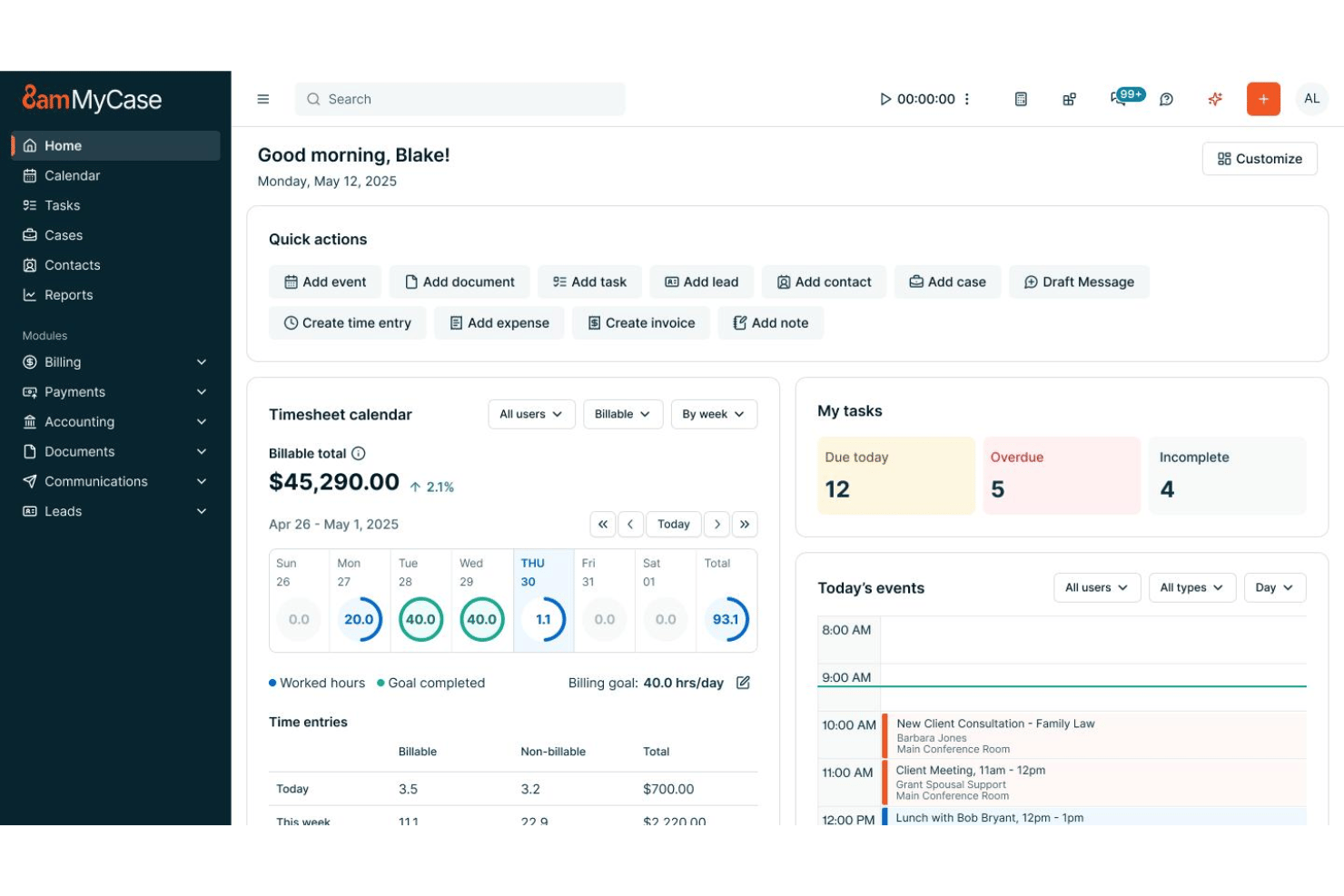
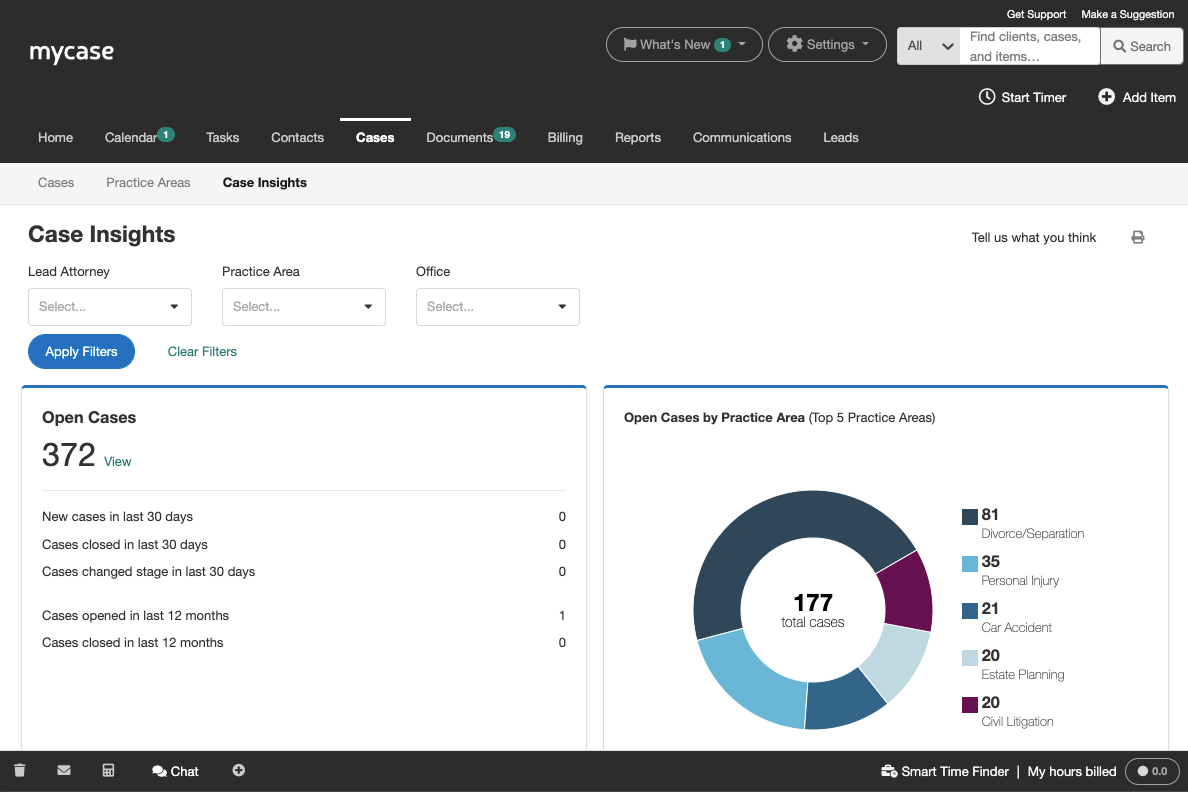
Sowohl MyCase als auch Filevine bieten die wichtigsten Funktionen für das juristische Projektmanagement an. Sie finden in beiden Plattformen die Fallverfolgung, Dokumentenverwaltung, Kalender-Synchronisierung, sichere Kundenkommunikation, Aufgabenlisten und Zeiterfassung. Beide Werkzeuge zielen darauf ab, Ihre Arbeitsabläufe zu zentralisieren und alle Teammitglieder auf dem gleichen Stand zu halten.
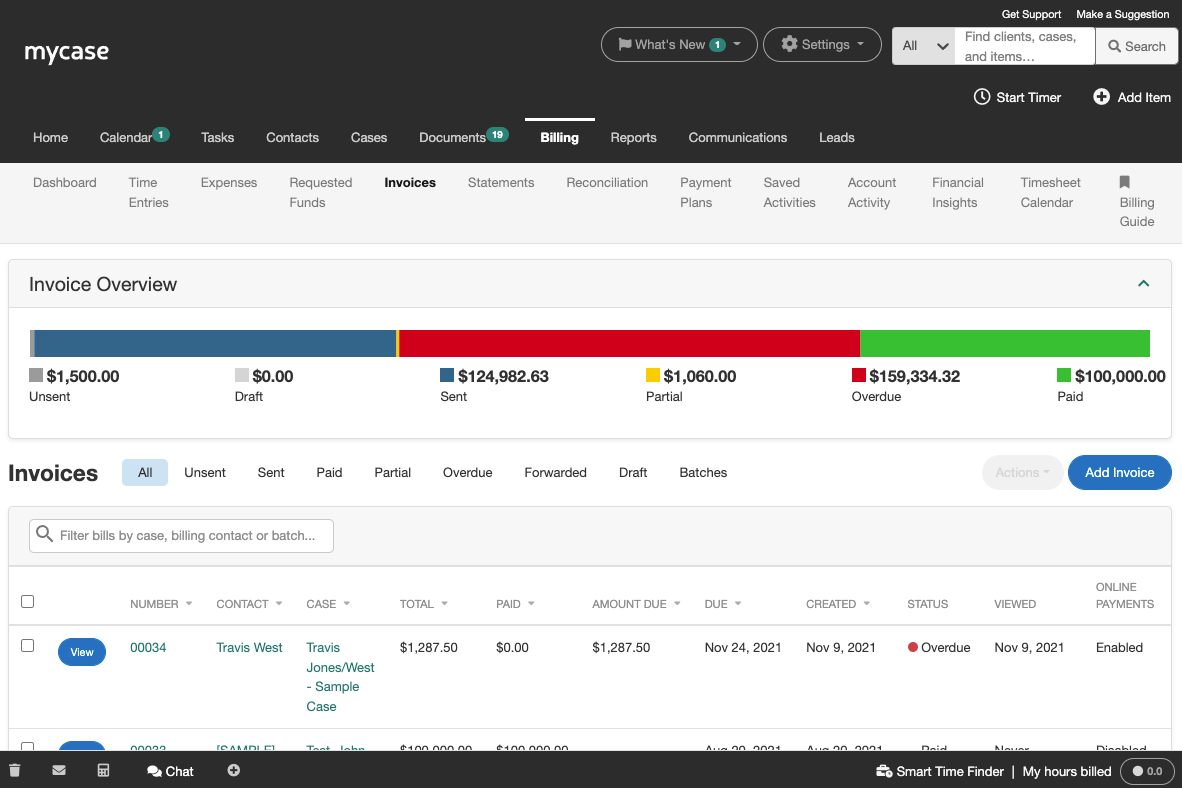
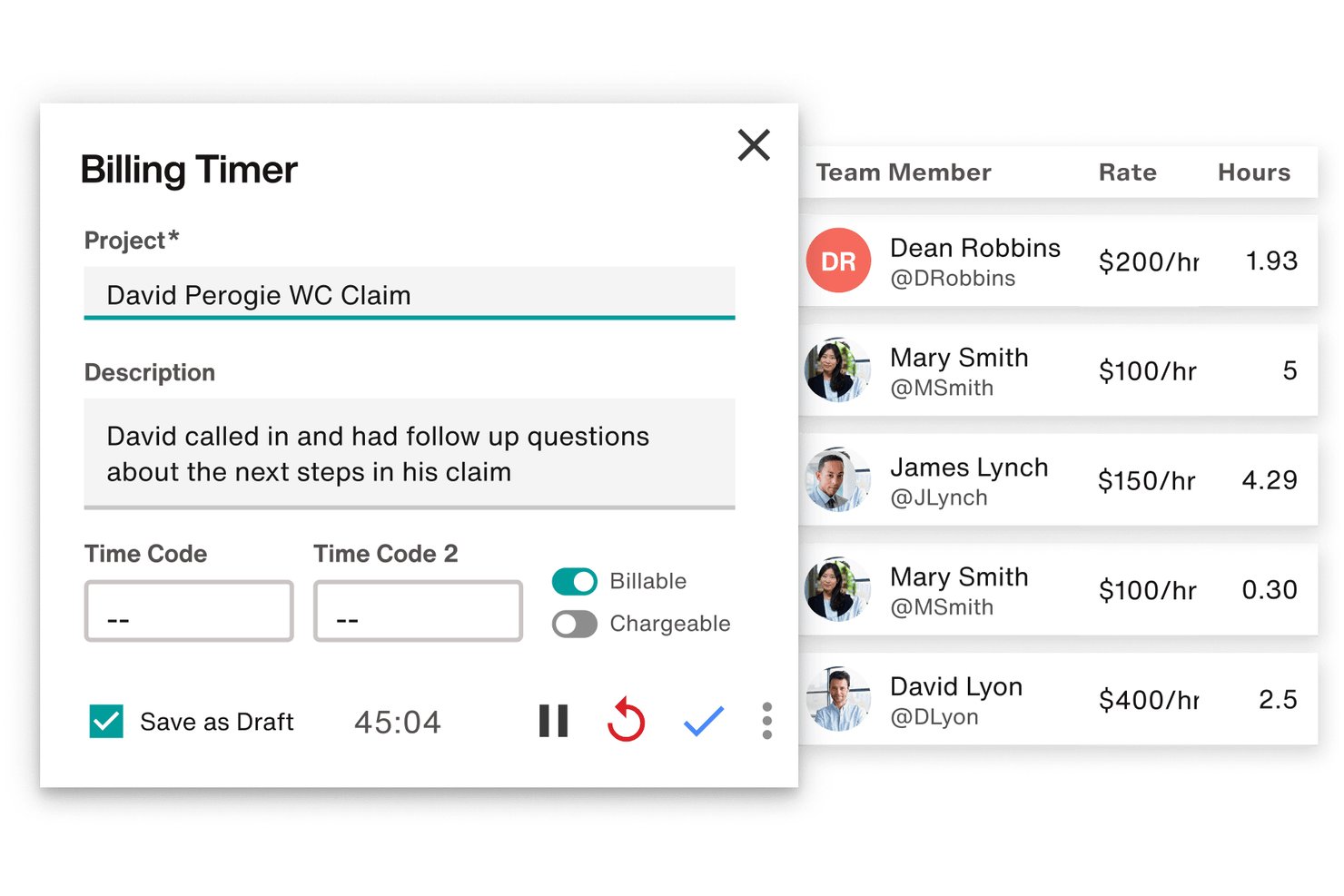
MyCase punktet mit integrierter Mandanten-Zahlungsabwicklung und einer einfach bedienbaren mobilen App – ideal, damit Einzelanwälte oder kleine Kanzleien unterwegs bezahlt werden und arbeiten können. Filevine hingegen bietet eine ausgefeiltere Dokumentenautomatisierung und flexible, individuelle Berichte, sodass größere oder komplexere Kanzleien maßgeschneiderte Lösungen für spezielle Arbeitsabläufe schaffen können.
| MyCase | Filevine | |
|---|---|---|
| 2-Factor Authentication | ||
| API | ||
| Approval Workflows | ||
| Audit Trail | ||
| Calendar Management | ||
| Compliance Tracking | ||
| Contract Management | ||
| Custom Reports | ||
| Customer Management | ||
| Data Export | ||
| Data Import | ||
| Document Management | ||
| External Integrations | ||
| Multi-User | ||
| NDA Management | ||
| Notifications | ||
| Policy Management | ||
| Scheduling | ||
| Workflow Management |
MyCase vs. Filevine Integrationen
| Integration | MyCase | Filevine |
|---|---|---|
| QuickBooks Online | ✅ | ✅ |
| Dropbox | ✅ | ✅ |
| Microsoft Outlook | ✅ | ✅ |
| Google Kalender | ✅ | ✅ |
| LawPay | ✅ | ❌ |
| RingCentral | ❌ | ✅ |
| Slack | ❌ | ✅ |
| NetDocuments | ✅ | ✅ |
| Zapier | ✅ | ✅ |
| API | ✅ | ✅ |
MyCase und Filevine decken beide die Grundfunktionen wie Kalender- und Dokumentenintegrationen ab, aber Filevine bietet mit einem größeren Spektrum – besonders für größere oder technikaffine Teams – einen Vorteil. Da beide eine Zapier-Anbindung und APIs ermöglichen, können Sie sie problemlos in bestehende Systemlandschaften einbinden – es könnte nur anfangs etwas mehr Aufwand bedeuten.
MyCase vs. Filevine Sicherheit, Compliance & Zuverlässigkeit
| Faktor | MyCase | Filevine |
|---|---|---|
| Datenverschlüsselung | Verschlüsselt Daten im Ruhezustand und bei der Übertragung zum Schutz von Mandantendaten. | Setzt auf End-to-End-Verschlüsselung und regelmäßige Sicherheitsüberprüfungen aller Daten. |
| Regulatorische Compliance | Folgt den Vorgaben der ABA und DSGVO mit dokumentierten Datenschutzkontrollen. | Unterstützt HIPAA-, SOC 2- und ABA-Compliance und bietet fortschrittliche Audit-Trails. |
| Betriebszuverlässigkeit | Garantiert über 99 % Verfügbarkeit mit sicherer Cloud-Infrastruktur. | Bietet geo-redundantes Hosting und umfassende Notfallwiederherstellungssysteme. |
| Zugriffskontrollen | Bietet anpassbare Nutzerrechte und rollenbasierten Zugriff. | Stellt granulare Berechtigungen und fortschrittliche Benutzerverwaltungsfunktionen bereit. |
| Zwei-Faktor-Authentifizierung | Bietet optional die Zwei-Faktor-Authentifizierung für zusätzliche Sicherheit beim Login. | Integrierte Multi-Faktor-Authentifizierung zur Verstärkung des Kontoschutzes. |
Filevine bietet Ihnen mehr erweiterte Optionen für Compliance und Zugriffsverwaltung, während MyCase es übersichtlich und einfach handhabbar hält. Meiner Meinung nach eignet sich Filevine vor allem für Kanzleien mit hohen Sicherheits- und Compliance-Anforderungen, während MyCase bestens für Teams geeignet ist, die großen Wert auf Sicherheit legen, ohne sich in detailreichen Richtlinien zu verlieren.
MyCase vs. Filevine Benutzerfreundlichkeit
| Faktor | MyCase | Filevine |
|---|---|---|
| Benutzeroberfläche | Übersichtliches, intuitives Dashboard mit einfacher Navigation und schnellem Zugriff auf wichtige Tools. | Sehr individuell anpassbar, benötigt aber aufgrund der umfangreichen Konfigurierbarkeit Zeit zur Einarbeitung. |
| Onboarding | Bietet eine Schritt-für-Schritt-Anleitung zur Einführung und In-App-Hinweise für neue Nutzer. | Stellt dedizierte Onboarding-Spezialisten und ausführliche Implementierungspläne zur Verfügung. |
| Lernkurve | Minimale Lernkurve – die meisten Nutzer sind in wenigen Tagen eingearbeitet. | Steilere Lernkurve, insbesondere bei individuellen Workflows und erweiterten Modulen. |
| Kundensupport | Schneller Support per E-Mail und Telefon sowie ein benutzerfreundliches Hilfecenter. | 24/7-Chat-Support, ein Ressourcen-Hub und regelmäßige Live-Schulungen. |
| Mobil-Erfahrung | Intuitive Mobile App mit den meisten Desktop-Funktionen für unterwegs verfügbar. | Mobiler Webzugang mit weniger Funktionen im Vergleich zur Desktop-Plattform. |
MyCase lässt sich von neuen Nutzern einfacher bedienen, während Filevine punktet, wenn Sie großen Wert auf Anpassbarkeit legen und eine etwas steilere Lernkurve nicht scheuen. Ich halte MyCase für eine gute Wahl für alle, die schnelle Einführung priorisieren, während Filevine für Teams geeignet ist, die Flexibilität suchen und bereit sind, Zeit in die Einrichtung zu investieren.
MyCase vs Filevine: Pros & Cons
MyCase
- Case management and billing workflows are tightly integrated
- Client portal streamlines secure document sharing and communication
- Automated reminders help ensure deadlines and court dates are met
- Bulk document management options are limited
- Mobile app lacks full desktop functionality
- Reports customization isn’t as granular as some firms need
Filevine
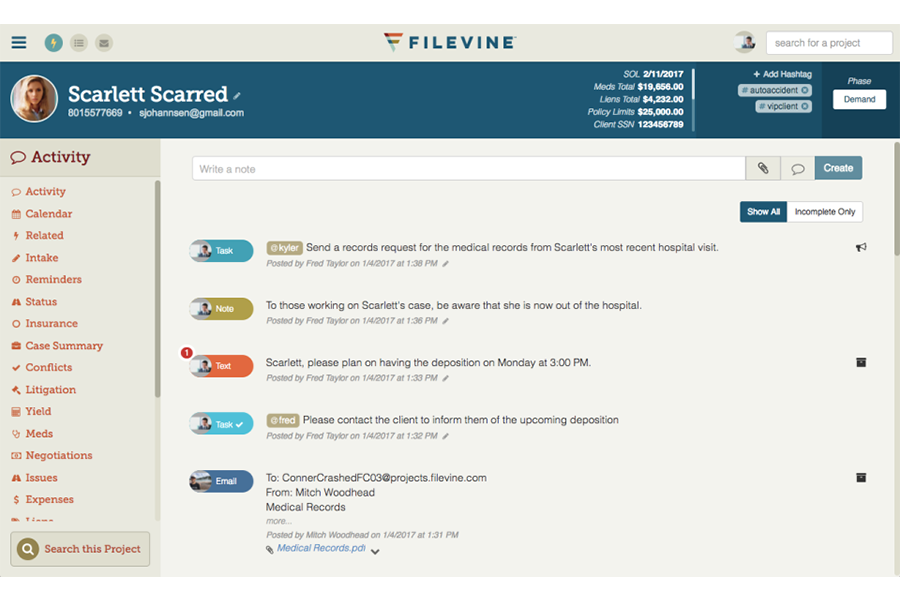
- Customizable dashboards track case progress and deadlines easily
- Automated document generation saves time on repetitive paperwork
- Built-in texting keeps clients connected in one platform
- Billing features are less robust than dedicated legal billing tools
- Reporting customizations can require Filevine support assistance
- Mobile access has limited functionality compared to desktop
Best Use Cases for MyCase and Filevine
MyCase
- Solo Practitioners MyCase streamlines all case management, invoicing, and calendaring for a solo lawyer in one place.
- Small Law Firms Small firms benefit from built-in client portal, integrated billing, and collaborative tools.
- Estate Planning Practices Automated document generation and e-signature tools fit the routine paperwork and client approvals these firms need every day.
- Family Law Attorneys Secure messaging and easy-to-use calendars help keep sensitive client information organized.
- Immigration Law Offices MyCase’s contact management and document sharing tools support high-volume legal workflows.
- Litigation Teams Custom reminders and matter-centric task tracking make it easy to manage court dates.
Filevine
- Plaintiff Law Firms Robust intake forms, automated case events, and deadline management help manage hundreds of personal injury or class action cases at once.
- In-House Legal Teams Centralized document handling and built-in approvals make it easy to track contracts and collaborate with internal stakeholders.
- Multi-Office Practices Cloud access, permission controls, and unified dashboard reporting keep everyone aligned, no matter the location.
- Mass Tort Practices Automated workflows, data tracking, and batch document management streamline the complexity of managing thousands of related cases.
- Legal Operations Managers Custom reporting, task management, and automation enable operational leaders to optimize workflow and monitor productivity.
- Litigation Paralegals Integrated communication, document automation, and case chronology make daily tracking and case prep easier and more visible.
Wer sollte MyCase nutzen und wer Filevine?
MyCase ist ideal für Einzelanwälte und kleine Kanzleien, die unkompliziertes Projektmanagement ohne großen Einrichtungs- oder Schulungsaufwand wünschen. Filevine eignet sich am besten für größere Kanzleien oder Rechtsteams mit komplexen Workflows, individuellen Anforderungen oder strengeren Compliance-Vorgaben. Wenn Ihre Priorität eine sofort nutzbare Lösung und schnelle Einführung ist, ist MyCase die sicherere Wahl. Wenn Sie eine tiefgehende Anpassbarkeit wollen oder langfristig wachsen möchten, passt Filevine besser zu Ihnen.
Differences Between MyCase and Filevine
| MyCase | Filevine | |
|---|---|---|
| Automation | Includes built-in automation like document templates, task reminders, and some AI-assisted features. | Advanced automation with robust document assembly, workflow triggers, and deeper process automation. |
| Custom Workflow | Offers structured workflows and case management tools that are easy to use but less customizable. | Highly customizable workflows tailored to specific case types, processes, and firm needs. |
| Document Management | Strong document management with built-in storage, search, and basic automation. | More advanced document management with deeper automation and tighter integration into workflows. |
| Payment Integration | Built-in payment processing (via LawPay) is deeply embedded and easy to use for billing and collections. | Offers integrated billing and payments (Filevine Payments), including credit cards, ACH, and flexible payment options, but may require more setup or configuration. |
| Reporting & Analytics | Standard reporting focused on billing, productivity, and case tracking. | Advanced analytics and business intelligence tools (e.g., Periscope) for deeper performance insights. |
| Read MyCase ReviewOpens new window | Read Filevine ReviewOpens new window |
Similarities Between MyCase and Filevine
| Billing & Invoicing | Each platform includes billing and invoicing capabilities tied to time tracking and case activity. |
|---|---|
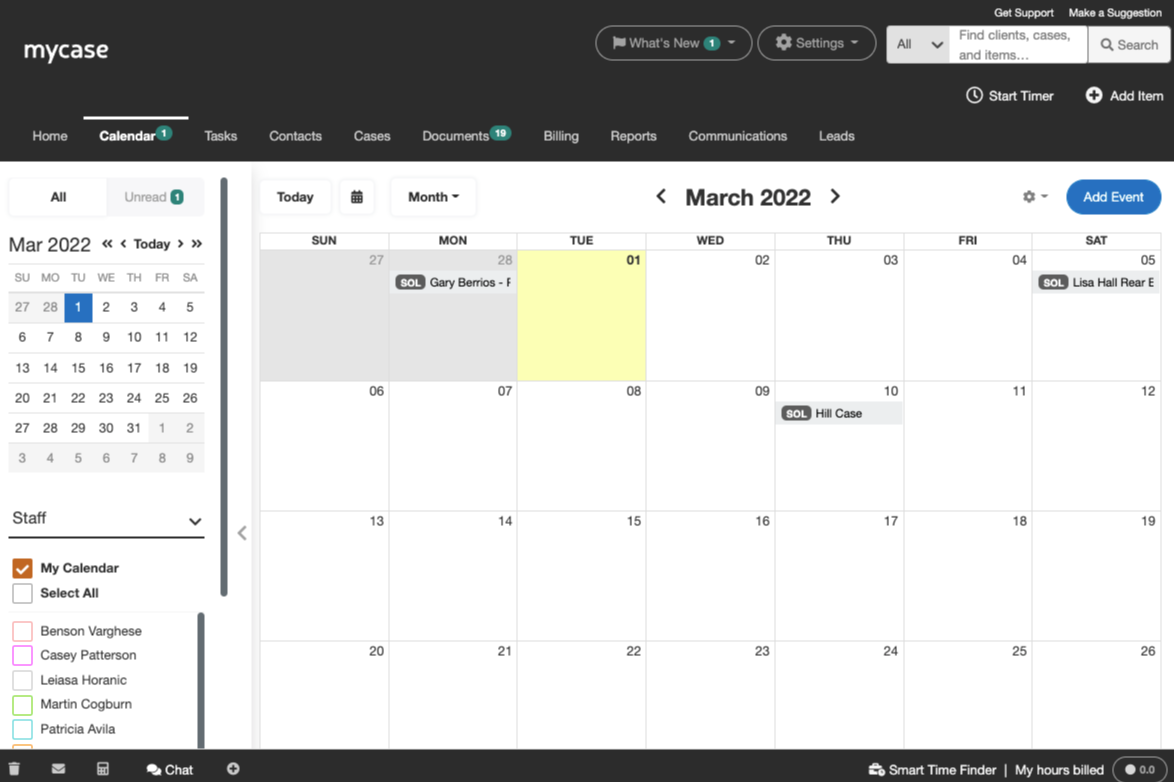
| Calendar Sync | Each syncs with external calendars like Google and Outlook to keep deadlines in view. |
| Client Communication | Both include secure client portals for messaging, sharing files, and tracking updates. |
| Legal Case Management | Both platforms centralize case files, deadlines, and communication to keep teams organized. |
| Read MyCase ReviewOpens new window Read Filevine ReviewOpens new window | |
| Task Management | Both allow you to assign, track, and manage tasks within cases to keep work moving forward. |
| Time Tracking | Both provide built-in time tracking tools for billing and productivity reporting. |
| Read MyCase ReviewOpens new window Read Filevine ReviewOpens new window | |