

Creatio AI Studio im Vergleich zu Microsoft Copilot Studio: Vergleich & Bewertungen für 2026



As AI agents take on more routine and process-driven work, teams need tools that make it easier to build automation without adding another layer of complexity. The challenge is finding the right balance between accessibility, integration depth, and control.
Creatio AI Studio and Microsoft Copilot Studio are AI productivity tools for building and managing AI agents and workflows. Creatio combines AI Twin’s conversational agent creation with no-code and coded development, open model support, human-led and agentic workflows, and centralized lifecycle governance, while Copilot Studio focuses on low-code building within the Microsoft ecosystem.
In this comparison, I assess which tool is the better fit for your team, workflows, and automation needs.
Creatio AI Studio vs. Microsoft Copilot Studio: An Overview
Creatio AI Studio


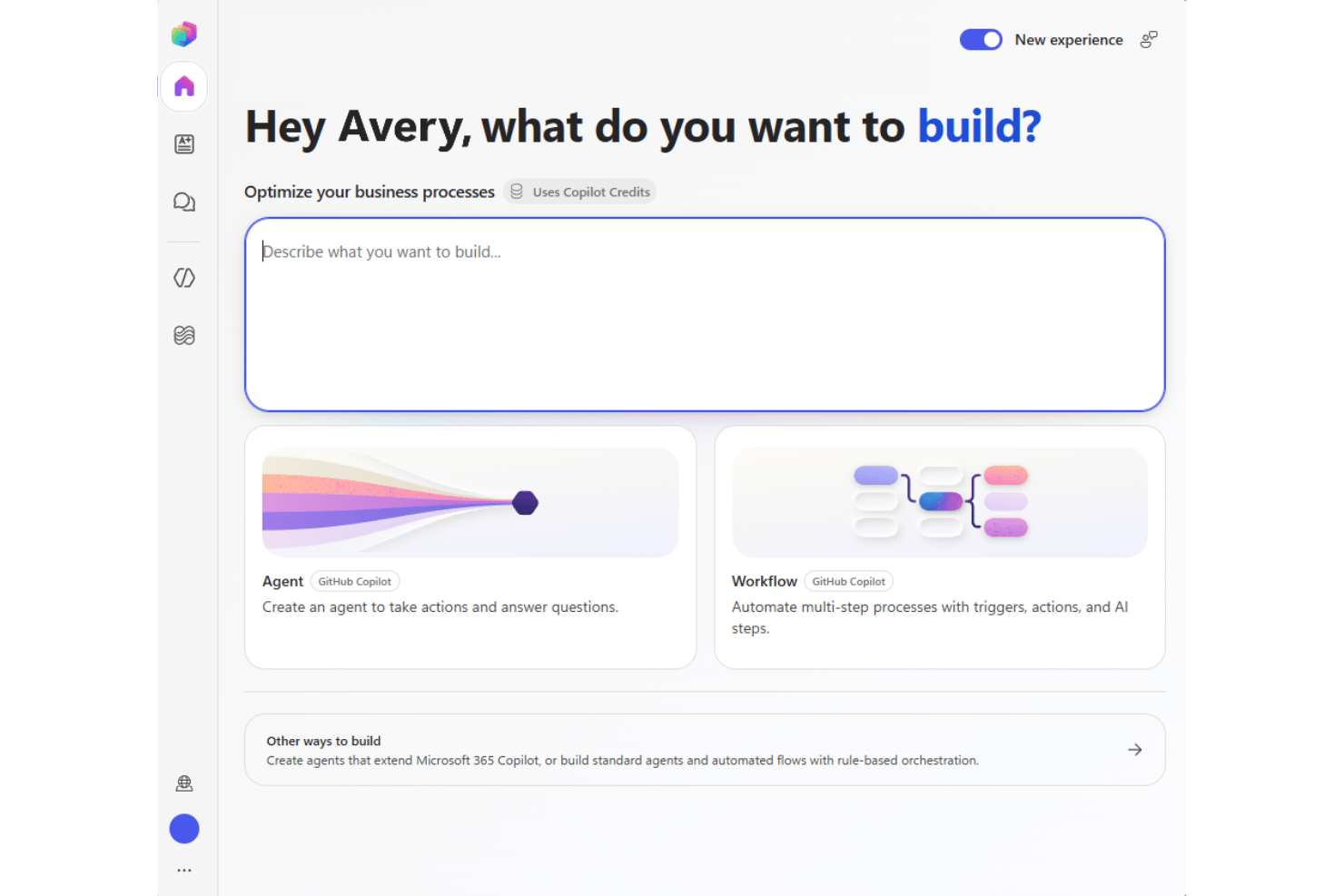
Microsoft Copilot Studio
Warum Sie unseren Software-Empfehlungen vertrauen können
Unser Team testet und bewertet Software seit 2012. Als Projektmanager wissen wir selbst, wie schwierig – und wichtig – es ist, die richtige Software auszuwählen.
Für diesen Leitfaden haben wir Tools mithilfe von praktischen Tests und unabhängiger Recherche bewertet und dabei unsere Bewertungskriterien angewendet. Zudem greifen wir auf Erkenntnisse von Branchenvordenkern und praktizierenden Projektmanagement-Experten zurück.
Unsere Bewertungen spiegeln unser menschliches redaktionelles Urteilsvermögen wider, keine Verkaufsstrategie.
Expertenprüfer:
Creatio AI Studio vs. Microsoft Copilot Studio Pricing Comparison
| Creatio AI Studio | Microsoft Copilot Studio | |
|---|---|---|
| Free Trial | Free demo available | Not available |
| Pricing | $40/user/month | From $30/user/month (billed annually) |
Creatio AI Studio im Vergleich zu den Preisen und versteckten Kosten von Microsoft Copilot Studio
Creatio AI Studio kombiniert eine plattformbasierte Preisgestaltung pro Benutzer mit separaten KI-Paketen auf Basis von KI-Credits und optionalen Supportstufen, während das Unlimited-Modell eine umfassendere Skalierung für die gesamte Organisation unterstützt. Microsoft Copilot Studio verwendet dagegen Copilot-Credits mit Vorauszahlung oder nutzungsbasierter Abrechnung, sodass die Kosten je nach Agentenaktivität und Aufgabenkomplexität variieren können.
Um den richtigen Anbieter auszuwählen, sollten Sie berücksichtigen, wie planbar Ihre Kosten sein müssen und wie intensiv Ihre Agenten genutzt werden. Ich würde zu Creatio tendieren, wenn Sie eine klar definierte Struktur für Plattform und KI-Pakete bevorzugen, während Copilot Studio Unternehmen, die bereits im Microsoft-Ökosystem arbeiten, mehr nutzungsbasierte Flexibilität bietet.
Creatio AI Studio vs. Microsoft Copilot Studio Feature Comparison
| Creatio AI Studio | Microsoft Copilot Studio | |
|---|---|---|
| API | ||
| Access Management | ||
| Data Export | ||
| Data Import | ||
| Document Management | ||
| External Integrations | ||
| Form Builder | ||
| Multi-User | ||
| Notifications | ||
| Process Modeling | ||
| Workflow Management |
Integrationen von Creatio AI Studio im Vergleich zu Microsoft Copilot Studio
| Integration | Creatio AI Studio | Microsoft Copilot Studio |
|---|---|---|
| Microsoft 365 | ✅ | ✅ |
| Sage | ✅ | ❌ |
| Google Workspace | ✅ | ✅ |
| Slack | ✅ | ✅ |
| Microsoft Teams | ✅ | ✅ |
| SAP | ✅ | ✅ |
| ✅ | ✅ | |
| Hootsuite | ✅ | ❌ |
| API | ✅ | ✅ |
| Zapier | ✅ | ✅ |
Sowohl Creatio AI Studio als auch Microsoft Copilot Studio bieten umfassende Integrationsökosysteme, um Agenten mit Geschäftssystemen und Workflows zu verbinden. Creatio legt über seinen Marketplace, APIs, Webhooks und MCP den Schwerpunkt auf offene, plattformübergreifende Konnektivität, während Copilot Studio vom umfangreichen Connector-Ökosystem von Microsoft und der engen Anbindung an Microsoft-Dienste profitiert. Insgesamt eignet sich Creatio besonders für Teams, die mit einem heterogenen Technologie-Stack arbeiten, während Copilot Studio sich nahtlos in Microsoft-zentrierte Umgebungen einfügt.
Creatio AI Studio vs. Microsoft Copilot Studio Sicherheit, Compliance & Zuverlässigkeit
| Faktor | Creatio AI Studio | Microsoft Copilot Studio |
|---|---|---|
| Datenschutz | Unterstützt AWS- und Azure-Regionen, Optionen für die Datenresidenz, den Betrieb vor Ort, vollständiges Eigentum der Kunden an ihren Daten sowie die Trennung vom Training gemeinsam genutzter Modelle. | Unterstützt die geografische Datenresidenz und Datenschutzkontrollen in der Cloud-Infrastruktur von Microsoft. |
| Verschlüsselung & Auditierung | Verwendet Verschlüsselung und Audit-Protokollierung für administrative Aktivitäten, Datenoperationen und die Ausführung von Agenten, um die Nachverfolgbarkeit zu gewährleisten. | Verschlüsselt Daten im Ruhezustand und bei der Übertragung und bietet Protokollierung über das Cloud-Sicherheitsframework von Microsoft. |
| Zuverlässigkeit | Bietet Cloud-SLAs für Unternehmen, KI-Beobachtbarkeit, Ausführungsverlauf, Richtlinienüberwachung, Genehmigungen, Eskalationskontrollen und eine Governance über den gesamten Lebenszyklus. | Verwendet die Microsoft-Azure-Infrastruktur und regionale Redundanz, um Verfügbarkeit und Ausfallsicherheit zu gewährleisten. |
| Einhaltung gesetzlicher Vorschriften | Verfügt über SOC 2 Typ II- und ISO/IEC 27001-Zertifizierungen sowie Kontrollen zur Unterstützung der DSGVO-Anforderungen und regulierter Arbeitsabläufe. | Unterstützt ein umfangreiches Compliance-Portfolio, einschließlich der SOC-, ISO-, DSGVO-, HIPAA- und FedRAMP-Frameworks. |
| Zugriff & KI-Governance | Unterstützt SAML 2.0 SSO, MFA, granulare RBAC, Richtlinien auf Organisations- und Agentenebene, Tool-Genehmigungen, Datenmaskierung, Bestätigungen und Kontrollen mit Einbindung von Menschen. | Verwendet Microsoft Entra ID, RBAC, Authentifizierungskontrollen und die Governance von Power Platform zur Verwaltung des Agentenzugriffs und der Aktivitäten. |
Insgesamt legt Creatio AI Studio den Schwerpunkt auf granulare Zugriffskontrollen, Auditierbarkeit, flexible Bereitstellung sowie ein Framework für KI-Vertrauen und -Governance, das Sicherheitskontrollen auf die Aktivitäten von Agenten ausdehnt. Microsoft Copilot Studio baut auf dem umfassenderen Cloud-Sicherheits- und Compliance-Ökosystem von Microsoft auf. Beide bieten eine solide Grundlage für Unternehmen, verfolgen bei der Governance jedoch unterschiedliche Plattformarchitekturen.
Creatio AI Studio vs. Microsoft Copilot Studio Benutzerfreundlichkeit
| Faktor | Creatio AI Studio | Microsoft Copilot Studio |
|---|---|---|
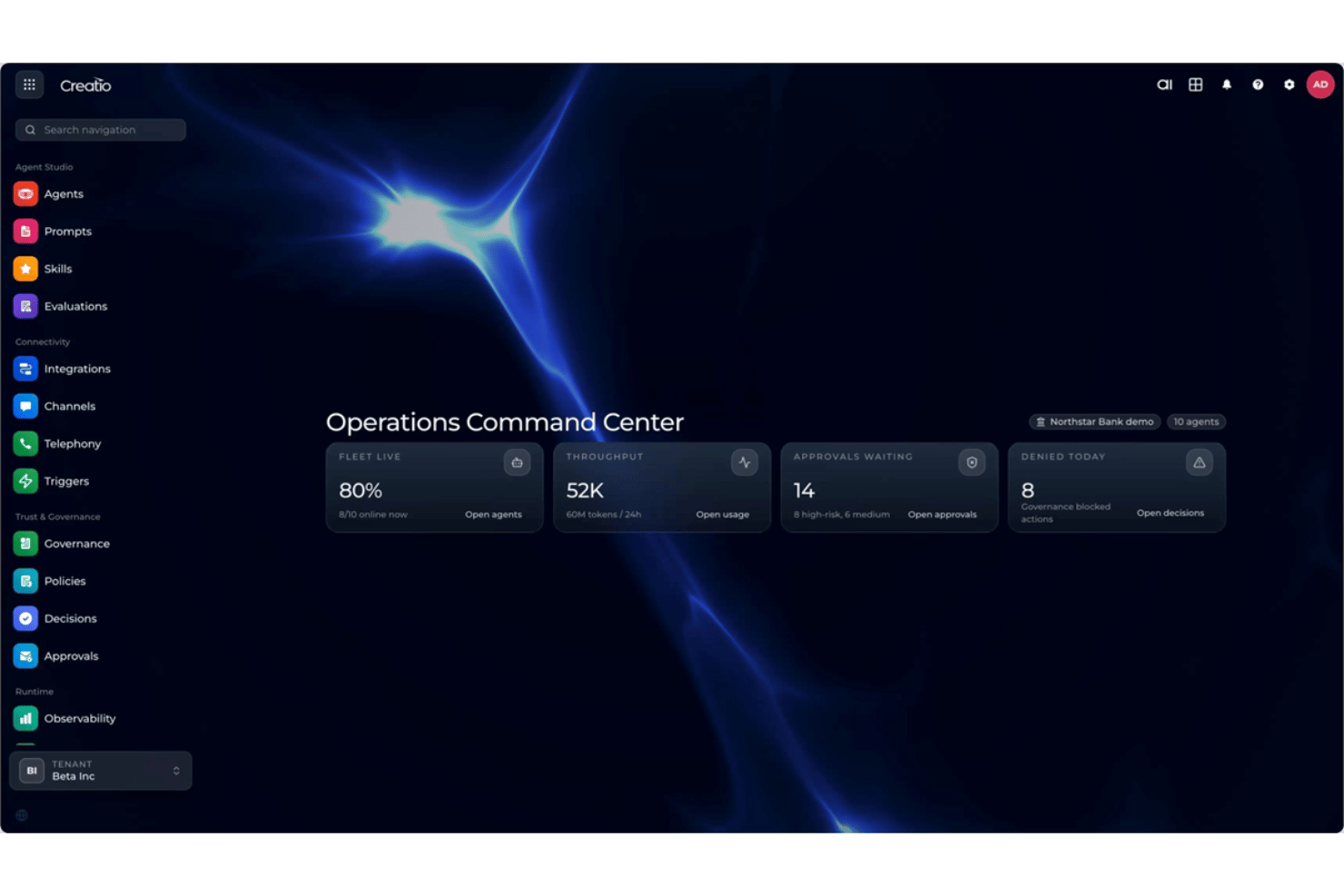
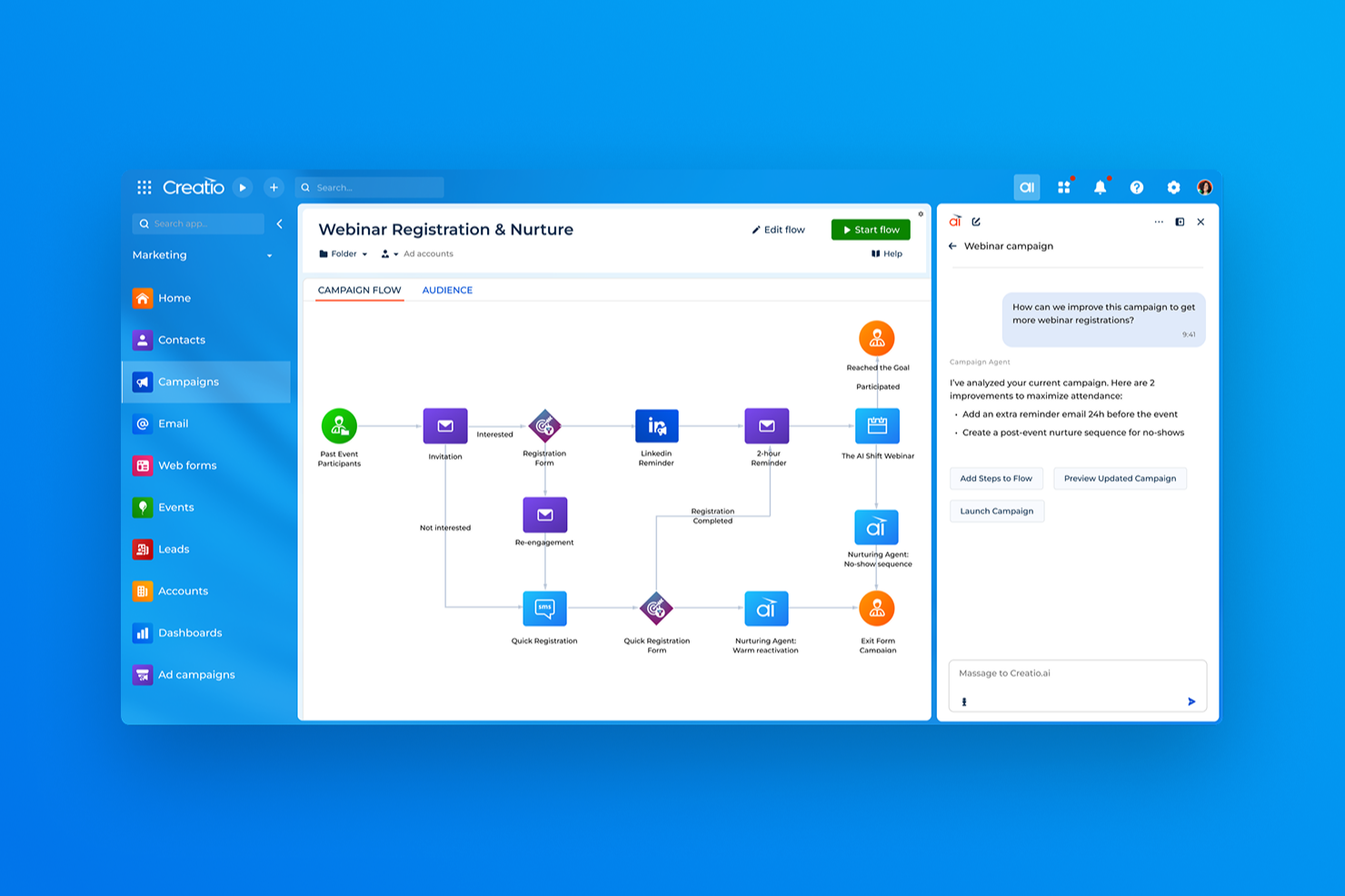
| Benutzeroberfläche | Kombiniert die dialogbasierte Agentenerstellung von AI Twin mit visuellen Werkzeugen ohne Programmierung zum Erstellen und Verwalten von Agenten, während Programmier-SDKs anspruchsvollere Anforderungen unterstützen. | Verwendet eine vertraute Microsoft-Oberfläche mit geführten Werkzeugen zum Erstellen und Verwalten von Agenten. |
| Einführung | Findet in der Regel anhand einer geführten Implementierung statt, die auf Workflows, Integrationen, Daten und dem Umfang der Bereitstellung basiert. | Bietet eine geführte Einrichtung, Vorlagen, Dokumentation und Microsoft-Lernressourcen. |
| Einrichtungsprozess | Unterstützt eine flexible Konfiguration, wobei komplexere Bereitstellungen Integrationen, Migration, Tests und eine Planung der Einführung umfassen können. | Stellt eine enge Verbindung zu Microsoft-Diensten und Geschäftsdaten her, wobei umfassendere Einrichtungen dennoch Konfiguration erfordern können. |
| Lernkurve | Werkzeuge ohne Programmierung senken die Einstiegshürde für die Agentenerstellung, während fortgeschrittene Implementierungen von Spezialisten oder zertifizierten Partnern profitieren können. | Werkzeuge mit wenig Programmieraufwand sind leicht zugänglich, insbesondere für Microsoft-Benutzer, aber fortgeschrittene Automatisierungen können Kenntnisse der Power Platform erfordern. |
| Support | Bietet E-Mail- und regionalen Telefonsupport sowie die Creatio Academy, Selbstbedienungsressourcen und ein globales Partner-Ökosystem. | Bietet Microsoft-Dokumentation, Schulungsressourcen, Community-Support und supportplanabhängige Optionen. |
Unter dem Gesichtspunkt der Benutzerfreundlichkeit bietet Creatio AI Studio Geschäfts- und technischen Teams mehrere Möglichkeiten für die Agentenerstellung – von der dialogbasierten Erfahrung und den visuellen Werkzeugen ohne Programmierung von AI Twin bis hin zu Programmier-SDKs. Microsoft Copilot Studio profitiert von einer vertrauten Umgebung für Teams, die bereits Microsoft 365 und Power Platform verwenden. Creatio eignet sich möglicherweise für Teams, die mehr Flexibilität bei der Erstellung und Konfiguration von Agenten wünschen, während sich Copilot Studio in einem Microsoft-zentrierten Stack natürlicher anfühlen kann.
Creatio AI Studio vs Microsoft Copilot Studio: Pros & Cons
Creatio AI Studio
- No-code agent designer lets teams build and deploy AI agents with less developer support
- Supports no-code and coding-based agents, giving technical and business teams more flexibility
- Built-in governance covers policies, approvals, audit trails, and human review of agent actions
- Advanced implementations may require significant configuration and integration work
- Administrators may need time to learn its broader no-code and agent management capabilities
- Its enterprise-focused feature set may be excessive for teams that only need simple AI automation
Microsoft Copilot Studio
- Connects securely to Microsoft 365 and business data.
- Built-in governance and access controls for enterprise compliance.
- Visual builder simplifies creating conversational AI agents.
- Limited customization outside Microsoft tools and connectors.
- Lacks advanced model fine-tuning options found elsewhere.
- Some features require higher-tier Microsoft 365 licenses.
Best Use Cases for Creatio AI Studio and Microsoft Copilot Studio
Creatio AI Studio
- Banking and Financial Services Creatio supports banking, credit union, insurance, and mortgage organizations with configurable AI and workflow automation for complex, regulated processes.
- Manufacturing and Distribution Manufacturing and distribution teams can use AI agents and automated workflows across operational, service, and customer-facing processes.
- Healthcare and Life Sciences Healthcare, pharma, and life sciences organizations can use configurable workflows, integrations, and governance controls across data-intensive processes.
- Telecommunications and Utilities Telecom, energy, and utility companies can automate high-volume operational and service workflows while maintaining centralized control over AI agents.
- Retail and CPG Retail and consumer goods teams can use AI-driven workflows to automate processes across customer operations, sales, and other cross-functional activities.
- High Tech and Business Services High-tech and business services organizations with complex, changing processes can use Creatio’s no-code tools and integrations to build and adapt AI-driven workflows.
Microsoft Copilot Studio
- Large Enterprises Integrated security, compliance, and scalability features suit organizations with complex oversight needs.
- IT Departments Tight links to Microsoft Azure and Power Platform simplify workflow automation and bot management for in-house IT teams.
- Human Resources HR teams benefit from ready-to-deploy chatbots for onboarding, policy guidance, and employee support with ties to Microsoft 365.
- Healthcare Providers Built-in security and compliance controls help healthcare organizations automate patient communication while protecting sensitive data.
- Education Institutions Easy deployment inside Microsoft Teams streamlines faculty and student interactions for schools already running on Microsoft platforms.
- Customer Service Ability to build AI agents for support and integrate directly with Dynamics 365 makes it attractive for service teams.
Wer sollte Creatio AI Studio verwenden und wer Microsoft Copilot Studio?
Wenn Sie nach einem KI-Produktivitätstool suchen, das Geschäftsanwender, technische Teams und KI-Agenten in derselben Workflow-Umgebung zusammenführt, ist Creatio AI Studio wahrscheinlich eine gute Wahl. Es eignet sich für mittelgroße und große Organisationen, die AI Twin und eine Agentenerstellung ohne Programmierung, programmierte Agenten, mehrere KI-Modelle, offene Integrationen, Interaktionen über mehrere Kanäle, eine zentrale Governance und menschliche Kontrolle über komplexe Geschäftsprozesse benötigen.
Wenn sich Ihr Unternehmen hingegen bereits stark auf Microsoft 365, Dynamics 365, Azure oder Power Platform stützt, könnte Microsoft Copilot Studio Ihren Anforderungen entsprechen. Es eignet sich für Großunternehmen, IT-Teams, Personalabteilungen, das Gesundheitswesen, Bildungseinrichtungen und Kundenserviceteams, die Workflows automatisieren, Selbstbedienung unterstützen und Agenten über vertraute Microsoft-Kanäle und Geschäftssysteme hinweg bereitstellen möchten.
Differences Between Creatio AI Studio and Microsoft Copilot Studio
| Creatio AI Studio | Microsoft Copilot Studio | |
|---|---|---|
| AI Model Flexibility | Supports OpenAI, Google, Anthropic, and other model strategies through an open architecture without tying teams to one provider. | Supports selectable AI models within Microsoft’s governed Copilot Studio framework, with availability varying by region and model status. |
| Deployment Options | Supports multiple AWS and Azure regions as well as on-premises deployment for organizations needing more hosting flexibility. | Runs as a cloud service within Microsoft’s Azure and Power Platform infrastructure. |
| Ecosystem Orientation | Designed to orchestrate agents and workflows across varied enterprise systems without requiring a Creatio-first stack. | Fits most naturally into organizations centered on Microsoft 365, Power Platform, Dynamics 365, and Azure. |
| Platform Scope | Combines AI Twin, AI Studio, workflow automation, no-code application development, CRM, and human-led business processes in one platform. | Centers on agent and workflow development within Microsoft Copilot, Power Platform, and related Microsoft services. |
| Pricing and Scaling | Combines platform access with separate AI packages and AI Credits, with Unlimited supporting broader organization-wide scaling. | Uses Copilot Credits through prepaid or pay-as-you-go billing, so costs scale with agent activity and task complexity. |
| Visit Creatio AI StudioOpens new window | Read Microsoft Copilot Studio ReviewOpens new window |
Similarities Between Creatio AI Studio and Microsoft Copilot Studio
| Business Data Grounding | Both allow agents to use organizational data and business context so responses and actions are tied to real operational information. |
|---|---|
| Governance Controls | Both provide policies, permissions, and administrative controls for managing how agents access data and execute business actions. |
| Monitoring and Evaluation | Both give teams tools to test, monitor, and evaluate agent activity so they can identify issues and improve performance over time. |
| No-Code Agent Building | Both provide visual and natural-language tools that make agent creation accessible without requiring users to code every workflow from scratch. |
| Workflow Automation | Both let teams create AI-driven workflows that handle routine tasks, trigger actions, and execute multi-step business processes. |
| Visit Creatio AI StudioOpens new window Read Microsoft Copilot Studio ReviewOpens new window | |