

10 beste Adobe-Acrobat-Alternativen für die PDF-Bearbeitung im Jahr 2026

Die besten Adobe-Acrobat-Alternativen im Überblick


Die Verwaltung digitaler Dokumente kann eine Herausforderung sein, insbesondere wenn Sie mehrere Projekte gleichzeitig bearbeiten. Vielleicht ist Adobe Acrobat für die Anforderungen Ihres Teams zu teuer oder zu kompliziert. Damit sind Sie nicht allein.
Meiner Erfahrung nach bieten Alternativen zu Adobe Acrobat häufig benutzerfreundliche Oberflächen und kostengünstige Lösungen. Sie können Ihrem Team dabei helfen, PDFs und elektronische Signaturen problemlos zu verwalten, ohne zusätzliche Funktionen, die Sie möglicherweise gar nicht benötigen.
In diesem Artikel stelle ich meine besten Adobe-Acrobat-Alternativen vor. Ich biete unvoreingenommene Bewertungen auf Grundlage gründlicher Tests. Sie erhalten Einblicke in Funktionen, Vor- und Nachteile sowie Preise, damit Sie den besten PDF-Editor für Ihre Projekte finden.
Was ist Adobe Acrobat?
Adobe Acrobat ist eine Software für PDFs und elektronische Signaturen, mit der Sie PDFs verwalten, bearbeiten und erstellen können. Sie wird häufig von Fachleuten wie Projektmanagern, Rechtsteams und Lehrkräften verwendet, die eine zuverlässige Dokumentenverwaltung benötigen. Die Software geht über einen einfachen PDF-Reader hinaus und bietet unter anderem PDF-Bearbeitung, elektronische Signaturen und die gemeinsame Nutzung von Dokumenten. All diese Funktionen helfen dabei, Arbeitsabläufe zu vereinfachen und die Zusammenarbeit zu verbessern. Insgesamt bietet Adobe Acrobat einen Mehrwert, da es ein vielseitiges Werkzeug für die effiziente Verwaltung digitaler Dokumente ist.
Zusammenfassung der besten Adobe-Acrobat-Alternativen
Diese Vergleichstabelle fasst die Preisinformationen meiner besten Adobe-Acrobat-Alternativen zusammen und hilft Ihnen dabei, die beste Software für Ihr Budget und Ihre geschäftlichen Anforderungen zu finden.
| Tool | Best For | Trial Info | Price | ||
|---|---|---|---|---|---|
| 1 | Am besten für benutzerfreundliche PDF-Tools geeignet | Kostenlose 7-Tage-Testversion + kostenloser Tarif verfügbar | Ab $10/Monat (jährliche Abrechnung) | Website | |
| 2 | Am besten für KI-gestützte Produktivität geeignet | Kostenloser Plan + kostenlose Testversion verfügbar | Ab $20.62/Lizenz/Benutzer/Monat | Website | |
| 3 | Am besten geeignet für KI-integrierte PDF-Funktionen | Kostenloser Tarif verfügbar | Ab $49.99/Jahr | Website | |
| 4 | Am besten für sichere Lösungen für elektronische Signaturen geeignet | Kostenlose 14-tägige Testversion + kostenlose Demo verfügbar | Ab $15/Nutzer/Monat (jährlich abgerechnet) | Website | |
| 5 | Am besten für die PDF-Bearbeitung mit einer mobilen App geeignet | Kostenlose Testversion + kostenlose Demo verfügbar | Preis auf Anfrage | Website | |
| 6 | Am besten für Baufachleute geeignet | Kostenlose 14-tägige Testversion verfügbar | Ab $260/Nutzer/Jahr | Website | |
| 7 | Am besten für KI-gestützte PDF-Bearbeitung | Kostenloser Tarif verfügbar | Ab 79,99 $/Jahr | Website | |
| 8 | Am besten für Online-PDF-Aufgaben geeignet | Kostenloser Tarif verfügbar | Ab $7/7 Tage (einmalige Zahlung) | Website | |
| 9 | Am besten für die geräteübergreifende Dokumentverwaltung | Kostenlose Testversion + kostenlose Demo verfügbar | Ab $4.99/Lizenz/Monat (jährlich abgerechnet) | Website | |
| 10 | Am besten für PDF-Lösungen für Unternehmen geeignet | Kostenlose Testversion verfügbar | Ab $149/Einheit (einmalige Zahlung) | Website |
Warum Sie unseren Software-Empfehlungen vertrauen können
Unser Team testet und bewertet Software seit 2012. Als Projektmanager wissen wir selbst, wie schwierig – und wichtig – es ist, die richtige Software auszuwählen.
Für diesen Leitfaden haben wir Tools mithilfe von praktischen Tests und unabhängiger Recherche bewertet und dabei unsere Bewertungskriterien angewendet. Zudem greifen wir auf Erkenntnisse von Branchenvordenkern und praktizierenden Projektmanagement-Experten zurück.
Unsere Bewertungen spiegeln unser menschliches redaktionelles Urteilsvermögen wider, keine Verkaufsstrategie.
Expertenprüfer:
Bewertungen der besten Adobe-Acrobat-Alternativen
Im Folgenden habe ich ausführliche Zusammenfassungen der besten Adobe-Acrobat-Alternativen verfasst, die es in meine Auswahl geschafft haben. Meine Bewertungen bieten einen detaillierten Überblick über die wichtigsten Funktionen, Vor- und Nachteile, Integrationen und idealen Einsatzmöglichkeiten jedes Tools, damit Sie die beste Lösung für sich finden.

Smallpdf
Am besten für benutzerfreundliche PDF-Tools geeignet
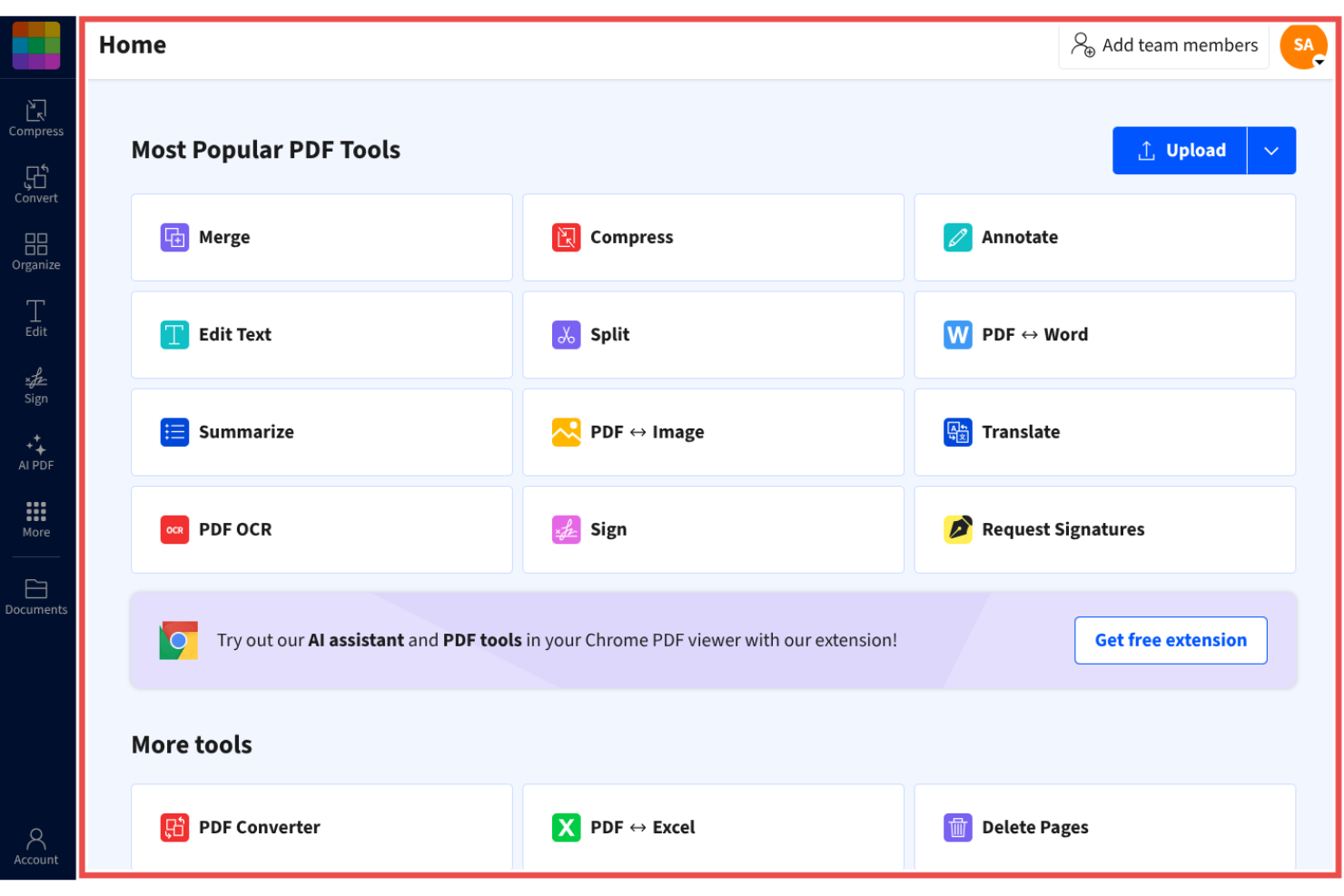
Smallpdf ist ein PDF-Verwaltungstool für Einzelpersonen und Unternehmen, die eine einfache Lösung für den Umgang mit Dokumenten suchen. Es ist bei Nutzern beliebt, die schnellen und unkomplizierten Zugriff auf PDF-Funktionen wie Konvertierung, Komprimierung und Bearbeitung benötigen.
Warum es eine gute Alternative zu Adobe Acrobat ist: Smallpdf bietet benutzerfreundliche PDF-Tools, die Ihre Dokumentaufgaben vereinfachen, und ist damit eine praktische Wahl für alle, die eine unkomplizierte PDF-Verwaltung suchen. Die intuitive Benutzeroberfläche ermöglicht eine einfache und effiziente Konvertierung, Komprimierung und Bearbeitung von PDFs. Das Tool ist von jedem Gerät aus zugänglich und daher praktisch für Teams, die unterwegs arbeiten.
Herausragende Funktionen und Integrationen:
Zu den Funktionen gehören die Bearbeitung, Komprimierung und Konvertierung von PDFs. Dadurch können Sie Dateigrößen reduzieren und Dateien ohne Qualitätsverlust teilen. Mit den Konvertierungstools können Sie schnell zwischen verschiedenen Dateiformaten wechseln.
Zu den Integrationen gehören Google Workspace, Dropbox, Microsoft OneDrive und weitere.
Pros and Cons
Pros:
- Von jedem Gerät aus zugänglich
- Zuverlässige Komprimierungstools
- Große Auswahl an PDF-Funktionen
Cons:
- Einschränkungen in der kostenlosen Version
- Keine erweiterten Formatierungsfunktionen
Am besten für KI-gestützte Produktivität geeignet
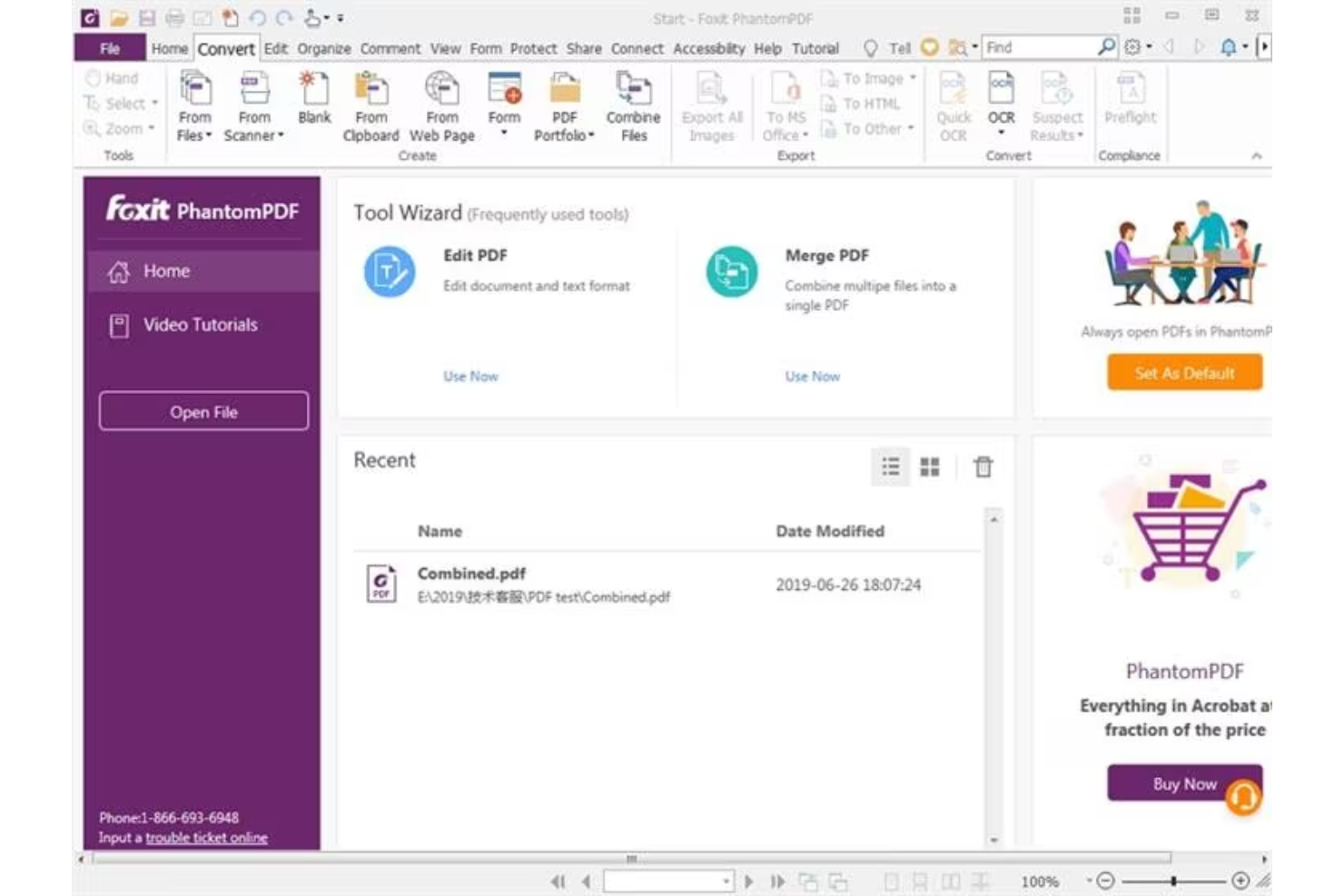
Foxit PDF Editor ist für Unternehmen und Einzelpersonen konzipiert, die zuverlässige Lösungen für die Dokumentverwaltung benötigen. Die Software ist bei Fachleuten beliebt, die effiziente Werkzeuge zum Bearbeiten, Teilen und Schützen von PDF-Dateien benötigen.
Warum es eine gute Alternative zu Adobe Acrobat ist: Foxit PDF Editor bietet KI-gestützte Produktivitätsfunktionen, die die Dokumentenverwaltung intuitiver machen. Mit KI-gestützten Funktionen können Sie sich wiederholende Aufgaben automatisieren und den Arbeitsablauf Ihres Teams effizienter gestalten. Die Software umfasst erweiterte Sicherheitsoptionen zum Schutz Ihrer Dokumente und bietet Erweiterungen für Microsoft-Office-Apps, einschließlich PowerPoint. Diese Funktionen machen Foxit PDF Editor zu einer praktischen Wahl für alle, die eine einfachere und effizientere Alternative zu Adobe Acrobat suchen.
Hervorstechende Funktionen und Integrationen:
Zu den Funktionen gehören erweiterte Sicherheitsmaßnahmen und mobiler Zugriff. Sie können Dokumente mit Verschlüsselungs- und Berechtigungseinstellungen sicher verwalten. Die Software unterstützt außerdem die Zusammenarbeit in Echtzeit.
Zu den Integrationen gehören Google Workspace, Dropbox, Microsoft OneDrive, Box, SharePoint und weitere.
Pros and Cons
Pros:
- KI-gestützte Produktivitätstools
- Erweiterte Sicherheitsfunktionen
- Optionen für die Zusammenarbeit in Echtzeit
Cons:
- Begrenzte erweiterte PDF-Bearbeitungsfunktionen
- Hoher Ressourcenverbrauch

UPDF
Am besten geeignet für KI-integrierte PDF-Funktionen
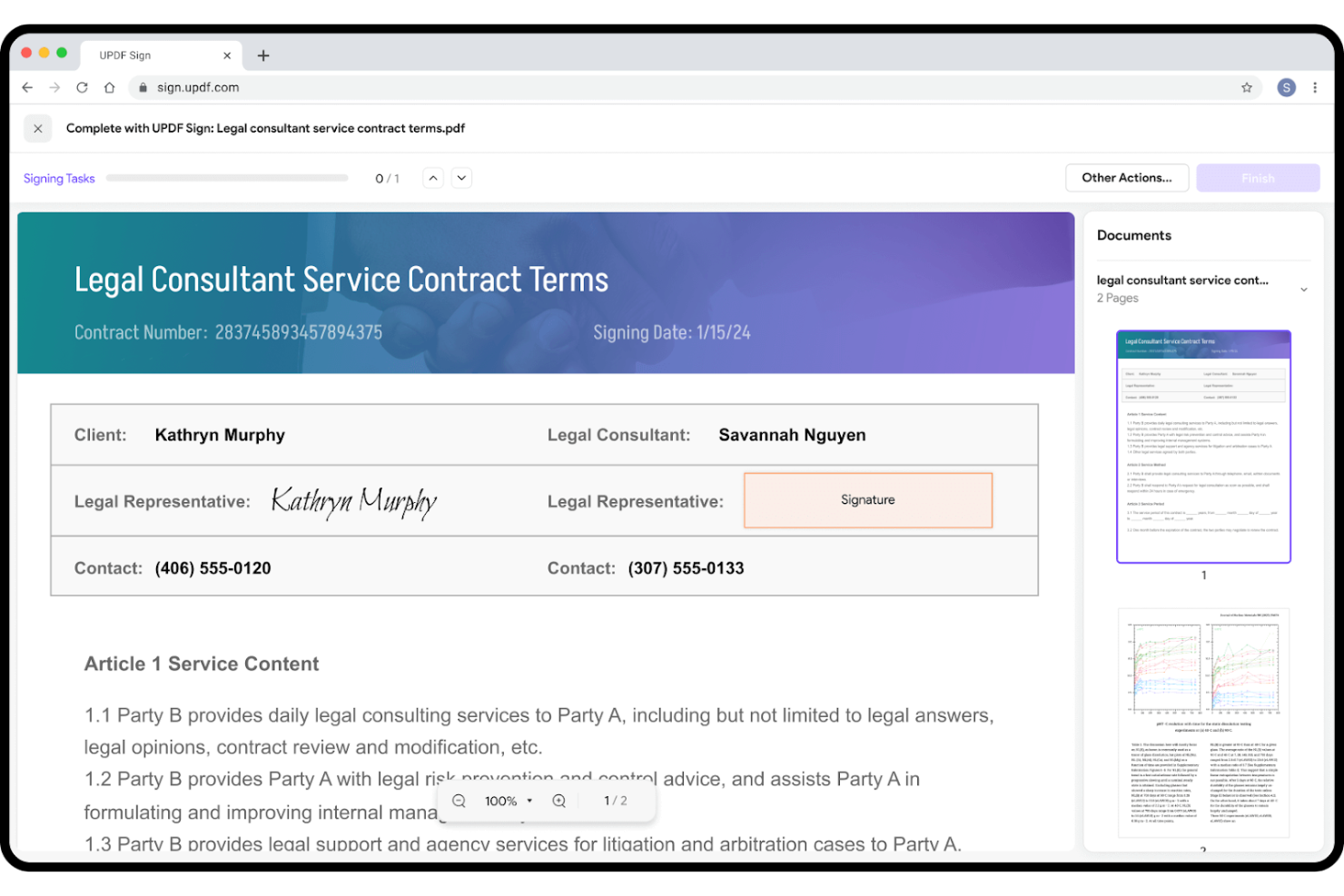
UPDF ist eine PDF-Bearbeitungssoftware für Nutzer, die eine effiziente und unkomplizierte Dokumentenverwaltung wünschen. Sie ist bei Einzelpersonen und kleinen Teams beliebt, die einfache Werkzeuge zum Bearbeiten, Kommentieren und Konvertieren von PDFs benötigen.
Warum es eine gute Alternative zu Adobe Acrobat ist: UPDF bietet KI-integrierte PDF-Funktionen, die Ihre Dokumentenaufgaben vereinfachen, und ist damit eine attraktive Wahl für alle, die eine effiziente Alternative zu Adobe Acrobat suchen. Die Software bietet einfache Bearbeitungs- und Konvertierungsoptionen, wodurch sie für Nutzer aller Erfahrungsstufen zugänglich ist, sowie KI-gestützte Werkzeuge, mit denen Sie sich wiederholende Aufgaben automatisieren und Ihre Produktivität steigern können.
Besondere Funktionen und Integrationen:
Zu den Funktionen gehören PDF-Anmerkungen (mit Hervorhebungen und Kommentaren), Konvertierung und Bearbeitung.
Zu den Integrationen gehören Google Workspace, Dropbox und weitere.
Pros and Cons
Pros:
- KI-gestützte Dokumentenautomatisierung
- Effiziente Formatkonvertierung
- Für kleine Teams geeignet
Cons:
- Fehlende erweiterte Unternehmensfunktionen
- Aufdringliche Upgrade-Benachrichtigungen

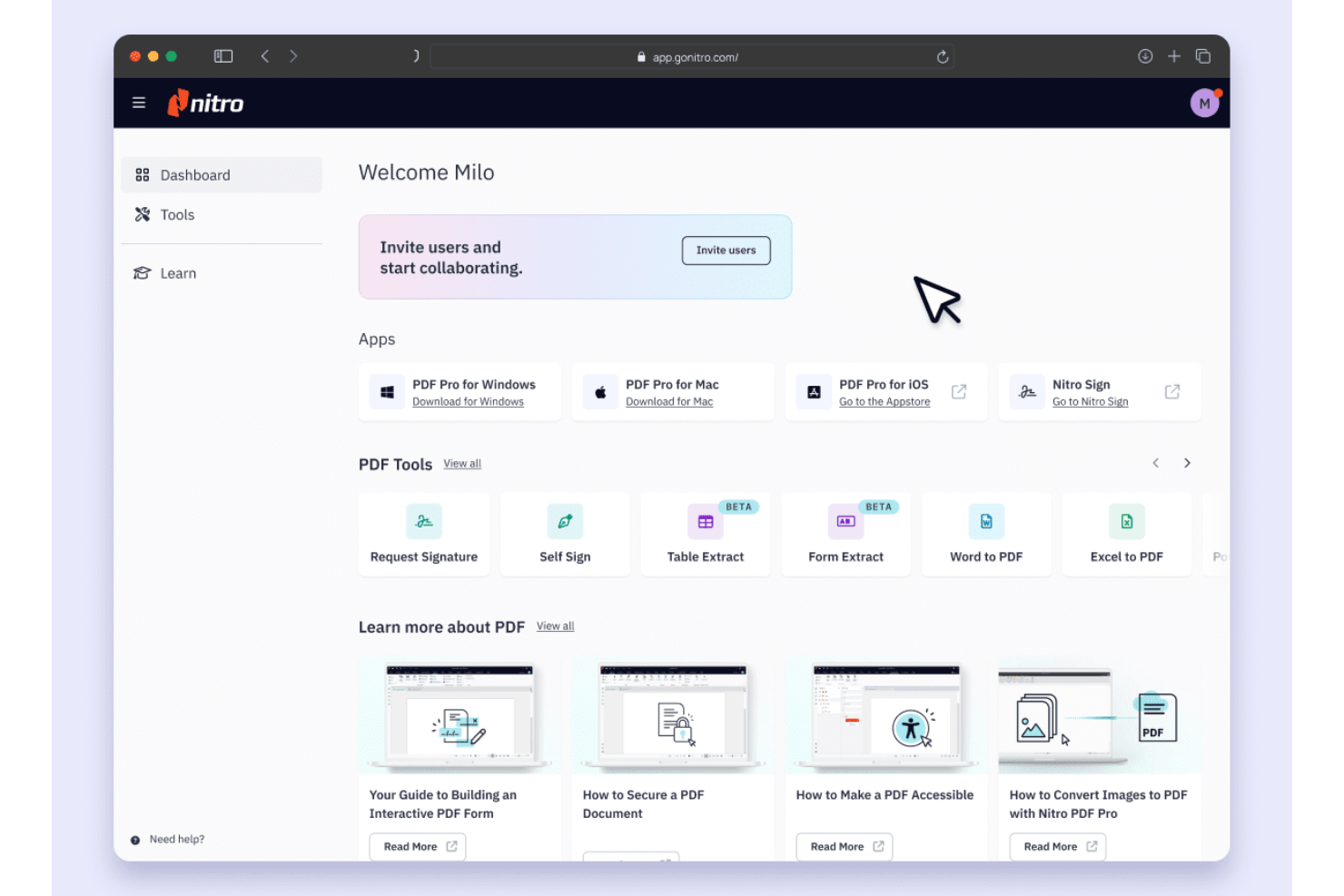
Nitro PDF ist eine PDF- und E-Signatur-Software für Unternehmen und Fachleute, die effiziente Funktionen zur Dokumentenverwaltung und zum Signieren benötigen. Sie wird häufig von Teams eingesetzt, die sichere und zuverlässige Lösungen für die Verwaltung von PDFs und elektronischen Signaturen benötigen.
Warum es eine gute Alternative zu Adobe Acrobat ist: Nitro PDF bietet sichere Lösungen für elektronische Signaturen, bei denen die Sicherheit Ihrer Dokumente im Vordergrund steht. Sie können Dokumente mit fortschrittlicher Verschlüsselung und Sicherheitsfunktionen senden, signieren und verwalten. Die Software bietet außerdem Tools für Zusammenarbeit und Produktivität und eignet sich daher hervorragend für Teams, die Wert auf Effizienz legen. Für weitere Funktionen ist Nitro PDF Pro eine Option für alle, die nach einer Alternative zu Adobe Acrobat Pro suchen.
Herausragende Funktionen und Integrationen:
Zu den Funktionen gehören Tools für die Zusammenarbeit, Dokumentanalysen und iPhone-Zugänglichkeit. Sie können in Echtzeit mit Ihrem Team arbeiten und Dokumenten-Workflows einfach und effizient verfolgen. Dank der Zugänglichkeit über iPhone und iPad haben Sie überall Zugriff auf Ihre Dokumente.
Zu den Integrationen gehören Google Drive, Dropbox, Microsoft OneDrive, SharePoint, Salesforce, iManage, Microsoft 365 und weitere.
Pros and Cons
Pros:
- Sichere Funktionen für elektronische Signaturen
- Tools für die Zusammenarbeit in Echtzeit
- Verfolgung von Dokumenten-Workflows
Cons:
- Auf Windows ausgerichtet
- Eingeschränkte mobile Bearbeitungsfunktionen

Am besten für die PDF-Bearbeitung mit einer mobilen App geeignet
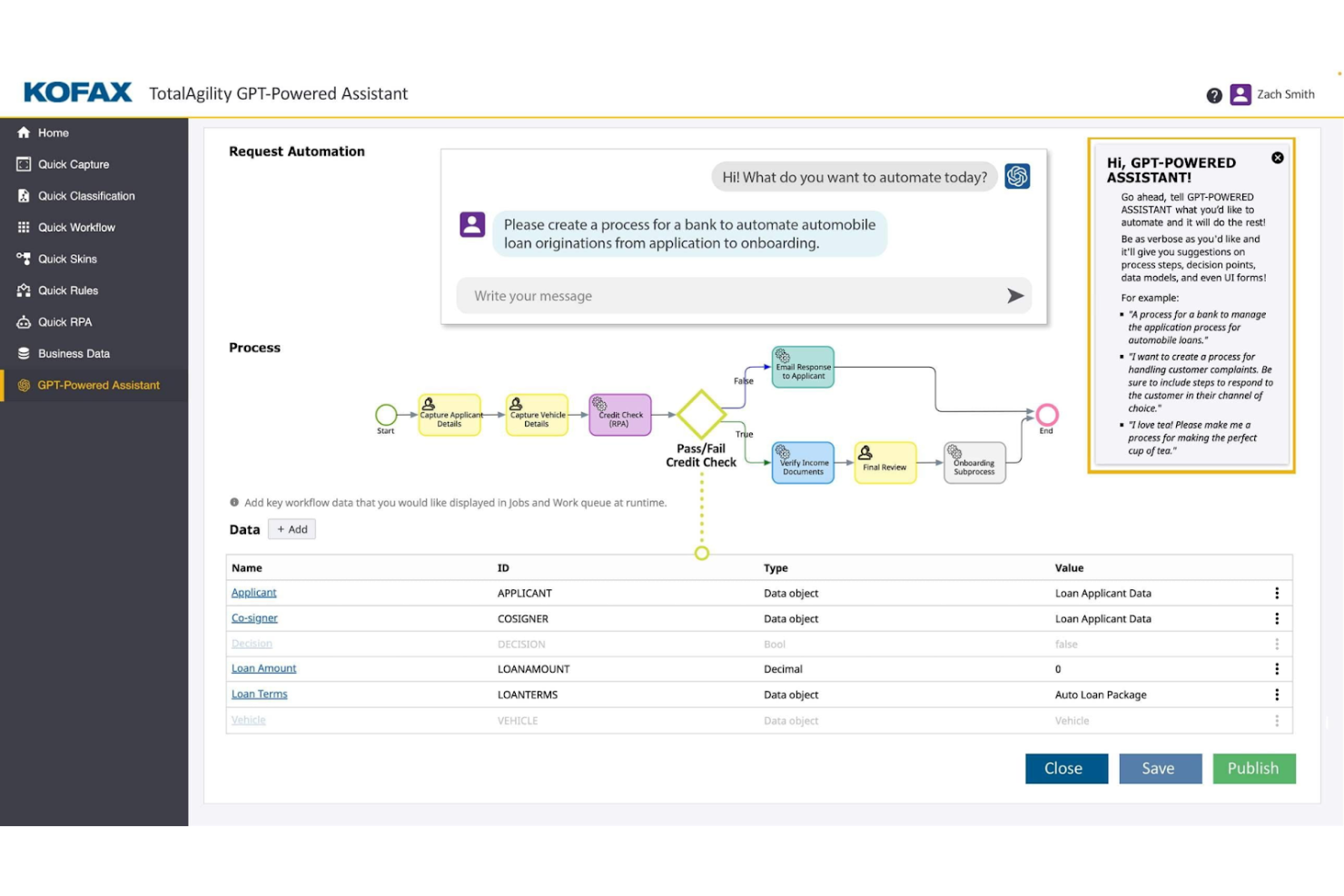
Tungsten Automation Power PDF bietet PDF-Lösungen und Lösungen für elektronische Signaturen für Fachleute, die ihre digitalen Dokumenten-Workflows entwickeln möchten. Es ist auf Nutzer zugeschnitten, die effiziente Funktionen zur Dokumentbearbeitung und -signierung mit KI-gestützten Features benötigen.
Warum es eine gute Alternative zu Adobe Acrobat ist: Tungsten Automation Power PDF bietet erweiterte Funktionen und umfassende Sicherheitsunterstützung und eignet sich damit für Einzelpersonen und Unternehmen. Es umfasst benutzerfreundliche Oberflächen und flexible Bereitstellungsoptionen, die es Ihrem Team erleichtern, die Software in bestehende Workflows zu integrieren. Die Konformität mit ISO-Normen trägt außerdem dazu bei, dass Ihre Dokumente die Branchenanforderungen erfüllen.
Hervorragende Funktionen und Integrationen:
Zu den Funktionen gehören die PDF-Bearbeitung, sichere digitale Signaturen sowie benutzerfreundliche Werkzeuge zur Konvertierung und Schwärzung. Sie können Dokumente über die intuitive Oberfläche verwalten und dadurch Ihren Workflow vereinfachen.
Zu den Integrationen gehören Google Drive, Dropbox, Microsoft OneDrive, Box, SharePoint, Evernote, Salesforce, NetDocuments, iManage, Microsoft Office 365 und mehr.
Pros and Cons
Pros:
- ISO-Konformität
- Flexible Bereitstellungsoptionen
- Leistungsstarke Funktionen der mobilen App
Cons:
- Textfelder können fehleranfällig sein
- Schwache Synchronisierung zwischen PC und Mobilgerät

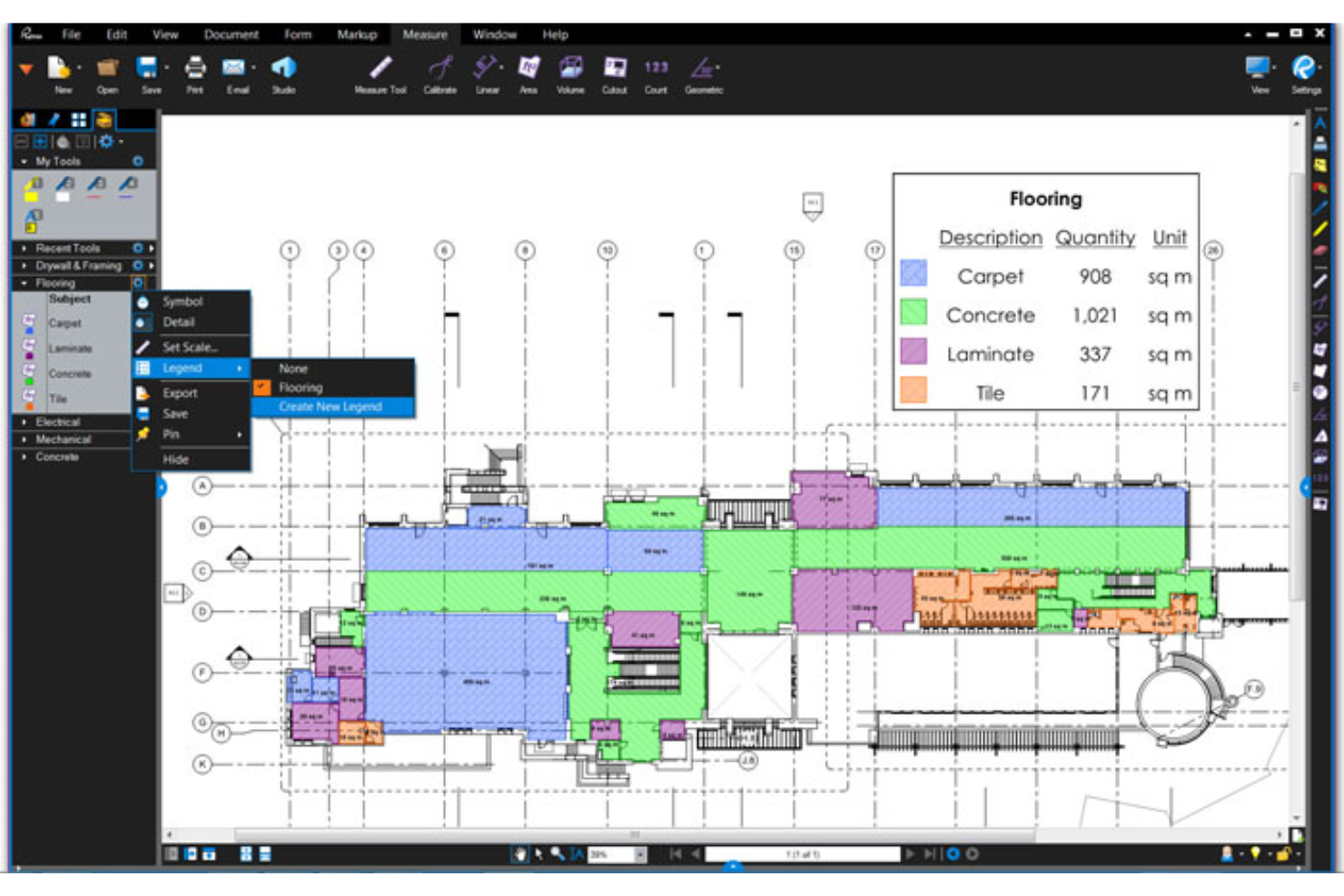
Bluebeam ist eine PDF-Software, die auf die Bedürfnisse von Baufachleuten zugeschnitten ist, die effiziente Dokumentenverwaltungs- und Markierungswerkzeuge benötigen. Sie wird häufig von Architekten, Ingenieuren und Bauunternehmern eingesetzt, um Projektabläufe zu optimieren und die Zusammenarbeit zu verbessern.
Warum es eine gute Alternative zu Adobe Acrobat ist: Bluebeam bietet spezialisierte Werkzeuge für Baufachleute, die die Projekteffizienz steigern, darunter erweiterte Markierungsfunktionen und Funktionen für die Zusammenarbeit in Echtzeit. Diese Funktionen machen Bluebeam zu einer leistungsstarken Alternative zu Adobe Acrobat für alle, die maßgeschneiderte Lösungen für die Baubranche suchen.
Herausragende Funktionen und Integrationen:
Zu den Funktionen gehören erweiterte Markierungswerkzeuge, Zusammenarbeit in Echtzeit und Funktionen zur Projektverwaltung. Mit den Markierungswerkzeugen können Sie Kommentare und Anmerkungen direkt in Ihren Dokumenten hinzufügen. Die Funktion für die Zusammenarbeit in Echtzeit ermöglicht es Ihrem Team, effizient gemeinsam an Projekten zu arbeiten.
Zu den Integrationen gehören Autodesk Construction Cloud, SharePoint, ProjectWise, Box, Egnyte, Microsoft OneDrive, Dropbox und weitere.
Pros and Cons
Pros:
- Auf Bauprojekte zugeschnitten
- Erweiterte Markierungsfunktionen
- Funktionen für die Zusammenarbeit in Echtzeit
Cons:
- Keine Vollversion für Mac-Benutzer
- Erfordert leistungsstarke PC-Hardware

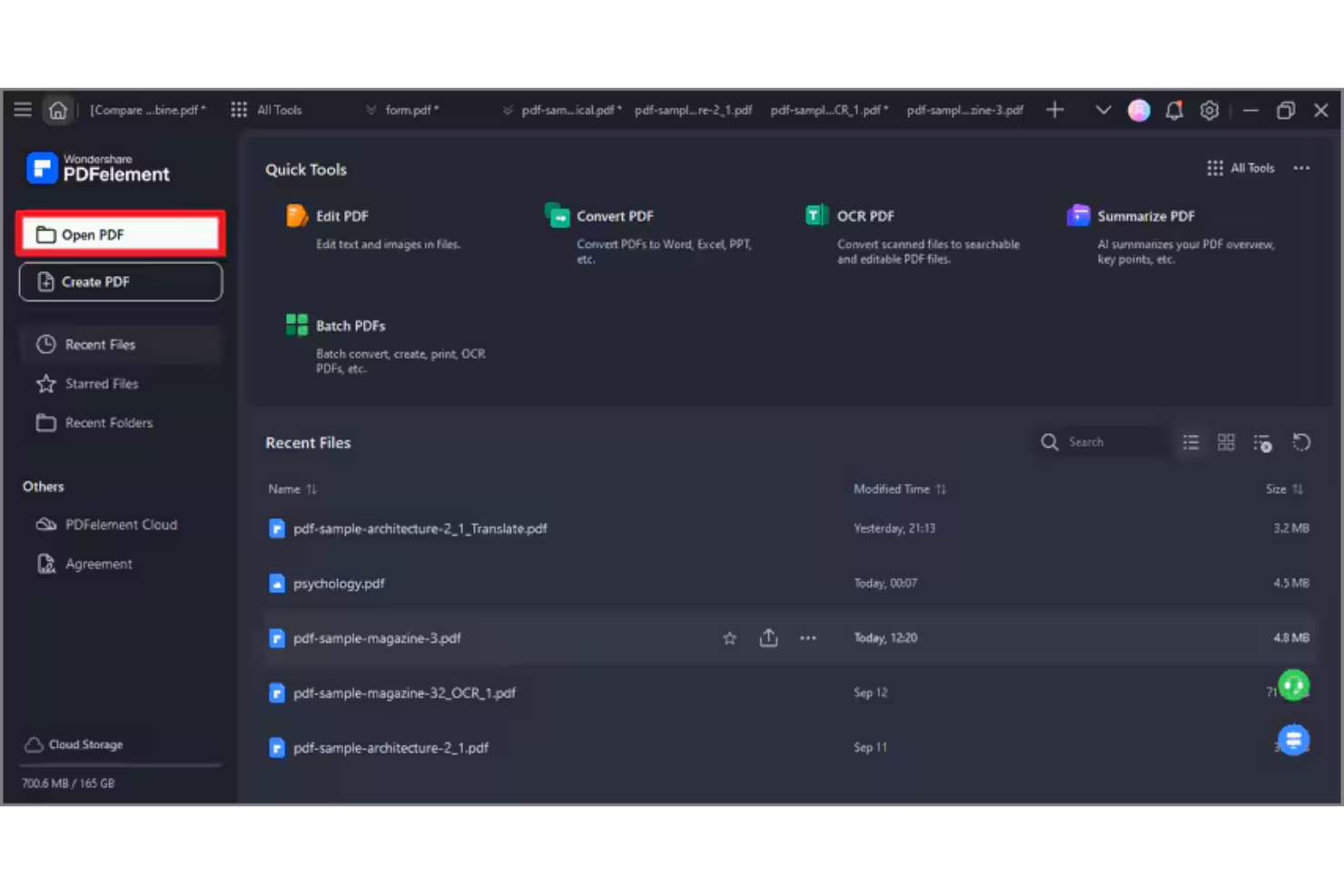
Wondershare PDFelement ist eine PDF- und E-Signatursoftware für Fachleute, die effiziente Funktionen zur Verwaltung und Bearbeitung von PDF-Dokumenten benötigen. Sie richtet sich an eine breite Palette von Nutzern, darunter Teams kleiner Unternehmen und einzelne Fachleute, und bietet einfache Möglichkeiten zum Erstellen, Bearbeiten, Verwalten und Signieren von PDFs unter Windows- und Apple-Betriebssystemen.
Warum es eine gute Alternative zu Adobe Acrobat ist: PDFelement bietet KI-gestützte Bearbeitung für PDF-Dateien und unterstützt damit Ihre Erfahrung bei der Dokumentenverwaltung. Die KI-Funktionen vereinfachen Aufgaben wie die Texterkennung und die Erstellung von PDF-Formularen. Die Software umfasst außerdem die Stapelverarbeitung, mit der Sie mehrere Dateien effizient bearbeiten können, und für Teams ist eine unbefristete Lizenz verfügbar. Insgesamt bietet PDFelement eine kostengünstige Lösung für alle, die ihre PDF-Funktionen erweitern möchten, ohne die Komplexität von Adobe Acrobat.
Herausragende Funktionen und Integrationen:
Zu den Funktionen gehören KI-gestützte Textbearbeitung, Stapelverarbeitung und Formularerstellung. Mit der Software können Sie PDFs präzise und einfach bearbeiten. Außerdem stehen Ihnen Werkzeuge zur Konvertierung von PDFs in verschiedene Dateiformate zur Verfügung, wodurch Ihre Dokumenten-Workflows flexibler werden.
Zu den Integrationen gehören Google Drive, Dropbox, Microsoft OneDrive, Apple iCloud, Microsoft Office 365 und weitere.
Pros and Cons
Pros:
- KI-gestützte Bearbeitungswerkzeuge
- Stapelverarbeitung für mehr Effizienz
- Flexible Konvertierung von Dateiformaten
Cons:
- Einige Einschränkungen bei der Dokumentgröße
- Begrenzungen bei KI-Credits

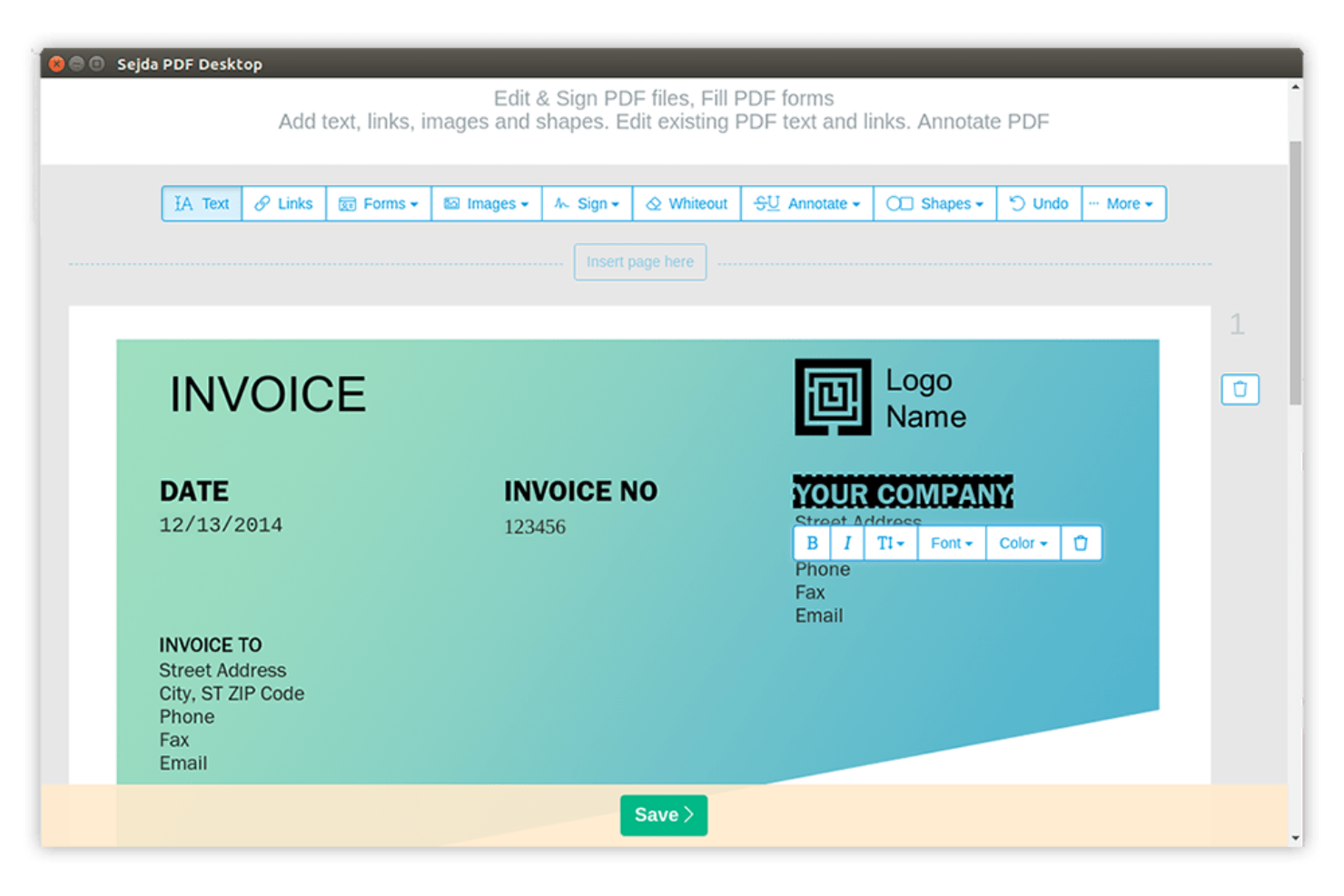
Sejda ist ein Online-PDF-Tool für Nutzer, die schnellen und unkomplizierten Zugriff auf PDF-Funktionen benötigen. Es ist bei Einzelpersonen und kleinen Unternehmen beliebt, da es Aufgaben wie das Bearbeiten, Zusammenführen und Aufteilen von PDFs ermöglicht.
Warum es eine gute Alternative zu Adobe Acrobat ist: Sejda zeichnet sich durch die effiziente Bearbeitung von PDF-Aufgaben online aus. Sie können PDFs direkt in Ihrem Browser bearbeiten und ändern, wodurch das Tool besonders zugänglich ist. Die einfache Bedienung ermöglicht schnelle Dokumentänderungen, ohne dass komplexe Software erforderlich ist. Diese Funktionen machen Sejda zu einer praktischen Wahl für alle, die nach unkomplizierten Online-Lösungen für PDFs suchen.
Herausragende Funktionen und Integrationen:
Zu den Funktionen gehören die Bearbeitung, das Zusammenführen und das Aufteilen von PDFs sowie die Unterstützung benutzerdefinierter Schriftarten. Sie können mehrere PDFs zu einem Dokument zusammenführen, während Sie mit der Aufteilungsfunktion große PDFs in kleinere, leichter zu verwaltende Dateien zerlegen können.
Zu den Integrationen gehören Google Drive, Dropbox und weitere.
Pros and Cons
Pros:
- Effiziente Online-PDF-Bearbeitung
- Keine Softwareinstallation erforderlich
- Einfache Dokumentbearbeitung
Cons:
- Strenge Beschränkungen bei Dateigröße und Seitenanzahl
- Keine Werkzeuge für die Stapelverarbeitung

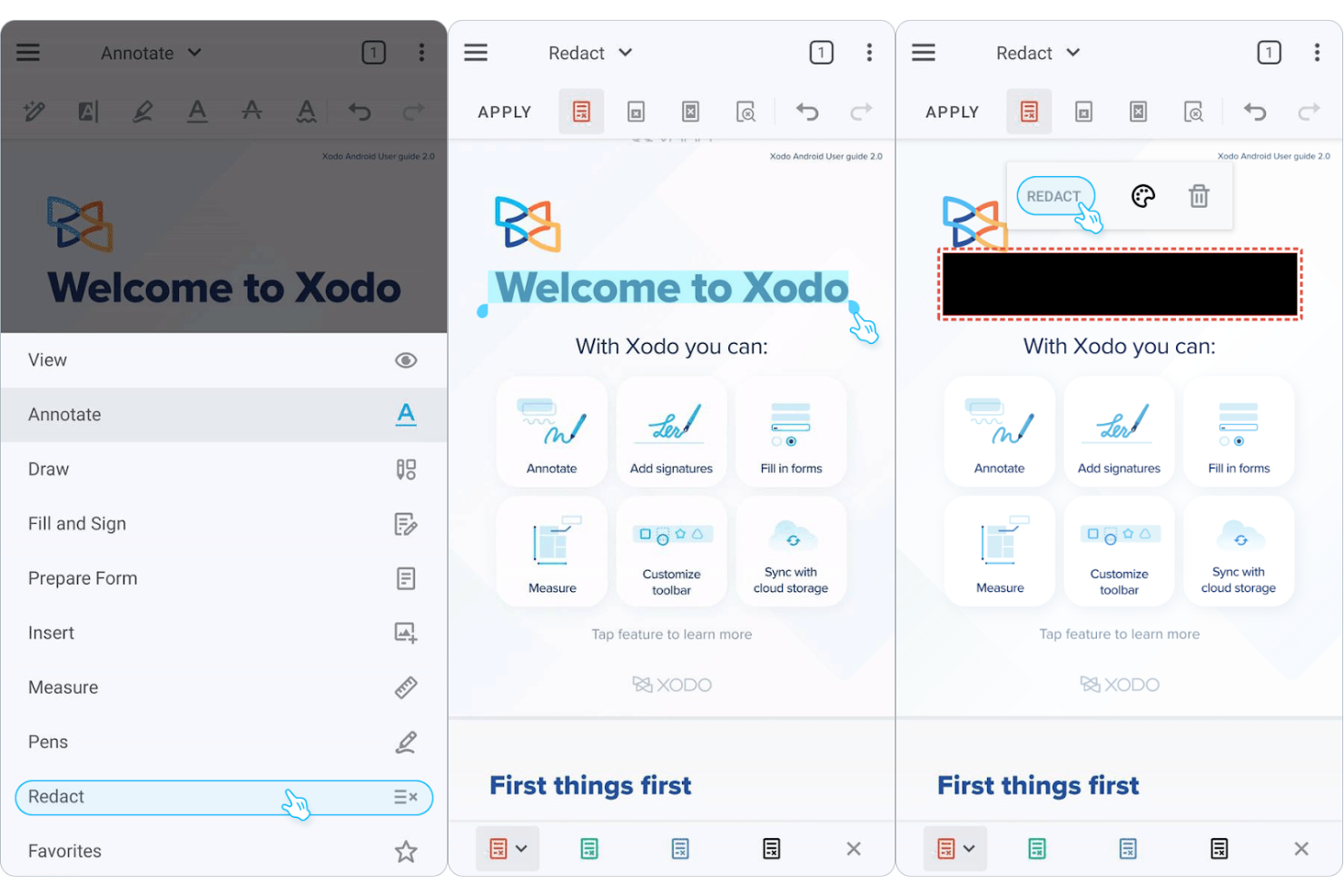
Xodo ist ein PDF-Verwaltungstool für Nutzer, die effizienten Zugriff auf Dokumente über verschiedene Geräte hinweg benötigen. Es ist bei Einzelpersonen und Teams beliebt, die zuverlässige Werkzeuge zum Anzeigen, Kommentieren und Teilen von PDFs benötigen.
Warum es eine gute Alternative zu Adobe Acrobat ist: Xodo überzeugt bei der geräteübergreifenden Dokumentverwaltung und bietet eine konsistente Nutzererfahrung, egal ob Sie ein Mobilgerät, einen Desktop-Computer oder das Web verwenden. Dank Haftnotizen und Werkzeugen zur Textmarkierung können Sie PDFs in Echtzeit kommentieren und gemeinsam bearbeiten. Die intuitive Software erleichtert Ihrem Team die schnelle Einarbeitung. Diese Funktionen machen Xodo zu einer praktischen Wahl für alle, die Flexibilität und Zugänglichkeit bei ihren PDF-Lösungen wünschen.
Besondere Funktionen und Integrationen:
Zu den Funktionen gehören Kommentierungswerkzeuge, Zusammenarbeit in Echtzeit und der Zugriff auf Cloud-Speicher. Dadurch können Sie PDFs hervorheben, unterstreichen und mit Kommentaren versehen, während Ihr Team verbunden und produktiv bleibt.
Zu den Integrationen gehören Google Drive, Dropbox, Microsoft OneDrive, Evernote und weitere.
Pros and Cons
Pros:
- Konsistente geräteübergreifende Nutzung
- Zugriff auf Cloud-Speicher
- Schnelle Einarbeitung für Teams
Cons:
- Verzögerte Cloud-Synchronisierung bei großen Dateien
- Eingeschränkte Bearbeitung mit Textumfluss

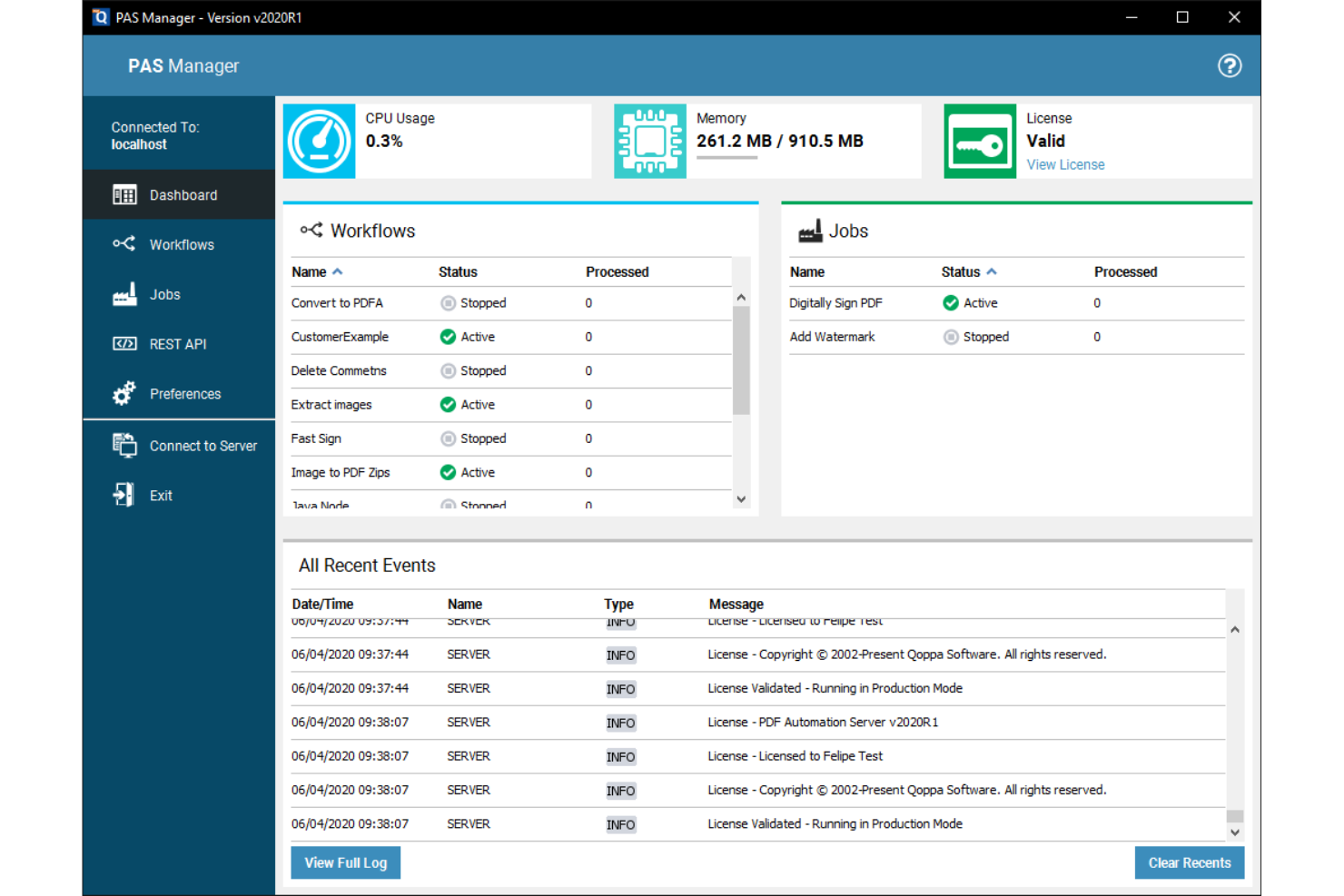
Qoppa PDF Studio bietet PDF-Lösungen für Unternehmen, die fortschrittliche Funktionen zur Dokumentverarbeitung benötigen. Es ist ideal für Teams, die umfangreiche Werkzeuge zum Verwalten, Bearbeiten und Schützen von PDFs benötigen.
Warum es eine gute Alternative zu Adobe Acrobat ist: Qoppa PDF Studio bietet PDF-Lösungen für Unternehmen, die komplexen geschäftlichen Anforderungen gerecht werden. Mit Funktionen wie PDF-Bearbeitung, Formularerstellung und digitalen Signaturen ermöglicht es Ihrem Team, Dokumente effizient zu verwalten, während die Sicherheitsoptionen zum Schutz Ihrer Dokumente beitragen. Diese Funktionen machen Qoppa PDF Studio zu einer überzeugenden Wahl für Unternehmen, die nach einer Alternative zu Adobe Acrobat suchen.
Herausragende Funktionen und Integrationen:
Zu den Funktionen gehören fortschrittliche Dokumentensicherheit, Stapelverarbeitung, Formularerstellung sowie PDF-Verschlüsselung und -Berechtigungen. Verschiedene Werkzeuge zur Dateibearbeitung ermöglichen es Ihnen, Dokumente zu teilen, zusammenzuführen und neu anzuordnen.
Zu den Integrationen gehören Google Drive, Dropbox, Microsoft OneDrive, Box und weitere.
Pros and Cons
Pros:
- Effiziente Stapelverarbeitung
- Fortschrittliche Werkzeuge zur Formularerstellung
- Für große Teams geeignet
Cons:
- Fehlende moderne KI-Chatfunktionen
- Skalierungsprobleme auf 4K-Monitoren
Weitere Adobe-Acrobat-Alternativen
Hier sind einige weitere Adobe-Acrobat-Alternativen, die es nicht in meine Auswahl geschafft haben, aber dennoch einen Blick wert sind:
- PDF Expert
Am besten für Apple-Gerätenutzer geeignet
- PDF-XChange Editor
Am besten für kostengünstige PDF-Bearbeitung geeignet
- PDF24
Am besten für browserbasierte PDF-Dienstprogramme geeignet


Cómo evalúo las alternativas a Adobe Acrobat
Divido mi evaluación en criterios básicos que toda herramienta debe cumplir —como la edición real de PDF, la gestión de páginas y las firmas electrónicas— y los factores diferenciadores que separan la opción más adecuada para tu equipo del resto.
Funcionalidad principal (requisitos básicos de esta lista)
Al seleccionar las herramientas para mi lista, clasifico cada una en una escala del 0 (no ofrece la funcionalidad) al 5 (sobresale en esta área) para cada una de las funcionalidades principales que se indican a continuación. Después, calculo la puntuación total de la herramienta como porcentaje. Cada herramienta debe alcanzar una puntuación total mínima del 65% para ser considerada.
- Edición de PDF: Compruebo si puedo editar texto existente, cambiar imágenes y ajustar el formato directamente en el documento, como actualizar una fecha de entrega escondida en un documento de alcance del trabajo (SOW) de 40 páginas.
- Creación y conversión de PDF: La conversión de un acta de constitución de proyecto basada en Word o de un registro de riesgos de Excel en un PDF pulido (y viceversa) debería conservar las tablas, las fuentes y el diseño.
- Anotaciones y marcado: Evalúo la profundidad de las herramientas de revisión —comentarios, llamadas y formas de dibujo— y si varios revisores pueden marcar el mismo documento en un flujo de trabajo compartido.
- Compatibilidad con firmas electrónicas: Busco flujos de trabajo de firma electrónica integrados o estrechamente vinculados que permitan enviar un contrato o una orden de cambio para que varias partes lo firmen, con un registro de auditoría.
- Gestión de páginas: Combinar documentos de alcance separados en un único paquete entregable, dividir apéndices o reordenar secciones debería ser rápido e intuitivo en trabajos con varios archivos.
- Seguridad y redacción: Evalúo la protección mediante contraseña, los permisos granulares y la verdadera redacción de contenido, especialmente para eliminar datos confidenciales de costes o información de identificación personal antes de compartir archivos externamente.
Una vez que tengo una lista de herramientas que cumplen estos criterios, considero qué distingue a cada plataforma.
Factores diferenciadores (qué distingue a los proveedores)
Así es como comparo y contrasto los distintos proveedores:
Funciones destacadas
La inteligencia documental basada en IA es un gran factor diferenciador: busco herramientas que puedan resumir una especificación de 100 páginas o extraer cláusulas clave de un contrato con un proveedor sin tener que revisarlo manualmente. La colaboración en la nube es igual de importante, especialmente cuando los equipos distribuidos necesitan revisar juntos un entregable en tiempo real en lugar de intercambiar copias marcadas por correo electrónico. También evalúo las capacidades de creación de formularios, ya que crear solicitudes de información (RFI) rellenables o plantillas de órdenes de cambio directamente dentro del editor de PDF ahorra una cantidad sorprendente de intercambios.
Más allá de las funciones
Las integraciones con el ecosistema son muy importantes aquí: compruebo si una herramienta se conecta de forma nativa con plataformas como Jira, Smartsheet o SharePoint, ya que es ahí donde realmente se encuentran la mayoría de los documentos de proyecto. La estructura de licencias es otro factor clave; algunos proveedores ofrecen suscripciones por usuario, mientras que otros proporcionan licencias por volumen o para todo el sitio, que funcionan mejor para una oficina de gestión de proyectos (PMO) con contratistas que entran y salen continuamente. También evalúo la compatibilidad entre plataformas, porque los equipos mixtos que utilizan Windows, macOS y dispositivos móviles necesitan un acceso uniforme sin diferencias de funcionalidad.
Warum nach einer Adobe-Acrobat-Alternative suchen?
Obwohl Adobe Acrobat eine gute Wahl für PDF-Software und Software für elektronische Signaturen ist, gibt es mehrere Gründe, warum einige Nutzer nach alternativen Lösungen suchen. Vielleicht suchen Sie nach einer Adobe-Acrobat-Alternative, weil …
- Sie günstigere Preisoptionen benötigen.
- Ihr Team eine einfachere Benutzeroberfläche wünscht.
- Sie eine bessere Funktionalität der mobilen App benötigen.
- Sie Funktionen benötigen, die auf bestimmte Branchen zugeschnitten sind.
- Ihr Team sich eine schnellere Reaktion des Kundensupports wünscht.
- Sie Offline-Zugriff auf Dokumente benötigen.
Wenn Sie sich in einem dieser Punkte wiedererkennen, sind Sie hier richtig. Meine Liste enthält mehrere Optionen für PDF-Software und Software für elektronische Signaturen, die besser für Teams geeignet sind, die mit diesen Herausforderungen von Adobe Acrobat konfrontiert sind und nach alternativen Lösungen suchen.
Wichtige Funktionen von Adobe Acrobat
Hier sind einige der wichtigsten Funktionen von Adobe Acrobat, die Ihnen dabei helfen, die Software mit alternativen Lösungen zu vergleichen:
- PDF-Bearbeitung: Ermöglicht es Ihnen, PDFs zu erstellen und Text sowie Bilder in Ihren Dateien direkt zu bearbeiten.
- Dateikonvertierung: Ermöglicht die Konvertierung von Dokumenten in und aus PDF, sodass Sie problemlos mit verschiedenen Dateiformaten arbeiten können.
- Elektronische Signaturen: Bietet Werkzeuge zum Hinzufügen und Sammeln digitaler Signaturen und vereinfacht dadurch den Prozess.
- Seitenorganisation: Hilft Ihnen dabei, Seiten in Ihrem PDF neu anzuordnen, zu löschen oder zu drehen, damit Ihre Dokumente übersichtlich bleiben.
- Dokumente schützen: Bietet Passwortschutz und Berechtigungseinstellungen, um Ihre PDFs zu sichern.
- Zusammenarbeit und Freigabe: Ermöglicht es Ihnen, Dokumente zu teilen und Feedback zu sammeln, und fördert so die Zusammenarbeit im Team.
- KI-gestützte Produktivität: Nutzt KI, um Dokumentenaufgaben zu automatisieren und zu unterstützen und dadurch die Effizienz zu steigern.
- Formularerstellung: Ermöglicht es Ihnen, Formulare zu erstellen und auszufüllen, und organisiert so die Datenerfassung.
- Dokumentenvergleich: Ermöglicht es Ihnen, zwei Versionen eines Dokuments zu vergleichen, um Unterschiede zu erkennen.
- Mobiler Zugriff: Bietet Zugriff auf die Werkzeuge über mobile Geräte, sodass Sie überall arbeiten können.
Wie geht es weiter:
Wenn Sie gerade PDF- und E-Signatur-Software recherchieren, können Sie sich kostenlos von einem SoftwareSelect-Berater Empfehlungen geben lassen.
Sie füllen ein Formular aus und führen ein kurzes Gespräch, in dem Ihre spezifischen Anforderungen besprochen werden. Anschließend erhalten Sie eine Vorauswahl an Software, die Sie prüfen können. Die Berater unterstützen Sie sogar während des gesamten Kaufprozesses, einschließlich der Preisverhandlungen.