
15 Online Collaboration Tools zur Effizienzsteigerung deines Projekts

15 15 Online Collaboration Tools zur Steigerung der Effizienz deiner Projekte
Here's my pick of the 15 best software from the 26 tools reviewed.


Da 43% von uns mindestens eine gewisse Zeit damit verbringen, aus der Ferne zu arbeiten, werden Online Collaboration Tools zu einem wichtigen Element des modernen Arbeitsplatzes.
Und weil der moderne Arbeitsplatz oft gar kein Ort ist, müssen wir einen gut organisierten, zentralen Bereich schaffen, in dem die gesamte Projektdokumentation und Kommunikation abläuft. Unsere Kunden befinden sich in New York, unsere Entwickler in Bali und unser Marketing-Team in London. Aber unsere Dokumente, Prozesse, Fristen und Termine leben unter einem Dach.
Zumindest sollten sie das.
Nicht überzeugt? Bedenke Folgendes: Ein Bericht des McKinsey Global Institute ergab, dass 61% der Arbeitszeit für diese drei Aufgaben aufgewendet werden:
- Lesen und Beantworten von E-Mails
- Suchen oder Sammeln von Informationen
- interne Kommunikation und Zusammenarbeit
Der Großteil unserer Arbeitszeit wird für Kooperations- und Koordinationsaufgaben eingesetzt. Die Kollaborationssoftware verhindert einen Teil der Überflüssigkeiten und Verwirrung bei der Zusammenarbeit, so dass wir Stunden für mehr rollenspezifische Arbeit freigeben können.
Ja, viele von uns kämpfen mit einer nicht so glatten Kombination aus Google- oder Microsoft-Anwendungen, die über ein verwirrtes Netz von E-Mails koordiniert werden. Wenn das auf dich zutrifft, dann bleib dran. Es gibt einen weitaus einfacheren Weg…
Was sind Collaboration Tools? (Und wie können sie dir helfen)
Was sind Collaboration Tools?
Ein Online Kollaborationstool ermöglicht einen besser koordinierten Arbeitsablauf, indem es eine einheitliche Plattform für Teambesprechungen, File-Sharing, Online-Speicher für Dokumentationen, Aufgabenzuweisungen und Echtzeit-Projektzusammenarbeit bietet. Bei Collaboration Tools geht es in erster Linie darum, die Mitarbeiter in Einklang zu bringen.
Kollaborationssoftware gibt es in vielen Varianten. Du kennst wahrscheinlich Slack, ein gängiges Kollaborationstool mit Schwerpunkt auf Gruppen-Messaging (wenn du auf Slack bist, kannst du dich gerne unserer schnell wachsenden Digital Project Manager Community anschließen). Außerdem bist du sicherlich mit den gängigsten Google Collaboration Tools (Drive, Docs, Sheets, Hangouts) oder vielleicht Microsoft Collaboration Tools (SharePoint, One Drive) vertraut. Ja, Collaboration Tools können einfach sein wie zum Beispiel das bewährte Skype (eines der MS Collaboration Tools) oder sogar dein gutes altes E-Mail-Konto. Moderne Kollaborations-Apps gehen einen Schritt weiter, indem sie alle diese Arbeitsinteraktionen auf einer einzigen Plattform vereinen.
Welche Funktionen beinhalten Collaboration Tools?
Wenn du bereits PM-Software nutzt, dann hast du bereits Zugriff auf einige Kollaborationstools. Heutzutage bietet jede Projektmanagement-Software, einschließlich der Ressourcenplanungs-Tools, Funktionen für die Zusammenarbeit, wie z.B. Aktualisierungen des Aufgabenstatus, Dateifreigabe und Fortschrittsvisualisierung. Ein speziell für die Projektkollaboration entwickeltes Tool kann jedoch zusätzliche Funktionen enthalten, wie z.B. Videokonferenzen, Live-Sharing auf gemeinsam erstellten Dokumenten und Kundenportale.
Was sind die Vorteile einer Kollaborationssoftware?
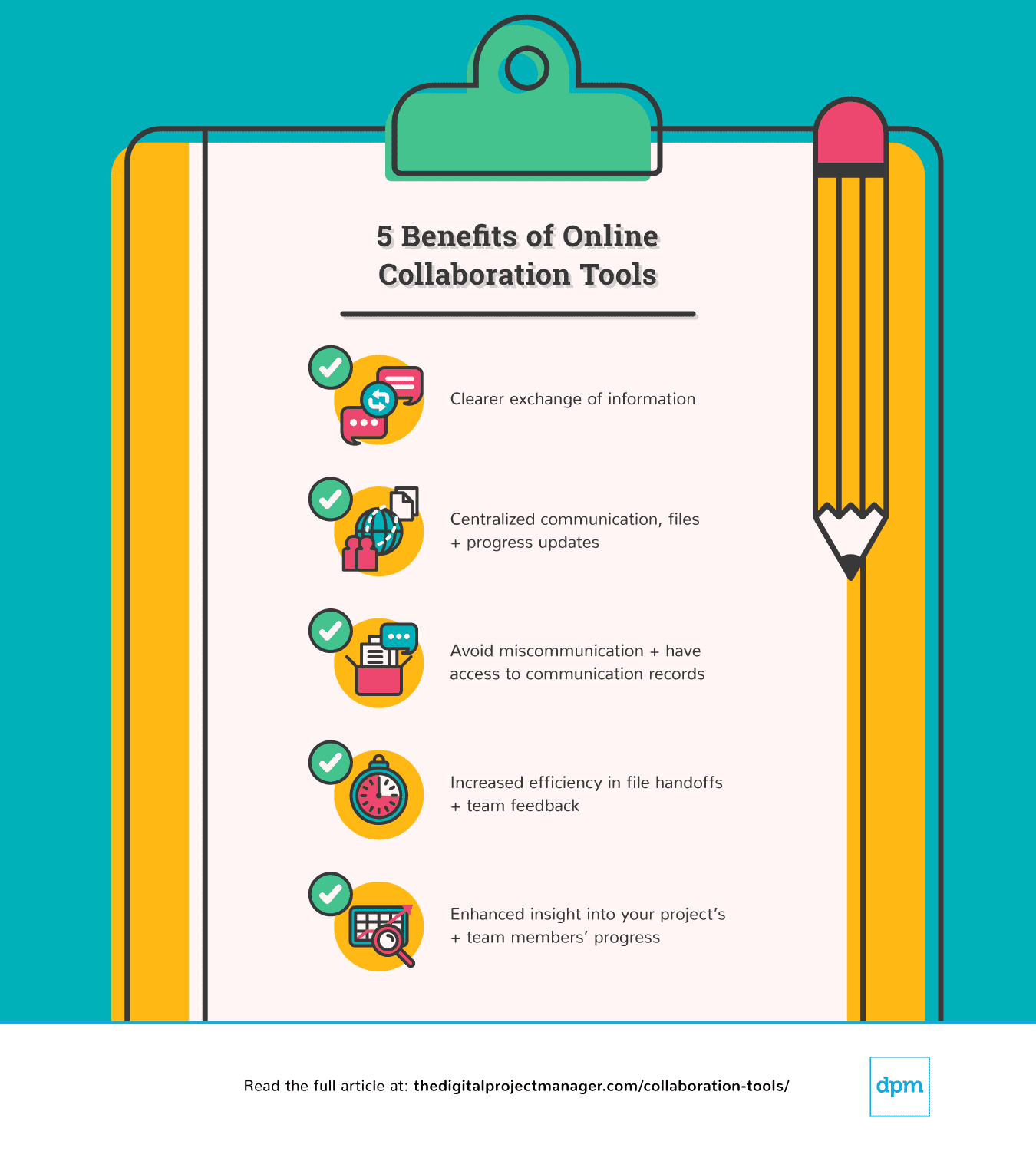 Wenn alle Kommunikationsprozesse, Dateien und Fortschritte an einem Ort zentralisiert sind, profitiert dein Team von einem klareren Informationsaustausch. Dies hilft dir, Fehlkommunikation zu vermeiden. Wenn du jemals den Fehler gemacht hast, eine veraltete Version eines freigegebenen Dokuments an einen Kunden zu senden, wirst du verstehen, warum Zusammenarbeit wichtig ist. Die Vorteile von Collaboration Tools gehen jedoch weit über die Verbesserung der Kommunikation hinaus. Da alles an einem Ort zugänglich ist, wird dein Prozess effizienter gestaltet und du erhältst einen genaueren Einblick in den Fortschritt deines Projekts.
The Digital Project Manager ist Mehr zu den Features und Funktionalitäten voner-unterstützt. Wenn du durch Links auf unserer Website klickst, erhalten wir möglicherweise eine Provision. Erfahre mehr.
-

Insightful
Visit WebsiteThis is an aggregated rating for this tool including ratings from Crozdesk users and ratings from other sites.4.8 -
Accelo
Visit WebsiteThis is an aggregated rating for this tool including ratings from Crozdesk users and ratings from other sites.4.4 -
Wrike
Visit WebsiteThis is an aggregated rating for this tool including ratings from Crozdesk users and ratings from other sites.4.2




Die besten Tools für die projektbezogene Zusammenarbeit, mit denen du die Effizienz deines Projekts steigern kannst
Hier ist eine Liste von Tools für die Zusammenarbeit in Projekten, die dir den Einstieg erleichtert. Wir gehen auf die wichtigsten Unterschiede der Software ein (was sind ihre wichtigsten Vor- und Nachteile im Vergleich zu anderen Tools), gefolgt von einem Überblick über ihre Features und Funktionen. Schließlich werden auch die Integrationen und Preise vorgestellt.


monday.com is a collaboration and task management software that's well-known for its simplistic design and user-friendly features. For many organizations, it serves as the backbone for teamwork and streamlined processes. Hasan Hanif, Founder & CEO of Colour Vistas, explained how it transformed his company’s operations: “The things I like most about Monday are that it enables us to work in union, in real depth. It provides information…that keeps everyone to the same pace. Automation has saved monotony in our operations and helped us automate a majority of our processes. … It’s made our routines more efficient and easier, making us more collaborative.”
Why I picked monday.com: I love how many collaboration tools this platform offers to help you work on your projects and tasks as a team. But the main reason it made my list is because of its goal-setting capabilities. You can develop your strategic goals, and then connect them to projects and tasks. This helps keep everyone aligned and on track in their work, and contributes to better teamwork.
As for project management, the platform is highly customizable, which is always a top priority for me when I look at project management tools. You can select from an array of views to keep track of progress. Shared documents allow users to co-create meeting minutes, brainstorm, and engage with others in the team. Everything related to your project can live in one place.
monday.com Standout Features & Integrations
Features include monday.com's Teamwork Hub, which is a dedicated space where team members can track dependencies, share updates, and resolve blockers in real time. Additionally, the platform supports guest access, which enables external collaborators like clients or contractors to work alongside your team while maintaining control over shared information.
Integrations include Slack, Google Drive, Gmail, Google Calendar, Jira, GitHub, Trello, Dropbox, Zoom, and Typeform. Many more are accessible via a paid Zapier account.
Pros and Cons
Pros:
- Free-forever plan available
- User-friendly and intuitive interface
- Complete work management platform
Cons:
- Limited reporting in basic and free plans
- Limited storage in basic and free plans
New Product Updates from monday.com

monday.com's AI Blocks Now Available to All Users
monday.com AI Blocks are now available to all users, enabling teams to integrate AI directly into workflows. This rollout helps automate tasks and improve productivity across projects. For more information, visit monday.com's official site.
 .
.

Wrike is a workflow management software that's highly configurable and easy to use, making it suitable for teams of all sizes. For marketing and creative teams especially, having a centralized hub can be a real advantage. Mircea Dima, Founder & CEO/CTO of AlgoCademy, shared: “In the case of intricate marketing projects, being able to keep all assets, remarks, and schedules within a single place saved hours of back and forth and cut errors that can often go unnoticed when utilizing email chains.”
Why I picked Wrike: This platform made my list because of its versatility. It has a large suite of project management features, from resource management to approval flows to request forms and more. As for collaboration, team members can share files and chat in real-time with threaded messages and @-mentions to stay in the loop and work together more effectively. You can easily jump around from your home screen to timesheets, dashboards, calendars, and an activity stream to keep up with project progress, roadblocks, and updates.
Wrike Standout Features & Integrations
Features include dynamic request forms, which automatically route tasks to the right team members, ensuring clarity and accountability from the start. Wrike also features visual proofing and approval tools that enable teams to provide actionable feedback directly on images, videos, and documents.
Integrations include Microsoft Suite, Google Workspace, Asana, Basecamp, Dropbox, Salesforce, HubSpot, Jira, Slack, Shopify, and hundreds more.
Pros and Cons
Pros:
- Lots of smart AI and automation features
- Guest access available
- Free plan with unlimited users
Cons:
- Resource management limited to higher-tier plans
- Real-time reports not included in free or basic plan
New Product Updates from Wrike

Streamlining Workspaces with New Updates
Wrike announces custom space templates, AI Agents in Wrike Labs, and a new Guage widget to improve project management. For more information, visit Wrike's official site.
 .
.

Smartsheet is a spreadsheet-based project management software that helps you manage projects, automate processes, and scale up to enterprise-level programs and portfolios.
Why I picked Smartsheet: This software is designed with enterprise businesses in mind and as such, has a very high level of security. I picked it for teams who are looking to collaborate virtually, but keep their data well-governed. Granular access controls help you ensure only approved collaborators have access to specific information. The platform's request forms and approval workflows also caught my attention, as they ensure an effective transfer of data and information to right people at the right time.
Smartsheet Standout Features & Integrations
Features include a shared workspace feature that enables teams to co-edit project plans, task lists, and schedules in real time. Smartsheet’s discussion threads also enable users to attach comments directly to rows, sheets, or dashboards, ensuring that feedback and updates are contextually tied to specific tasks or data points.
Integrations include Google Workspace, Microsoft Office 365, Box, DocuSign, Slack, Microsoft Teams, Skype for Business, Gmail, Outlook, and many other apps. Some integrations require Business or Enterprise plans.
Pros and Cons
Pros:
- Plenty of self-serve knowledge base content
- Ability to collaborate with external partners
- Comprehensive enterprise work management platform
Cons:
- Robust system, comes with a learning curve
- Freemium limited to 2 editors
New Product Updates from Smartsheet

Smartsheet Adds Direct Data Import to Existing Sheets
Smartsheet introduces direct data import to existing sheets in table view. This update lets you import CSV, XLS, and XLSX files directly into sheets, reducing manual work and speeding up data setup. For more information, visit Smartsheet's official site.
 .
.

ClickUp is a project management app where you can plan, track, and manage any type of work regardless of geographical location and using any device. For teams using it day-to-day, the platform’s features can be true time-savers. As Maryse Marius, Senior Project Manager at Elevate Impact, explains: “ClickUp's automation has reduced the time spent on repetitive tasks across projects. And its Docs feature replaces Google Docs for many internal processes.”
Why I picked ClickUp: This is a platform that puts a lot of thinking into what they develop. One of the most recent updates includes an in-app video recording tool that can help any team member record their screen, share a link to the video, and requires no downloads. The opportunity to collaborate in ClickUp includes comments, mentions, notifications, collaborative documents, whiteboards, and task management.
Task management features include task checklists, subtasks, reminders, priorities, and task templates, as well as the ability to filter, sort, search for, easily reorder, and view tasks in the manner most convenient for the team. Users can also create Gantt charts, calendars, and timelines to visualize tasks. ClickUp includes time tracking as well, both through integrations and natively.
ClickUp features color-coding for further organization and clarity, as well as multiple task views such as lists, calendars, Gantt charts, Kanban boards, and more.
Reporting features include the ability to create custom dashboards, as well as six built-in report types for team reporting.
ClickUp Standout Features & Integrations
Features include ClickUp's Pulse, which provides real-time activity monitoring that allows team members to see who is online, what tasks they are working on, and their current status. The platform’s Goals feature also lets teams collaboratively set, track, and update progress on shared objectives, linking them to actionable tasks for a seamless workflow.
Integrations include native connections with Slack, G Suite, Dropbox, and many more tools, as well as over 1,000+ integrations through Zapier.
New Product Updates from ClickUp

ClickUp Enhances Task Management and Introduces AI Notetaker
ClickUp introduces an AI Notetaker for meetings and improves task type management in views. These updates help teams capture meeting insights automatically and organize work more efficiently. For more information, visit ClickUp’s official site.
 .
.
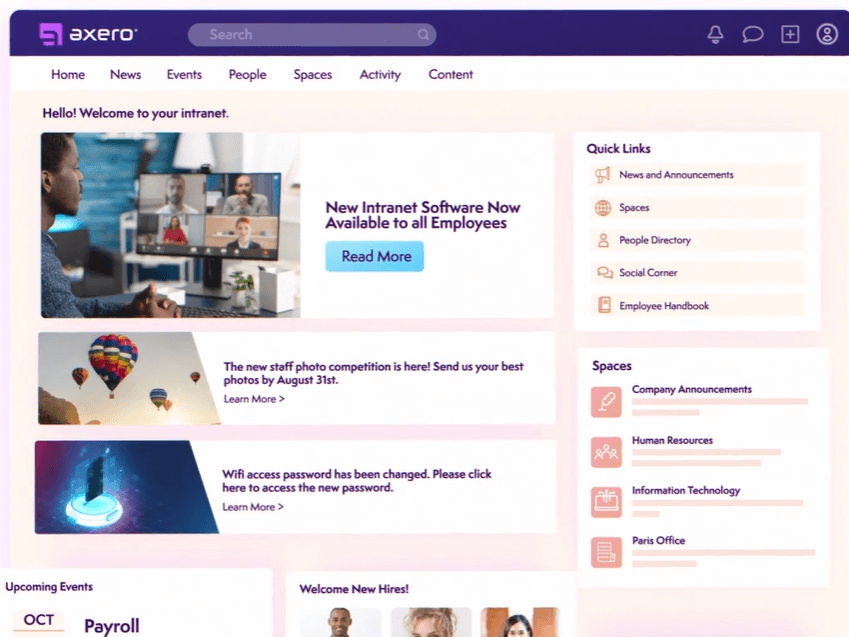
Axero is a knowledge sharing platform that can be used to build out content hubs for internal and external collaboration. It's a flexible solution that's adaptable to the needs of various types and sizes of businesses.
Why I picked Axero: I decided to give this platform a spot on my list for its capacity to build a knowledge base for either internal or external collaborators (or both). It's flexible enough to suit various contexts, yet provides the necessary structure to keep information organized, accessible, and accounted for.
You can create both public and private spaces in your company wiki, and build out content in various formats. Blog posts, forums, surveys, and broadcasts are among the supported content types. Meanwhile, commenting and like buttons allow for engagement and interaction, and live chat lets you keep all communications centralized in one space.
Axero Standout Features and Integrations
Features include a collaborative document editing feature that enables multiple team members to work on shared content in real time. Moreover, Axero’s activity feed aggregates updates from across the platform, ensuring that team members can stay informed about new content, comments, and project developments without switching between tools.
Integrations include Outlook 365, Sharepoint, OneDrive, Microsoft Teams, Google Workspace, Slack, Zoom, Dropbox, Box, Unsplash, and Twilio, among others.
Pros and Cons
Pros:
- Suitable to the needs of larger organizations
- Can be used for internal and external knowledge sharing
- Highly flexible and customizable to various contexts
Cons:
- Takes time to get familiar with all features
- Integrations not included in starter plan


Document360 is an AI-powered knowledge base designed to boost collaboration and productivity for teams and customers. It offers a customizable portal for editors and writers, a customer-facing site, and an embedded help center for SaaS products, making it a versatile tool for managing and sharing knowledge.
Why I Picked Document360: Document360 provides an all-in-one hub where teams can organize and manage content effortlessly. Whether it's technical, product, or API documentation, it's easy to manage any type of documentation. The rich editor, version control, content reuse, and analytics help make documentation measurable and keep it consistent and updated.
Its AI assistant, Eddy, helps your team generate structured content quickly and accurately. Eddy can transform prompts, transcripts, or videos into well-structured articles, suggest titles, create FAQs, and add tags while maintaining your predefined style guide. Document360 also includes a private share feature allowing you to securely share draft articles with reviewers, collaborators, or stakeholders without giving them full access to your knowledge base.
Document360 Standout Features & Integrations
Features include a centralized knowledge base that enhances operational efficiency across sectors like finance, manufacturing, and education. The platform allows you to centralize standard operating procedures and create instructional manuals, which can be invaluable for training and onboarding. It even includes a category manager for organizing content across teams and departments.
Integrations include Salesforce, HubSpot, Slack, Microsoft Teams, Zendesk, GitHub, WordPress, Google Sheets, Google Drive, Crowdin, and Zapier.
Pros and Cons
Pros:
- AI-powered search for instant answers
- Eddy provides AI-driven content suggestions
- Strong analytics capabilities
Cons:
- No mobile app
- Limited language support
New Product Updates from Document360

Document360 Improves Article Review Workflows
Document360 introduces enhancements to article review reminders, improving review governance with new interactive features. For more information, visit Document360's official site.
 .
.
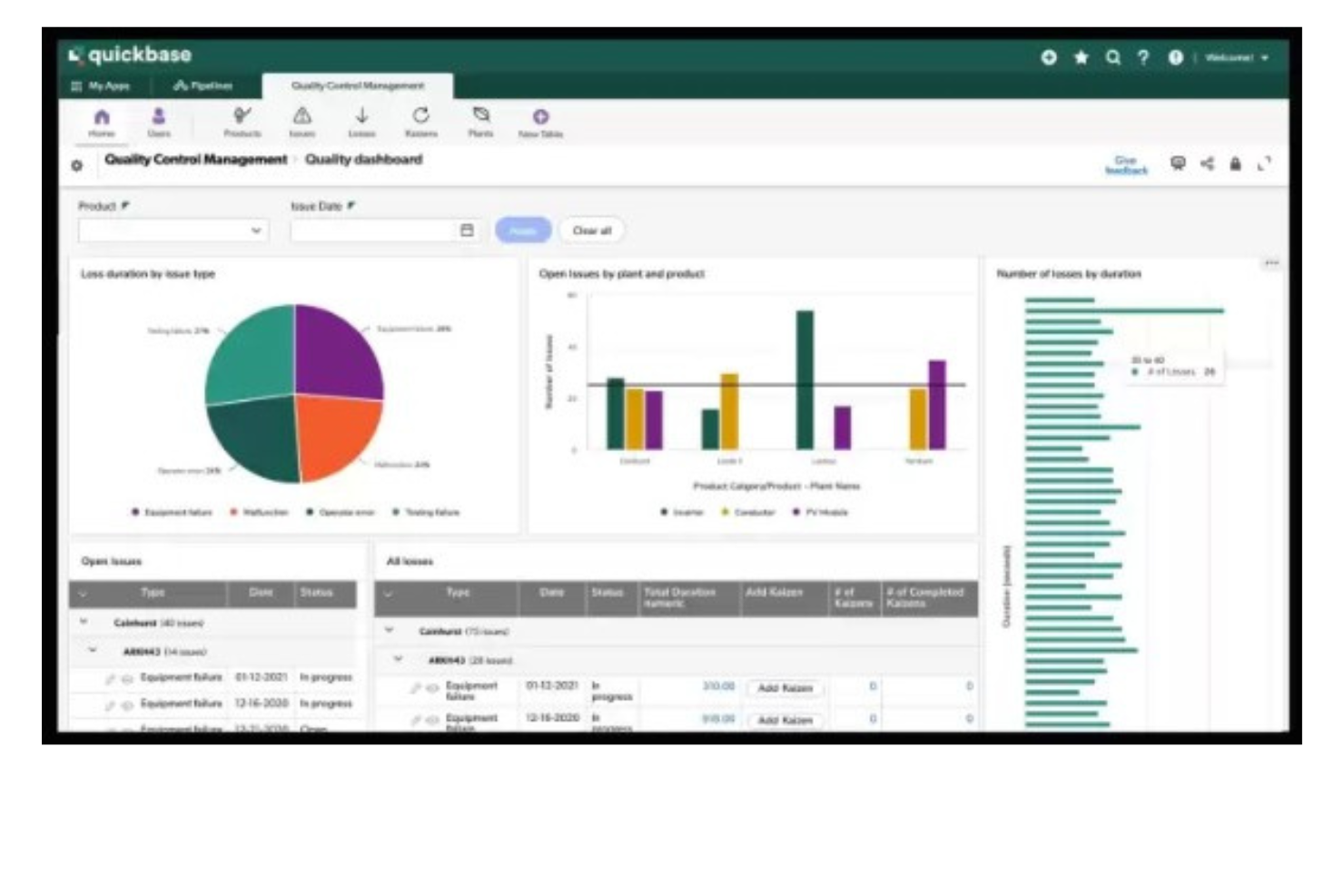
QuickBase is a platform that enables the development of custom applications without requiring deep coding skills. It stands out for its no-code approach, allowing users to build industry-specific solutions with features like integrations, automations, and mobile capabilities.
Why I picked QuickBase: I selected QuickBase as a collaboration tool after judging its capabilities to enable teams to create and customize applications without the need for extensive coding skills. What differentiates QuickBase is its user-friendly interface and the empowerment it offers to citizen developers, allowing them to automate workflows and connect data effortlessly. I believe QuickBase is best for no-code app development because of its flexibility and the comprehensive solutions it provides, which cater to a wide range of business needs without requiring deep technical expertise.
QuickBase stands out as an excellent tool for collaboration due to its user-friendly interface and customizable features that cater to a wide range of business needs. It enables teams to create and share interactive, data-driven applications without requiring extensive technical knowledge. This flexibility allows for seamless integration of data from various sources, fostering efficient teamwork and decision-making.
QuickBase Standout Features & Integrations
Features include a no-code platform that enables users to build custom applications tailored to their business needs. Moreover, QuickBase’s built-in audit logs provide a collaborative safety net by tracking changes and updates, allowing teams to review and revert actions when necessary.
Integrations include Salesforce, Microsoft Teams, Google Calendar, Tableau, QuickBase Pipelines, Slack and Zapier.
Pros and Cons
Pros:
- Robust notifications and reminders
- Workflows are easy to set up and customize
- Simple no-code platform is easy for non-tech people to learn
Cons:
- May be cost prohibitive for small businesses
- Team plan requires a minimum of 20 users

Missive is an online collaboration tool designed to bring team communication, tasks, and shared email management into one space. It combines chat, email, and task management so you don’t have to juggle multiple apps.
Why I Picked Missive: I picked Missive because of how it lets your team work on conversations together in real time. With internal threads and collaborative drafting, you can write, review, and edit emails as a group, which makes teamwork faster and clearer. Assign and watch features make it easy to give conversations to a teammate, but still stay in the loop without disrupting the flow.
I also like how tasks are tied directly to conversations. Instead of moving between tools, you can create, view, and manage tasks right from your inbox. You’ll always know the status of a task, whether it’s being worked on or finished, without having to ask for updates. Auto-assignment and smart attributes like due dates or linked conversations help keep everyone on track and reduce back-and-forth.
Missive Standout Features & Integrations
Features include team spaces that let you set up dedicated areas for different groups, keeping their conversations and work focused. Guest access also makes it simple to collaborate with people outside your organization by inviting them into specific conversations.
Integrations include OpenAI, Integrately, Lindy.ai, Make, Close, HubSpot, Pipedrive, Salesforce, AIrcall, Dialpad, Dropbox, Google Drive, Asana, Trello, Shopify, and GitHub.
Pros and Cons
Pros:
- AI helps draft, summarize, and translate emails
- Built-in task management linked to conversations
- Real-time collaborative email drafting and editing
Cons:
- Task management less detailed than full PM tools
- No built-in video calling option
New Product Updates from Missive

Missive Introduces MCP Integrations for AI Workflows
Missive introduces MCP integrations, enabling its AI to interact with external tools and systems. This update allows teams to automate workflows and access data across platforms directly within conversations. For more information, visit Missive’s official site.
 .
.

Zoom is a collaboration platform for video, voice, and chat that helps teams connect and work together in real time. It offers flexible meeting tools, persistent chat, and AI assistance, making it a fit for both small groups and large organizations.
Why I Picked Zoom: I picked Zoom because it makes virtual meetings more productive and inclusive. Its AI assistant can summarize discussions, highlight action items, and generate notes, so you don’t have to worry about missing key details. You can also enable translated captions in more than 30 languages, which helps make conversations accessible for global teams. Beyond meetings, Zoom supports ongoing collaboration through team chat channels and a cloud VoIP service, keeping communication centralized and organized.
Zoom Standout Features & Integrations
Features include interactive whiteboards, personalized meeting layouts, surveys and polls for engagement, and short video clips for asynchronous updates. It also supports continuous chat threads with pinned assets, plus appointment scheduling through Zoom Scheduler.
Integrations include Microsoft Teams, Salesforce, Google Workspace, Slack, HubSpot, Asana, Confluence for Zoom, Microsoft 365, Calendly, Kahoot!, Fathom, and Read AI.
Pros and Cons
Pros:
- Flexible for teams of any size
- Strong collaboration tools like breakout rooms and whiteboards
- Reliable audio and video quality
Cons:
- Some advanced features require a learning curve
- Free version has strict limits on meetings

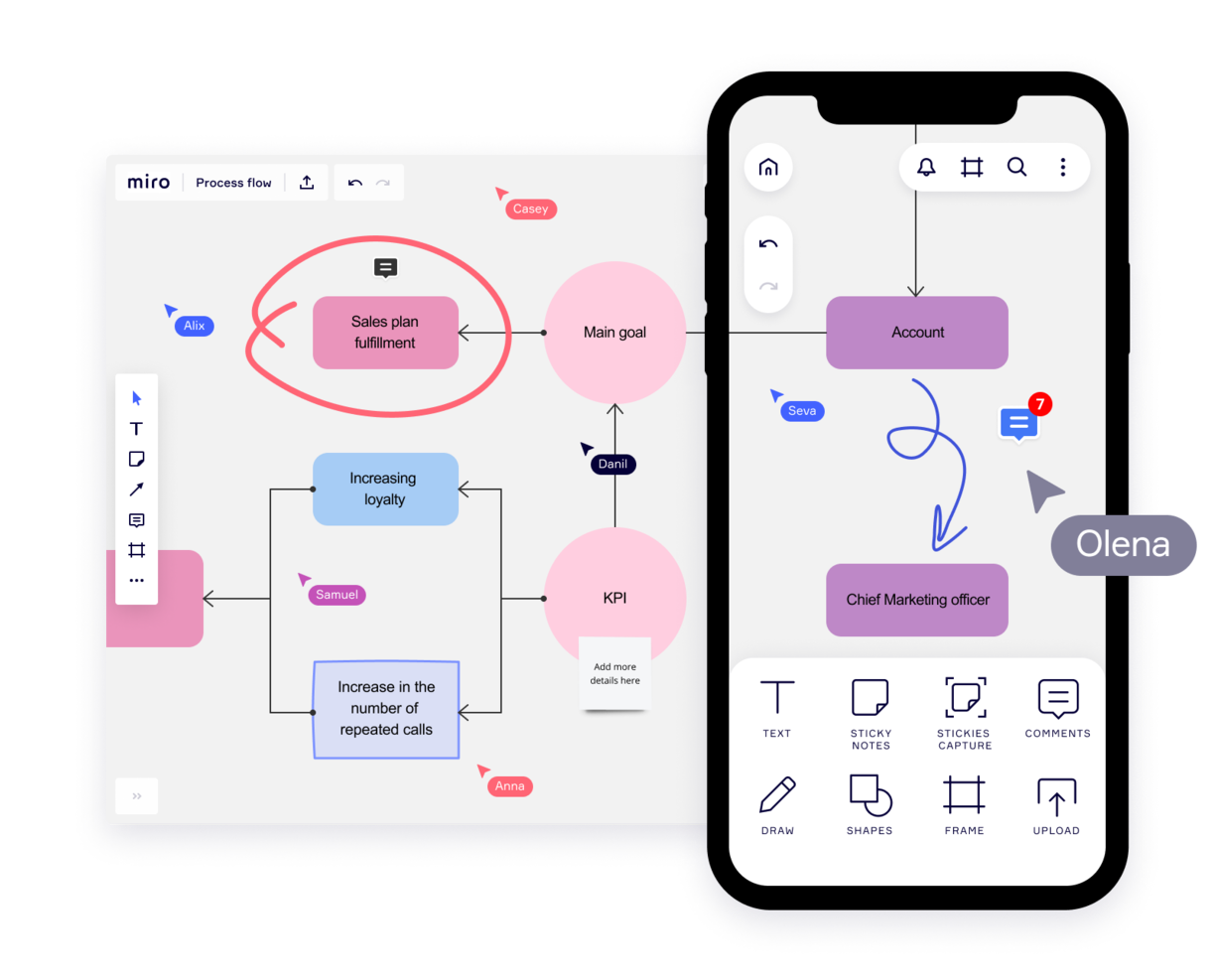
Miro is a collaborative online whiteboard built to facilitate brainstorming, ideation, team meetings, project planning, and other team activities. Marissa Taffer, Founder & President of M. Taffer Consulting, relies on it heavily for remote teamwork: “Miro is amazing for virtual collaboration. I use it pretty extensively for brainstorming and sprint retros. One team I managed loved having themed retros using themes from the Miroverse!”
Why I picked Miro: I decided to include this platform because of how versatile and flexible it is. Your team can start with a blank canvas or choose from the 1,000+ pre-built templates included. Miro supports a diverse expression of ideas, including numerical data and brand elements, alongside traditional visuals like sticky notes and videos.
Unique features such as Stickies Capture and TalkTrack can also help users convert physical notes to digital and recording explanatory videos for asynchronous collaboration, respectively. With integrations like Jira and Asana, plus Confluence and Notion, Miro bridges idea generation with project execution, facilitating a cohesive team collaboration environment.
Miro Standout Features & Integrations
Features include real-time voting and timer features that allow teams to prioritize ideas and stay on track during brainstorming sessions. Its "Digital Sticky Notes" tool supports infinite flexibility for organizing thoughts, while the "Mind Mapping" function encourages free-form ideation with structured visuals.
Integrations include Zoom, Figma, Asana, Microsoft Teams, Jira, Slack, Google Drive, monday.com, Confluence Box, Airtable, Notion, Azure, and Webex. Some integrations are limited to paid plans only.
Pros and Cons
Pros:
- Highly versatile and flexible solution
- Thousands of customizable templates
- Intuitive and easy setup
Cons:
- Zooming can be jumpy on larger projects
- No high-quality PDF export with free plan
New Product Updates from Miro

Miro Adds AI Prototyping, Search, and Workflow Updates
Miro introduces AI-powered prototyping, AI search, and workflow enhancements. These features help teams turn ideas into structured outputs faster and improve collaboration. For more information, visit Miro's official site.
 .
.

FigJam transforms your team's collaboration experience with a dynamic online whiteboard tailored for creativity and teamwork. Ideal for industries and professionals in product development, it supports activities like brainstorming and strategic planning, making it perfect for design teams and project managers. With real-time communication tools and integration with project management software, FigJam helps align team members on project goals and fosters innovative solutions.
Why I Picked FigJam
I picked FigJam because it excels in design collaboration, providing an intuitive space for real-time brainstorming and diagramming that enhances creative workflows. Its unique ability to support dynamic discussions through live chat and audio, combined with over 300 ready-made templates, makes it a versatile tool for aligning team efforts on design projects. The seamless integration with project management tools like Asana and Jira further streamlines the design process, addressing the challenge of coordinating across teams. FigJam's capability to include external contributors without requiring a login ensures that your design collaboration remains flexible and inclusive.
FigJam Key Features
In addition to its strengths in design collaboration, FigJam offers a range of features that enhance team interaction and creativity.
- Stamps and Emotes: Users can place stamps on the board and use emotes for temporary emoji reactions to express feelings or feedback.
- Audio Calls: Users can initiate or join audio conversations directly within FigJam for real-time discussions.
- Spotlight Feature: This allows users to highlight their view to collaborators, making it easier to guide discussions during meetings.
- Custom Templates: Teams can create and publish templates to streamline workflows and maintain consistency in projects.
FigJam Integrations
Integrations include Atlassian, Microsoft, Slack, Zoom, Dropbox, and Asana.
Pros and Cons
Pros:
- Freemium plan for up to 3 files
- User-friendly and intuitive
- Super helpful integration with Figma
Cons:
- Non-Figma users may not get all the benefits
- Onboarding and account support locked to enterprise plan

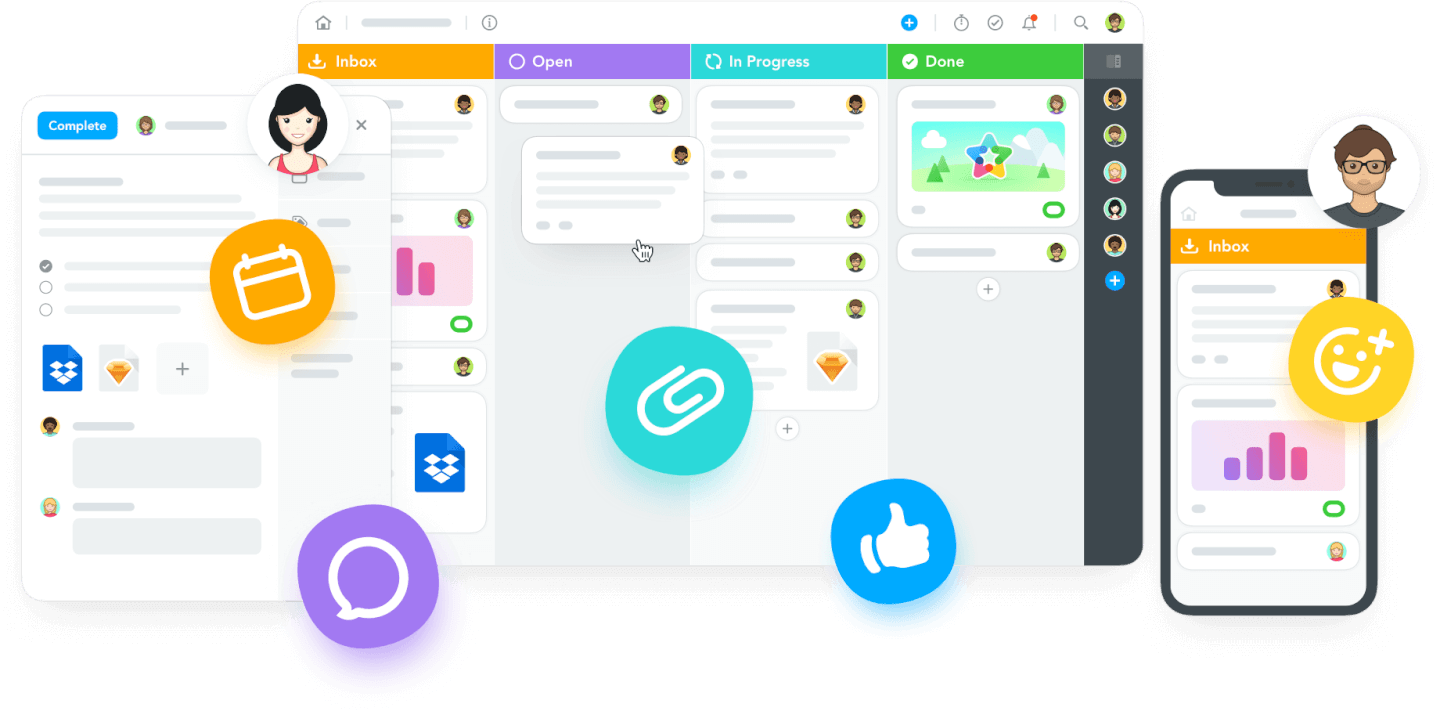
MeisterTask is an online task management tool with intuitive dashboards and individual agendas for each team member.
Why I picked MeisterTask: This software made it onto my list because of its task-specific communication tools. I was particularly impressed by its Kanban-style project boards, which you can customize to fit your team's workflow and track the progress of tasks. Within each task card, you can also store relevant files and links, and carry out discussions, which I think is a fantastic way to keep everyone on the same page.
MeisterTask Standout Features & Integrations
Standout features include the software's individual agendas, which allow each team member to set up and customize their own personal board view, showing the tasks they need to accomplish across multiple projects. Additionally, MeisterTask's focus timer feature helps team members manage their productivity by tracking focused work sessions directly within the platform.
Integrations include Google Workspace, Slack, and GitHub. You can also set up more integrations with a paid Zapier account.
Pros and Cons
Pros:
- Easy to create and assign tasks
- User-friendly and easy to navigate
- Free plan for up to 3 projects
Cons:
- Personal agendas not included in free plan
- Roles and permissions not included in lower-tier plans
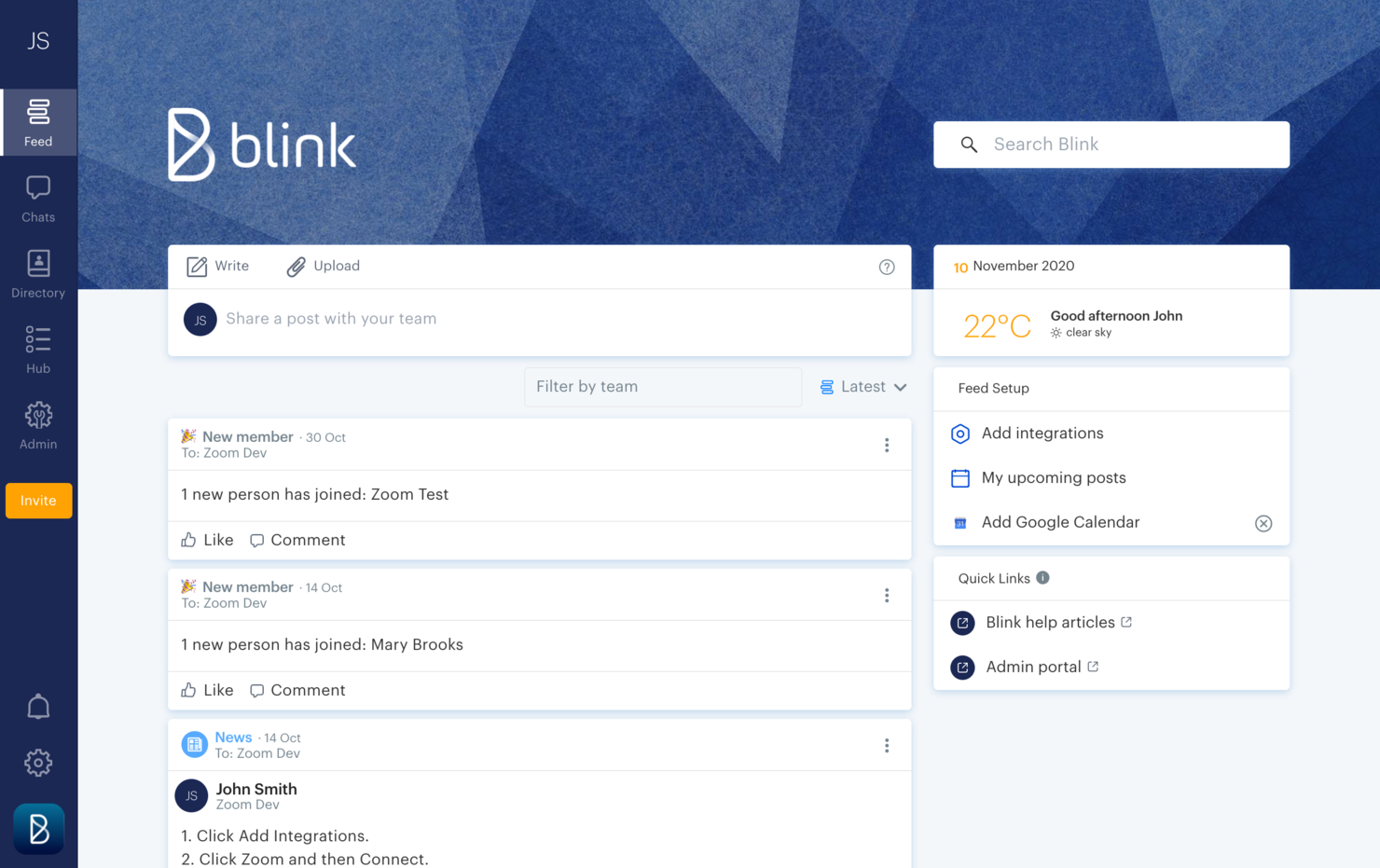
Blink is an online communication tool designed to fit the needs of a deskless workforce.
Why I picked Blink: If you ask me, workplace communication is at the heart of this software. I love that Blink offers direct messaging, group chats, and top-down communications via a company news feed. Moreover, I decided to include it in my list because of how friendly it is to non-office workers. The mobile app is available for both iOS and Android devices, so your team members can have access from their personal or company-provided mobile devices.
In addition to the communication features, the platform also offers an employee recognition tool and engagement tracking tools. You can facilitate peer-to-peer recognition messages and automated messages for things like anniversaries and birthdays. Employee surveys are also included to help you keep a pulse on morale and engagement levels.
Blink Standout Features & Integrations
Features include the platform's analytics capabilities for admins features that allow you to track post-by-post and hub analytics to measure interactions and adoption. You can also track metrics at the company and team level to dig deeper. Another feature is the mandatory reads option, which can be added to communications to ensure employees read through important announcements.
Integrations include Jira, Trello, ADP, Workday, Typeform, Dropbox, GitHub, Box, Office 365, and Google Workplace, among others. You can also build new integrations with the software's public APIs.
Pros and Cons
Pros:
- 24/7 support with all plans
- User-friendly and intuitive to navigate
- Custom branding can be implemented
Cons:
- API access restricted to Enterprise plan
- No free forever plan available
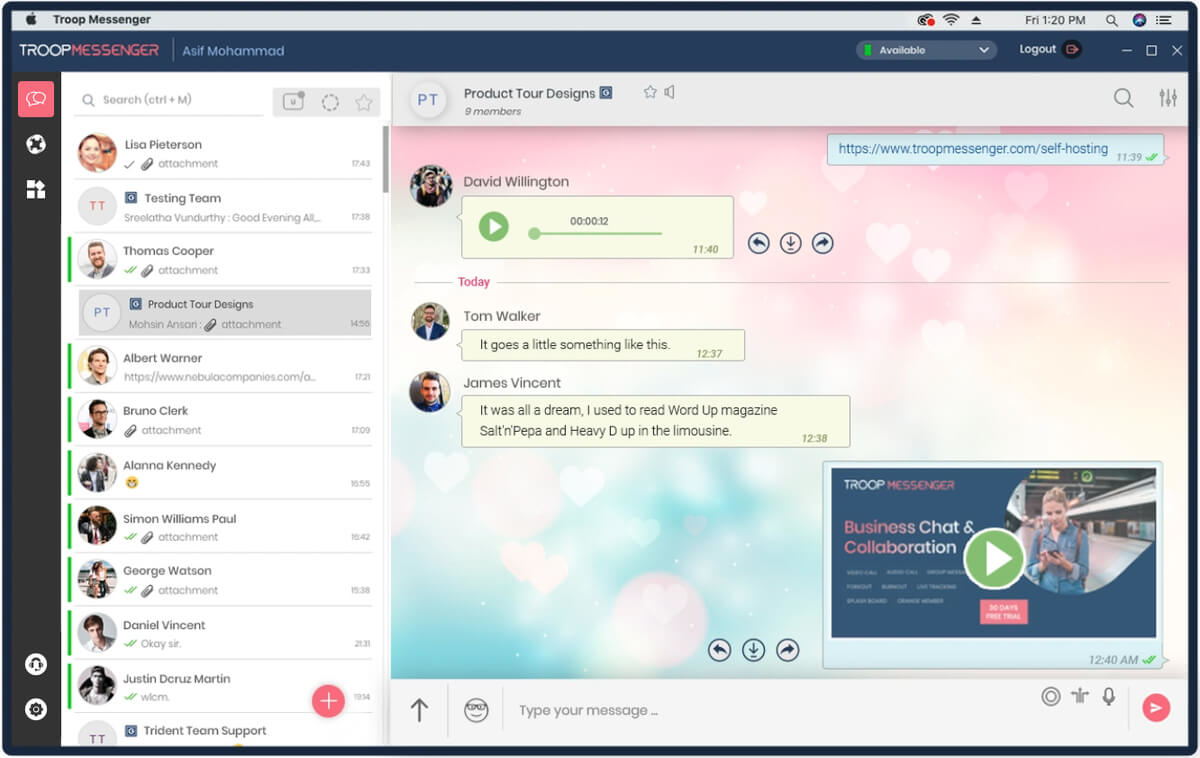
Troop Messenger is a team communication platform that helps remote and hybrid teams keep in touch and stay aligned on their work.
Why I picked Troop Messenger: This platform's major features caught my attention, include instant messaging, voice and video calling, video conferencing, file sharing, and screen sharing and remote screen control. The main reason Troop Messenger made it onto my list, however, is because of its extensive capabilities for connecting team members working together but apart. It keeps all of your communications in a single platform, making it easier to find information and keep conversations centralized. I also want to note that, although it’s a SaaS tool, self-hosting, API, and custom application options are available, too.
Troop Messenger Standout Features & Integrations
Features include a "respond later" option and a "burnout" option that lets you set a message to send at a later time. The self-messaging feature is also unique—a simple but useful feature that lets you send reminders and notes to yourself. Finally, the "forkout" feature lets you send bulk text messages and files to multiple users at once.
Integrations include Google Drive, Dropbox, and LDAP. You can also connect it to a paid Zapier account for additional integrations. The app is available across Windows, Linux, Mac, Android, and iOS.
Pros and Cons
Pros:
- High level of security (end-to-end encryption, MFA)
- Extensive filters for search function
- Ability to invite guest collaborators
Cons:
- Group calling not included in basic plan
- No free-forever plan available

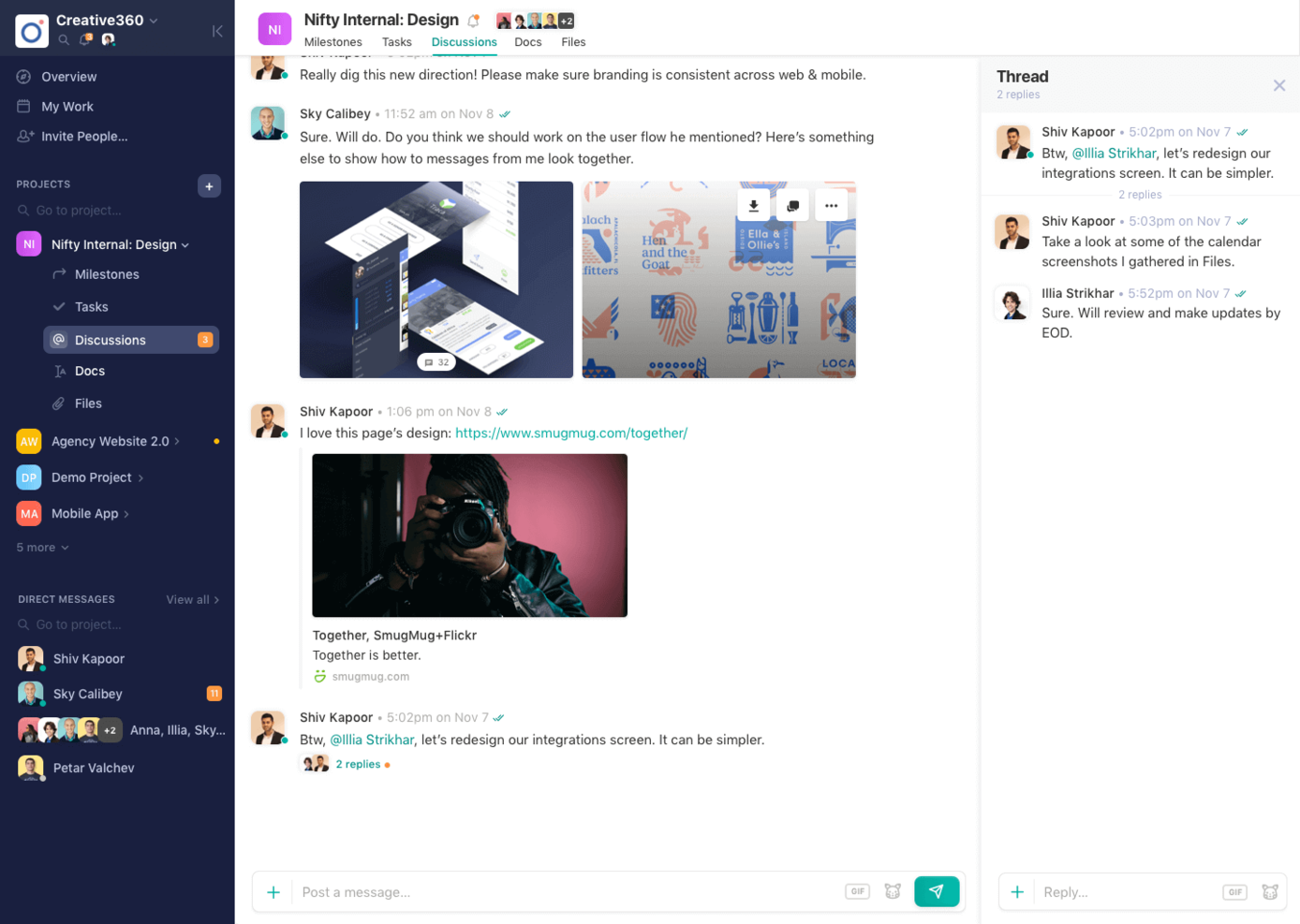
Nifty is a collaboration hub that unites goals, actions, and communications across your projects.
Why I picked Nifty: I selected Nifty for this list for its ability to integrate collaboration tools with individual projects. With this tool, every project comes with its own discussion board and a Zoom integration that you can use to call your team any time. Further, you can collaborate on documents from the documents tab. I also like how this lightweight document solution integrates with Google Docs so that you can work on documents in real-time without leaving Nifty.
The tool also includes direct messaging, which I think is great for facilitating team-wide communication from planning to delivery. Its ability to automatically update project milestones as tasks are completed also stood out to me.
Nifty Standout Features & Integrations
Features include project-specific collaborative workflows that allow team members to share files, assign tasks, and provide updates in a single cohesive view. Its dynamic workspace also includes a team calendar that consolidates project timelines, personal task deadlines, and meetings for enhanced visibility and synchronization.
Integrations. Nifty allows you to import data from Asana, Basecamp, ClickUp, and Trello so you can quickly establish your workflow. Nifty has built-in native integrations such as Slack, Zoom, GitHub, Dropbox, Google Drive, GSuite, and Google Calendar, as well as over 1000 additional integrations through Zapier.
Übersichtstabelle für Collaboration Tools
| Tool | Best For | Trial Info | Price | ||
|---|---|---|---|---|---|
| 1 | Best for connecting goals and projects | Free plan available | From $9/seat/month (billed annually) | Website | |
| 2 | Best for custom workflows | Free plan + free demo + 14-day free trial available | From $10/user/month (billed annually) | Website | |
| 3 | Best for a high level of security | Free trial + free demo available | From $9/member/month (billed annually) | Website | |
| 4 | Best for in-app video recording | Free plan + free demo available | From $7/user/month (billed annually) | Website | |
| 5 | Best for knowledge management | Free demo available | Pricing upon request | Website | |
| 6 | Best for centralized knowledge bases | Free demo available | Pricing upon request | Website | |
| 7 | Best for application development | 30-day free trial | From $35/user/month (billed annually) | Website | |
| 8 | Best for collaborative inboxes | 30-day free trial + free plan available | From $14/user/month (billed annually) | Website | |
| 9 | Best for AI-powered meeting notes | Free plan + free demo available | From $14.16/user/month (billed annually) | Website | |
| 10 | Best for online whiteboarding | Free trial + free plan available | From $8/member/month (billed annually) | Website | |
| 11 | Best for design collaboration | Free plan available | From $3/user/month (billed annually) | Website | |
| 12 | Best for visual project boards | Free plan available | From $13/user/month (billed annually) | Website | |
| 13 | Best for mobile collaboration | 14-day free trial + free demo | From $6.18/user/month | Website | |
| 14 | Best for secure messaging | 30-day free trial + free demo available | From $2.50/user/month | Website | |
| 15 | Best for team collaboration | Free plan available | From $7/user/month (billed annually) | Website |
Weitere Tools für die Online-Kollaboration
Obwohl wir diese nicht in den Review aufgenommen haben, gibt es einige andere Collaboration Tools, die wir noch nicht vollständig kennengelernt haben. Nachfolgend findest du eine Liste einiger zusätzlicher Optionen für Kollaborationstools für deine Agentur oder dein Studio:
- Kintone
For dedicated workspace threads
- Ziflow
For creative asset collaboration
- Filestage
For feedback management
- Evernote
For organizing ideas
- Milanote
For team-built visual boards
- Samepage
Collaboration mobile app
- Teamwork.com
For company-wide chats
- Redbooth
For creating team dashboards
- Gmelius
Collaboration tool for Gmail
- Next Matter
For complex workflows


Möchtest du die Optionen eingrenzen?
Dieses Tool ist ziemlich nützlich. In Zusammenarbeit mit Crozdesk haben wir uns bemüht, dir Zugang zu dem “Software-Finder” zu geben.
Wenn du einige der Details über dein Projekt und die Funktionen, die du in einem Projektmanagement-Tool suchst, eingibst, wird eine Liste von Tools erstellt, die deinen Präferenzen entsprechen. Du gibst deine E-Mail an das Team weiter und es schickt dir einen nützlichen PDF-Leitfaden mit einer Zusammenfassung deiner besten Übereinstimmungen.
Auswahlkriterien für Kollaborationstools für Projekte
Damit es für dich und dein Team nützlich ist, beinhalten die besten Online Collaboration Tools einige wichtige Komponenten, die im Folgenden beschrieben werden.
- Projektdiskussionen – von Natur aus müssen Tools zur Zusammenarbeit in der Gruppe auch die Gruppe einbeziehen. Zu den Diskussionsfunktionen gehören Gespräche, Erwähnungen, Kommentare, Gruppenchat und private Diskussionen. Die robusteren Anwendungen bieten auch Sprach- und Videokonferenz-Tools.
- Datei-Upload und -Freigabe – das Tool muss eine organisierte Infrastruktur für Datei-Uploads sowie angemessene Berechtigungsstufen für die Dateifreigabe mit Auftragnehmern, Kunden, Partnern usw. bieten. Kreativagenturen profitieren von Funktionen zur gemeinsamen Erstellung von Dateien (z.B. synchrones Bearbeiten in Echtzeit und gemeinsame virtuelle Whiteboards). Unternehmen, die Dateien mit Kunden teilen, profitieren von einem anpassbaren Kundenportal, das einen einfachen, kundenorientierten Zugriff auf freigegebene Dateien ermöglicht.
- Aufgabenliste und Aufgabenzuweisung – Aufgaben sollten in mehreren Layouts angezeigt werden können. Außerdem sollte es möglich sein, den Aufgaben Prioritäten und Mitarbeiter zuzuweisen. Dazu sollte ein Kalender- und Benachrichtigungssystem zur Verfolgung von Fristen, Updates und Terminen gehören.
- Ereignisse/Projektmeilensteine – das Tool sollte einen Überblick über die Projektzeitplanung geben und die Möglichkeit bieten, Meilensteine zu setzen und zu verfolgen. Es handelt sich hierbei um ein Gantt-Diagramm oder einen ähnlichen Bericht, der Aufgaben, Teilaufgaben, Start- und Enddaten, Abhängigkeiten und zugeordnete Ressourcen anzeigt.
- Integration (mit anderen Arten von Tools) – Die Zusammenarbeit in der heutigen Arbeitsumgebung erfordert Kommunikation und Freigabe auf mehreren Plattformen. Die Integrationsanforderungen sind spezifisch, aber ein gutes Kollaborationstool sollte die Grundlagen beinhalten: Integrationen von Ressourcenplanungs-Apps, Dokumentations-Apps von Google und Microsoft, Zeiterfassungstools und Kommunikations-Apps.
- Preis – wir zeigen grundlegende Preisinformationen für jede App zur einfachen Bewertung. Denke daran, dass der Durchschnittspreis für Kollaborationstools bei etwa 8 US-Dollar pro Benutzer und Monat liegt.
Wie wählt man das beste Online Kollaborationstool für sein Team aus?
Bevor du dich für ein Kollaborationstool für ein Projekt entscheidest, solltest du deine Auswahl anhand dieser Fragen einschränken:
Wofür brauchst du es?
Mache eine Liste deiner Anforderungen und priorisiere sie. Einige Team Kollaborationstools wurden beispielsweise für kreative Teams entwickelt, mit virtuellen Whiteboards und interaktiven Ideenmapping-Tools. Andere wiederum eignen sich für Teams, die einen strukturierten, automatisierten Workflow zur Verwaltung komplexer Aufgabenabhängigkeiten benötigen. Einige Tools eignen sich besser für kundenorientierte Arbeitsumgebungen als andere – wenn du in enger Zusammenarbeit mit Partnern und Kunden stehst, stelle sicher, dass dein Kollaborationstool dies mit mehreren Berechtigungsstufen für die Freigabe von Projektkommunikation, Updates und Dateien ermöglicht.
Wie groß ist dein Team?
Wie viele Personen werden das Kollaborationstool nutzen – und wo sind sie? Nur weil dein Team klein ist, bedeutet das nicht, dass du mit etwas Leichtem zurechtkommen wirst. So wird beispielsweise ein kleines Team, das komplett dezentral ist, wahrscheinlich eines der robusteren Tools für die Zusammenarbeit in Gruppen benötigen, im Gegensatz zu einem Team, das sich ein Büro teilt. Wenn du mit einer großen Anzahl von Auftragnehmern zusammenarbeitest, brauchst du ein Tool, das es dir ermöglicht, mit Dritten zusammenzuarbeiten. Wenn du ein großes Team von Entwicklern hast, wird ein Team-Wiki zusammen mit viel Speicherplatz für die Dokumentation eine wichtige Voraussetzung sein.
Wie würde das in deinen Workflow passen?
Ist dein Team immer online, oder brauchst du etwas, das auch offline funktioniert? Wie gut fügt es sich in die Infrastruktur deiner anderen Tools ein? Viele Kollaborationstools lassen sich verwenden, um eine Kombination aus bestehenden zu ersetzen und die Funktionen von Dateifreigabe-Apps und Kommunikations-Apps in einem zu vereinen.
Wie lange dauert die Einrichtung?
Ist es einfach zu implementieren? Importiert es Daten von den Tools, die du gerade verwendest? Bietet die App technischen Support (und wirst du ihn benötigen)? Anschließend solltest du überprüfen, ob die Anwendung gehostet wird oder ob du die dahinter stehende Infrastruktur pflegen wirst.
Wie sieht es mit der Einarbeitungszeit aus?
Wie einfach wird es für die Teammitglieder werden, die App zu verstehen?
Wie viel kostet es?
Die Mehrheit der Apps erhebt Gebühren pro Benutzer und Monat. Wenn du planst, dein Team zu erweitern, wie wird sich die Preiserhöhung auf dein Budget auswirken? Musst du auch die Funktionen der App erweitern und für zusätzliche Funktionen bezahlen, wenn dein Unternehmen expandiert?
Was denkst du dazu?
Dies ist nur eine kleine Liste von den vielen Collaboration Tools, die es auf dem Markt gibt. Was sind deiner Meinung nach die besten Collaboration Tools? Wie entscheidest du, was für dein Projekt und Team am besten funktioniert?