

10 beste verktøy for KI-prosjektanalyse gjennomgått i 2026

Kortliste over de beste verktøyene for AI-prosjektanalyse


Det er ikke enkelt å håndtere prosjekter. Du har tidsfrister, mangel på ressurser og skiftende prioriteringer – og på en eller annen måte skal du holde alle samkjørte og fornøyde. Verktøy for AI-prosjektanalyse kan gjøre dette enklere ved å omdanne uoversiktlige data til innsikt du faktisk kan bruke.
Jeg har testet og vurdert en rekke alternativer for å hjelpe deg med å finne et som passer arbeidsflyten din (og budsjettet ditt). Nedenfor finner du ut hva hvert verktøy gjør bra, hvor det kan komme til kort, og hvem det passer best for.
Enten du driver et lite team eller håndterer en kompleks prosjektportefølje, finnes det et verktøy her som kan hjelpe deg med å jobbe smartere – ikke hardere. La oss se nærmere på dem.
Hvorfor du kan stole på våre programvareanbefalinger
Teamet vårt har testet og anmeldt programvare siden 2012. Vi er selv prosjektledere, så vi vet hvor vanskelig og hvor viktig det er å velge riktig programvare.
I denne guiden har vi vurdert verktøyene gjennom praktisk testing og uavhengig research og gitt dem poeng ut fra våre utvelgelseskriterier. Vi bygger også på innsikt fra ledende eksperter i bransjen og erfarne prosjektledere.
Anmeldelsene våre bygger på vår egen redaksjonelle vurdering. De er ikke et salgsargument.
Ekspertanmeldere:
Sammenligningstabell for verktøy for AI-prosjektanalyse
Denne sammenligningstabellen oppsummerer prisdetaljene for mine beste utvalgte verktøy for AI-prosjektanalyse.
| Tool | Best For | Trial Info | Price | ||
|---|---|---|---|---|---|
| 1 | Best for enterprise agencies | Free demo available | Pricing upon request | Website | |
| 2 | Best for Microsoft integration | 30-day free trial | From $10/user/month (billed annually) | Website | |
| 3 | Best for database projects | Free plan available; 14-day free trial | From $20/user/month (billed annually) | Website | |
| 4 | Best for resource management | Free demo available | Pricing upon request | Website | |
| 5 | Best for client management | Free plan available; 14-day free trial | From $9.99/user/month (billed annually) | Website | |
| 6 | Best for task management | Free plan available | From $10/user/month | Website | |
| 7 | Best for flexible organization | Free plan + free demo available | From $10/user/month (billed annually) | Website | |
| 8 | Best for team collaboration | Free plan + free demo available | From $10.99/user/month (billed annually) | Website | |
| 9 | Best for software teams | Free plan available | From $8.48/user/month (billed annually) | Website | |
| 10 | Best for AI-powered risk detection | Free plan available | From $9/user/month (billed annually) | Website |


Anmeldelser av de beste verktøyene for AI-prosjektanalyse
Nedenfor finner du mine detaljerte sammendrag av de beste verktøyene for AI-prosjektanalyse som kom med på kortlisten. Anmeldelsene mine gir et detaljert innblikk i de viktigste funksjonene, fordelene og ulempene, integrasjonene og ideelle bruksområdene for hvert verktøy, slik at du kan finne det beste alternativet for deg.

Best for enterprise agencies
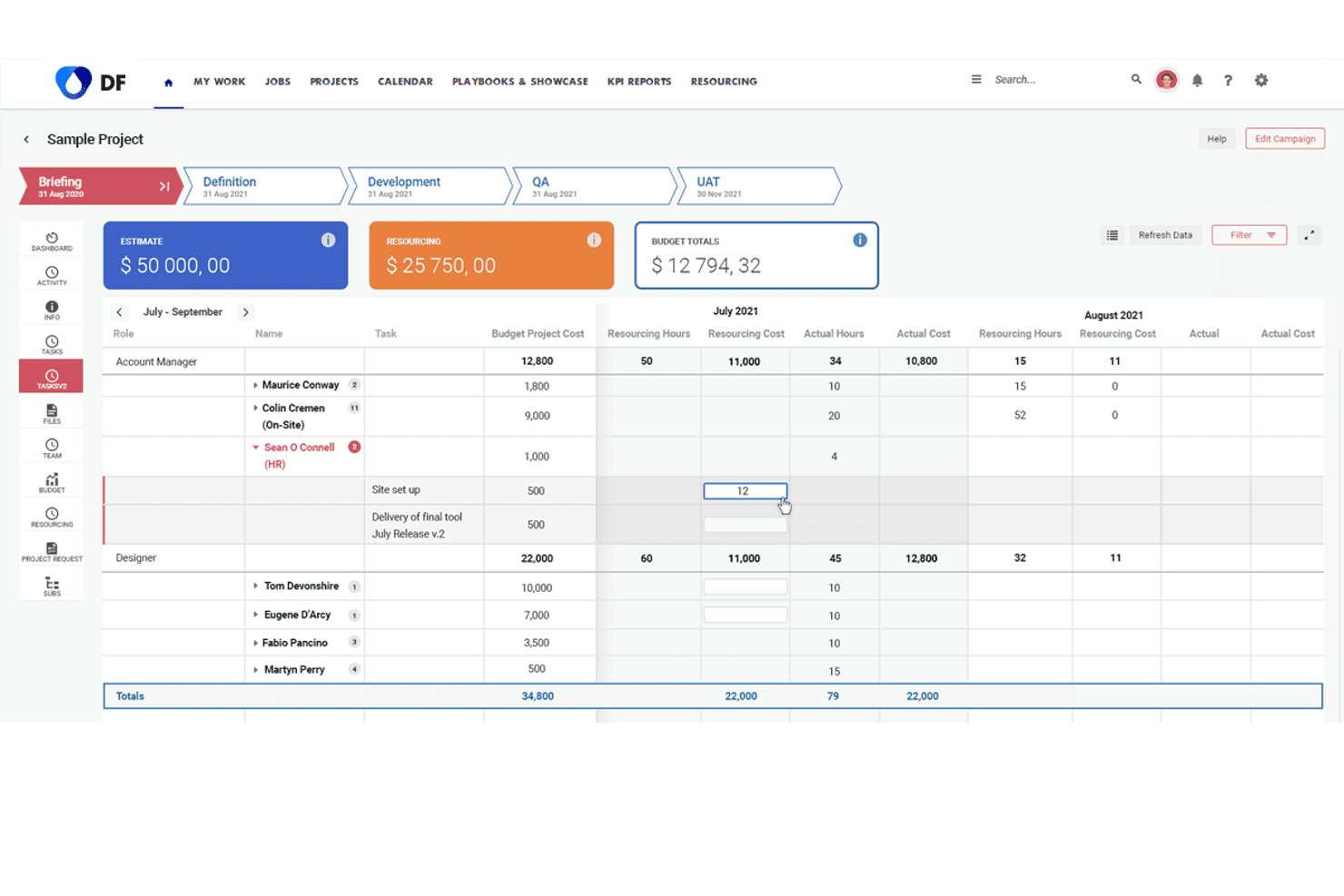
Screendragon is an enterprise work management platform that combines AI-powered workflow orchestration, predictive resource forecasting, and real-time operational analytics for marketing and agency teams.
Who Is Screendragon Best For?
Screendragon suits enterprise marketing and creative agencies managing high volumes of complex projects, approvals, and cross-functional teams at scale.
Why I Picked Screendragon
I picked Screendragon as one of the best because its built-in AI Agents surface real-time capacity, resourcing, and performance insights directly inside live workflows. For enterprise agencies running dozens of concurrent campaigns, the ML-based resource forecasting projects demand 3 to 6 months ahead, keeping planning grounded in data. I also like that every AI agent operates within defined governance rules and audit trails, which matters when you're managing compliance-heavy approval processes at scale.
Screendragon Key Features
- No-code workflow builder: Build and customize project workflows without development using visual templates and drag-and-drop steps.
- Centralized review and approval hub: Manage creative, marketing, and compliance approvals in one place with audit trails and annotation support.
- Dynamic forms: Capture project, resource, and budget data at intake using forms that adapt fields, layout, and language as needed.
- Native integrations with ERP and PM tools: Connect directly to platforms like Jira, Salesforce, SAP, Microsoft Dynamics, and Google Drive for unified project data.
Screendragon Integrations
Screendragon offers native integrations with HubSpot, Microsoft Power BI, Ziflow, Brandfolder, Workato, and Smartsheet. An API is available for custom integrations.
Pros and Cons
Pros:
- Real-time capacity analytics across concurrent campaigns
- AI governance with audit trails built in
- ML-based resource forecasting spans months ahead
Cons:
- Setup requires significant configuration time
- AI features skew toward marketing over PMO
New Product Updates from Screendragon
Screendragon Unveils New AI Hub
Screendragon introduced AI Hub, a new capability that lets teams build and manage AI agents directly within workflows. The update helps marketing teams automate tasks, maintain governance controls, and scale AI-driven operations more efficiently. For more information, visit Screendragon's official site.
Best for Microsoft integration

Microsoft Planner is a project management solution ideal for teams that heavily use Microsoft products. It helps with planning, scheduling, and tracking projects, providing tools to improve productivity.
Why I picked Microsoft Planner: It integrates with other Microsoft products with ease, making it a natural fit for teams already using Office 365. The tool provides Gantt charts for detailed project scheduling and task dependencies to manage project timelines effectively. Its resource management features help allocate resources efficiently, and the reporting capabilities offer insights into project progress. These features make it perfect for teams that want to use Microsoft integration.
Standout Features & Integrations
Features include a timeline view for visualizing project schedules, a task board to track tasks visually, and customizable templates to get started quickly. The project portfolio management feature helps you oversee multiple projects, and the collaboration tools enable teams to work together efficiently.
Integrations include Microsoft Teams, SharePoint, OneDrive, Outlook, Excel, Power BI, Azure DevOps, Dynamics 365, Yammer, and Planner.
Pros and Cons
Pros:
- Detailed reporting tools
- Customizable project templates
- Strong resource management
Cons:
- Requires access to the Microsoft ecosystem
- Can be complex for small teams

Airtable
Best for database projects

Airtable is a no-code work and data management platform that combines spreadsheet familiarity with database structure. It helps teams organize projects, manage structured data, and build custom workflows supported by artificial intelligence tools such as AI agents and natural-language prompts.
Why I picked Airtable: It offers a flexible database-style design that supports structured project information while enabling AI-powered workflows. Teams can use natural language processing to generate app components, connect data across tables, and automate actions without technical expertise. Its AI agents help analyze data analytics outputs, surface relationships within large datasets, and support complex workflows at scale, making it useful for teams handling data-heavy projects.
Standout Features & Integrations
Features include form, grid, calendar, and gallery views; linked records for modeling relationships; and rich field types for advanced data analysis. AI capabilities include app generation, AI agents that can interpret thousands of records, and access to machine learning models from OpenAI, Llama, Gemini, Anthropic, and others. Automation tools allow teams to orchestrate workflows using natural language commands.
Integrations include Slack, Google Drive, Dropbox, Zapier, Trello, Asana, Evernote, Box, Microsoft Teams, and Jira.
Pros and Cons
Pros:
- Multiple adaptable project views
- AI agents for complex workflows
- Flexible no-code data modeling
Cons:
- Occasional performance issues
- Limited advanced reporting

Forecast
Best for resource management

Forecast is an AI-powered project and resource management platform built for teams that need structured scheduling, capacity planning, and workload visibility. It unifies financials, resourcing, and project delivery with artificial intelligence that analyzes performance and helps teams plan more effectively.
Why I picked Forecast: It has a strong focus on resource allocation supported by ai analytics that assess capacity, match skills to project needs, and highlight risks before they affect timelines or budgets. Its AI-driven utilization summaries and predictive alerts help teams understand data analytics tied to billable hours, demand, and workload. These capabilities make Forecast a fit for teams that need accurate resource planning supported by data-informed insights.
Standout Features & Integrations
Features include a project timeline for reviewing schedules, budget management for tracking financial performance, and AI-powered task prediction that anticipates workload changes. Risk alerts highlight potential overruns, and intelligent resource matching analyzes algorithms to recommend the right people for upcoming tasks. Real-time dashboards provide data analysis across utilization, timelines, and financials.
Integrations include Slack, Google Drive, Dropbox, Microsoft Teams, Zapier, Jira, QuickBooks, Xero, HubSpot, and Trello.
Pros and Cons
Pros:
- Helpful risk prediction alerts
- Clear utilization insights
- AI resource matching
Cons:
- Limited integration capabilities
- Requires training for full utilization

Best for client management

Teamwork.com is a project and client-delivery platform built for teams managing billable work across multiple accounts. It supports task coordination, resource planning, and workload visibility, with artificial intelligence features that help analyze project data and improve decision-making.
Why I picked Teamwork.com: Its ability to support client-focused projects through structured permissions, billing tools, and resource visibility. Its TeamworkAI features—such as AI utilization summaries, smart filtering, and AI project setup—help surface data analytics tied to billable hours, workloads, and profitability. These capabilities make it useful for teams handling client relationships while needing clearer insight into project performance.
Standout Features & Integrations
Features include workload management for balancing assignments, project portfolio views, billing and invoicing tools, and collaboration options for shared communication. TeamworkAI supports AI project wizards, smart assignment suggestions, and fast filtering using natural language prompts. Dashboards provide data analysis on utilization and budget performance.
Integrations include Slack, Google Drive, Dropbox, Microsoft Teams, Zapier, Trello, HubSpot, QuickBooks, Xero, and FreshBooks.
Pros and Cons
Pros:
- Strong billing and invoicing
- Project templates available
- Client permissions feature
Cons:
- Faulty and unreliable notifications
- Complex and cumbersome interface


ClickUp is a work and task management platform designed for teams needing structured task organization, multiple view options, and unified workspace tools. It supports teams across industries and now includes AI-driven features through ClickUp Brain and AI agents that help teams interpret work data and automate routine steps.
Why I picked ClickUp: Its strong focus on detailed task organization supported by task types, priorities, custom fields, and multiple view modes. Its AI-assisted features, such as automated scheduling, task summaries, and performance insights, help teams manage raw data tied to deadlines, workload, and progress. These capabilities support teams that want flexible task structures improved by actionable insights and automation for day-to-day task management.
Standout Features & Integrations
Features include time tracking, recurring tasks, mind maps for visual planning, and a document editor for creating or updating project content. ClickUp Brain offers AI-powered summaries, automated time-blocking, and natural-language task creation, while AI agents can assist with prioritization and information retrieval.
Integrations include Slack, Google Drive, Dropbox, Microsoft Teams, Zoom, GitHub, Zapier, Trello, Asana, and Evernote.
Pros and Cons
Pros:
- Strong task organization features
- AI tools for summaries and scheduling
- Multiple task view options
Cons:
- Frequent updates can disrupt workflow
- Occasional lag with complex projects

Notion is an all-in-one workspace platform that combines documents, databases, and task management into one customizable environment. Its artificial intelligence features, including AI agents and natural-language actions, help teams structure information, automate work, and analyze project data from a single location.
Why I picked Notion: Its adaptable structure, which allows teams to design custom databases, pages, and workflows supported by AI features. Notion’s AI agents assist with summarizing project updates, generating content from raw data, and helping interpret data analytics stored across linked databases. Its flexibility allows teams to build project hubs, task dashboards, and documentation systems that align with evolving project needs.
Standout Features & Integrations
Features include AI agents that automate tasks, AI search across workspace content, and natural-language tools for drafting documents or generating task updates. Teams can use databases, Kanban boards, and calendars to organize work, while integrations with connected apps help consolidate project data analysis. Collaboration tools support shared editing and cross-team visibility.
Integrations include Slack, Google Drive, Dropbox, Microsoft Teams, Zapier, Trello, Asana, Evernote, GitHub, and Typeform.
Pros and Cons
Pros:
- Strong knowledge-management features
- AI tools for workspace automation
- Flexible database-driven structure
Cons:
- Limited advanced analytics
- Requires training for full utilization

Asana is a project and work management platform designed to help teams coordinate tasks, timelines, and collaborative workflows. It supports teams of all sizes and now includes AI Teammates, which assist with complex work and generate data-driven insights for project analysis.
Why I picked Asana: It’s focus on collaboration-supported work management combined with AI-driven capabilities that assist teams in handling project data, tasks, and dependencies. Its AI Teammates can analyze raw data, summarize updates, flag risks, and support smarter decisions, aligning well with team-centered project execution. These AI-supported workflows complement Asana’s structure of task assignments, timelines, and visual boards, making it well-suited for collaborative teams needing actionable insights without relying on technical skills.
Standout Features & Integrations
Features include AI Teammates that can coordinate deliverables, analyze performance data, surface risks, and generate summaries across projects. Additional features include timeline views for planning, task dependencies, custom fields for tracking metrics, and mobile access for managing tasks on the go. Asana AI Studio also supports creating custom AI assistants for specific roles within a team.
Integrations include Slack, Microsoft Teams, Google Drive, Dropbox, Salesforce, Zapier, Trello, Zendesk, GitHub, and Adobe Creative Cloud.
Pros and Cons
Pros:
- User-friendly interface
- AI Teammates for data insights
- Structured collaboration tools
Cons:
- Limited advanced analytics
- Some features require higher-tier plans

Jira
Best for software teams

Jira is an AI project management tool tailored for software development teams. It helps manage software projects with features like bug tracking, Agile project management, and issue tracking.
Why I picked Jira: It’s equipped with features specifically designed for software teams, such as Scrum and Kanban boards that help visualize work in progress. Its Atlassian Intelligence features assist with generating actionable insights, creating JQL filters using natural language, and helping teams interpret metrics from development pipelines. This combination of structured Agile tooling and AI-assisted analytics makes Jira a strong fit for software teams needing visibility across complex projects.
Standout Features & Integrations
Features include backlog prioritization, sprint planning tools, dependency mapping, customizable templates, and AI-supported JQL generation. Reporting tools provide summaries and dashboards that help teams review cycle times, deployments, and other software delivery metrics. The drag-and-drop interface makes it easy to manage tasks, and the detailed permission settings ensure secure data access within your team.
Integrations include Slack, Microsoft Teams, GitHub, Bitbucket, Confluence, Trello, Google Drive, Dropbox, Zendesk, and Salesforce.
Pros and Cons
Pros:
- Scalable for large teams
- Detailed reporting options
- Customizable workflows
Cons:
- Requires regular maintenance
- Complex setup process

Best for AI-powered risk detection
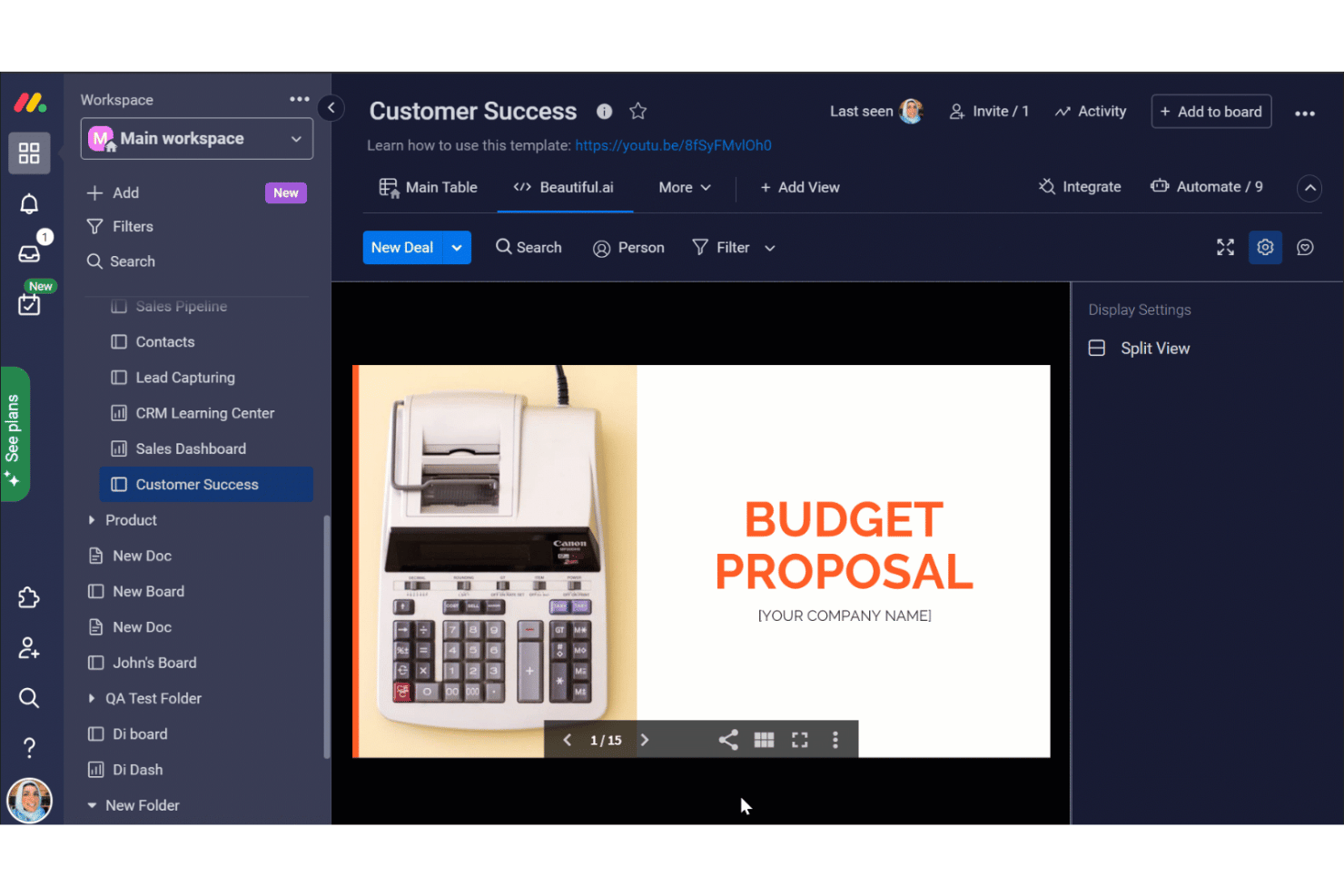
monday AI Workspace is an AI work platform that combines project and portfolio management with predictive risk detection, real-time dashboards, and AI-generated status summaries across teams and workstreams.
####Who Is monday AI Workspace Best For?
It's a strong fit for PMO directors and portfolio managers at mid-to-large organizations who need AI-driven risk visibility across multiple concurrent projects.
Why I Picked monday AI Workspace
monday AI Workspace earns its spot on my shortlist because of how it handles portfolio-wide risk detection. I like that the AI Risk Insights feature scans every linked project board daily, reviewing task statuses, update threads, and activity logs to assign low, medium, or high risk scores with plain-language explanations attached. On top of that, the Project Analyzer agent monitors projects in real time, flagging dependencies and surfacing risks before they turn into blockers.
monday AI Workspace Key Features
- AI workflow builder: Lets you design and automate custom workflows using natural language prompts and AI logic.
- Sidekick AI assistant: Provides contextual project updates, summaries, and answers to natural language queries about your data.
- Portfolio management view: Allows you to track dozens or hundreds of projects in a single workspace with flexible reporting and filters.
- Native integrations hub: Connects out-of-the-box with tools like Jira, Salesforce, HubSpot, and Google Workspace for unified data across sources.
monday AI Workspace Integrations
monday AI Workspace offers hundreds of native integrations through its built-in integrations and marketplace, including Jira, Salesforce, HubSpot, Slack, GitHub, Zendesk, Google Workspace, Microsoft 365, Teams, and Zoom. It also supports Zapier and provides an API for custom integrations.
Pros and Cons
Pros:
- Portfolio dashboards support deep drill-downs by workstream
- Sidekick generates plain-language project status summaries instantly
- AI risk scoring updates across all projects daily
Cons:
- Historical benchmarking lacks cross-organization pattern analysis
- AI features limited to higher-tier paid plans
New Product Updates from monday AI Workspace
monday AI Workspace Adds Human Approval Routing
monday AI Workspace adds a human-in-the-loop approval block to AI Workflows, sending approval requests and routing workflow paths based on responses. For more information, visit monday AI Workspace's official site.
Andre verktøy for AI-prosjektanalyse
Her er noen flere alternativer for AI-prosjektanalyse som ikke kom med på kortlisten, men som likevel er verdt å se nærmere på:
- Smartsheet
For spreadsheet users
- Wrike
For custom workflows
- Zoho Projects
For budget tracking
- Adobe Workfront
For marketing teams
- Kantata
For professional services
- Scoro
For business management


How I Evaluate AI Project Analytics Tools
I only include tools that deliver real AI value—like flagging a schedule slip weeks out—not platforms with an AI label on static charts. I split my evaluation into core functionality a tool must have to qualify and differentiating factors that separate the best fit for different PMO needs.
Core Functionality (Table Stakes For This List)
When I'm selecting tools for my list, I rank each one on a scale from 0 (does not offer the functionality) to 5 (excels in this area) for each core functionality listed below. Then, I calculate the tool's total score into a percentage. Each tool needs to achieve a minimum total score of 65% to be considered for inclusion.
- AI-Driven Predictive Forecasting: I look for ML models that predict delivery dates, budget trajectories, and resource demand—not just trendlines drawn from a two-week sprint.
- Automated Risk Detection: The tool should surface at-risk work items using AI scoring or anomaly detection, like flagging a creeping dependency chain before it delays a release.
- Real-Time Project Analytics: Live dashboards with drill-down capability matter here. I evaluate whether a PMO leader can move from portfolio health down to task-level bottlenecks in a few clicks.
- AI-Generated Insights & Summaries: I check whether the platform produces natural language summaries—things like weekly stakeholder updates or sprint retrospectives—pulled directly from project data.
- Data Integration & Connectivity: Tools need solid connectors to platforms teams already use, like Jira, Asana, monday.com, or MS Project, so analytics reflect real work and not stale imports.
- Historical Benchmarking & Trends: I evaluate whether the tool lets you compare current project performance against past baselines, helping PMOs spot patterns like recurring estimation gaps across similar initiatives.
Once I have a list of tools that meet this criteria, I consider what sets each platform apart.
Differentiating Factors (What Sets Vendors Apart)
Here's how I compare and contrast different vendors:
Standout Features
Scenario simulation is a big differentiator—I look for tools that let you model a scope change or resource shift and see the predicted ripple across your portfolio before making a call. A conversational AI assistant adds real value when a program manager can ask "which projects are likely to miss Q3 targets?" and get an answer without building a custom report. I also evaluate whether a tool goes beyond flagging risks to recommending specific actions, like suggesting task reprioritization when a critical path shifts.
Beyond Features
AI governance matters more here than in most software categories. I evaluate whether vendors are transparent about how project data trains their models and whether you can opt out. Time-to-value is another factor I weigh—some platforms need months of historical data ingestion before predictions become useful, while others deliver insights within weeks. I also consider how well a tool scales across portfolios, especially for enterprise PMOs managing hundreds of concurrent projects across distributed teams.
Slik velger du verktøy for AI-prosjektanalyse
Det er lett å gå seg vill i lange funksjonslister og komplekse prismodeller. For å hjelpe deg med å holde fokus mens du går gjennom den unike prosessen med å velge programvare, får du her en sjekkliste over faktorer du bør ha i bakhodet:
| Faktor | Hva bør du vurdere? |
|---|---|
| Skalerbarhet | Vil verktøyet vokse sammen med teamet ditt? Sjekk om det støtter økende prosjektstørrelser og flere brukere uten ekstra kostnader. Vurder om det kan håndtere mer komplekse prosjekter etter hvert som du utvider. |
| Integrasjoner | Kan det kobles til de eksisterende verktøyene dine? Sørg for at det integreres med programvaren du bruker i dag, slik at du unngår forstyrrelser i arbeidsflyten. Se etter innebygde integrasjoner med appene du bruker mest. |
| Tilpasningsmuligheter | Kan du tilpasse det etter behovene dine? Se etter tilpassbare felt, oversikter og rapporter. Unngå verktøy som begrenser muligheten til å tilpasse arbeidsflytene dine. |
| Brukervennlighet | Er det brukervennlig for teamet ditt? Sørg for at grensesnittet er intuitivt og krever minimal opplæring. Test verktøyets navigasjon og oppsett med en demonstrasjon hvis mulig. |
| Implementering og introduksjon | Hvor lang tid tar det å komme i gang? Vurder tiden og ressursene som kreves for oppsettet. Sjekk hvilken brukerstøtte, opplæringsmateriell og hjelp med introduksjonen som er tilgjengelig. |
| Kostnad | Er det innenfor budsjettet ditt? Sammenlign prisplanene og vurder de totale eierkostnadene, inkludert skjulte gebyrer. Vurder kostnadene opp mot funksjonene du faktisk trenger. |
| Sikkerhetstiltak | Beskytter det dataene dine? Se etter kryptering, brukertillatelser og samsvar med personvern- og datasikkerhetsregler. Sørg for at leverandøren prioriterer datasikkerhet. |
| Tilgjengelig brukerstøtte | Er det hjelp tilgjengelig når du trenger det? Sjekk om det finnes brukerstøtte døgnet rundt og flere kontaktmetoder. Vurder kvaliteten på og responstiden til brukerstøtteteamet. |
Hva er verktøy for AI-prosjektanalyse?
Verktøy for AI-prosjektanalyse hjelper team med å analysere prosjektdata for å forbedre beslutningstaking og effektivitet. Disse verktøyene brukes vanligvis av prosjektledere, teamledere og dataanalytikere som drar nytte av datadrevet innsikt. Funksjoner som prediktiv analyse, rapportering i sanntid og ressursstyring hjelper med planlegging, sporing og optimalisering av prosjekter. Alt i alt gir disse verktøyene verdifull innsikt som forbedrer prosjektresultater og ressursfordeling.
Funksjoner
Når du velger programvare for AI-prosjektanalyse, bør du se etter følgende viktige funksjoner:
- Prediktiv analyse: Analyserer datatrender for å forutsi prosjektresultater og hjelper team med å ta informerte beslutninger.
- Sanntidsrapportering: Gir oppdatert innsikt i prosjektstatus, slik at du raskt kan gjøre justeringer og iverksette tiltak.
- Ressursstyring: Fordeler ressurser effektivt for å optimalisere teamets arbeidsbelastning og prosjektets tidslinjer.
- Tilpassbare dashbord: Lar brukere tilpasse visninger og rapporter etter egne behov og preferanser.
- Oppgave-automatisering: Automatiserer repetitive oppgaver for å spare tid og redusere manuelle feil.
- Datavisualisering: Omdanner komplekse data til visuelle formater som er enkle å forstå, for bedre oversikt.
- Gantt-diagrammer: Gir en visuell tidslinje for å spore prosjektfremdrift og avhengigheter ved hjelp av AI-assisterte Gantt-diagramverktøy.
- Samarbeidsverktøy: Tilrettelegger for teamkommunikasjon og deling av informasjon på plattformen.
- Budsjettsporing: Overvåker prosjektutgifter for å sikre at økonomiske mål nås.
- Sikkerhetstiltak: Beskytter sensitive data gjennom kryptering og overholdelse av databeskyttelsesregler.
Fordeler
Implementering av AI-prosjektanalyse gir flere fordeler for teamet og virksomheten din. Her er noen av fordelene du kan se frem til:
- Bedre beslutningstaking: Tilgang til prediktiv analyse og sanntidsdata hjelper teamet med å ta informerte valg raskt.
- Økt effektivitet: Oppgaveautomatisering reduserer manuelt arbeid, slik at teamet kan fokusere på oppgaver med høy prioritet.
- Bedre ressursfordeling: Funksjoner for ressursstyring sikrer at teamet verken blir overbelastet eller underutnyttet.
- Økt åpenhet: Sanntidsrapportering og tilpassbare dashbord gir alle involverte tydelig innsikt i prosjektstatus.
- Kostnadskontroll: Budsjettsporing holder utgiftene under kontroll og hjelper teamet med å nå økonomiske mål.
- Bedre samarbeid: Innebygde samarbeidsverktøy legger til rette for kommunikasjon og deling av informasjon mellom teammedlemmer.
- Datasikkerhet: Sikkerhetstiltak beskytter sensitive prosjektdata og sikrer overholdelse av databeskyttelsesregler.
Kostnader og priser
Valg av et verktøy for AI-prosjektanalyse krever en forståelse av de ulike prismodellene og abonnementene som er tilgjengelige. Kostnadene varierer basert på funksjoner, teamstørrelse, tillegg og mer. Tabellen nedenfor oppsummerer vanlige abonnementer, gjennomsnittsprisene deres og typiske funksjoner som er inkludert i løsninger for AI-prosjektanalyse:
Sammenligningstabell for AI-prosjektanalyse
| Abonnementstype | Gjennomsnittspris | Vanlige funksjoner |
|---|---|---|
| Gratisabonnement | $0 | Grunnleggende oppgavebehandling, begrenset rapportering og samarbeidsverktøy. |
| Personlig abonnement | $7-$20/bruker/måned | Oppgavebehandling, grunnleggende analyse, tilpassede dashbord og begrensede integrasjoner. |
| Bedriftsabonnement | $10-$50/bruker/måned | Avansert analyse, ressursstyring, automatiseringsfunksjoner og forbedrede sikkerhetstiltak. |
| Storbedriftsabonnement | $60-$125/bruker/måned | Omfattende analyse, ubegrensede integrasjoner, prioritert brukerstøtte og full tilpasning. |
Vanlige spørsmål om analyse av AI-prosjekter
Her er noen svar på vanlige spørsmål om analyse av AI-prosjekter:
Hva er de fem trinnene i AI-prosjektsyklusen?
AI-prosjektsyklusen omfatter problemavgrensning, datainnhenting, datautforskning, modellering og evaluering. Hvert trinn er viktig for å strukturere AI-utviklingsprosessen. Når du forstår disse fasene, blir det enklere å utvikle effektive og målrettede AI-løsninger som oppfyller prosjektmålene dine.
Hvilke spørsmål må avklares før man starter et AI-prosjekt?
Før du starter et AI-prosjekt, bør du spørre hvilket problem du prøver å løse. Vær tydelig på målene dine, enten det handler om å svare raskere eller forutsi etterspørsel. Denne tydeligheten hjelper deg med å holde fokus og velge riktige AI-metoder, slik at prosjektet samsvarer med virksomhetens behov.
Hvordan kan AI forbedre prosjektstyringen?
AI forbedrer prosjektstyringen ved å tilby prediktiv analyse, automatisere rutineoppgaver og gi innsikt i sanntid. Disse funksjonene hjelper prosjektledere med å ta informerte beslutninger, fordele ressurser effektivt og holde prosjekter på rett spor, noe som til syvende og sist forbedrer den samlede produktiviteten og resultatene.
Hvilke bransjer har størst nytte av analyse av AI-prosjekter?
Bransjer som finans, helsevesen og produksjon har stor nytte av analyse av AI-prosjekter. Disse sektorene bruker AI til å analysere store datamengder, optimalisere driften og forutsi trender. AI-verktøy hjelper dem med å ta datadrevne beslutninger, forbedre effektiviteten og opprettholde et konkurransefortrinn.
Hvordan sikrer man personvernet i AI-prosjekter?
Å sikre personvernet innebærer å iverksette sterke sikkerhetstiltak, for eksempel kryptering og tilgangskontroller. Det er viktig å overholde personvernregler som GDPR. Regelmessige revisjoner og overvåking bidrar til å opprettholde dataintegriteten og beskytte sensitive opplysninger i AI-prosjekter.