

10 beste programvarer for digital ressursforvaltning for Mac i 2026

Beste programvare for digital ressursforvaltning for Mac – kortliste


Programvare for digital ressursforvaltning (DAM) gjør det enklere å holde ressursene dine organiserte og søkbare, slik at du sparer tid og unngår frustrasjon. Det finnes flere programvarealternativer for PC, men hva gjør du hvis virksomheten din bruker Mac?
Det kan være utfordrende å finne tilsvarende programvare for digital ressursforvaltning for Mac. Med min omfattende erfaring med å administrere digitale prosjekter og bruke ulike produktivitetsverktøy mener jeg imidlertid at jeg kan hjelpe deg og teamet ditt med å finne den riktige løsningen.
Hvorfor du kan stole på våre programvareanbefalinger
Teamet vårt har testet og anmeldt programvare siden 2012. Vi er selv prosjektledere, så vi vet hvor vanskelig og hvor viktig det er å velge riktig programvare.
I denne guiden har vi vurdert verktøyene gjennom praktisk testing og uavhengig research og gitt dem poeng ut fra våre utvelgelseskriterier. Vi bygger også på innsikt fra ledende eksperter i bransjen og erfarne prosjektledere.
Anmeldelsene våre bygger på vår egen redaksjonelle vurdering. De er ikke et salgsargument.
Ekspertanmeldere:
Sammenligningstabell: Programvare for digital ressursforvaltning for Mac
Denne sammenligningstabellen oppsummerer prisopplysningene for mine beste utvalgte programmer for digital ressursforvaltning for Mac.
Score legend (out of 5)
- Excellent 4.5–5
- Good 4–4.4
- Average 3–3.9
- Below average 2–2.9
- Poor 1–1.9
| Tool | Starting Price | Website | |||||||
|---|---|---|---|---|---|---|---|---|---|
| Best for digital asset organization | 3.7 out of 5 | 2 | 4 | 4 | 5 | 3 | 4 | $100/month 7-day free trial + free demo available | Website |
| Best for automated file tagging and sorting | 3.5 out of 5 | 4 | 4 | 4 | 5 | 1 | 3 | $250/month Free plan + free trial available | Website |
| Best for managing and sharing brand assets | — | 2 | 4 | 4 | 4 | — | 3 | $29/month 30-day free trial available | Website |
| Best for storage-based pricing with unlimited users | 4.0 out of 5 | 2 | 5 | 4 | 5 | 4 | 4 | $99/month Free plan + 14-day free trial + demo available | Website |
| Best for MacOS media synchronization | 3.5 out of 5 | 2 | 4 | 4 | 5 | 3 | 3 | Pricing upon request 14-day free trial | Website |
| Best for content collaboration | 3.8 out of 5 | 2 | 5 | 5 | 5 | 3 | 3 | Pricing upon request Free demo available | Website |
| Best for marketing workflows | 3.8 out of 5 | 2 | 5 | 5 | 5 | 4 | 2 | Pricing upon request Free demo available | Website |
| Best for enterprise usability | 4.0 out of 5 | 2 | 5 | 5 | 5 | 4 | 3 | Pricing upon request Free demo available | Website |
| Best for centralized feedback and approval | 4.2 out of 5 | 3 | 4 | 5 | 5 | 4 | 4 | $900/month Free plan + demo available | Book Demo |
| Best for flexible permission controls | 3.8 out of 5 | 2 | 5 | 4 | 4 | 4 | 4 | Pricing upon request Not available | Website |

Anmeldelser av den beste programvaren for digital ressursforvaltning for Mac
Nedenfor finner du mine detaljerte anmeldelser av den beste DAM-programvaren for Mac. Hver av de følgende anmeldelsene ser på fordelene og ulempene, viktige funksjoner og ideelle brukssituasjoner for disse programvareløsningene.

Pics.io
Best for digital asset organization

Pics.io is an advanced digital asset management platform that streamlines the organization and collaboration on digital assets. It provides a centralized system to store, access, and share files, which enhances efficiency and collaboration across various departments.
Why I picked Pics.io:
Pics.io provides advanced digital asset organization capabilities, which are essential for teams looking to efficiently manage their growing libraries of digital content. Its intuitive interface and powerful search functionalities make it a versatile choice for creative professionals and teams. It's best for digital asset organization because it provides a centralized platform where teams can easily access, manage, and distribute their digital assets, ensuring that they can quickly find and reuse existing content.
Standout features & integrations:
Features include version control, media library organization, metadata management, powerful search tools, built-in editing tools, workflow automation, customizable access permissions, collaboration features, asset sharing capabilities, and analytics for asset usage tracking.
Integrations include Google Drive, Amazon S3, Shopify, Slack, Adobe Creative Cloud (After Effects, Illustrator, Photoshop, Premiere Pro), ClickUp, Easy Projects, Google Workspace (Docs, Forms, Sheets, Slides), Hootsuite, HubSpot, its mobile app, Monday.com, Salesforce, Trello, WordPress, Wrike, Zapier, YouTube, Figma, and Zoho CRM.
Pros and Cons
Pros:
- Wide range of integrations with popular platforms
- Powerful search and organization tools
- Comprehensive digital asset management features
Cons:
- Complex features
- Not available offline
New Product Updates from Pics.io
Pics.io Adds Filtered Audit Trail CSV Exports
Pics.io now lets you export Audit Trail logs to CSV and apply filters before exporting, making it easier to analyze and share activity history. For more information, visit Pics.io's official site.
 .
Best for automated file tagging and sorting
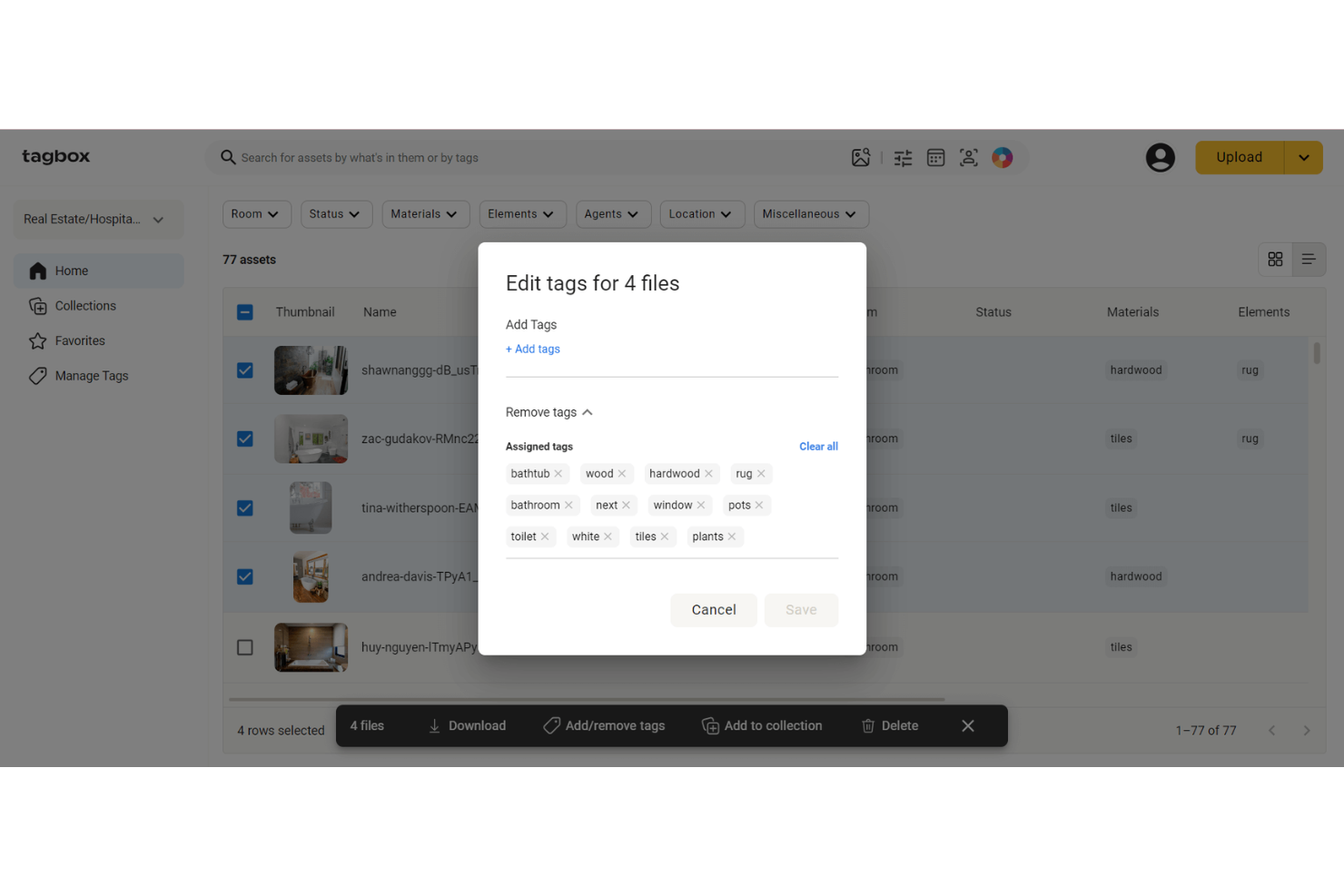
Tagbox.io is a cloud-based digital asset management platform for Mac teams that need a faster way to organize, search, and share growing libraries of creative files. Its AI tagging, facial recognition, video search, and visual asset organization tools make it a strong fit for marketing, creative, and event teams managing large photo and video collections.
Who Is Tagbox.io Best For?
Tagbox.io is a strong fit for creative and marketing teams that manage large volumes of visual assets and need faster ways to organize, find, and share files.
Why I Picked Tagbox.io
I picked Tagbox.io because it helps Mac teams organize large media libraries through automated file tagging and sorting. Its AI can tag assets by people, objects, scenes, and custom labels, so your team can find specific photos and videos without manually sorting every file. I also like its face recognition feature, which helps group and locate images of specific people across large event or marketing libraries. Its advanced search tools add another layer of control by letting you filter assets by tags, dates, collections, file type, resolution, color, and orientation.
Tagbox.io Key Features
Some other Tagbox.io features support easier collaboration and more structured asset management:
- Shareable collections: Create asset collections for specific team members, clients, or external collaborators with controlled access permissions.
- Video asset management: Search video content by people, products, speech, and brand-related moments to locate useful footage faster.
- Custom metadata fields: Add details like client names, venues, campaign labels, or approval status to keep assets organized.
- Multilingual search: Search across your asset library in 100+ languages to support multilingual teams and content libraries.
- Native Desktop App: It has the search capabilities of the web app together with advanced sync options and a simple drag and drop interface to any app.
Tagbox.io Integrations
Connect Tagbox.io through Tagbox Desktop (drag-and-drop into any app), Zapier, Make, and a REST API. Custom workflows are available for Enterprise.
Pros and Cons
Pros:
- Video search makes speech, products, and scenes easier to locate
- Face recognition helps teams find people-heavy photo collections faster
- AI tagging reduces manual sorting for large Mac media libraries
Cons:
- Mac-native desktop app support is not clearly promoted
- Workflow approvals are not a clear core DAM feature

Filecamp
Best for managing and sharing brand assets

Filecamp is a cloud-based digital asset management (DAM) platform that helps teams organize, store, and share digital files like images, videos, and documents. Accessible through any browser, including on Mac, it offers a centralized space for managing creative assets.
Why I picked Filecamp:
I picked Filecamp because of its online proofing tools and advanced download options. The proofing tools let your team review and annotate design files like PDFs and PSDs directly in the browser, making creative feedback easy and centralized. For Mac users frequently working with varied file formats, the ability to convert and download files in different versions—like turning an AI file into a JPEG—is especially helpful. These features reduce dependency on extra apps and keep your workflow smooth within your browser.
Standout features & integrations:
Features include version control, audit trails, collections, labels, favorites, shared links, branded login pages, access requests, and AI-powered auto-tagging.
Integrations are not currently listed.
Pros and Cons
Pros:
- Customizable branding options enhance professional appearance
- Granular access controls improve security and collaboration
- Advanced search and tagging
Cons:
- Commenting limited to higher-tier plans
- You may need to pay for additional storage
New Product Updates from Filecamp
Filecamp Adds Analytics, AI Thumbnails, and CDN Embed Links
Filecamp adds Analytics, AI-powered thumbnails, and CDN-backed Embed links. These updates give teams more visibility into asset usage, improve thumbnail presentation, and make embedded images easier to manage. For more information, visit Filecamp’s official site.
 .

Best for storage-based pricing with unlimited users
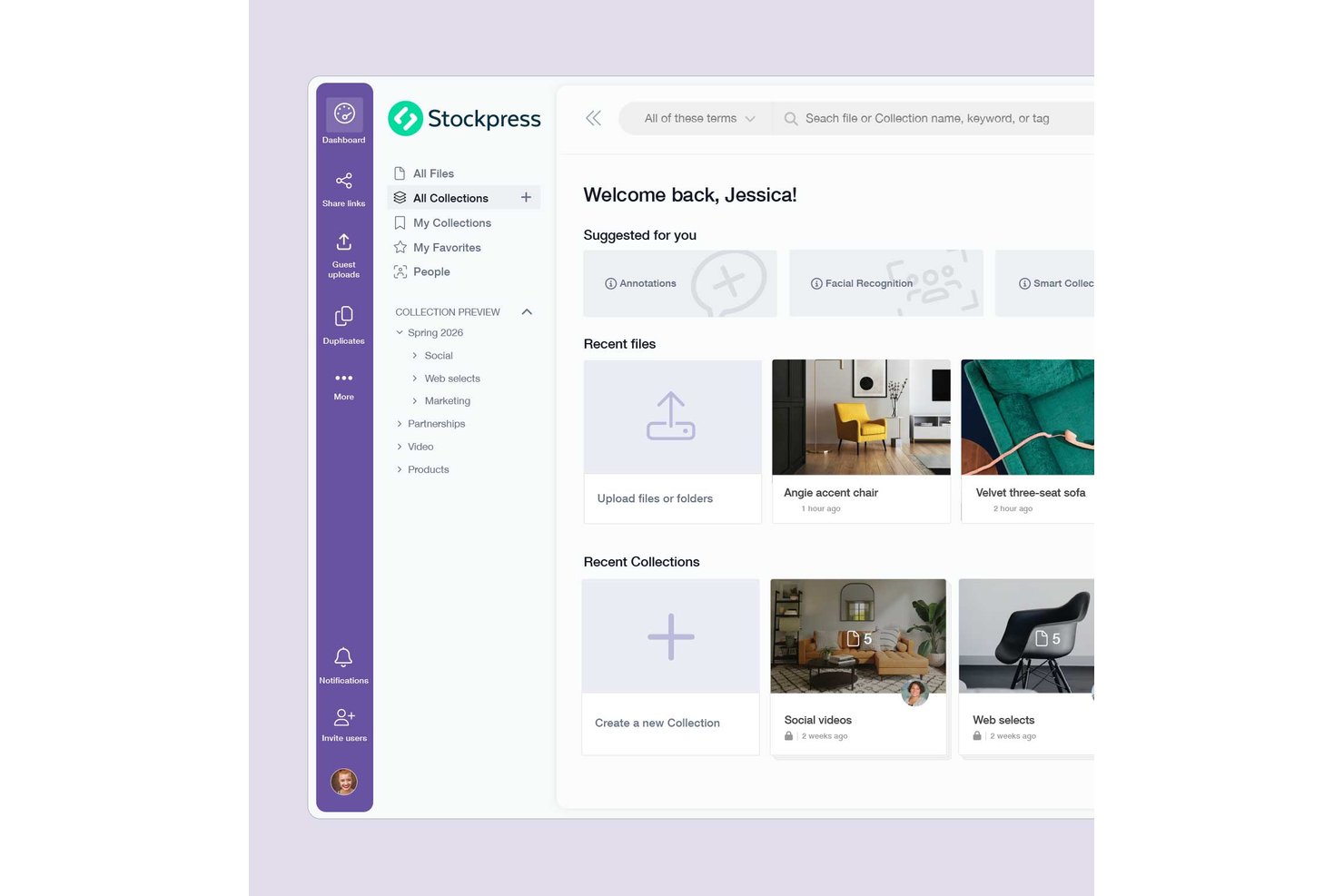
Stockpress is a cloud-based digital asset management platform that centralizes files of any type or size with AI-powered tagging, Smart Collections, version control, and granular share-link permissions.
Who Is Stockpress Best For?
Stockpress is a strong fit for marketing and agency teams that need to give many people access to a shared asset library without paying per seat.
Why I Picked Stockpress
I picked Stockpress as one of the best because its storage-based pricing with unlimited users solves a real problem: growing teams shouldn't have to justify every new seat. I especially like Smart Collections, which auto-update based on saved searches, so your library stays organized without manual sorting. AI tagging across objects, scenes, and colors means assets are actually findable the moment they land in your workspace.
Stockpress Key Features
- Version history and restore: View a full upload history for every file, compare versions side by side, and restore any previous version in one click.
- Granular share-link controls: Set passwords, expiry dates, download limits, and view-only access on individual share links without changing broader workspace permissions.
- Desktop Sync app: A Mac menu bar app that lets you sync selected Collections to Finder and automatically pushes local edits from Photoshop, Illustrator, or Lightroom back to your workspace.
- Guest upload pages: Create public-facing upload pages so external contributors can send files directly into your workspace without needing a Stockpress account.
Stockpress Integrations
Stockpress offers documented integrations with Adobe Photoshop, Adobe InDesign, Figma, Canva, Dropbox, Box, Google Drive, Slack, and Okta. It also provides an API for custom integrations, but no native Asana, monday.com, Trello, Wrike, or Zapier integrations are documented.
Pros and Cons
Pros:
- Share controls protect client deliverables
- Version history restores earlier creative files
- AI tagging speeds asset retrieval
Cons:
- No multi-stage approval routing
- Mac Desktop Sync remains beta and admin-only

Best for MacOS media synchronization

4ALLPORTAL presents a dynamic solution for Mac users seeking digital asset management software that makes it easier to manage digital content at scale. Tailored for industries such as ecommerce, media, and healthcare, it centralizes your digital assets, ensuring integration with existing content management systems and enhancing overall workflow. With AI-driven features, 4ALLPORTAL not only organizes asset management but also allows your team to focus on creative endeavors and strategic initiatives.
Why I Picked 4ALLPORTAL
I picked 4ALLPORTAL because of its MacOS Connector, which facilitates media data synchronization between Mac devices and the DAM system, enhancing offline editing capabilities. The platform's AI-driven tools, such as natural language search and auto-tagging, simplify asset retrieval and categorization, addressing common organizational challenges. Additionally, 4ALLPORTAL’s compliance features, including user-defined access rights and digital rights management, ensure your assets are used legally and securely.
4ALLPORTAL Key Features
In addition to its MacOS Connector, 4ALLPORTAL offers:
- Quick Download: This feature allows you to swiftly download files in your desired format directly from the tile view, saving time during asset retrieval.
- Version Control: Track changes and access previous versions of your assets, ensuring you can revert to earlier versions if needed.
- Automated Workflow Management: Enhance team collaboration by automating routine tasks and approvals, organizing your workflow processes.
4ALLPORTAL Integrations
Integrations include Salesforce, SAP, Adobe Creative Cloud, Microsoft Office 365, WordPress, Shopify, Magento, HubSpot, Google Analytics, and Dropbox. 4ALLPORTAL also provides an API for custom integrations, allowing further flexibility.
Pros and Cons
Pros:
- Offers AI-driven tools for enhanced asset categorization
- Provides customizable user permissions for secure asset access
- Scalable solution suitable for medium to large enterprises
Cons:
- Limited native integration options compared to other platforms
- Some users report slow performance with large file uploads
Canto
Best for content collaboration
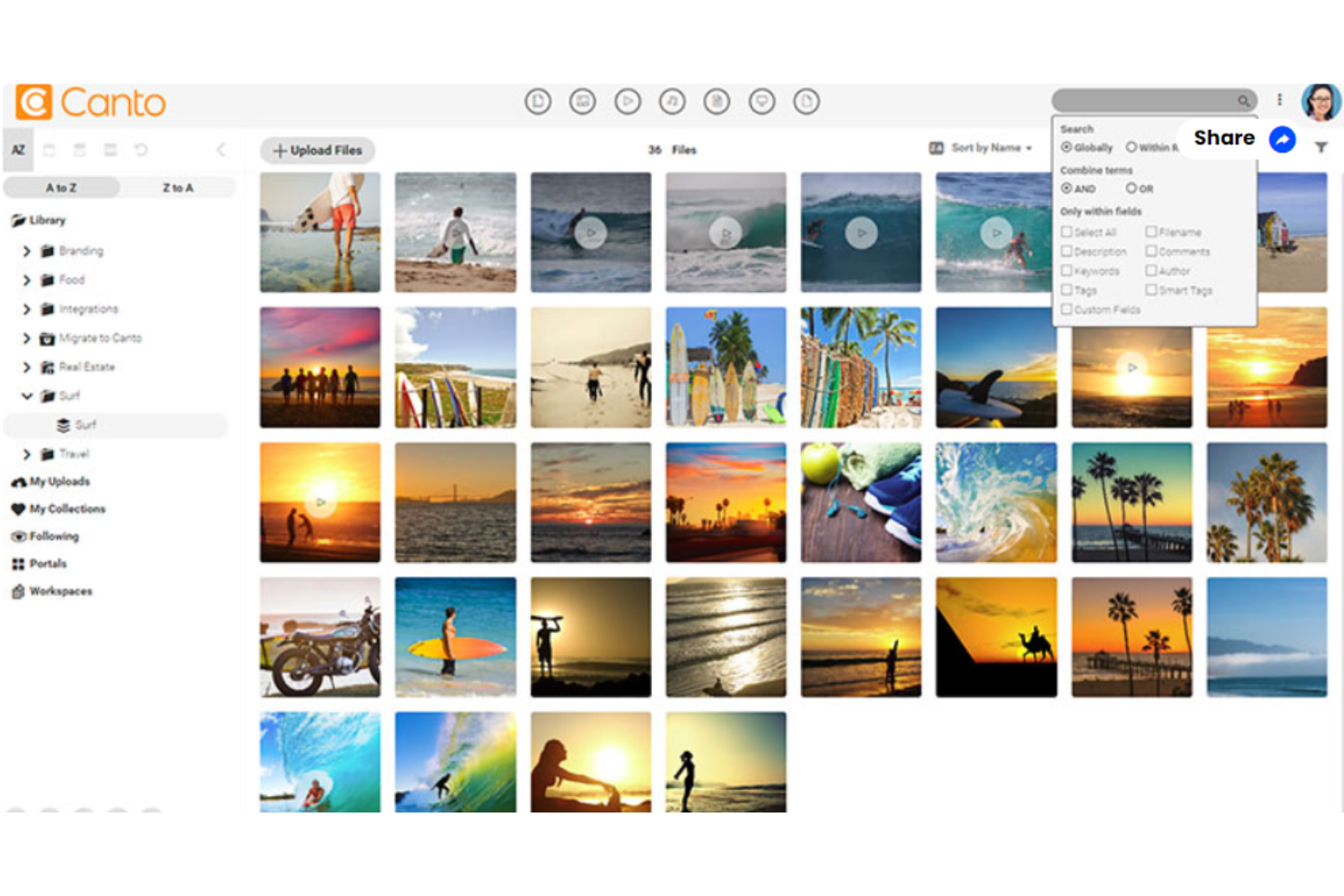
Canto simplifies digital asset management and enhances team collaboration. It helps teams and organizations efficiently store, manage, and share their digital assets such as photos, videos, and other media files.
Why I picked Canto:
Canto offers a detailed approach to managing digital assets, which makes it unique compared to other software in its category. It's best for content collaboration because it offers a centralized solution that supports teams in efficiently organizing, accessing, and sharing digital assets, which is essential for collaborative projects.
Standout features & integrations:
Features include cloud storage, advanced search capabilities, facial recognition, metadata tagging, version control, brand asset templates, workflow automation, role-based access controls, sharing and collaboration tools, and real-time analytics and reporting.
Integrations include Salesforce, Dropbox, Adobe Creative Cloud, WordPress, Hootsuite, Canva, Google Drive, Microsoft Office, and Zapier.
Pros and Cons
Pros:
- Customizable branding options
- Advanced search and smart album features
- Centralized management of digital assets
Cons:
- May be limitations when connecting to third-party applications
- May experience performance issues with larger asset libraries
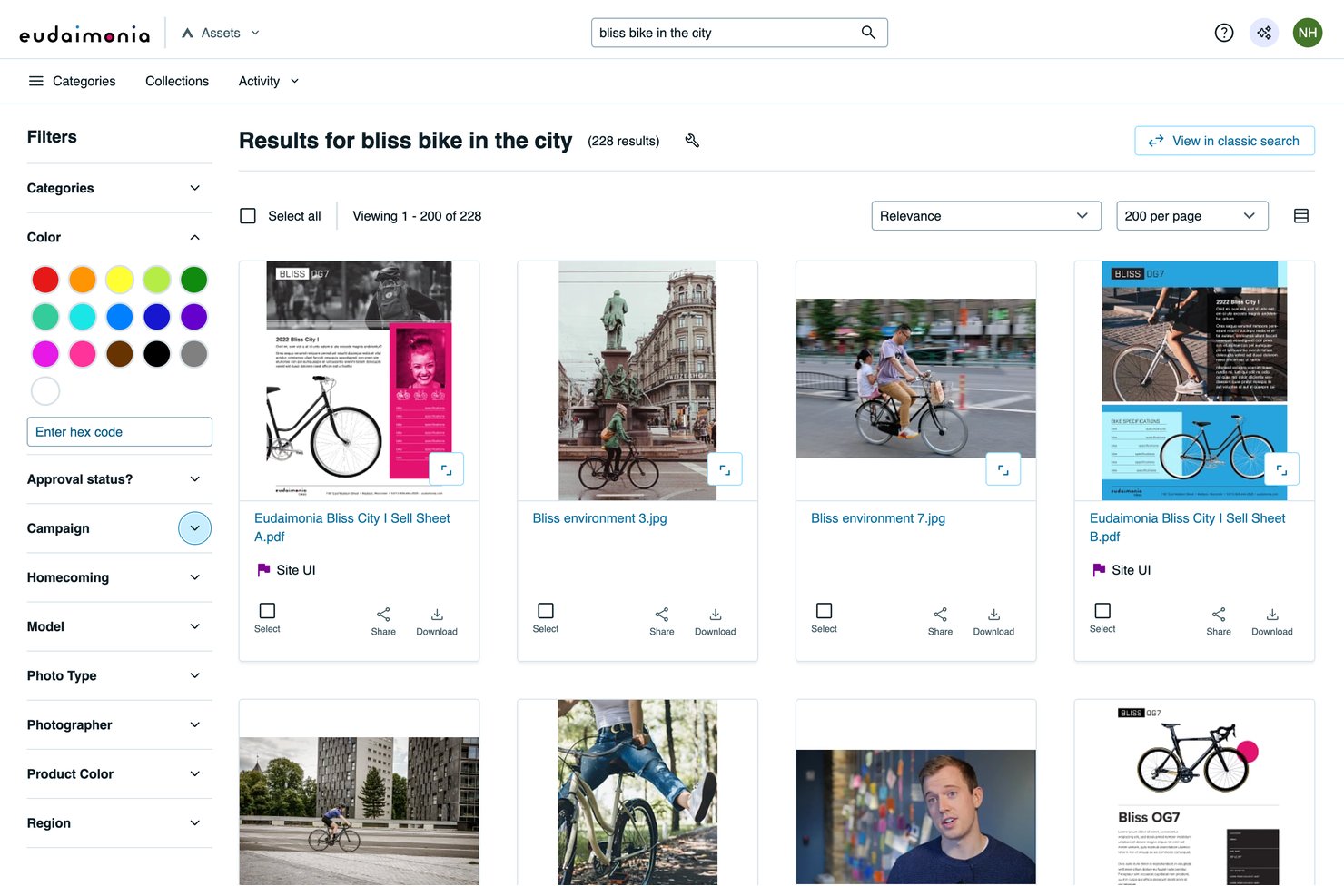
Acquia DAM is a browser-based digital asset management platform that centralizes large asset libraries with AI-driven tagging, natural language search, rights management, branded portals, and built-in approval workflows.
Who Is Acquia DAM Best For?
Acquia DAM is a strong fit for marketing and brand teams that need to govern large asset libraries, enforce brand standards, and distribute approved content to partners or regional teams.
Why I Picked Acquia DAM
I've included Acquia DAM in my top picks because its approval workflows and rights management features are built specifically for marketing teams that can't afford to let expired or off-brand assets slip through. I particularly like how portals automatically surface the latest approved assets for partners and regional teams, cutting out the back-and-forth that slows campaigns down. Its AI-driven auto-tagging at upload also means your library stays searchable without someone manually labeling every file.
Acquia DAM Key Features
- Role-based permissions: Assign granular access controls so different users and teams can only view, edit, or download the assets relevant to them.
- Adobe Creative Cloud connector: Search, preview, and place DAM assets directly from supported Adobe applications without leaving your creative workflow.
- Rights and expiration rules: Attach usage rights and expiration dates to assets so outdated or unlicensed files are automatically restricted across your library.
- Asset performance insights: Track how assets are used across channels to understand which content is driving value and where gaps exist.
Acquia DAM Integrations
Acquia DAM offers 80+ pre-built integrations and 200+ marketplace connectors, including Adobe Creative Cloud, Adobe Experience Manager, Adobe Express, Adobe Commerce, Adobe Workfront, and Marketo Engage. It also provides a REST API, webhooks, and TypeScript SDK for custom integrations.
Pros and Cons
Pros:
- AI tagging helps scale large libraries
- Approved portals reduce partner asset requests
- Centralized libraries simplify asset retrieval
Cons:
- Finder drive access remains marked coming soon
- No native macOS app is documented
Best for enterprise usability

Brandfolder is a digital asset management platform that simplifies asset organization and distribution. Its enterprise usability offers a user-friendly experience tailored to large organizations.
Why I picked Brandfolder:
Brandfolder offers advanced features like AI-powered smart tagging, real-time collaboration tools, and extensive support for various file types, making it highly efficient for creative teams. It's best for enterprise usability due to its intuitive user interface and robust organizational capabilities that streamline how assets are managed across large teams and departments. This ensures that Mac users can access and manage their digital assets smoothly from anywhere, enhancing productivity and streamlining asset workflows.
Standout features & integrations:
Features include version control, asset sharing and collaboration, brand templating, asset organization with metadata and tags, analytics and reporting, rights management, and user access controls.
Integrations include Google Analytics, Google Apps, Highspot, Hootsuite, HubSpot, IBM, Jira, LilYPad, Lytho, and Microsoft Active Directory.
Pros and Cons
Pros:
- Extensive integration capabilities with popular tools
- Intuitive interface with robust automation features
- Tailored for large-scale enterprise asset management
Cons:
- Initial setup and adoption may require time and training
- Potentially overwhelming for smaller teams

Air
Best for centralized feedback and approval

Air is a creative operations platform designed to centralize the management of creative assets and workflows for teams. It offers a workspace that helps teams collect, approve, and share content.
Why I picked Air:
I like its visual workspace, which consolidates all assets and creative tools in one place. This visual-first approach allows users to manage, organize, and access their digital assets more intuitively, significantly enhancing productivity. The centralized feedback and approval processes further simplify collaboration, enabling teams to provide and receive feedback in real-time.
Standout features & integrations:
Features include smart search using AI, advanced sharing capabilities, support for various file types, version tracking, automatic asset expiration management, and digital rights management.
Integrations include Airtable, Zapier, HubSpot, Slack, Tally, Alfred, ClickUp, Google Sheets, Microsoft Excel, Canva, Adobe Premiere Pro, Salesforce, Trello, Figma, Wrike, Shopify, Amazon S3, and Google Drive.
Pros and Cons
Pros:
- Facilitates easy sharing of visual assets
- Supports various file formats
- Good for approval and feedback features
Cons:
- Lacks a dedicated mobile app
- Not ideal for non-visual digital assets
New Product Updates from Air
Air Introduces Workspace Agent Automations
Air adds scheduled automations, reusable skills, and run history tracking to its workspace agent. These features help teams automate recurring tasks and manage workflows without manual intervention. For more information, visit Air’s official site.

Papirfly
Best for flexible permission controls
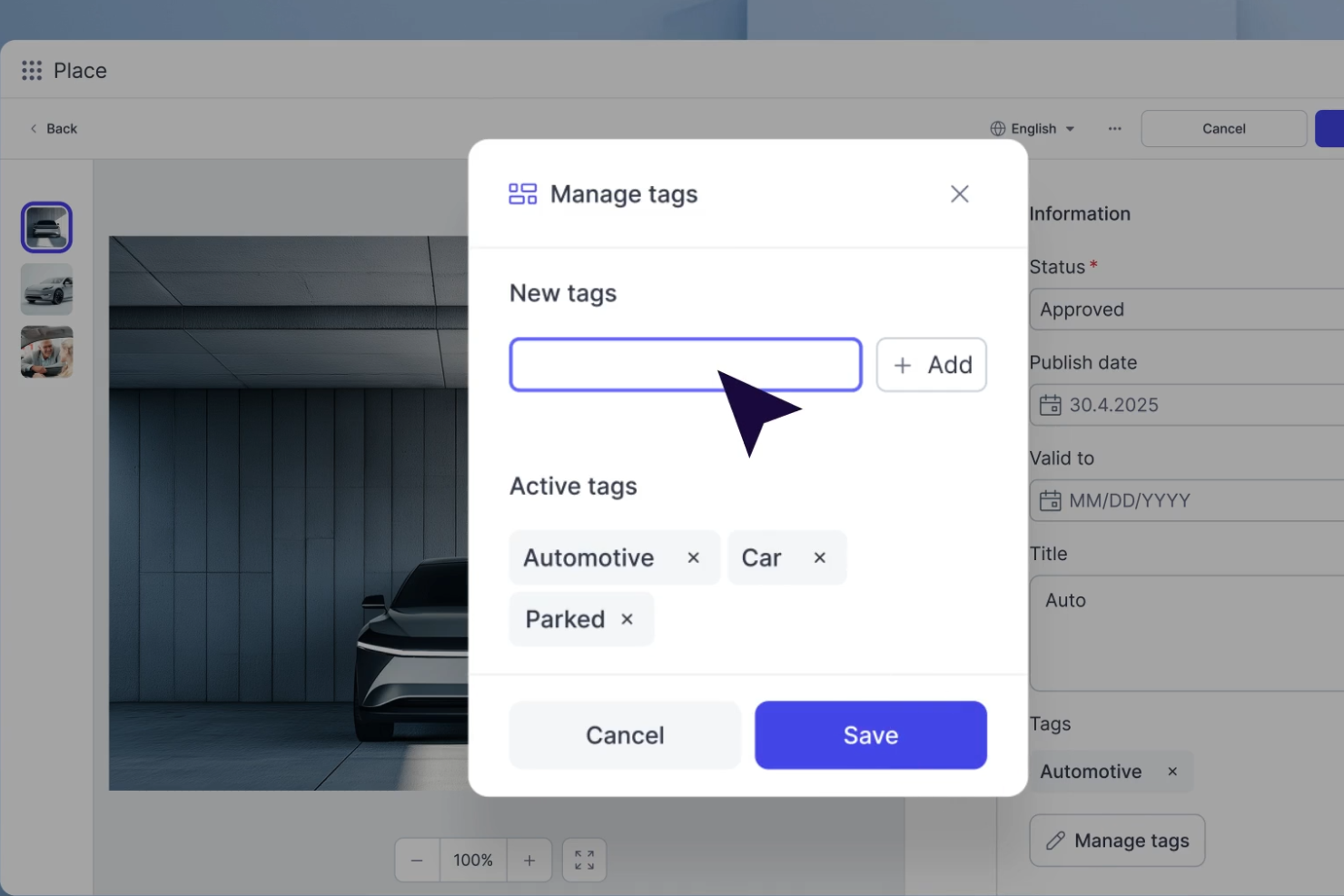
Papirfly is a cloud-based DAM platform that combines centralized asset storage, templated content creation, brand portals, and rights management for brand and marketing teams.
Who Is Papirfly Best For?
Papirfly is a strong fit for mid-to-large enterprise marketing and brand teams that manage high volumes of assets across multiple markets, channels, or regions.
Why I Picked Papirfly
I've included Papirfly in my top picks because the granular permission controls go well beyond basic role assignments. You can restrict asset access by office, region, or role, which means a regional marketing team in Germany only sees the assets approved for their market. I also like that permission controls tie directly into approval workflows, so only the right users can sign off on assets before they reach a portal or distribution channel.
Papirfly Key Features
- Natural language search: Describe what you need in plain text, and AI-powered search finds matching assets without exact filenames or rigid taxonomy.
- Duplicate detection: AI visual and metadata analysis flags duplicate files at upload, keeping the library clean and version-controlled.
- Facial recognition: Automatically identifies people within assets to flag consent status and support GDPR-compliant image and video distribution.
- Portal analytics: Track asset usage, downloads, and engagement by region to measure brand adoption across markets.
Papirfly Integrations
Integrations include Adobe Creative Cloud, Adobe Commerce, Akamai, Akeneo, Asana, BigCommerce, Canva, Contentful, DeepL, and Dynamics 365.
Pros and Cons
Pros:
- Non-designers can create assets independently
- Built-in brand portals for regional distribution
- Locked templates prevent off-brand assets
Cons:
- No native video editing tools
- Lack flexibility for project templates
New Product Updates from Papirfly

Papirfly Prove Enterprise Adds Analytics Agent
Papirfly Prove Enterprise adds Analytics Agent for asking data questions in plain language and generating figures or charts. This helps users explore analytics without setting up filters or queries. For more information, visit Papirfly’s official site.
 .
Annen programvare for digital ressursforvaltning for Mac
Nedenfor finner du en liste over annen programvare for digital ressursforvaltning for Mac som jeg valgte ut. Selv om de ikke kom med blant de 10 beste, er de fortsatt verdifulle og verdt å undersøke nærmere.
- MediaValet
For global asset distribution
- Frontify
For brand-safe localized content
- Image Relay
For brand asset sharing
- Mailchimp
Asset management in a marketing platform
- Scaleflex
For AI asset optimization
- NetX
For finding spoken content in video
- Adobe Experience Manager Assets
For asset activation across Adobe apps
- Razuna
For team asset management
- Daminion
For Mac access to self-hosted archives
- PhotoShelter
For photographers and visual content


How I Evaluate Digital Asset Management Software for Mac
I split my evaluation into three parts, with the most weight on core needs: centralize files, find assets by tags, and share approved versions. Next, I look for differentiators such as AI visual search or proofing tools. Finally, I consider onboarding, support, and pricing as libraries and teams grow.
Core Functionality (Table Stakes For This List)
When I'm selecting tools for my list, I score each one on a scale from 0 (does not offer the functionality) to 5 (excels in this area) for each core functionality listed below. I then convert the total into a percentage to help assess each tool's overall fit, with extra weight on any functionalities I’ve deemed essential.
- Centralized Storage (Essential): I look for a shared library that organizes images, video, audio, and design files into collections teams can manage as projects grow.
- Metadata & Search (Essential): I assess tags, custom fields, and filters by file type or campaign to see how quickly teams can find an approved asset.
- Mac Compatibility: I check whether core workflows work on macOS, including browsing, uploading, and accessing assets from creative apps.
- Version History: I look for clear revision history and restore options, so teams can recover an earlier design after feedback changes.
- Controlled Sharing: I evaluate user and link permissions, including whether a team can share selected assets with external reviewers without exposing the full library.
- Creative Integrations: I check for connections to tools such as Adobe Creative Cloud that let designers browse or use library assets in their Mac workflows.
Once I have a list of tools that meet the criteria, I consider what sets each platform apart.
Differentiating Factors (What Sets Vendors Apart)
Here's how I compare and contrast different vendors:
Standout Features
I check whether a platform offers AI visual search, which lets teams find assets by visual similarity instead of hoping someone tagged a file correctly. I also look for proofing and annotation tools that keep feedback inside the DAM rather than scattered across email threads. Usage and rights expiration alerts matter too—especially when your library includes licensed stock imagery that could expose the team to legal risk if reused past its expiry date.
Beyond Features
I evaluate how quickly teams can find and repurpose assets under deadline pressure—an agency handling a multi-channel campaign can't afford five minutes of digging per file. I also check whether non-creative stakeholders like marketers and clients can navigate the platform without a walkthrough, since low adoption outside the design team defeats the purpose of centralizing assets. Onboarding support matters just as much; I look for migration assistance and training resources that shorten the gap between signing a contract and running real workflows.
Slik velger du programvare for digital ressursforvaltning for Mac
Det er lett å gå seg vill i lange funksjonslister og kompliserte prismodeller. For å hjelpe deg med å holde fokus mens du går gjennom den unike prosessen med å velge programvare, har jeg satt sammen en sjekkliste over faktorer du bør ha i mente:
| Faktor | Hva du bør vurdere |
|---|---|
| Skalerbarhet | Vil programvaren vokse sammen med teamet ditt? Tenk på fremtidig vekst og om verktøyet kan håndtere økende mengder data og brukere uten problemer. |
| Integrasjoner | Kan den kobles til verktøyene du bruker i dag? Sjekk om den integreres med eksisterende programvare som Adobe Creative Cloud, Google Workspace eller Salesforce. |
| Tilpasningsmuligheter | Kan du tilpasse den til arbeidsflyten din? Tenk på hvor mye du kan justere innstillinger, oppsett og alternativer for å dekke dine spesifikke behov og prosesser. |
| Brukervennlighet | Er den brukervennlig for alle? Vurder om grensesnittet er intuitivt, og om teammedlemmene raskt kan komme i gang uten en bratt læringskurve. |
| Implementering og innføring | Hvor enkelt er det å begynne å bruke den? Se nærmere på konfigureringsprosessen, tilgjengelige opplæringsressurser og hvor raskt teamet ditt kan bli fortrolig med programvaren. |
| Kostnad | Passer den inn i budsjettet ditt? Sammenlign prisen med funksjonene som tilbys, og se opp for skjulte kostnader eller nødvendige tillegg som kan øke prisen. |
| Sikkerhetstiltak | Er ressursene dine beskyttet? Sørg for at programvaren har sterke sikkerhetstiltak som kryptering, brukertillatelser og regelmessige oppdateringer for å beskytte dataene dine. |
| Tilgjengelig kundestøtte | Får du hjelp når du trenger det? Vurder hvor tilgjengelig kundestøtten er, om den er åpen døgnet rundt, og utvalget av støttekanaler som chat, e-post eller telefon. |
Trender innen programvare for forvaltning av digitale ressurser for Mac
DAM-programvare utvikler seg raskt, påvirket av de nyeste teknologiske fremskrittene og endrede brukerforventninger. Her er noen av utviklingene jeg har lagt merke til i DAM-markedet, og som lover å gi Mac-brukere kraftigere, mer intuitive og effektive verktøy for håndtering av digitale ressurser.
- AI-drevet metadata og merking: Kunstig intelligens er nå en sentral del av DAM-programvare og automatiserer prosesser for metadata og merking. Dette reduserer behovet for manuell registrering, gjør søk raskere og forbedrer presisjonen ved henting av ressurser, noe som gjør dette til et viktig fremskritt for effektiviteten.
- Integrasjon på tvers av plattformer: DAM-systemer tilbyr i økende grad integrasjon på tvers av plattformer og kobler seg til ulike forretningsverktøy. Denne tilkoblingen er viktig fordi den forenkler arbeidsflyter og reduserer behovet for å veksle mellom applikasjoner, noe som sparer tid og ressurser.
- Avanserte sikkerhetstiltak: Sikkerheten i DAM-plattformer blir stadig strengere, med innføring av sofistikerte tilgangskontroller. Dette er avgjørende for å beskytte digitale ressurser mot økende cybertrusler og sikre at tilgangen begrenses til autorisert personell.
- Forenklet innholdsdistribusjon: DAM-programvare muliggjør direkte distribusjon av innhold til nettforhandlere gjennom dynamisk bildebehandling og syndikering. Dette er en fremtidsrettet trend som er viktig for å opprettholde merkevarekonsistens og fremskynde prosessen for innholdslevering.
- Samarbeidsbasert redigering i sanntid: Muligheten for team til å redigere og merke ressurser i sanntid blir stadig mer vanlig i DAM-løsninger. Dette er bemerkelsesverdig på grunn av den positive effekten på samarbeidet, ettersom det muliggjør umiddelbare tilbakemeldinger og oppdateringer, noe som igjen fremskynder prosjektgjennomføringen.
Hva er programvare for forvaltning av digitale ressurser for Mac?
Programvare for forvaltning av digitale ressurser for Mac gir Mac-brukere en sentralisert plattform for effektiv håndtering av digitale ressurser. Den er utviklet for å hjelpe brukere med å organisere, lagre og hente frem ulike digitale filer, som bilder, videoer, lydfiler og dokumenter, effektivt på macOS-systemer.
Funksjoner
Når du velger programvare for forvaltning av digitale ressurser for Mac, bør du se etter følgende viktige funksjoner:
- Metadatamerking: Hjelper med å kategorisere og finne ressurser raskt ved å tildele beskrivende merker.
- Versjonskontroll: Sporer endringer i filer og sikrer at du alltid har tilgang til den nyeste versjonen.
- Sikker deling: Lar deg dele filer med teammedlemmer eller kunder samtidig som du beholder kontrollen over tilgangstillatelser.
- Tilpassbare arbeidsflyter: Lar deg tilpasse prosesser slik at de dekker teamets spesifikke behov og forbedrer effektiviteten.
- AI-drevet innholdsmerking: Kategoriserer ressurser automatisk, noe som sparer tid og reduserer manuelt arbeid.
- Avanserte søkefunksjoner: Gjør det mulig å hente frem filer raskt ved hjelp av nøkkelord, merker eller andre kriterier.
- Analyse og rapportering: Gir innsikt i bruk og ytelse for ressurser og hjelper deg med å ta datadrevne beslutninger.
- Støtte for integrasjoner: Kobler seg til eksisterende verktøy som Adobe Creative Cloud eller Google Workspace for en mer sømløs arbeidsflyt.
- Skalerbarhet: Sikrer at programvaren kan vokse sammen med teamet ditt og håndtere økende mengder data og brukere.
- Brukervennlig grensesnitt: Gjør det enkelt for teammedlemmer å navigere i og bruke programvaren uten omfattende opplæring.
Fordeler
Implementering av programvare for forvaltning av digitale ressurser for Mac gir flere fordeler for teamet og virksomheten din. Her er noen av fordelene du kan se frem til:
- Tidsbesparelser: Finn og hent frem filer raskt ved hjelp av metadatamerking og avanserte søkefunksjoner.
- Forbedret samarbeid: Del ressurser sikkert med teamet og kundene dine, slik at alle får tilgang til de riktige filene.
- Konsekvent merkevareprofil: Oppretthold en konsekvent merkevareprofil med versjonskontroll og tilpassbare arbeidsflyter som holder ressursene oppdaterte og i tråd med merkevaren.
- Økt produktivitet: Automatiser repetitive oppgaver som innholdsmerking med AI-drevne funksjoner, slik at du frigjør tid til viktigere arbeid.
- Datadrevne beslutninger: Bruk analyse og rapportering for å få innsikt i bruk og ytelse for ressurser, slik at du kan ta velinformerte valg.
- Skalerbar vekst: Håndter enkelt mer data og flere brukere etter hvert som teamet vokser, takket være skalerbare programvarefunksjoner.
- Brukervennlig opplevelse: Få fordel av et intuitivt grensesnitt som reduserer læringskurven og hjelper teamet med å komme raskt i gang.
Kostnader og priser
Å velge programvare for håndtering av digitale ressurser for Mac krever en forståelse av de ulike prismodellene og abonnementene som er tilgjengelige. Kostnadene varierer basert på funksjoner, teamstørrelse, tillegg og mer. Tabellen nedenfor oppsummerer vanlige abonnementer, gjennomsnittsprisene deres og typiske funksjoner som er inkludert i løsninger for programvare for håndtering av digitale ressurser for Mac:
Sammenligningstabell for programvare for håndtering av digitale ressurser for Mac
| Plantype | Gjennomsnittspris | Vanlige funksjoner |
|---|---|---|
| Gratisabonnement | $0 | Grunnleggende lagring, begrensede delingsalternativer og enkle søkemuligheter. |
| Personlig abonnement | $5-$15/bruker/måned | Utvidet lagring, tagging av metadata og grunnleggende samarbeidsverktøy. |
| Forretningsabonnement | $25-$50/bruker/måned | Avansert søk, sikker deling samt analyse og rapportering. |
| Virksomhetsabonnement | $75-$150/bruker/måned | Tilpassbare arbeidsflyter, omfattende integrasjoner og dedikert brukerstøtte. |
Vanlige spørsmål om programvare for håndtering av digitale ressurser for Mac
Her er noen vanlige spørsmål jeg får om programvare for håndtering av digitale ressurser for Mac:
Hvordan bidrar DAM-programvare til en konsekvent merkevareprofil?
DAM-programvare opprettholder en konsekvent merkevareprofil ved å tilby et sentralisert arkiv for alle merkevareressurser, kontrollert tilgang som sikrer at bare godkjent materiale brukes, konsekvent kommunikasjon gjennom tilgang til godkjente merkevareressurser og kommunikasjonsdokumenter samt effektivitet og hurtighet ved produksjon av konsekvent innhold i tråd med merkevaren.
Hva er forskjellen mellom DAM-programvare og skylagringstjenester som Google Drive eller Dropbox?
Google Drive, Dropbox og lignende tjenester kan lagre filer, men DAM-programvare tilbyr ekstra funksjonalitet, for eksempel korrektur og godkjenning av innhold, endring av bildestørrelse, endring av videoformater, fildeling gjennom integrasjoner og avansert tagging av metadata. Disse tilleggsfunksjonene gjør DAM-programvare bedre egnet til å håndtere et bredt spekter av digitale ressurser i en profesjonell sammenheng.
Hva er de beste metodene for å organisere ressurser i DAM-programvare?
De beste metodene for å organisere ressurser i DAM-programvare omfatter konsekvente navnekonvensjoner, bruk av metadata for enkelt søk og organisering, utvikling av en logisk mappestruktur, grundig versjonshåndtering og regelmessige gjennomganger for å fjerne utdaterte ressurser og omorganisere innhold etter behov.
Kan programvare for håndtering av digitale ressurser for Mac integreres med andre Apple-applikasjoner og -tjenester?
Ja, mange løsninger for håndtering av digitale ressurser, for eksempel DAM-programvare for fotografer, som er utviklet for Mac, tilbyr integrasjoner med populære Apple-applikasjoner og -tjenester som iCloud, Bilder, Final Cut Pro og andre. Disse integrasjonene legger til rette for smidige arbeidsflyter, slik at brukerne kan få direkte tilgang til og administrere ressurser i verktøyene i sitt foretrukne Mac-økosystem.