

10 beste Kissflow-alternativer for arbeidsflytstyring i 2026

Kortliste over de beste alternativene til Kissflow


Kissflow er en digital arbeidsplassplattform som jeg bruker til å administrere arbeidsflyter og automatisere forretningsprosesser. Noen ganger ser jeg imidlertid etter lignende løsninger for å imøtekomme spesifikke prosjektbehov eller utforske ulike brukergrensesnitt og funksjoner som kan passe bedre med teamets preferanser. Her er mine anbefalinger av de beste alternativene til Kissflow.
Hva er Kissflow?
Kissflow er et skybasert automatiseringsverktøy som er utviklet for å administrere ulike forretningsprosesser og arbeidsflyter. Det er tilpasset organisasjoner av alle størrelser på tvers av flere bransjer, med mål om å automatisere og forenkle administrasjonen av prosessene deres. Programvaren brukes til å opprette, utforme og spore prosesser med minimal koding, noe som er avgjørende for å forbedre effektiviteten og opprettholde kontrollen over forretningsdriften.
Kissflow tilbyr verktøy for arbeidsflytadministrasjon, prosjektstyring, saksbehandling og samarbeid, slik at brukerne kan administrere forretningsapplikasjoner og arbeide effektivt.
Why Trust Our Software Recommendations
Our team has been testing and reviewing software since 2012. As project managers ourselves, we know how difficult—and important—it is to choose the right software.
For this guide, we evaluated tools using hands-on testing and independent research, scoring tools using our selection criteria. We also draw on insights from industry thought leaders and practicing project management experts.
Our reviews reflect our human editorial judgment, not a sales pitch.
Expert reviewers:
Sammenligningstabell for alternativer til Kissflow
Denne sammenligningstabellen oppsummerer prisopplysningene for mine beste utvalgte alternativer til Kissflow:
| Tool | Best For | Trial Info | Price | ||
|---|---|---|---|---|---|
| 1 | Best for all-in-one workspace | Free plan available | From $10/user/month (billed annually) | Website | |
| 2 | Best for centralized project tracking | 14-day free trial + free demo available | From $45/month (billed annually) | Website | |
| 3 | Best for client work management | Free plan + 14-day free trial available | From $9.99/user/month (billed annually) | Website | |
| 4 | Best for integrated team collaboration | Not available | Pricing upon request | Website | |
| 5 | Best for customizable workspaces | 30-day free trial + free plan + free demo available | From $11.20/user/month (billed annually) | Website | |
| 6 | Best for agile software development | Free plan + 14-day free trial available | From $25/user/month | Website | |
| 7 | Best for visual project planning | Free plan available | From $5/user/month (billed annually) | Website | |
| 8 | Best for custom automated workflows | 14-day free trial | Pricing upon request | Website | |
| 9 | Best for comprehensive project management | Free plan + 15-day free trial + free demo available | From $4/user/month (billed annually) | Website | |
| 10 | Best for professional services automation | Free demo available | Pricing upon request | Website |

Oversikt over de beste alternativene til Kissflow
Her finner du en detaljert analyse og oversikt over hvert alternativ til Kissflow. Nedenfor finner du fordeler og ulemper, funksjoner og ideelle bruksområder for hver automatiseringsplattform.
Notion
Best for all-in-one workspace
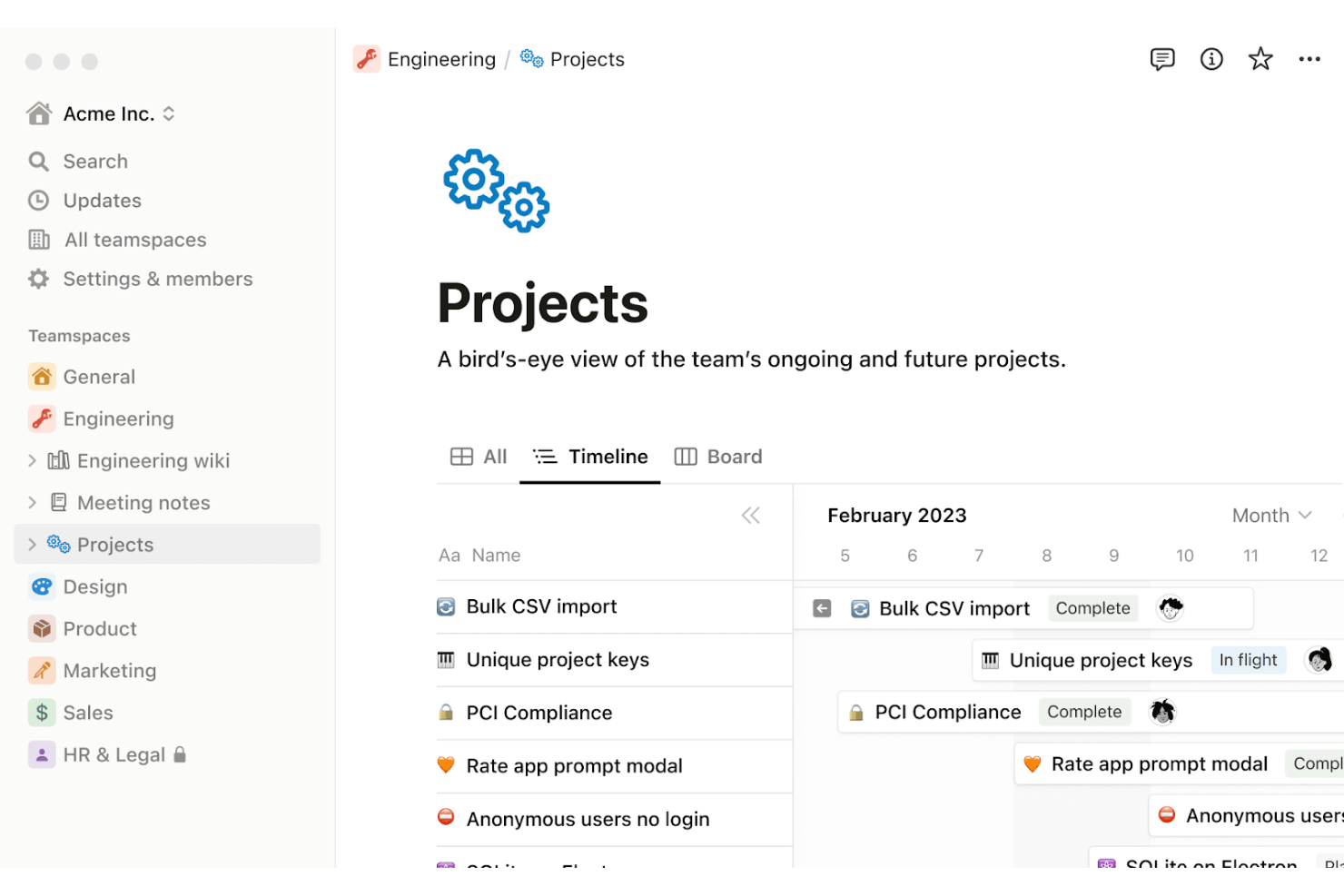
Notion is a comprehensive workspace platform that integrates various work tools into one system. It is best for creating an all-in-one workspace because it combines notes, tasks, wikis, and databases with robust tools for project management and collaboration.
Why it's a good Kissflow alternative:
I chose Notion for the list because it offers a unique combination of documentation, data management, and project tracking in a single platform. This makes it a standout alternative to Kissflow, especially for teams looking for a versatile workspace that can adapt to multiple use cases and workflows.
Standout features & integrations:
Notion's most important features include its powerful note-taking and documentation capabilities, customizable wikis, and flexible project management tools.
Notion integrates natively with a variety of other tools, including Slack, GitHub, Google Calendar, Figma, Asana, Trello, Jira, Typeform, Evernote, and Zendesk.
Pros and Cons
Pros:
- Extensive integration capabilities with other tools
- Highly customizable and flexible for various use cases
- All-in-one workspace that combines notes, tasks, wikis, and databases
Cons:
- Limited offline capabilities
- May be slower for large databases

ProofHub
Best for centralized project tracking
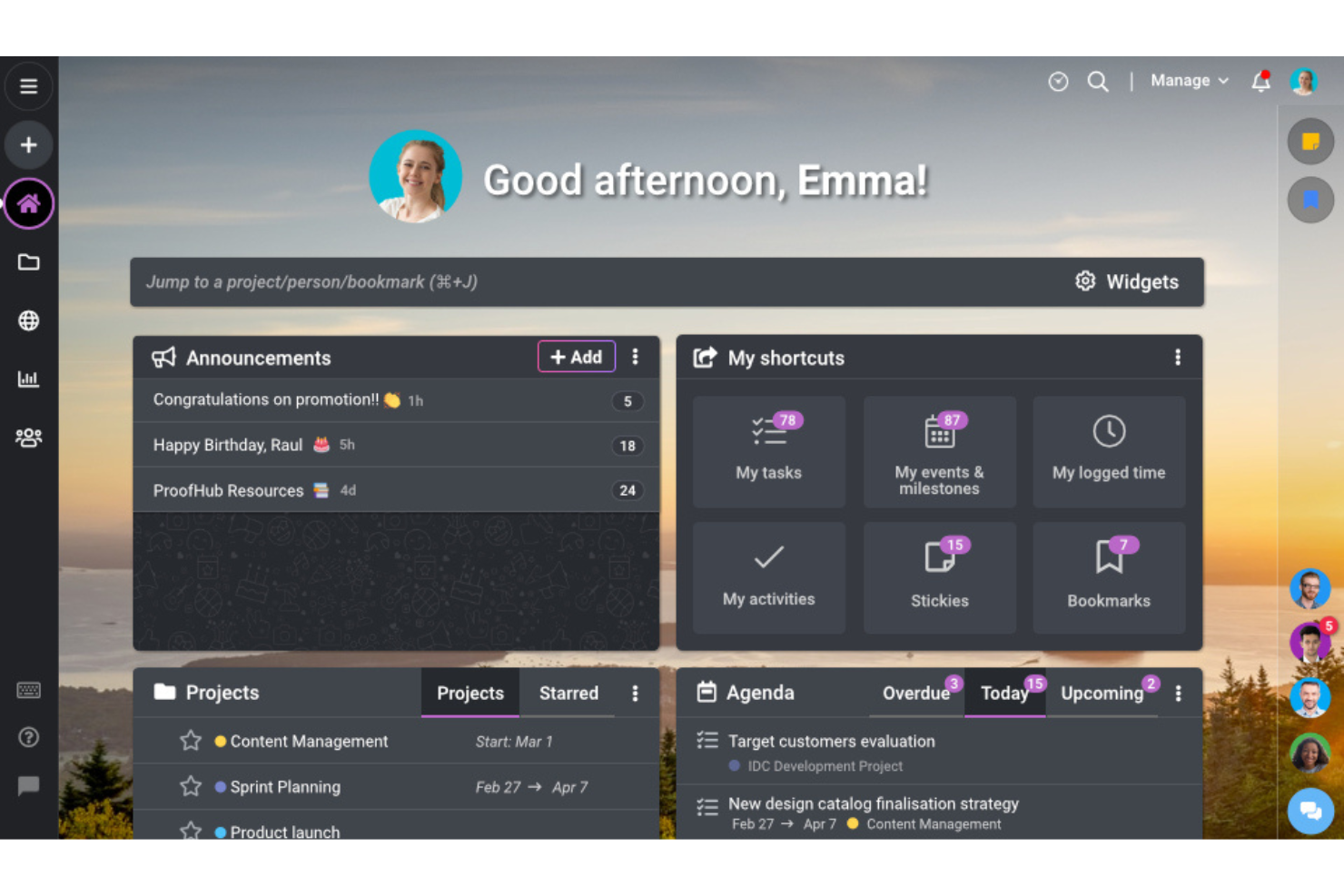
ProofHub is a project management tool that centralizes all project information and tracking. It is best for centralized project tracking because it offers a single platform for planning, collaborating, organizing, and delivering projects efficiently.
Why it's a good Kissflow alternative:
I chose ProofHub as a Kissflow alternative because it provides several project management features without charging a per-user fee, making it cost-effective for teams of all sizes. Its centralized approach to project tracking and management makes it stand out as a robust solution for teams looking to streamline their processes.
Standout features & integrations:
ProofHub most important features include task management, Gantt charts for planning, board and table views for task organization, calendars for scheduling, and time tracking for productivity. It also includes collaboration tools such as discussions, proofing, notes, announcements, and chat, which facilitate team communication and coordination.
ProofHub integrates with several tools, including Google Drive, OneDrive, Dropbox, Box, FreshBooks, QuickBooks, Slack, Microsoft Teams, Google Calendar, and Outlook.
Pros and Cons
Pros:
- Positive customer feedback
- Comprehensive project management features
- Flat pricing model with no per-user fee
Cons:
- Offers fewer customization options
- Limited reporting features

Best for client work management
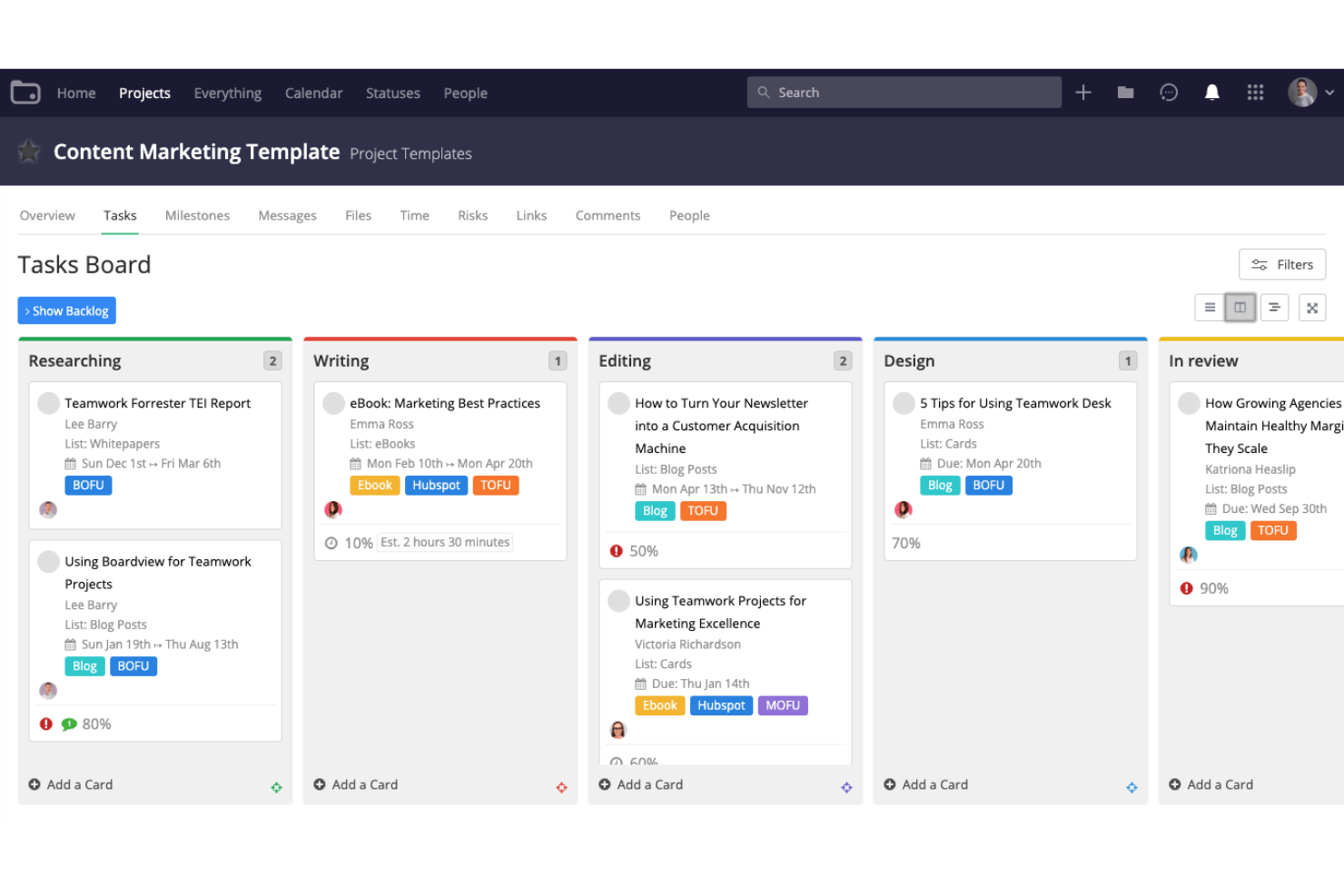
Teamwork is a project management platform tailored for client work. It excels in managing client projects, timelines, and billable minutes, making it best for client work management.
Why it's a good Kissflow alternative:
I chose Teamwork for the list because it offers various features specifically designed for client work management. Its ability to streamline workflows and provide a centralized system for managing client relationships makes it a valuable Kissflow alternative.
Standout features & integrations:
Teamwork's most important features include time tracking, resource management, and customizable project templates.
Teamwork integrates with a variety of tools, including Slack, Google Drive, Dropbox, Microsoft Teams, Microsoft Office 365, QuickBooks, Xero, Harvest, HubSpot, and Zendesk.
Pros and Cons
Pros:
- Comprehensive project templates
- Offers a 30-day free trial
- Tailored for client work management
Cons:
- Limited functionality on mobile applications
- Steep learning curve

Best for integrated team collaboration
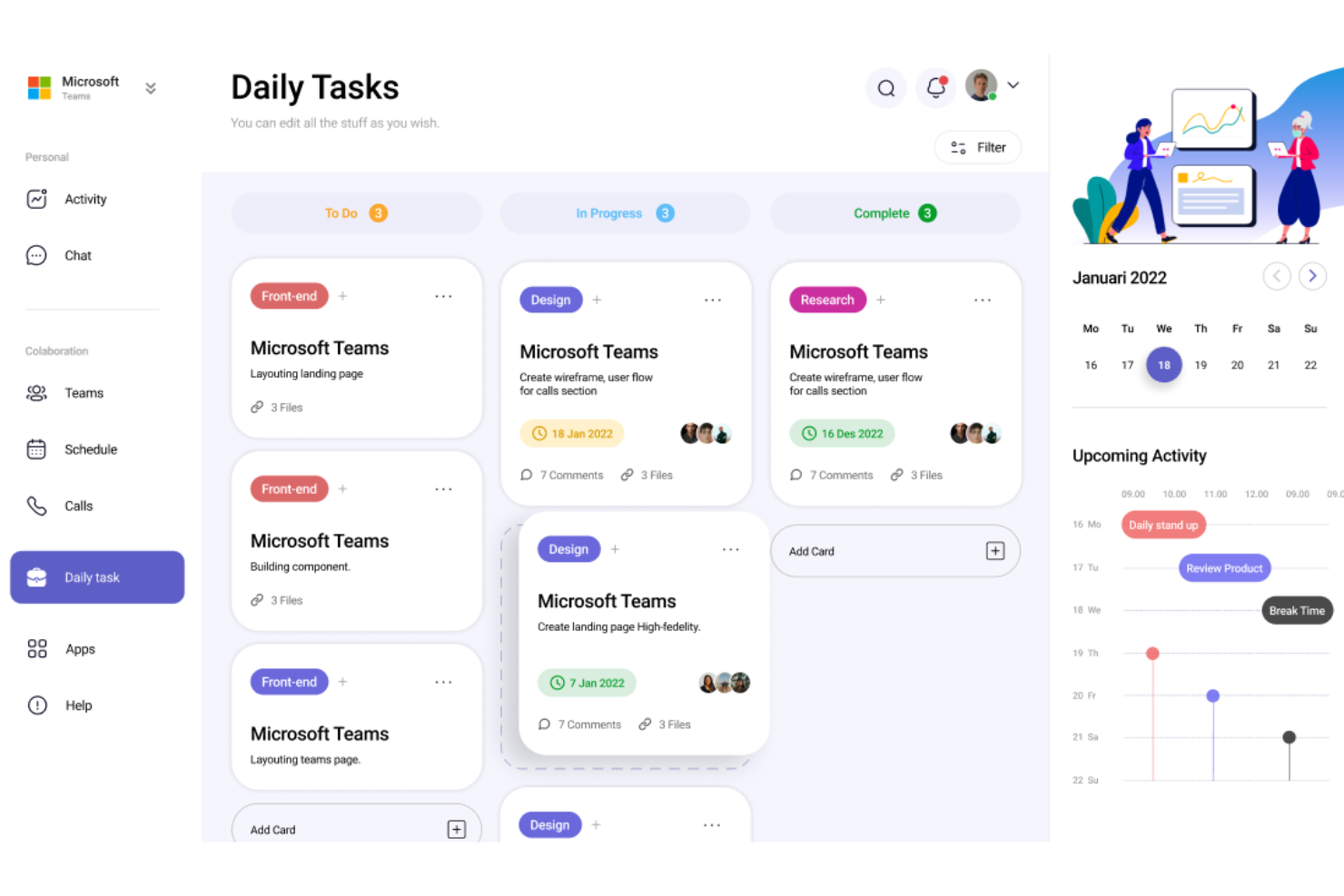
Microsoft Teams is a unified communication and collaboration platform. It’s best for integrated team collaboration due to its extensive suite of tools that facilitate chat, video meetings, file storage, and integration with other Microsoft 365 apps.
Why it's a good Kissflow alternative:
I chose Microsoft Teams for the list because it offers a robust set of features that are essential for team collaboration. Its deep integration with Microsoft 365 makes it a compelling alternative to Kissflow, especially for organizations already invested in the Microsoft ecosystem.
Standout features & integrations:
Microsoft Teams' most important features include chat, video conferencing, file sharing, and real-time collaboration on Office documents.
Microsoft Teams integrates natively with a range of tools including Outlook, OneNote, SharePoint, Word, Excel, PowerPoint, OneDrive, Power BI, and many more.
Pros and Cons
Pros:
- Availability of a free version
- Extensive communication and collaboration features
- Deep integration with Microsoft 365
Cons:
- Limited notification and customization options
- May require additional Microsoft 365 subscriptions for full functionality

Podio
Best for customizable workspaces
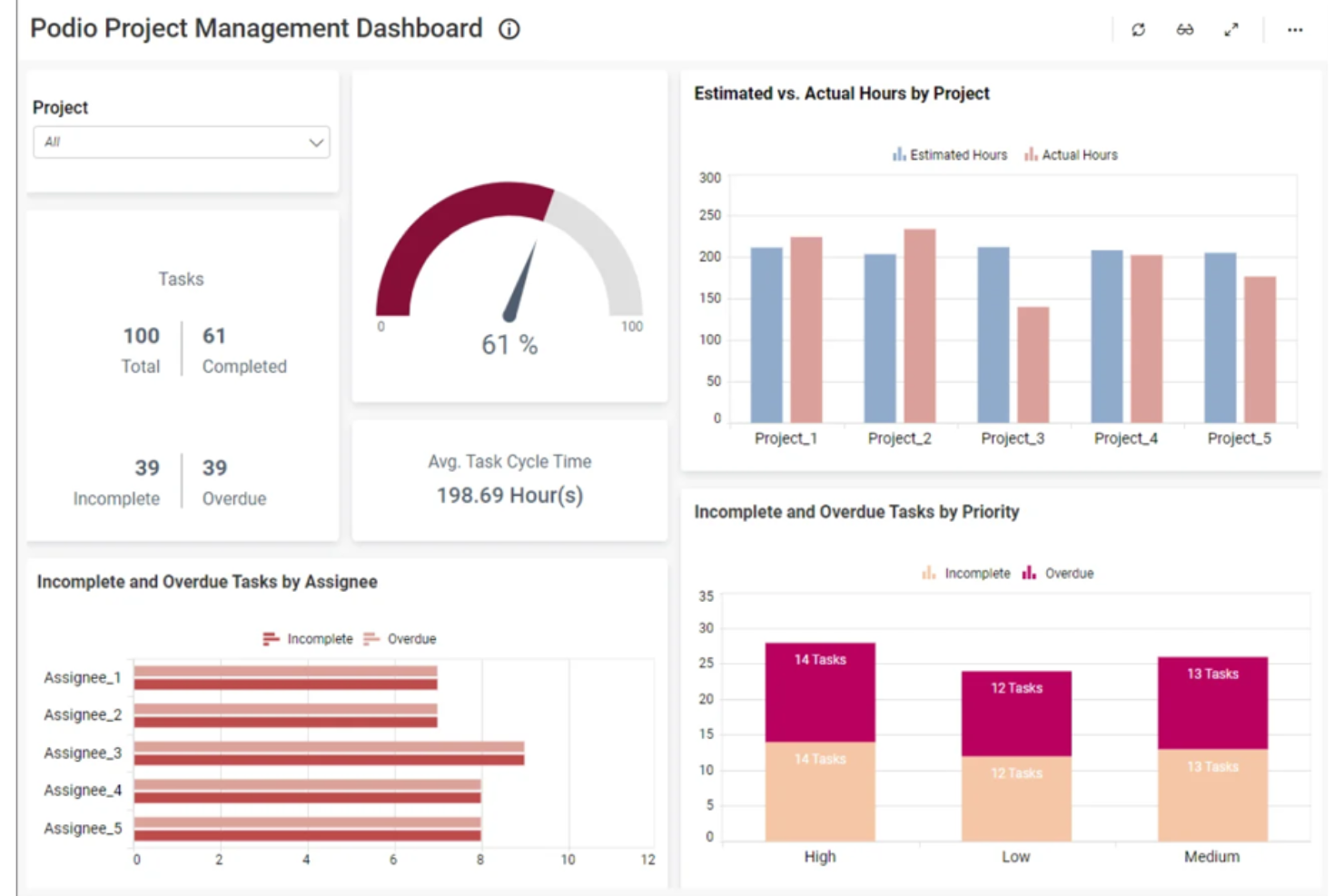
Podio is a platform that enables customizable workspaces and streamlined workflows. It is best for customizable workspaces due to its flexibility in creating and tailoring workspaces to fit team needs.
Why it's a good Kissflow alternative:
I chose Podio for the list because it offers a high degree of customization for workspaces, which is essential for teams that have specific workflow requirements. This flexibility makes it a strong alternative to Kissflow, as it can be tailored to various business processes and team dynamics.
Standout features & integrations:
Podio's most important features include task management, automated workflows, and a centralized work hub. It also offers user management, unlimited client users, and visual reports.
Podio natively integrates with Google Drive, Dropbox, Zapier, Evernote, Google Calendar, Campaign Monitor, FreshBooks, GoToMeeting, Harvest, and Zendesk.
Pros and Cons
Pros:
- Comprehensive task and workflow automation
- Advanced user management options
- Highly customizable workspaces
Cons:
- May operate slower with larger volumes of data
- Limited task management features
Best for agile software development

Jira by Atlassian is a powerful tool designed for agile software development teams to track, manage, and plan their work. It is best for agile development due to its flexible project and issue tracking system, which supports various agile methodologies such as Scrum and Kanban.
Why it's a good Kissflow alternative:
I chose Jira as a Kissflow alternative because it offers a robust set of features tailored for agile software development teams. Its ability to adapt to different agile frameworks and provide detailed reporting and insights makes it a standout choice for teams looking to improve their development processes.
Standout features & integrations:
Jira's most important features include customizable workflows, real-time reporting, and insights, as well as advanced planning tools like roadmaps and sprint planning.
Jira integrates natively with a variety of tools, including Confluence, Bitbucket, GitHub, Slack, Trello, Zendesk, Salesforce, and more.
Pros and Cons
Pros:
- Extensive integration capabilities
- Supports various agile methodologies
- Highly customizable workflows
Cons:
- May require time to set up effectively
- Can be complex for new users

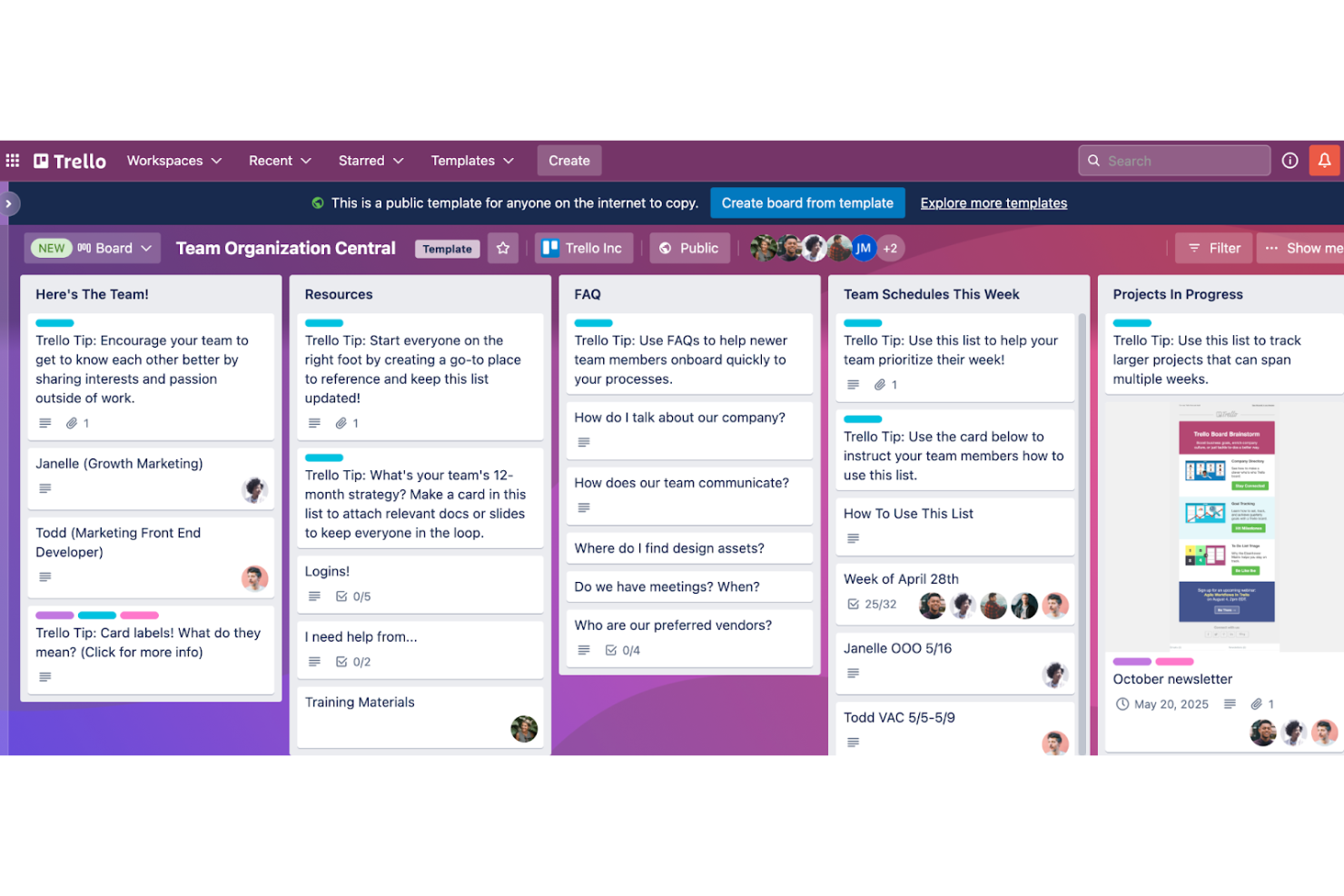
Trello is a web-based project management application that simplifies task organization and workflow visualization. It is best for visual project planning due to its intuitive board, list, and card system which allows users to see the status of work at a glance.
Why it's a good Kissflow alternative:
I chose Trello for the list because it offers a highly visual and flexible approach to project management, which is ideal for teams that rely on visual cues and real-time updates. Its simplicity and ease of use make it a strong contender as an alternative to Kissflow, especially for those who prefer a more visual workflow and user experience.
Standout features & integrations:
Trello's most important features include customizable boards, lists, and cards, which can be used to create a visual representation of any workflow. It also offers no-code automation with Butler, helping to reduce repetitive tasks.
Trello integrates with a variety of tools such as Slack, Google Drive, Dropbox, GitHub, Evernote, Mailchimp, Salesforce, and more.
Pros and Cons
Pros:
- Wide range of integrations
- Flexible and customizable workflow
- Intuitive visual interface
Cons:
- May not be suitable for highly complex project management needs
- Can become cluttered with large amounts of cards

Wrike
Best for custom automated workflows
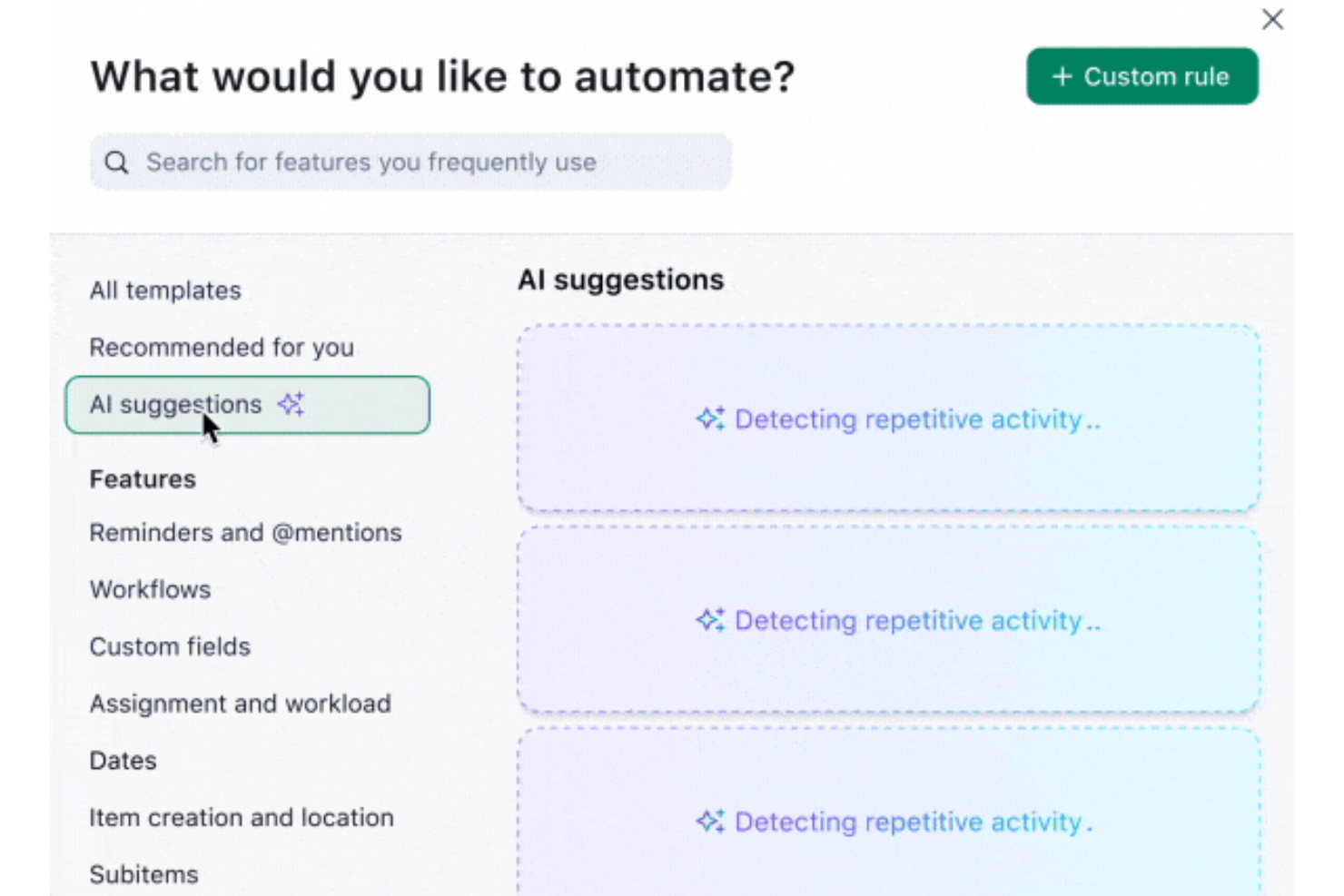
Wrike is a versatile work management platform designed to help your team plan, execute, and monitor projects efficiently. It offers a centralized workspace where you can manage tasks, collaborate with team members, and track progress in real-time.
Why it's a good Kissflow alternative:
I chose Wrike for its customizable, automated workflows and task management capabilities. With Wrike, you can create workflows that align with your team's specific processes, ensuring that tasks move seamlessly from initiation to completion. This flexibility allows you to adapt the platform to your unique needs, enhancing productivity and accountability within your team.
Standout features & integrations:
Wrike's most important features include task prioritization, file sharing, document editing, calendar synchronization, workload views, custom dashboards, reporting and analytics, mobile app access, approval workflows, budget tracking, and risk management.
Wrike integrates with Salesforce, Microsoft Teams, Zoom, Adobe Creative Cloud, Google Drive, Microsoft SharePoint, OneDrive, Wrike for Gmail, Google Sheets, Power BI, Miro, and Trello.
Pros and Cons
Pros:
- Workflow automation capabilities
- Good resource management features
- Various project views
Cons:
- Limited storage on lower-tier plans
- Can be complicated to learn the platform
New Product Updates from Wrike
Wrike Adds Klaxoon MCP Integration
Wrike’s Klaxoon MCP integration is now generally available, enabling AI agents to navigate between Wrike tasks and attached whiteboards, read task context, and manage whiteboard attachments via API. For more information, visit Wrike's official site.

Best for comprehensive project management
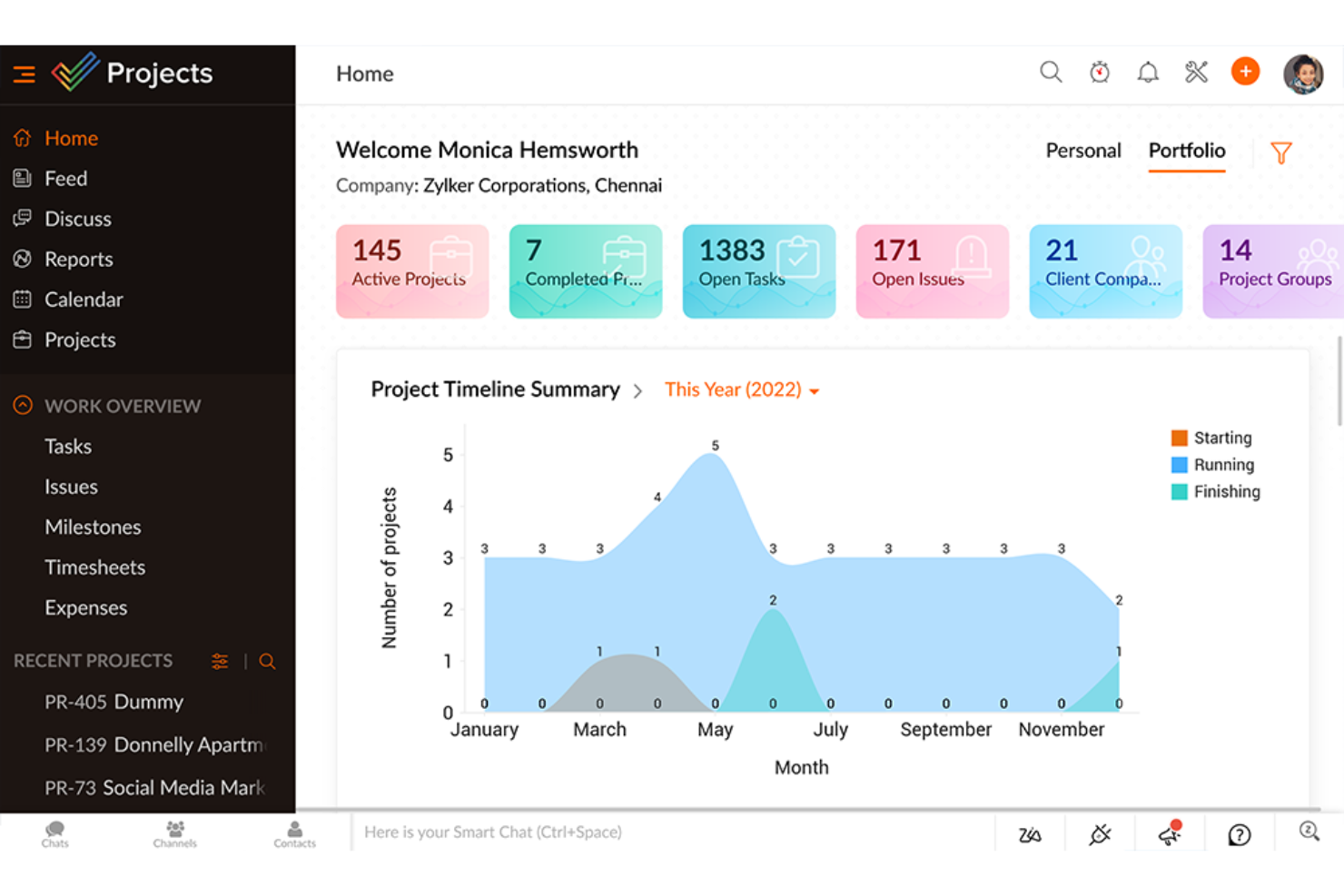
Zoho Projects is a robust online project management tool. It stands out for its ability to handle a wide range of project management tasks effectively.
Why it's a good Kissflow alternative:
I chose Zoho Projects for the list because it offers a full suite of project management features that can cater to various industries and project types. Its flexibility and extensive feature set make it a strong contender as an alternative to Kissflow.
Standout features & integrations:
Zoho Projects' most imporant features include task automation, time tracking, Gantt charts, and issue tracking capabilities.
Zoho Projects’ integrations include Zoho CRM, Zoho Analytics, Zoho Desk, Microsoft Teams, Slack, Dropbox, GitHub, BitBucket, GitLab, and more.
Pros and Cons
Pros:
- Wide range of integrations
- Customizable to fit various workflows
- Several project management features
Cons:
- Free plan is limited to 3 users and 2 projects
- Can be overwhelming due to the number of features
New Product Updates from Zoho Projects
Zoho Projects Adds CodeX Scripts for Custom Modules
Zoho Projects now supports CodeX Scripts for custom modules, enabling conditional logic and rules for creating, updating, and deleting records. For more information, visit Zoho Projects' official site.
 .
.
Kantata
Best for professional services automation
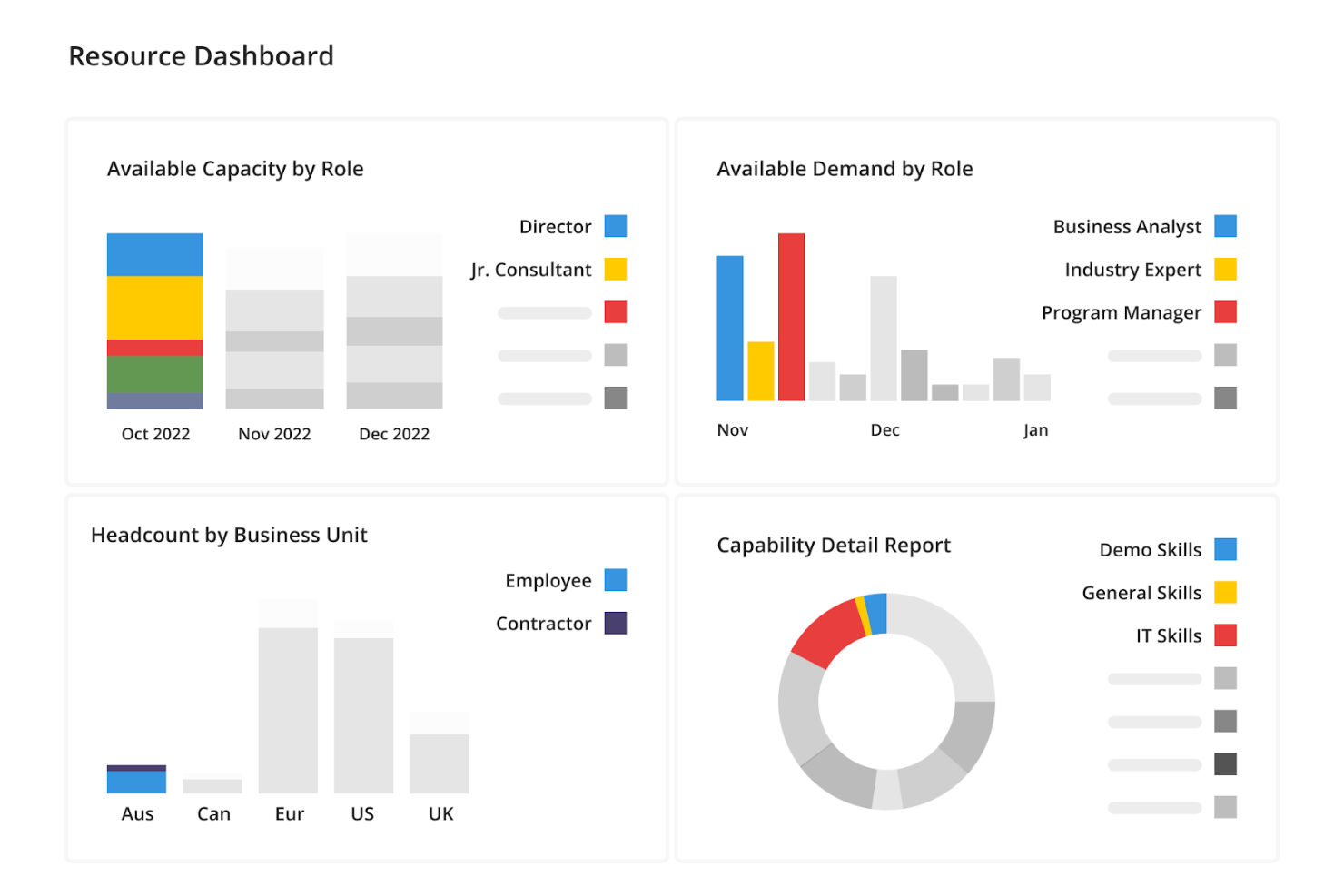
Kantata is a platform designed to streamline project management and resource planning. It stands out for its ability to automate and improve the efficiency of professional services.
Why it's a good Kissflow alternative:
I selected Kantata for this list because it provides a robust solution for managing professional services. Its emphasis on automation and improving project outcomes makes it a noteworthy alternative to Kissflow for businesses in the professional services sector.
Standout features & integrations:
Kantata most important features cater to project management, resource planning, and financial insights. It is built to support the delivery of projects with efficiency and precision.
Kantata integrates with Salesforce, HubSpot, Jira, QuickBooks, Xero, Slack, Google Workspace, Microsoft Teams, Zoom, and Adobe Creative Cloud.
Pros and Cons
Pros:
- Offers a suite of tools for project management
- Emphasizes resource and financial management
- Tailored for professional services automation
Cons:
- May require a learning curve for new users
- Higher starting price point
New Product Updates from Kantata

Kantata Adds Access Group Change History
Kantata adds Access Groups History, letting account administrators track changes to group details, membership, and permissions in Recent History. The update also makes these events available through the Subscribed Events API for broader monitoring. For more information, visit Kantata’s official site.
 .
.Andre alternativer til Kissflow du bør vurdere
Her er en liste over flere alternativer til Kissflow som ble valgt ut, men som fortsatt gir stor verdi:
- Smartsheet
For spreadsheet-like project management
- Basecamp
For team communication
- Freedcamp
For freelancers and SMBs
- Adobe Workfront
For enterprise-level solutions
- Freshservice
For IT service management
- monday AI Workspace
For workflow customization
- Taskworld
For visual task boards
- Airtable
For database-driven projects
- Nifty
For milestone-driven planning
- HoneyBook
For client-focused businesses


How I Evaluate Kissflow Alternatives
I look at these tools in two layers—core capabilities like workflow automation and low-code app building that every contender must have, plus differentiators that set the best options apart.
Core Functionality (Table Stakes For This List)
When I'm selecting tools for my list, I rank each one on a scale from 0 (does not offer the functionality) to 5 (excels in this area) for each core functionality listed below. Then, I calculate the tool's total score into a percentage. Each tool needs to achieve a minimum total score of 75% to be considered for inclusion.
- Workflow Automation: I evaluate whether a tool supports multi-step, conditional workflows—things like purchase order approvals that route based on dollar thresholds or team.
- Low-Code/No-Code App Building: Each platform should let non-developers build custom apps and forms, like an employee onboarding tracker, using drag-and-drop tools.
- Project & Task Management: I look for task assignment, dependencies, and progress views (Kanban, Gantt, timeline) that keep cross-functional delivery on track.
- Process Modeling & BPM: Visual process designers matter here—I check whether you can map a structured process like change requests with branching logic and role assignments.
- Collaboration & Communication: Teams need in-context collaboration tied to workflows and tasks, such as threaded comments, mentions, and shared workspaces.
- Integrations & API Access: I check for prebuilt connectors to tools like Jira, Slack, and Salesforce, plus open API and webhook support for custom connections.
Once I have a list of tools that meet this criteria, I consider what sets each platform apart.
Differentiating Factors (What Sets Vendors Apart)
Here's how I compare and contrast different vendors:
Standout Features
Process analytics dashboards are a major differentiator—I look for tools that surface cycle times, SLA compliance, and bottleneck data so PMO leads can continuously refine how work moves. External user portals also matter when your workflows involve vendors or clients submitting requests without needing full platform licenses. For teams managing compliance-sensitive processes like change approvals, version control and audit trails provide a clear record of every modification and the ability to roll back when needed.
Beyond Features
Pricing structure is something I always evaluate closely—some platforms charge per user while others price by workflow volume, which changes the math entirely for teams scaling from a handful of processes to hundreds. I also check for compliance certifications like SOC 2, ISO 27001, and HIPAA readiness, especially when teams handle sensitive data in regulated industries. Implementation support matters too. A platform with strong documentation, active community forums, and professional services tends to deliver faster time-to-value for operations teams rolling out their first automated workflows.
Hvorfor se etter et alternativ til Kissflow?
Det kan være lurt å se etter et alternativ til Kissflow hvis du:
- Trenger en spesifikk funksjon som ikke er tilgjengelig i Kissflow.
- Ser etter mer avanserte tilpasningsmuligheter for å skreddersy programvaren til unike forretningsbehov.
- Foretrekker et annet brukergrensesnitt som kan være mer intuitivt eller brukervennlig for teamet.
- Har budsjettbegrensninger som gjør Kissflows prismodell mindre attraktiv sammenlignet med andre løsninger.
- Ønsker bedre kundestøtte eller mer omfattende opplæringsressurser.
- Trenger dypere integrasjonsmuligheter med eksisterende verktøy og systemer som allerede brukes i organisasjonen.
- Ser etter en annen skala for implementering, enten for mindre team eller løsninger på virksomhetsnivå som Kissflow kanskje ikke dekker på en effektiv måte.
Funksjoner et alternativ til Kissflow bør ha
Når du velger et alternativ til Kissflow, er det viktig å vurdere funksjoner som dekker de spesifikke behovene til virksomheter som ønsker å administrere arbeidsflyter og prosesser effektivt. Dette omfatter:
- Oppretting av tilpassede arbeidsflyter: Alternativer til Kissflow bør gjøre det mulig for brukerne å opprette tilpassede arbeidsflyter som kan skreddersys til virksomhetens unike prosesser.
- Intuitivt brukergrensesnitt: Et brukergrensesnitt som er intuitivt og enkelt å navigere i, er avgjørende. Dette bør omfatte tydelige visuelle fremstillinger av arbeidsflyter, dra-og-slipp-funksjonalitet for å bygge og endre prosesser samt et ryddig kontrollpanel som gir en rask oversikt over oppgaver og statuser.
- Avansert rapportering og analyse: Detaljert rapportering og analyse er nødvendig for at virksomheter skal kunne overvåke ytelsen og ta datadrevne beslutninger. Dette innebærer muligheten til å generere tilpassede rapporter, få tilgang til sanntidsdata og visualisere måledata gjennom diagrammer og grafer.
- Rollebasert tilgangskontroll: Systemet bør gjøre det enkelt å konfigurere roller og tillatelser, tilpasset organisasjonshierarkiet og den enkeltes ansvarsområder.
- Integrasjonsmuligheter: Et robust sett med integrasjonsmuligheter mot andre forretningsverktøy er et absolutt krav. Dette omfatter standardintegrasjoner med populær programvare som CRM-, ERP- og kommunikasjonsplattformer samt API-tilgang for tilpassede integrasjoner.
- Mobiltilpasning: Med det økende behovet for tilgang på farten er tilkobling gjennom mobilapper ufravikelig. Brukerne bør kunne få tilgang til full funksjonalitet fra mobile enheter, slik at de kan administrere oppgaver, godkjenne forespørsler og overvåke arbeidsflyter hvor som helst.
- Skalerbarhet: Etter hvert som virksomheter vokser, må løsningen for arbeidsflytstyring kunne skalere i takt med dem. Dette innebærer muligheten til å håndtere et økende antall prosesser, brukere og datamengder uten redusert ytelse.
- Brukerstøtte og opplæringsressurser: Brukerstøtte og opplæringsressurser er avgjørende for å introdusere nye brukere og tilby løpende hjelp. Dette omfatter en kunnskapsbase, brukerfora, veiledning i appen og alternativer for direkte brukerstøtte.
- Lavkode: Gir mulighet for rask applikasjonsutvikling med minimalt manuelt kodearbeid, noe som muliggjør raskere levering og videreutvikling.
- Prosessautomatisering: Automatiserer repetitive oppgaver i forretningsprosesser for å øke effektiviteten og redusere menneskelige feil.
- Digital transformasjon: Integrerer digital teknologi i alle deler av en virksomhet og endrer grunnleggende hvordan virksomheten drives og leverer verdi til kundene.
- Godkjenninger: En funksjon som legger til rette for gjennomgangs- og godkjenningsprosessen i programvareapplikasjoner.
- Applikasjonsutvikling: Prosessen med å opprette et dataprogram eller et sett med programmer som utfører de ulike oppgavene en virksomhet trenger.
- Programvareutvikling: Handlingen med å skrive kode for å opprette, utvide eller vedlikeholde programvareapplikasjoner eller -systemer.
- Lavkodeplattform: Et utviklingsmiljø som bruker en visuell tilnærming med minimalt behov for koding, slik at ikke-tekniske brukere kan bygge applikasjoner.
- Innkjøp: Programvarefunksjoner som effektiviserer prosessen med å anskaffe varer og tjenester, og som sikrer kostnadseffektivitet og samsvar med retningslinjer.
Disse funksjonene er avgjørende for virksomheter som trenger en robust og fleksibel løsning for arbeidsflytstyring. Et Kissflow-alternativ med disse funksjonene vil være godt rustet til å støtte de dynamiske behovene til moderne organisasjoner.
Finnes det noen gratis alternativer til Kissflow?
Da vi så etter gratis alternativer til Kissflow, fant vi flere tilgjengelige gratisalternativer, blant annet:
- Clappia: En plattform for utvikling av apper uten kode som lar brukerne opprette mobil- og nettapper med grunnleggende Excel-kunnskaper. Den egner seg for å bygge ERP-systemer på bedriftsnivå og grunnleggende verktøy for datainnsamling.
- NocoDB: En åpen kildekode-basert #NoCode-plattform som gjør enhver database om til et smart regneark, på samme måte som Airtable.
- ClickUp: En alt-i-ett-plattform for prosjektstyring som har som mål å erstatte behovet for flere verktøy for organisasjonens arbeidsflyt.
- Zenkit: Et fleksibelt arbeidsområde som lar brukerne følge dataene sine gjennom hele livssyklusen.
- Basecamp: Et nettbasert verktøy for prosjektsamarbeid som hjelper grupper med å dele filer, overholde tidsfrister, tildele oppgaver og samle tilbakemeldinger på ett sted.
- JIRA: Et mye brukt verktøy for feilsporing, problemsporing og prosjektstyring som kombinerer smidig prosjektstyring med en tilpassbar arbeidsflyt.
- Bitrix24: En samarbeidsplattform med en rekke verktøy for styring, samarbeid, kommunikasjon og salg, som tilbyr en samlet plattform for filer, prosjekter, meldinger, oppgaver og kontakter.
Disse verktøyene tilbyr en rekke funksjoner som kan fungere som alternativer til Kissflow for dem som ønsker gratis løsninger. Hvert verktøy har sitt eget sett med funksjoner som dekker ulike aspekter ved prosjektstyring og teamsamarbeid, og de kan utforskes nærmere på de offisielle nettstedene deres.