

10 TimeCamp-alternativer for tidsregistrering av team i 2026

Beste alternativer til Timecamp – kortliste


Å administrere prosjekter kan være komplisert, og det er avgjørende å finne de riktige verktøyene som hjelper teamet ditt med å holde oversikten. Hvis du bruker Timecamp, men føler at det ikke dekker behovene dine, er du ikke alene. Mange prosjektledere ser etter alternativer når de trenger mer fleksibilitet, bedre funksjoner eller en annen tilnærming.
Etter min erfaring kan det å utforske nye programvarealternativer gi nye perspektiver på arbeidsflyten din. Jeg har testet og vurdert ulike prosjektstyringsverktøy uavhengig for å gi deg upartisk innsikt.
I denne artikkelen finner du en nøye utvalgt liste over alternativer til Timecamp som kan passe til dine spesifikke krav. Enten du trenger bedre sporing, bedre integrasjon eller unike funksjoner, har jeg det du trenger. La oss utforske de riktige prosjektstyringsverktøyene for deg og teamet ditt.
Hva er Timecamp?
Timecamp er et produktivitets- og prosjektstyringsverktøy utviklet for å hjelpe team med å registrere tid og administrere prosjekter effektivt. Fagpersoner, inkludert prosjektledere, teamledere og frilansere, bruker vanligvis Timecamp for å få innsikt i tidsfordeling og medarbeidernes produktivitet.
Den enkle tidsregistreringen, detaljerte rapporteringen og faktureringsfunksjonene gjør det enklere å administrere oppgaver, forbedre effektiviteten og forstå behovene knyttet til prosjektbudsjettering. Alt i alt tilbyr Timecamp en enkel måte å øke produktiviteten og følge prosjektfremdriften på.
Sammenligningstabell for alternativer til Timecamp
Denne sammenligningstabellen oppsummerer prisopplysningene for mine beste utvalgte alternativer til Timecamp:
| Tool | Best For | Trial Info | Price | ||
|---|---|---|---|---|---|
| 1 | Best for field and remote team time tracking | 14-day free trial + free demo available | From $3.99/user/month (billed annually) | Website | |
| 2 | Best for small teams | Free plan + 7-day free trial available | From $4.99/user/month | Website | |
| 3 | Best for automatic time tracking | Free 14-day trial + free demo available | From $9/user/month (billed annually) | Website | |
| 4 | Best for project profitability insights | Free plan + 14-day free trial + free demo available | From $4/user/month (billed annually) | Website | |
| 5 | Best for process automation | 14-day free trial + free plan | Pricing upon request | Website | |
| 6 | Best for multicurrency invoicing | Free plan available + 14-day free trial | From $5.83/user/month (billed annually) | Website | |
| 7 | Best for remote team analytics | 14-day free trial | Pricing upon request | Website | |
| 8 | Best for calendar integration | Free trial + free plan + demo available | From $30/month (billed annually) | Website | |
| 9 | Best for integrated invoicing | Free plan + 30-day free trial available | From $9/seat/month (billed annually) | Website | |
| 10 | Best for customizable reports | Free plan + 30-day free trial + free demo available | From $9/user/month (billed annually) | Website |

Why Trust Our Software Recommendations
Our team has been testing and reviewing software since 2012. As project managers ourselves, we know how difficult—and important—it is to choose the right software.
For this guide, we evaluated tools using hands-on testing and independent research, scoring tools using our selection criteria. We also draw on insights from industry thought leaders and practicing project management experts.
Our reviews reflect our human editorial judgment, not a sales pitch.
Expert reviewers:
Anmeldelser av de beste alternativene til Timecamp
Nedenfor finner du mine detaljerte sammendrag av de beste alternativene til Timecamp som kom med på kortlisten. Anmeldelsene mine gir en detaljert gjennomgang av de viktigste funksjonene, fordelene og ulempene, integrasjonene og ideelle bruksområdene for hvert verktøy, slik at du kan finne det beste alternativet for deg.

Best for field and remote team time tracking
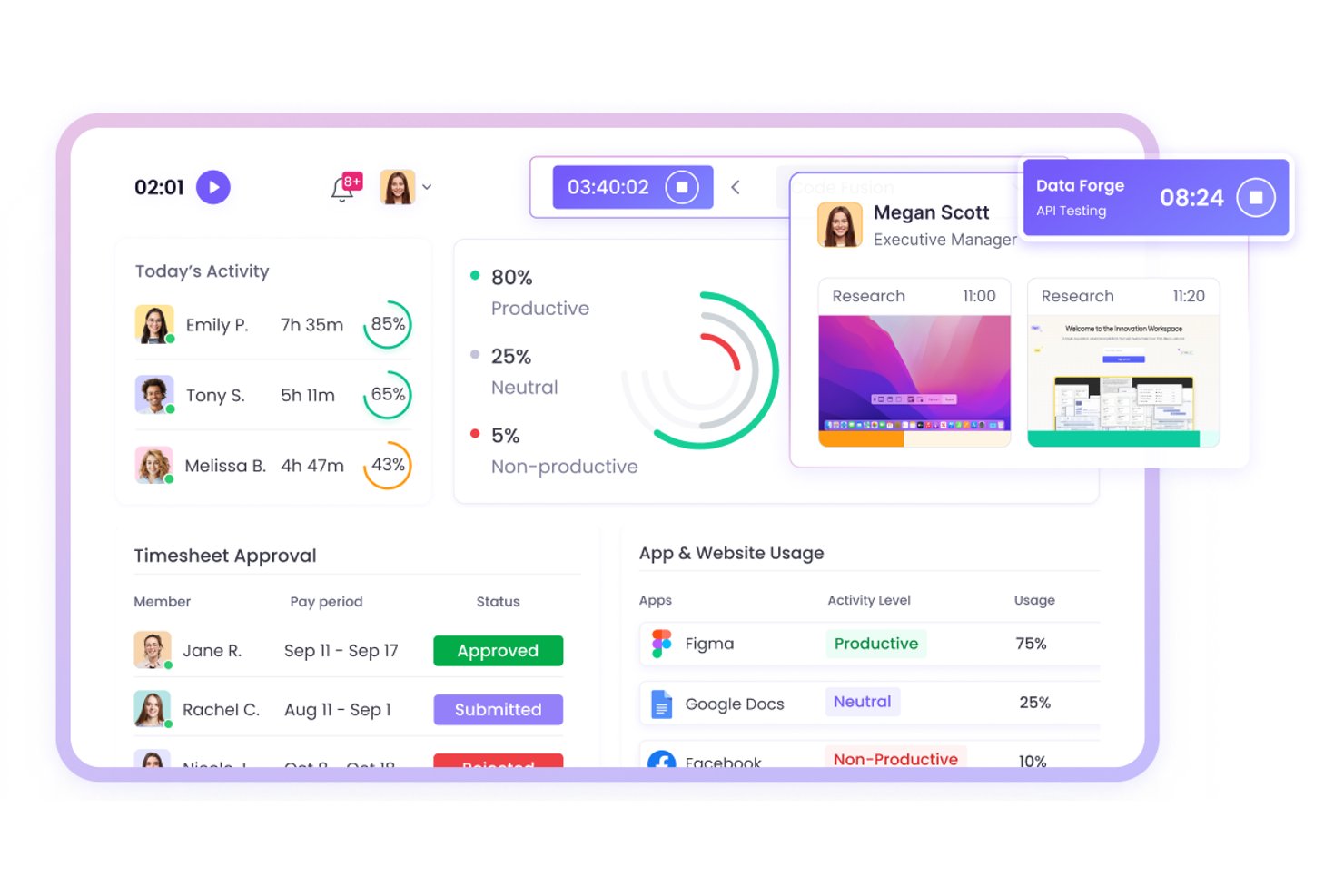
WebWork Time Tracker is time tracking software for distributed and field-based teams, helping project managers monitor work hours, activity, and project progress across remote operations.
Who Is WebWork Time Tracker Best For?
WebWork Time Tracker suits project managers coordinating field staff and distributed remote teams that need visibility into hours, activity, and project progress.
Why WebWork Time Tracker Is a Good Timecamp Alternative
I picked WebWork Time Tracker because it supports field and remote team time tracking with screenshots and activity monitoring. My team can verify work hours across job sites, review project activity, and compare logged time with progress. Its GPS tracking also helps connect mobile work to specific locations.
WebWork Time Tracker Key Features
- Automatic time tracking: Records time spent across assigned tasks and projects.
- Attendance tracking: Logs clock-ins, clock-outs, breaks, and overtime.
- Productivity reports: Generates reports for hours, attendance, and project data.
- Task management: Lets teams create tasks, set priorities, and track statuses.
WebWork Time Tracker Integrations
WebWork Time Tracker offers native integrations with Jira, Asana, Trello, ClickUp, Slack, Google Workspace, Microsoft Teams, Freshdesk, and QuickBooks. It also connects with Zapier and Make and provides a public API and webhooks for custom integrations.
Pros and Cons
Pros:
- Attendance and overtime reports aid payroll review
- Screenshots support remote work verification
- GPS tracking connects field hours to locations
Cons:
- Mobile tracking can drain device batteries
- Frequent screenshots may concern privacy-conscious teams

Clockify
Best for small teams

Clockify is a time-tracking software designed for freelancers and teams who need to monitor employee productivity and manage projects without budget constraints. It helps you track work hours, manage tasks, and analyze project progress efficiently.
Why it's a good Timecamp alternative: I selected Clockify because it gives small teams an accessible way to track project hours and manage weekly timesheets without high upfront costs. Its core tracking features provide clear visibility into project timelines and daily team output without forcing smaller operations onto expensive software tiers. This makes it ideal for leaders who need essential oversight and proof of work while keeping software overhead low.
Standout features and integrations:
Features include project management tools, free time tracking, and billable hours tracking. These features help you ensure accurate time tracking and client billing. Clockify also offers detailed visual reports to analyze team productivity.
Integrations include Asana, Trello, Jira, QuickBooks, monday.com, Basecamp, GitHub, Salesforce, and more.
Pros and Cons
Pros:
- Detailed reports available
- Suitable for all team sizes
- Cost-effective time tracking for small budgets
Cons:
- Requires an internet connection
- Basic project management

Timely
Best for automatic time tracking
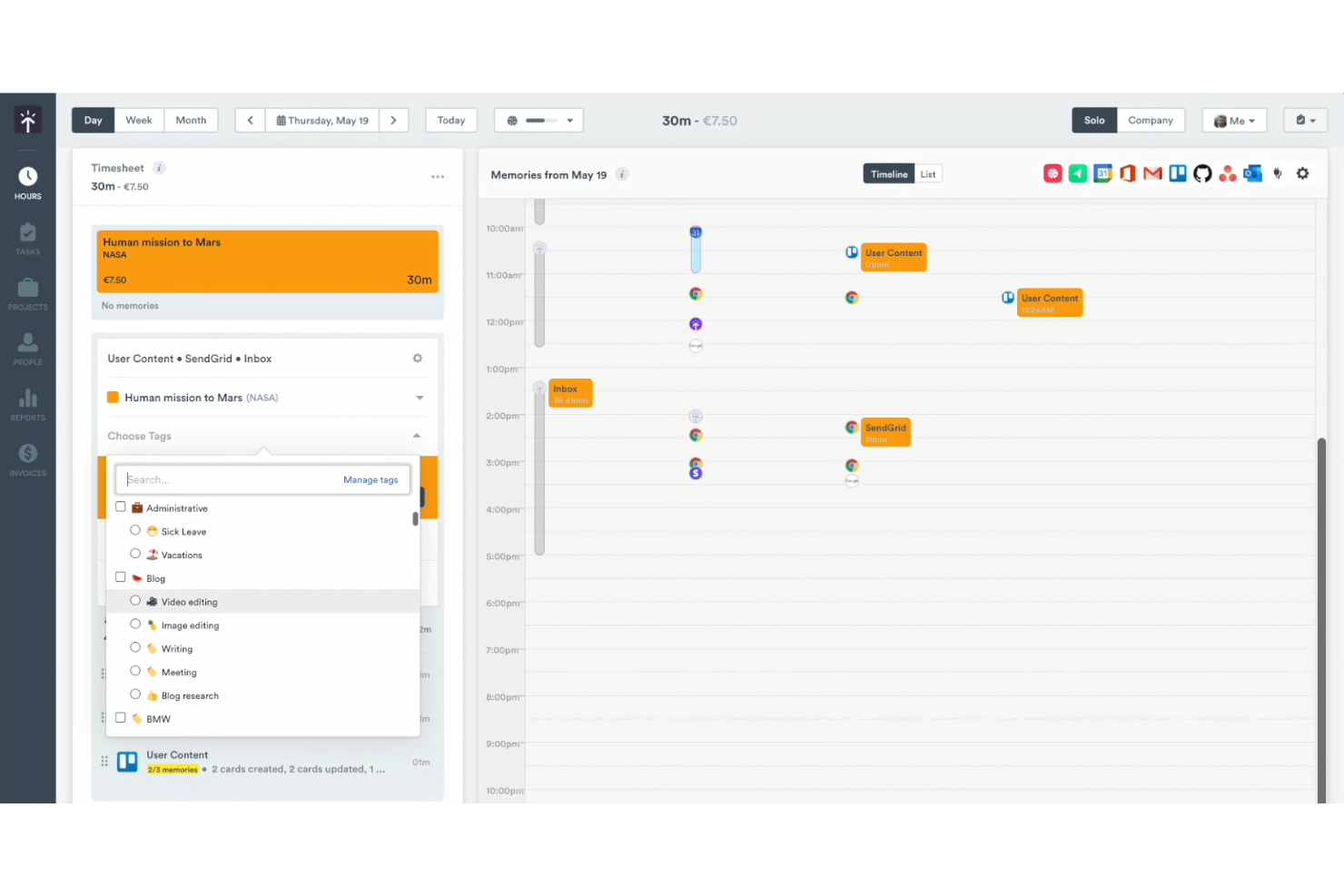
Timely is a time management tool designed for teams and freelancers looking to automate their time tracking. It helps you track work hours accurately and manage project progress more efficiently.
Why Timely is a good Timecamp alternative: Timely offers automatic time tracking, which eliminates the need for manual entry and ensures precise data collection. The memory tracker records all activities on your computer, providing a comprehensive view of your work. You can review and approve tracked hours easily, making project management smoother. This automation in time tracking makes Timely a standout option for those seeking simplicity and accuracy.
Standout features and integrations:
Features include memory tracker, project dashboards, and time reports. These time-tracking features give you a clear view of your work hours. Timely also offers a timeline that visually represents your workday, helping you manage your schedule better.
Integrations include Asana, Google Calendar, and more.
Pros and Cons
Pros:
- Suitable for freelancers
- Extensive activity monitoring features
- Automatic time tracking
Cons:
- Limited manual entry options
- Relies on computer usage tracking

My Hours
Best for project profitability insights
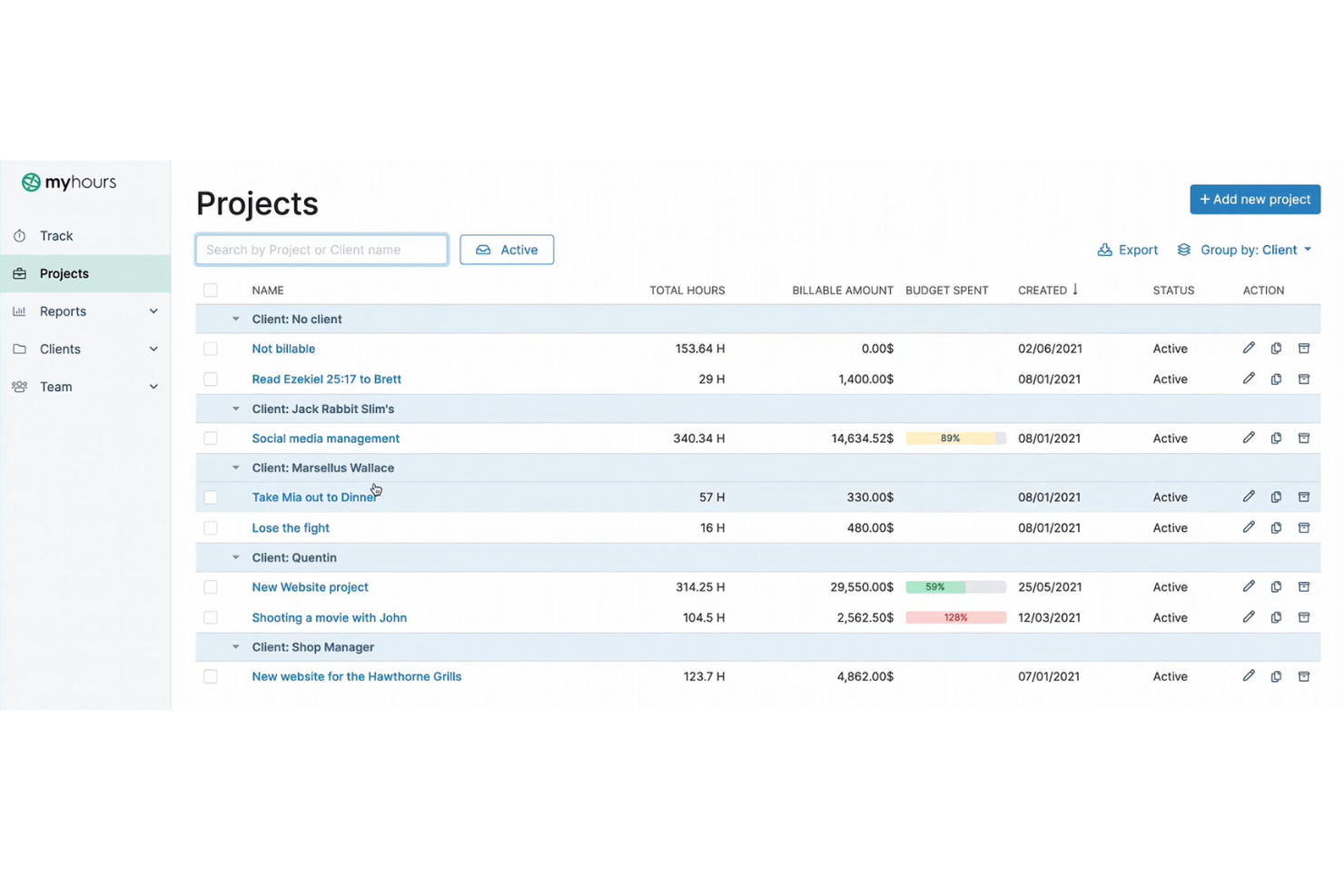
My Hours is a time tracking software designed for freelancers and small teams needing to manage project budgets and work hours. It helps you track time, manage tasks, and analyze project costs efficiently.
Why My Hours is a good Timecamp alternative: My Hours provides detailed reports with project profitability insights so you can see which projects are most beneficial. The software enables you to track billable and non-billable hours, giving you a clear picture of project costs. You can set project budgets and receive notifications when you're nearing limits. This focus on financial insights is a key feature that helps you make informed decisions about project priorities.
Standout features and integrations:
Features include invoicing, detailed reporting, and task management. These features help you maintain control over your project budgets and team productivity. My Hours also offers customizable timesheets for accurate time tracking.
Integrations include Trello, Asana, Slack, Zapier, Jira, monday.com, and more.
Pros and Cons
Pros:
- Customizable timesheets
- Budget notifications available
- Billable and non-billable hour tracking
Cons:
- May not suit large enterprises
- Learning curve for new users

Best for process automation
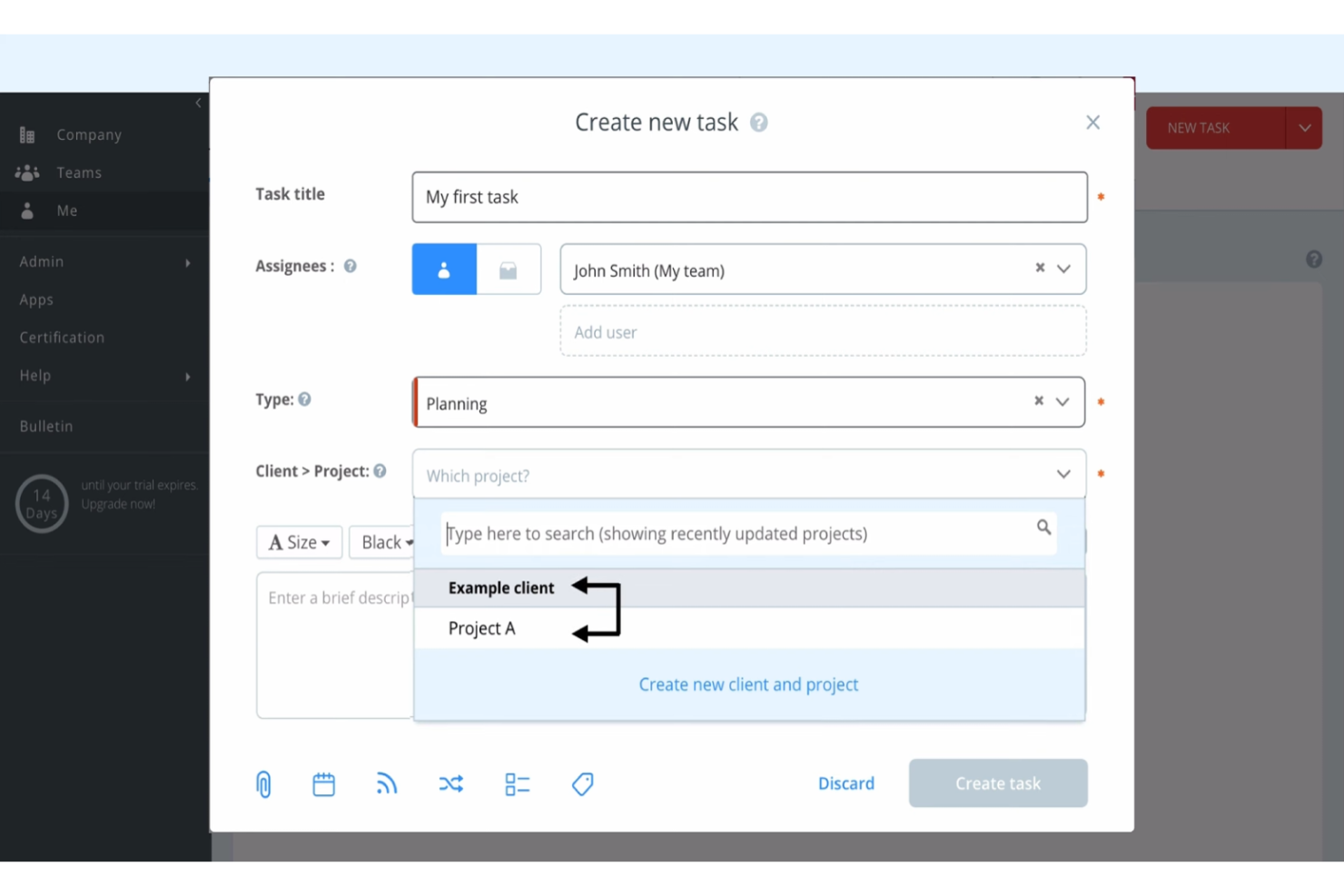
Runrun.it is a project management and time tracking solution designed for teams looking to enhance their team's productivity and manage workflows efficiently. It helps you organize tasks, track time, and automate processes to improve team performance.
Why Runrun.it is a good Timecamp alternative: Runrun.it offers process automation features, allowing you to automate repetitive tasks and streamline workflows. The software enables you to set up automated alerts and notifications to keep your team informed. You can also use custom workflows to ensure tasks are completed in the right order. This focus on automating processes makes Runrun.it a great choice for teams looking to improve efficiency.
Standout features and integrations:
Features include task management and time tracking. These features help you monitor your team's productivity and project timelines. Runrun.it also offers visual dashboards to provide a clear overview of project progress.
Integrations are not publicly listed.
Pros and Cons
Pros:
- Visual dashboards provided
- Custom workflows supported
- Process automation available
Cons:
- No mobile app
- Requires setup time
TMetric
Best for multicurrency invoicing
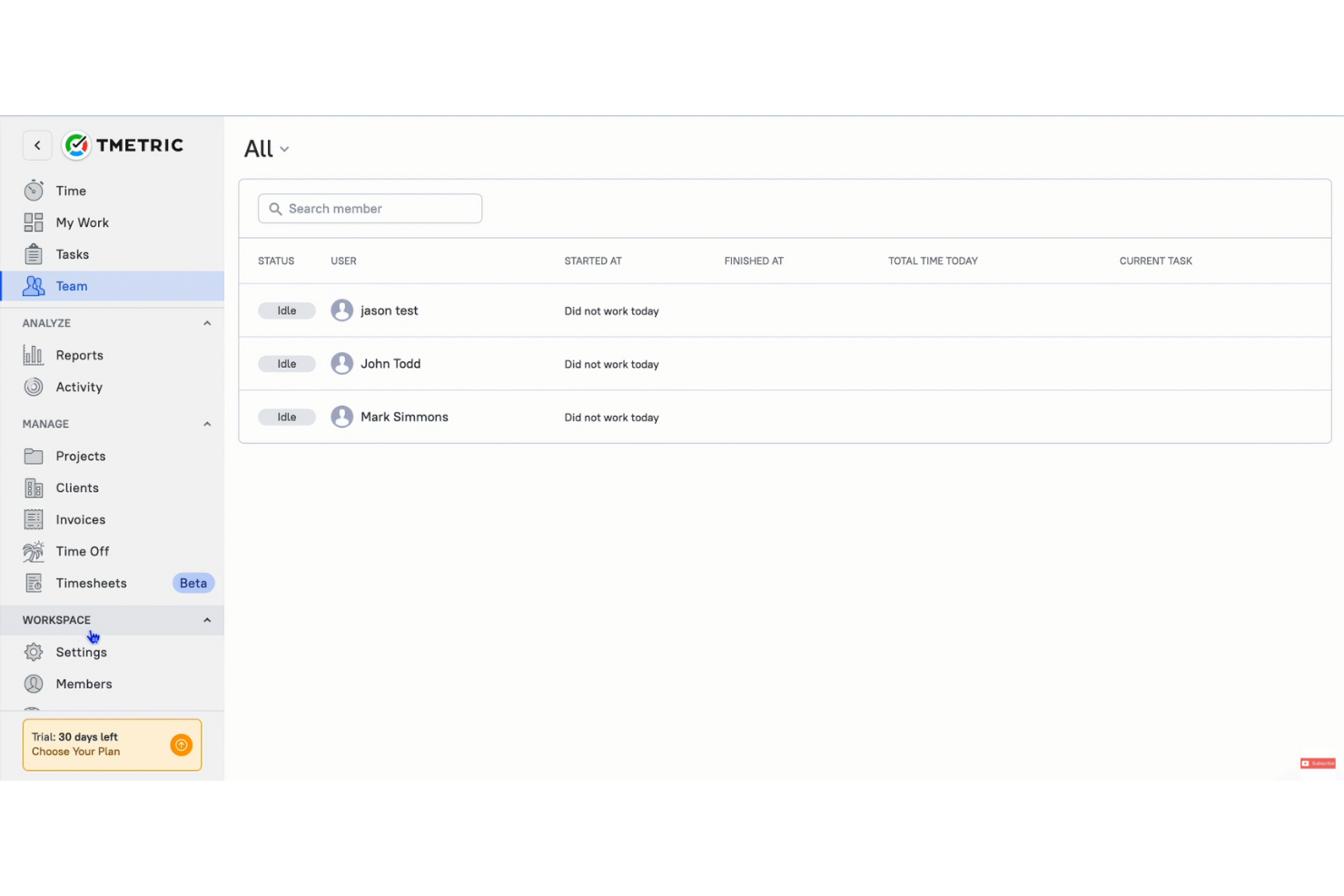
TMetric is a time tracking solution and productivity tool designed for freelancers, small businesses, and remote teams looking to manage work hours and billing efficiently, whether on your desktop app or mobile app. It helps you track time, manage tasks, and facilitate client billing.
Why TMetric is a good Timecamp alternative: TMetric offers multicurrency invoicing, making it easy for businesses with international clients. The invoicing feature enables you to create and send invoices and supports invoicing across multiple currencies, facilitating your global transactions. You can track billable hours accurately and convert them into invoices with ease. This focus on multicurrency support makes TMetric a practical choice for businesses working across borders.
Standout features and integrations:
Features include project management, detailed reporting, and time-off tracking. These features help you maintain control over your team's productivity and project management. TMetric also provides budget management tools to keep your projects on track financially.
Integrations include Asana, Trello, Slack, Jira, GitHub, Bitbucket, monday.com, GitLab, and more.
Pros and Cons
Pros:
- Easy project management
- Project budgeting tools
- Multicurrency invoicing
Cons:
- Mobile app limitations
- Basic reporting options

Best for remote team analytics

Time Doctor is an all-in-one time-tracking software tailored for businesses and remote teams who are aiming to improve overall productivity. It provides managers and team leaders with insights into how employee time is spent across projects.
Why Time Doctor is a good Timecamp alternative: Time Doctor is a time-tracking app that offers advanced analytics features, focusing on remote team performance. Its time-tracking capabilities include real-time monitoring. The distraction alerts feature ensures that your team remains focused on tasks. Additionally, Time Doctor's screenshot capturing provides a clear view of employee productivity, supporting its unique selling point (USP) in remote team analytics.
Standout features and integrations:
Features include time tracking with screenshots, distraction alerts, and real-time employee monitoring. These features help you maintain productivity and keep your team focused. The software also offers detailed reporting to help you analyze work patterns.
Integrations include Asana, Trello, Jira, monday.com, Basecamp 3, Salesforce, Wrike, and more.
Pros and Cons
Pros:
- Distraction alerts
- Screenshot capturing
- Real-time productivity monitoring
Cons:
- Basic project management features
- Limited offline tracking
Best for calendar integration
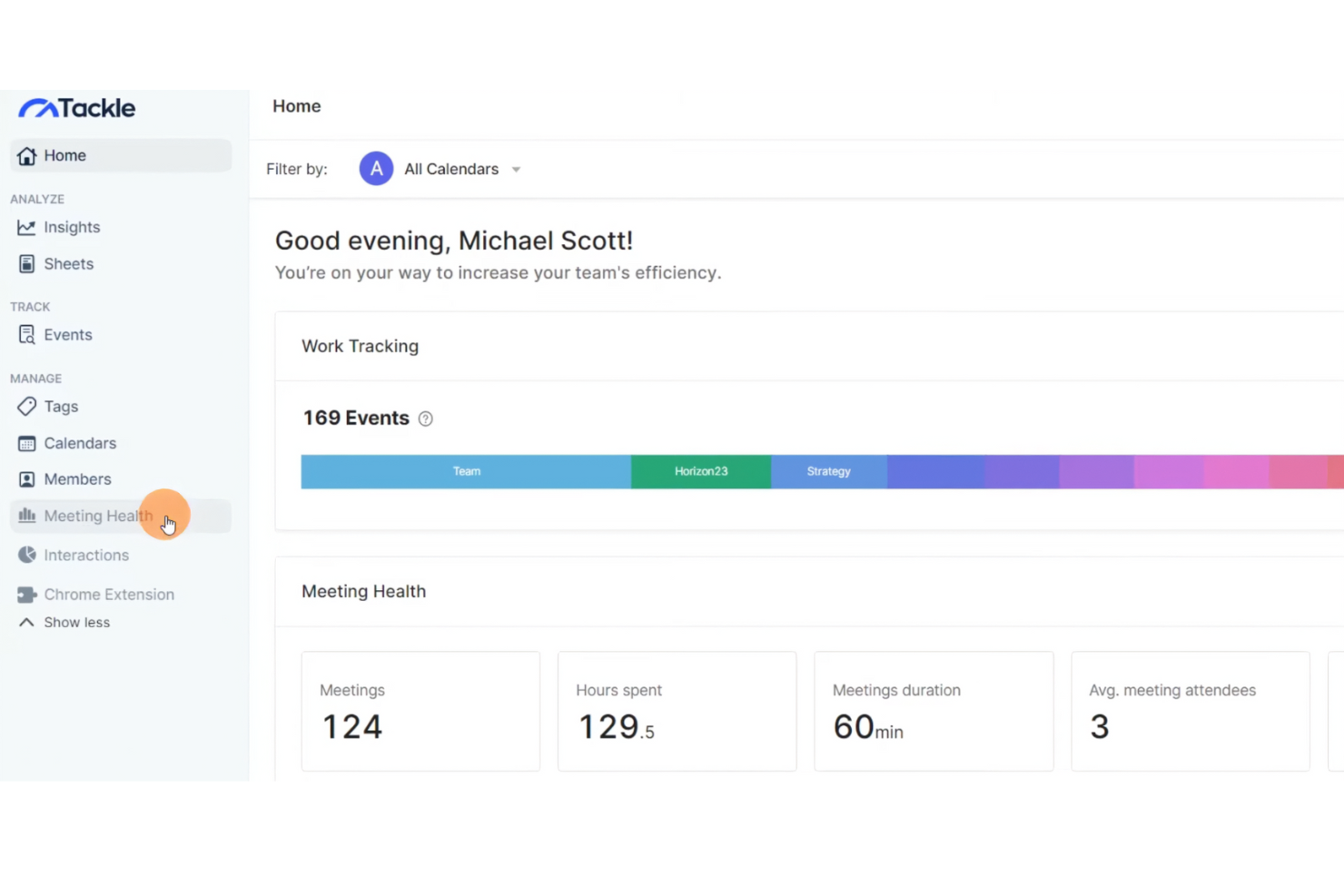
Tackle is a time management tool designed for professionals and teams needing to optimize their scheduling and productivity monitoring. It helps you convert calendar data into actionable insights for improved time and task management.
Why Tackle is a good Timecamp alternative: Tackle offers seamless calendar integration, allowing you to sync and analyze your schedule efficiently, whether on your desktop app or mobile app. This feature offers productivity monitoring to help you track how your time is allocated across different activities so you can easily identify patterns and make adjustments to improve productivity. Tackle’s focus on calendar integration ensures that your scheduling aligns with your productivity goals.
Standout features and integrations:
Features include automated time tracking, data visualization, and personalized insights. These features help you understand your productivity patterns better. Tackle also offers a user-friendly interface to simplify the process of managing your schedule.
Integrations include Google Calendar and the ability to export to Google Sheets and Excel.
Pros and Cons
Pros:
- User-friendly interface
- Automated time tracking
- Native calendar integration
Cons:
- May require initial setup
- Limited advanced features

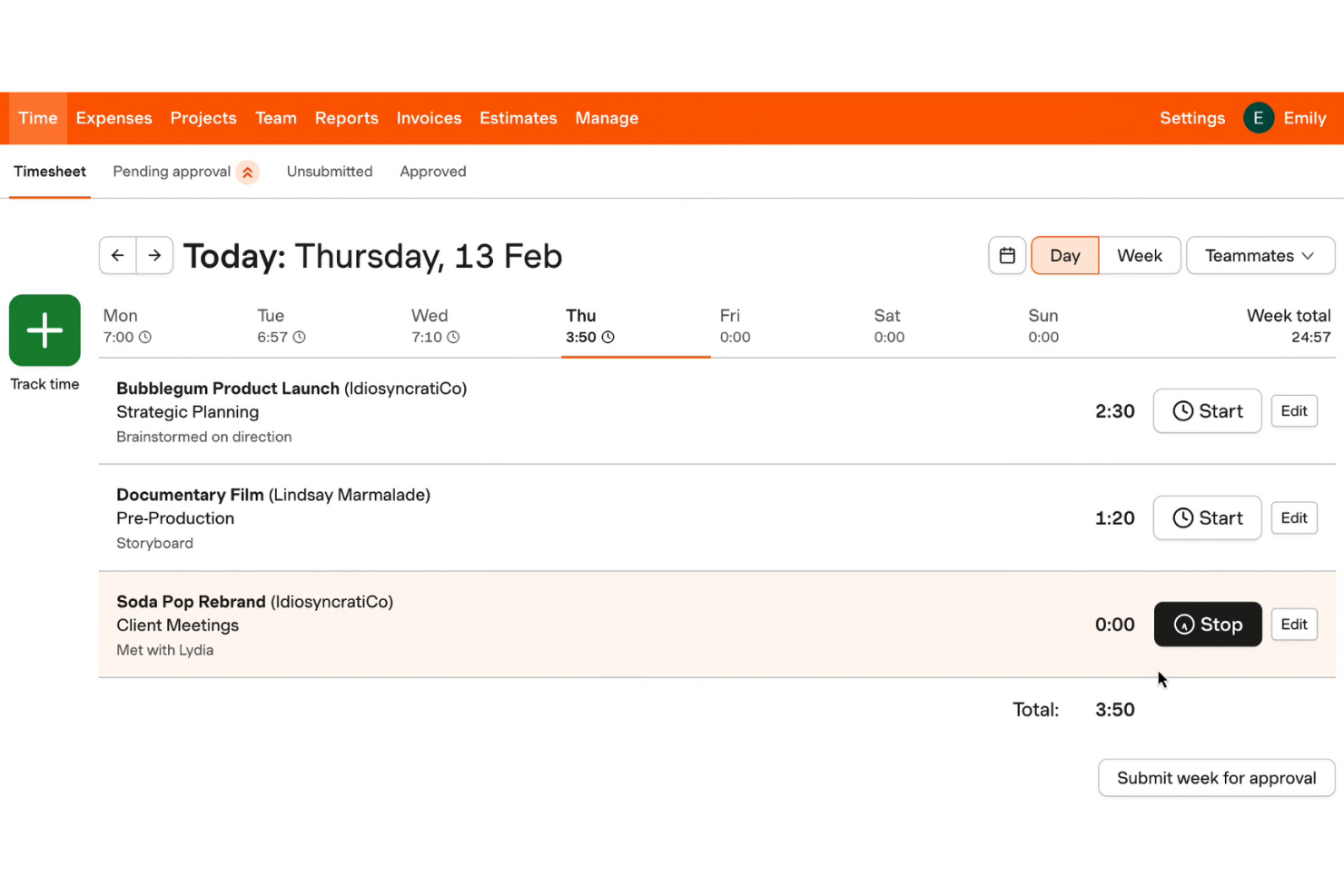
Harvest is a time tracking solution and invoicing software designed for freelancers, small businesses, and teams looking to manage their time and finances efficiently. It helps you track project work hours, create invoices, and manage budgets.
Why Harvest is a good Timecamp alternative: Harvest offers integrated invoicing, allowing you to generate invoices directly from time entries and expenses. This feature simplifies client billing and ensures accuracy in charges. You can easily convert tracked work hours into invoices, making financial management straightforward. Harvest’s focus on combining accurate time tracking with invoicing provides a seamless transition from project work to client billing.
Standout features and integrations:
Features include expense tracking, project budget management, and detailed reports. These features help you monitor project costs and ensure you stay within budget. Harvest also offers timesheet approval to streamline team management.
Integrations include Asana, Trello, Slack, Jira, QuickBooks Online, Basecamp, Stripe, PayPal, Xero, Google Calendar, and more.
Pros and Cons
Pros:
- Easy expense tracking
- Suitable for small businesses
- Integrated invoicing
Cons:
- Unlimited projects in paid plans only
- Relies on accurate time tracking
Toggl
Best for customizable reports
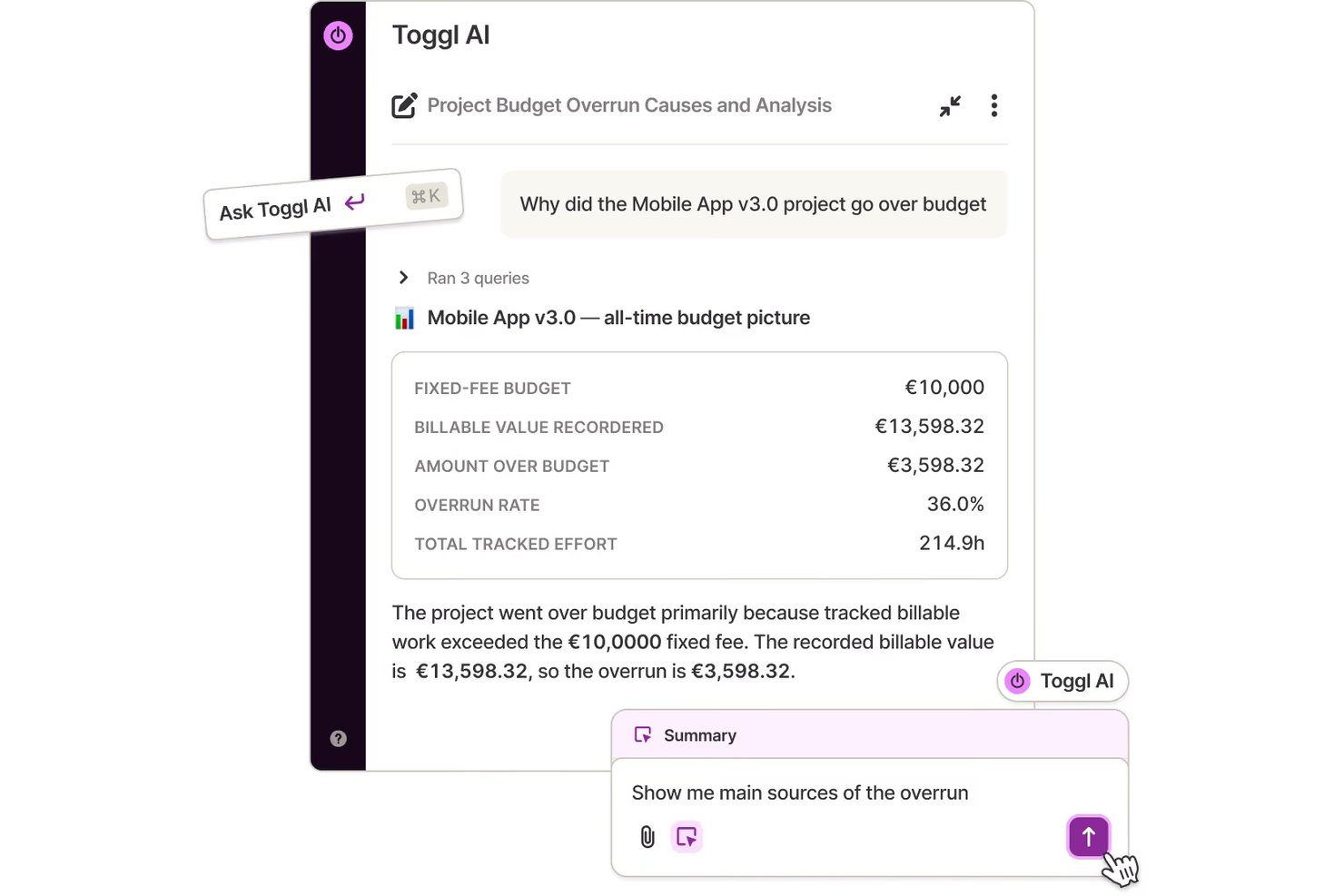
Toggl is a time tracking tool designed for freelancers, small businesses, and teams looking to improve productivity. It provides insights into how time is spent across projects, improving project management efficiency.
Why Toggl is a good Timecamp alternative: Toggl offers customization in reporting, allowing you to tailor time reports to your specific needs. Its simple interface makes it easy to track time without getting bogged down in details. You can generate detailed reports that focus on the metrics most important to you. Toggl Track's flexibility in customizing time reports helps you gain insights that are directly relevant to your team's productivity.
Standout features and integrations:
Features include idle time detection and project progress tracking. These features help you manage your team's productivity more effectively. Toggl also offers reminders to ensure that time tracking stays consistent.
Integrations include Asana, Trello, Slack, Jira, Google Calendar, Todoist, Basecamp, GitHub, Evernote, QuickBooks Online, and more.
Pros and Cons
Pros:
- Affordable paid plans
- Suitable for small teams
- Mobile app for Android and iOS
Cons:
- No invoicing capabilities
- Unlimited users is not supported
Andre alternativer til Timecamp
Her er noen flere alternativer til Timecamp som ikke kom med på kortlisten min, men som likevel er verdt å se nærmere på:
- Monitask
For employee monitoring
- Hubstaff
For GPS tracking capabilities
- actiTIME
For flexible time tracking features
- Buddy Punch
For employee scheduling
- Desklog
For real-time employee productivity tracking
- TrackingTime
For remote team management
- Tick's Time Tracking
For simple project budget tracking


How I Evaluate TimeCamp Alternatives
I look at every TimeCamp alternative in two layers—baseline must-haves like project-level budgets and billable rates, then the factors that actually set tools apart.
Core Functionality (Table Stakes For This List)
When I'm selecting tools for my list, I rank each one on a scale from 0 (does not offer the functionality) to 5 (excels in this area) for each core functionality listed below. Then, I calculate the tool's total score into a percentage. Each tool needs to achieve a minimum total score of 65% to be considered for inclusion.
- Time Tracking: I check whether a tool offers timers, manual entry, and some form of automation—like background app detection in Toggl Track or idle alerts in Clockify—so teams aren't rebuilding timesheets from memory at the end of the week.
- Project & Task Organization: Each tool should let you tie time entries to specific projects, tasks, and clients, the way Harvest links logged hours to task-level line items rather than dumping everything into a single bucket.
- Billable Hours & Invoicing: I evaluate how each platform handles billable vs. non-billable tagging, custom rates per project or team member, and whether it can generate or export invoices directly from tracked time.
- Budget & Profitability Tracking: Tools earn higher marks when they let you set hour or cost budgets per project and surface real-time progress—especially useful for agency teams watching margins across multiple client engagements at once.
- Reporting & Analytics: I look for customizable reports that go beyond raw timesheets, including filters by client, date range, or team member, plus export options like CSV and PDF for stakeholder updates.
- Team & Resource Management: Multi-user support with role-based permissions, timesheet approvals, and workload or capacity views matters here, particularly for leads managing cross-functional squads across concurrent projects.
Once I have a list of tools that meet this criteria, I consider what sets each platform apart.
Differentiating Factors (What Sets Vendors Apart)
Here's how I compare and contrast different vendors:
Standout Features
Automatic activity tracking is a big one for me—tools like Hubstaff and Toggl Track can log apps and URLs in the background, which saves teams from reconstructing their day after the fact. I also evaluate how deep a platform's PM integrations go, since a two-way sync with Jira or Asana is far more useful than a basic one-directional connection. Productivity insights round things out, helping leads spot focus patterns and flag overwork before it becomes a retention problem.
Beyond Features
Pricing structure matters a lot here—a freelancer evaluating Toggl Track has very different needs than a 50-person agency looking at Harvest, so I check whether plans scale without forcing teams into enterprise tiers prematurely. Platform coverage is another factor I weigh, since field and remote teams need mobile apps and offline tracking that syncs once they're back online. For teams handling sensitive client data, I also look at security basics like SSO, 2FA, and GDPR compliance.
Hvorfor se etter et alternativ til Timecamp?
Selv om Timecamp er et godt valg innen produktivitets- og prosjektstyringsprogramvare, finnes det flere grunner til at enkelte brukere ser etter alternative løsninger. Det kan hende du ser etter et alternativ til Timecamp fordi:
- Du trenger mer avanserte rapporteringsfunksjoner
- Teamet ditt trenger bedre muligheter for skalering
- Du ser etter bedre samarbeidsverktøy
- Du trenger programvare med funksjoner som fungerer uten nett
- Teamet ditt har problemer med brukergrensesnittet
- Du trenger mer fleksible prisplaner
Hvis noe av dette høres kjent ut, har du kommet til rett sted. Listen min inneholder flere alternativer innen produktivitets- og prosjektstyringsprogramvare som passer bedre for team som møter disse utfordringene med Timecamp og ser etter alternative løsninger.
Funksjoner
Her er noen av de viktigste funksjonene i Timecamp, som kan hjelpe deg med å sammenligne hva alternative løsninger tilbyr:
- Tidsregistrering: Tilbyr både automatisk og manuell registrering for å hjelpe deg med å føre nøyaktige oversikter over arbeidstimer.
- Overvåking av arbeidsstyrken: Følger med på de ansattes aktivitetsnivå og teamets produktivitet, noe som er ideelt for administrasjon av eksterne team.
- Registrering av oppmøte: Håndterer oppmøte, overtid og forespørsler om fri for å effektivisere lønnsprosessene.
- Integrasjoner: Kompatibel med over 100 verktøy, inkludert programvare for prosjektstyring og fakturering, slik at den passer inn i arbeidsflyten din.
- Analyser: Genererer detaljerte rapporter om tidsbruk, budsjettsammenligninger og ansattes produktivitet for å støtte beslutningstaking.
- Fakturering: Registrerer fakturerbare timer og oppretter fakturaer basert på registrert tid, noe som gjør det enkelt å administrere fakturering av kunder.
- Administrasjonsroller: Lar deg angi brukertillatelser og opprette egendefinerte roller for bedre tilgangskontroll.
- Tagger og skjermbilder: Bruker tagger til klassifisering og valgfrie skjermbilder for åpenhet i overvåkingen.
- Godkjenninger og utgifter: Lar ansatte sende inn timelister til godkjenning og registrere prosjektrelaterte utgifter.
- Tilpassede tjenester: Tilbyr alternativer for selvhostet distribusjon og tilpassede integrasjoner for å imøtekomme spesifikke forretningsbehov.